
Motion Clock for After Effects
Motion Clock v1.1.8 for After Effects
The Ultimate Time, Date, and Countdown Animation Generator for After Effects
Download Motion Clock v1.1.8 today. Consequently, you can create stunning, fully customizable animated clocks, timers, countdowns, and date displays directly inside After Effects, with complete control over every visual element. Because motion designers and content creators frequently need to display time-based information for broadcast graphics, event countdowns, social media content, and UI mockups, having access to a dedicated time animation tool is absolutely essential. Nevertheless, building animated clocks and countdowns manually requires complex expressions, tedious keyframing, and hours of adjustments to get the timing right. Fortunately, Motion Clock eliminates this bottleneck completely. Moreover, it generates accurate, real-time time displays that update automatically, allowing you to focus entirely on the creative design rather than the technical implementation. In short, you can create professional time-based animations with unprecedented speed and accuracy.
Comprehensive Time Display Options
The core of this script lies in its extensive range of time-based display formats. For instance, you can create analog clocks with fully customizable hands, faces, and tick marks, or digital clocks with multiple font and style options. Furthermore, the script supports countdown timers that accurately count down to zero, as well as count-up timers for elapsed time displays. Additionally, you can generate date displays showing the current date, specific target dates, or custom formatted date strings. Since all displays update in real-time, your animations will always show accurate time information. Consequently, you can create everything from simple timers to complex multi-format time displays with ease.
Comprehensive Customization and Styling Controls
Professional time displays demand precise control over every visual element. Therefore, Motion Clock provides a comprehensive suite of customization options. For example, you can adjust the size, color, and font of every text element, including hours, minutes, seconds, and milliseconds. Furthermore, the analog clock hands can be styled independently, with custom shapes, lengths, and colors. Additionally, you can design the clock face with custom tick marks, numerals, and background elements. Since every aspect is fully editable, you can match the time display to any brand or aesthetic. Thus, you maintain complete creative control over the final appearance.
Real-Time Accuracy and Animation Flexibility
Timing accuracy is critical for any time-based display, and Motion Clock delivers precision. For instance, the script can sync to your system clock, ensuring that displayed times are always accurate to the second. Furthermore, you can set custom start times and durations for countdowns and timers, making it easy to coordinate with specific events or deadlines. Additionally, all time displays can be keyframed, allowing you to animate their position, scale, and opacity over time. Since the script updates dynamically, you can create seamless, continuous time animations for any duration. Consequently, your time-based graphics will always be accurate and perfectly timed.
Perfect for Broadcast Designers, Content Creators, and Event Promoters
This script is particularly well-suited for broadcast designers creating live event graphics, news tickers, and sports timers. Similarly, content creators and social media producers will appreciate the ability to create engaging countdowns for product launches, event promotions, and video premieres. Additionally, event promoters and marketers can use Motion Clock to build anticipation with dynamic countdown timers that build excitement. Ultimately, Motion Clock v1.1.8 accelerates your entire motion design and post-production pipeline.
System Requirements and Compatibility
Motion Clock v1.1.8 supports After Effects versions 2022, 2023, 2024, 2025, and 2026 on both Windows and macOS operating systems. The script is available as a standard JSX file or CEP extension for easy installation. You will need a standard workstation with at least 8GB of RAM.
Installation and Usage Guide
To install, first download the script files from your library. Next, close Adobe After Effects if it is running. Then, copy the script files to your After Effects Scripts folder or install the CEP extension following the standard aescripts + aeplugins process. After installation, ensure “Allow Scripts to Write Files and Access Network” is enabled in After Effects Preferences under Edit > Scripting & Expressions. Finally, launch After Effects, navigate to Window > Motion Clock, choose your time display format, customize the visual elements, and place your animated clock in your composition. Thus, your professional time animation workflow will be ready instantly.
What is Included Inside?
The pack contains the complete Motion Clock v1.1.8 script for After Effects. Furthermore, it includes comprehensive time display options including analog clocks, digital clocks, countdowns, and date displays, full customization and styling controls, and real-time accuracy with animation flexibility. Ultimately, you receive everything needed for professional time-based animations.
Final Thoughts on the Script
Effortless time animation creation evokes profound creative freedom. Therefore, this script provides the ultimate foundation for your motion design and broadcast workflows. You can create accurate, beautiful time displays with unprecedented speed and simplicity. Consequently, your time animation vision becomes a stunning reality.
Accurately tracks and exports (Bar chart and CSV) your project hours in real-time in all Adobe Creative Suite applications (After Effects, Illustrator, Photoshop (no UXP), and Premiere Pro). It’s intuitive, unobtrusive, and syncs effortlessly with your workflow. Motion Clock ensures that every minute counts. Don’t just track time; master it.
Pros, Freelancers: One-time leap, eternal tracking. Your creative flow is charted and sketched into an easy-to-export report!
Ever thought of dictating time rather than racing against it?
Motion Clock harnesses the time flow in After Effects and Adobe Suite.
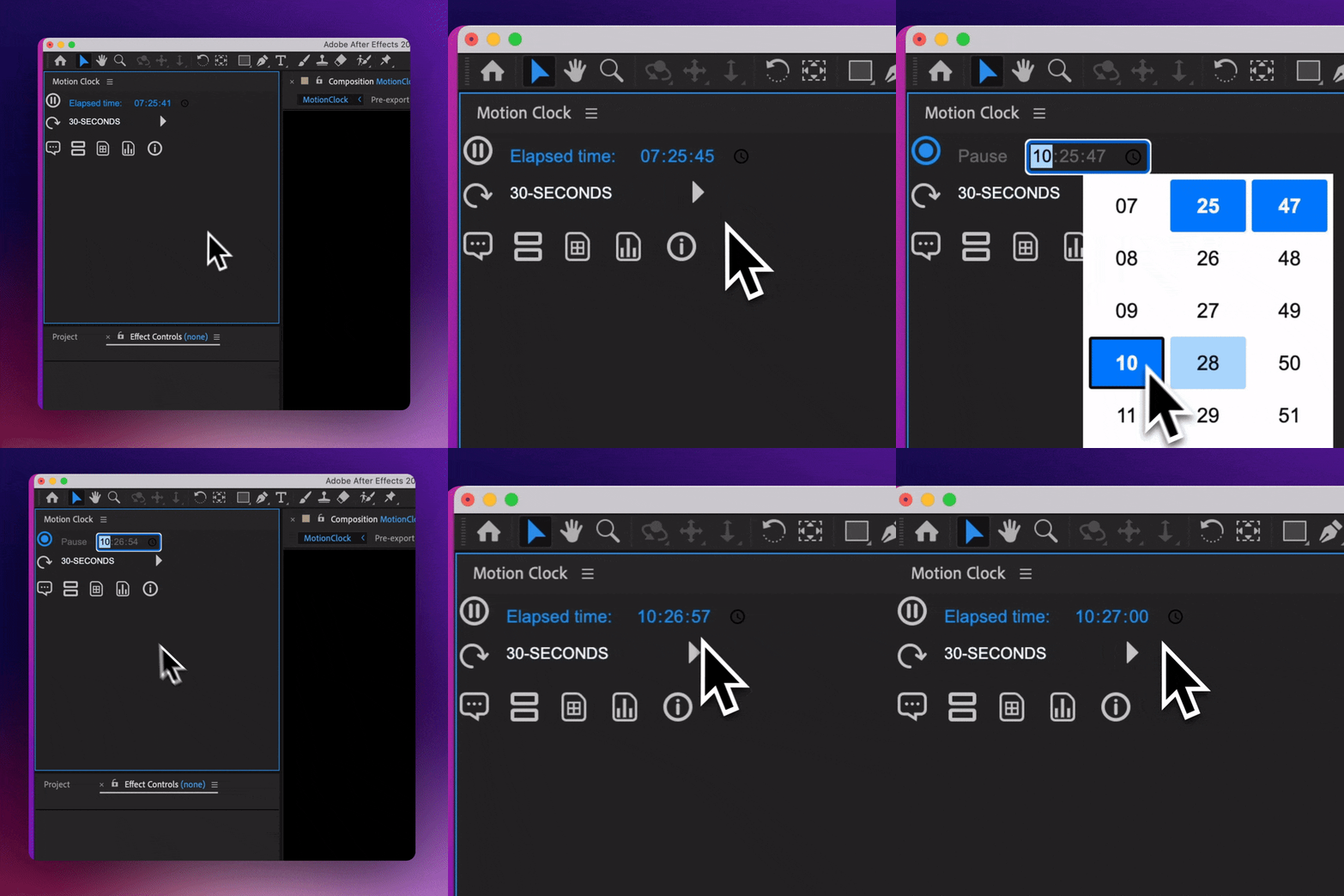
Tweak it, and add or subtract some time at will.
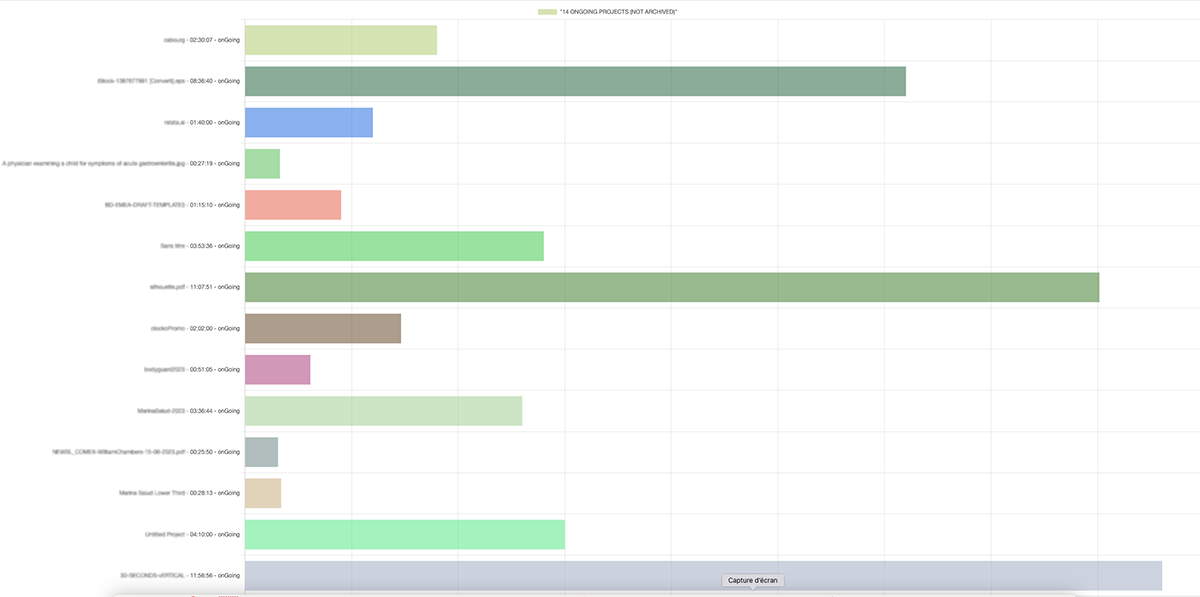
Then export your data per file as .csv, or turn it into a bar chart. Join the designers who aren’t tracking time but mastering it!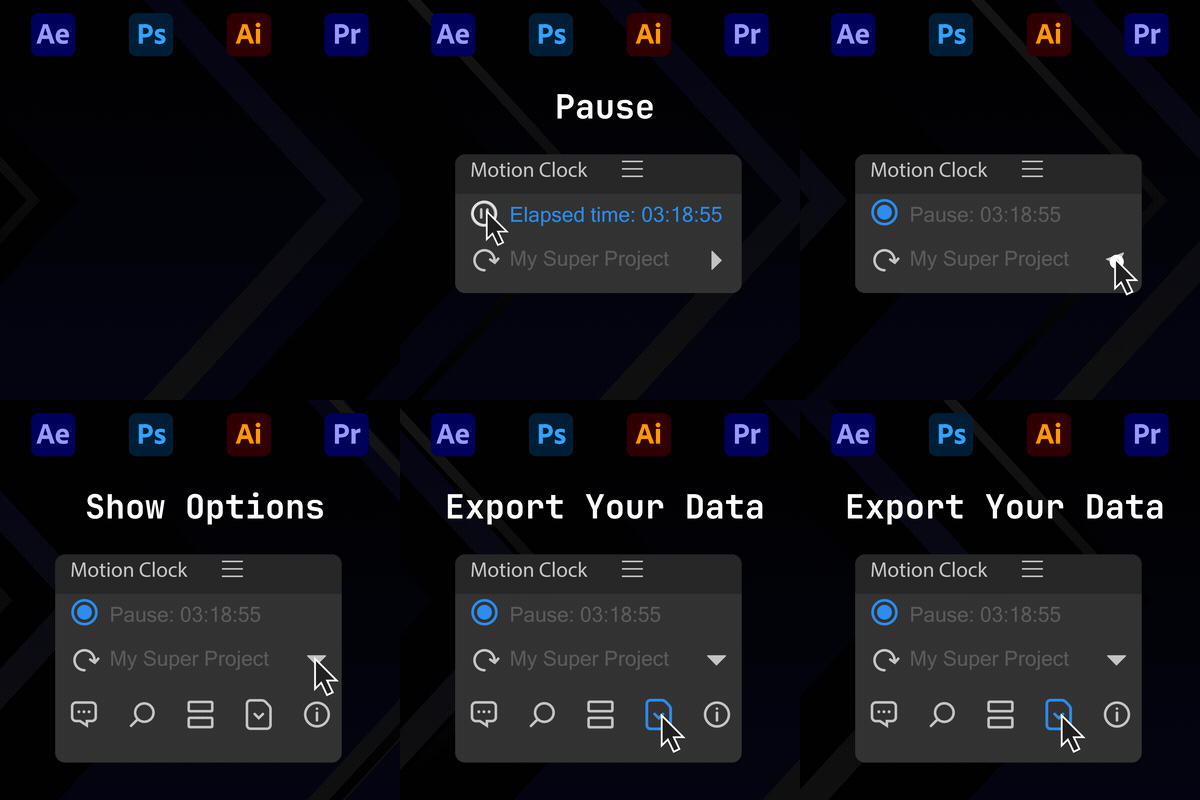
Motion Clock’s features:
1. Project Time Management UP to 150 project files at the same time (save as CSV if you have more)
Tracks the time spent on each project, visually representing elapsed time. The time display format is customizable
2. Project Information and Switching:
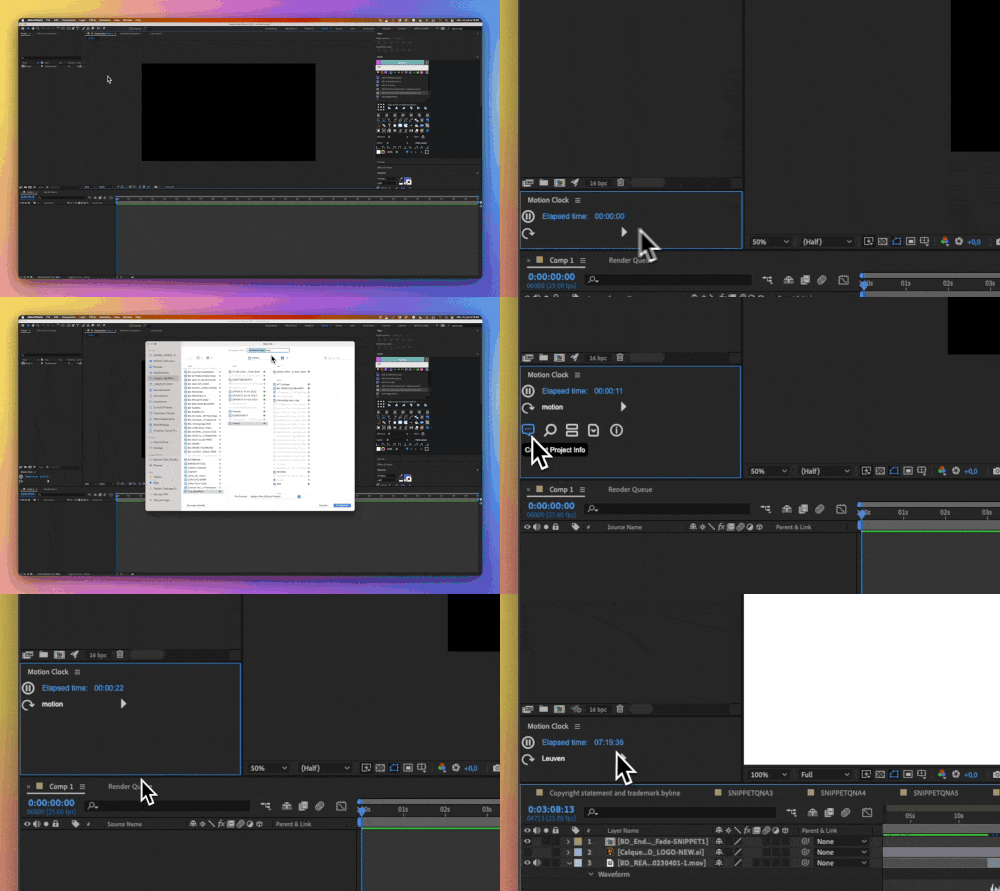
Displays the current project’s information, including its name and elapsed time. Users can easily switch between different projects, with time tracking adjusting automatically.
3. CSV Upload and Data Management:
Users can upload a CSV file to update their project data, allowing for the removal of old or unnecessary projects. The tool also supports exporting project data in different formats like CSV (Excel, Numbers), and HTML bar Charts
4. Idle Time Alert:
A customizable feature that notifies users to know if the timer needs to stop. Users can switch it on or off and set a delay for the alert.
5. Project Archiving:
Allows users to mark a project as archived, removing it from the active project list but retaining the data for future reference.
6. Help and Customizable Settings:
It provides a help section for users to understand its functionality better. Users can also customize various settings according to their preferences.
7. Dockable and Multilingual:
The tool can be docked and remains active after saving and restarting the project. The core system supports multiple languages, enhancing its accessibility to users worldwide.
8. Robust Error Handling:
Equipped with mechanisms to handle issues like no project selected, no matching project found, and more.
A Companion in Sync with Your Rythm.

Motion Clock accompanies you on your digital journey, as discreet as a shadow but as handy as a sidekick.
Docked conveniently within your application, Motion Clock automatically recognizes when you launch a project, tracking the hours spent in real-time. It’s like a silent co-pilot, keeping a vigilant eye on the flight time while you steer your creative ship through the seas of pixels.
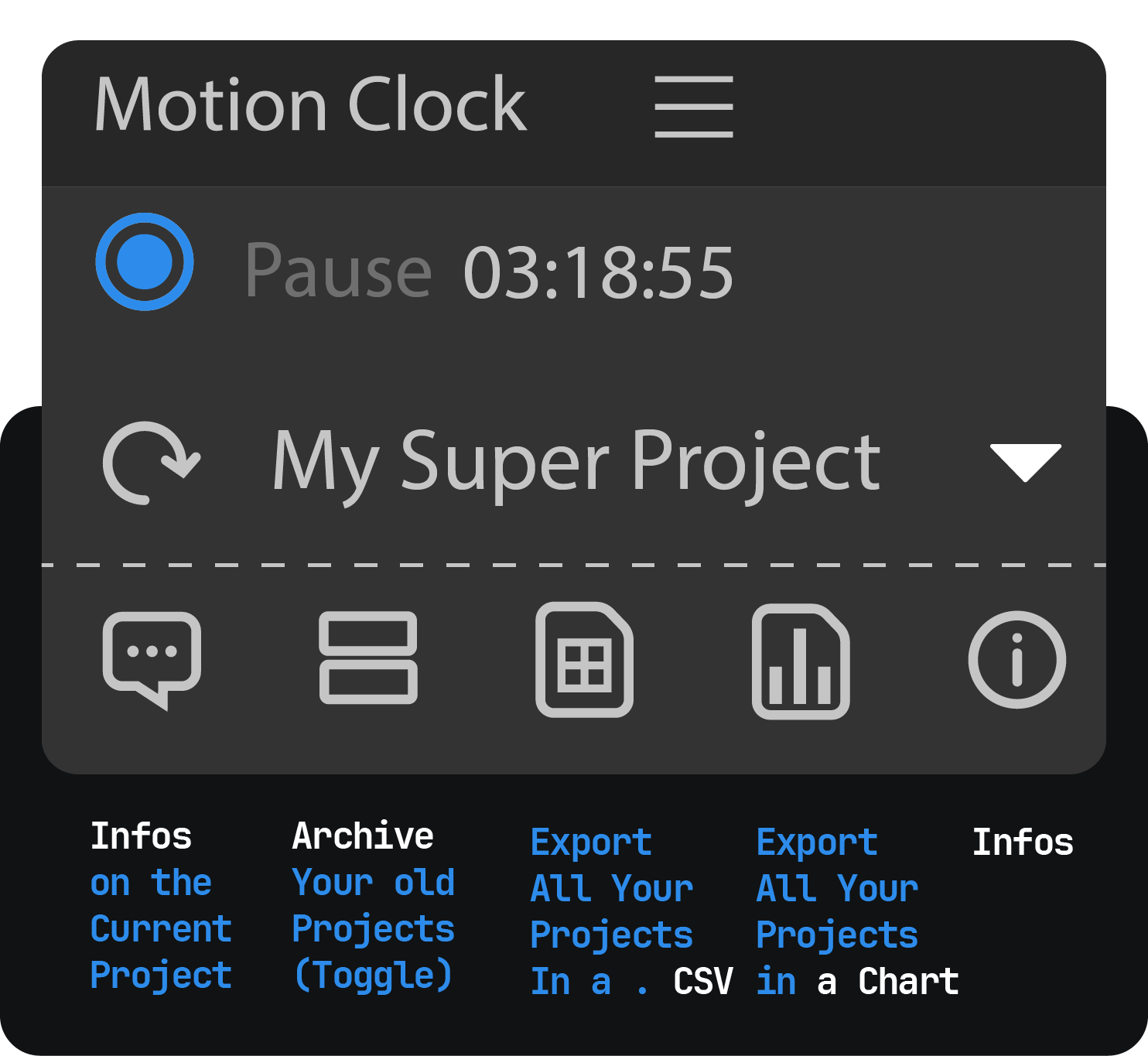
Effortless Project Tracking for an Accurate Overview
With its intuitive ability to update project data as you hop from one piece of work to another, Motion Clock ensures that no minute is overlooked.
So whether you’re tweaking a keyframe in After Effects, creating a vector in Illustrator, touching up a photo in Photoshop, or editing a sequence in Premiere Pro, your hours are accurately tracked, turning your creative efforts into tangible data.
Short Tutorial
An assistant, not a stalker.
Modal Dialogs – Your Project’s Snapshot at a Glance
Gone are the days of scrolling through endless timelines or rummaging in complex directories to understand the time spent on your projects. Instead, Motion Clock’s modal dialogs are your project’s instant snapshot.
It’s like a time capsule, capturing your work progress and status for a quick overview without opening each project.
Simple Data Export – Your Project Details, a Click Away
Exporting project data with Motion Clock is as simple as clicking a button.
Be it for an upcoming client meeting or to soothe a feline friend with a penchant for keyboards, you can secure your data effortlessly.
An Ongoing Journey of Improvements
We’re just getting started. We’re relentlessly enhancing our UI, refining our logo, and even considering expanding our capabilities to related apps.
Like your keyframes and shapes, we believe in moving forward and evolving to serve your creative journey better.
In a realm where creativity meets pixels and projects dance with deadlines, Motion Clock becomes your guide, scribe, and historian. It doesn’t just track time; it helps you master it.
Dive nto the world of Motion Clock, your personal time tracker. Start making every creative moment count because, with Motion Clock, you’re not just tracking time.
2025 COMPATIBILITY: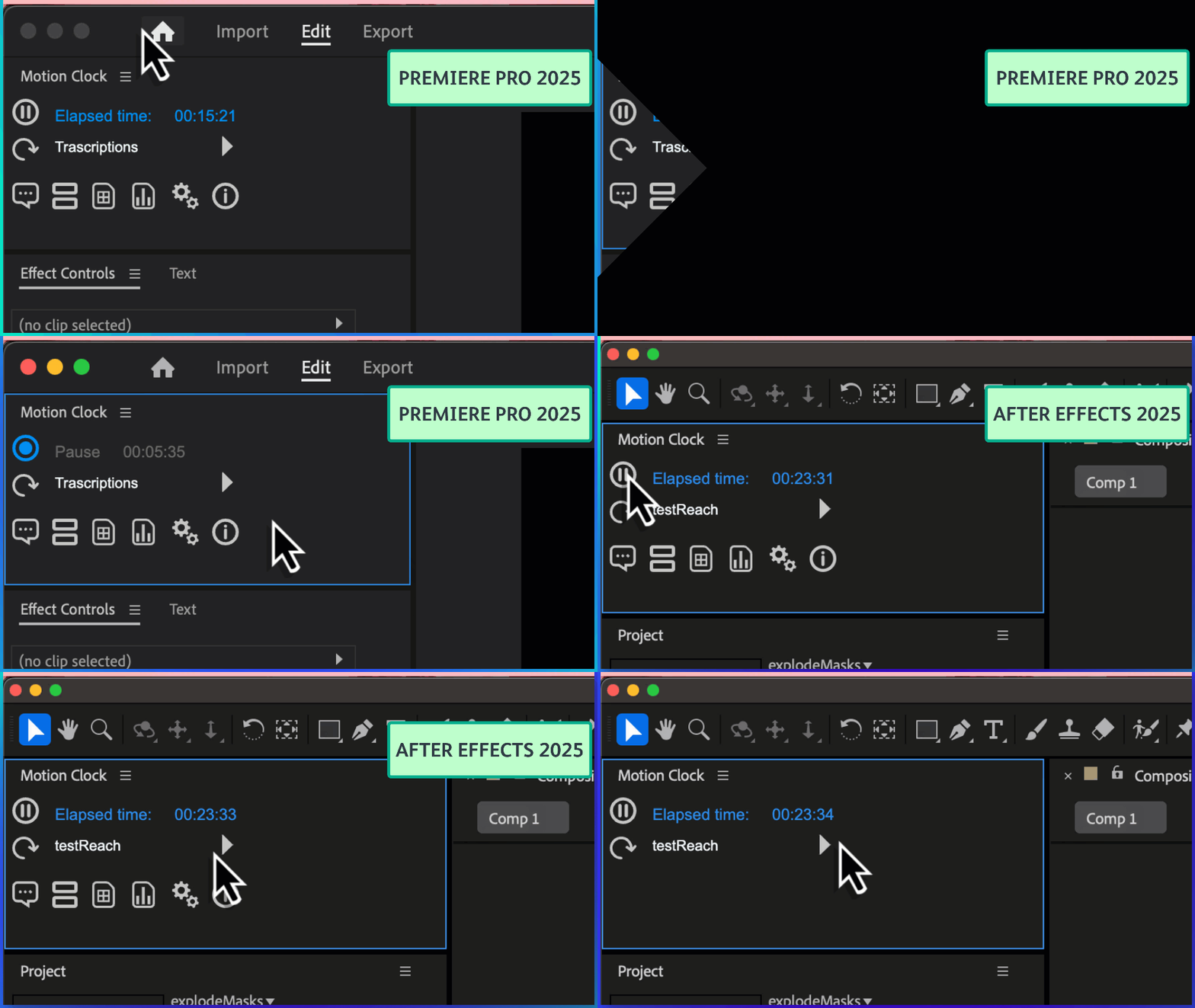
You’re creating The Art of Time.
Update Time, Switch Projects, Export CSV or Bar Charts
Elevate your motion graphics workflow with premium collection of After Effects plugins. Whether you are a seasoned professional or just starting your VFX journey, powerful tools designed to streamline complex tasks, unlock creative possibilities, and save you hours of rendering time. From stunning glitch effects and seamless transitions to advanced 3D extrusion and text animation tools, each plugin in our library is rigorously tested for compatibility with the latest versions of Adobe after Effects. Enhance your video production value today and download industry-leading plugins that help you create breathtaking visuals without the technical headaches. Browse our full range and find the perfect extension to supercharge your editing suite now.
➡️ ➡️ For more after effects Plugins 😀 😀
➡️ ➡️ System requirements AE
Reviews
There are no reviews yet.