
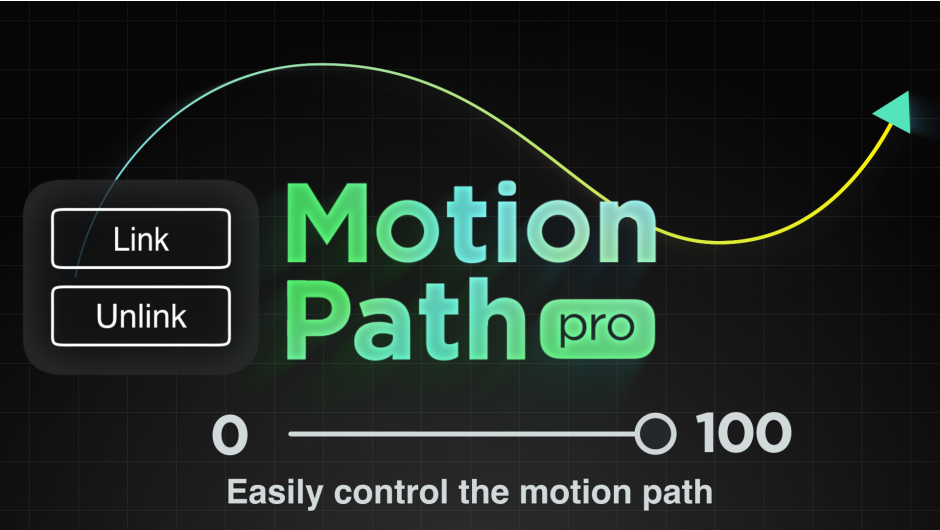
Motion Path Pro for After Effects
motion path pro script
Download Motion Path Pro v1.3 for After Effects on Windows and Mac, a powerful script that links motion paths to selected layers for easy animation control . Simply connect masks from existing layers to motion paths with a single click and control your entire animation using a simple 0 to 100 slider—eliminating the complexity of manual keyframe manipulation .
Motion Path Pro is a tool for After Effects that links motion path to selected layers. Easy to use!
Key Features of Motion Path Pro v1.3:
- One-Click Path Linking: Link masks from existing layers to motion paths instantly—no complex setup required
- Slider-Based Animation: Control the entire animation with a simple 0 to 100 slider for intuitive, precise motion
- Real-Time Path Updates: Edit the original mask path and see animations update instantly in real time
- Flexible Path Switching: Change motion paths at any time without rebuilding your animation
- Auto Orient Toggle: Automatically orient layers to follow the path direction with a single click
- Reverse and Offset Controls: Easily reverse animation direction and add timing offsets for complex sequences
- Supports Animated Mask Paths: Full compatibility with keyframed and animated mask paths for dynamic motion
- v1.3 Update (Jan 7, 2025): Fixed expression errors when launching the script for smoother operation
Perfect For:
- Motion graphics artists creating complex path-based animations without manual keyframing
- Animators needing precise control over object movement along custom paths
- Title sequence designers wanting dynamic text and logo path follows
- Anyone frustrated by the challenges of controlling After Effects’ built-in motion paths
- Creators who want to switch paths and adjust animations without rebuilding from scratch
System Requirements:
- Adobe After Effects 2025, 2024, 2023, 2022
- Windows 10/11 (64-bit) or macOS
- 4GB RAM minimum (8GB+ recommended)
- 25MB available disk space
- Enable “Allow Scripts to Write Files and Access Network” in Preferences > Scripting & Expressions
Installation:
Copy the script file to your After Effects ScriptUI Panels folder:
- Windows:
C:\Program Files\Adobe\Adobe After Effects [version]\Support Files\Scripts\ScriptUI Panels\ - Mac:
/Applications/Adobe After Effects [version]/Scripts/ScriptUI Panels/
Access via Window menu > Motion Path Pro
Note: A free demo version is available for testing after logging in . The script simplifies the challenging process of controlling motion paths in After Effects, which can be difficult due to the abundance of keyframes and unintended shape changes during animation adjustments .
Motion Path Pro is a tool for After Effects that links motion path to selected layers. Easy to use!
Link motion paths for easy animation control.
Features
- Link masks from existing layers to motion paths with a single click
- Animation controlled by the slider from 0 to 100
- Switching motion paths
- Toggling AutoOrient and Reverse
- Simple UI Panel.
- Works very fast.
Is it easy to control motion paths in After Effects?

The built-in motion paths in After Effects can be challenging to control due to the abundance of keyframes.
Additionally, unintended changes in motion path shapes can occur during animation adjustments.
Link motion paths

1.Launch Motion Path Pro and click “Link” button
Click the “UnLink” button to remove these effects.
2.Select the mask as the motion path
Switch masks at any time
3.Animate with a slider from 0 to 100
Easily control animations

Edit the mask with real-time updates

Toggle Auto Orient

Reverse and Offset

Supports animation of mask paths
Tutorial Video
Elevate your motion graphics workflow with premium collection of After Effects plugins. Whether you are a seasoned professional or just starting your VFX journey, powerful tools designed to streamline complex tasks, unlock creative possibilities, and save you hours of rendering time. From stunning glitch effects and seamless transitions to advanced 3D extrusion and text animation tools, each plugin in our library is rigorously tested for compatibility with the latest versions of Adobe after Effects. Enhance your video production value today and download industry-leading plugins that help you create breathtaking visuals without the technical headaches. Browse our full range and find the perfect extension to supercharge your editing suite now.
➡️ ➡️ For more after effects Plugins 😀 😀
➡️ ➡️ System requirements AE
Reviews
There are no reviews yet.