
MotionTrail3D for Blender
motiontrail3d addon
MotionTrail3D for Blender – Professional Motion Path & Trajectory Visualization Tool
Download MotionTrail3D for Blender on Windows, Mac, and Linux, a powerful motion path visualization add-on that displays animated 3D trails showing where objects have been, where they’re going, and their speed and acceleration. Perfect for animators, motion designers, and VFX artists—analyze and refine motion with real-time trajectory visualization .
Key Features of MotionTrail3D:
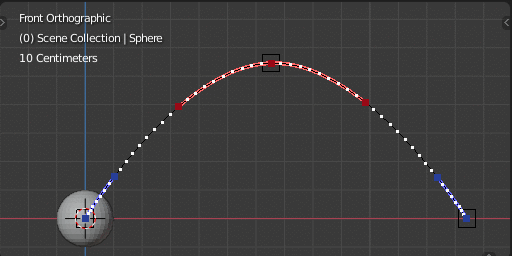
- Real-Time Motion Trail Display: See live trajectories of animated objects directly in the viewport—positions, future paths, and velocity indicators
- Speed & Acceleration Visualization: Color-coded trails show speed variations—slow, medium, and fast sections clearly distinguished
- Trajectory Analysis Tools: Analyze motion paths for smoothness, arcs, and timing with visual feedback
- Frame Step Indicators: Display position markers at custom frame intervals to visualize spacing and timing
- Path Export: Convert motion trails to editable curves for further animation or rendering
- Adjustable Trail Length: Control how many frames of history and prediction are displayed
- Performance Optimized: Efficient trail generation for complex animations
Perfect For:
- Character animators analyzing and refining motion arcs
- Motion designers visualizing object trajectories
- Game developers debugging character movement
- VFX artists matching real-world motion capture
- Anyone needing professional motion path analysis in Blender
System Requirements:
- Blender 3.6, 4.0, 4.1, 4.2, 4.3
- Windows 10/11 (64-bit), macOS, or Linux
- 4GB RAM minimum (8GB+ recommended)
- 10MB available disk space
Installation:
- Download the add-on zip file
- In Blender, go to Edit > Preferences > Add-ons
- Click “Install” and select the downloaded zip file
- Enable the add-on by checking the box next to “MotionTrail3D”
Note: MotionTrail3D provides professional motion analysis tools directly in Blender’s viewport, making it essential for animators refining character movement, motion designers analyzing trajectories, and VFX artists matching motion capture data . The speed and acceleration visualization helps identify timing issues and improve animation quality . Designed for Blender 3.6 and above . Perfect for any workflow requiring motion path analysis . Essential for serious animators and motion designers .
Due to a lack of updates and support for current Blender versions, the older addon versions that work for Blender 2.81 up to Blender 2.9 are now free (as of this description update, there is only one available addon version). In the future, if I add support for Blender 3.6 up to Blender 4 versions, they will likely require a new purchase even if you have bought the, now free, Blender 2.81 up to Blender 2.9 versions. I’m sorry for the lack of updates but this addon is a financial failure and does not support my .. living.
If you’ve purchased the product in the last 30 days, contact BlenderMarket for a refund: https://support.blendermarket.com/article/22-refund-policy
Known Bugs:
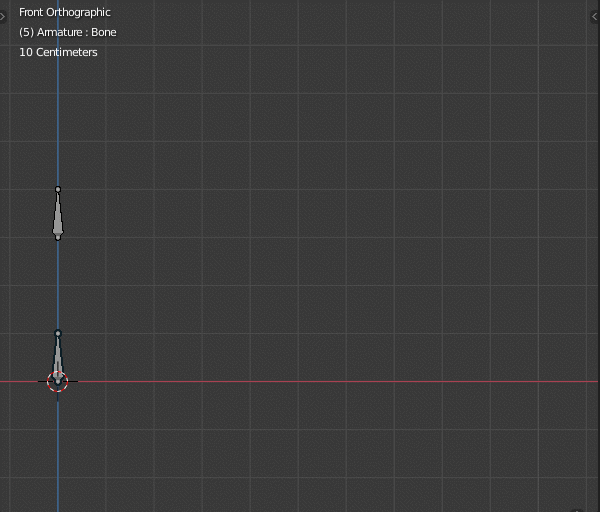
- If a bone has disabled “Use Local Location”, then trail won’t work correctly.
- If a bone has disabled “Inherit Rotation”, then the trail won’t work correctly.
Caveats and Limitations:
- For efficiency, only changes to the local channels of the trail target is seen in real time. Changes to a trail target’s parent hierarchy or constraint dependencies will not be seen. You’ll have to refresh the trail to view such changes. Exception: By creating multiple trails of a bone hierarchy, you can mark other trails as a hierarchy dependency so it updates with the parent.
- You should never delete any trail control. This is undefined behavior. You can create and delete keys through normal blender means. The exception is if you saved your file while the trail was active. On reloading the file, you can safely delete the persisted trail controls. For convenience, R-Click the collection its in and Delete Hierarchy.
- Depending on your PC, you may not be able to transform the controls while the animation is playing, especially at 60fps. This is due to Blender not calling update when the target FPS is not hit.
- Do no animate the controls. The addon automatically deletes animation on controls to prevent undefined behavior. You do not have to turn off Auto Keying. The performance hit for leaving it on should be minimal.
- Although controls are Blender objects, they are pooled and reused. Treat them as volatile. Animating, constraining, and reparenting them is undefined behavior.
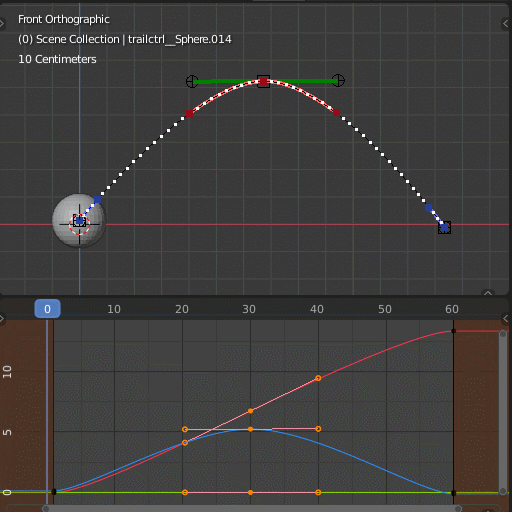
- I mentioned that when handles are FREE and you retime them, the curve is preserved. This works as long as the time of handles do not pass adjacent handles or keys. If you do, Blender modifies the curve to prevent cases where, at a single frame, there are multiple curve values. Basically, blender doesn’t allow you to create loop-de-loops. In terms of retiming, the curve-preservation property is lost.
- Be careful to not select time controls when trying to transform the curve as a whole. The addon will treat this as if you’re attempting to retime. It’s convenient to disable time controls in this case.
- Dense keys lead to a problem of clutter. The current solution is to turn on selection sync to sync key and handle selection between the graph editor and motion trail controls. You can also hide specific Co, handle and time controls separately and individually. If anyone has better ideas, I’m open to suggestions.
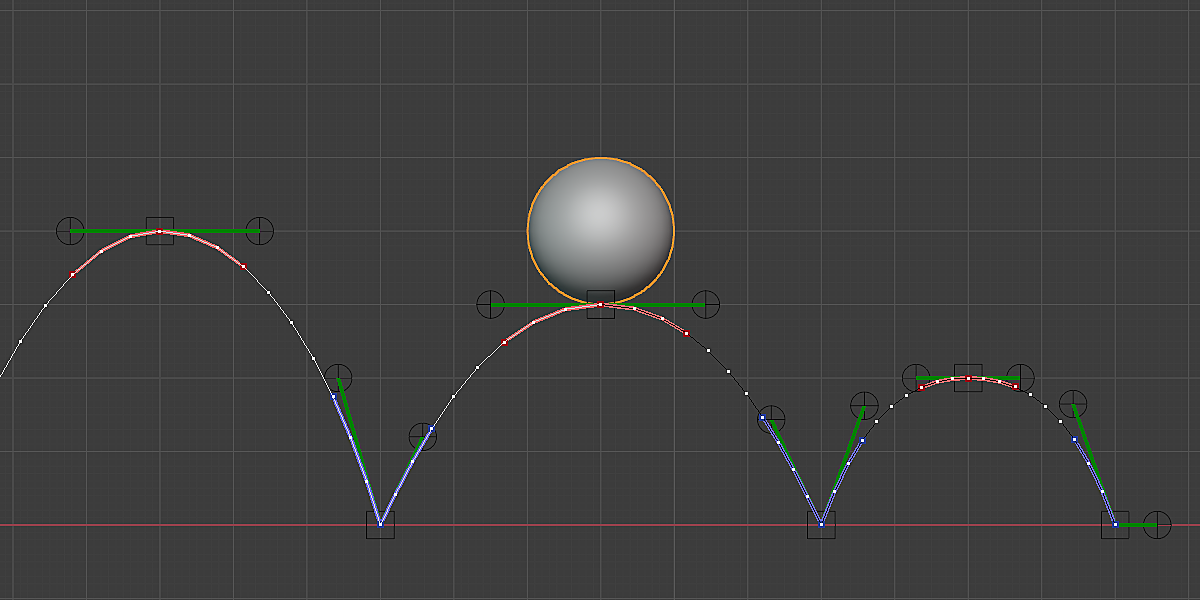
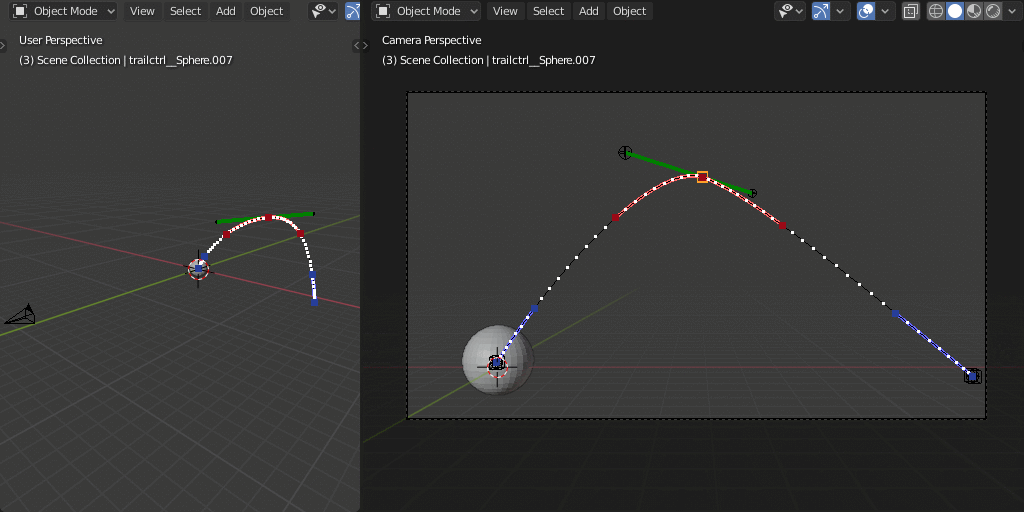
MotionTrail3D is an editable animation motion trail (aka editable motion path) in the 3D viewport for character bone animation. The 3D-controls are implemented as normal Blender objects. They’re selectable and transformable through normal Blender means. Keys can also be added and deleted through normal Blender means. As you modify the local channels, the 3D trail will also update in real time, even if the animation is playing.
To install the script, first unzip the folder. In Blender, Go to File > User Preferences , select Add-on Tab, then press Install Add-on and then select the appropriate python(.py) addon file. Enable it by selecting the checkbox. To enable it as default, press Save As Default. To create a trail, the button can be found in: 3D View -> UI Panel -> Animation-> Motion Trail 3D
Supercharge your 3D creation workflow with premium selection of Blender Add-ons. Whether you are modeling intricate characters, sculpting realistic environments, or animating cinematic sequences, the right add-on can transform how you work inside Blender. Our curated collection includes powerful tools for UV unwrapping, procedural texture generation, rigging automation, rendering optimization, and more—each rigorously tested for compatibility with the latest Blender versions. Eliminate tedious manual processes and unlock advanced functionality that lets you focus on what matters most: bringing your creative vision to life. Explore our full range of professional Blender plugins today and take your 3D projects to the next level.
➡️ ➡️ For more Blender Plugins 😀 😀
Reviews
There are no reviews yet.