
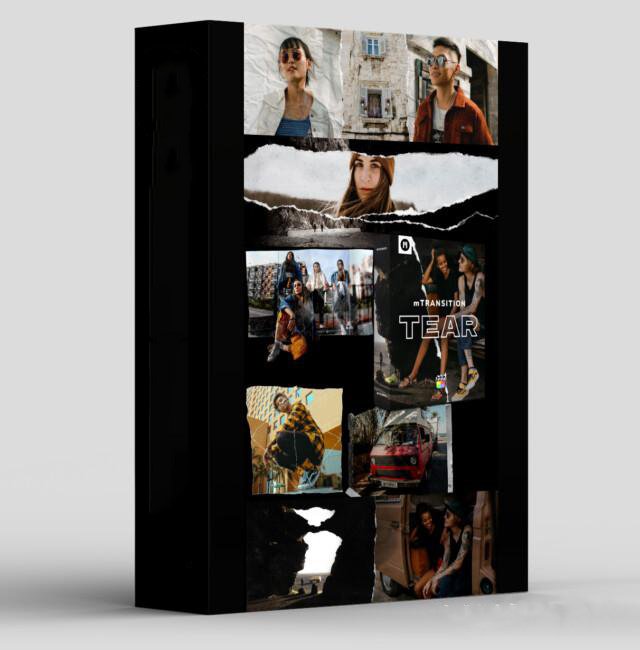
MotionVFX mTransition Tear
MotionVFX mTransition Tear for Premiere Pro – The Ultimate Organic Paper Rip & Film Tear Transition Toolkit
Download MotionVFX mTransition Tear for Adobe Premiere Pro, a premium, highly tactile transition plugin designed to inject a physical, mixed-media feel into your digital edits. In a world of sterile, perfectly smooth digital wipes and cross-dissolves, the “Tear” transition brings the raw, organic energy of ripping paper, tearing film, or breaking through a physical barrier. Developed by motionVFX, the industry leader in broadcast-quality templates, this tool allows you to seamlessly transition between clips with the satisfying, gritty realism of a physical tear, complete with dynamic shadows, textured edges, and 3D depth.
Key Features of MotionVFX mTransition Tear:
- Hyper-Realistic Tear Mechanics: Utilizes ultra-high-resolution alpha mattes and luma maps to simulate the chaotic, organic edge of torn paper, ripped cardboard, or scratched film stock. No two tears look exactly the same, ensuring your edit never feels repetitive.
- Dynamic 3D Depth & Drop Shadows: The transition doesn’t just wipe the image; it simulates physical layers. As the “paper” tears away, built-in dynamic drop shadows and subtle 3D bevels give the illusion that the clips exist on separate physical planes.
- Customizable Material Textures: Instantly change the “material” being torn. Switch between Kraft Paper, Glossy Photo Paper, Vintage Film Stock, Corrugated Cardboard, or Grunge Canvas to perfectly match the aesthetic of your project.
- Seamless Premiere Pro MOGRT Integration: Built as advanced Motion Graphics Templates (MOGRTs), mTransition Tear lives directly in your Premiere Pro Essential Graphics panel. No need to render in After Effects; tweak every parameter natively on your timeline.
- Directional & Path Control: Don’t just tear left-to-right. Customize the direction of the rip, or use custom bezier paths to create diagonal, curved, or zig-zag tears that follow the motion of your subject.
- Edge Color & Burn Effects: Fine-tune the color of the torn edge. Add a subtle white paper core, age it with a yellow/brown vintage tint, or apply a “burnt edge” effect for dramatic, fiery transitions.
- Audio-Sync Ready: The visual peak of the tear is perfectly timed and categorized, making it incredibly easy to layer your own sound effects (paper rips, film scratches, heavy whooshes) for maximum sensory impact.
- Non-Destructive & Lightweight: Optimized for real-time playback. Even with 4K footage and complex shadow calculations, the MOGRT engine ensures your timeline remains responsive and scrub-friendly.
Perfect For:
- Vloggers & Travel Videographers creating “scrapbook” or “memory book” style edits that feel personal, tactile, and nostalgic.
- Music Video Editors adding gritty, mixed-media, or grunge aesthetics with aggressive paper rips and film tears.
- Wedding & Event Videographers transitioning between moments with elegant, photo-album-style paper tears that evoke a sense of cherished memories.
- Documentary Filmmakers using subtle film-tear transitions to suggest archival footage, historical context, or a raw, unpolished narrative style.
- Social Media & Commercial Editors grabbing viewer attention with highly visual, tactile transitions that break the “scroll” on Instagram and TikTok.
- Motion Designers building complex, mixed-media layouts that combine video, photography, and physical textures.
System Requirements:
- Software: Adobe Premiere Pro CC 2021 or newer (Required for advanced MOGRT and Essential Graphics compatibility).
- OS: Windows 10/11 (64-bit) or macOS 10.15+.
- Hardware: Apple Silicon (M1/M2/M3/M4) or Intel Core i5+ with Metal/CUDA-capable GPU.
- RAM: 8GB minimum (16GB+ recommended for smooth 4K timeline playback with multiple MOGRTs).
- Storage: Approximately 200MB – 500MB for the MOGRT files and high-res texture libraries.
Installation / How to Use:
- Download & Install via mInstaller: Download the mTransition Tear package and open the motionVFX mInstaller application (motionVFX’s centralized hub for managing plugins). Log in, locate mTransition Tear, and click “Install” to automatically place the MOGRTs into your Premiere Pro directories.
- Open Premiere Pro: Launch Premiere Pro and open the Essential Graphics panel (Window > Essential Graphics).
- Locate the Templates: Navigate to the “Browse” tab and look for the “motionVFX” or “mTransition” folder. You will see all the Tear transition variations.
- Apply to Timeline: Drag your first clip to the timeline (e.g., V1). Drag the mTransition Tear MOGRT directly onto the timeline above the cut point (e.g., V2), spanning the duration of the transition. Place your second clip on V1 immediately after the first.
- Customize in Essential Graphics: With the MOGRT selected, go to the Edit tab in the Essential Graphics panel. Here you can adjust:
- Tear Direction & Path
- Paper Texture & Color
- Shadow Depth & Softness
- Transition Duration (by trimming the MOGRT clip handles)
- Pro-Tip for Realism: Add a very subtle Gaussian Blur (0.5px) and a tiny Camera Shake effect to the MOGRT clip to simulate the physical vibration of tearing a heavy piece of paper.
What’s Included in the Pack?
- The Core Tear MOGRTs: 15+ fully customizable paper and film tear transitions with varying edge complexities (clean rip, jagged tear, frayed edge).
- The Texture Library: 20+ high-res paper and material textures (Kraft, Glossy, Matte, Cardboard, Canvas) mapped directly into the MOGRT controls.
- The Film Burn Module: 5 specialized transitions that combine a physical film tear with authentic 16mm/35mm light leaks and edge burns.
- Shadow & Depth Presets: Pre-configured shadow settings for “Flat/Graphic,” “Subtle 3D,” and “Deep Physical” looks.
- Bonus SFX Pack: 10 high-quality, royalty-free audio files (paper rips, cardboard tears, film scratches) perfectly synced to the visual transitions.
Note:
MotionVFX mTransition Tear is built on the philosophy that digital video needs physical imperfections to feel human. When we look at a screen, our brains know it’s just pixels. But when a piece of paper rips across the screen, complete with a shadow and a textured edge, it triggers a tactile memory. It makes the edit feel like a physical object you can touch. motionVFX has meticulously engineered the math behind the tear to ensure the edges look authentically chaotic, not like a repeating digital pattern. Whether you are building a nostalgic wedding film, a gritty streetwear commercial, or a dynamic travel vlog, mTransition Tear gives you the perfect physical bridge between your scenes, turning standard cuts into memorable, sensory moments.
Everything you need.In one toolkit.
Everything you need to take your projects from idea to finish — under one roof. From motion design elements to advanced tracking, rotoscopy, automated captions, cinematic grading, and video upscaling, this toolkit provides a complete, trusted system to lift your work up to the highest level without moving between a dozen separate tools.
Transform your video editing workflow with our professional Premiere Pro assets, designed to deliver cinematic quality in record time. Whether you are a seasoned filmmaker, a YouTube content creator, or a social media marketer, our premium collection of transitions, color grading LUTs, motion graphics templates, and sound effects will instantly elevate your productions. Say goodbye to tedious key framing and complex adjustments—our drag-and-drop assets are fully optimized for Adobe Premiere Pro, ensuring seamless integration and lightning-fast rendering. From sleek lower thirds and dynamic glitch effects to moody cinematic color presets, every asset is crafted to help you tell compelling visual stories that captivate your audience. Save hours of post-production work while maintaining a polished, professional finish that rivals high-budget studios. Join thousands of satisfied video editors who have already streamlined their creative process and unlocked new levels of efficiency. Download our Premiere Pro bundles today and start turning your raw footage into stunning masterpieces that stand out on any screen.
Reviews
There are no reviews yet.