

mustardsimplify for Blender
MustardSimplify v2025.1.4 for Blender
The Ultimate Scene Optimization Tool
Download the MustardSimplify v2025.1.4 addon today. Therefore, you can optimize complex scenes instantly. Because heavy 3D files cause lag, you need proper tools. However, manual optimization takes many frustrating hours. Consequently, this powerful addon solves that problem completely. Furthermore, it provides a fast, one-click workflow. Thus, you can speed up your viewport in seconds.
Fast Geometry Reduction
First, the core of this addon is speed. Specifically, it reduces polygon counts automatically. Furthermore, you can simplify heavy meshes easily. Additionally, the tool hides complex modifiers seamlessly. Thus, you can build large scenes quickly. Moreover, you can customize the simplification levels perfectly. Consequently, your Blender performance will improve dramatically.
Advanced Scene Management Features
Ultimately, complex projects require advanced scene control. Therefore, this addon includes smart management tools. Specifically, you get easy object grouping features. Furthermore, the algorithms preserve scene organization perfectly. Additionally, the tools isolate specific elements instantly. Consequently, your workflow will become incredibly efficient. Thus, the addon reacts beautifully to your creative input.
Real-Time Optimization and Performance
However, heavy scenes can slow down your computer. Therefore, the addon is perfectly optimized for performance. Specifically, it utilizes Blender’s efficient native systems. Consequently, you can render complex files easily. Meanwhile, your viewport frame rate remains completely stable. Ultimately, this ensures a smooth and fast workflow.
Perfect for 3D Generalists
Additionally, this addon is ideal for 3D generalists. Furthermore, it suits environment artists perfectly. Moreover, game developers will love the rapid setup. Ultimately, it accelerates your entire 3D production pipeline.
System Requirements and Formats
Specifically, the addon requires Blender 3.6 or newer. Furthermore, it supports both Cycles and Eevee render engines. Additionally, you get regular free updates from the developer. Therefore, it works perfectly across all major operating systems. Moreover, you will need a standard workstation. Thus, 16GB of RAM is highly recommended. Consequently, a modern GPU ensures smooth viewport playback.
Installation and Usage Guide
First, download the zip file from your library. Next, open Blender and go to Edit Preferences. Then, select Add-ons and click Install. After that, enable the MustardSimplify addon. Finally, press the hotkey to simplify your scene. Thus, your optimized project will be ready quickly.
What is Included Inside?
Specifically, the pack contains multiple simplification presets. Furthermore, it includes smart modifier management algorithms. Additionally, you get several object isolation variants. Moreover, there are detailed video tutorial guides. Ultimately, you receive everything for professional scene optimization.
Final Thoughts on the Addon
Ultimately, optimized geometry evokes profound professional quality. Therefore, this addon provides the ultimate creative foundation. Furthermore, you can build detailed architectural assets. Alternatively, you can create complex environment scenes. Consequently, your 3D vision becomes a stunning reality.
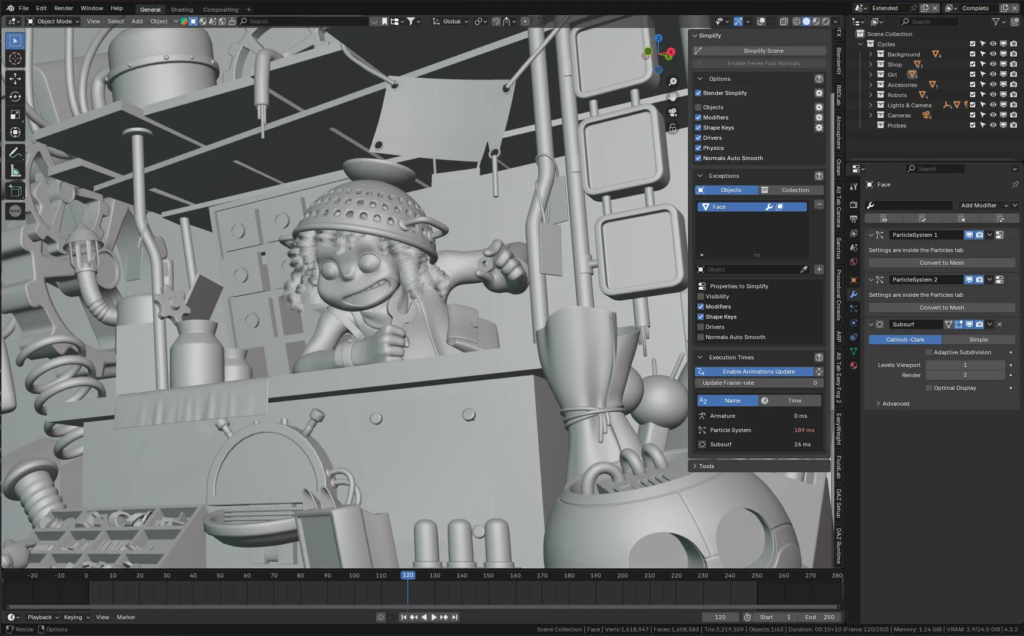
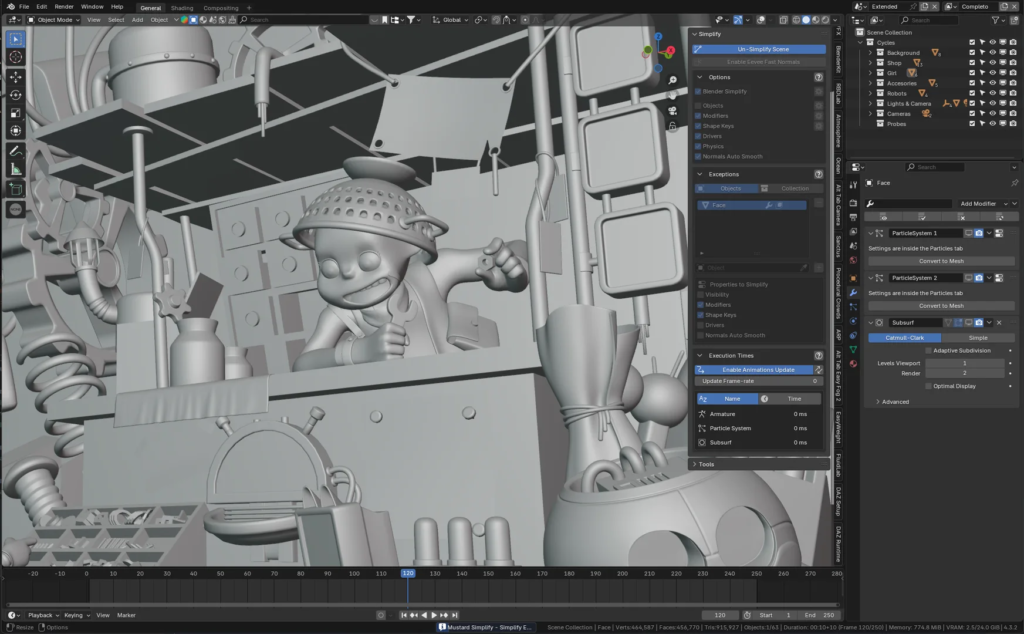
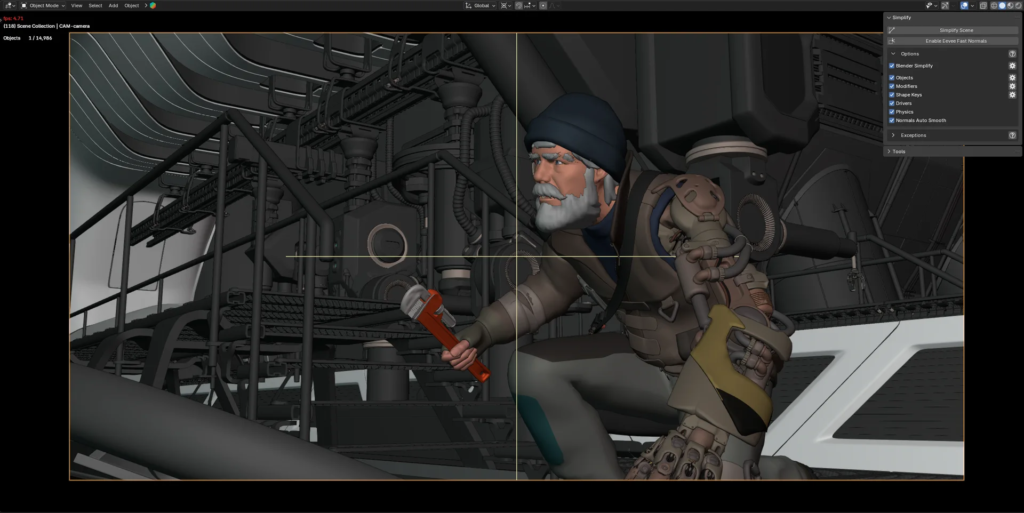
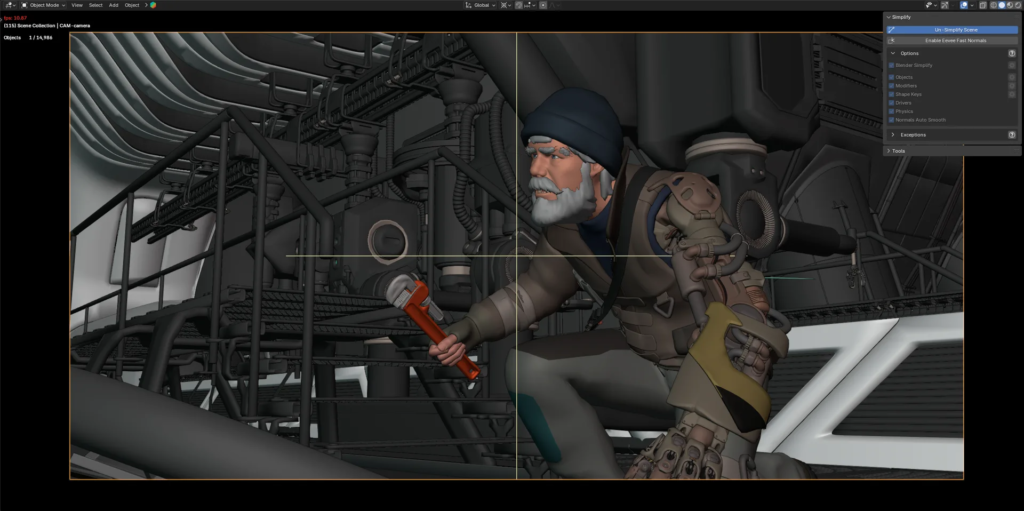
Blender add-on to simplify scenes and boost Viewport performance.
This add-on disables certain scene and object features that impact viewport performance with a single click.
This tool can be extremely useful for enhancing viewport performance during animation, where maintaining high FPS is essential. It also proves useful for static scenes, especially when focusing on the main scene or the armature pose.
It operates non-destructively, meaning no mesh edits are made, and preserves the settings before Simplify is enabled. When Simplify is disabled, object properties (such as modifier visibility and shape key status) are restored to their original state.
How to use
- Click “Simplify Scene” and the add-on will automatically disable heavy features that could impact viewport performance.
- Use the Settings to select which features should be disabled when Simplify is applied.
- Objects or Collections added to the exceptions list are unaffected by the simplification process (nothing from those objects will be disabled).
Current Limitations
- Enabling “Disable Drivers” will mute all drivers (unless the object is in the Exceptions list). When Simplify is turned off, these drivers will be unmuted. To prevent unintended unmuting, consider adding the affected object to the Exceptions list.
Supercharge your 3D creation workflow with premium selection of Blender Add-ons. Whether you are modeling intricate characters, sculpting realistic environments, or animating cinematic sequences, the right add-on can transform how you work inside Blender. Our curated collection includes powerful tools for UV unwrapping, procedural texture generation, rigging automation, rendering optimization, and more—each rigorously tested for compatibility with the latest Blender versions. Eliminate tedious manual processes and unlock advanced functionality that lets you focus on what matters most: bringing your creative vision to life. Explore our full range of professional Blender plugins today and take your 3D projects to the next level.
➡️ ➡️ For more Blender Plugins 😀 😀
Reviews
There are no reviews yet.