
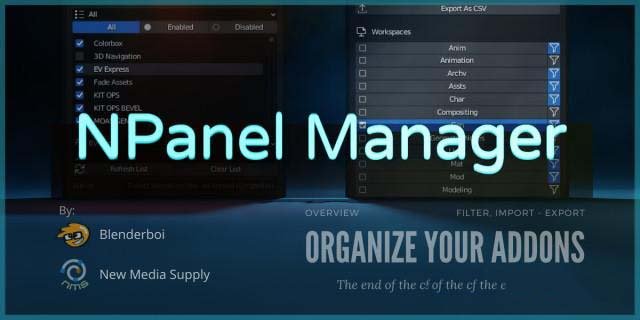
n panel manager for Blender
n panel manager addon
N Panel Manager V1.2 for Blender – Customizable Interface & Workspace Organizer
Version: V1.2
File Size: 10 MB
Download N Panel Manager V1.2 for Blender on Windows, Mac, and Linux, a powerful interface add-on that lets you organize, customize, and streamline Blender’s N-panel sidebar. Hide unwanted panels, reorder tabs, and create custom layouts for different workflows—perfect for artists who want a cleaner, more efficient interface tailored to their specific needs .
Key Features of N Panel Manager V1.2:
- Panel Visibility Control: Show or hide any N-panel tab with one click—hide add-on panels you rarely use for a cleaner interface
- Custom Tab Ordering: Drag and drop to reorder N-panel tabs—put your most-used tools at the top for faster access
- Workflow Presets: Create custom panel layouts for different tasks—modeling, sculpting, animation, texturing, or rendering—and switch instantly
- Add-On Management: Quickly disable or hide panels from specific add-ons without disabling the entire add-on
- Search & Filter: Find specific panels quickly in the manager interface
- Save & Load Layouts: Export your panel configurations for backup or sharing with team members
- Reset to Default: One-click restore to Blender’s default N-panel layout
- Real-Time Updates: See panel changes instantly without restarting Blender
- Workspace Integration: Panel configurations can be saved per workspace for context-sensitive interfaces
- V1.2 Updates: New panel grouping, enhanced preset management, and compatibility with Blender 4.0+
Perfect For:
- Blender users overwhelmed by clutter in the N-panel
- Artists who want a cleaner, more focused interface for specific tasks
- Studios standardizing workspace layouts across team members
- Add-on power users with many panels installed
- Anyone who wants to customize Blender’s interface to their workflow
System Requirements:
- Blender 3.0, 3.1, 3.2, 3.3, 3.4, 3.5, 3.6, 4.0, 4.1, 4.2, 4.3
- Windows 10/11 (64-bit), macOS, or Linux
- 4GB RAM minimum (8GB+ recommended)
- 5MB available disk space
Installation:
- Download the add-on zip file
- In Blender, go to Edit > Preferences > Add-ons
- Click “Install” and select the downloaded zip file
- Enable the add-on by checking the box next to “N Panel Manager”
Note: N Panel Manager transforms Blender’s interface by giving you complete control over the N-panel sidebar . The ability to hide unused panels and reorder tabs dramatically improves workflow efficiency, especially for users with many add-ons installed . Version 1.2 includes full compatibility with Blender 4.0 and above . Designed for Blender 3.0 and above . Perfect for artists who want a cleaner, more organized interface . Essential for any Blender user with multiple add-ons .
Supercharge your 3D creation workflow with premium selection of Blender Add-ons. Whether you are modeling intricate characters, sculpting realistic environments, or animating cinematic sequences, the right add-on can transform how you work inside Blender. Our curated collection includes powerful tools for UV unwrapping, procedural texture generation, rigging automation, rendering optimization, and more—each rigorously tested for compatibility with the latest Blender versions. Eliminate tedious manual processes and unlock advanced functionality that lets you focus on what matters most: bringing your creative vision to life. Explore our full range of professional Blender plugins today and take your 3D projects to the next level.
➡️ ➡️ For more Blender Plugins 😀 😀
Reviews
There are no reviews yet.