
Nano Banana Generative Fill for Photoshop
Nano Banana Generative Fill for Photoshop v2.0.3
The Ultimate AI-Powered Generative Fill Tool for Adobe Photoshop
Download Nano Banana Generative Fill for Photoshop v2.0.3 today. Consequently, you can seamlessly extend images, remove unwanted objects, and generate entirely new visual content directly within Photoshop using cutting-edge artificial intelligence. Because modern design workflows demand rapid content generation and precise image manipulation, having access to a powerful generative fill tool integrated into your editing environment is absolutely essential. Nevertheless, traditional content-aware fill and manual cloning techniques often produce mediocre results, leaving obvious seams and repeated patterns. Fortunately, Nano Banana Generative Fill eliminates this bottleneck completely. Moreover, it leverages state-of-the-art AI models to intelligently understand context, lighting, and perspective, delivering seamless, photorealistic results with minimal effort. In short, you can transform your creative vision into reality with unprecedented speed and quality.
Comprehensive Generative Fill Capabilities
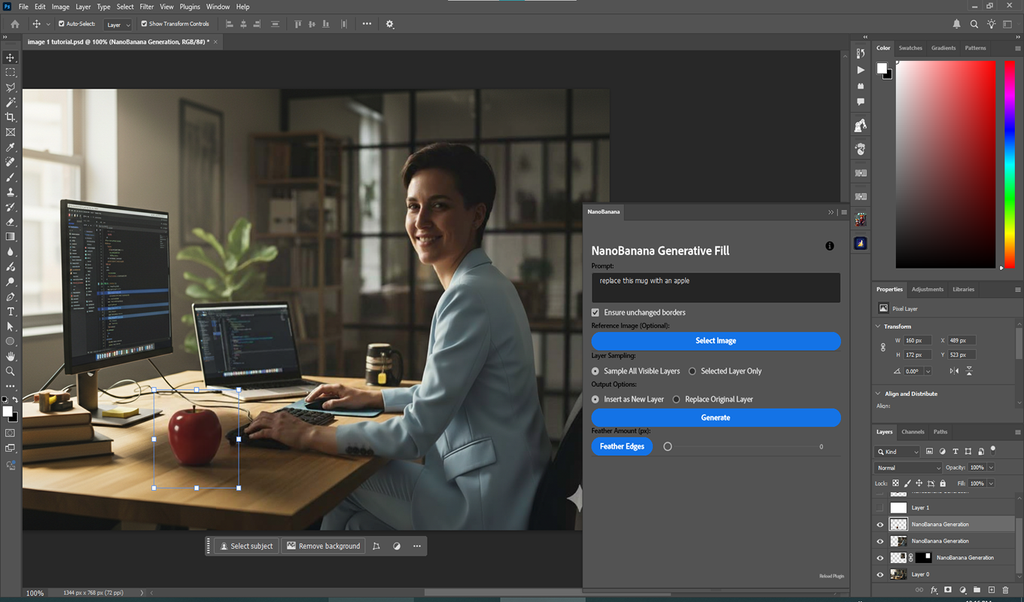
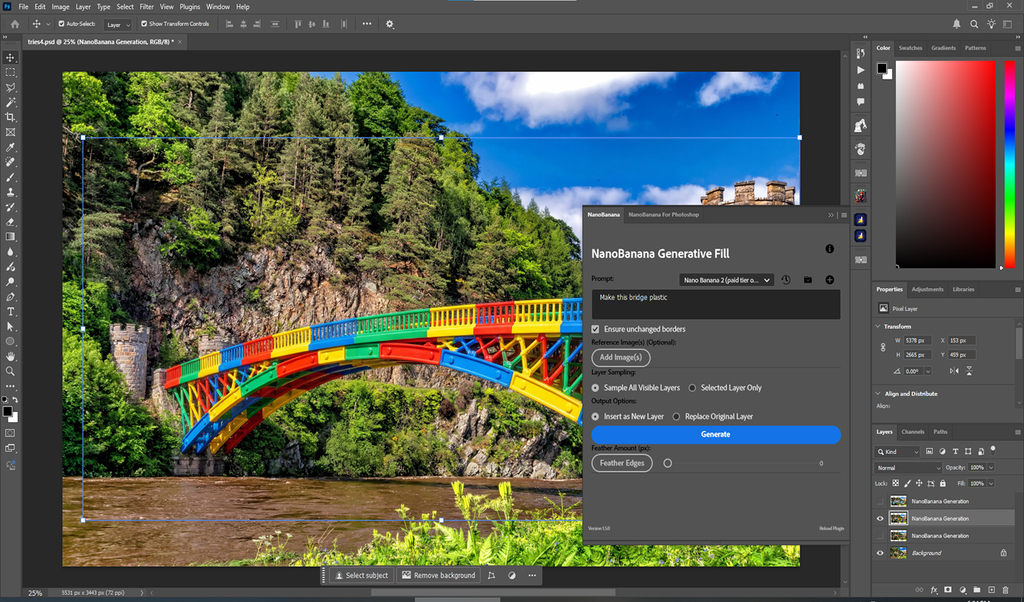
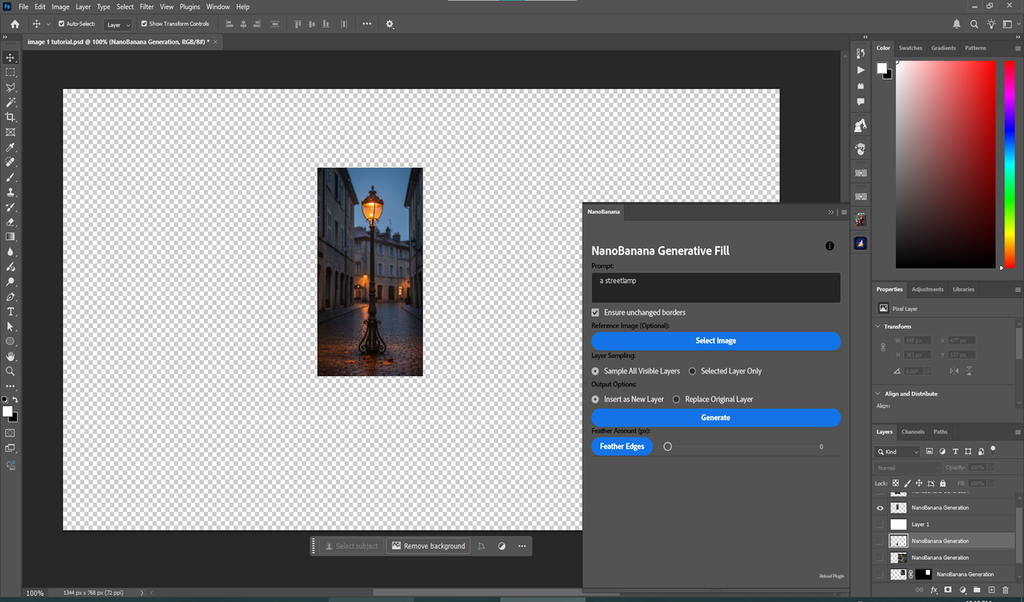
The core of this plugin lies in its versatile suite of AI-powered features. For instance, you can use generative fill to extend backgrounds beyond their original boundaries, perfect for adapting images to different aspect ratios or creating wider scenes. Furthermore, the plugin excels at object removal, seamlessly erasing unwanted elements and reconstructing the background with intelligent, context-aware fill. Additionally, you can generate entirely new content by describing what you want with simple text prompts, allowing you to add objects, characters, or textures to any image. Since all operations happen directly within Photoshop, you can seamlessly integrate AI-generated content into your existing workflows. Consequently, you can achieve professional-grade results without ever leaving your editing environment.
Intelligent Context Awareness and Seamless Blending
Professional image editing demands that generated content blend naturally with the original. Therefore, Nano Banana Generative Fill is engineered for intelligent context awareness. For example, the AI analyzes the surrounding colors, lighting, shadows, and textures to ensure that generated content matches the source image perfectly. Furthermore, edge blending is handled automatically, eliminating the visible seams that plague traditional fill methods. Additionally, the plugin respects perspective and depth, ensuring that added elements appear correctly positioned within three-dimensional space. Since the AI understands the visual logic of your image, the results are consistently believable and professional. Thus, your edits will be indistinguishable from the original photograph or artwork.
Real-Time GPU Acceleration and Efficient Workflow
Creative exploration demands immediate visual feedback, and Nano Banana Generative Fill delivers on this front. The plugin is fully GPU-accelerated, ensuring that generations complete rapidly without disrupting your creative flow. Furthermore, the interface is designed for efficiency, allowing you to make selections, enter prompts, and generate results in seconds. Additionally, you can iterate quickly, generating multiple variations until you achieve exactly the result you envision. Since the entire workflow is streamlined, your creative momentum never breaks. Consequently, you can achieve polished results in a fraction of the time.
Perfect for Graphic Designers, Photographers, and Content Creators
This plugin is particularly well-suited for graphic designers creating marketing materials, social media content, and advertising visuals. Similarly, photographers will appreciate the ability to extend compositions, remove unwanted objects, and enhance images with AI-generated elements. Additionally, content creators and social media producers can use Nano Banana Generative Fill to produce eye-catching visuals with minimal effort. Ultimately, Nano Banana Generative Fill v2.0.3 accelerates your entire creative and post-production pipeline.
System Requirements and Compatibility
Nano Banana Generative Fill for Photoshop v2.0.3 supports Adobe Photoshop versions 2023, 2024, 2025, and 2026 on both Windows and macOS operating systems. The plugin is fully GPU-accelerated and requires a modern graphics card for optimal performance. You will need a standard workstation with at least 8GB of RAM and an internet connection to access AI generation services.
Installation and Usage Guide
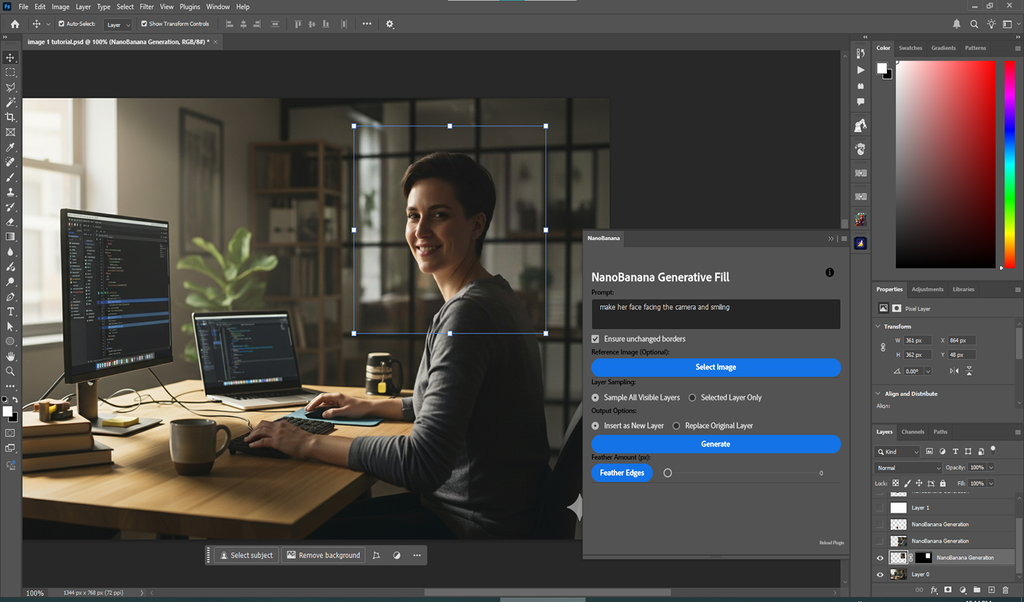
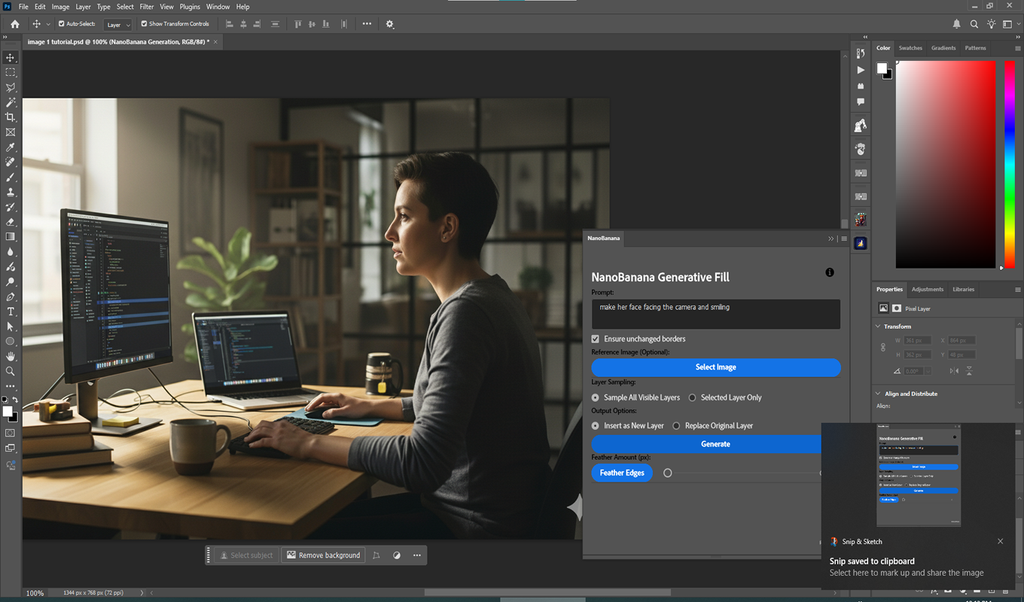
To install, first download the plugin installer from your library. Next, close Adobe Photoshop if it is running. Then, run the installer and follow the on-screen instructions. After installation, launch Photoshop and locate Nano Banana Generative Fill in the Plugins menu. Finally, make a selection using any selection tool, open the Nano Banana panel, enter your prompt or choose a fill operation, and let the AI generate your content. Thus, your professional generative fill workflow will be ready instantly.
What is Included Inside?
The pack contains the complete Nano Banana Generative Fill for Photoshop v2.0.3 plugin. Furthermore, it includes comprehensive generative fill capabilities, intelligent context awareness and seamless blending, and full GPU-accelerated real-time performance. Ultimately, you receive everything needed for professional AI-powered image generation and editing.
Final Thoughts on the Plugin
Effortless generative fill evokes profound creative freedom. Therefore, this plugin provides the ultimate foundation for your Photoshop workflows. You can extend, remove, and generate content with unprecedented speed and quality. Consequently, your creative vision becomes a stunning reality.
Use Google’s cutting edge Nano Banana model to magically generate and edit images inside Photoshop. You can generate for free with NO NEED TO SPEND MONEY ON CREDITS. NEW: Nano Banana 2 support!
IMPORTANT, PLEASE READ BEFORE BUYING: As of March 26, Google has implement a policy change not to allow the $300 trial credit to be used with Gemini/Nano Banana API anymore. However, you can still use the free Tier (Nano Banana 1 only) or pay per use. It’s reasonably cheap, and certainly cheaper than other platforms. Pricing details here
For Photoshop 24.2 (2023) and above.
2 July 2026: Adds Support for the latest Nano Banana 2 Lite Model (Gemini 3.1 Flash Lite Image), offering ultra-low (under 2 seconds) latency and cost-effective image generation and editing.
Now supports the new NANO BANANA 2!, also known as Gemini image 3.1 (27 Feb 2026) with with better results, superior text capabilities and higher resolution outputs up to 4K! Nano Banana 2 is, however, available on the paid tier only (or if you enabled the 3-month trial as explained in the Youtube video/instructions file).
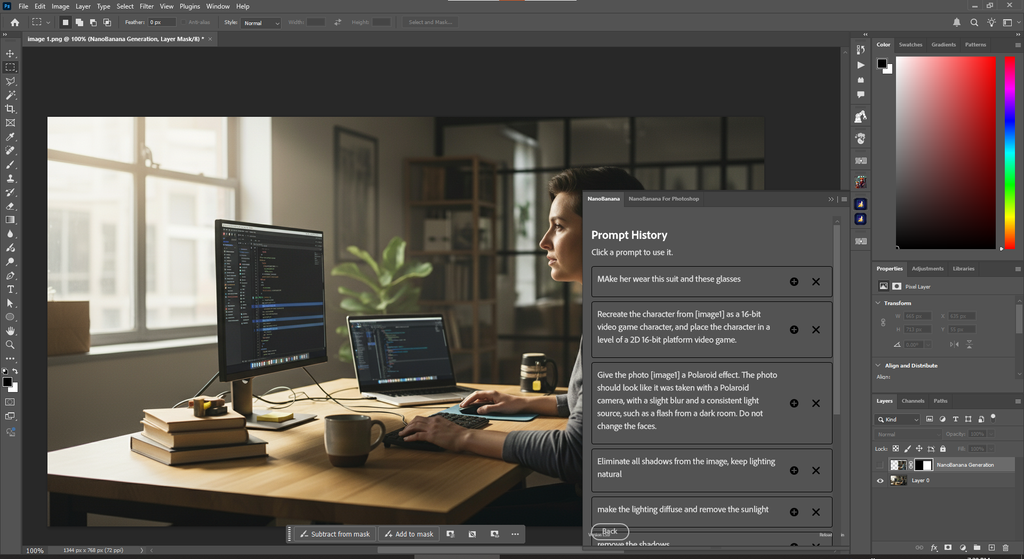
This plugin allows you to use the Google Nano Banana image generation model inside Photoshop to generate or edit your images. You can generate for free with no need to spend money on credits. All you need to do is get a free Gemini API Key (https://aistudio.google.com/app/apikey) and paste it into the plugin. The free tier already offers generous limits, and if you need more, simply connecting a payment method will give you a free trial with $300 worth of free credits!
UPDATE: it seems that as of now you must have a payment method connected to your Google account (you don’t actually have to pay anything) to use the free tier. If you’re getting an “exceeded quota” message, then you can click “set up billing” at the far right after you create you API key to connect a payment method. Again, Google won’t charge you unless you manually upgrade to a paid tier or go over the generous free tier limits. You can always monitor your usage from that same page.
IMPORTANT: for Photoshop versions less than 24.4, if you keep getting images unrelated to your original images even after unlocking your layer, then something is likely interfering with your clipboard. Try shutting down any clipboard managing software (including Microsoft Office Clipboard, so shut down any open Word, Powerpoint, etc windows), and reloading the plugin (link at bottom right of the panel).
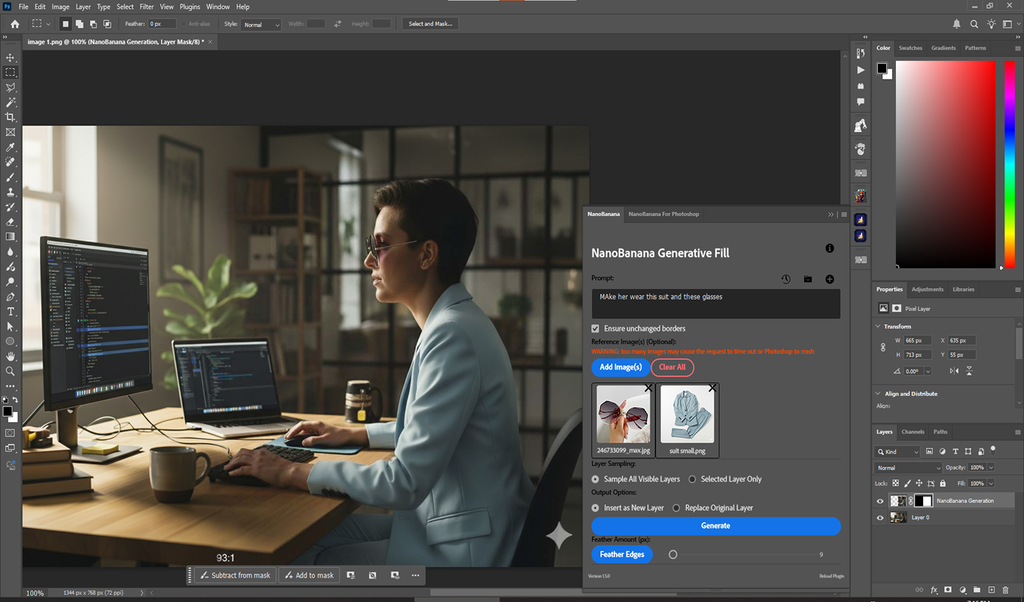
You can upload additional reference images, and you can insert the result as a new layer or modify the original layer directly. It also includes a useful helper function to quickly feather the edges of the generated layer (or any layer for that matter) to better blend in with the original image.
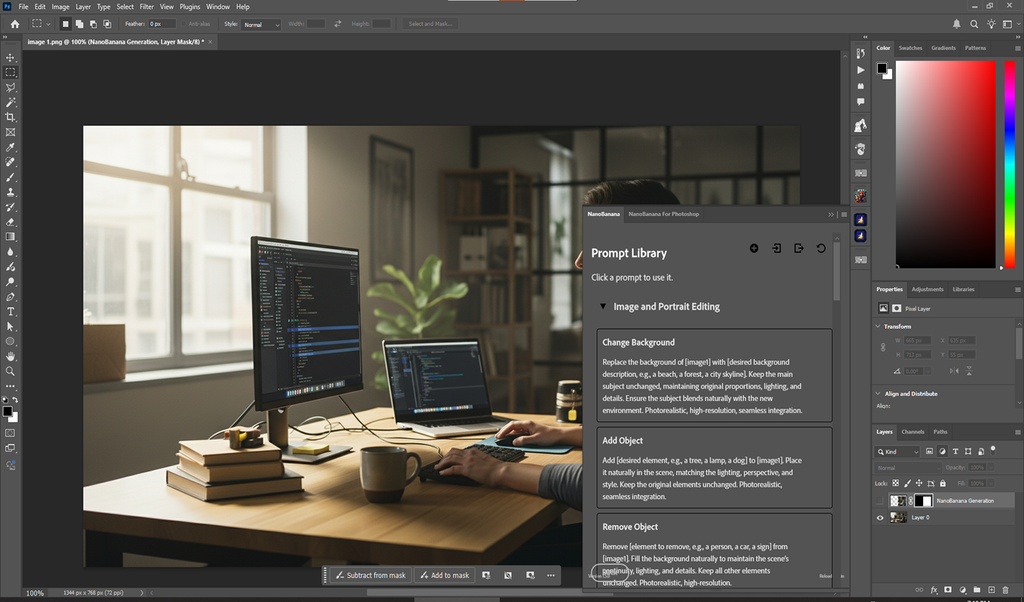
Also contains a library of hand-picked, tested and tried prompts for various image generation/editing tasks sourced from all over the internet. The library is editable and exportable/importable.

Elevate your motion graphics workflow with premium collection of After Effects plugins. Whether you are a seasoned professional or just starting your VFX journey, powerful tools designed to streamline complex tasks, unlock creative possibilities, and save you hours of rendering time. From stunning glitch effects and seamless transitions to advanced 3D extrusion and text animation tools, each plugin in our library is rigorously tested for compatibility with the latest versions of Adobe after Effects. Enhance your video production value today and download industry-leading plugins that help you create breathtaking visuals without the technical headaches. Browse our full range and find the perfect extension to supercharge your editing suite now.
➡️ ➡️ For more after effects Plugins 😀 😀
➡️ ➡️ System requirements AE
Reviews
There are no reviews yet.