
Neural Enhancement Suite for After Effects
Neural Enhancement Suite V1.10.59 for After Effects and Premiere Pro
The Ultimate AI-Powered Video Enhancement Toolkit for After Effects and Premiere Pro
Download Neural Enhancement Suite V1.10.59 today. Consequently, you can achieve results previously impossible in After Effects and Premiere Pro, using a comprehensive collection of AI-driven tools for denoising, colorization, superresolution, and low-light enhancement . Because professional post-production frequently requires recovering compromised footage or enhancing visual quality beyond native capture, having access to a powerful AI enhancement suite is absolutely essential. Nevertheless, traditional enhancement methods often fall short, introducing artifacts or failing to recover genuinely lost detail. Fortunately, Neural Enhancement Suite eliminates these limitations completely. Moreover, it runs fully locally on your machine, ensuring that your footage never leaves your computer and remains completely secure . In short, you can achieve stunning, professional-grade video enhancement with unprecedented speed and peace of mind.
Comprehensive AI Enhancement Features
The core of this toolkit lies in its extensive collection of AI-powered models. For instance, the Denoising feature recovers details from extremely noisy videos, making it invaluable for footage shot in challenging conditions or at high ISO settings . Furthermore, the Superresolution capability deploys two of the most advanced models available, enabling upscaling of up to 16x pixels without sacrificing detail . Additionally, Deblurring reduces and removes motion blur, salvaging footage that might otherwise be unusable . Since these features operate with remarkable intelligence, you can rescue footage that would previously be considered beyond repair.
Advanced Colorization and Exposure Correction
Professional color work often demands creative solutions for challenging footage. Therefore, the suite includes sophisticated colorization tools. For example, Hint-based colorization allows you to colorize still images using just a few simple color hints, which can then serve as reference frames to color an entire moving shot . Furthermore, Example-based colorization enables you to colorize or grade a shot based on example images, providing a powerful way to match footage to a specific look or style . Additionally, Low-light enhancement brightens underexposed images without losing contrast, while HDR remapping recovers details lost to high-contrast lighting . Consequently, you can achieve professional results even from imperfect source material.
Local Processing and Hardware Acceleration
Security and performance are paramount in professional workflows. The suite runs fully locally on your machine, meaning no server processing and no footage leaving your computer . For maximum speed, it supports GPU acceleration on both Apple Silicon and NVIDIA GPUs (Windows), with a CPU mode available for compatibility . The plugin is powered by the high-performance C++ blace.ai engine, ensuring reliable and efficient operation . Since processing happens entirely on your hardware, you maintain complete control over your data while enjoying responsive performance.
Perfect for Video Editors, VFX Artists, and Content Creators
This suite is particularly well-suited for video editors working with archival footage, low-light shots, or footage from consumer cameras. Similarly, VFX artists and compositors will appreciate the ability to enhance plates and recover detail for seamless integration. Additionally, content creators and documentarians can use the colorization tools to bring historical footage to life. Ultimately, Neural Enhancement Suite V1.10.59 accelerates your entire post-production pipeline.
System Requirements and Compatibility
Neural Enhancement Suite V1.10.59 supports After Effects 2026, 2025, 2024, and 2023, as well as Premiere Pro 2024 and 2023 . It is available for Windows and macOS (>11.5) . For GPU acceleration on Windows, an NVIDIA graphics card with at least 8GB VRAM is required . Apple Silicon Macs require macOS Sequoia or newer and at least 16GB RAM for optimal performance . You will need a standard workstation with at least 8GB of RAM.
Installation and Usage Guide
To install, first download the installer from your library. Next, close Adobe After Effects or Premiere Pro if they are running. Then, run the installer and follow the on-screen instructions, selecting the GPU version if you have a compatible NVIDIA graphics card for faster processing . Note that the installer may require an internet connection to download the necessary AI modules . After installation, launch your host application and locate Neural Enhancement Suite in the Effects panel. Finally, apply the effect to your footage, choose your desired task (Denoising, Superresolution, Colorization, etc.), and adjust the parameters to achieve your enhancement goals. Thus, your professional AI-powered video enhancement workflow will be ready instantly.
Final Thoughts on the Plugin
Effortless AI-powered video enhancement evokes profound creative freedom. Therefore, this suite provides the ultimate foundation for your post-production workflows. You can recover, enhance, and transform footage with unprecedented speed and quality. Consequently, your creative vision becomes a stunning reality.
Neural Enhancement Suite is an A.I. powered toolset for AI-based video enhancement to achieve results not previously possible in After Effects.
Neural Enhancement Suite for After Effects and Premiere Pro
Core Features
- A collection of various AI models
- Superresolution
- Deblurring
- Contrast Enhancement
- Colorization
Processing happens fully locally, running on our high-performance C++ blace.ai engine.
Your data never leaves your machine.
20,000+ customers trust our products, from freelance creators to enterprise teams.
Supports Apple Silicon and NVIDIA GPUs (Windows) for hardware acceleration.
Features
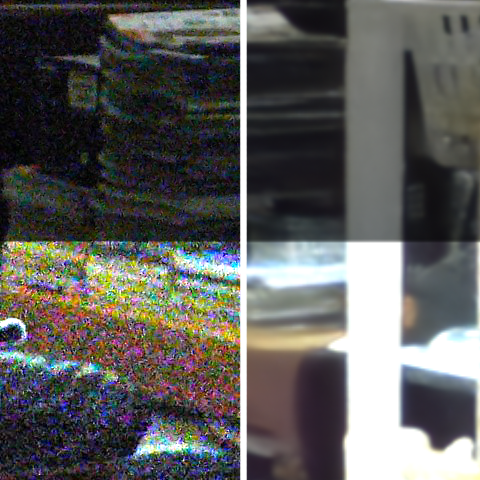
Denoising
Recover details from extremely noisy videos.
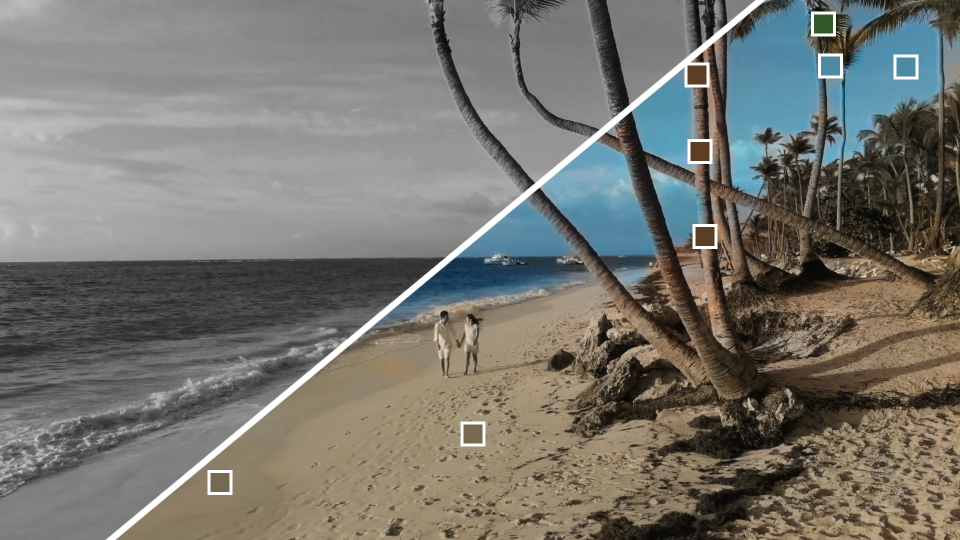
Hint-based colorization
Colorize still images with a few simple color hints. These still images can be used as reference frame to color a moving shot afterwards!
Example-based colorization
Colorize or grade a shot based on example images.

Superresolution
We deploy two of the most advanced superresolution models, for up to 16x pixels!

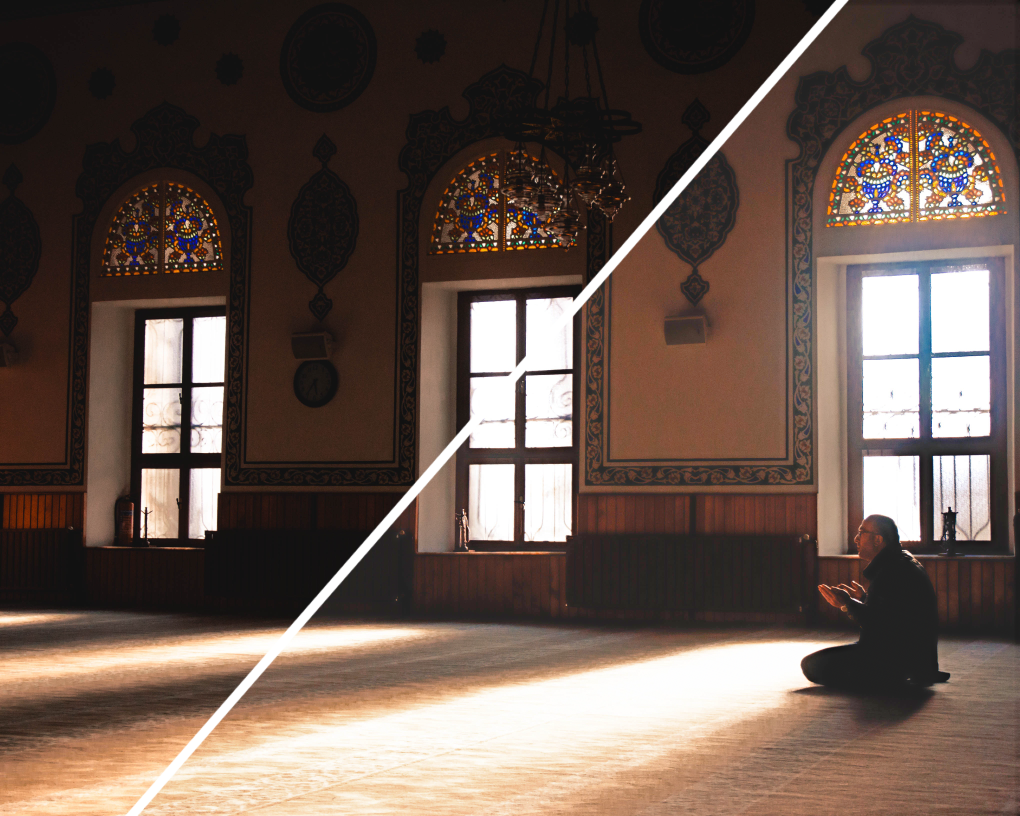
Low-light enhancement
Enhance underexposed images without loosing the contrast.
System Requirements
| Windows with NVIDIA GPU >= 8GB | Windows with non-NVIDIA GPU >= 8GB | Apple Silicon with MacOS Sequoia or newer and >= 16GB RAM | Other MacOS |
|---|---|---|---|
| ✅ | very slow | ✅ | ❌ |
Documentation

Elevate your motion graphics workflow with premium collection of After Effects plugins. Whether you are a seasoned professional or just starting your VFX journey, powerful tools designed to streamline complex tasks, unlock creative possibilities, and save you hours of rendering time. From stunning glitch effects and seamless transitions to advanced 3D extrusion and text animation tools, each plugin in our library is rigorously tested for compatibility with the latest versions of Adobe after Effects. Enhance your video production value today and download industry-leading plugins that help you create breathtaking visuals without the technical headaches. Browse our full range and find the perfect extension to supercharge your editing suite now.
➡️ ➡️ For more after effects Plugins 😀 😀
➡️ ➡️ System requirements AE
Reviews
There are no reviews yet.