
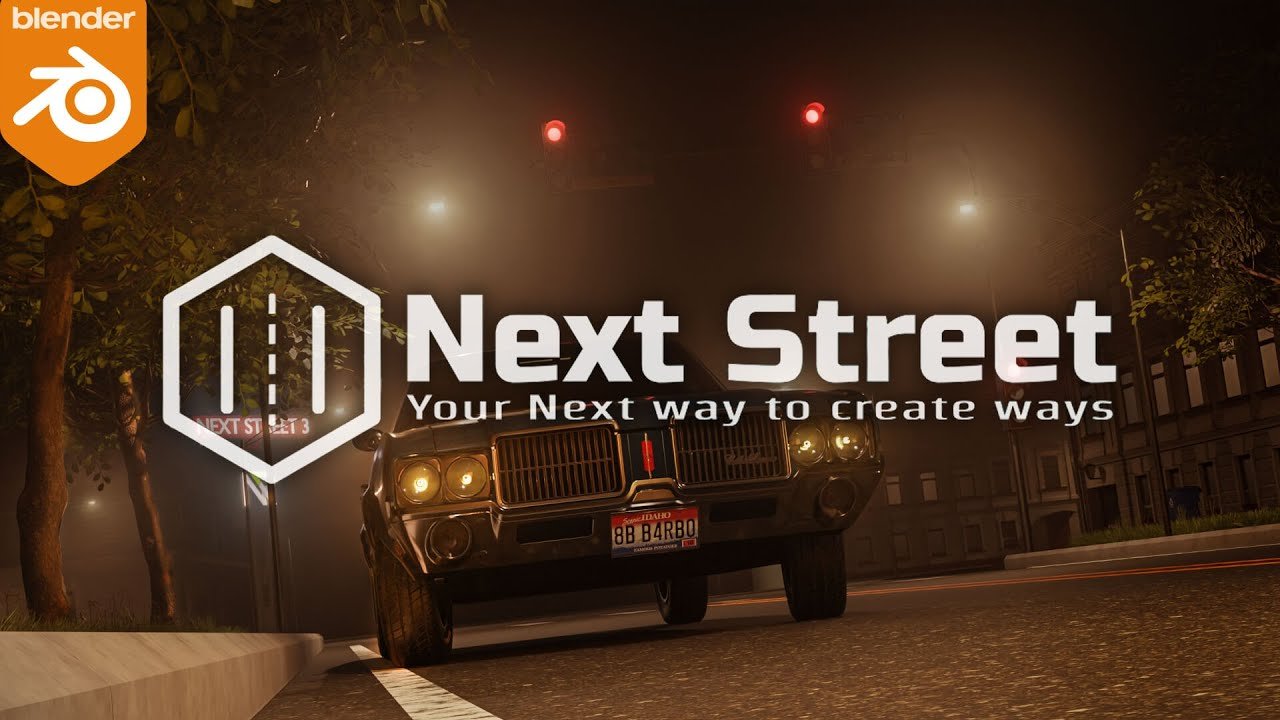
Next Street for Blender
Next Street v3.3.7 for Blender – The Ultimate Procedural Road & Urban Infrastructure Generator
Versions: v3.3.7c
File Size: 98 MB
Download Next Street v3.3.7 for Blender on Windows and Mac, the most advanced Geometry Nodes-based addon for creating realistic, customizable, and game-ready streets, highways, intersections, and urban infrastructure. From quiet suburban cul-de-sacs and bustling city avenues to futuristic sci-fi corridors and rustic country lanes, Next Street transforms how environment artists build worlds, eliminating the need to manually model every curb, lane marking, and sidewalk tile while maintaining full artistic control over layout, style, and detail.
Key Features of Next Street v3.3.7:
- Procedural Road Generation: Draw a simple curve or select existing edges, and Next Street automatically generates a complete road system with lanes, shoulders, curbs, medians, and sidewalks that adapt perfectly to complex terrain and topology.
- Smart Intersection Builder: Automatically creates realistic T-junctions, crossroads, roundabouts, and highway interchanges with proper lane merging, signage placement, and traffic flow logic—no manual modeling required.
- Modular Asset Library: Includes over 200+ parametric street elements including lane markings, crosswalks, traffic lights, street signs, manholes, drainage grates, guardrails, lamp posts, benches, and planters, all fully customizable and snap-together compatible.
- Style Preset System: Choose from diverse urban aesthetics such as Modern City, Historic European, Suburban American, Industrial Zone, Cyberpunk, and Rural Countryside, with automatic adjustment of materials, markings, and props to match the theme.
- Dynamic Terrain Adaptation: Roads automatically conform to sloped, uneven, or curved terrain with intelligent cut/fill logic, retaining wall generation, and proper drainage slope calculation for realistic civil engineering behavior.
- Material Slot Automation: Assigns distinct material slots for Asphalt, Concrete, Cobblestone, Markings, Curb, and Sidewalk, streamlining the texturing workflow for complex urban environments.
- Procedural Wear & Weathering: Built-in noise drivers to simulate cracked asphalt, faded lane markings, oil stains, puddles, and tire skid marks based on traffic density and environmental exposure, adding instant storytelling and age.
- Traffic & Animation Ready: Parameters for animated traffic lights, moving vehicles (via simple path animation), and flickering street lamps are keyframe-ready, allowing for dynamic city scenes without complex rigging.
- LOD & Game Export Optimization: Generate high-poly hero streets for cinematic renders or simplified low-poly versions with baked normal maps and optimized collision meshes for Unity, Unreal Engine, or Godot.
- Non-Destructive Workflow: Every parameter (lane count, curb height, marking style, weathering intensity) remains editable at any time; change the road path or style without rebuilding from scratch.
Perfect For:
- Environment Artists creating open-world cities, racing tracks, and urban landscapes with realistic, varied street infrastructure.
- Architectural Visualizers adding contextual roads, sidewalks, and streetscape details to building exterior renders.
- Game Developers generating modular, tileable street kits with optimized geometry and baked textures for real-time engines.
- VFX Studios simulating road construction, destruction, or weathering over time for film and animation sequences.
- Concept Artists rapidly blocking out city layouts and transportation networks for pre-production and world-building.
- Anyone who needs believable streets faster than modeling by hand but with more control than scatter tools or texture tricks.
System Requirements:
- Blender: 3.6, 4.0, 4.1, 4.2, 4.3, 4.4+ (Geometry Nodes required; optimized for Blender 4.x).
- OS: Windows 10/11 (64-bit) or macOS 10.15+.
- RAM: 8GB minimum (16GB+ recommended for large urban scenes with multiple road segments).
- Render Engine: Fully compatible with Cycles (for accurate displacement and material variation) and Eevee.
Installation:
- Download the Next Street v3.3.7
.zipfile. - Open Blender and go to Edit > Preferences > Add-ons.
- Click Install…, select the downloaded file, and enable the checkbox next to Geometry Nodes: Next Street.
- Access via the Add Menu > Curve > Next Street or the dedicated panel in the 3D Viewport Sidebar (N-panel) under the Urban tab.
What’s New in v3.3.7?
- Enhanced Intersection Logic: Rewritten algorithm for complex multi-way intersections now properly handles lane continuity, turning radii, and signage placement for more realistic traffic flow.
- New “Bike Lane” Module: Added dedicated support for bicycle infrastructure including painted lanes, protected cycle tracks, and bike-sharing station props.
- Procedural Puddle System: Smart water accumulation that pools in road depressions after “rain,” with adjustable reflectivity and evaporation animation for dynamic weather storytelling.
- Improved Terrain Embedding: Roads now automatically cut into or build up from terrain with realistic slope transitions, reducing manual adjustment time for hilly environments.
- Performance Boost: Optimized node evaluation reduces generation time by 40% for long road networks, enabling faster iteration on large-scale city layouts.
- Blender 4.4 Support: Full compatibility with the latest Geometry Nodes features and attribute handling in Blender 4.4.
Note:
Next Street v3.3.7 is designed to be historically informed and artistically flexible. Unlike generic road tools, it understands the logic of civil engineering: lanes have consistent widths, markings follow regulatory standards, and drainage respects gravity. The addon includes a “Region Preset” system that automatically adjusts road style, materials, and props based on real-world geographic traditions (e.g., narrow cobblestone streets for European old towns, wide asphalt avenues for North American suburbs), adding authenticity to period or location-specific projects. Whether you need a simple country lane or a massive multi-level highway interchange, Next Street provides the procedural power to build it with realism, efficiency, and creative control.
Supercharge your 3D creation workflow with premium selection of Blender Add-ons. Whether you are modeling intricate characters, sculpting realistic environments, or animating cinematic sequences, the right add-on can transform how you work inside Blender. Our curated collection includes powerful tools for UV unwrapping, procedural texture generation, rigging automation, rendering optimization, and more—each rigorously tested for compatibility with the latest Blender versions. Eliminate tedious manual processes and unlock advanced functionality that lets you focus on what matters most: bringing your creative vision to life. Explore our full range of professional Blender plugins today and take your 3D projects to the next level.
➡️ ➡️ For more Blender Plugins 😀 😀
Reviews
There are no reviews yet.