
Node it for Blender
Node It v1.0 for Blender – Quick Node Group & Material Creation Tool
Download Node It v1.0 for Blender on Windows, Mac, and Linux, a streamlined node creation add-on that helps you build shader nodes, geometry nodes, and material groups faster with smart presets and one-click operations. This tool is ideal for material artists, technical artists, and anyone working with Blender’s node systems.
Key Features of Node It v1.0
Quick Node Creation
Common shader nodes can be added with a single click. Consequently, artists can build node networks much faster than manual methods. This feature significantly reduces setup time.
Material Presets
One-click creation of basic materials including metal, glass, wood, and plastic is provided. As a result, getting started with common materials takes just seconds. Users can then customize these presets as needed.
Node Group Templates
Pre-built node group templates are available for common shading tasks. Therefore, complex setups can be reused without rebuilding from scratch. This saves considerable time on repetitive tasks.
Smart Connections
Nodes are automatically connected for proper material setup. Furthermore, this eliminates the need to manually link each node. Users can therefore focus on creative decisions rather than technical connections.
Search & Filter
Quick search for any node type is included. Additionally, filtering options help locate specific nodes instantly. This makes the add-on efficient even with large node trees.
Workspace Integration
The panel integrates directly into the shader editor. Consequently, workflow remains uninterrupted. Users do not need to switch between different areas of Blender.
Custom Presets
Save your own node configurations as presets. Thus, frequently used setups are always accessible. This feature enables consistent workflows across multiple projects.
Performance Optimized
Fast node creation is achieved without workflow interruption. Moreover, the add-on remains responsive even with complex node trees. Users can therefore work efficiently without performance concerns.
Perfect For
- Material artists building shader networks quickly
- Technical artists prototyping node setups
- 3D artists creating materials without deep node knowledge
- Anyone wanting to speed up node-based workflows
System Requirements
- Blender 3.6, 4.0, 4.1, 4.2, 4.3
- Windows 10/11 (64-bit), macOS, or Linux
- 4GB RAM minimum (8GB+ recommended)
- 10MB available disk space
Installation
- Download the add-on zip file
- In Blender, go to Edit > Preferences > Add-ons
- Click “Install” and select the downloaded zip file
- Enable the add-on by checking the box next to “Node It”
Note: Node It v1.0 provides quick node and material creation tools for Blender. Consequently, it helps artists build shader networks faster with smart presets and one-click operations. Furthermore, the integrated workspace panel makes it accessible directly in the shader editor. Designed for Blender 3.6 and above.
Node Minimap
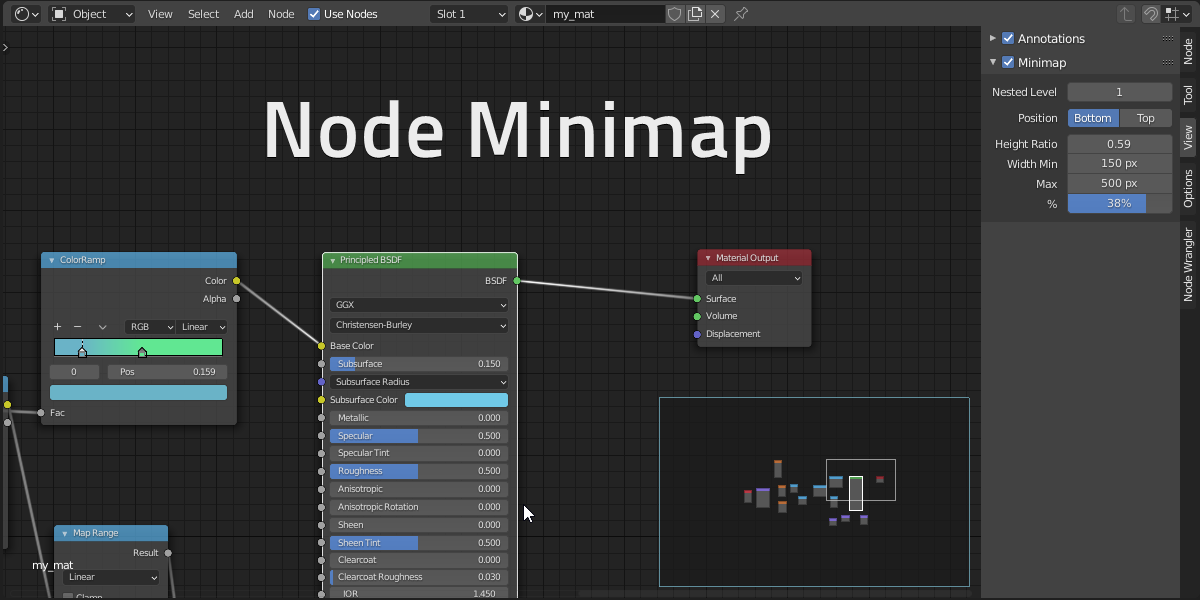
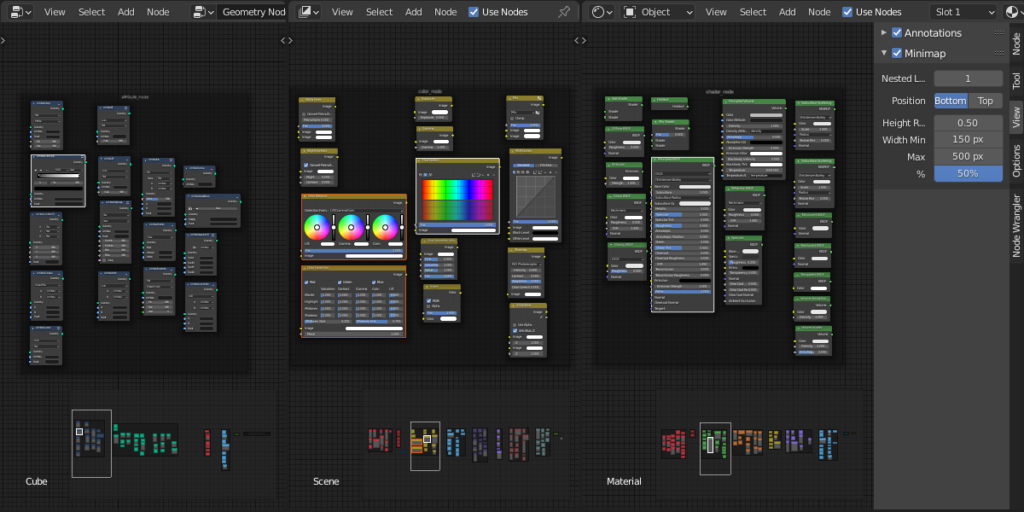
Blender add-on that display an interactive minimap of the node tree in all node editors
Never be lost in the node editor again!
Features
– Use MMB (middle mouse button) to navigate
– Compatible with all node trees
– Show node color by type
– Show node custom colors
– Highlight active and selected nodes
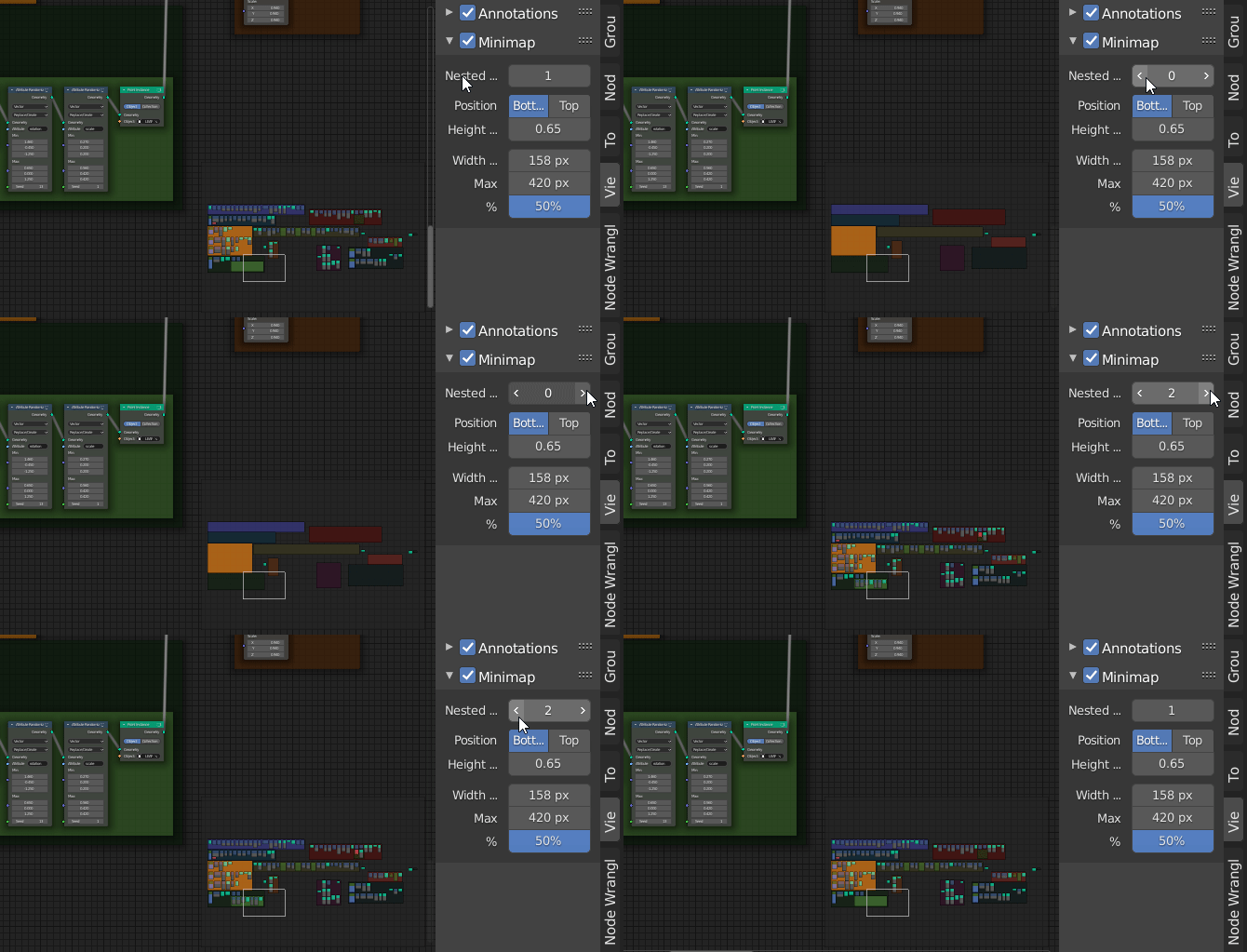
– Limit nested frames display to simplify complex node trees
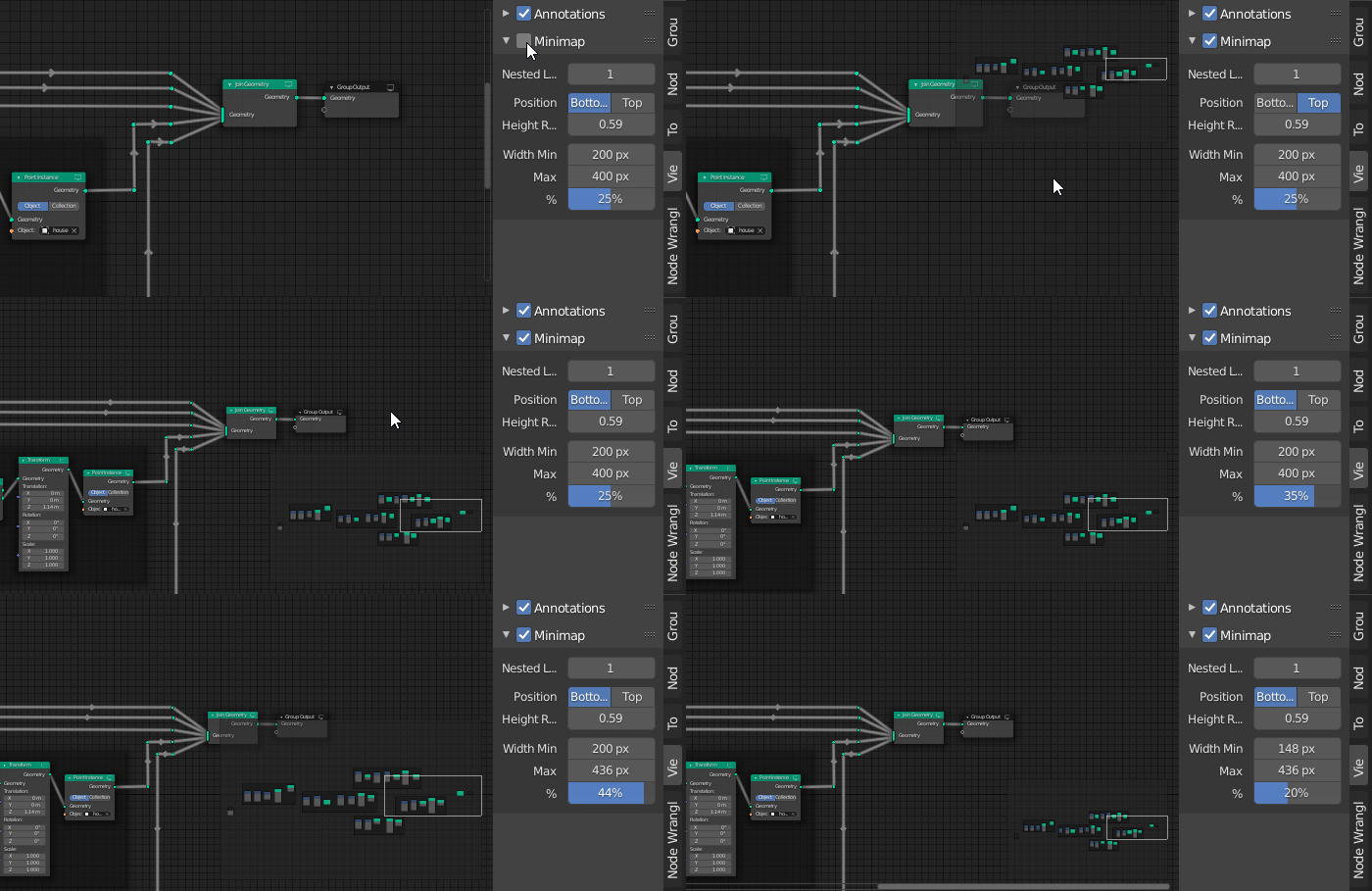
– Tweak minimap position, size and canvas color
Navigate with MMB
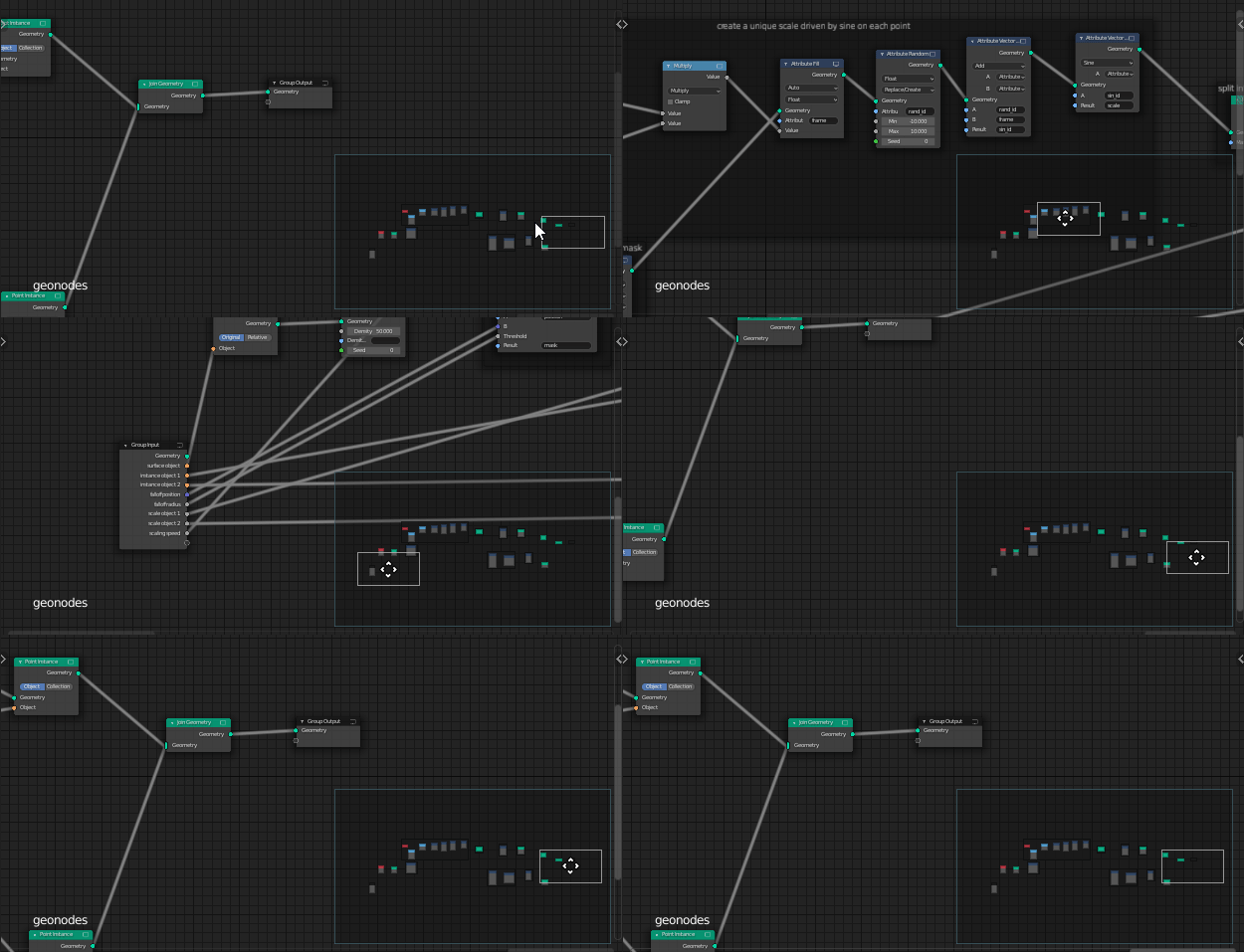
Customize UI
Change nested frame level
Option details
Button to toggle the minimap on/off is located in node editor sidebar (N) > View Tab > Minimap
Changing the `Nested Level Display` show more or less framed nodes according to their number of parent frames.
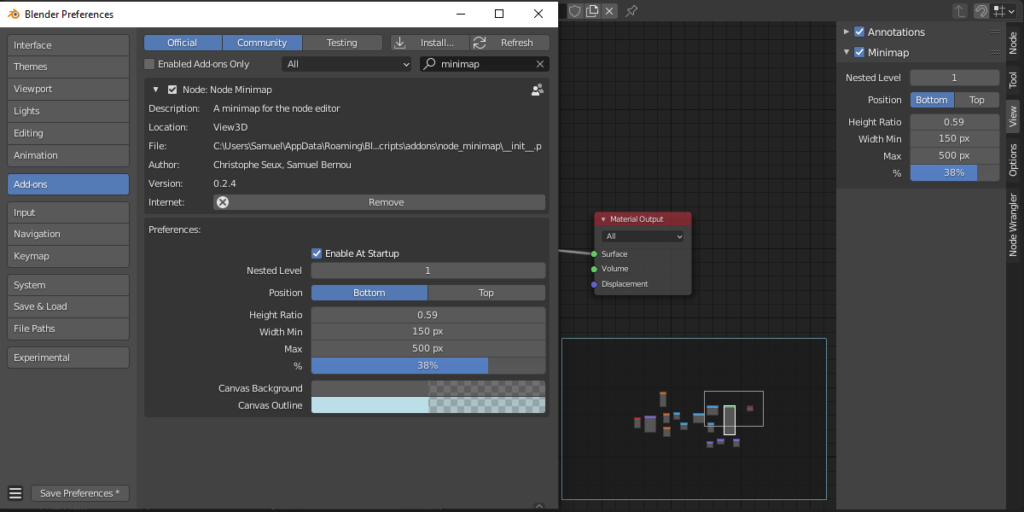
Size
Size options are accessible in add-on preferences and directly in the sidebar panel.
The size of the minimap is defined as a percentage of each editor width.
Size is also clamped to a min/max pixel width to avoid a too big or too tiny minimap.
Height of the minimap can also be changed with the Height ratio
Tips: if you prefer a fixed pixel size instead of adaptive. Set min and max to the same pixel value
Other add-on preferences
You can disable the minimap activation at startup.
Set the canvas background and outline colors
Supercharge your 3D creation workflow with premium selection of Blender Add-ons. Whether you are modeling intricate characters, sculpting realistic environments, or animating cinematic sequences, the right add-on can transform how you work inside Blender. Our curated collection includes powerful tools for UV unwrapping, procedural texture generation, rigging automation, rendering optimization, and more—each rigorously tested for compatibility with the latest Blender versions. Eliminate tedious manual processes and unlock advanced functionality that lets you focus on what matters most: bringing your creative vision to life. Explore our full range of professional Blender plugins today and take your 3D projects to the next level.
➡️ ➡️ For more Blender Plugins 😀 😀
Reviews
There are no reviews yet.