
Node2Code Extended Edition for Blender
node2code extended edition addon
Node2Code Extended Edition v1.8 for Blender – Node Graph to Code Converter
Version : 1.8
File Size: 2.29 MB
Download Node2Code Extended Edition v1.8 for Blender on Windows, Mac, and Linux, a powerful add-on that converts Blender’s node graphs into clean, readable code. Export shader node networks to GLSL, OSL, or custom formats—perfect for game developers, technical artists, and anyone who needs to use Blender materials in external applications .
Key Features of Node2Code Extended Edition v1.8:
- Multi-Format Code Export: Convert node graphs to GLSL for game engines, OSL for renderers, or custom format templates
- Material to GLSL: Export Blender materials as ready-to-use GLSL shaders for real-time applications
- Geometry Nodes to Code: Convert geometry node setups to algorithmic descriptions
- Compositing Node Export: Export compositing node graphs for external processing
- Custom Code Templates: Create template outputs for specific game engines or renderers
- Live Preview: See generated code update as you modify node graphs
- Optimization Options: Optimize generated code for performance or readability
- Node Type Support: Support for most common node types including math, color, vector, texture, and shader nodes
- v1.8 Updates: New node type support, enhanced optimization, and compatibility with Blender 4.0+
Perfect For:
- Game developers exporting Blender materials to GLSL for custom engines
- Technical artists converting node setups for use in other software
- Shader developers prototyping in Blender before writing code
- Researchers needing node graph representations for documentation
- Anyone wanting to bridge Blender’s node system with external applications
System Requirements:
- Blender 3.6, 4.0, 4.1, 4.2, 4.3
- Windows 10/11 (64-bit), macOS, or Linux
- 4GB RAM minimum (8GB+ recommended)
- 20MB available disk space
Installation:
- Download the add-on zip file
- In Blender, go to Edit > Preferences > Add-ons
- Click “Install” and select the downloaded zip file
- Enable the add-on by checking the box next to “Node2Code Extended Edition”
Note: Node2Code Extended Edition bridges the gap between Blender’s visual node editing and text-based shader coding . The ability to export materials to GLSL, OSL, and custom formats makes it essential for game developers and technical artists who need to use Blender-created materials in external applications . Version 1.8 includes full compatibility with Blender 4.0 and above . Designed for Blender 3.6 and above . Perfect for any workflow requiring node graph export . Essential for shader development and game asset pipelines .
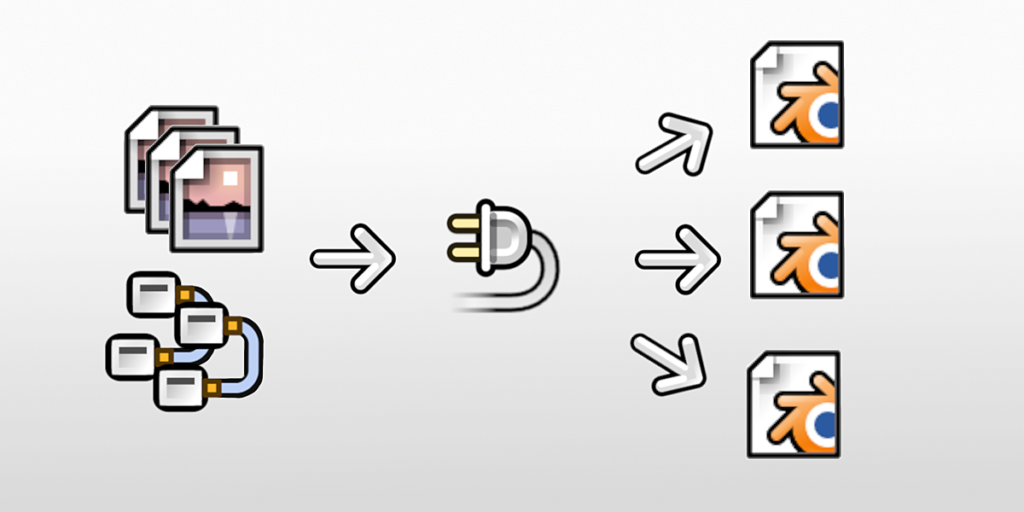
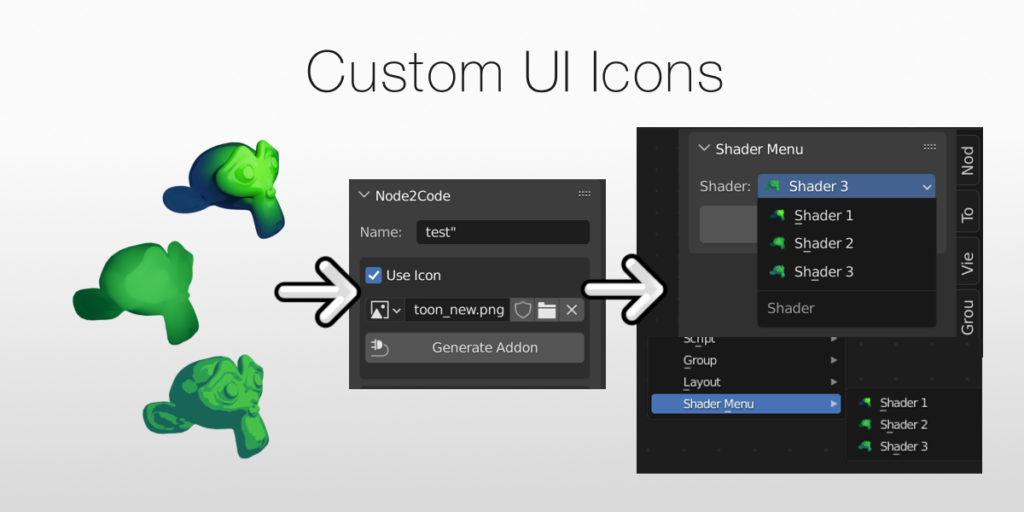
Export any node setup as an addon.

Node2Code lets you create an addon from your own custom node shaders. Instantly ready to share (or sell) with only a few clicks.
Mix and Match
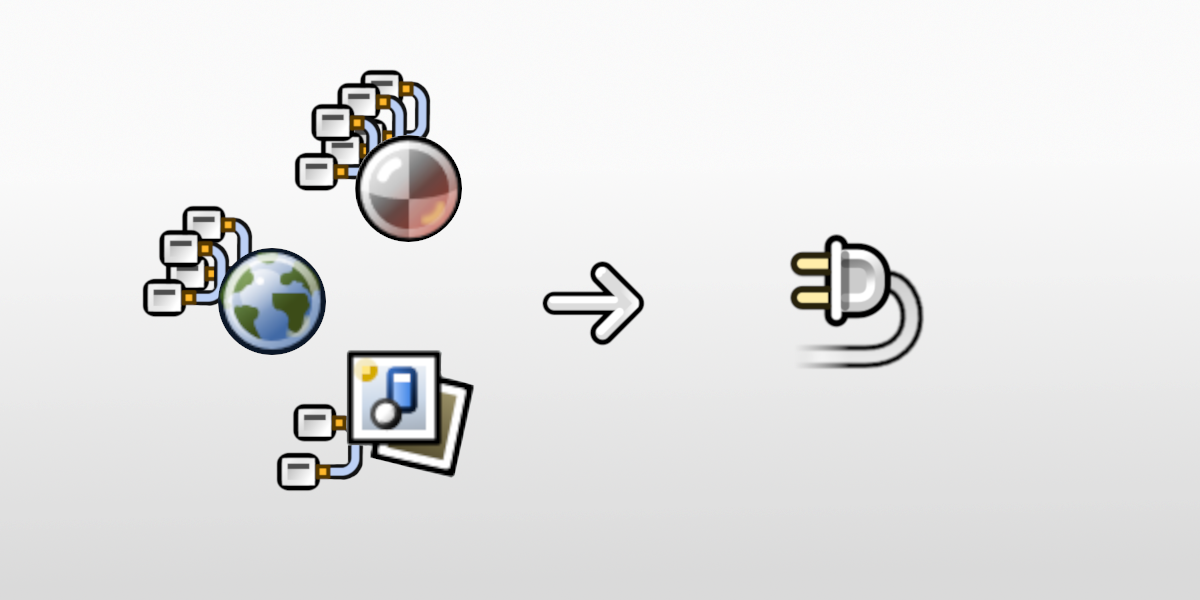
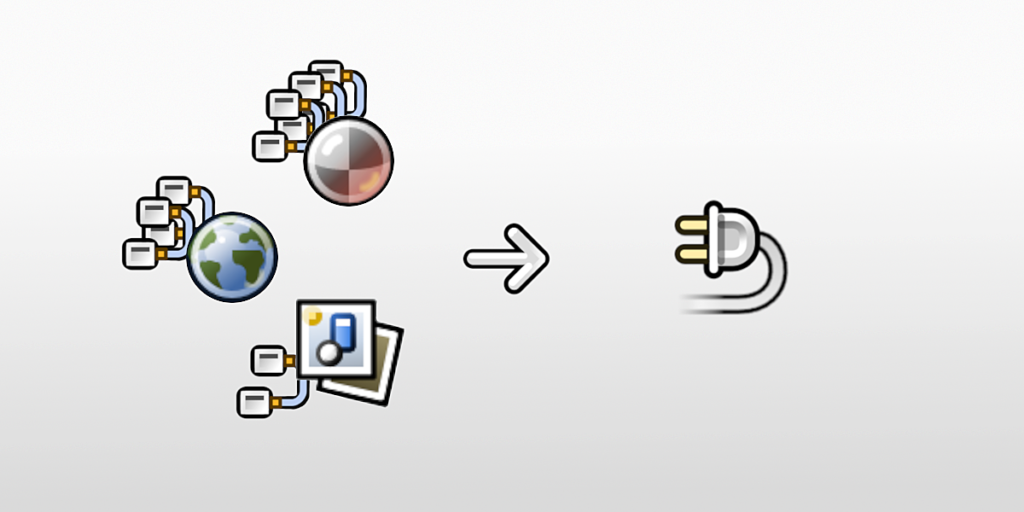
Node2Code will generate an addon for Material Nodes, World Nodes, Compositing Nodes, Geometry Nodes or ANY combination of these 4!
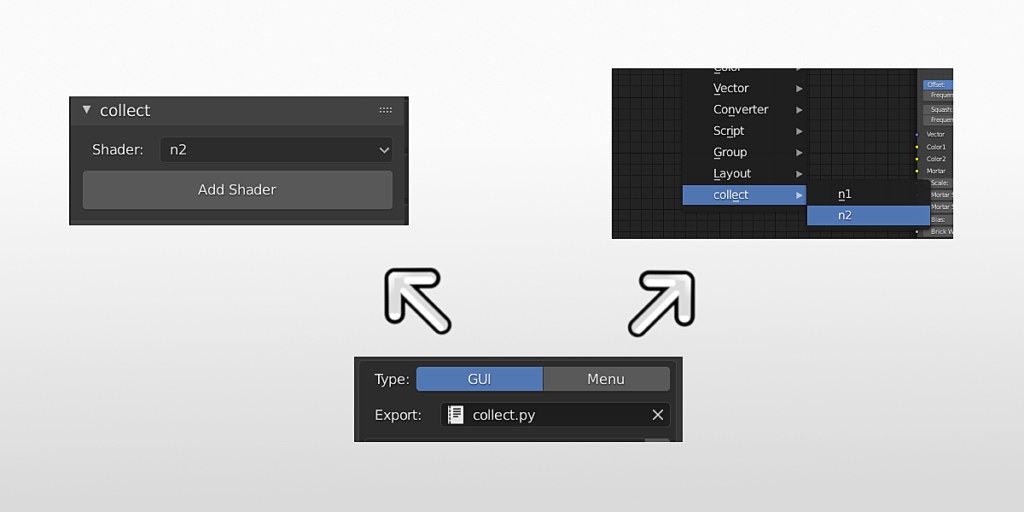
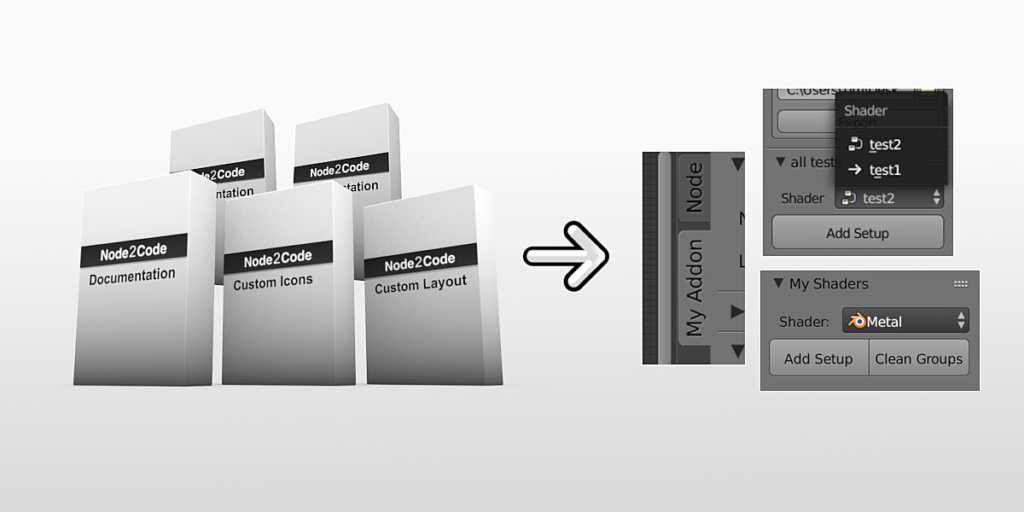
Deploy as Panel, Menu Entry or both.
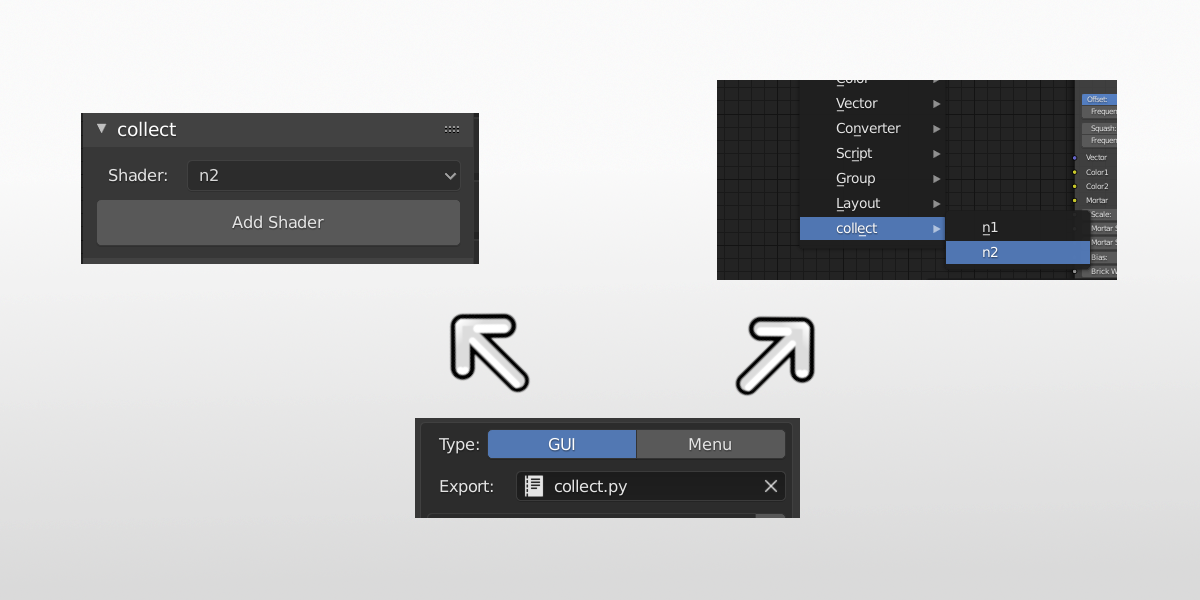
Choose the workflow that works best for your target audience.
Automatically Package Everything.
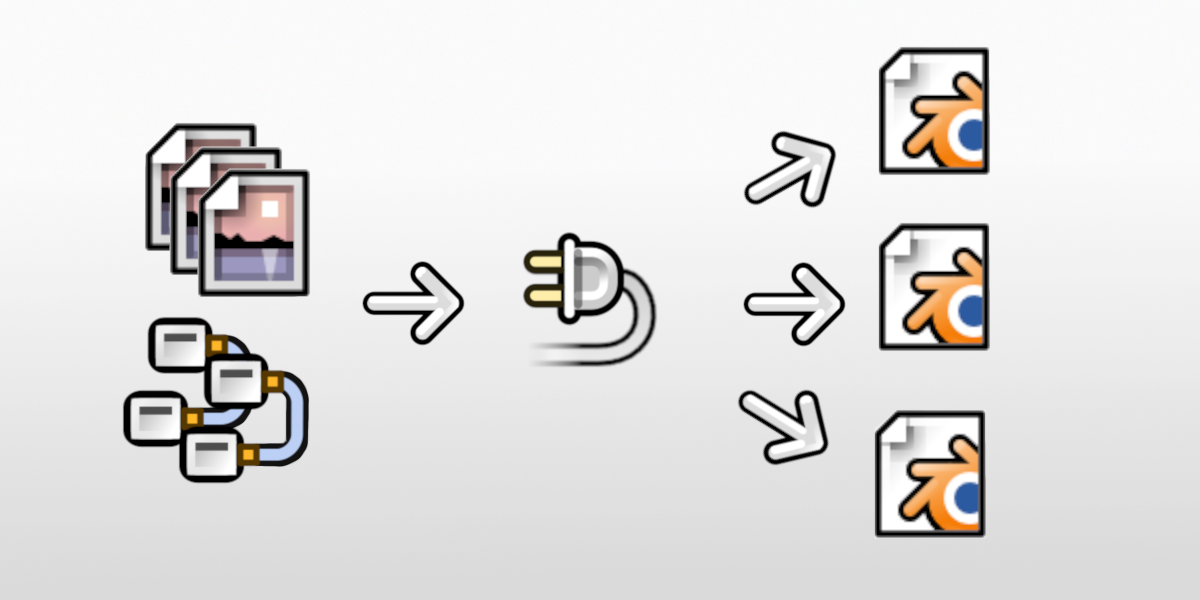
Node2Code automatically packages all external data. Once exported, Images, Text and External Values will always be available regardless of file location.
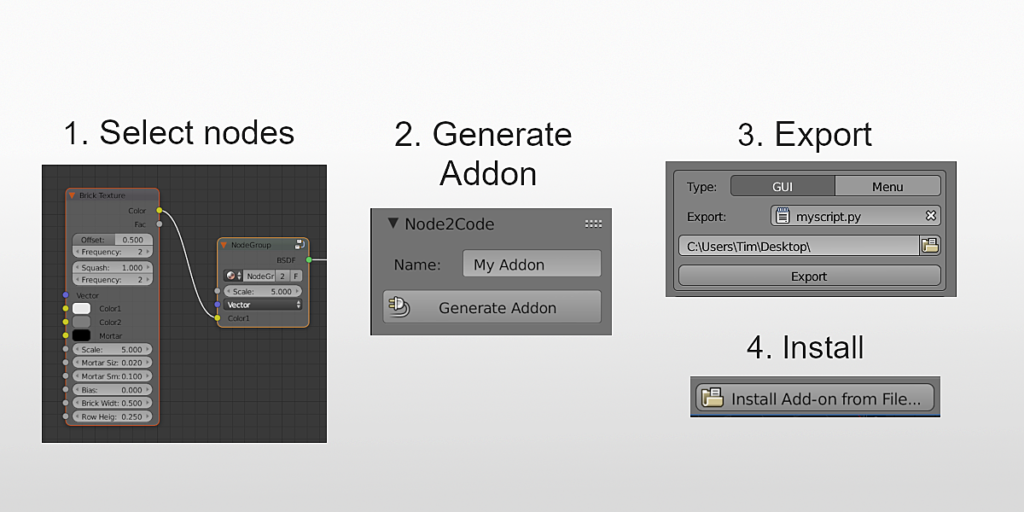
Super Simple Operation
With only 4 easy steps you can build your own addon with a few clicks! Once enabled, this addon will provide instant 1 click access to all exported shaders.
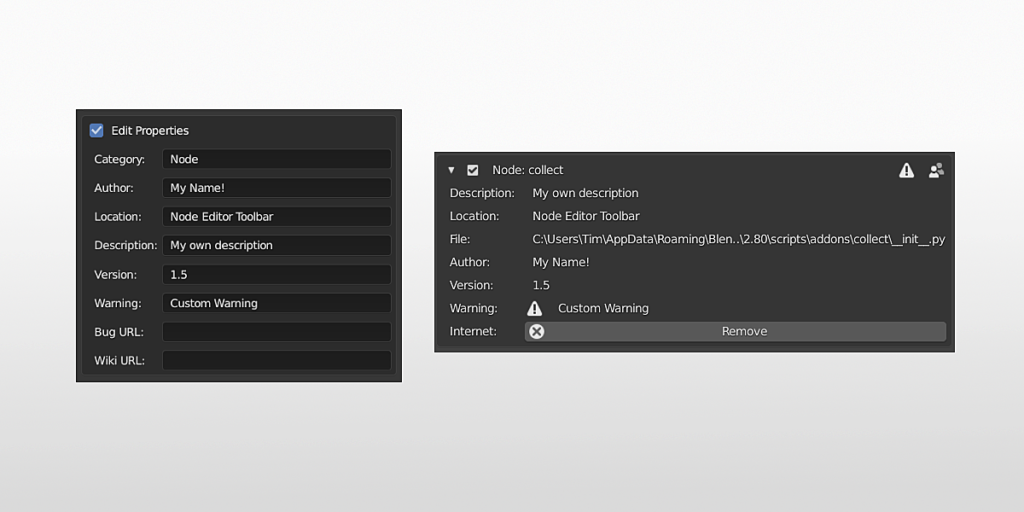
Customizable Metadata
Make your addon authentic and unique with the ability to modify the metadata, including author, version, category and more!
Other Blender Market Products that use Node2Code:

…and many more!
Extended Edition (+$10):
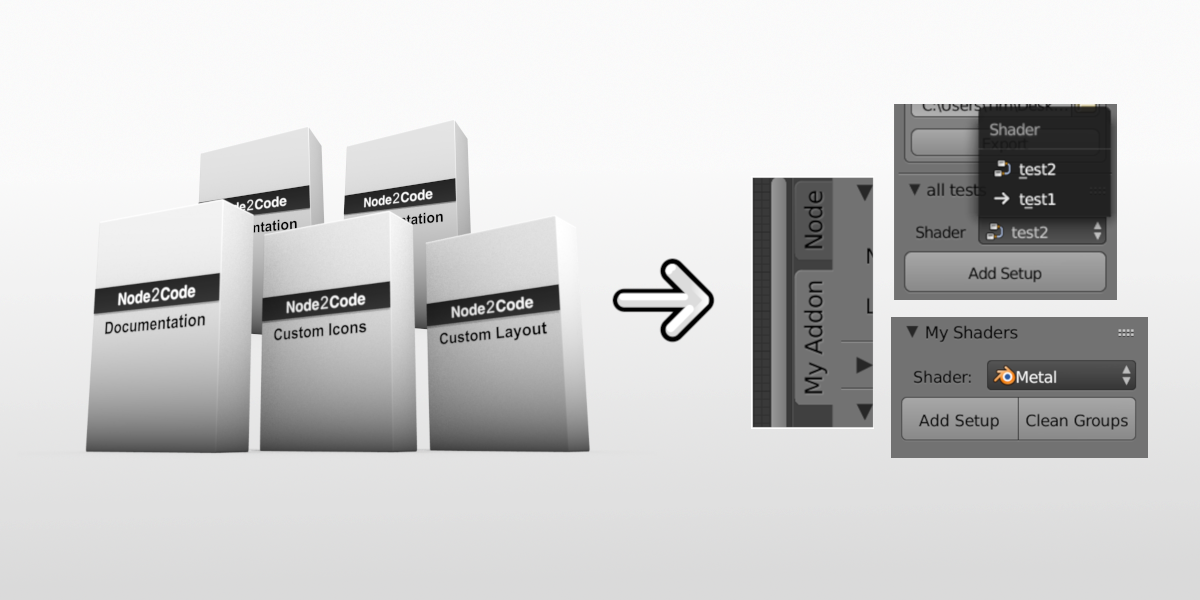
5 additional customization guides to help you build the perfect addon. Easy to follow step by step tutorials with Premium support if you run into any issues!
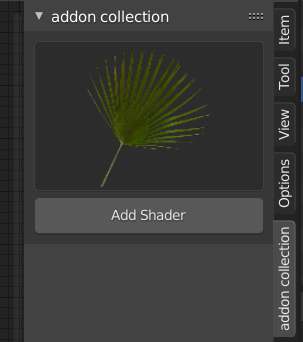
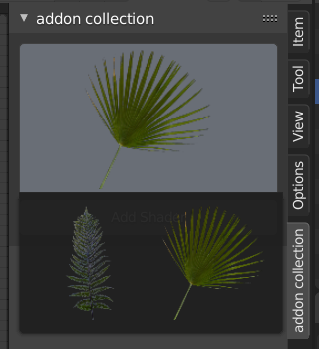
An example of what you can achieve with the Custom Preview Images Guide!
Ultimate Edition(+$30):
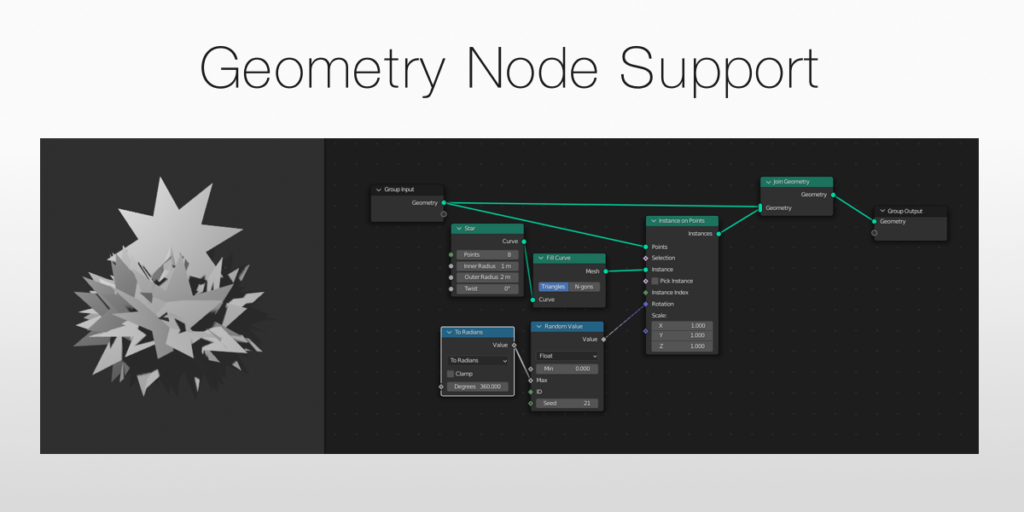
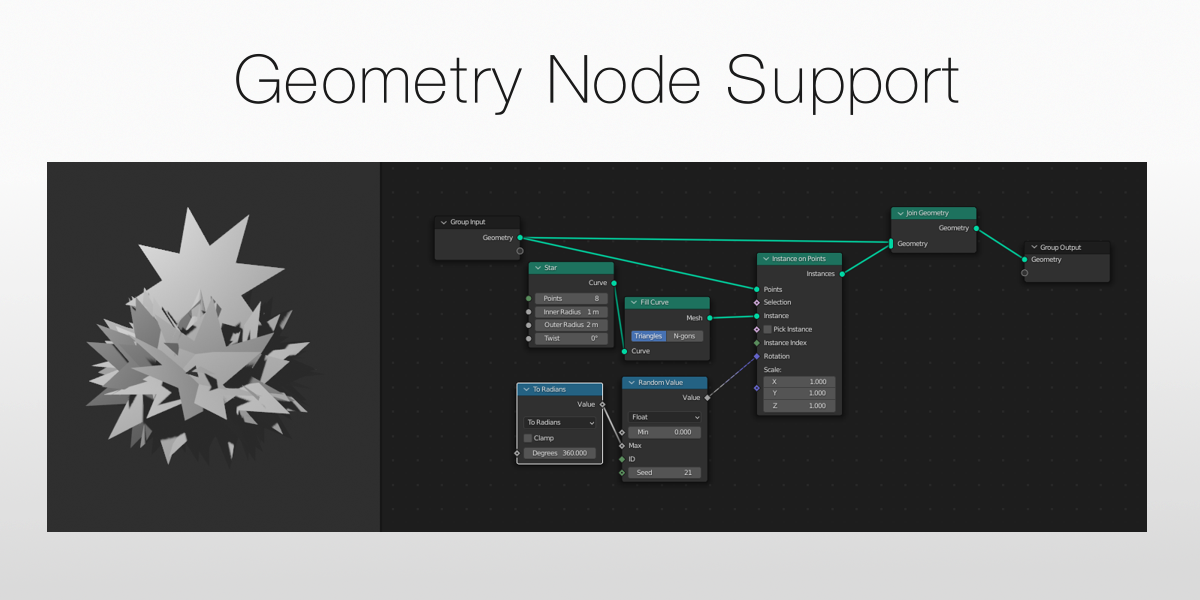 NEW – Geometry Node support
Harness one of the the most advanced Blender tools and make it easy to use! Endless possibilities with high market potential to make the life of your customers easier!
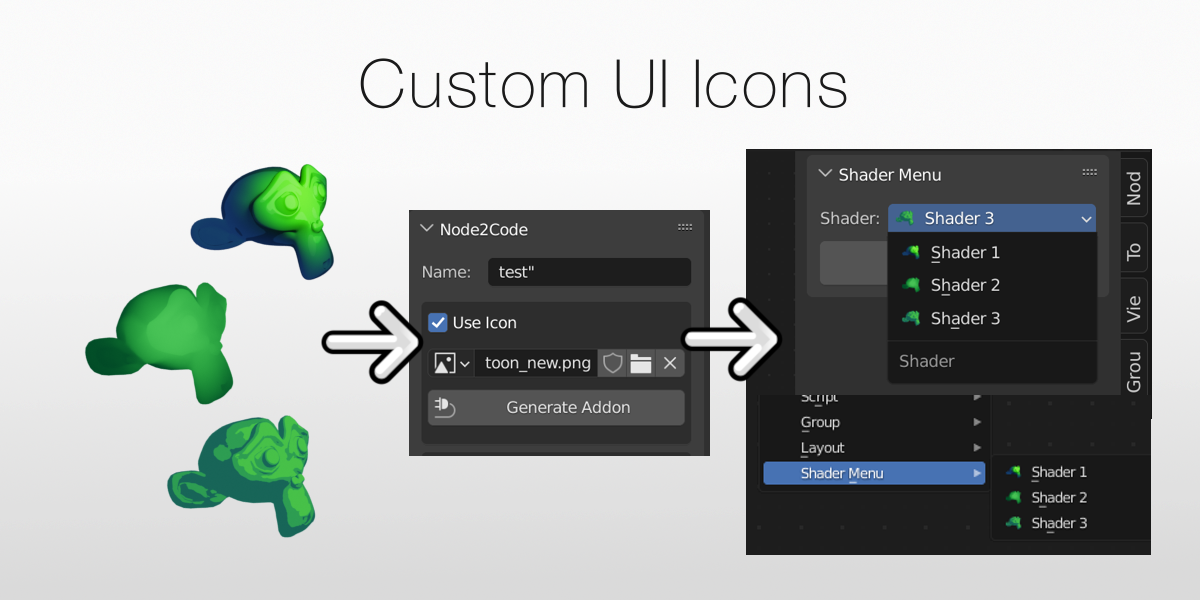 NEW – Easy Icons! No more digging around in the code! With the Ultimate Edition you can add any icons you like to any generated addon with one simple click! Icons now also show up in the menu and on buttons in the case of singular shaders.
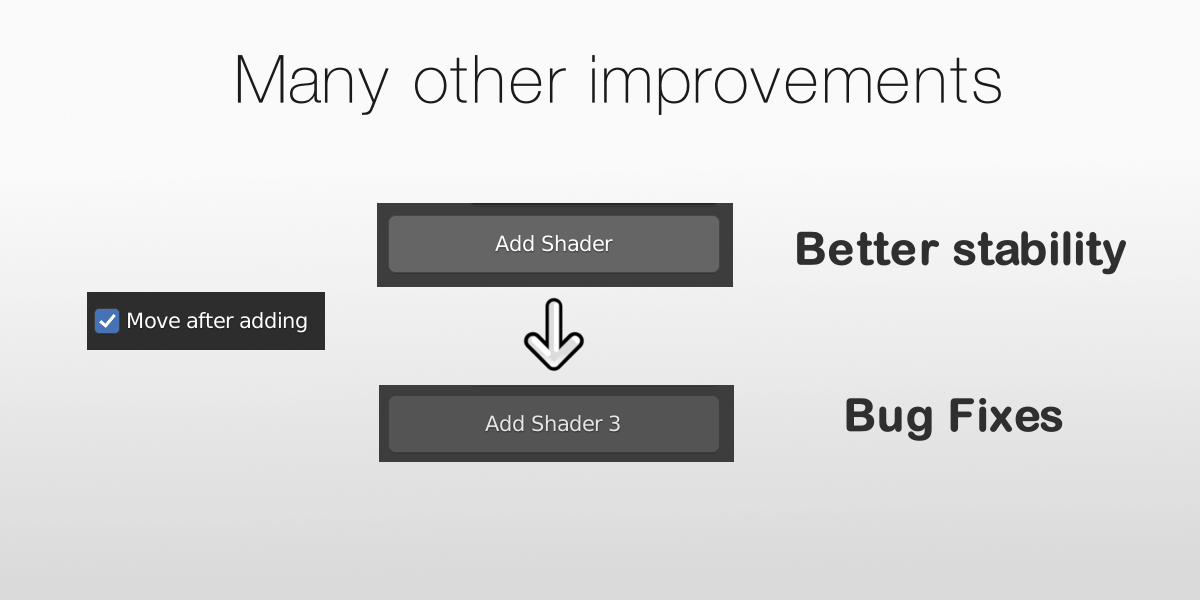 Many new enhancements and features are also included in this version such as:
- The option to move nodes immediately after adding them
- Add button now displays the real name of the selected shader
- Icons now shown beside menu entries
- Enhanced Support for Frames and Reroute nodes. No more weird positioning!
- New Documentation
- Better architecture stability, less likely to break in the future
- Bug fixes for the creation of combined addons
Ultimate Edition Roadmap (Future features):
- Add Icon Previews via the UI Done!
- More Layout customization
- Automatic input / output linking of Geometry Nodes
- Continued updates for new Blender versions
- Further improvements and stability enhancements.
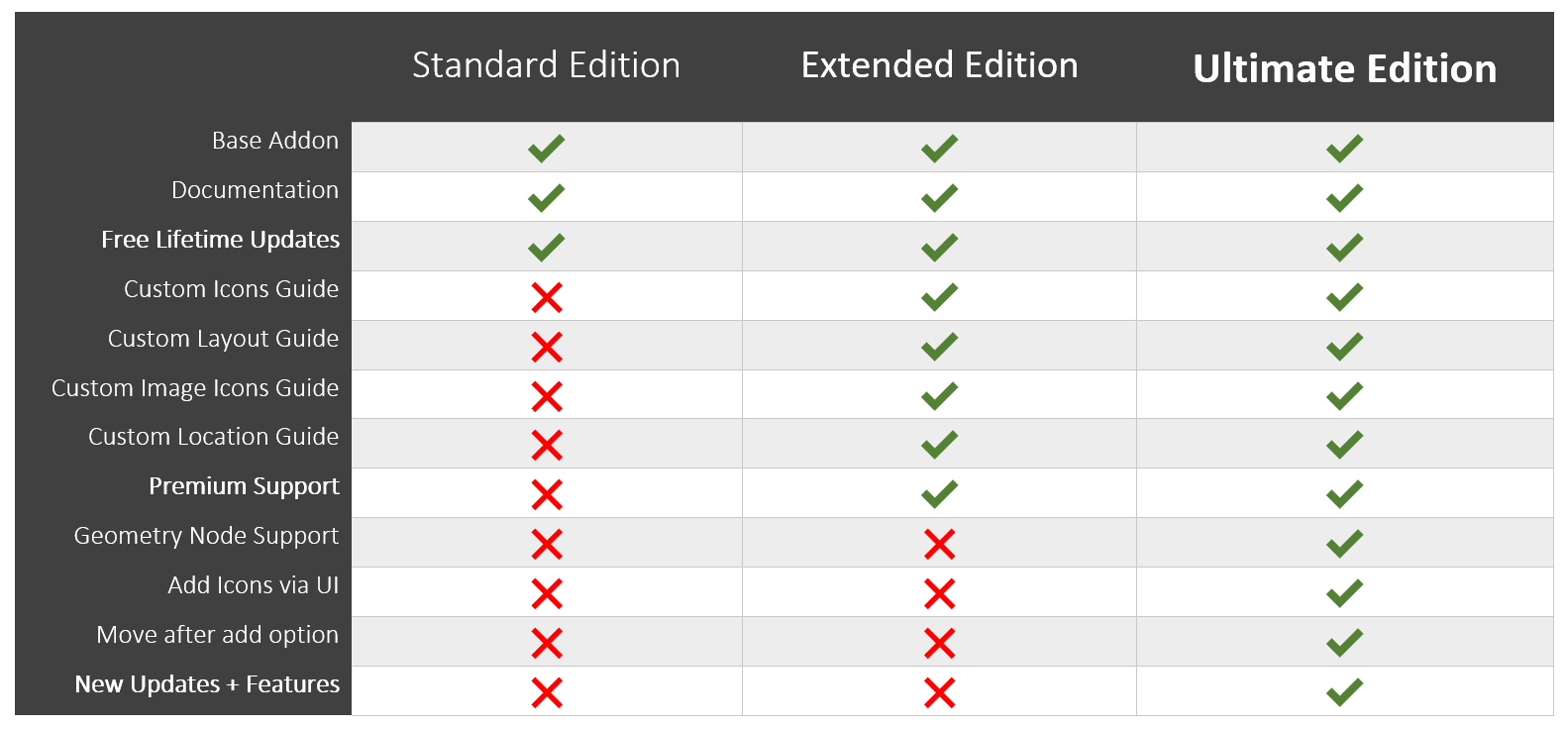 Take your addon to the next level with the Ultimate Edition for maximum flexibility, uniqueness and aesthetics.
Update Log:
v1.92 (Ultimate Edition) Custom UI Previews:
- (New) Custom UI Previews are now available as an option, no coding required!
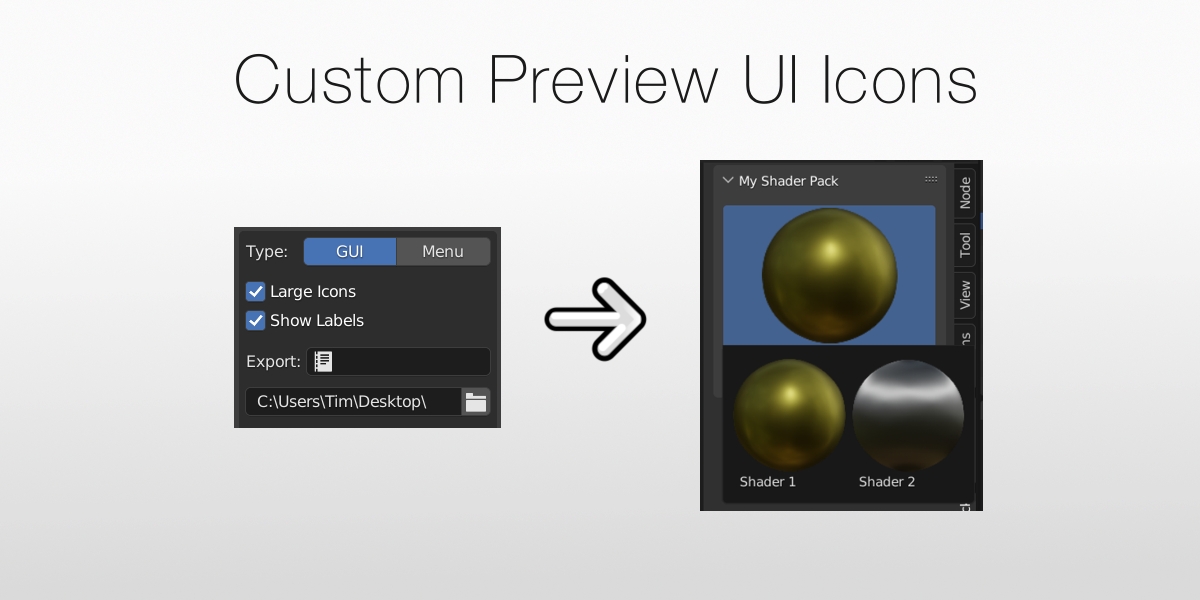
- Fixed default selection in UI
- Compatibility information update
v1.91 (Ultimate Edition) Bug Fixes:
- Fix issue with parenting of unselected frames
- Fix return value when not using move on add option
- Compatibility information update
Ultimate Edition added!
- Geometry Node Support
- Custom Icons via UI for Panels and Menu’s
- Blender 3.0 Support
- Further enhancements
- Bug Fixes
Supercharge your 3D creation workflow with premium selection of Blender Add-ons. Whether you are modeling intricate characters, sculpting realistic environments, or animating cinematic sequences, the right add-on can transform how you work inside Blender. Our curated collection includes powerful tools for UV unwrapping, procedural texture generation, rigging automation, rendering optimization, and more—each rigorously tested for compatibility with the latest Blender versions. Eliminate tedious manual processes and unlock advanced functionality that lets you focus on what matters most: bringing your creative vision to life. Explore our full range of professional Blender plugins today and take your 3D projects to the next level.
➡️ ➡️ For more Blender Plugins 😀 😀
Reviews
There are no reviews yet.