
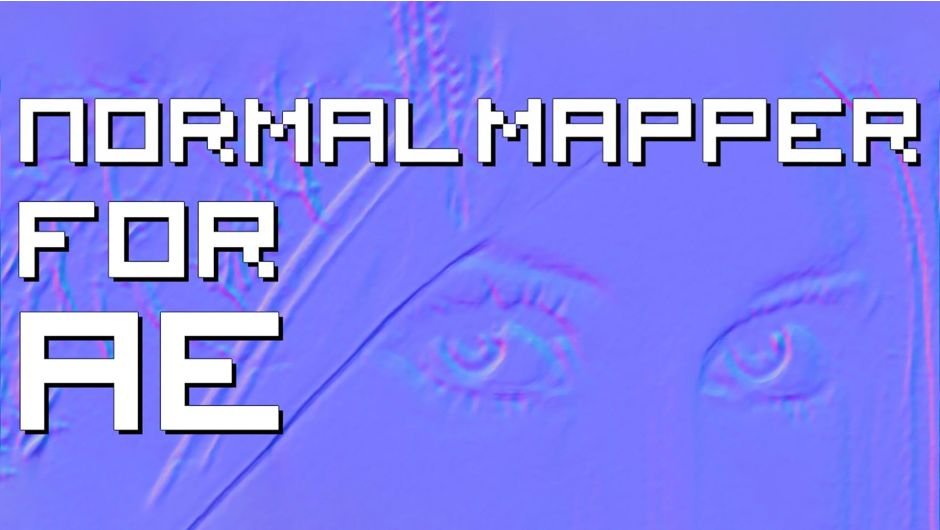
Normal Mapper for AE
Normal Mapper for AE for After Effects
The Ultimate Normal Map Generation Tool for After Effects
Download Normal Mapper for AE today. Consequently, you can generate high-quality normal maps directly inside After Effects from any image, footage, or procedural source, unlocking powerful relighting and texture workflows without leaving your compositing environment. Because modern motion design and VFX increasingly rely on normal maps for dynamic lighting, texture synthesis, and 2.5D effects, having access to a dedicated normal map generator is absolutely essential. Nevertheless, creating normal maps traditionally requires external software like Photoshop, Blender, or dedicated texture tools, forcing artists to break their workflow and roundtrip assets between applications. Fortunately, Normal Mapper for AE eliminates this bottleneck completely. Moreover, it analyzes luminance data from your source and converts it into precise RGB normal data in real time, all within After Effects’ native GPU-accelerated pipeline. In short, you can generate, preview, and utilize normal maps without ever leaving your composition.
Real-Time Normal Map Generation Engine
The core of this plugin lies in its intelligent conversion of image data into normal map information. For instance, the plugin analyzes the luminance or alpha channel of your source layer and calculates surface normals based on the gradients and edges it detects. Furthermore, the resulting normal map is output as a standard RGB image, with the familiar red, green, and blue channels representing X, Y, and Z surface directions. Additionally, you can control the strength and intensity of the normal generation, allowing you to produce everything from subtle surface detail to dramatic, pronounced relief. Since the entire process runs in real-time on the GPU, you can see your normal map update instantly as you adjust parameters. Consequently, your texture and relighting workflows become significantly faster and more intuitive.
Comprehensive Controls for Precision Tuning
Professional normal map work demands precise control over the resulting surface data. Therefore, Normal Mapper for AE provides a comprehensive suite of parameters. For example, you can adjust the overall strength of the normal map to control how pronounced the resulting surface relief appears. Furthermore, you can fine-tune the blur and smoothing applied before normal calculation, reducing noise and producing cleaner gradients. Additionally, you can invert individual channels (red, green, or blue) to accommodate different normal map conventions—such as DirectX versus OpenGL—ensuring compatibility with any downstream application. Thus, you maintain complete authority over the final normal data.
Seamless Integration with After Effects Workflows
Normal Mapper for AE is designed to integrate natively into your existing After Effects pipeline. For instance, you can apply the effect directly to any layer—footage, solids, text, or shapes—and immediately generate a normal map for that source. Furthermore, the resulting normal map can be used with After Effects’ native 3D lighting systems, including the Advanced 3D renderer, to create dynamic relighting effects on 2D layers. Additionally, the plugin works seamlessly with other effects such as displacement maps, bump mapping, and custom shaders, enabling you to build sophisticated 2.5D and pseudo-3D looks. Since everything operates within After Effects, you avoid the friction of external roundtripping. Consequently, you can integrate normal mapping into any project with minimal setup.
Perfect for Motion Designers, VFX Artists, and Texture Artists
This plugin is particularly well-suited for motion designers creating stylized 2.5D effects, dynamic lighting animations, and dimensional graphics from flat source material. Similarly, VFX artists and compositors will appreciate the ability to generate normal maps for relighting plates, integrating CG elements, and enhancing surface detail. Additionally, texture artists and 3D generalists can use Normal Mapper for AE to quickly prototype normal maps without leaving their compositing environment. Ultimately, Normal Mapper for AE accelerates your entire motion design and post-production pipeline.
System Requirements and Compatibility
Normal Mapper for AE supports a wide range of After Effects versions, spanning from CC 2014 through the latest 2026 releases, including CC 2015, CC 2017, CC 2018, CC 2019, 2020, 2021, 2022, 2023, 2024, 2025, and 2026. The plugin is fully GPU-accelerated and requires a modern graphics card for optimal performance. It is available for both Windows and macOS operating systems. You will need a standard workstation with at least 8GB of RAM.
Installation and Usage Guide
To install, first download the plugin installer from your library. Next, close Adobe After Effects if it is running. Then, install the plugin following the standard aescripts + aeplugins installation process using the Manager App. After installation, launch After Effects and locate Normal Mapper for AE in the Effects & Presets panel. Finally, apply the effect to your source layer, adjust the strength and channel settings to achieve your desired normal map, and use the resulting output with After Effects’ lighting, displacement, or custom shader systems. Thus, your professional normal map workflow will be ready instantly.
What is Included Inside?
The pack contains the complete Normal Mapper for AE plugin. Furthermore, it includes the real-time normal map generation engine, comprehensive controls for strength and channel tuning, and seamless integration with After Effects’ native 3D and texture workflows. Ultimately, you receive everything needed for professional normal map generation.
Final Thoughts on the Plugin
Effortless normal map generation evokes profound creative freedom. Therefore, this plugin provides the ultimate foundation for your motion design and VFX workflows. You can create precise, high-quality normal maps with unprecedented speed and convenience. Consequently, your creative vision becomes a stunning reality.
Normal maps generator for After Effects.
Normal Mapper For AE is a GPU accelerated filter plugin that creates normal maps inside Adobe After Effects.
Create normal maps in AE using any bitmap source and use them in your favorite 3D rendering software or engine!
Normal Mapper uses luma values as input, so you can use any AE filters to affect the look of your normal map. Add noise, blur, high pass filter or any other effect of your choice to smooth out or add more crisp to your normal map.


Elevate your motion graphics workflow with premium collection of After Effects plugins. Whether you are a seasoned professional or just starting your VFX journey, powerful tools designed to streamline complex tasks, unlock creative possibilities, and save you hours of rendering time. From stunning glitch effects and seamless transitions to advanced 3D extrusion and text animation tools, each plugin in our library is rigorously tested for compatibility with the latest versions of Adobe after Effects. Enhance your video production value today and download industry-leading plugins that help you create breathtaking visuals without the technical headaches. Browse our full range and find the perfect extension to supercharge your editing suite now.
➡️ ➡️ For more after effects Plugins 😀 😀
➡️ ➡️ System requirements AE
Reviews
There are no reviews yet.