
Onion Skin Tools for Blender
onion skin tools addon
Onion Skin Tools for Blender – Professional Animation Onion Skinning Addon
Versions: v0.3.2
File Size: 7.5 MB
Download Onion Skin Tools for Blender on Windows, Mac, and Linux, a powerful onion skinning add-on that brings traditional 2D animation workflow to Blender’s 3D viewport. See previous and future frames as translucent overlays while animating—perfect for character animators, storyboard artists, and frame-by-frame animators who need visual reference for timing and spacing .
Key Features of Onion Skin Tools:
- Real-Time Onion Skinning: See multiple frames as translucent overlays directly in the viewport while animating
- Customizable Frame Range: Control how many previous and future frames are displayed
- Color-Coded Frames: Different colors for previous frames, future frames, and the current frame
- Opacity Controls: Adjust the transparency of onion skin frames independently
- Frame Step Controls: Display every Nth frame for faster animation with less clutter
- Works with All Object Types: Supports armatures, mesh objects, curves, and grease pencil
- Customizable Colors: Set your own colors for previous, current, and future frames
- Performance Optimized: Efficient display for complex scenes and long animations
- Toggle Shortcut: Assign a hotkey to quickly enable/disable onion skinning
Perfect For:
- Character animators needing visual reference for timing and spacing
- Storyboard artists planning shot timing
- Frame-by-frame animators working in 3D space
- Motion designers refining animation arcs
- Anyone who needs to see motion context while keyframing
System Requirements:
- Blender 3.6, 4.0, 4.1, 4.2, 4.3
- Windows 10/11 (64-bit), macOS, or Linux
- 4GB RAM minimum (8GB+ recommended)
- 10MB available disk space
Installation:
- Download the add-on zip file
- In Blender, go to Edit > Preferences > Add-ons
- Click “Install” and select the downloaded zip file
- Enable the add-on by checking the box next to “Onion Skin Tools”
Note: Onion Skin Tools brings a vital traditional animation technique to Blender’s 3D viewport, making it much easier to plan timing and spacing for character animation . The customizable colors and frame range make it adaptable to any workflow . Perfect for character animators, storyboard artists, and anyone who needs motion context while keyframing . Designed for Blender 3.6 and above . Essential for any serious character animation workflow .

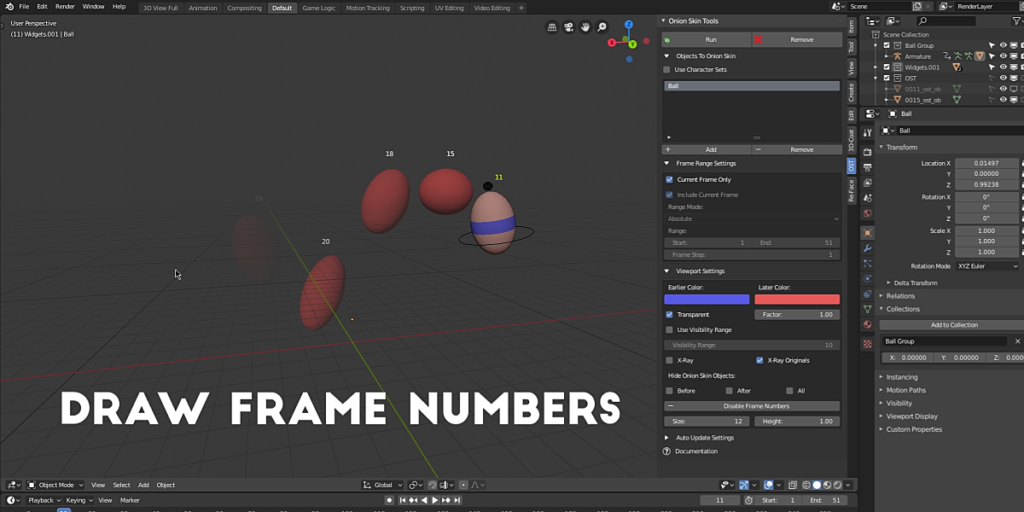
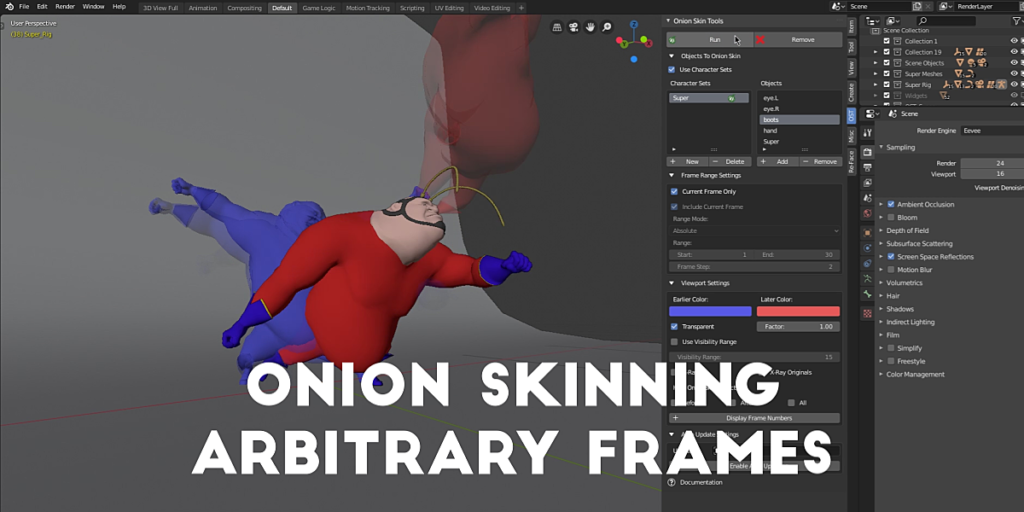

Object Onion Skinning For Blender
Your animation workflow is about to level up.
What’s This About “Onions?”
You may be familiar with the term onion skinning, a traditional animation technique that enables the animator to see previous drawings through the page while drawing a frame. The effect is so essential to an efficient hand-drawn animation workflow that the majority of digital 2D and 2.5D animation packages include onion skinning features natively.
Which, you know, makes total sense. Having a visual reference for previous or later frames, the animator can make informed decisions while toiling away on the current frame.
3D animation applications are often the exception. 3D applications generally forgo robust onion skinning features and animators are expected by their applications to animate ‘in the blind.’
So What Does Onion Skin Tools Do?
Very simply, this:
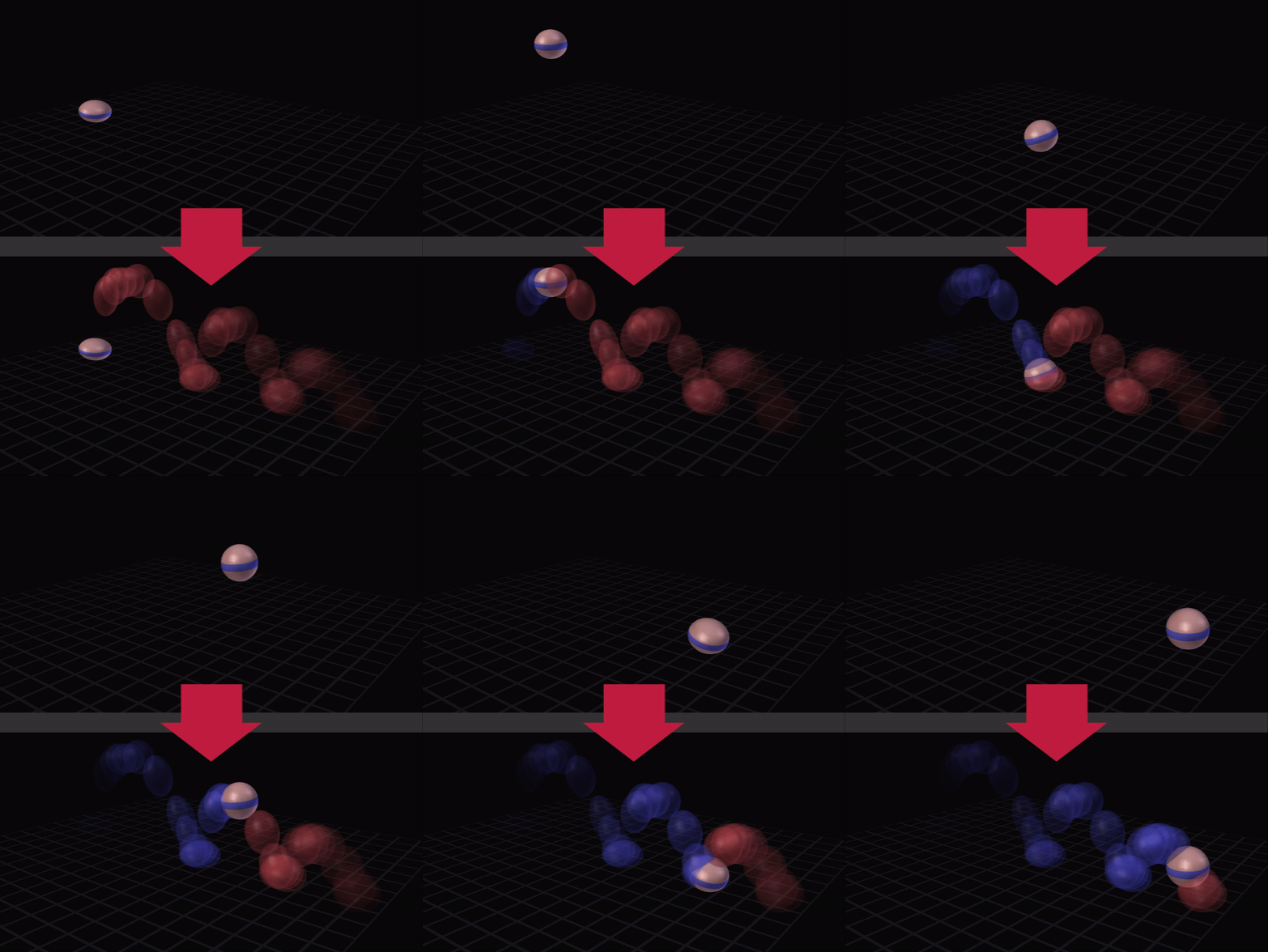
Onion Skin Tools is the first functional addon to provide animators with object onion skinning in Blender’s viewport. Visualize the action of your animation instantly without even moving the timeline cursor! No more animating in the blind!
With Onion Skin Tools, you can
- Generate onion skinning for any mesh-able objects, even entire multiple-object characters or creatures, on arbitrary frames or over a user-defined frame range.
- Make informed posing decisions! Compare poses on previous and later frames side by side while you pose your character or creature rig on the current frame.
- Stop guessing! See at a glance the arcs of your action without even changing the current frame.
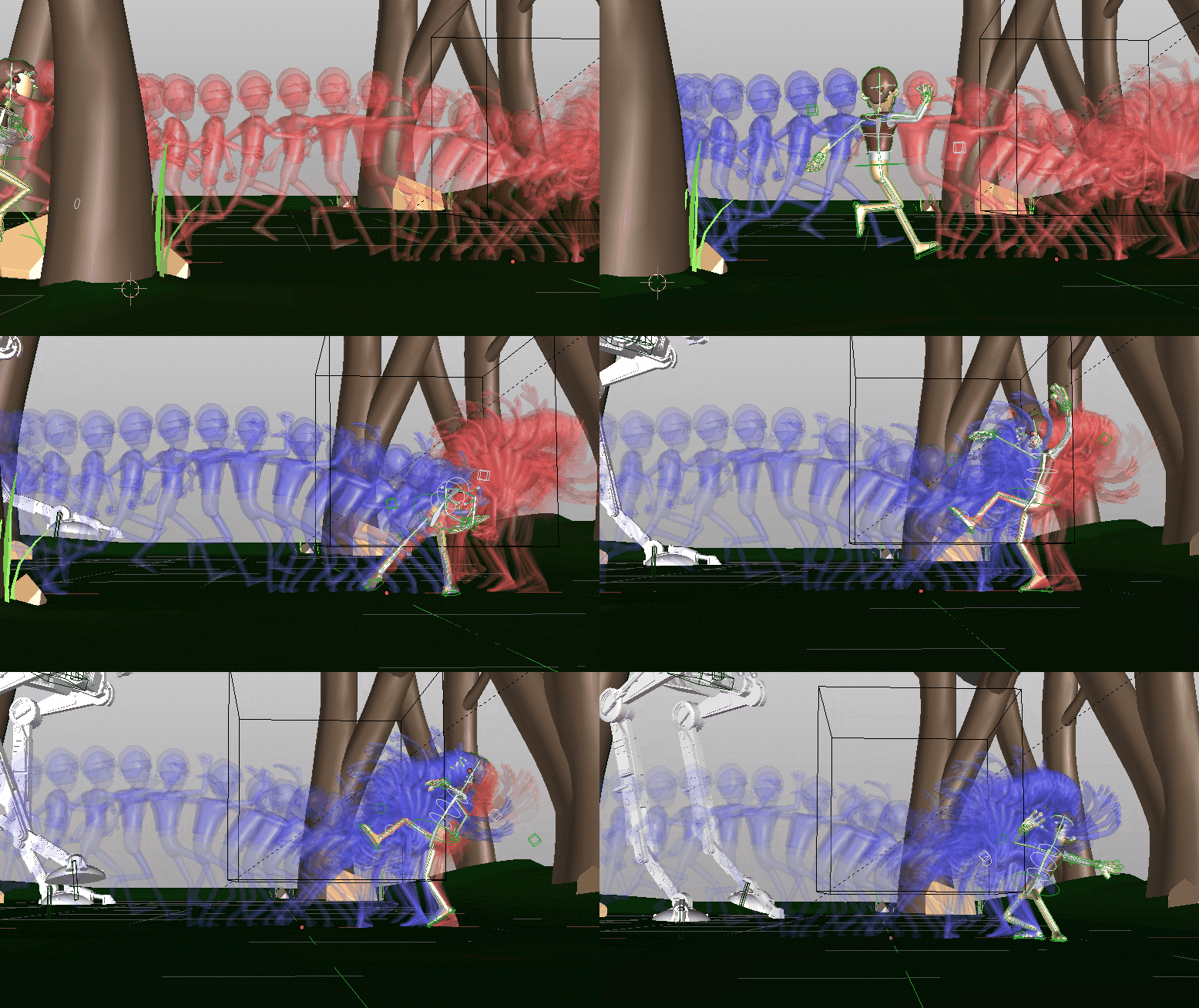
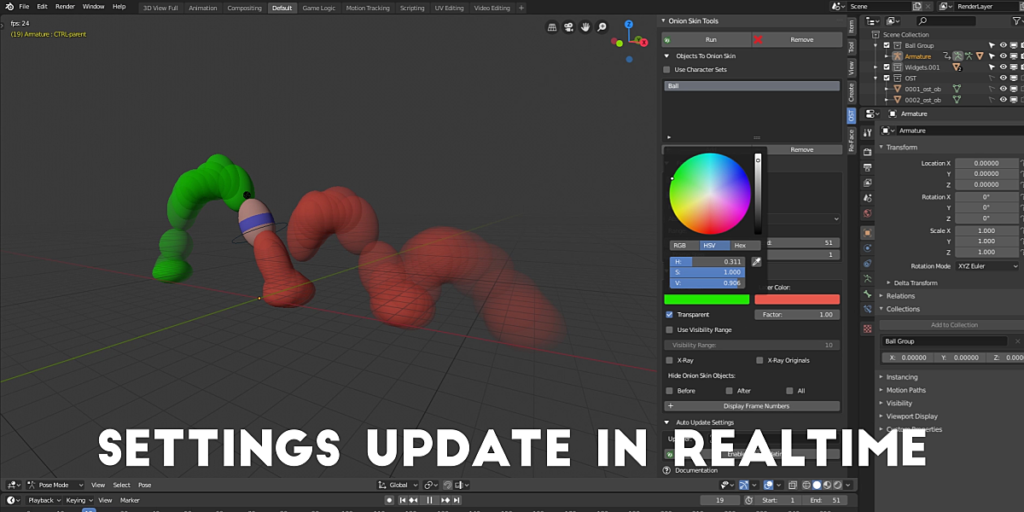
(Realtime screencast of Blender viewport courtesy of www.pintamonos.cl)
Whether you’re animating characters, creatures, vehicles, text, motion graphics, or something else entirely –
It’s time to take the guess work / incessant timeline scrubbing / pose memorizing out of your animation workflow.
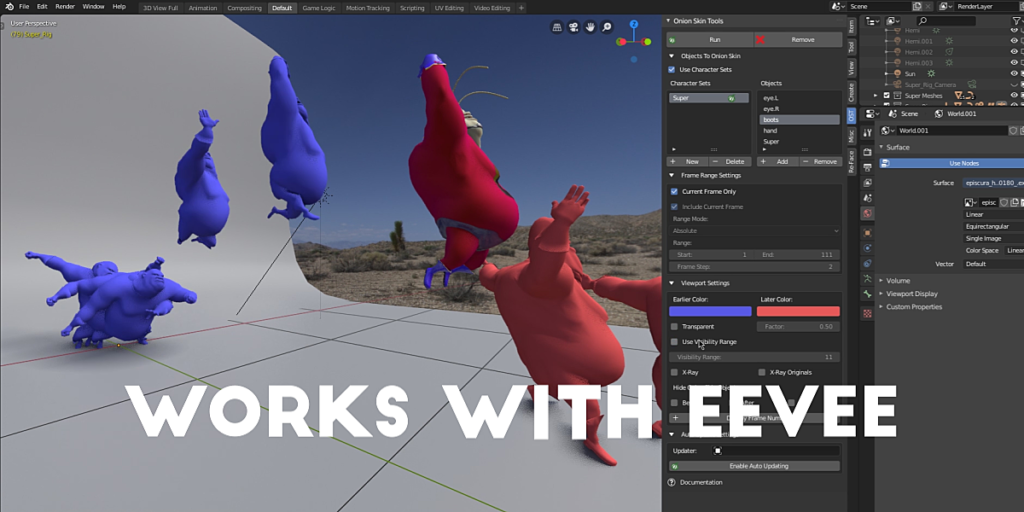
- EEVEE and Cycles viewport rendering.
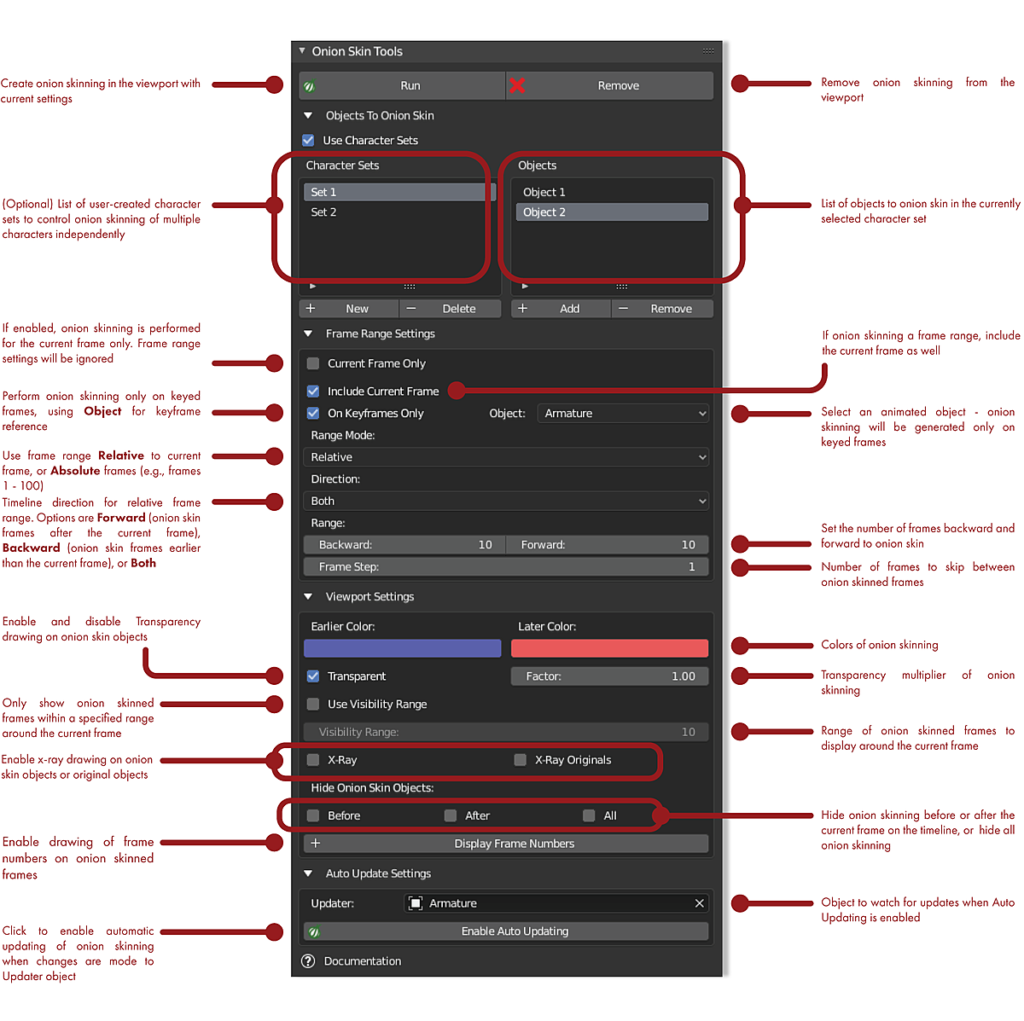
- Character Sets – You can onion skin objects together using a scene-wide list, or onion skin objects individually or in user-defined groups using Character Sets! Character Sets allow you to create sets of objects for onion skinning, and control each set’s generation, removal, and viewport settings independently.
- Support for linked rigs (at the moment, this assumes the linked rig has not been duplicated in the scene).
- Auto Updating – When enabled, Auto Updating will watch for changes to an Updater object (e.g., a character rig armature) and automatically update the onion skinning according to the changes!
- Transparency Range control – An optional range control to display onion skinning only on frames within a specified range around the current frame as you move through the timeline.
- Absolute Range and Relative Range modes for setting the frame range. Absolute mode allows you to set specific start and end frames to generate onion skinning (e.g., frames 1 – 100). Relative mode will generate onion skinning on a user-defined range of frames around the current frame.
- Current Frame Only – Optional toggle to onion skin only the current frame. This is useful when you want to see only certain frames, such as extreme poses or important breakdowns. Can also be used to remove onion skinning only on the current frame.
- On Keyframes Only – Optional toggle to generate onion skinning only on keyed frames, using a user-selected animated object’s keyframes for reference.
- Frame Display – Draws frame numbers above onion-skinned frames. This can be useful to remind you of the frame numbers when onion skinning only certain frames.
Supercharge your 3D creation workflow with premium selection of Blender Add-ons. Whether you are modeling intricate characters, sculpting realistic environments, or animating cinematic sequences, the right add-on can transform how you work inside Blender. Our curated collection includes powerful tools for UV unwrapping, procedural texture generation, rigging automation, rendering optimization, and more—each rigorously tested for compatibility with the latest Blender versions. Eliminate tedious manual processes and unlock advanced functionality that lets you focus on what matters most: bringing your creative vision to life. Explore our full range of professional Blender plugins today and take your 3D projects to the next level.
➡️ ➡️ For more Blender Plugins 😀 😀
Reviews
There are no reviews yet.