
Ossim for Blender
Ossim v1.5.0 for Blender – The Ultimate Rigid Body Simulation Baking & Game Export Tool
Versions: v1.5.0
File Size: 12 KB
Download Ossim v1.5.0 for Blender on Windows and Mac, a specialized simulation baking addon developed by Peter Gubin, designed to seamlessly bridge the gap between Blender’s powerful physics engine and real-time game engines. If you have ever struggled to export complex rigid body simulations, destruction effects, or Cell Fracture animations to Unreal Engine, Unity, or Godot, Ossim is the definitive solution. By automatically generating an armature and skinned geometry from your physics calculations, Ossim allows you to bake complex simulations into skeletal animations that game engines can play back perfectly without needing to run a heavy physics solver in real-time.
Key Features of Ossim v1.5.0:
- Physics-to-Armature Baking: The core engine analyzes your rigid body simulation and automatically generates a custom armature, assigning bones to control individual simulation objects or fractured chunks.
- Skinned Geometry Generation: Automatically binds your simulated meshes (like debris, shattered glass, or crumbling walls) to the generated armature, creating a single, exportable skinned mesh.
- Perfect Game Engine Compatibility: Exports seamlessly as standard FBX skeletal animations, meaning your exact Blender simulation will play back identically in Unreal Engine, Unity, and Godot without engine-side physics calculations.
- Cell Fracture Integration: Works flawlessly with Blender’s native Cell Fracture addon. Fracture your objects, set up the rigid body world, and let Ossim bake the destruction for game-ready VFX.
- Optimized Bone Hierarchies: Smart algorithms minimize the bone count and optimize the hierarchy to ensure the resulting skeletal animation is lightweight and performant for real-time applications.
- Batch Processing: Capable of handling complex scenes with hundreds or thousands of rigid body objects, streamlining the baking process for large-scale destruction.
- Preserves Simulation Fidelity: Unlike approximating physics in a game engine, Ossim guarantees 1:1 accuracy of the trajectories, rotations, and collisions you carefully crafted in Blender.
- Non-Destructive Workflow: Operates on the baked cache of your rigid body world, allowing you to tweak your initial simulation in Blender and re-bake with Ossim at any time.
- Animation Range Control: Easily define the start and end frames for the bake, allowing you to isolate specific moments of a chaotic simulation for your game events.
- Lightweight File Size: By converting physics data into skeletal animation data, the resulting FBX files are highly optimized and avoid the massive file sizes associated with per-frame Alembic or vertex caches.
Perfect For:
- Game Developers implementing pre-baked destruction, crumbling buildings, and debris effects without the performance cost of real-time physics.
- VFX Artists transferring complex Blender rigid body simulations to Unreal Engine’s Niagara or Unity’s VFX Graph as skeletal meshes.
- Technical Artists building pipelines for cinematic game trailers where exact physics fidelity is required across different software.
- Indie Studios creating high-quality environmental hazards and breakable props using Blender’s free tools and exporting them to their engine of choice.
- Level Designers prototyping dynamic environments with falling rocks, collapsing bridges, or exploding crates.
System Requirements:
- Blender: 4.0, 4.1, 4.2, 4.3, 4.4+ (Version 1.5.0 is specifically updated for Blender 4.x support).
- OS: Windows 10/11 (64-bit) or macOS 10.15+.
- RAM: 8GB minimum (16GB+ recommended for heavy rigid body simulations with thousands of pieces).
- Game Engines: Unreal Engine 4/5, Unity, Godot (via standard FBX skeletal animation import).
Installation:
- Download the Ossim v1.5.0
.zipfile. - Open Blender and go to Edit > Preferences > Add-ons.
- Click Install…, select the downloaded file, and enable the checkbox next to Object: Ossim.
- Access via the 3D Viewport Sidebar (N-panel) under the Ossim tab, or the Object Properties panel.
What’s New in v1.5.0?
- Blender 4.x Full Support: The addon has been completely updated to ensure full stability and compatibility with Blender 4.0 and newer versions, including the latest rigid body world and dependency graph updates.
- Improved Armature Generation: Refined the algorithm for creating the bone hierarchy, resulting in cleaner naming conventions and better compatibility with engine animation retargeting tools.
- Performance Optimization: Faster evaluation times when converting high-piece-count Cell Fracture simulations into skinned geometry.
- UI Refinements: Streamlined the baking panel for a more intuitive workflow, making it easier to select which objects to include in the armature generation.
- Bug Fixes: Resolved edge cases where certain concave fractured meshes would experience incorrect weight painting during the skinning process.
Note:
Ossim v1.5.0 is an essential bridge for artists who love Blender’s physics but need to ship to real-time engines. Running complex rigid body simulations in a game engine can be incredibly CPU-intensive and sometimes unpredictable. Ossim solves this by doing the heavy lifting in Blender, where you have total control, and then “baking” that exact motion into a standard skeletal animation. This means your game engine just plays a simple animation file, ensuring 60FPS performance even with massive destruction events. Created by Peter Gubin, this tool has been a staple for technical artists looking to bring high-fidelity Blender simulations into interactive experiences. Whether you are shattering a windshield or collapsing an entire castle, Ossim gets your physics into the game engine flawlessly.
version 1.5.0!
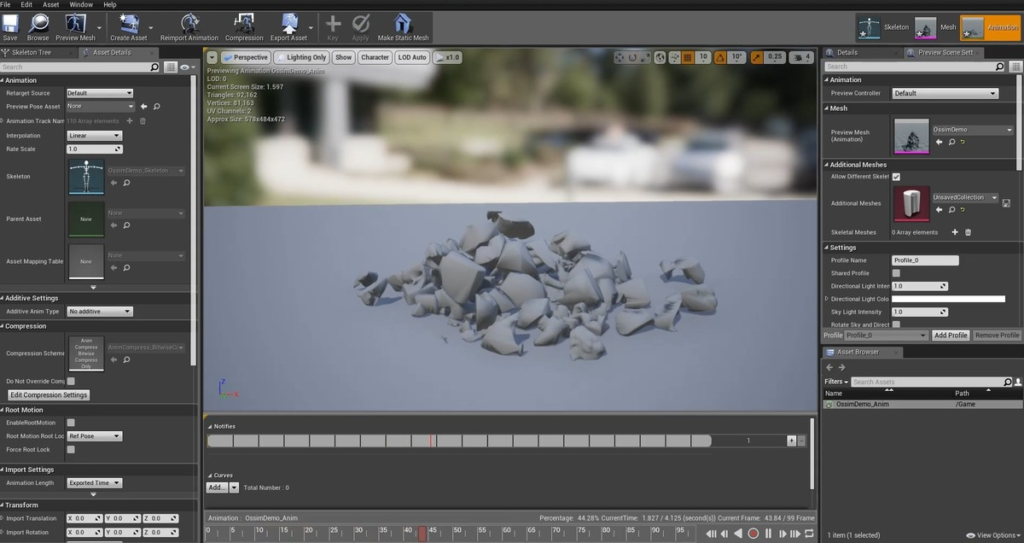
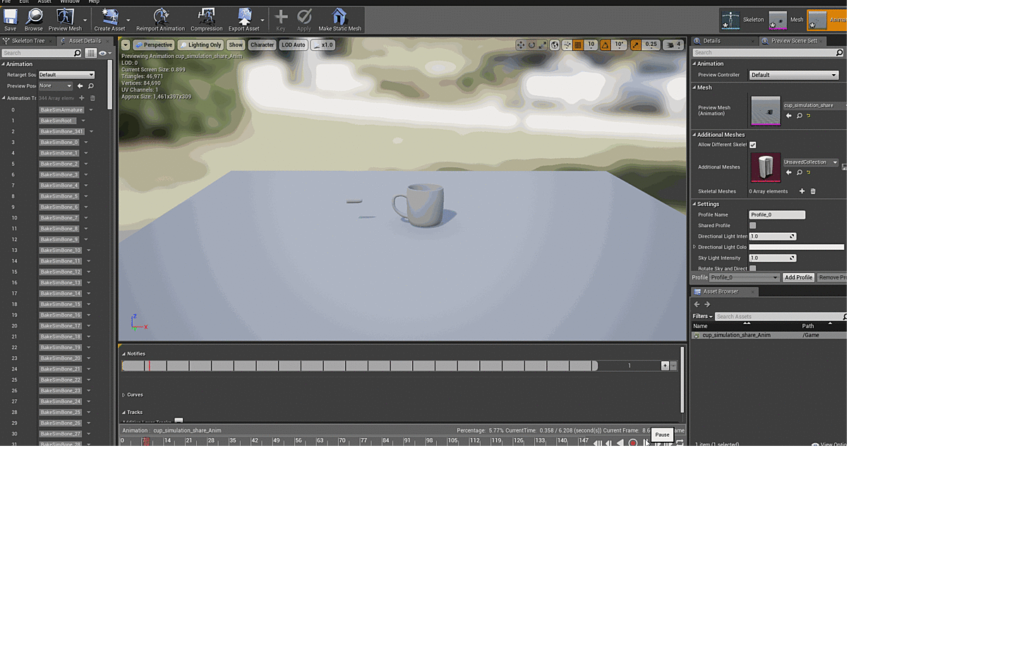
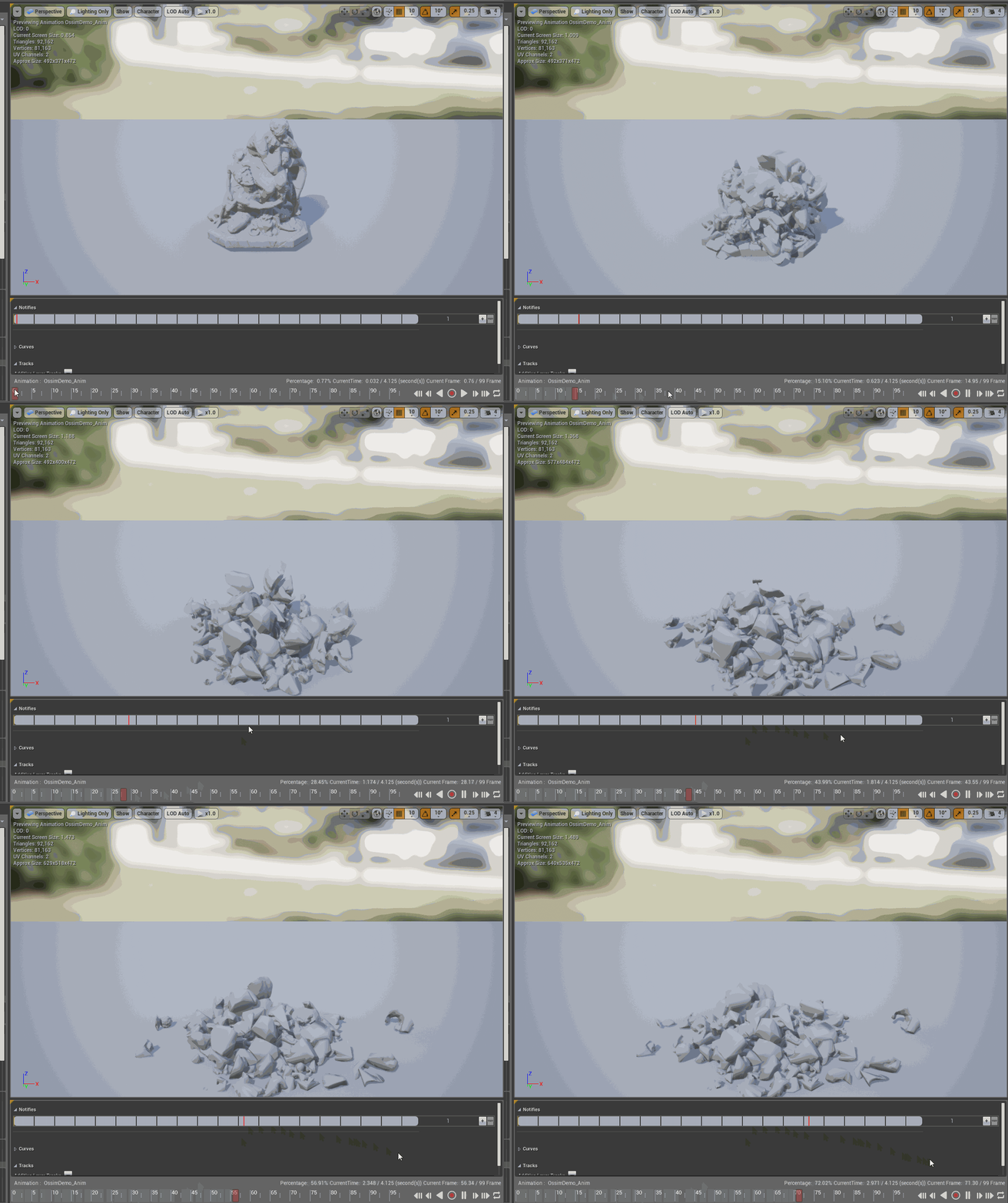
Ossim is a simulation baking tool. It allows you to generate an armature and skinned geometry based on physics simulation to use in game engines and realtime applications such as Unreal Engine, Godot, Unity and many others.
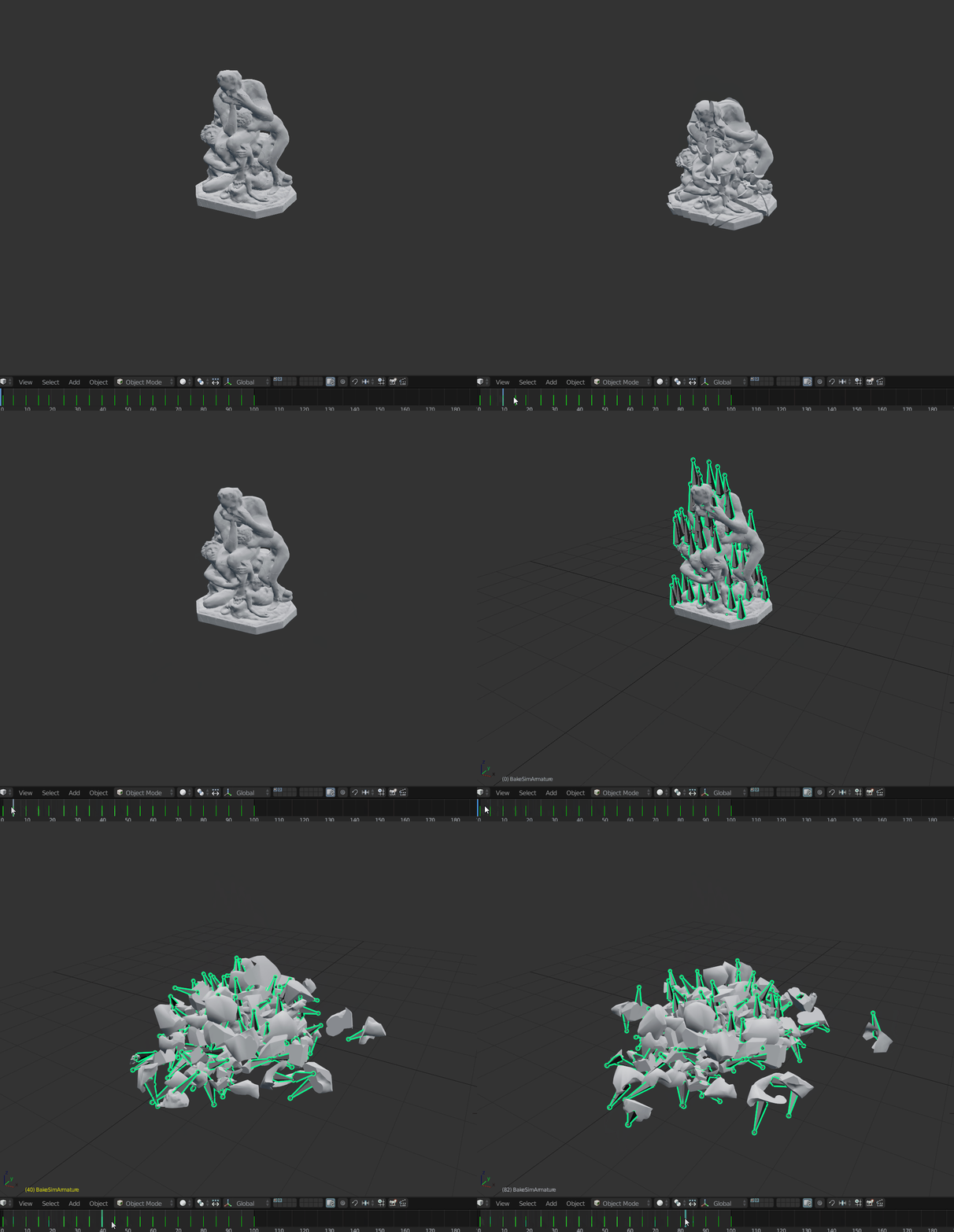
Showcase
Generated armature in Blender
Exported skeletal mesh in UE4
Changelog
Version 1.5.0
- Added support for Blender 4.0+
- Code refactoring and cleanup
- Fixed small issues with the armature generation procedure.
- Added faster rigidbody generation procedure (simplier version of rigidbody armature generation).
Version 1.4.2
- Blender 3.0 support
- Fixed cloth generation
Version 1.4.1
- Blender 2.91 support
Version 1.4.0
- Blender 2.8 API changes implemented (including outliner fixes)
- Added transformation cleaning options
- Bugfixes
- Fixed a bug with armature as parent always having OBJECT type.
Version 1.3.0
- Blender 2.8 support
- Bugfixes
Version 1.2.0
- Cloth simulations bake
- UI improvements
- Bug fixes
Version 1.1.0
- Code refactor
- Autokeyframing feature
- UI/UX improvements (more options and context-aware tools)
- Bug fixes for armature generation:
- Duplicated geometry now use the same modifiers/mesh data/materials as the originals
- Generator now properly treats modifiers and non-mesh object in the selection
- Animated physics assets now treated correctly
Installation
- Put python file inside Blender scripts folder (Blender\2.**\scripts\addons)
- OR simply press Install Addon From File button in Addons tab (Preferences)
- Enable addon by clicking on checkbox
How to use
- Bring any mesh to blender and break it however you want
- You can use built-in Blender addon called Cell Fracture
- You can also use PhysAssist addon
- Set rigid body physics for all geometry pieces you want to simulate. You can make simulation conditions as complex as you like (adding wind, vortex or another rigidbody colliding with your mesh)
- Select just geometry you want to bake. Move it to separate layer for convenience.
- Specify target layer for skinned geometry.
- Run armature generation (Tool located under Tools->Misc->Ossim)
- Select your generated armature and run autokeyframe feature
- Select armature and skinned mesh and export it.
Supercharge your 3D creation workflow with premium selection of Blender Add-ons. Whether you are modeling intricate characters, sculpting realistic environments, or animating cinematic sequences, the right add-on can transform how you work inside Blender. Our curated collection includes powerful tools for UV unwrapping, procedural texture generation, rigging automation, rendering optimization, and more—each rigorously tested for compatibility with the latest Blender versions. Eliminate tedious manual processes and unlock advanced functionality that lets you focus on what matters most: bringing your creative vision to life. Explore our full range of professional Blender plugins today and take your 3D projects to the next level.
➡️ ➡️ For more Blender Plugins 😀 😀
➡️ ➡️ System requirements For Blender
Reviews
There are no reviews yet.