

Panel Cutter for Blender
panel cutter addon
Panel Cutter v2.3 for Blender – Intelligent Surface Panelization & Cut Tool
Versions: v2.3
File Size: 1.25 MB
Download Panel Cutter v2.3 for Blender on Windows, Mac, and Linux, a powerful surface panelization add-on that automatically cuts panels, grids, and tile patterns into any mesh surface. Perfect for architectural visualization, game environment design, and hard-surface modeling—create paneled walls, floor tiles, sci-fi surfaces, and geometric patterns with intelligent edge flow and adjustable parameters .
Key Features of Panel Cutter v2.3:
- Automatic Surface Panelization: Cuts any mesh surface into customizable panels, grids, or tile patterns with adjustable sizes and spacing
- Multiple Cut Patterns: Choose from grid, hexagonal, triangular, radial, or custom pattern layouts
- Edge Beveling: Automatic beveling of panel edges for realistic panel gaps and mechanical details
- Material Assignment: Apply different materials to panels and gaps automatically
- Randomization Options: Randomize panel sizes and gap widths for organic, non-uniform patterns
- Curvature Awareness: Panels adapt to surface curvature for natural-looking segmentation
- Non-Destructive Workflow: Panel cuts remain adjustable without modifying base geometry
- Real-Time Preview: See panelization results update instantly as you adjust parameters
- Performance Optimized: Efficient geometry generation for complex panel patterns
- v2.3 Updates: New hexagonal pattern, enhanced edge beveling, and compatibility with Blender 4.0+
Perfect For:
- Architectural visualization artists creating paneled building facades
- Game environment designers building sci-fi and industrial surfaces
- Hard-surface modelers adding panel details to vehicles and machinery
- Product designers creating textured surfaces and patterns
- Anyone needing automatic panelization for complex surfaces
System Requirements:
- Blender 3.6, 4.0, 4.1, 4.2, 4.3
- Windows 10/11 (64-bit), macOS, or Linux
- 4GB RAM minimum (8GB+ recommended)
- 30MB available disk space
Installation:
- Download the add-on zip file
- In Blender, go to Edit > Preferences > Add-ons
- Click “Install” and select the downloaded zip file
- Enable the add-on by checking the box next to “Panel Cutter”
Note: Panel Cutter automates the tedious process of cutting panels and grids into mesh surfaces, making it essential for architectural visualization, game environment design, and hard-surface modeling . The intelligent edge flow and adjustable parameters create clean, production-ready geometry . Version 2.3 includes new pattern options and full compatibility with Blender 4.0 and above . Designed for Blender 3.6 and above . Perfect for creating paneled walls, sci-fi surfaces, and geometric patterns . Essential for any surface panelization workflow .
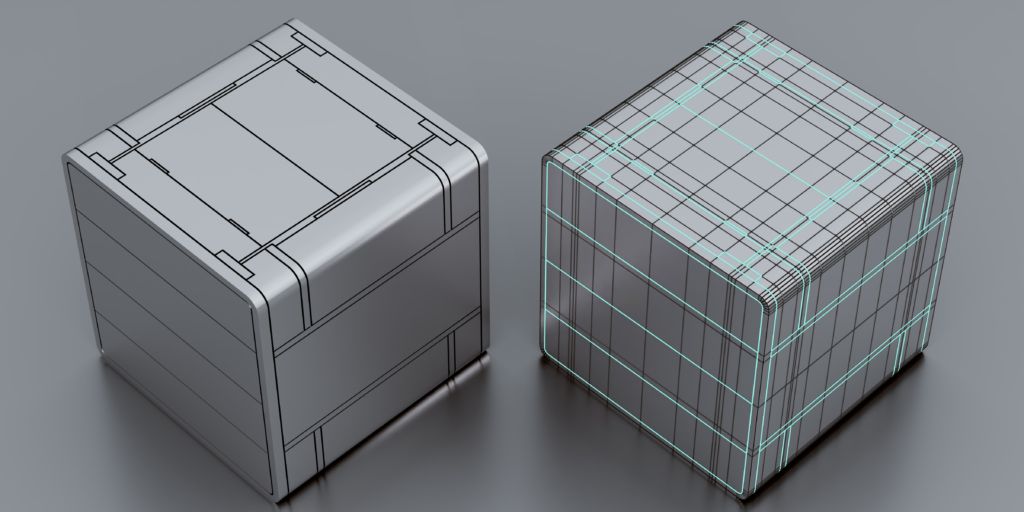
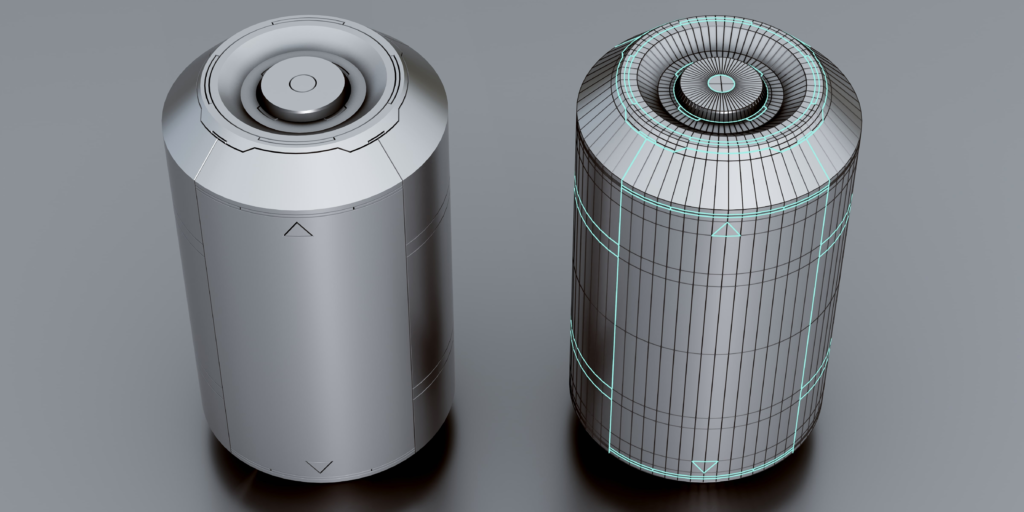
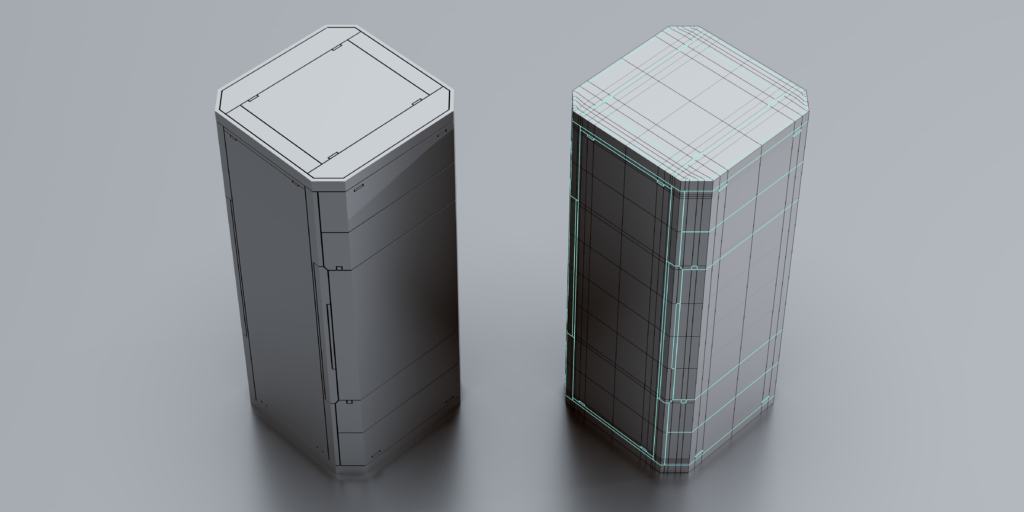
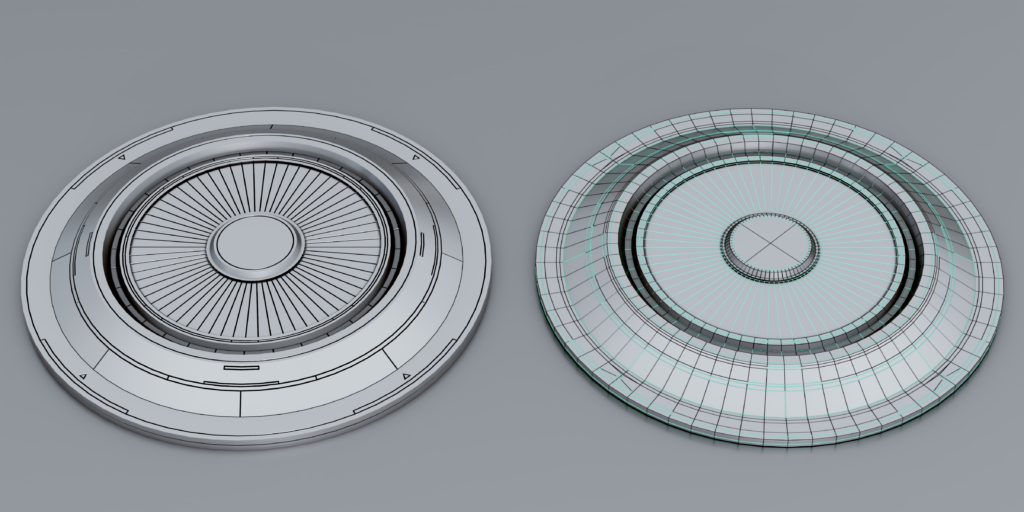
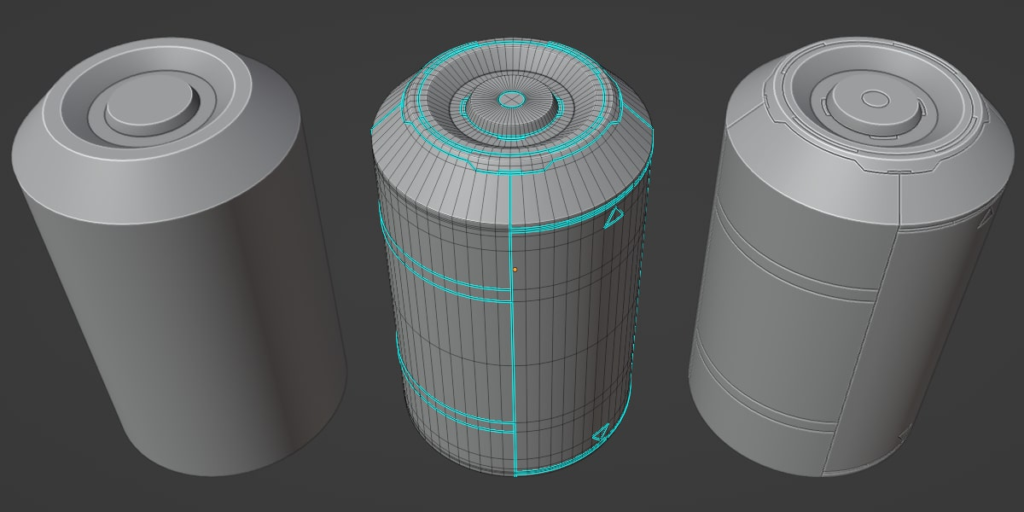
Panel Cutter is a part of a series of small independent add-ons designed for those who want their external plugins efficient and lightweight. What it does is very simple and that is to create “panel cut” details from edges that are marked sharp inside Blender’s edit mode. This makes it easier to turn even the simplest geometry into a detailed scifi model.
Supercharge your 3D creation workflow with premium selection of Blender Add-ons. Whether you are modeling intricate characters, sculpting realistic environments, or animating cinematic sequences, the right add-on can transform how you work inside Blender. Our curated collection includes powerful tools for UV unwrapping, procedural texture generation, rigging automation, rendering optimization, and more—each rigorously tested for compatibility with the latest Blender versions. Eliminate tedious manual processes and unlock advanced functionality that lets you focus on what matters most: bringing your creative vision to life. Explore our full range of professional Blender plugins today and take your 3D projects to the next level.
➡️ ➡️ For more Blender Plugins 😀 😀
Reviews
There are no reviews yet.