
Panel Stitcher for Blender
Panel Stitcher v2.0.3 for Blender – The Ultimate Hard-Surface Detailing & Kitbashing Tool
Versions: v2.0.3
File Size: 202 KB
Download Panel Stitcher v2.0.3 for Windows and Mac, the definitive Geometry Nodes and modifier-based addon designed to revolutionize how hard-surface modelers integrate kitbash parts, panel lines, and surface details. By automating the complex process of merging intersecting geometry, Panel Stitcher eliminates the messy topology, ngons, and shading artifacts typically caused by standard Boolean operations. It allows artists to seamlessly “stitch” intricate mechanical details onto any base mesh while maintaining clean, subdivision-ready quad flow.
Key Features of Panel Stitcher v2.0.3:
- Seamless Topology Stitching: Instantly merges kitbash parts, vents, and greebles into your base mesh. Unlike destructive booleans, Panel Stitcher recalculates the edge flow around the intersection, creating clean, continuous loops that play perfectly with Subdivision Surface modifiers.
- Smart Panel Line Generator: Create perfect, uniform inset panel lines across any surface. Control the depth, width, and corner bevels with simple sliders, automatically generating the necessary supporting geometry to prevent pinching.
- Curved Surface Projection: Advanced wrapping algorithms allow flat kitbash parts and panel lines to conform perfectly to complex curved surfaces (cylinders, spheres, organic shapes) without stretching or distorting the detail geometry.
- Auto-Crease & Bevel Management: Automatically applies correct crease weights and bevel modifiers to the stitched seams, ensuring sharp mechanical edges stay sharp and smooth organic curves stay smooth without manual weight painting.
- Non-Destructive Workflow: Built entirely on a stack of modifiers and Geometry Nodes. You can move, scale, rotate, or swap out the stitched parts at any time before applying the final mesh.
- Batch Stitching & Array Integration: Stitch entire arrays of details (like a row of identical rivets or heat sinks) in a single click. The addon automatically handles the topology merging for the entire array.
- Material Slot Automation: Intelligently assigns and separates material slots for the base mesh, the stitched panels, and the inset grooves, making texturing and edge-wear masking incredibly fast.
- Intersection Cleanup: Automatically removes internal overlapping geometry and hidden faces created during the stitching process, keeping your polycount optimized and preventing render artifacts.
- UV Preservation & Unwrapping: Includes a smart UV projection tool that automatically unwraps the newly stitched geometry, minimizing seams and texture stretching on the added details.
Perfect For:
- Hard-Surface Modelers building mechs, robots, vehicles, and sci-fi weapons who need to integrate kitbash sets without ruining their topology.
- Concept Artists rapidly blocking out complex mechanical designs by stitching pre-made details onto simple base forms.
- Game Artists creating clean, low-poly game assets with baked normal maps, where clean edge flow is crucial for proper baking.
- Environment Artists adding surface wear, access panels, and structural reinforcements to walls, ships, and buildings.
- 3D Printing Enthusiasts ensuring that merged parts have watertight, manifold geometry without internal intersecting faces.
System Requirements:
- Blender: 3.6, 4.0, 4.1, 4.2, 4.3, 4.4+ (Optimized for Blender 4.x Geometry Nodes).
- OS: Windows 10/11 (64-bit) or macOS 10.15+.
- RAM: 8GB minimum (16GB+ recommended for heavy kitbashing and high-poly base meshes).
- Render Engine: Fully compatible with Cycles and Eevee.
Installation:
- Download the Panel Stitcher v2.0.3
.zipfile. - Open Blender and go to Edit > Preferences > Add-ons.
- Click Install…, select the downloaded file, and enable the checkbox next to Mesh: Panel Stitcher.
- Access via the 3D Viewport Sidebar (N-panel) under the Stitch tab, or the Object Context Menu (Right-Click) > Stitch to Mesh.
What’s New in v2.0.3?
- Geometry Nodes Backend Rewrite: The core stitching engine has been completely rewritten using Blender 4.x Geometry Nodes, resulting in a 60% speed increase when processing complex intersections.
- Double-Curvature Support: Improved projection logic now handles “double-curved” surfaces (like the side of a sphere or a car fender) much more accurately, reducing the need for manual surface alignment.
- Subdivision Preview Toggle: Added a one-click toggle to instantly apply a Subdivision Surface modifier and preview how the stitched topology will smooth out, allowing for real-time topology adjustments.
- Corner Bevel Profiles: Introduced custom profile controls for panel line corners, allowing you to create sharp 45-degree cuts, rounded fillets, or stepped chamfers.
- UV Seam Fix: Resolved a bug where UV islands would occasionally overlap on highly concave stitched intersections, ensuring perfect texture mapping every time.
Note:
Panel Stitcher v2.0.3 is the missing link between kitbashing and clean topology. Every hard-surface artist knows the pain of using a Boolean Union to attach a cool kitbash part, only to watch their Subdivision Surface modifier create ugly pinching and shading errors. Panel Stitcher acts as an intelligent topological surgeon, cutting the base mesh and weaving the new part in with perfect quad flow. Whether you are adding a single access panel to a sci-fi corridor or covering a spaceship hull in hundreds of mechanical greebles, Panel Stitcher keeps your mesh pristine and your workflow lightning-fast.
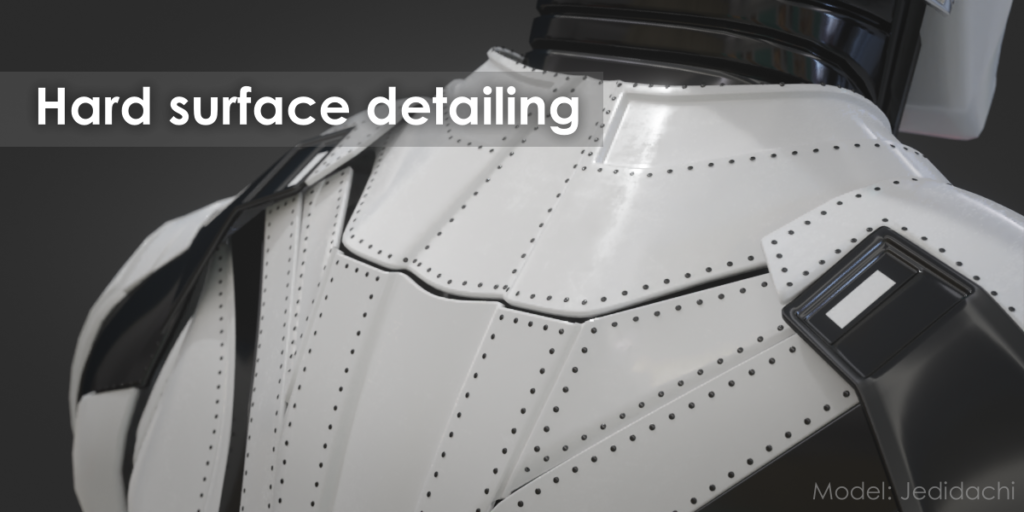
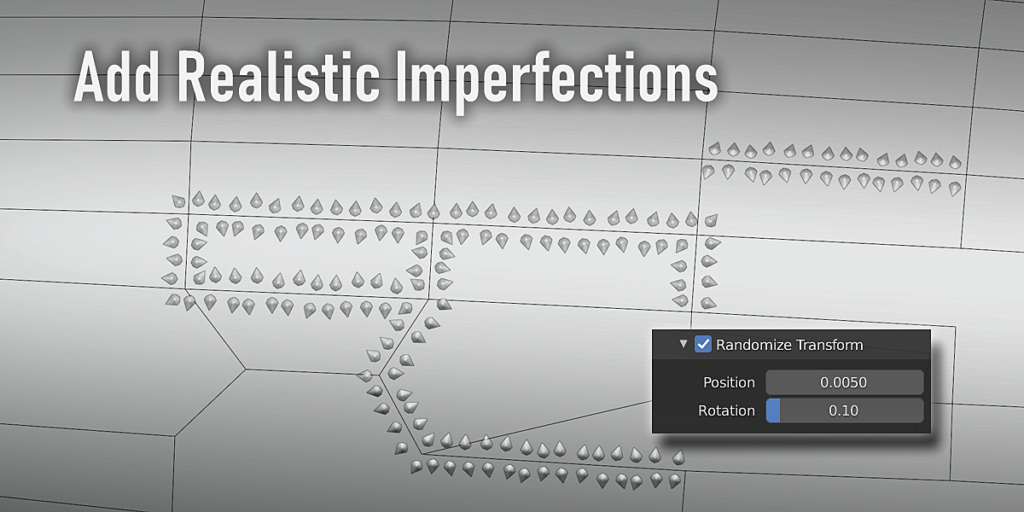
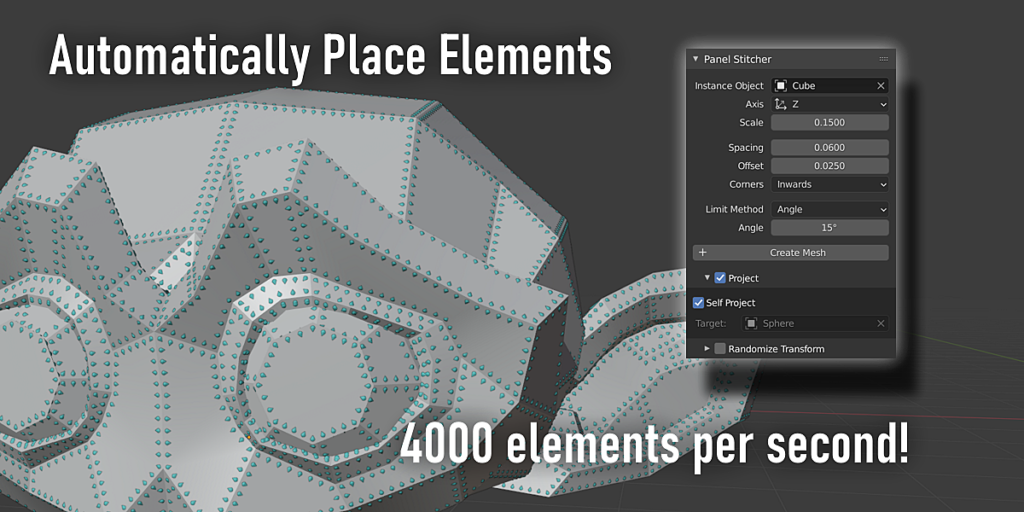
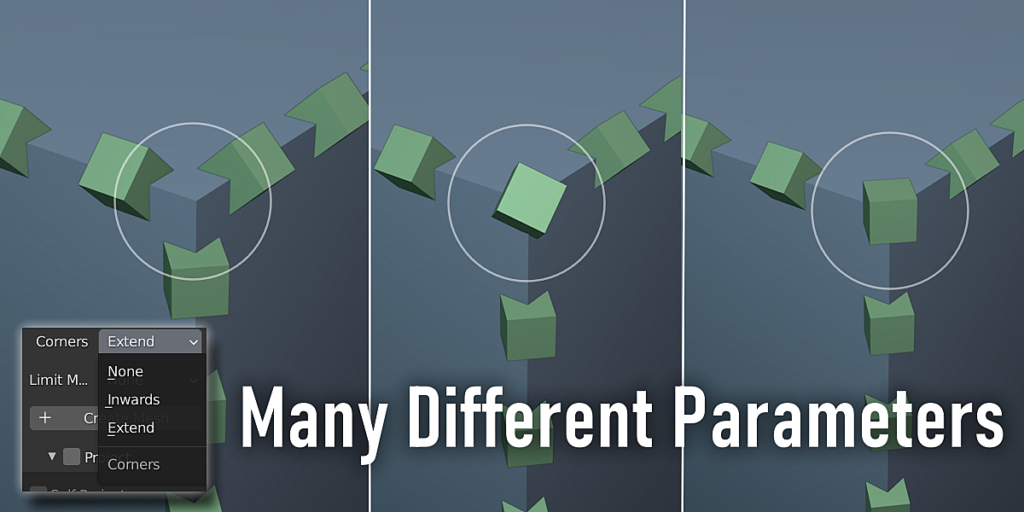
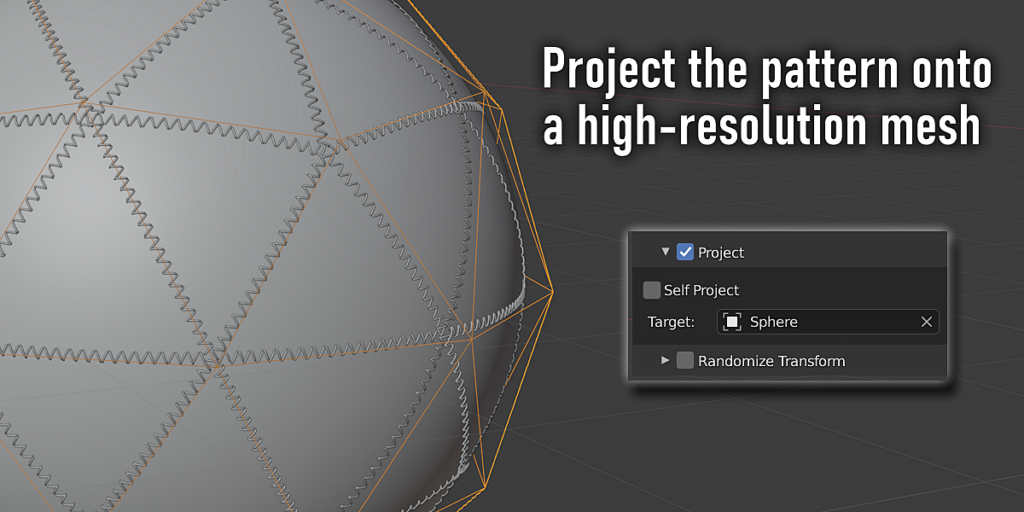
Create patterns that are impossible with standard modifiers
Panel Stitcher offers a robust method to generate patterns for rivets, stitching, or similar details.

Features
Placement variations
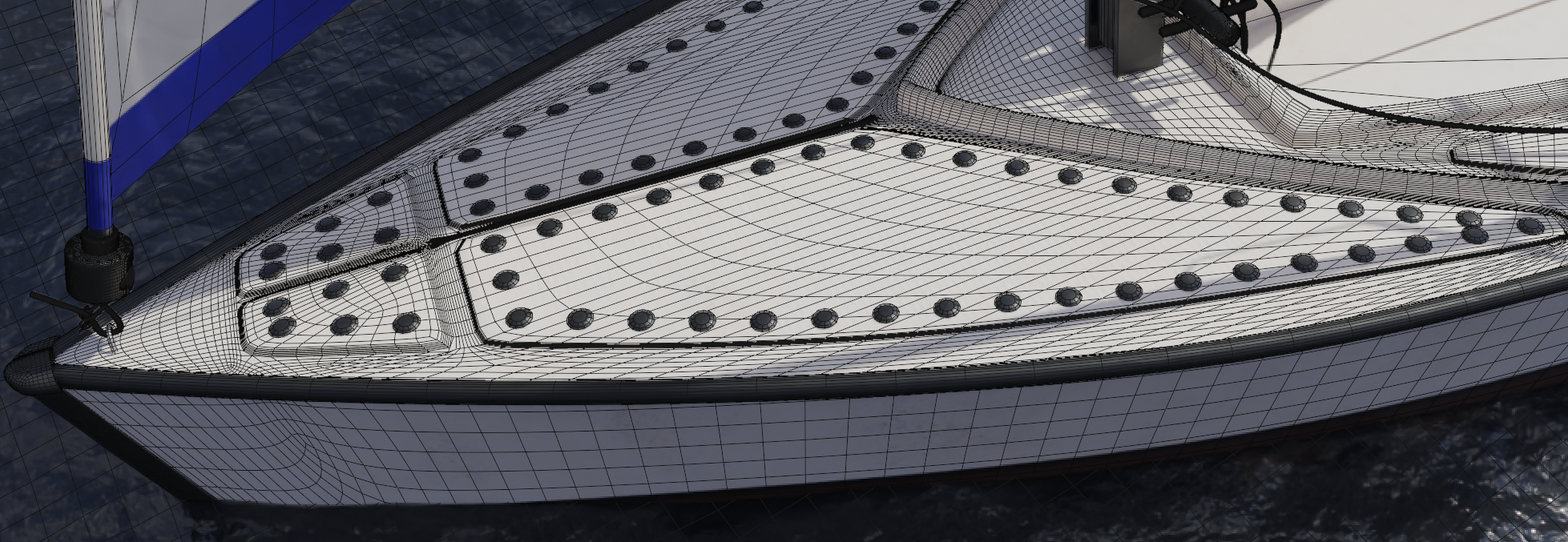
Mix the different placement options, like insetting edges or randomness, to get a unique look. Combined with the freedom of making the element meshes yourself (or using a kitbash pack), the amount of possible variations is virtually endless.

Pattern control
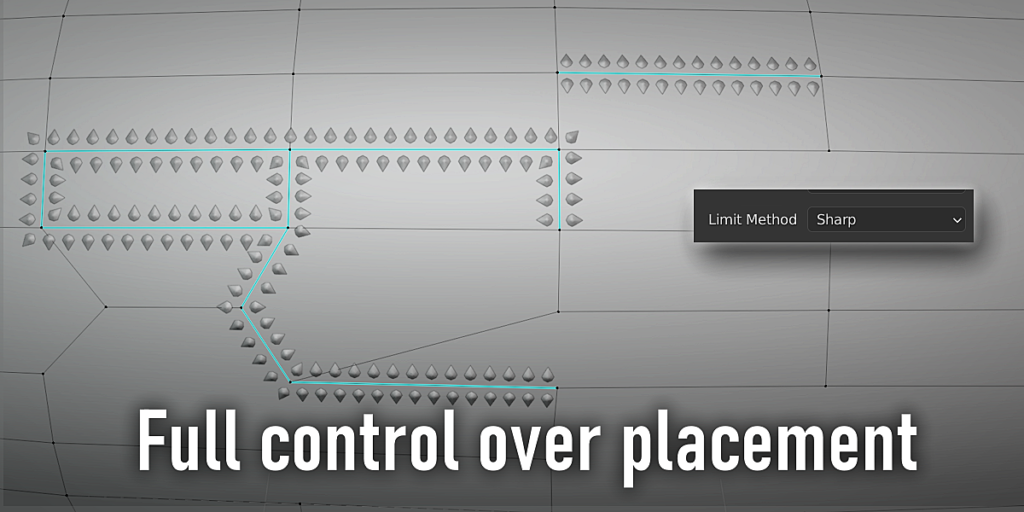
Panel Stitcher can selectively filter out edges using one of the automatic limit modes, for a sleeker result without much time spent. Alternatively, go into edit mode and mark the edges you want to use by hand, for full artistic control.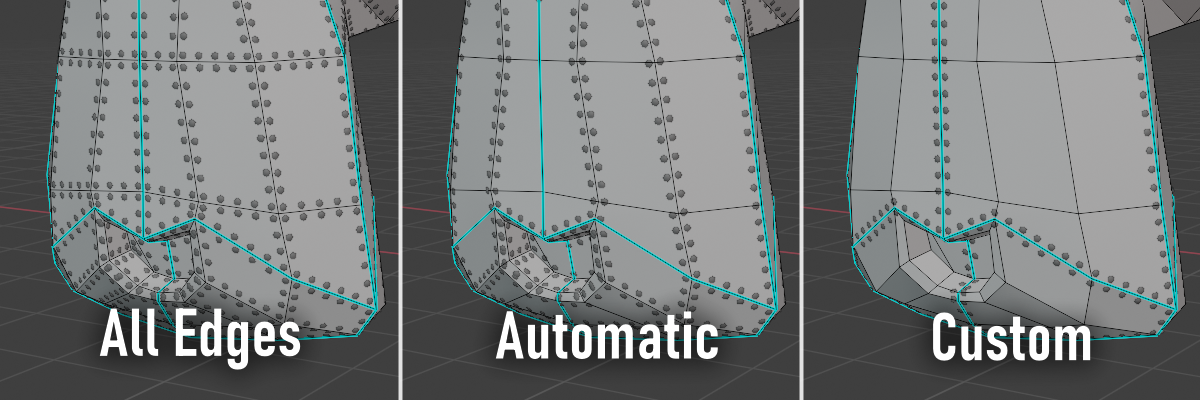
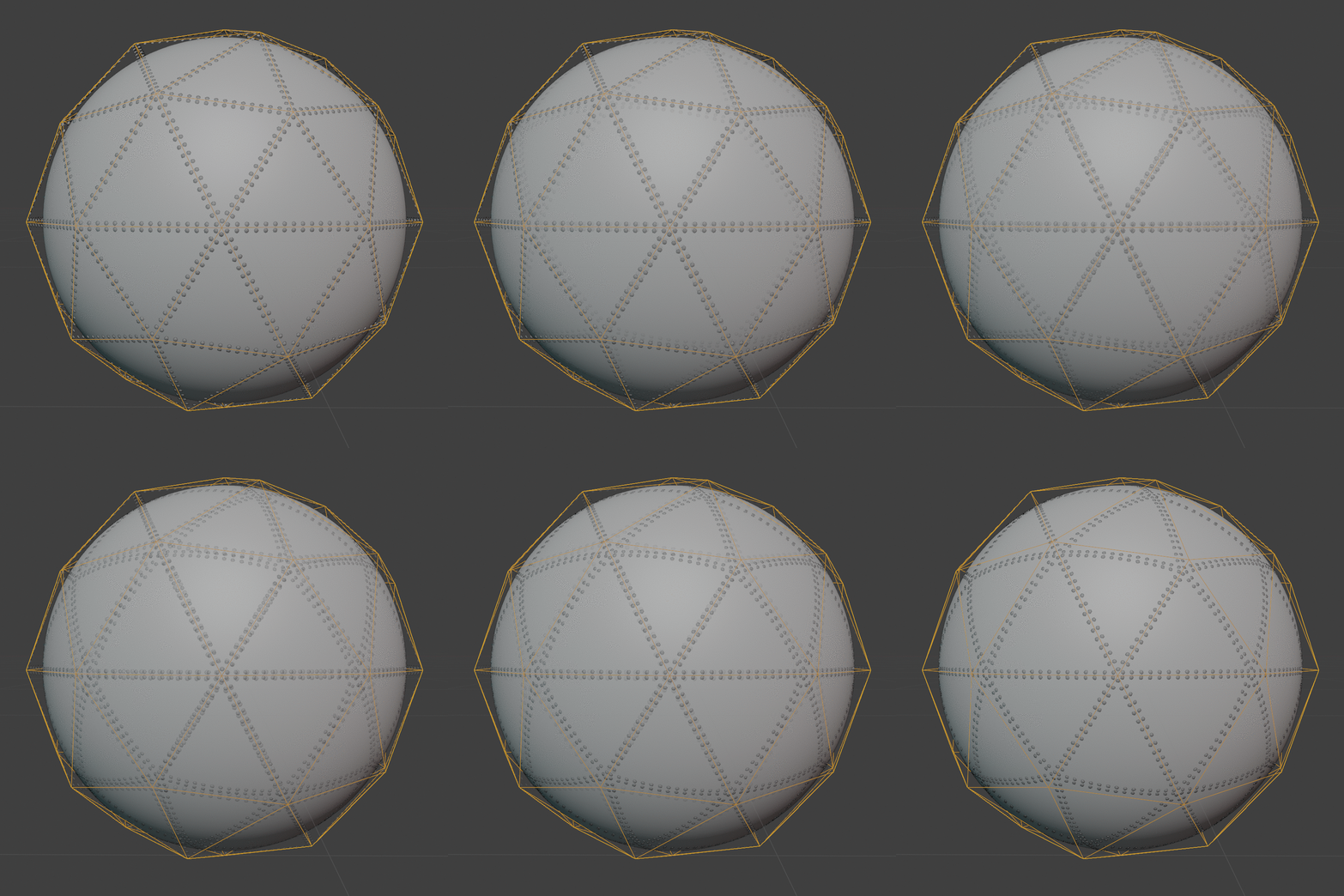
Projection
For a high resolution mesh, like a sculpt, you can simply use the geometry of a different object as pattern template. Panel Stitcher includes a “project” option, to automatically transfer a pattern onto a different different object during generation.
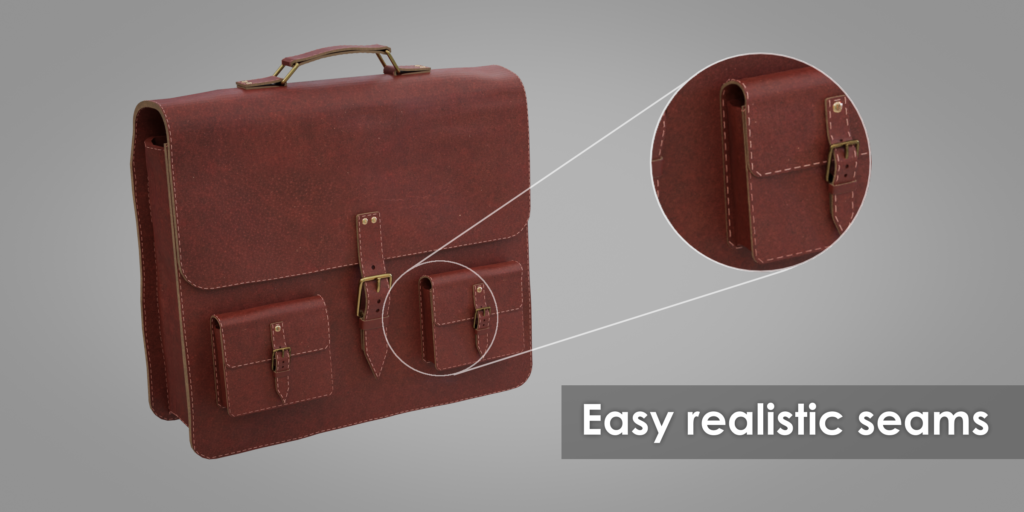
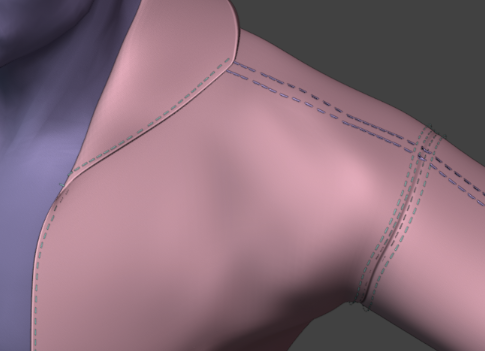
Add seams to clothing
Panel Stitcher is perfect for adding the finishing touch to clothing. Add seams using the included stitch templates in one button press, or make custom patterns.
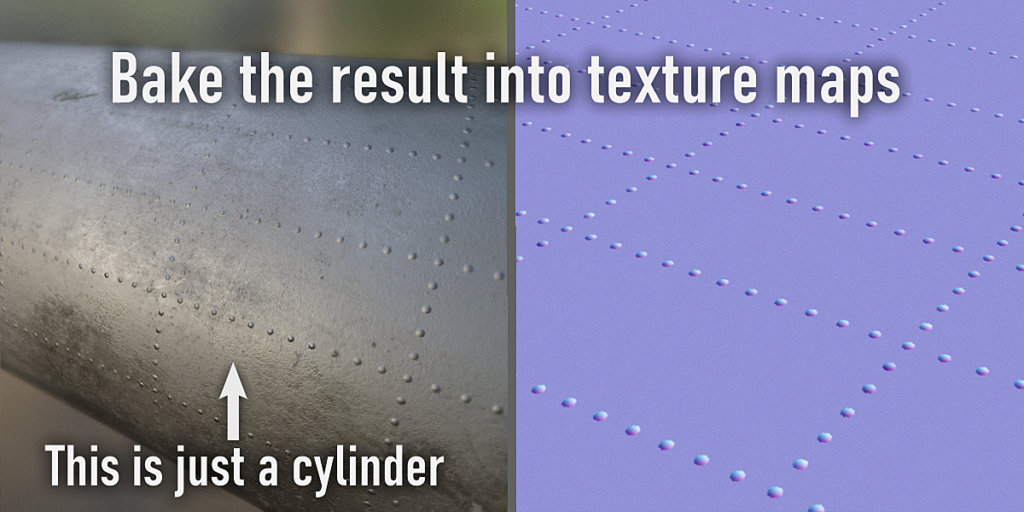
Bake details
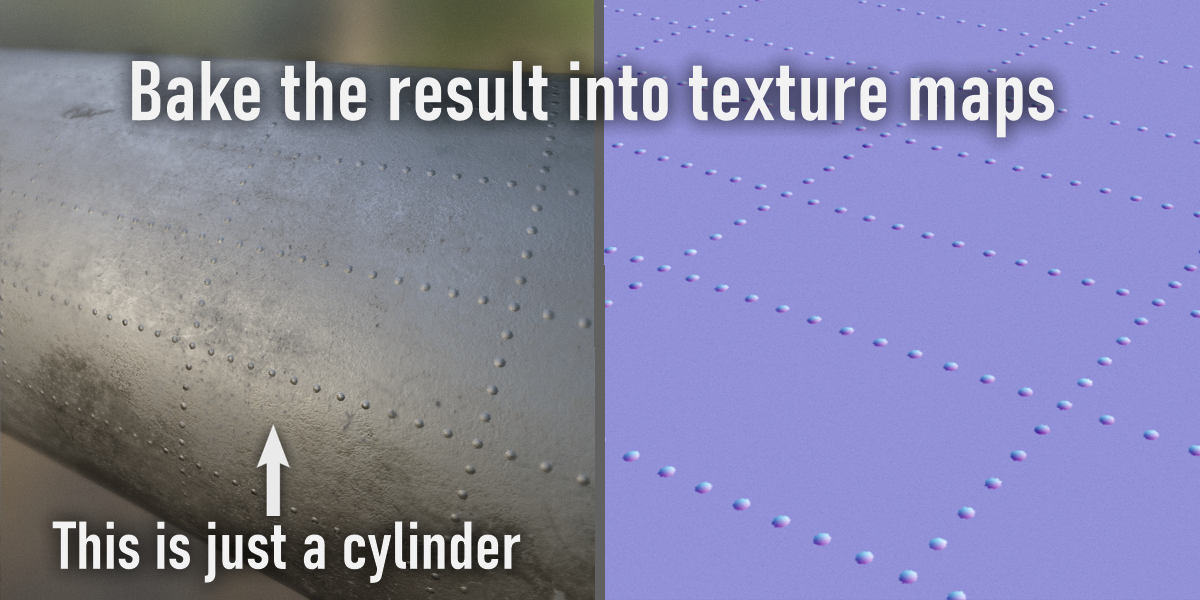
When performance is a must, as for game assets, you don’t need to compromise on quality. The result can be baked into PBR maps for an efficient output supported by any rendering or game engine. (tutorial included in documentation)
Easy to use
While endlessly customizable, the included templates and presets are often enough to get a great result with minimal effort. Support is available on Superhive.
News
v3.0 released!
- Blender 5.0 Extension support
- Updated algorithm for high curvature
- Automatic beveling to round off sharp corners
- New Corners-only mode and performance settings
- General stability improvements and various bug fixes

v2.0 released!
- Completely new algorithm, now supporting high-resolution meshes with smooth curves, besides large panels.
- Added multiple modes for the selected filter
- Added advanced options panel.
- Minor bugfixes
v1.5 Released!
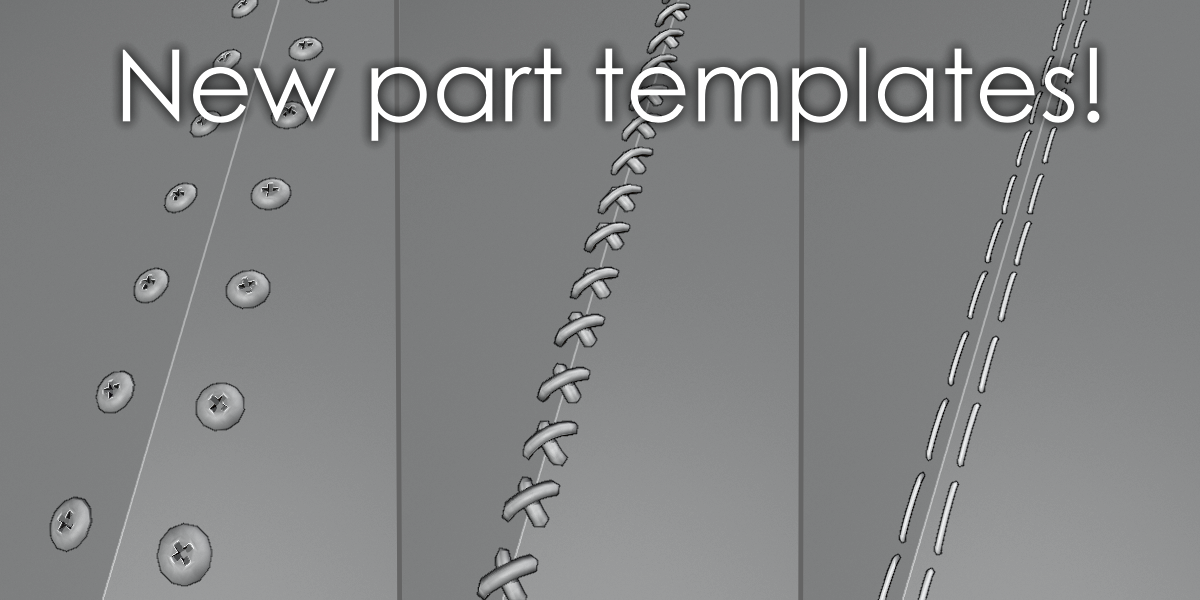
- Added preset objects (2 rivets + 2 screws + 3 stitch types)
- Randomly pick objects from a collection
- Use any combinations of filters + 2 new filters added (seam and selection)
Supercharge your 3D creation workflow with premium selection of Blender Add-ons. Whether you are modeling intricate characters, sculpting realistic environments, or animating cinematic sequences, the right add-on can transform how you work inside Blender. Our curated collection includes powerful tools for UV unwrapping, procedural texture generation, rigging automation, rendering optimization, and more—each rigorously tested for compatibility with the latest Blender versions. Eliminate tedious manual processes and unlock advanced functionality that lets you focus on what matters most: bringing your creative vision to life. Explore our full range of professional Blender plugins today and take your 3D projects to the next level.
➡️ ➡️ For more Blender Plugins 😀 😀
Reviews
There are no reviews yet.