
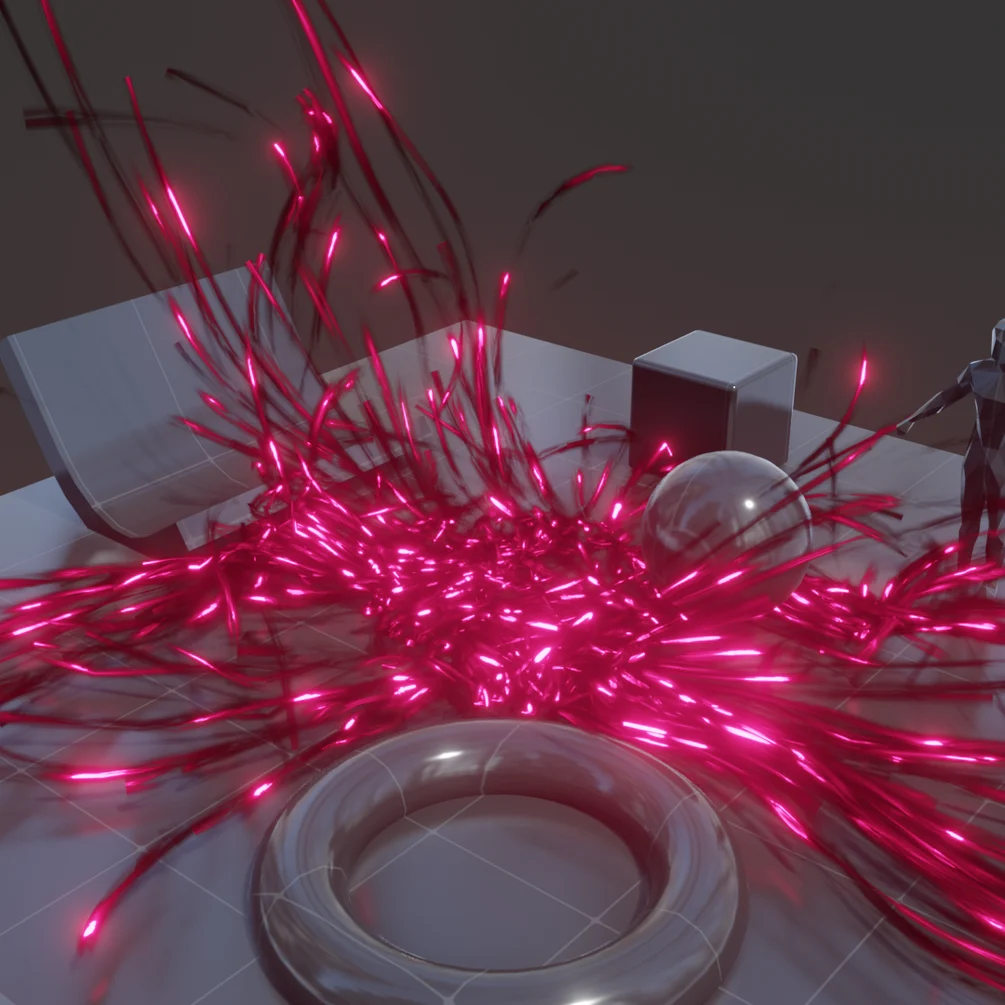
Particle Simulation Modifier for Blender
Particle Simulation Modifier V5 for Blender
The Ultimate Particle System Management and Simulation Tool
Download the Particle Simulation Modifier V5 addon today. Therefore, you can create and manage complex particle simulations with advanced modifier-based control instantly. Because professional visual effects and motion graphics require powerful particle systems, you need proper tools. However, manually setting up and controlling particle simulations with native Blender systems takes many frustrating hours. Consequently, this powerful addon solves that problem completely. Furthermore, it provides an enhanced particle workflow with real-time simulation control. Thus, you can create stunning particle effects and dynamic simulations in seconds.
Advanced Particle System Control
First, the core of this addon is particle simulation efficiency. Specifically, it provides enhanced control over emission, physics, and rendering parameters through an intuitive modifier interface instantly. Furthermore, you can adjust particle density, velocity, turbulence, and forces easily. Additionally, the tool supports multiple emitter types including mesh, vertex, and volume emissions seamlessly. Thus, you can create everything from gentle floating dust to explosive pyro effects quickly. Moreover, you can customize every particle parameter perfectly. Consequently, your particle simulations will feature highly dynamic and professional quality.
Real-Time Simulation and Feedback
Ultimately, complex particle effects require immediate visual feedback. Therefore, this addon includes powerful real-time simulation controls. Specifically, you get instant preview updates as you adjust particle parameters and physics settings. Furthermore, the algorithms preserve simulation cache and baking data perfectly. Additionally, the tools support both CPU and GPU accelerated simulation calculations. Consequently, your particle effects will remain responsive and interactive. Thus, the workflow reacts beautifully to your creative input.
Advanced Particle Features
However, native particle systems can be limited in functionality. Therefore, this addon extends particle capabilities significantly. Specifically, you get vortex fields, attraction forces, collision responses, and custom force fields. Furthermore, the addon supports particle instancing and object duplication with full control. Additionally, the tools include trail generation, particle aging, and death triggers seamlessly. Consequently, your simulations will achieve remarkable complexity and realism.
Perfect for VFX Artists and Motion Designers
Additionally, this addon is ideal for visual effects artists and motion designers. Furthermore, it suits game developers and scientific visualizers perfectly. Moreover, anyone working with particle simulations will love the enhanced control and real-time feedback. Ultimately, it accelerates your entire simulation and effects pipeline.
System Requirements and Formats
Specifically, the addon requires Blender 3.6 or newer. Furthermore, it supports all particle types including hair, fluid, and rigid body simulations. Additionally, you get regular free updates from the developer. Therefore, it works across all major operating systems. Moreover, you will need a standard workstation. Thus, 16GB of RAM is highly recommended. Consequently, a modern GPU ensures smooth simulation previews and fast baking.
Installation and Usage Guide
First, download the zip file from your library. Next, open Blender and go to Edit Preferences. Then, select Add-ons and click Install. After that, enable the Particle Simulation Modifier addon. Finally, select your emitter object, add the Particle Simulation Modifier, adjust your particle parameters and forces, and watch the real-time simulation updates. Thus, your advanced particle system will be ready instantly.
What is Included Inside?
Specifically, the pack contains multiple emitter presets and physics force templates. Furthermore, it includes custom force fields, collision setups, and instancing controls. Additionally, you get several pre-built simulation styles for common visual effects. Moreover, there are detailed video tutorial guides. Ultimately, you receive everything for professional particle simulation.
Final Thoughts on the Addon
Ultimately, dynamic particle simulation evokes profound creative freedom. Therefore, this addon provides the ultimate visual effects foundation. Furthermore, you can build detailed particle systems and complex simulations. Alternatively, you can create cinematic effects and interactive motion graphics instantly. Consequently, your particle simulation vision becomes a stunning reality.
Particle Simulation Modifier V5
This modifier creates an easy to use particle system for Blender 5.0 or later.
Just place the modifier on the object you want to spawn particles from, and they will start generating as the simulation plays.
The system allows for particles to be trailed with a click of a button and an object of your choice can be instanced.
This will work in Blender 5.0 or later
This is a geometry node modifier, not an add-on.
Modifier settings:
Emitter
- Spawning – Particle spawn rate
- Particle Info – Lifetime and size
- Velocity – Initial velocity
- Rotation – Initial rotation
- Children – Spawn particles from other systems
Movement
- Velocity – Gravity, wind, and drag
- Collision – Mesh and self collisions
- Rotation – Rotational velocity
- Forces – Noise and experimental GN force fields
Visual
- Instance – Instance object on particles
- Trail – Trail particles with mesh ribbon
All used attributes are available in the shader editor using the Attribute node. Just be sure to check whether it should be set to Instancer or Geometry mode.
Attribute list:
- Age
- Delta Time
- Hit Count
- Hit Distance
- Hit Normal
- Is Hit
- Life
- Lifetime
- Mass
- Random
- Rot Velocity
- Rotation
- Size
- Trail Age
- Trail Lifetime
- Trail UV
- Velocity
- Will Delete
Supercharge your 3D creation workflow with premium selection of Blender Add-ons. Whether you are modeling intricate characters, sculpting realistic environments, or animating cinematic sequences, the right add-on can transform how you work inside Blender. Our curated collection includes powerful tools for UV unwrapping, procedural texture generation, rigging automation, rendering optimization, and more—each rigorously tested for compatibility with the latest Blender versions. Eliminate tedious manual processes and unlock advanced functionality that lets you focus on what matters most: bringing your creative vision to life. Explore our full range of professional Blender plugins today and take your 3D projects to the next level.
➡️ ➡️ For more Blender Plugins 😀 😀
Reviews
There are no reviews yet.