
PathSmear for After Effects
PathSmear v10 for After Effects
The Ultimate Path-Driven Motion Smear and Trail Effect Plugin for After Effects
Download PathSmear v10 today. Consequently, you can create stunning, organic motion smears and trails that follow the actual trajectory of your animated elements, producing dynamic, energetic visuals that convey speed and movement with remarkable fluidity. Because motion designers and VFX artists constantly seek ways to amplify the sense of motion in their work, having access to a dedicated path-based smear tool is absolutely essential. Nevertheless, standard motion blur and echo effects often fail to capture the complex, curving paths that real objects follow, resulting in stiff, unconvincing results. Fortunately, PathSmear eliminates this bottleneck completely. Moreover, it analyzes the movement of your layers over time and generates smears that extend and flow along their true motion path, creating the organic, hand-crafted smear aesthetic seen in high-end animation and motion graphics. In short, you can achieve dynamic, expressive motion effects with unprecedented control and creativity.
Path-Driven Motion Smear Engine
The core of this plugin lies in its intelligent analysis of layer movement. For instance, instead of applying a static directional blur, PathSmear samples the position of your layer across multiple frames and calculates the true direction and shape of motion at every point. Furthermore, the plugin then extends the smear along that calculated path, producing trails that curve and bend exactly as your animation does. Additionally, this approach works with any animated property—position, rotation, scale, or even complex expression-driven motion—ensuring that your smears always match your animation. Since the smear is derived from real motion data, the results are inherently organic and believable. Consequently, your animations will exhibit the dynamic, expressive motion smear of professional productions.
Comprehensive Smear Controls and Customization
Professional smear effects demand precise control over every aspect of the look. Therefore, PathSmear provides a comprehensive suite of parameters. For example, you can adjust the smear length to control how far the trails extend, from subtle enhancement to dramatic, stylized stretching. Furthermore, the plugin includes taper and falloff controls, allowing you to shape how the smear fades along its length, creating anything from sharp, uniform streaks to soft, dissipating wisps. Additionally, you can control the number of samples used in the smear calculation, balancing smoothness against performance to suit your project’s needs. Thus, you maintain complete authority over the final appearance of your motion smears.
Versatile Smear Styles and Creative Applications
PathSmear is designed to support a wide range of creative applications. For instance, you can create classic anime-style speed smears that stretch characters and objects during fast movement. Furthermore, you can generate abstract, flowing trails for transitions and title sequences. Additionally, the plugin excels at creating energy trails, light streaks, and motion echoes that add depth and excitement to your compositions. Since the smear follows the actual motion of your elements, it integrates naturally with any animation style. Consequently, you can achieve everything from subtle motion enhancement to bold, graphic motion design.
Perfect for Motion Designers, Animators, and VFX Artists
This plugin is particularly well-suited for motion designers creating energetic transitions, kinetic typography, and dynamic promotional content. Similarly, character animators will appreciate the ability to add expressive motion smears to their performances, capturing the energy and speed of hand-drawn animation. Additionally, VFX artists and compositors can use PathSmear to enhance the sense of motion in tracked elements and CG assets. Ultimately, PathSmear v10 accelerates your entire motion design and post-production pipeline.
System Requirements and Compatibility
PathSmear v10 supports After Effects versions 2022, 2023, 2024, 2025, and 2026 on both Windows and macOS operating systems. The plugin is fully GPU-accelerated and requires a modern graphics card for optimal performance. You will need a standard workstation with at least 8GB of RAM.
Installation and Usage Guide
To install, first download the plugin installer from your library. Next, close Adobe After Effects if it is running. Then, install the plugin following the standard aescripts + aeplugins installation process using the Manager App. After installation, launch After Effects and locate PathSmear in the Effects & Presets panel. Finally, apply the effect to your animated layer, adjust the smear length, taper, and sampling parameters to achieve your desired look, and watch as your motion is enhanced with organic, path-driven smears. Thus, your professional motion smear workflow will be ready instantly.
What is Included Inside?
The pack contains the complete PathSmear v10 plugin for After Effects. Furthermore, it includes the path-driven motion smear engine, comprehensive smear controls and customization, and versatile smear styles for any creative application. Ultimately, you receive everything needed for professional path-based motion smear effects.
Final Thoughts on the Plugin
Effortless path-driven motion smears evoke profound creative freedom. Therefore, this plugin provides the ultimate foundation for your motion design and VFX workflows. You can achieve dynamic, expressive motion effects with unprecedented control and creativity. Consequently, your motion vision becomes a stunning reality.
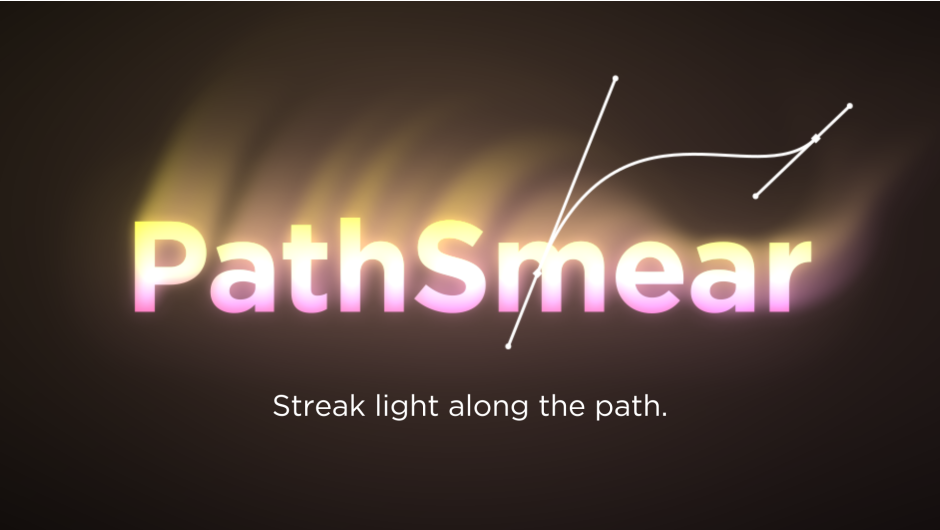
PathSmear stretches a layer’s highlights along a mask path to create directional light streaks. Unlike a radial glow, the light flows in one direction. It’s perfect for neon, light trails, energy beams, and fast, stylized motion. GPU-accelerated with 8/16/32-bit
Streak light along the path
- Directional glow along a mask path. Light stretches in one direction, not radially.
- Mask-driven. Draw a path and the glow follows it.
- Inner, Outer & Overall glow. Each is tunable separately.
- Full control: threshold, length, falloff, direction, tint, and blend modes.
- GPU-accelerated, real-time performance.
Core Features

Glow along the direction of your mask.

Full control over the glow color.

Bidirectional glow.

Realistic, beautiful glow.

Shape the look with falloff control.

Freely adjust threshold and length.
Advanced Features

Fine-tune the inner and outer glow individually.
- Inner Glow — radius, intensity, and decay
- Outer Glow — radius, intensity, and decay
- Overall Glow — radius and intensity
- Smoothness — direction-field smoothing
- Samples — sampling quality
- Dynamic Sampling — auto-adjust sample count
- Ignore Alpha — glow from color brightness in transparent areas
Elevate your motion graphics workflow with premium collection of After Effects plugins. Whether you are a seasoned professional or just starting your VFX journey, powerful tools designed to streamline complex tasks, unlock creative possibilities, and save you hours of rendering time. From stunning glitch effects and seamless transitions to advanced 3D extrusion and text animation tools, each plugin in our library is rigorously tested for compatibility with the latest versions of Adobe after Effects. Enhance your video production value today and download industry-leading plugins that help you create breathtaking visuals without the technical headaches. Browse our full range and find the perfect extension to supercharge your editing suite now.
➡️ ➡️ For more after effects Plugins 😀 😀
➡️ ➡️ System requirements AE
Reviews
There are no reviews yet.