
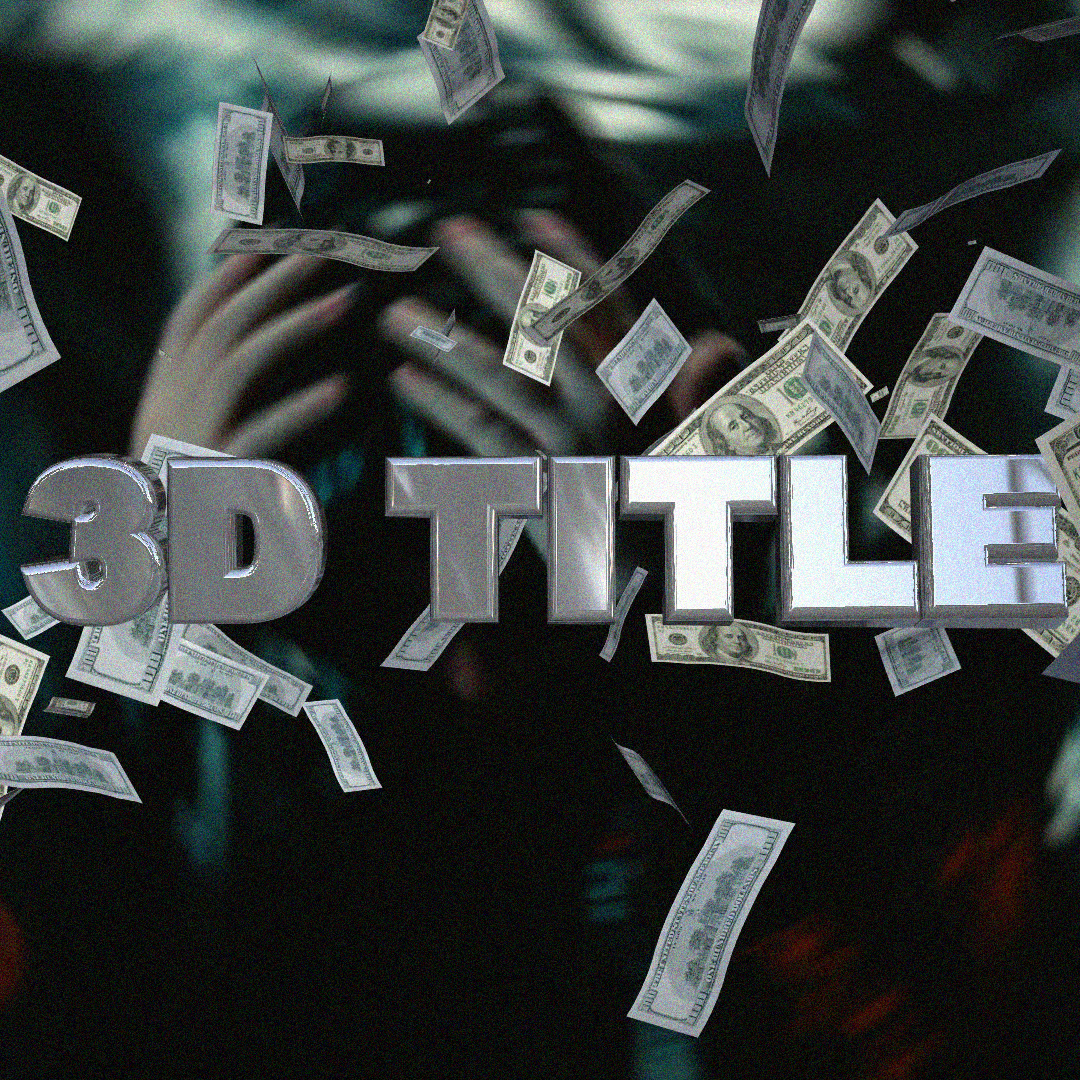
Payhip 3D Title For Music Video
Payhip 3D Title For Music Video for Premiere Pro – The Ultimate High-Impact 3D Typography & Kinetic Text Toolkit
File Size: 640 MB
Download the Payhip 3D Title For Music Video pack for Adobe Premiere Pro, a premium, visually explosive collection of 3D typography templates designed specifically to elevate music videos, lyric videos, and audio visualizers. In the music industry, the title sequence is just as important as the beat—it sets the mood, establishes the artist’s brand, and hooks the viewer in the first three seconds. This exclusive digital asset pack delivers Hollywood-level, true 3D extruded text, complete with dynamic camera movements, photorealistic materials, and beat-synced kinetic animations, all fully editable directly within your Premiere Pro timeline.
Key Features of the Payhip 3D Title Pack:
- True 3D Extruded Typography: Move beyond flat, 2D drop shadows. These titles feature genuine 3D depth, complex bevels, and realistic environmental lighting, making the text look like a physical object occupying space in your scene.
- Music Video Aesthetic Materials: The pack includes a massive library of pre-configured, high-end materials tailored for music videos. Choose from Liquid Chrome, Brushed Steel, Neon Glass, Holographic Foil, Gritty Concrete, and Cyberpunk Emissive textures.
- Kinetic & Beat-Synced Animations: Every title comes with pre-keyframed, high-energy animations. Includes Hard Beat Pops, Smooth Camera Orbits, Glitchy Text Reveal, 3D Zoom-Throughs, and Shaky Cam effects that are perfectly timed to hit on the downbeat.
- Native MOGRT & Essential Graphics Integration: Built as advanced Motion Graphics Templates (MOGRTs). You can change the text, swap materials, adjust 3D extrusion depth, and tweak animation timing directly in Premiere Pro’s Essential Graphics panel without ever opening After Effects.
- Built-In Lens & Optical Effects: Each 3D title includes integrated cinematic camera effects. Toggle on Chromatic Aberration, Anamorphic Lens Flares, Depth of Field (Bokeh), and Film Grain to make the 3D text look like it was shot through a real cinema lens.
- Customizable Lighting & Environment: Easily change the lighting setup of your 3D text. Switch between moody studio lighting, harsh neon club lights, or soft golden hour sun to match the vibe of your song.
- Audio-Reactive Glow & Shake: Includes specialized presets where the 3D text’s emissive glow or camera shake can be easily linked to an audio track, creating a visceral, bass-reactive visual experience.
- Non-Destructive Workflow: All 3D elements, materials, and camera moves are fully parameterized. Tweak the exact hue of the neon, the roughness of the metal, or the speed of the orbit at any time without re-rendering.
Perfect For:
- Music Video Editors & Directors needing striking, high-budget-looking opening titles, artist name reveals, and director credits.
- Lyric Video Creators building dynamic, 3D kinetic typography that keeps viewers engaged throughout the entire track.
- Visualizers & Audio Reactive Content producing looping, bass-reactive 3D text animations for YouTube and Spotify Canvas.
- Album Promo & Teaser Editors crafting high-impact, 15-second social media teasers to announce new singles, EPs, or tour dates.
- Concert & Tour Videographers creating epic, stadium-style intro sequences for live show recap videos.
- Independent Artists & Bands who want major-label quality title graphics without the massive VFX budget.
System Requirements:
- Software: Adobe Premiere Pro CC 2021 or newer (Required for advanced MOGRT and Essential Graphics compatibility). Note: For advanced 3D material tweaking, Adobe After Effects CC 2021+ is recommended for Dynamic Link.
- OS: Windows 10/11 (64-bit) or macOS 10.15+.
- Hardware: Apple Silicon (M1/M2/M3/M4) or Intel Core i7+ with a dedicated Metal/CUDA-capable GPU (Crucial for smooth 3D rendering and MOGRT playback).
- RAM: 16GB minimum (32GB+ highly recommended for complex 3D MOGRTs and 4K timelines).
- Storage: Approximately 1GB – 3GB for the high-res MOGRTs, texture libraries, and 3D environment maps.
Installation / How to Use:
- Download and extract the Payhip 3D Title
.ziparchive from your Payhip purchase library to a permanent folder on your hard drive. - Install MOGRTs: Open Premiere Pro, go to the Essential Graphics panel, click the “Install Motion Graphics Template” icon (the ‘+’ at the bottom right), and select the
.mogrtfiles from the extracted folder. - Apply to Timeline: Drag your desired 3D Title MOGRT from the Essential Graphics browser directly onto a video track above your music video footage (e.g., V2 or V3).
- Edit in Essential Graphics: With the MOGRT selected on the timeline, switch to the Edit tab in the Essential Graphics panel. Here you can:
- Type your Artist Name, Song Title, or Director Credit.
- Change the 3D Material (Chrome, Neon, Glass, etc.).
- Adjust the 3D Extrusion Depth and Bevel.
- Tweak the Camera Animation speed and style.
- Blend with Footage: Change the MOGRT’s Opacity Blend Mode to Screen or Linear Dodge if you want the 3D text’s glowing elements to interact beautifully with the background video.
- Pro-Tip for Music Videos: Place an Adjustment Layer above the 3D Title and apply a subtle Lumetri Color grade and VR Chromatic Aberration to unify the 3D text with the underlying music video footage, making it look like it was truly filmed in the same environment.
What’s Included in the Pack?
- The Core 3D Title MOGRTs: 20+ fully customizable, true 3D extruded title templates (Artist Name, Song Title, Director/Producer credits).
- The Material & Texture Library: 30+ photorealistic 3D materials (Liquid Metal, Neon Tubes, Frosted Glass, Gritty Stone) mapped to the MOGRT controls.
- The Kinetic Camera Pack: 15+ pre-animated 3D camera moves (Orbit, Push-In, Pull-Back, Handheld Shake, Beat-Sync Pop).
- The Optical FX Module: Built-in toggles for Lens Flares, Depth of Field, Chromatic Aberration, and Film Grain.
- Lyric Video Bonus: 5 specialized 3D kinetic typography presets designed specifically for animating song lyrics line-by-line.
- PDF User Guide: A comprehensive manual detailing how to customize materials, link animations to audio, and optimize playback performance.
Note:
The Payhip 3D Title For Music Video pack is built on the philosophy that in music videos, the typography is an instrument. It shouldn’t just sit on the screen; it should have weight, texture, and rhythm. Traditional 2D titles often feel flat and disconnected from the energy of the track. By bringing true 3D extrusion, photorealistic materials, and kinetic camera movements directly into Premiere Pro via MOGRTs, this pack bridges the gap between amateur edits and major-label releases. Whether you are revealing a rapper’s name in dripping liquid chrome, or fading in a director’s credit through a frosted neon glass pane, this toolkit ensures your text hits just as hard as the bass.
plug in required
Element 3D – VideocoPilot
Some Effect
Effects used: 12
Effect: CC Light Rays
Effect: CC Scale Wipe
Effect: CC Scatterize
Effect: Colorama
Effect: Displacer Pro
Effect: Element
Effect: Noise
Effect: S_Flicker
Effect: Tint
Effect: Twirl
Effect: uni.VHS
Effect: Wave Warp
You will get a ZIP (116MB) file
Transform your video editing workflow with our professional Premiere Pro assets, designed to deliver cinematic quality in record time. Whether you are a seasoned filmmaker, a YouTube content creator, or a social media marketer, our premium collection of transitions, color grading LUTs, motion graphics templates, and sound effects will instantly elevate your productions. Say goodbye to tedious key framing and complex adjustments—our drag-and-drop assets are fully optimized for Adobe Premiere Pro, ensuring seamless integration and lightning-fast rendering. From sleek lower thirds and dynamic glitch effects to moody cinematic color presets, every asset is crafted to help you tell compelling visual stories that captivate your audience. Save hours of post-production work while maintaining a polished, professional finish that rivals high-budget studios. Join thousands of satisfied video editors who have already streamlined their creative process and unlocked new levels of efficiency. Download our Premiere Pro bundles today and start turning your raw footage into stunning masterpieces that stand out on any screen.
Reviews
There are no reviews yet.