
PBR Bridge for Blender
PBR Bridge v2.1.6 for Blender
The Ultimate PBR Texture Management and Material Creation Tool
Download the PBR Bridge v2.1.6 addon today. Therefore, you can import, organize, and apply PBR textures to your Blender materials instantly. Because physically-based rendering requires accurate texture workflows and material setups, you need proper tools. However, manually importing texture maps and building material nodes takes many frustrating hours. Consequently, this powerful addon solves that problem completely. Furthermore, it provides a streamlined bridge between texture libraries and Blender materials. Thus, you can create professional PBR materials from your texture collections in seconds.
Fast PBR Material Generation
First, the core of this addon is material creation speed. Specifically, it allows you to import texture sets including base color, roughness, normal, displacement, and ambient occlusion maps instantly. Furthermore, you can organize textures by material name and apply them to multiple objects easily. Additionally, the tool supports various texture naming conventions including Substance Painter, Quixel, and custom formats seamlessly. Thus, you can create everything from realistic metals to organic surfaces quickly. Moreover, you can customize every material parameter perfectly. Consequently, your 3D scenes will feature highly realistic and physically accurate materials.
Advanced Texture Management Features
Ultimately, professional material workflows require intelligent texture organization. Therefore, this addon includes advanced texture management features. Specifically, you get batch import, texture preview, and material assignment tools. Furthermore, the algorithms preserve texture quality and color space settings perfectly. Additionally, the tools support custom node setups and shader variations seamlessly. Consequently, your texture workflow will remain efficient and organized. Thus, the workflow reacts beautifully to your creative input.
Real-Time Preview and Performance
However, high-resolution texture sets can impact viewport performance. Therefore, the addon is perfectly optimized for real-time feedback. Specifically, it utilizes efficient texture handling and material caching algorithms. Consequently, you can see PBR material results instantly as you apply textures. Meanwhile, your viewport frame rate remains completely stable. Ultimately, this ensures a smooth and responsive material workflow.
Perfect for Texture Artists and Game Developers
Additionally, this addon is ideal for texture artists and environment designers. Furthermore, it suits game developers and product visualizers perfectly. Moreover, anyone working with PBR texture workflows will love the instant material generation. Ultimately, it accelerates your entire texturing and rendering pipeline.
System Requirements and Formats
Specifically, the addon requires Blender 3.6 or newer. Furthermore, it supports all standard texture formats including PNG, JPEG, EXR, and TIFF. Additionally, you get regular free updates from the developer. Therefore, it works across all major operating systems. Moreover, you will need a standard workstation. Thus, 8GB of RAM is highly recommended. Consequently, a modern GPU ensures smooth viewport performance with high-resolution textures.
Installation and Usage Guide
First, download the zip file from your library. Next, open Blender and go to Edit Preferences. Then, select Add-ons and click Install. After that, enable the PBR Bridge addon. Finally, open the PBR Bridge panel, select your texture folder, choose your material, and click apply to create your PBR material instantly. Thus, your professional material will be ready instantly.
What is Included Inside?
Specifically, the pack contains the core texture import and material creation engine. Furthermore, it includes smart texture detection and naming recognition algorithms. Additionally, you get support for multiple PBR workflow standards and custom node setups. Moreover, there are detailed video tutorial guides. Ultimately, you receive everything for professional PBR material creation.
Final Thoughts on the Addon
Ultimately, efficient texture management evokes profound creative freedom. Therefore, this addon provides the ultimate material creation foundation. Furthermore, you can build detailed realistic materials from any texture library. Alternatively, you can create consistent material workflows across multiple projects instantly. Consequently, your PBR material vision becomes a stunning reality.
- Substance Painter workflow drastically improved!
- Support for many Substance Painter versions: from 2019.3.3 to 9.1.1/2024 (Steam included)
Previously
- Substance Painter support added
- ArmorPaint support added
- Added possibility to import SSS factor map
- Added possibility to import SSS color map (you can blend with the auto-generated one)
- Added possibility to import Emissive map
- Create blank missing UDIM textures
- Copy WR PBR Bridge export presets to UserDocument Substance folder
- Copy WR PBR Bridge export presets to ArmorPaint folder
Compatibility
Tested with:
- Quixel Mixer: 2021.1.2 BETA
- Substance Painter (incl Steam Ed): 2017.x(not working), 2019.x(not working), 2019.3.3, 2020.2.0, 2020.2.2, 7.2.3, 7.3.0, 7.4.0/2022, 8.2.0/2022, 9.1.1/2024
- ArmorPaint: v0.8 (2021-09-18) – be27753
⚠️Not fully automated on:
- ⚠️MacOS
- ⚠️Linux
⚠️ On these OS you will have to launch manually your painting app and create Substance projects manually.
What is it?
PBR Bridge provides a non destructive, automated, texture workflow between Blender and industry standards: Quixel Mixer, Substance Painter & ArmorPaint.
It’s amazing the amount of time I was able to save from tedious manual tasks!
You can forget about model import / export, baking material IDs, joining meshes, creating shaders or applying modifiers and you can Just focus on your art 😀
You can simply go back and forth between Blender and your texture software to retouch your modeling, UVs, UDIMs, etc.
So behold! This addon fully automates the whole process for you.
At the end of the day, it basically sums up to two operations:
- “Edit with Mixer/Substance/ArmorPaint”
- “Sync Maps & Create Shaders”
Docs

Why is PBR Bridge so useful?
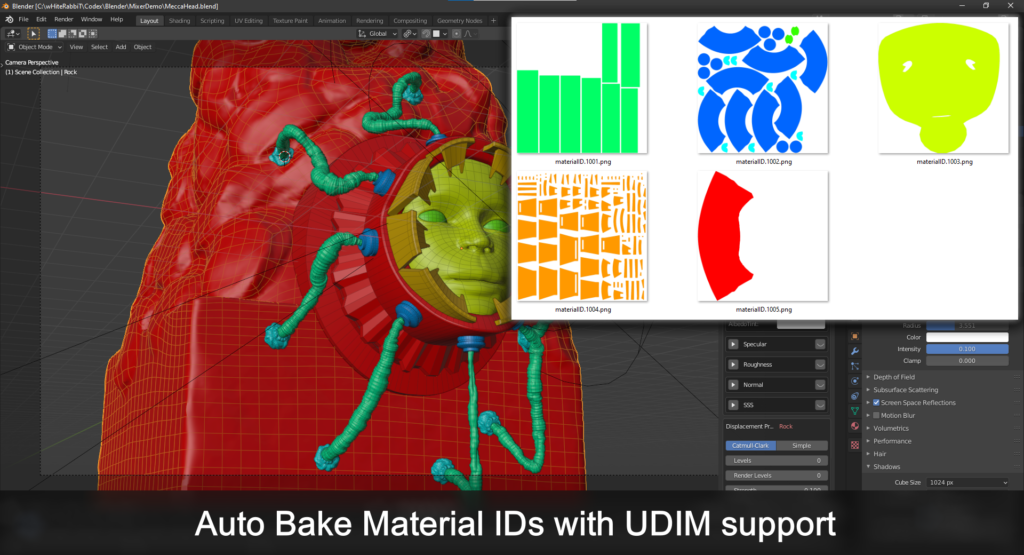
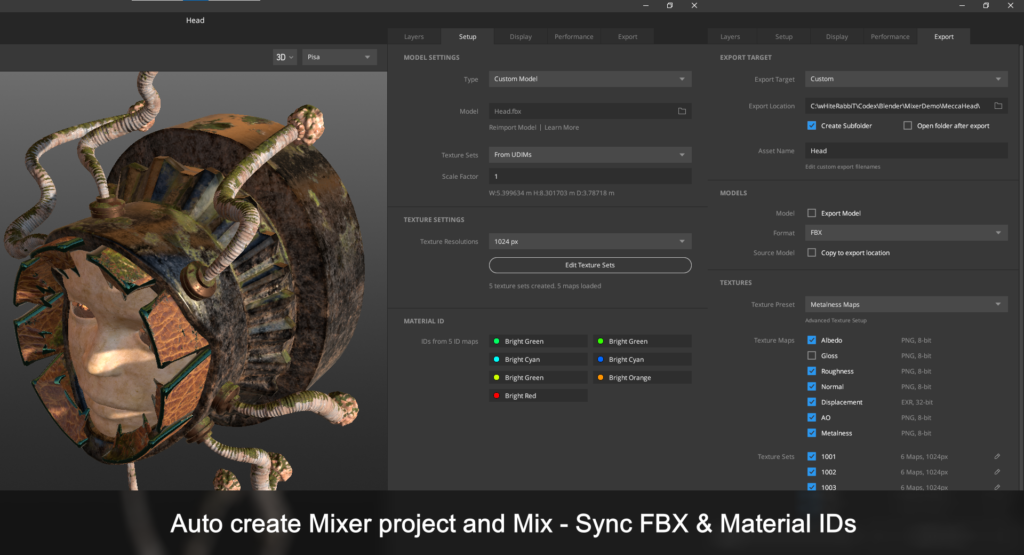
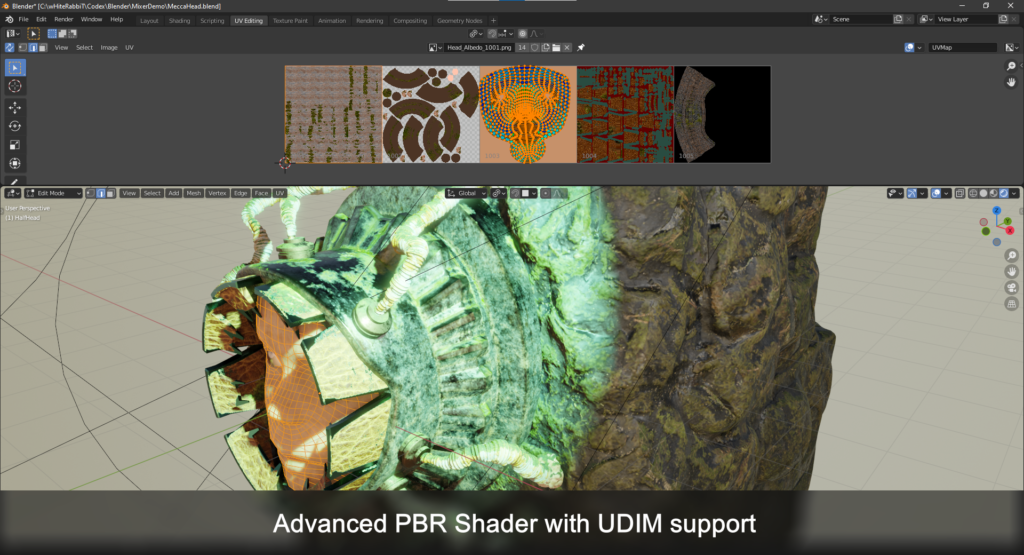
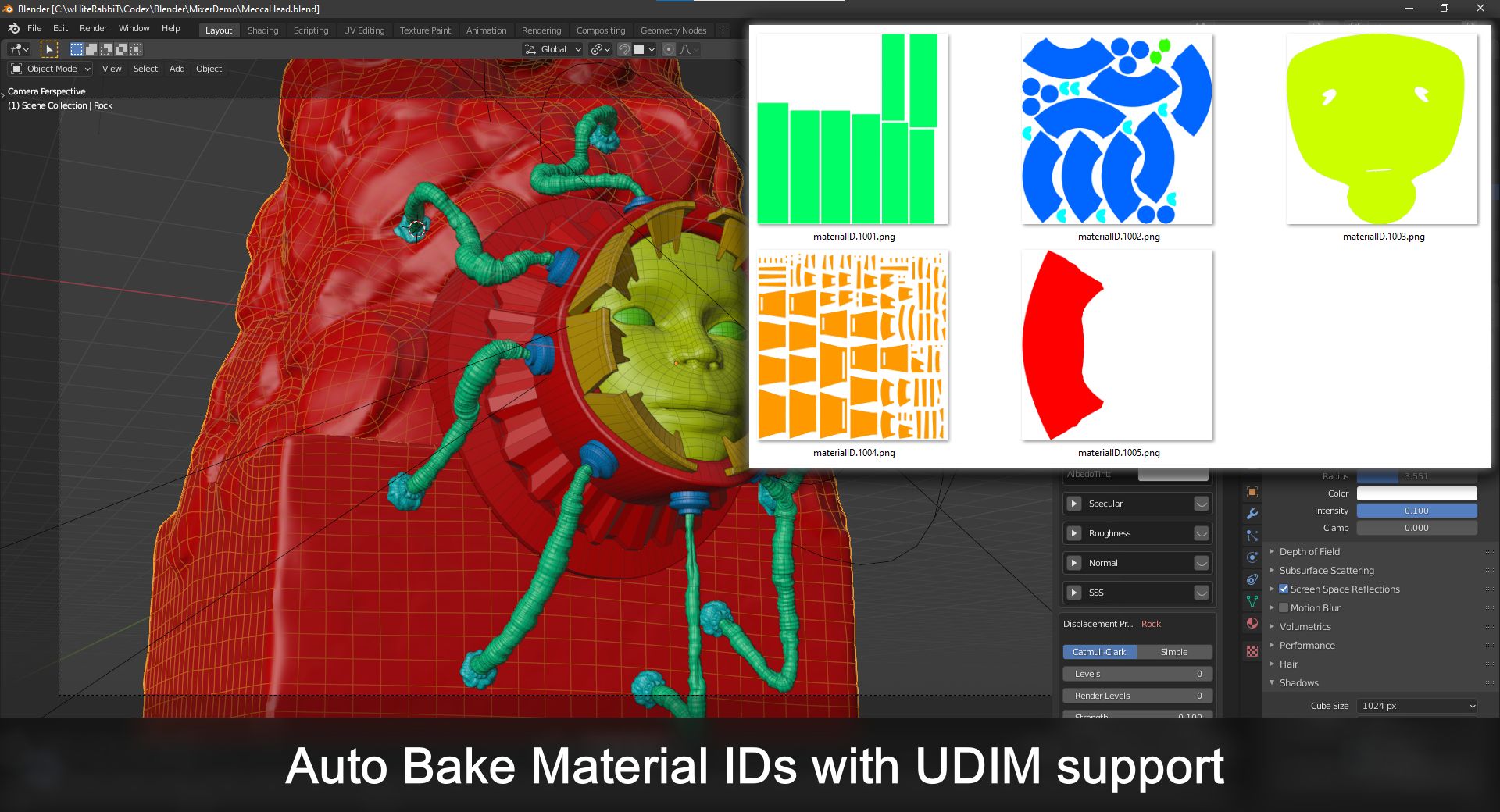
Firstly, the addon auto generates color material ID and auto bakes Material IDs with UDIM support.
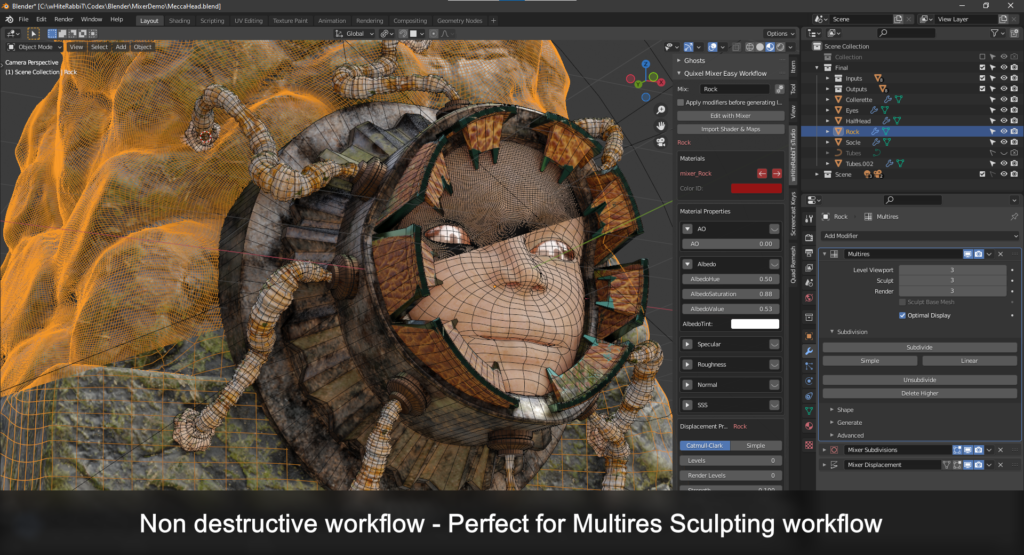
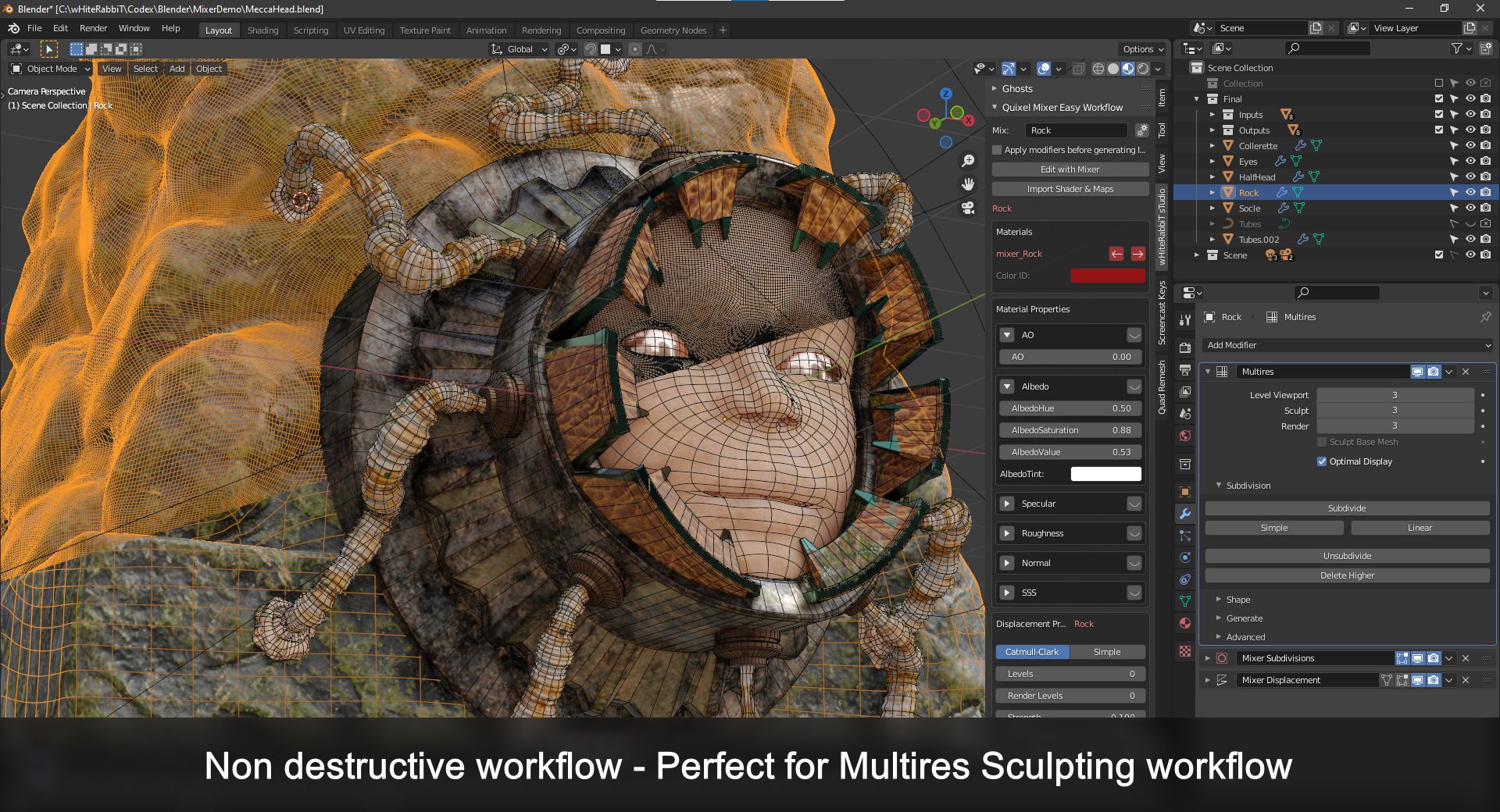
Also, you can keep a non destructive workflow, so no need to apply any modifier (or remove “final displacements”). Which is perfect for a Multires Sculpting workflow.
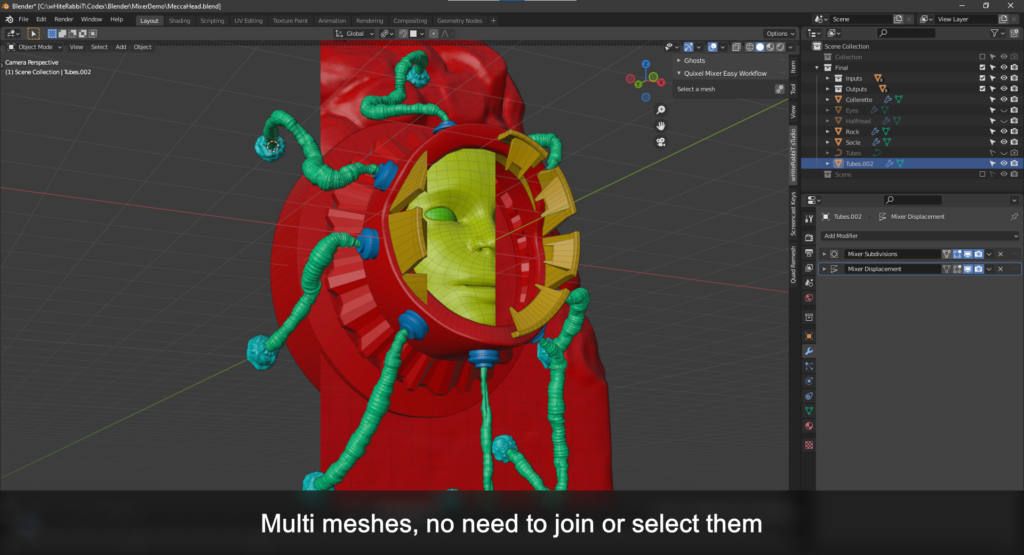
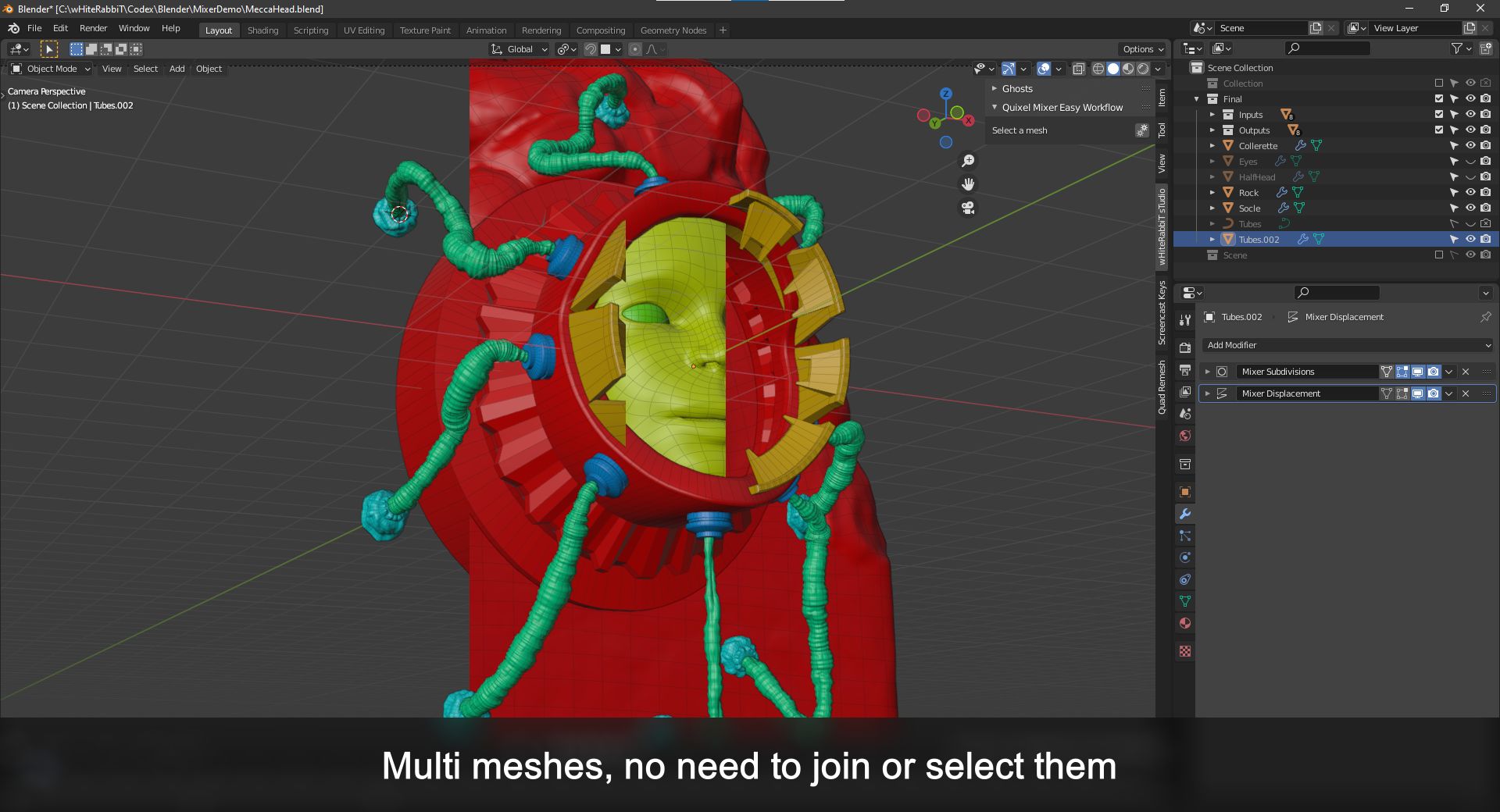
Additionally, you also can use separated meshes without the need for joining or selecting them.
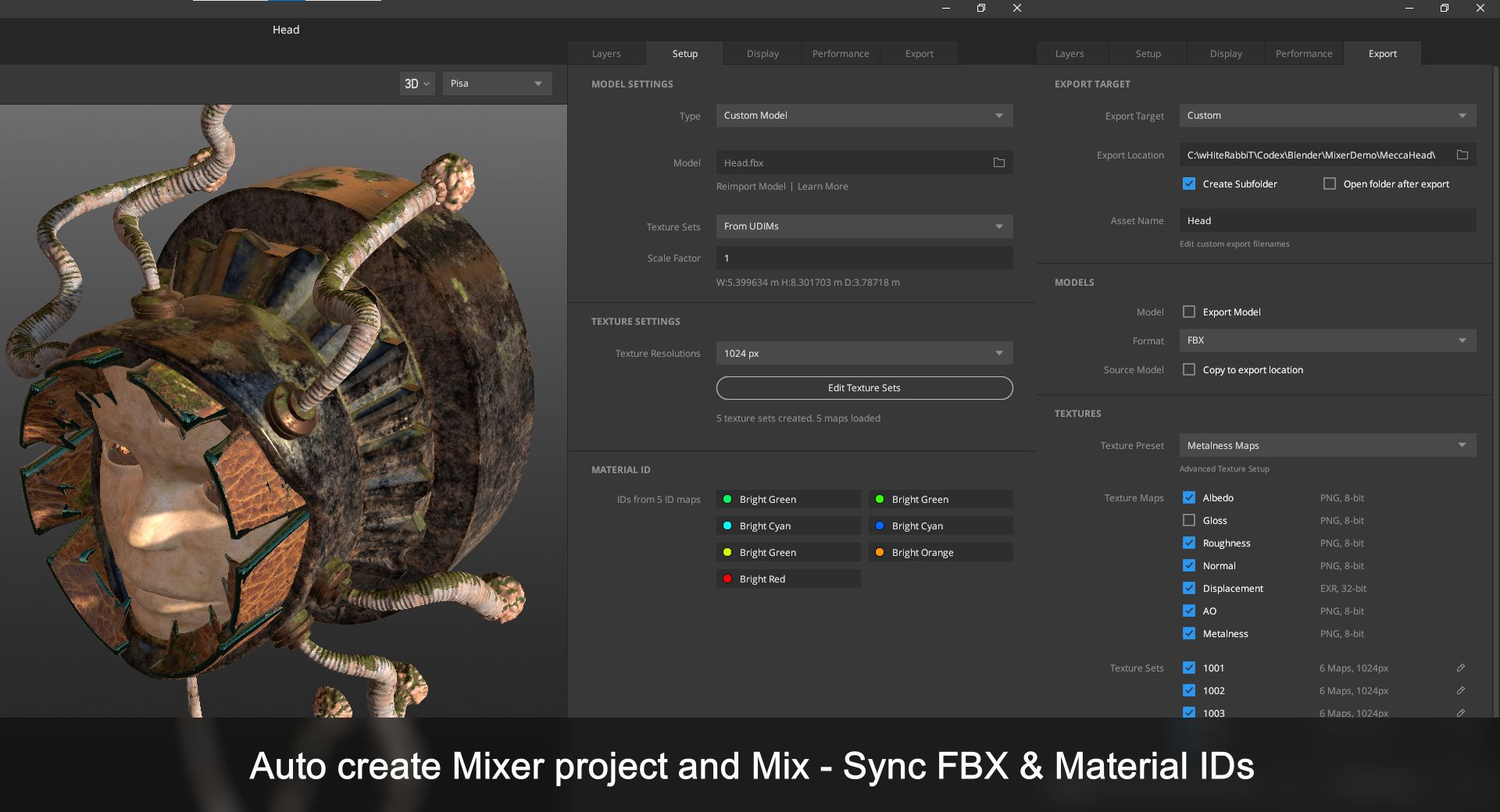
Then the addon auto creates Quixel Mixer, Substance Painter & ArmorPaint projects with up to date FBX/OBJ and material ID maps.
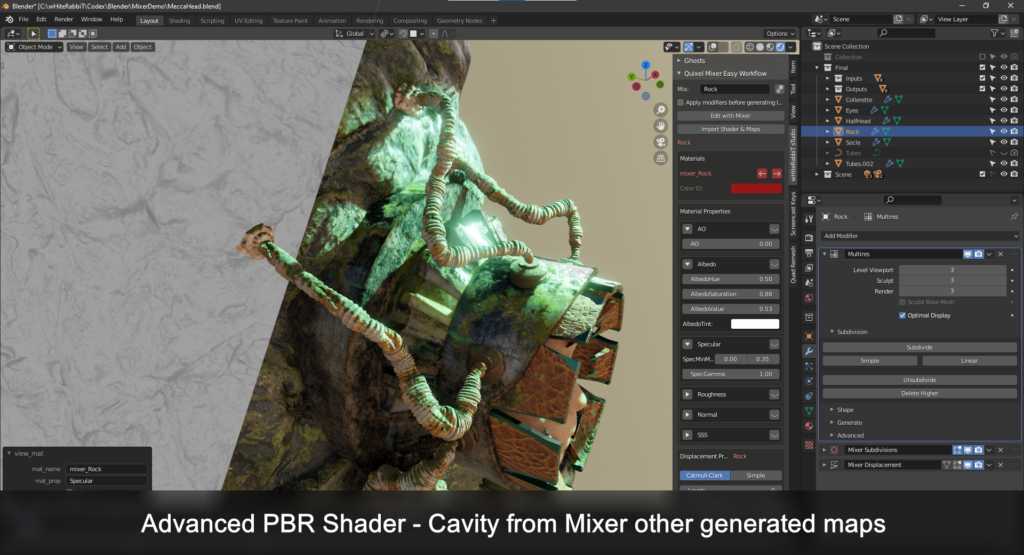
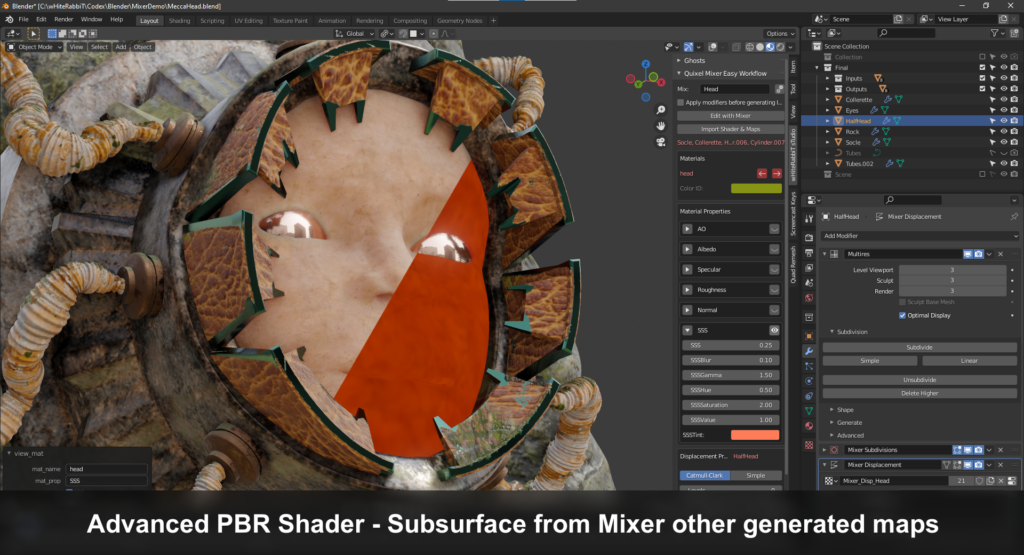
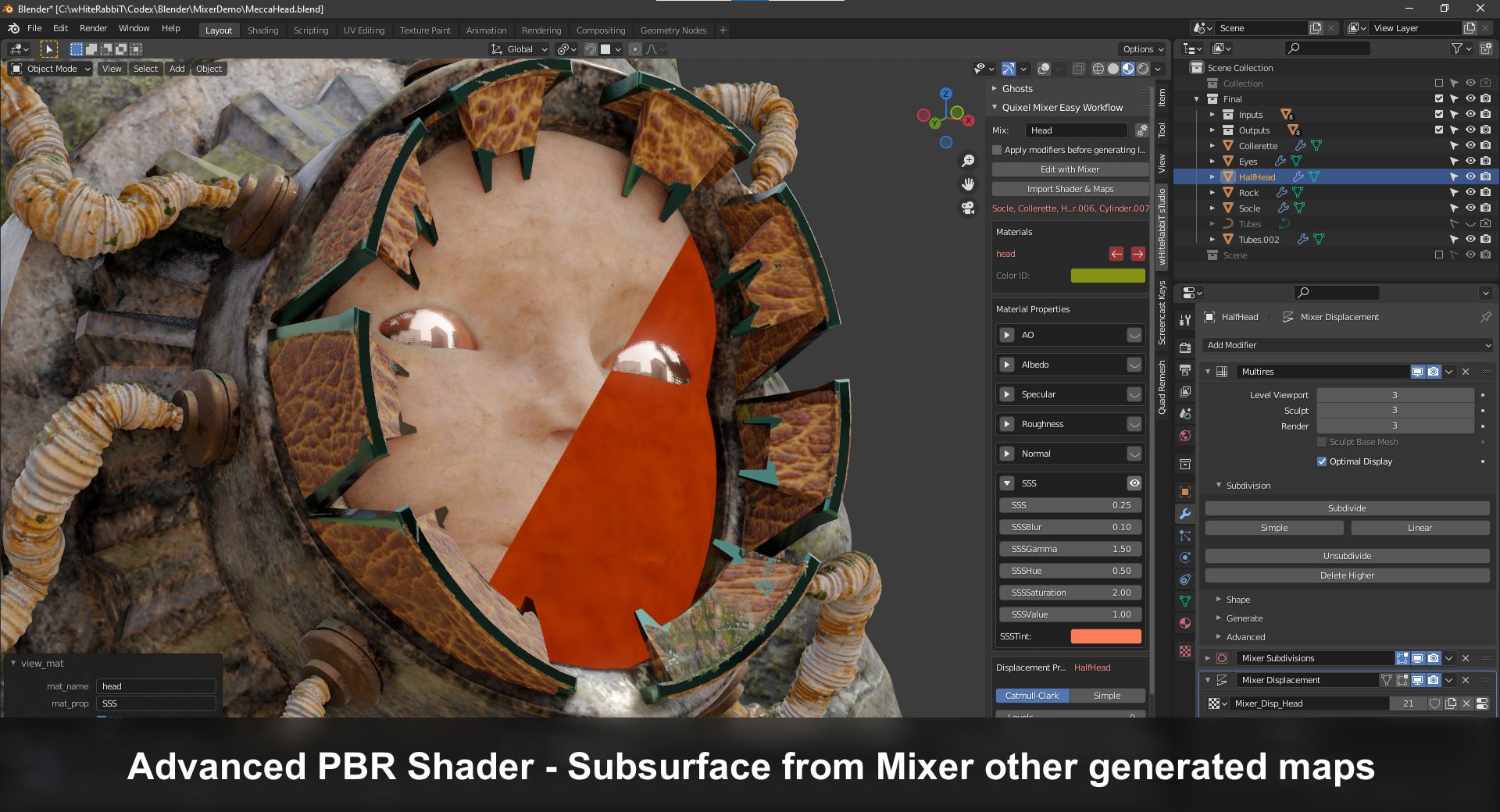
And it comes with an Advanced PBR Shader with UDIM support which will produce Cavity & Subsurface from other generated maps.
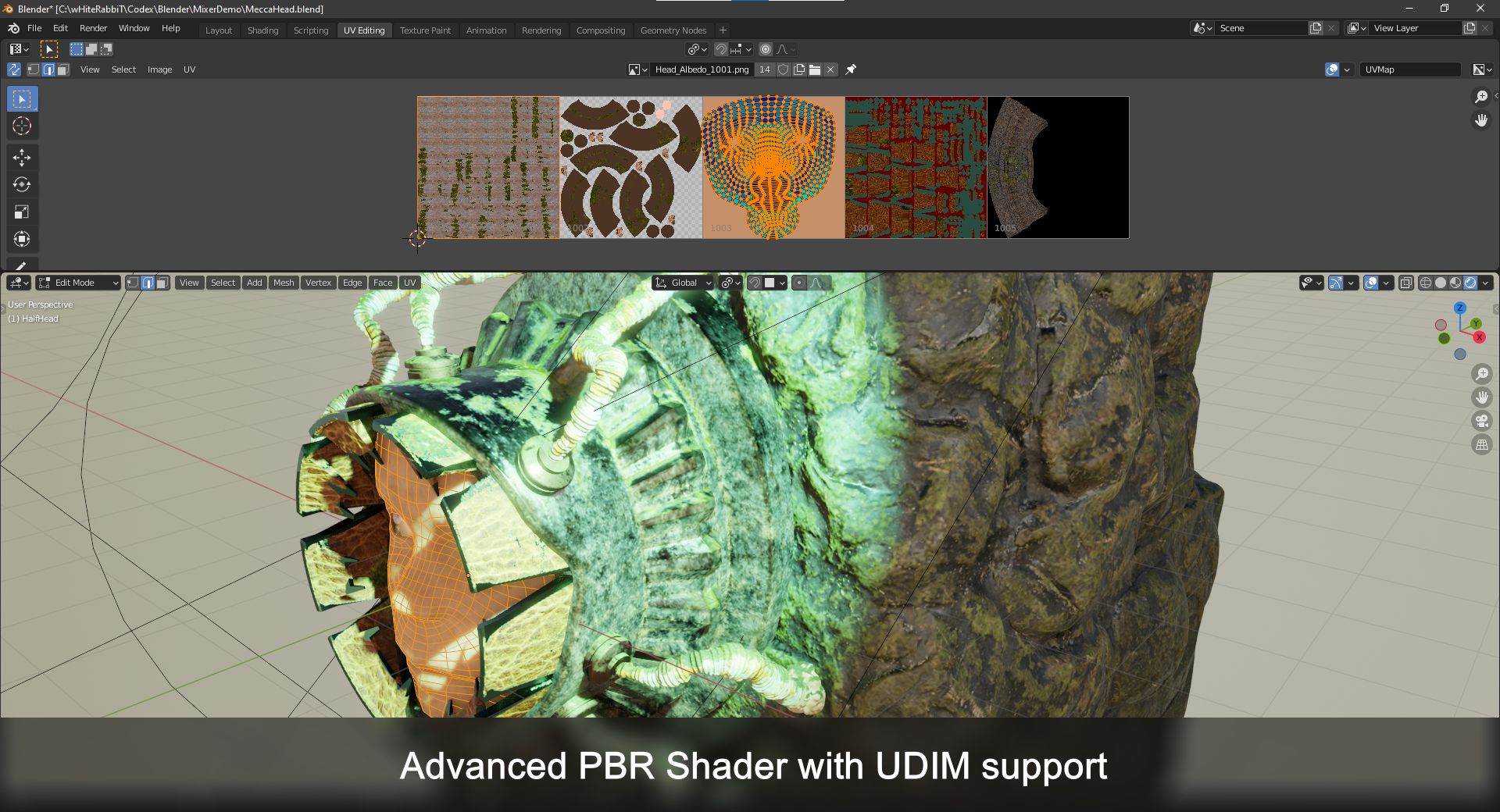
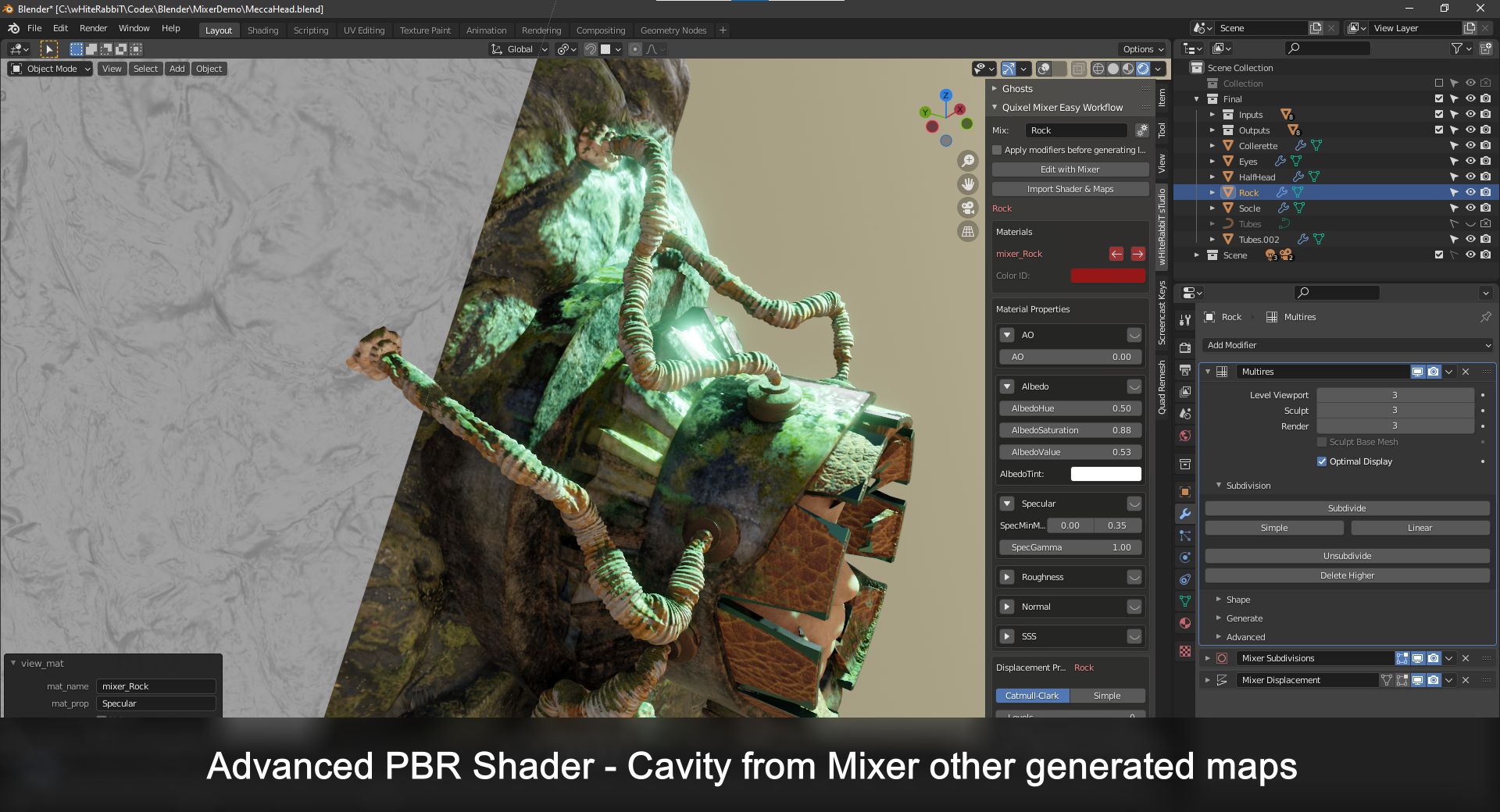
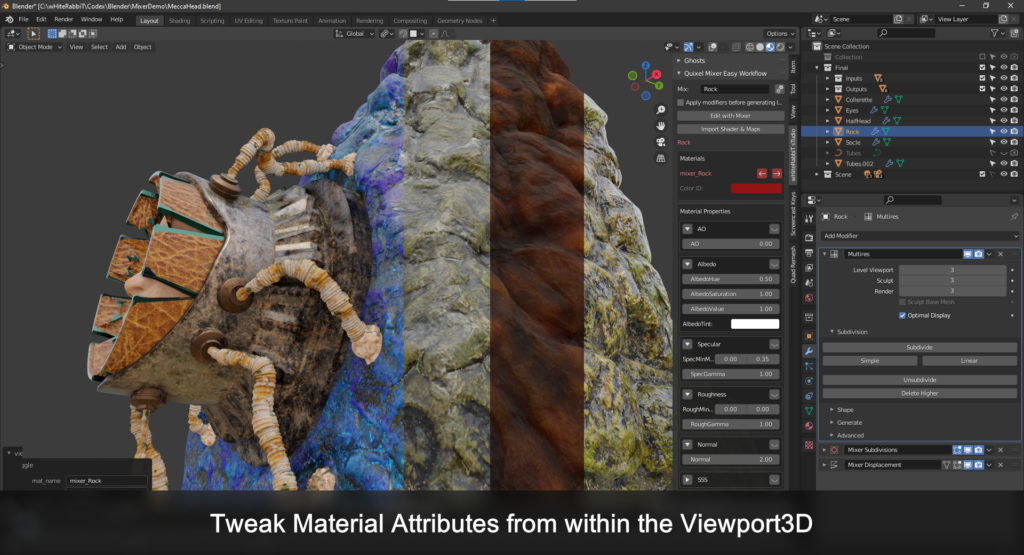
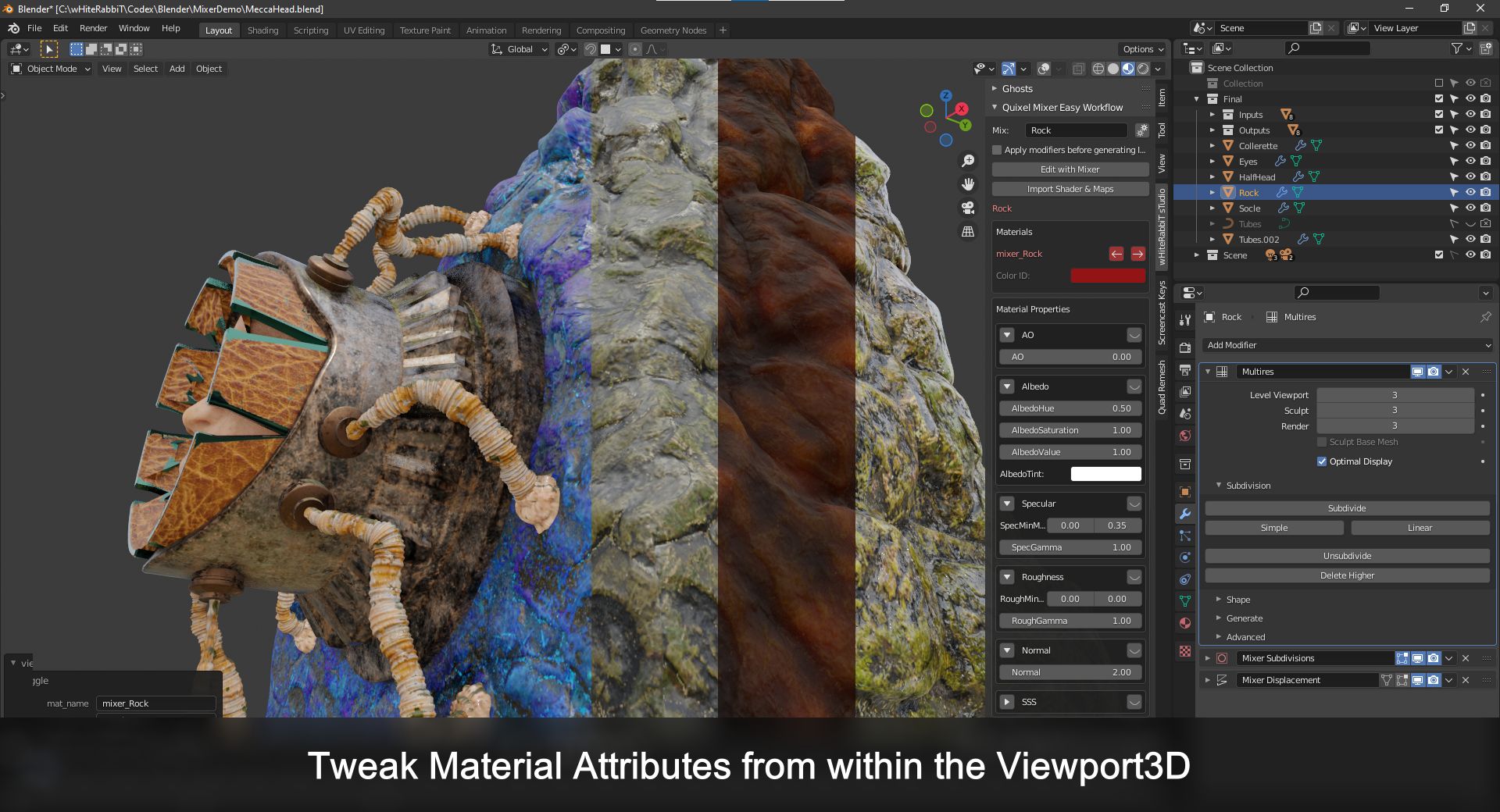
No need to dive into the Shader, just tweak all Material Attributes from within the Viewport3D.
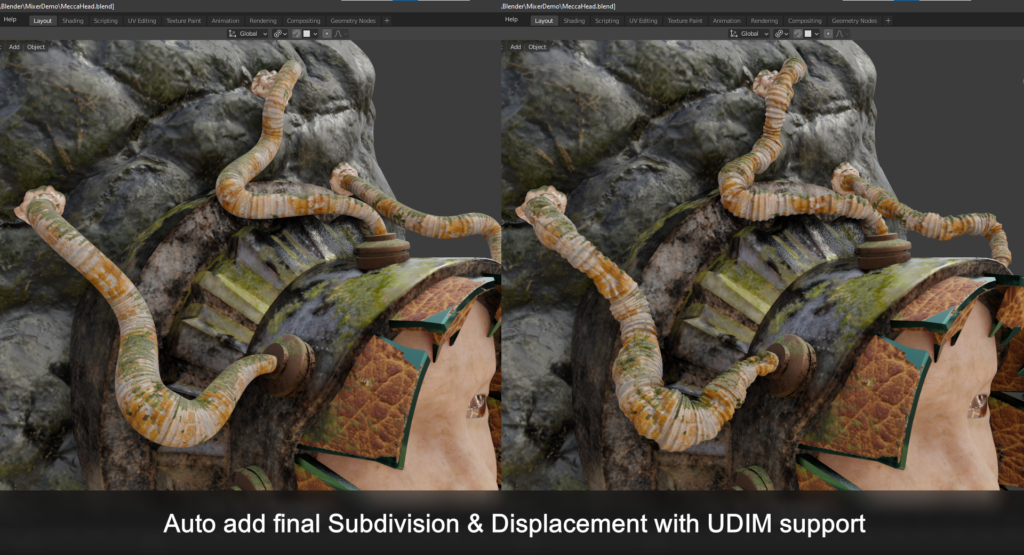
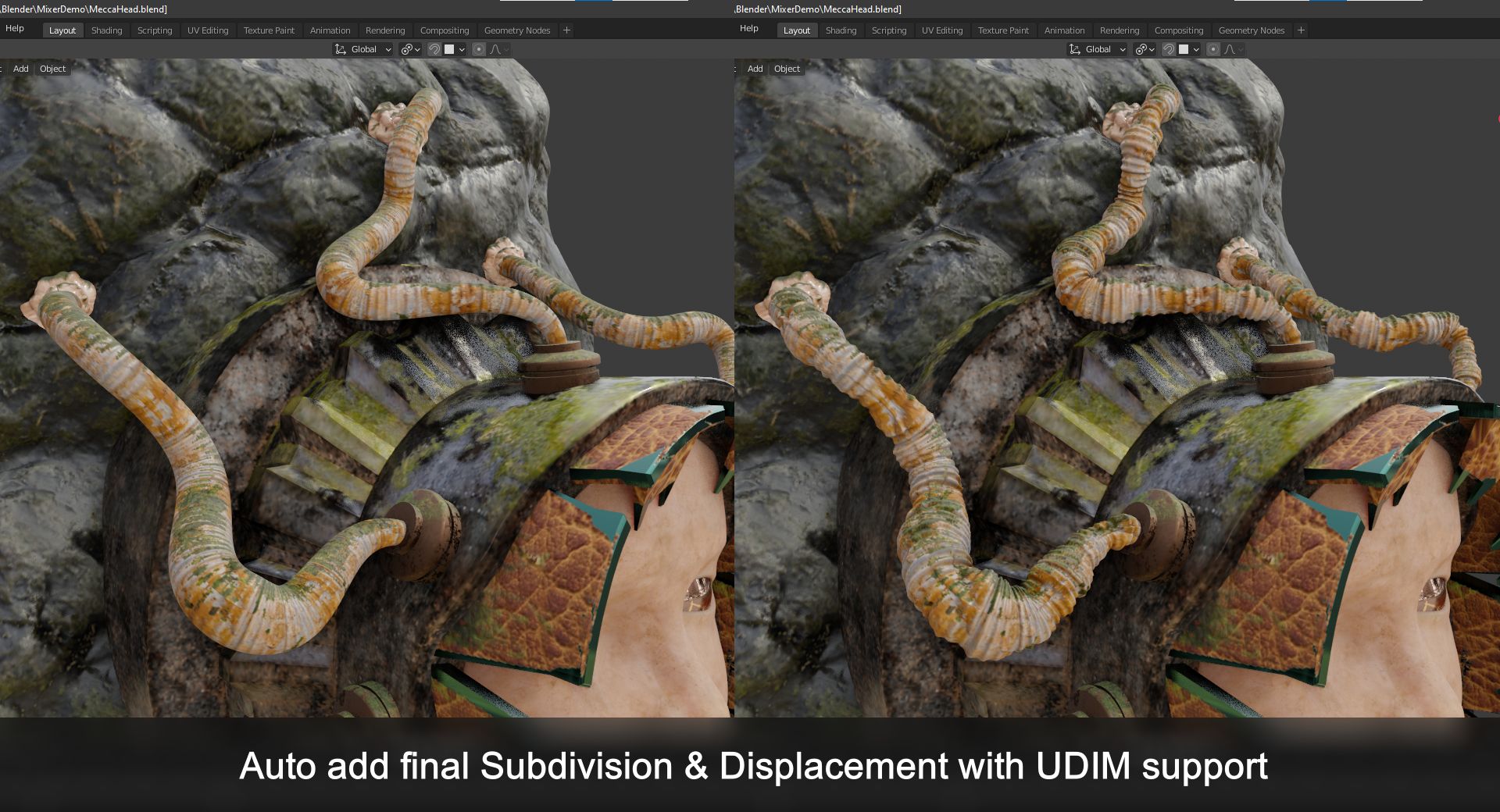
Finally the addon will add final Subdivision & Displacement with UDIM support from generated displacement map.
Supercharge your 3D creation workflow with premium selection of Blender Add-ons. Whether you are modeling intricate characters, sculpting realistic environments, or animating cinematic sequences, the right add-on can transform how you work inside Blender. Our curated collection includes powerful tools for UV unwrapping, procedural texture generation, rigging automation, rendering optimization, and more—each rigorously tested for compatibility with the latest Blender versions. Eliminate tedious manual processes and unlock advanced functionality that lets you focus on what matters most: bringing your creative vision to life. Explore our full range of professional Blender plugins today and take your 3D projects to the next level.
➡️ ➡️ For more Blender Plugins 😀 😀
Reviews
There are no reviews yet.