

PBRBrush for Blender
pbr brush addon
PBRBrush for Blender – Intelligent PBR Texture Painting & Material Creation Tool
Download PBRBrush for Blender on Windows, Mac, and Linux, a revolutionary texture painting add-on that lets you paint PBR (Physically Based Rendering) materials directly onto your models. Paint with realistic materials—metal, wood, plastic, fabric, and more—with simultaneous output to diffuse, roughness, metallic, and normal maps in real-time .
Key Features of PBRBrush:
- PBR Material Painting: Paint with full PBR materials—color, roughness, metallic, and normal information applied simultaneously
- Smart Material Library: Extensive library of realistic materials—metals, woods, plastics, fabrics, stone, and custom materials
- Real-Time Map Generation: Automatically generates diffuse, roughness, metallic, and normal maps as you paint
- Layer-Based Painting: Non-destructive layers with blend modes and opacity controls
- Masking System: Create precise masks for detailed material placement
- Texture Preview: Real-time viewport preview of all painted texture maps
- Export Ready: Export complete texture sets for game engines and rendering
- Brush Customization: Customizable brush settings—size, strength, rotation, and texture
- Symmetry Support: Mirror painting across X, Y, or Z axes
- High Resolution: Support for 4K, 8K, and custom texture resolutions
Perfect For:
- Game developers creating PBR textures for game assets
- Character artists painting skin, clothing, and material details
- Environment artists texturing props and terrain
- Product designers creating realistic material finishes
- Anyone needing professional PBR texture painting in Blender
System Requirements:
- Blender 3.6, 4.0, 4.1, 4.2, 4.3
- Windows 10/11 (64-bit), macOS, or Linux
- 4GB RAM minimum (8GB+ recommended)
- 100MB available disk space (plus space for textures)
- Graphics tablet recommended for optimal painting experience
Installation:
- Download the add-on zip file
- In Blender, go to Edit > Preferences > Add-ons
- Click “Install” and select the downloaded zip file
- Enable the add-on by checking the box next to “PBRBrush”
Note: PBRBrush revolutionizes texture painting in Blender by allowing artists to paint with physically-based materials directly onto models, with automatic generation of all PBR texture maps in real-time . The smart material library and non-destructive layers make it essential for game developers, character artists, and environment artists . Designed for Blender 3.6 and above . Perfect for professional PBR texture painting . Essential for any texture painting workflow . Graphics tablet recommended for best results .

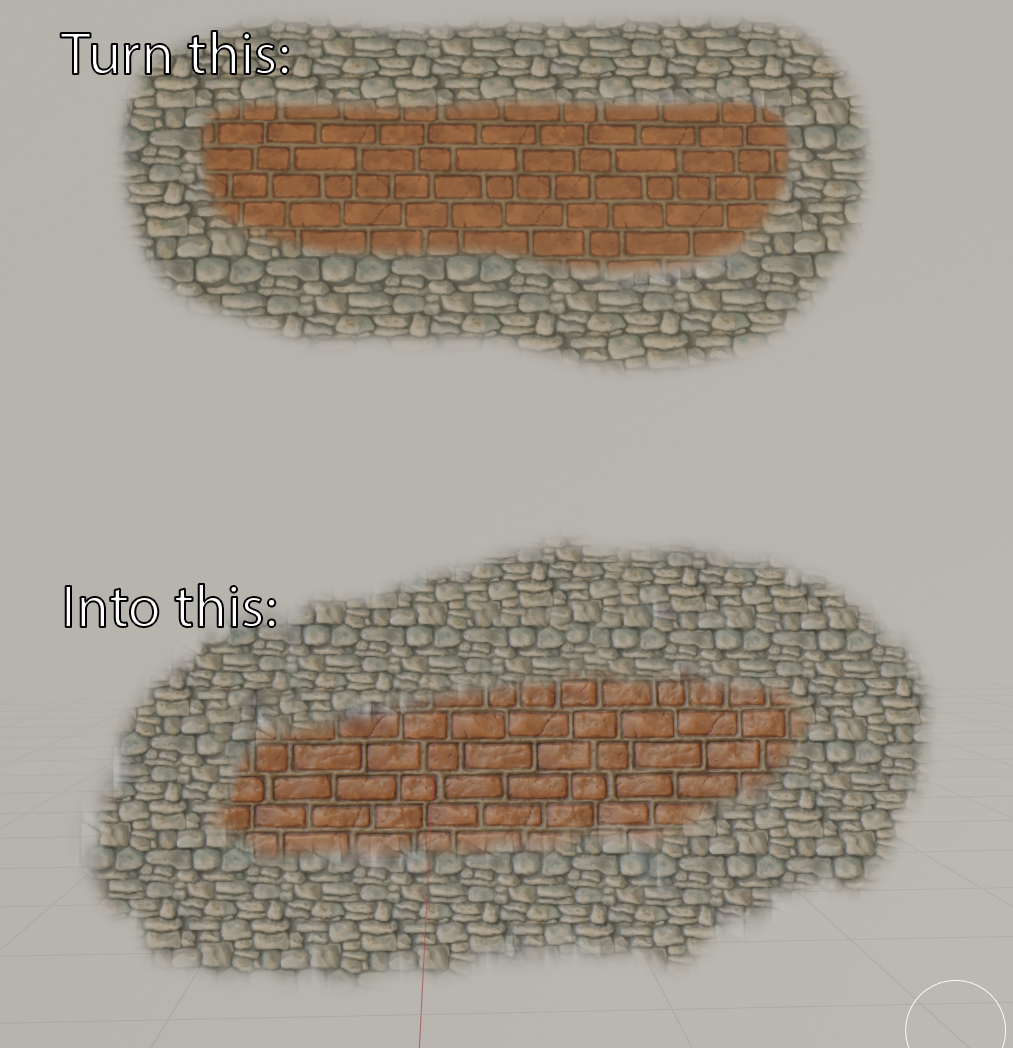
How does it work?
Simply assign your PBR textures (Base colour, normal map, roughness, height, AO, emission, etc) into texture slots, click a button and paint away!
-You can also use it with different textures, to simultaneously create variants of your model (though I cant see why you would want to do that).
How to use it?
PBR Brush is trivial to use, just put your textures into slots and you are ready to speed-create some stunning assets.
I have put together this video to help you out:
Supercharge your 3D creation workflow with premium selection of Blender Add-ons. Whether you are modeling intricate characters, sculpting realistic environments, or animating cinematic sequences, the right add-on can transform how you work inside Blender. Our curated collection includes powerful tools for UV unwrapping, procedural texture generation, rigging automation, rendering optimization, and more—each rigorously tested for compatibility with the latest Blender versions. Eliminate tedious manual processes and unlock advanced functionality that lets you focus on what matters most: bringing your creative vision to life. Explore our full range of professional Blender plugins today and take your 3D projects to the next level.
➡️ ➡️ For more Blender Plugins 😀 😀
Reviews
There are no reviews yet.