
Personal PolyRenderPro for Blender
Personal PolyRenderPro V3.2 for Blender
The Ultimate Personal Rendering and Optimization Suite
Download the Personal PolyRenderPro V3.2 addon today. Therefore, you can optimize and render your 3D scenes with professional-grade controls instantly. Because high-quality rendering requires efficient scene management and optimization tools, you need proper solutions. However, manually optimizing complex scenes and managing render settings takes many frustrating hours. Consequently, this powerful addon solves that problem completely. Furthermore, it provides a comprehensive rendering suite designed for individual artists and small studios. Thus, you can achieve stunning render results with optimal performance in seconds.
Fast Scene Optimization and Preparation
First, the core of this addon is scene optimization efficiency. Specifically, it analyzes your scene and automatically adjusts render settings, polygon density, and texture sizes for optimal performance instantly. Furthermore, you can customize optimization levels and render quality presets easily. Additionally, the tool supports both Eevee and Cycles render engines with intelligent settings management seamlessly. Thus, you can prepare even complex scenes for rendering quickly. Moreover, you can customize every optimization parameter perfectly. Consequently, your render times will be significantly reduced while maintaining quality.
Advanced Rendering Management Features
Ultimately, professional rendering requires intelligent render control. Therefore, this addon includes advanced rendering management features. Specifically, you get render queue management, batch rendering, and render pass controls. Furthermore, the algorithms preserve your creative settings while optimizing for speed and quality perfectly. Additionally, the tools support region rendering, render time estimates, and progress tracking seamlessly. Consequently, your render workflow will remain efficient and predictable. Thus, the workflow reacts beautifully to your creative input.
Real-Time Preview and Performance Monitoring
However, complex scenes can be difficult to optimize without proper feedback. Therefore, the addon includes real-time performance monitoring tools. Specifically, it displays polygon counts, memory usage, and estimated render times instantly. Consequently, you can make informed decisions about scene optimization. Meanwhile, your viewport performance remains completely stable. Ultimately, this ensures a smooth and informed rendering experience.
Perfect for Solo Artists and Small Studios
Additionally, this addon is ideal for freelance artists and independent creators. Furthermore, it suits small studios and hobbyists perfectly. Moreover, anyone wanting professional render results without complex manual optimization will love the automated workflow. Ultimately, it accelerates your entire rendering pipeline.
System Requirements and Formats
Specifically, the addon requires Blender 3.6 or newer. Furthermore, it supports both Eevee and Cycles render engines completely. Additionally, you get regular free updates from the developer. Therefore, it works across all major operating systems. Moreover, you will need a standard workstation. Thus, 16GB of RAM is highly recommended. Consequently, a modern GPU ensures smooth rendering and preview performance.
Installation and Usage Guide
First, download the zip file from your library. Next, open Blender and go to Edit Preferences. Then, select Add-ons and click Install. After that, enable the Personal PolyRenderPro addon. Finally, open the RenderPro panel, analyze your scene, adjust your optimization and render settings, and start rendering. Thus, your optimized render will be ready efficiently.
What is Included Inside?
Specifically, the pack contains multiple optimization presets and render profiles. Furthermore, it includes performance monitoring tools, render queue management, and quality presets. Additionally, you get several pre-built render setups for common project types. Moreover, there are detailed video tutorial guides. Ultimately, you receive everything for professional rendering management.
Final Thoughts on the Addon
Ultimately, efficient rendering management evokes profound creative freedom. Therefore, this addon provides the ultimate personal rendering foundation. Furthermore, you can render complex scenes with professional quality and speed. Alternatively, you can optimize your workflow for faster iterations instantly. Consequently, your rendering vision becomes a stunning reality.
Unleash Your Creative Power with Poly Render Pro!
Are you tired of waiting hours for your renders to finish? Frustrated with complicated settings that steal your creative joy? It’s time to supercharge your Blender experience!
Introducing Poly Render Pro—the ultimate Blender add-on that transforms your rendering process into a lightning-fast, one-click adventure.
Why Poly Render Pro?
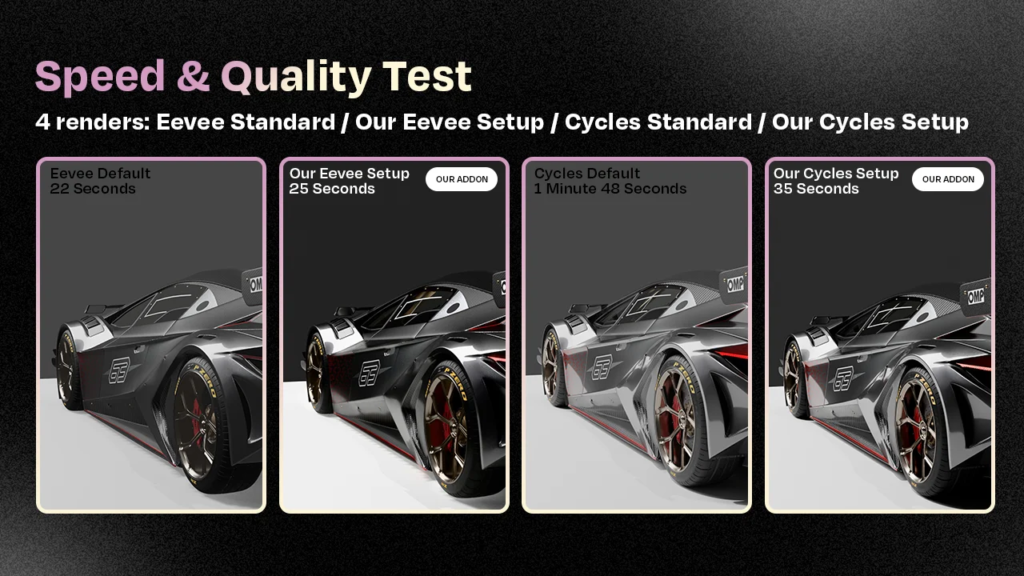
• Double Your Speed: Experience up to 100% faster render times with Cycles. Spend less time waiting and more time creating.
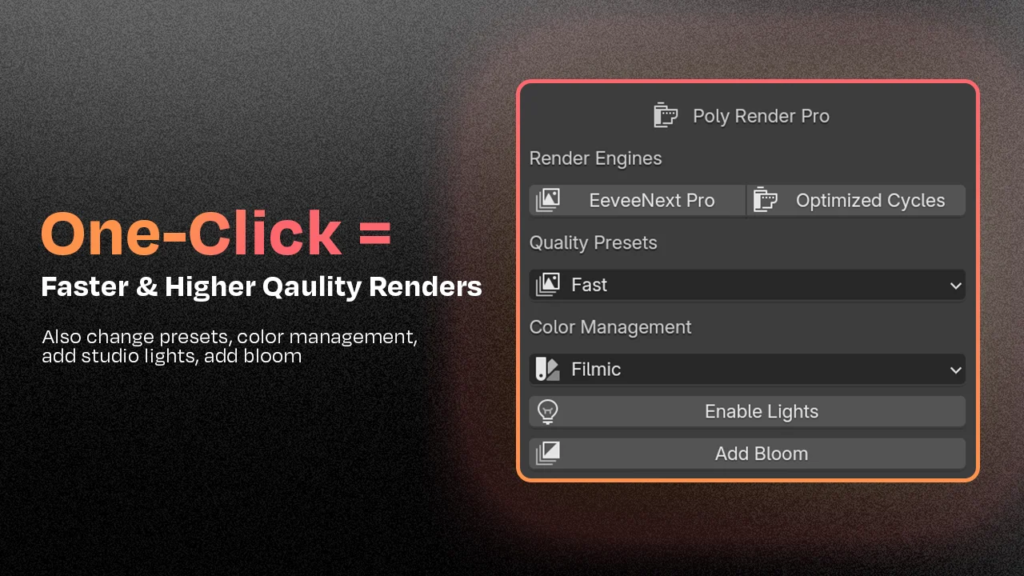
• One-Click Magic: Instantly optimize your scenes for breathtaking visuals. No technical hassle—just pure artistic freedom.
• Stunning Quality Effortlessly: Achieve professional-grade renders with automatic enhancements. Let your work shine without the grind.
What’s New in Version 3.1?
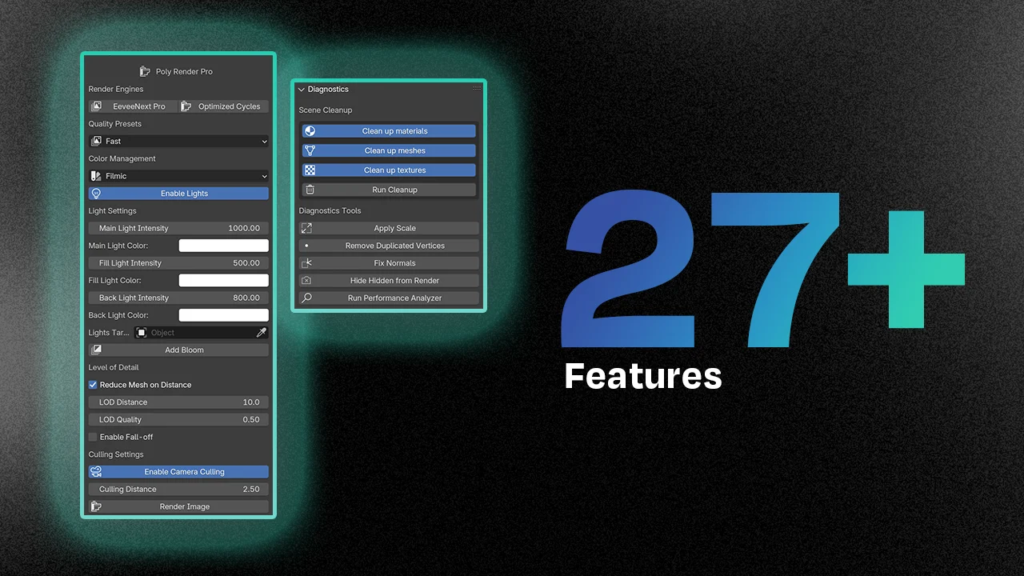
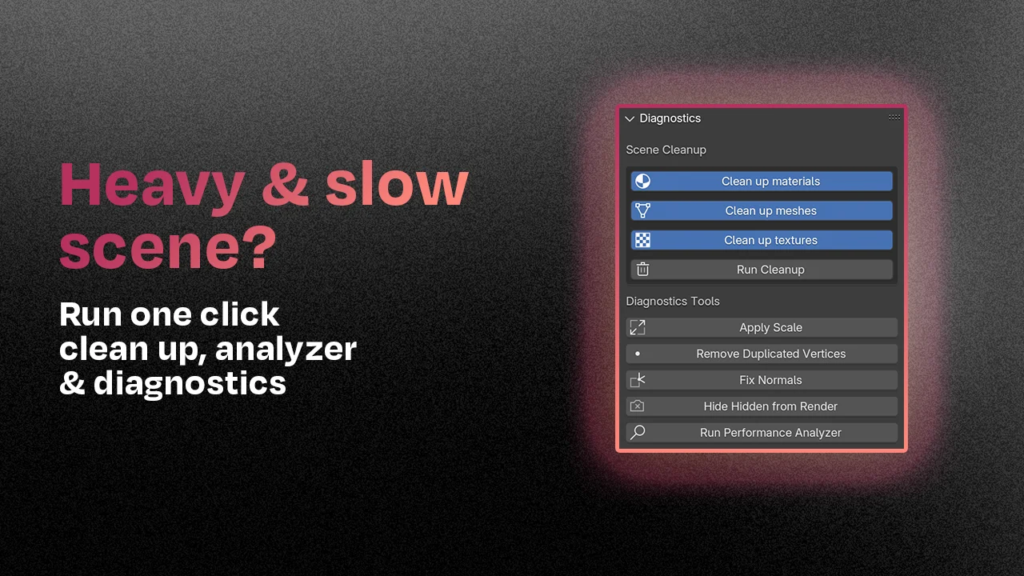
• ⚖ Apply Scale: No more applying scale one by one, simply click apply scale and it will complete it for your whole scene.
• ‼ Remove Duplicate Vertices: Get rid of those hidden duplicate vertices that don’t need to be there with one simple click
• 🔨 Fix Normals: Fix your normals on your whole scene with one click
• 🚀 Performance Analyzer: Identify what’s slowing you down and fix it instantly.
• ⏱️ Render Time Estimator: Know exactly how long your render will take—plan your projects better.
• 🎛️ Fast, Balanced & High-Quality Presets: Choose the perfect setting for your needs with a single click.
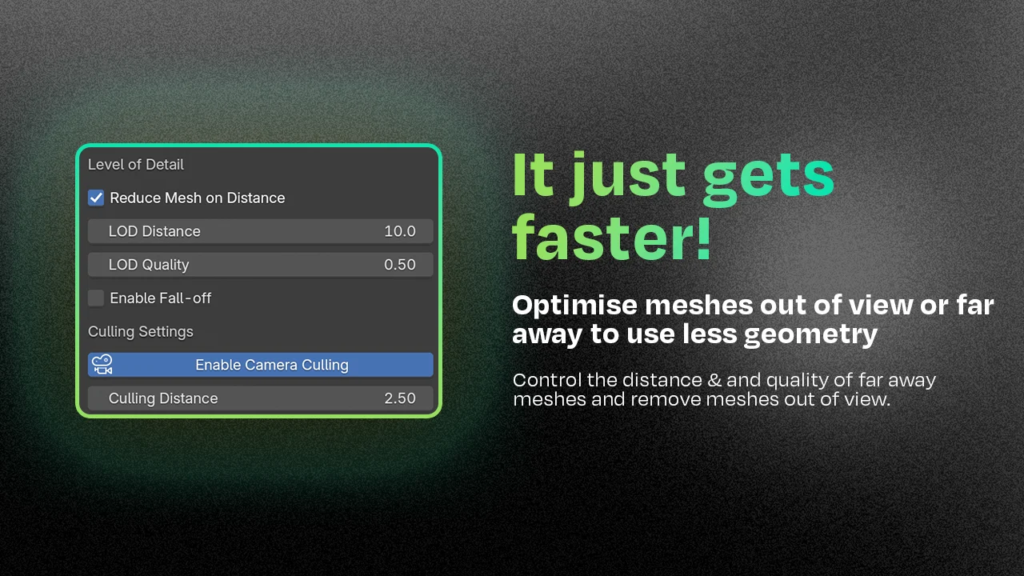
• 🌐 Distance-Based Mesh Reduction: Optimize your scene by reducing mesh complexity where it doesn’t matter.
• ⚡ Enhanced Speed & Quality: Enjoy overall improvements in both Cycles and Eevee. Faster, better, stronger.
Transform Your Workflow:
• 🌟 Professional Lighting in One Click: Add a complete studio lighting setup instantly. Make your scenes look like a million bucks.
• 🧹 Instant Scene Cleanup: Remove unused materials and hidden meshes effortlessly. Keep your projects clean and efficient.
• 🎯 Camera Culling Made Easy: Automatically hide objects outside your camera view to boost render speeds even more.
Supercharge your 3D creation workflow with premium selection of Blender Add-ons. Whether you are modeling intricate characters, sculpting realistic environments, or animating cinematic sequences, the right add-on can transform how you work inside Blender. Our curated collection includes powerful tools for UV unwrapping, procedural texture generation, rigging automation, rendering optimization, and more—each rigorously tested for compatibility with the latest Blender versions. Eliminate tedious manual processes and unlock advanced functionality that lets you focus on what matters most: bringing your creative vision to life. Explore our full range of professional Blender plugins today and take your 3D projects to the next level.
➡️ ➡️ For more Blender Plugins 😀 😀
Reviews
There are no reviews yet.