
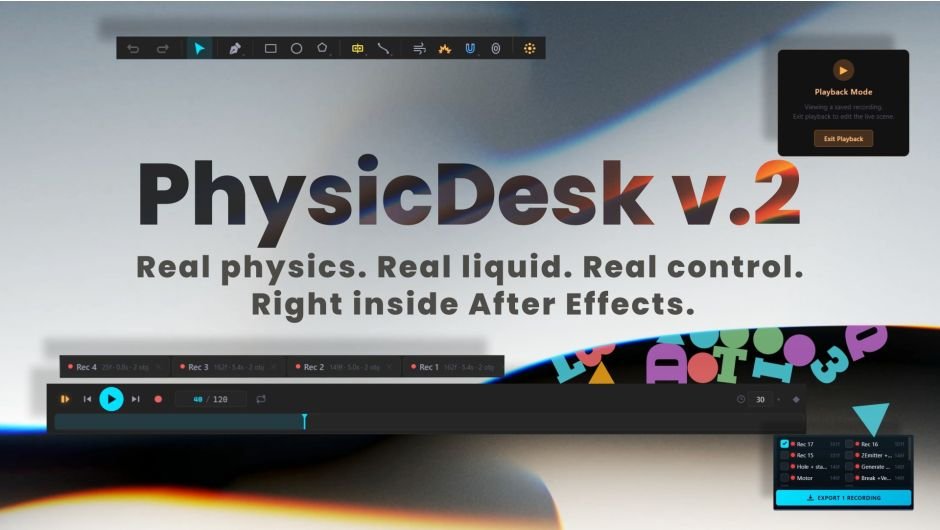
PhysicDesk 2 for After Effects
PhysicDesk v2.0.223 for After Effects
The Ultimate Real-Time 2D Physics and Liquid Simulator for After Effects
Download PhysicDesk v2.0.223 today. Consequently, you can build dynamic, physically-accurate 2D scenes directly inside After Effects using a real-time simulator that runs instantly in your viewport, with no external applications required . Because motion designers and VFX artists constantly need believable physical motion—falling objects, collisions, pendulums, and fluid interactions—having a dedicated physics engine integrated into After Effects is absolutely essential. Nevertheless, animating these behaviors manually through keyframes is tedious, imprecise, and often impossible to get truly right. Fortunately, PhysicDesk eliminates this bottleneck completely. Moreover, it provides a complete simulation environment where bodies interact naturally under gravity, collide with one another, and respond to a wide range of forces and joints . In short, you can achieve physics-driven animation with unprecedented speed and realism.
Comprehensive Body Types and Simulation Modes
The core of this plugin lies in its diverse range of body behaviors. For instance, you can create Dynamic bodies that fall, collide, and react to all forces, or Static bodies that remain fixed yet still act as solid collision surfaces . Furthermore, Motor bodies drive continuous powered motion with options for oscillation, rotation, pendulum, or orbit, while Elastic bodies attach to anchor points with spring-like behavior . Additionally, Soft Body turns shapes into deformable, jelly-like objects with controls for stiffness, damping, pressure, and jiggle . The Path Follow mode sends shapes traveling along custom paths with adjustable direction, speed, and looping behavior . Since you can import layers with existing keyframes and use PhysLink to blend hand-animated motion with live physics, the possibilities are remarkably flexible . Consequently, you can simulate everything from tumbling debris to bouncing cartoon characters with minimal effort.
Advanced Joints, Forces, and Interaction Systems
Professional physics work demands sophisticated connections and environmental forces. Therefore, PhysicDesk includes a comprehensive suite of joints and force zones. For example, you can build real mechanisms using Pin, Weld, Pivot with angle limits, Spring, Piston, and Wheel joints . Furthermore, Rope connections let you link shapes with realistic draping and collision, complete with tear, stretch, wave, and turbulence properties . Additionally, force zones include Wind, Magnets, Portal teleportation, and Explosions with adjustable radius and strength . Since the system also supports Particle Emitters, Fracture for destruction, and Sound-Driven Motion through audio frequency binding, you have complete control over how your scene evolves . Thus, you can create complex, layered simulations that respond dynamically to every element in your composition.
Layer Import, Baking, and Workflow Integration
PhysicDesk is designed for seamless integration with your existing After Effects workflow. For instance, the Import panel instantly detects layers in your composition, allowing you to bring in shapes, text down to single characters, images, and masks . Furthermore, animated nulls can be imported as moving emitters or magnets, enabling their motion to drive particles or pull shapes around the scene . When your simulation is complete, you can bake every motion path into native After Effects keyframes, producing fully editable animation ready for rendering . Additionally, the tool includes Trim for hollowing shapes, Merge for combining bodies, and Bind for grouping shapes that flex together . Since the entire process operates inside After Effects, you avoid the friction of external software and maintain complete control over your final output. Consequently, your physics simulations become fully integrated elements of your motion design projects.
Perfect for Motion Designers, VFX Artists, and Content Creators
This plugin is particularly well-suited for motion designers creating dynamic typography, energetic transitions, and physics-based graphics. Similarly, VFX artists and compositors will appreciate the ability to add realistic physical interactions to their scenes without external simulation tools. Additionally, content creators and social media producers can use PhysicDesk to add engaging, dynamic motion to their videos with minimal effort. Ultimately, PhysicDesk v2.0.223 accelerates your entire motion design and post-production pipeline.
System Requirements and Compatibility
PhysicDesk v2.0.223 supports After Effects versions 2026, 2025, 2024, 2023, and 2022 on both Windows and macOS operating systems . The plugin is fully GPU-accelerated and requires a modern graphics card for optimal performance. You will need a standard workstation with at least 8GB of RAM.
Installation and Usage Guide
To install, first download the plugin installer from your library. Next, close Adobe After Effects if it is running. Then, install the plugin following the standard aescripts + aeplugins installation process using the Manager App. After installation, launch After Effects and locate PhysicDesk in the Effects & Presets panel. Finally, open the PhysicDesk panel, import your layers, configure your body types and forces, and begin simulating your physics scene in real-time. Thus, your professional physics simulation workflow will be ready instantly.
Final Thoughts on the Plugin
Effortless physics simulation evokes profound creative freedom. Therefore, this plugin provides the ultimate foundation for your motion design and VFX workflows. You can create dynamic, physically-accurate 2D scenes with unprecedented speed and realism. Consequently, your physics vision becomes a stunning reality.
A real-time 2D physics and liquid simulator for After Effects — fast, accurate, and running right inside your viewport. Build scenes with dynamic, static, and animated bodies; pour liquids with splashes, foam, and whitewater; connect bodies through pivot, weld, spring, wheel, and rope joints; add force zones for wind, magnets, portal, and explosions; layer in particle emitters, fracture, soft bodies, squash & stretch, and sound-driven motion. Send bodies to targets with the Goal Solver or along hand-drawn paths — and when the simulation looks right, bake everything into native After Effects keyframes and editable shape layers, fully editable, ready to render.
NEW in v2: Liquid simulation, Squash & Stretch, Goal Solver, Path Spring, Parenting & rebuilt Magnetism
Real physics,
right inside After Effects.
PhysicDesk is a real-time physics workspace that lives inside After Effects. Build a scene, simulate it live, and bake the result to fully editable keyframes — no external renderers.
Real-timeEditable keyframesWindows & macOSAny AE language
REEL.00 — PhysicDesk in motion
Full overview · the complete tour of the core toolset — the video above covers what’s new in 2.0
| Index /What’s inside | →A full set of physics modes — Dynamic, Static, Motor, Soft Body and more→Draw shapes in the panel, or import straight from your comp→Particle emitter with shapes, custom paths, letters and text→Rope & chain, plus a full joint system for working machines→Portals, explosions, breakable & shatter destruction→Sound-driven physics bound to live audio frequency bands→Import keyframed layers and keep them in sync with After Effects→Record Pool — keep unlimited takes and compare them→Save scenes, capture snapshots, stay safe with Auto-Save→Bake everything to clean, fully editable keyframes |
How it works
A complete physics toolkit, from the first shape to your final keyframes.
06 chapters · 25 figures · 01 payoff
Version 2.0 · Major release
Everything you loved. Nothing like before.
PhysicDesk 2 adds a full liquid simulation engine, new motion tools and a faster solver — and everything still lands on your timeline as clean, editable shape layers.
| New in 2.0Liquid simulation | A full real-time liquid engine: pour and pool modes, viscosity and presets, splash droplets with Motion Stretch, foam & whitewater, surface highlights and drain zones. One Liquid Scale knob takes the same scene from chunky cartoon fluid to fine, realistic water. And the result is not a video — every drop, splash and foam speck exports as real, editable shape layers on your timeline, ready to restyle, retime and animate. |

FIG.26 · Liquid simulation
Tutorial · Liquid Simulation in After Effects — PhysicDesk 2
| New in 2.0Squash & Stretch | Cartoon impact deformation, straight from the twelve principles: bodies stretch in flight and squash on impact, with full control over strength, anticipation and recovery. |

FIG.27 · Squash & stretch
Tutorial · Squash & Stretch in After Effects — PhysicDesk 2
| New in 2.0Goal Solver | Pick a target — PhysicDesk searches real physics for a trajectory that hits it. Choose a Soft Land or a Fast Impact, protect earlier goals, and every click finds a fresh creative route. |

FIG.28 · Goal solver
| New in 2.0Path Spring | Draw a path and bodies follow it with spring physics. Static bodies become kinematic movers; Dead bodies become collision-free moving nulls — the perfect carrier for any parented tool. |

FIG.29 · Path spring
| New in 2.0Parenting & rebuilt Magnetism | Magnet, Repeller, Explosion, particle emitters and liquid emitters can all ride another body — including full AE-style parenting with rotation. Magnetism is rebuilt from the ground up, with per-group Affects (ALL / A–E) and clean release. |

FIG.30 · Parenting & magnetism
| 01 | Chapter 01Build & play |
| Fig.01 / CreateDraw & create — right in the panel | Start creating right away with the panel’s built-in drawing tools. Sketch shapes, lines and custom forms directly on the stage, then build out your whole scene from scratch — there is no need to jump back to After Effects or prepare any layers in advance. |

Fig.01 — Draw & create
| Panel / PlaybackTimeline | Everything plays back on the Timeline. Press Play to run the simulation live, Record to capture it, and Reset to start fresh. Switch on Loop Play to watch it repeat, set the total number of frames in a single field, and pick your frame rate — all right here, simple and quick. |

Panel — Timeline
| Fig.02 / TakesRecord Pool | Every take is saved to the Record Pool, so you can keep as many records as you like. Preview each one as a thumbnail, switch between them instantly, and browse your whole history to compare takes and pick the one you want. |

Panel — Record Pool

Fig.02 — Record Pool
| 02 | Chapter 02Behaviour |
| Modes / BehaviourPhysics modes | Every shape has a physics mode that defines how it behaves. Pick a mode below, then fine-tune Mass, Friction and Bounce or apply a Material preset. The last two, Keyframed and PhysLink, appear only when the selected layer was imported with its own keyframes. |
| DynamicA fully simulated body — it falls under gravity, collides with everything and reacts to every force in the scene. | StaticFixed in place and immovable, yet still solid, so other shapes collide and pile up against it. |
| MotorDrives a shape with continuous, powered motion. Choose how it moves — Oscillate on X, Y or XY, Rotate, Pendulum or Orbit — then set its Amplitude, Speed, Phase and Range. | SleepingStarts at rest and stays put until another object strikes it, then wakes up and joins the simulation. |
| ElasticHolds a shape to an anchor point with a spring, so it stretches away and springs back. Tune Stiffness, Damping and Spin Damp, move the Anchor, and even cancel Gravity for a floating, elastic feel. | Path FollowSends a shape travelling along a path you define — set its Direction, Distance, Speed and Curve, add Ease In and Out, and choose One Way, Round Trip or Loop. |
| Soft BodyTurns a shape into a deformable, jelly-like body built from soft segments. Control Stiffness, Damping, Pressure, Buoyancy, Smoothing and Bounce, and switch on Jiggle for extra wobble. | DeadExcluded from the simulation entirely — ideal as a source shape for an emitter or as a visual reference. |
| KeyframedPlays back the layer’s own imported keyframes exactly as they were animated.* Appears only when the imported layer has keyframes. | PhysLinkFollows the imported keyframes while still colliding and reacting, blending hand-animated motion with live physics.* Appears only when the imported layer has keyframes. |
| Fig.03 / ConstraintsFixed Rotation & Pin Position | Lock a shape’s spin with Fixed Rotation so it slides and collides but never rotates, with an adjustable lock strength — or use Pin Position to anchor a shape in place while it still reacts to hits. |

Fig.03 — Fixed Rotation & Pin Position
| Fig.04 / ReactionsOn Collision — actions & sound | Make a shape respond the moment it is hit. Trigger an action on collision, or play a sound on impact, so your scene reacts and sounds off exactly when objects strike. |

Fig.04 — On Collision
| Fig.05 / TimingLayer Trim | Trim a shape’s active range so it only takes part in the simulation between the frames you choose. |

Fig.05 — Layer Trim
| 03 | Chapter 03Workflow |
| Fig.06 / WorkflowSelect & batch-edit | Select a whole group of shapes at once and change their properties together, or scatter random values across the entire selection for instant, organic variation. |

Fig.06 — Select & batch-edit
| Fig.07 / CombineMerge | Merge multiple shapes into a single combined body that moves as one. |

Fig.07 — Merge
| Fig.08 / CombineBind | Bind shapes together so they move as a connected group while still flexing under force. |

Fig.08 — Bind
| Fig.09 / PopulateGenerate | Populate a scene in seconds by scattering shapes with the Random, Grid and Pattern generators. |

Fig.09 — Generate
| 04 | Chapter 04Import & animate |
| Fig.10 / ImportThe Import panel | Open the Import panel and it instantly detects the layers in your composition, listing them clearly so you can choose exactly what to bring in — fast, tidy and effortless. |

Fig.10 — The Import panel
| Fig.11 / ImportImport your layers | Bring in shapes, text down to the single character, images and masks straight from your composition. |

Fig.11 — Import your layers
| Fig.12 / ImportImport keyframed layers & sync | Import layers that already carry keyframes, keep them in sync with After Effects, and choose how the motion continues once the keyframes end — Dynamic, Dynamic + Velocity, Loop, Ping Pong or Static. |

Fig.12 — Import keyframed layers & sync
| Fig.13 / ImportAnimated nulls as Emitter or Magnet | Rename an animated null — keyframed or driven by a Wiggle expression — and import it as a moving Emitter or Magnet, so its motion drives your particles or pulls shapes around the scene. |

Fig.13 — Animated nulls as Emitter or Magnet
| Fig.14 / AnimateAnimate properties — Toggle Keyframe | Turn on Keyframe mode and use the Toggle Keyframe button to animate properties over time right inside the tool, so values can change as the simulation plays. |

Fig.14 — Animate properties
| 05 | Chapter 05Systems & forces |
| Fig.15 / ParticlesEmitter — particle system | Emit from a Point, Line, Circle or Rectangle using built-in shapes, custom paths, letters or your own text, with full control over life time, fade, color and collision groups. |

Fig.15 — Emitter
| Fig.16 / TeleportPortal | Teleport shapes between an entrance and an exit, with two-way travel, two-sided openings, and portals you can parent to moving objects. |

Fig.16 — Portal
| Fig.17 / ConnectRope & chain | Connect shapes with realistic rope that drapes and collides, complete with Tear, Stretch, Wave and Turbulence. |

Fig.17 — Rope & chain
| Fig.18 / MechanismsJoints | Build real mechanisms with Pin, Weld, Pivot with angle limits, Spring, Piston and Wheel — enough to assemble working machines and vehicles. |

Fig.18 — Joints
| Fig.19 / AudioSound-driven physics | Drive shape and emitter properties straight from your audio, binding them to the Bass, Lo-Mid, Mid or Treble frequency bands through the Live Spectrum. |

Fig.19 — Sound-driven physics
| Fig.20 / DestructionExplosion | Blow shapes apart with adjustable Radius and Strength, and time it precisely using Delay and Repeat for sequences of blasts. |

Fig.20 — Explosion
| Fig.21 / DestructionBreakable & shatter | Let shapes fracture and break apart on impact for clean, satisfying destruction. |

Fig.21 — Breakable & shatter
| 06 | Chapter 06Shaping & saving |
| Fig.22 / ShapingTrim & Edges | Open up hollow shapes by trimming them and removing individual edges — turn a closed ring into a bowl, a funnel or a half-pipe that catches and guides other shapes. |

Fig.22 — Trim & Edges
| Fig.23 / ShapingHollow shapes & parenting | Place an Emitter or other shapes inside a moving hollow shape and parent them to it — even Static shapes can be parented — so everything travels together as the shape moves. |

Fig.23 — Hollow shapes & parenting
| Fig.24 / ShapingHollow Shape Options — Trap (one-way) | On a static hollow shape, open the Hollow Shape Options and switch on Trap (one-way): particles and shapes can flow in but never get back out, turning your hollow shape into a one-way catcher. |

Fig.24 — Trap (one-way)
| Note / SaveSave your scenes | Save complete scenes with their records, capture quick Snapshots, and keep your work safe with Auto-Save. |
The payoff · Export
Export to After Effects.
When the motion feels right, bake your whole scene onto native After Effects layers and keep working exactly the way you always do. Choose how the motion is written, then refine it like any other animation — nothing is locked, and no external renderer is ever needed.
| Mode AKeyframesWrites native Position and Rotation keyframes straight onto each layer. Retime, re-ease, move, delete or tweak any keyframe by hand, parent layers and stack more animation on top — it renders natively, with nothing left behind. | Mode BExpressionsDrives the motion with expressions instead, keeping your timeline clean and letting you offset or retime the whole animation at once. Convert it to keyframes whenever you want frame-level control. |
Bonus
Offset slider on every layer
Each exported layer also carries an Offset slider, so you can shift all of its keyframes together for quick, effortless timing changes — no selecting and dragging by hand.

Fig.25 — Export to After Effects
Full walkthrough
Watch the complete tutorial
A step-by-step walkthrough of every tool in PhysicDesk, start to finish.
REEL.01 — Complete tutorial
Notes & compatibility
| [✓]Works with Adobe After Effects on Windows and macOS. | [✓]Fully universal — built to run with After Effects in any language. |
| [✓]Exports standard, editable keyframes, with an optional expression-driven mode. No external renderer required. | [✓]Simulation runs in real time inside the panel; the final result is baked to keyframes in your timeline. |
Appendix · Tutorials
More tutorials
Short, focused videos on single tools and techniques — added as new ones are released.
| Tut.01 / TutorialTutorial title here | One or two lines describing what this tutorial covers and what you end up with. |
TUT.01 — Tutorial title here
| Tut.02 / TutorialText that flies apart | Split a line of text into single characters, import them as Sleeping bodies, then pull each letter away with an Anchor Spring — walls off, gravity at zero, recorded and baked straight back to After Effects. |
TUT.02 — Text that flies apart
| Tut.03 / TutorialFILLING TEXT WITH PARTICLES | Build a hollow letter that fills with falling shapes and sinks under its own weight. Covers emitters and multi-shape particles, anchor springs, magnetism with collision groups, text particles with background cards, and the new Source Shape mode. |
TUT.03 — FILLING TEXT WITH PARTICLES
Elevate your motion graphics workflow with premium collection of After Effects plugins. Whether you are a seasoned professional or just starting your VFX journey, powerful tools designed to streamline complex tasks, unlock creative possibilities, and save you hours of rendering time. From stunning glitch effects and seamless transitions to advanced 3D extrusion and text animation tools, each plugin in our library is rigorously tested for compatibility with the latest versions of Adobe after Effects. Enhance your video production value today and download industry-leading plugins that help you create breathtaking visuals without the technical headaches. Browse our full range and find the perfect extension to supercharge your editing suite now.
➡️ ➡️ For more after effects Plugins 😀 😀
➡️ ➡️ System requirements AE
Reviews
There are no reviews yet.