
Physics Gen for Blender
Physics Gen v1.5.0 for Blender – The Ultimate Procedural Physics & Destruction Toolkit
Versions: v1.5.0
File Size: 4 KB
Download Physics Gen v1.5.0 for Blender on Windows and Mac, a comprehensive Geometry Nodes and Rigid Body-based addon designed to automate the creation of complex physical interactions, destruction sequences, and dynamic simulations. From shattering glass and crumbling walls to scattering debris and simulating cloth-like soft bodies, Physics Gen eliminates the tedious setup of collision shapes, force fields, and constraint networks. It allows artists to generate realistic, physically accurate chaos with a single click, transforming static meshes into dynamic, interactive elements ready for animation or game engine export.
Key Features of Physics Gen v1.5.0:
- One-Click Cell Fracture & Shattering: Instantly fracture any mesh into hundreds of realistic shards using advanced Voronoi or Delaunay algorithms. Automatically assigns rigid body properties, collision shapes, and material variations to each piece for immediate simulation.
- Procedural Debris Scattering: Generate natural-looking piles of rubble, rocks, or trash by dropping varied assets into a defined volume. The system handles collisions, stacking, and settling automatically, creating organic, non-repetitive arrangements.
- Dynamic Soft Body & Cloth Simulation: Convert rigid meshes into soft, deformable objects (like pillows, fruits, or jelly) with adjustable pressure, stiffness, and damping. Perfect for creating squishy characters or flexible props without heavy cloth solvers.
- Smart Constraint Generation: Automatically creates realistic physical connections between objects, such as chains, ropes, hinges, and sliding joints. Ideal for rigging mechanical structures, bridges, or hanging signs that react to wind and gravity.
- Force Field Automation: Intelligently places and configures Wind, Vortex, Turbulence, and Magnetic force fields based on your scene’s geometry, adding natural movement to particles, leaves, or lightweight debris.
- Collision Shape Optimizer: Analyzes complex meshes and automatically assigns the most efficient collision shape (Convex Hull, Box, Sphere, or Mesh) to balance simulation accuracy with viewport performance.
- Bake & Export Ready: One-click baking converts all physics simulations into static keyframes or Alembic caches, ensuring perfect playback in game engines like Unity and Unreal without needing real-time physics calculations.
- Material Variation Engine: Automatically assigns slightly varied materials (color, roughness, normal maps) to fractured pieces or scattered items, breaking up uniformity and adding visual realism to destruction scenes.
- Interactive Preview Mode: A lightweight “draft” mode allows you to preview the general flow of a simulation in real-time without calculating every frame, speeding up the iteration process significantly.
- Non-Destructive Workflow: All physics parameters (mass, friction, bounce, fracture density) remain editable via a clean UI panel. Change the object’s shape or the force strength at any time before final baking.
Perfect For:
- VFX Artists creating explosive destruction, building collapses, and shattering effects for film and animation.
- Game Developers prototyping breakable environments, dynamic props, and physics-based puzzles.
- Environment Artists naturally scattering debris, rocks, and clutter across landscapes and ruins.
- Motion Designers adding dynamic, physical movement to abstract shapes and logo reveals.
- Product Visualizers simulating soft packaging, falling products, or liquid splashes for commercials.
- Anyone who wants realistic physical chaos without spending hours manually setting up rigid body worlds.
System Requirements:
- Blender: 3.6, 4.0, 4.1, 4.2, 4.3, 4.4+ (Optimized for Blender 4.x Rigid Body and Geometry Nodes).
- OS: Windows 10/11 (64-bit) or macOS 10.15+.
- RAM: 8GB minimum (16GB+ recommended for large-scale destruction and high-poly fracturing).
- No external dependencies required.
Installation:
- Download the Physics Gen v1.5.0
.zipfile. - Open Blender and go to Edit > Preferences > Add-ons.
- Click Install…, select the downloaded file, and enable the checkbox next to Object: Physics Gen.
- Access via the 3D Viewport Sidebar (N-panel) under the Physics Gen tab, or the Object Context Menu (Right-Click) > Generate Physics.
What’s New in v1.5.0?
- Advanced Fracture Patterns: Added new fracture types including “Layered Shell” (for peeling paint or thin materials) and “Radial Burst” (for explosive impacts), providing more artistic control over how objects break.
- Soft Body Preset Library: Introduced 10+ pre-configured soft body materials (e.g., “Rubber Ball,” “Water Balloon,” “Jelly Cube”) with optimized settings for immediate use.
- Constraint Auto-Rigging: New tool to automatically detect connected parts of a mesh (like door hinges or window frames) and apply appropriate rigid body constraints without manual selection.
- Performance Boost: Rewritten collision detection logic reduces simulation calculation time by 40% for scenes with over 1,000 active rigid bodies.
- Blender 4.4 Compatibility: Full support for the latest rigid body world updates, dependency graph changes, and Geometry Nodes simulation fields in Blender 4.4.
- Debris Cleanup Tool: Added an automatic “Remove Micro-Shards” feature that deletes tiny, invisible fracture pieces that often cause simulation glitches or render artifacts.
Note:
Physics Gen v1.5.0 is designed to be the bridge between artistic intent and physical reality. Unlike manual physics setups that are fragile and time-consuming, Physics Gen uses smart defaults and procedural generation to ensure your simulations are stable, realistic, and easy to control. The addon includes a “Chaos Slider” that lets you quickly adjust the overall intensity of a destruction scene—from a gentle crumble to a catastrophic explosion—without tweaking individual parameters. Whether you are blowing up a spaceship or dropping a pile of apples, Physics Gen provides the tools to make it happen efficiently and convincingly.


Physics Gen 1.5.0 Released!
Blender 5.0+ compatible! Legacy and extension add-on versions supported!
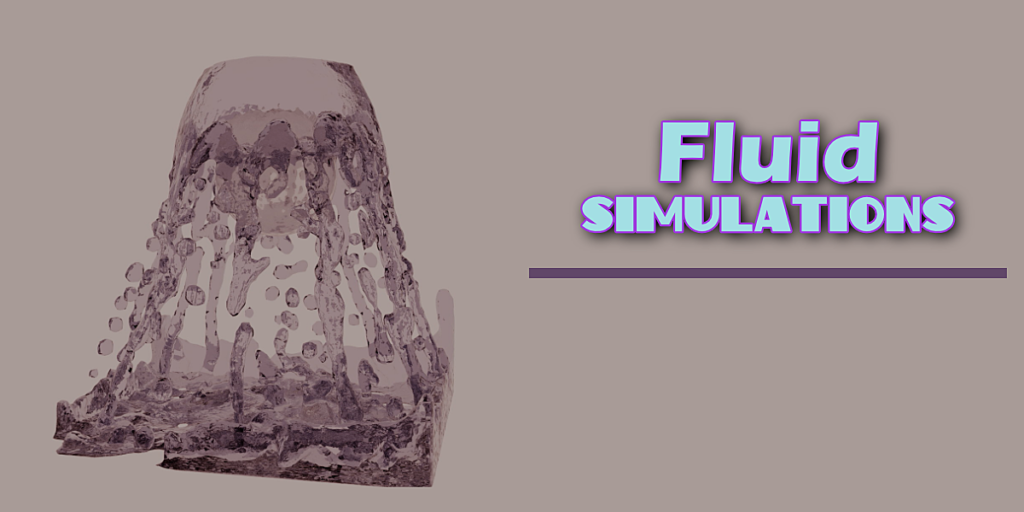
Physics Gen is the answer to making physics simulations faster and easier. With infinite simulation possibilities, it can be difficult to know all that is possible. Physics Gen sets random values you must change each and every time to make unique and interesting simulations with one button press!
Easy to Use
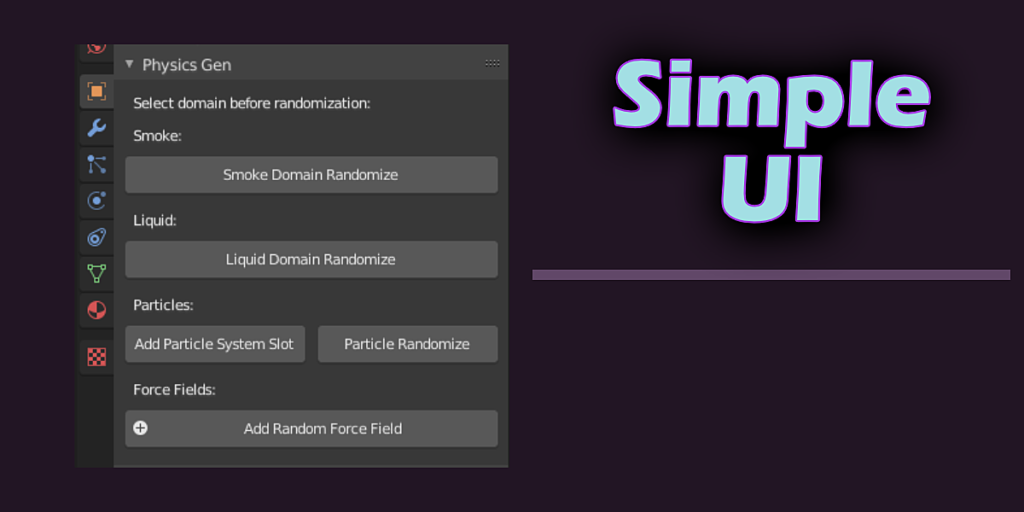
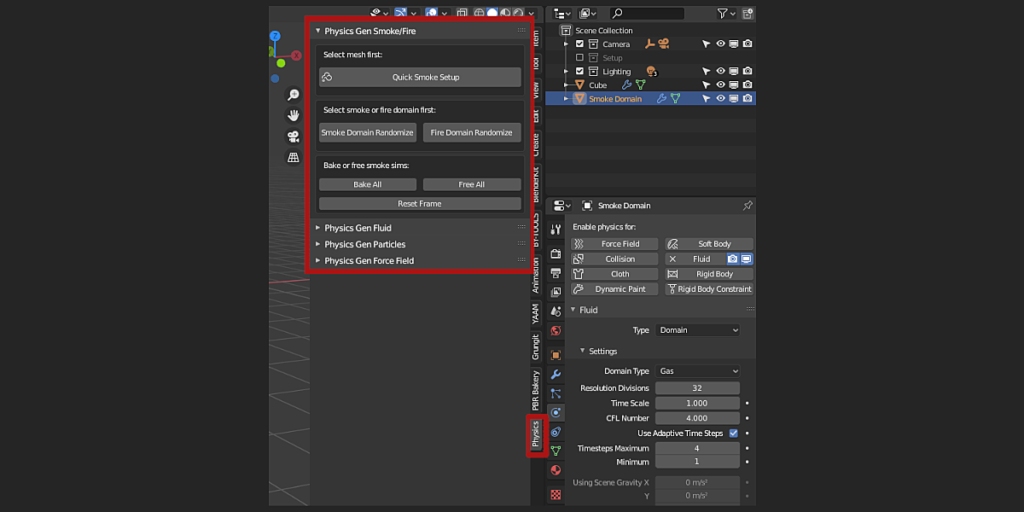
Anyone can create their own complex simulations instantly with a simple interface. Find it under the ‘N’ tab to the right > Physics.

- Select any object
- Add a quick simulation or set up your own
- Make sure the domain is selected for smoke or fluid sims
- Find the Physics Gen panel in the object properties
- Use Physics Gen as much as you like!
For Experienced Blender Users as Well!
Physics Gen is not just for beginners!
- Speed up your simulation workflow
- Use randomization as a base for creating your custom simulations
- Tweak any property or parameter to your liking
Included features:
- Smoke and Fire Domain Randomization
- Fluid Domain Randomization
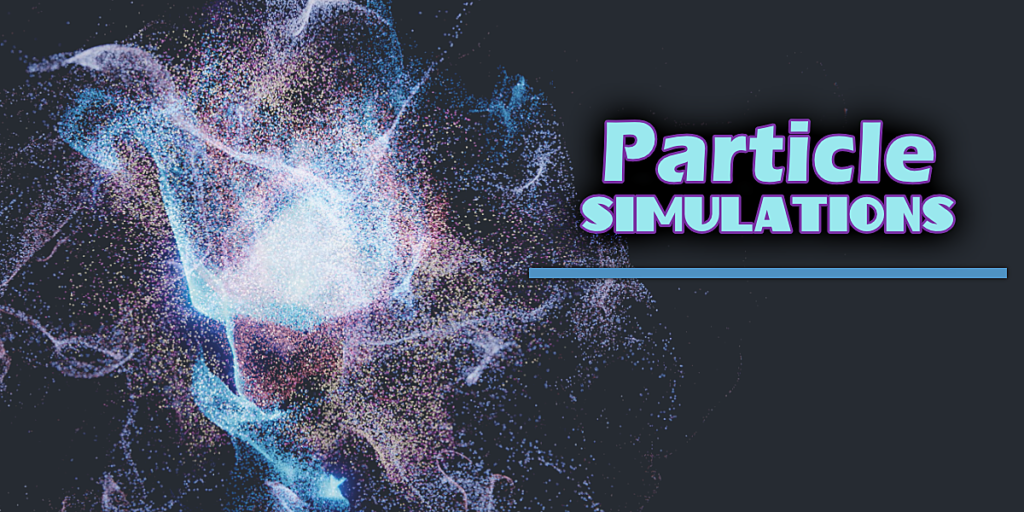
- Particle Settings Randomization
- Add Random Force Fields

- v1.5.0 – September 7, 2024 – Updated for Blender 4.2, fixed warnings from panel UI, fixed id issue in manifest file
- v1.4.1 – August 2, 2021 – New particle rendering panel, bug fixes
- v1.3.4 – July 14, 2021 – More error handling
- v1.3.3 – February 12, 2021 – Error and UI fixes
- v1.3.2 – January 9, 2021 – more settings in the fluid domain panel
- v1.3.1 – January 4, 2021 – Bug fixes, additional tips to avoid common problems, and labels for better user experience
- v1.3.0 – January 1, 2021 – Several bug fixes and new features
- v1.2.3 – September 8, 2020 – Fixed compatibility issues with Blender 2.9.X
- v1.2.2 – August 10, 2020 – Many small fixes and some extra settings features added, force fields are now named, smoke dissolve, and collision with domain toggle
- v1.2 – Jul 23, 2020 – Massive UI overhaul, quick setups, a separate button for randomizing force fields, extra settings, bug fixes
- v1.1 – Jul 14, 2020 – Force field randomization button, bake all and free all fluid sim from the panel, reset frame to 1, extra fixes
- v1.0 – July 10, 2020
Supercharge your 3D creation workflow with premium selection of Blender Add-ons. Whether you are modeling intricate characters, sculpting realistic environments, or animating cinematic sequences, the right add-on can transform how you work inside Blender. Our curated collection includes powerful tools for UV unwrapping, procedural texture generation, rigging automation, rendering optimization, and more—each rigorously tested for compatibility with the latest Blender versions. Eliminate tedious manual processes and unlock advanced functionality that lets you focus on what matters most: bringing your creative vision to life. Explore our full range of professional Blender plugins today and take your 3D projects to the next level.
➡️ ➡️ For more Blender Plugins 😀 😀
Reviews
There are no reviews yet.