
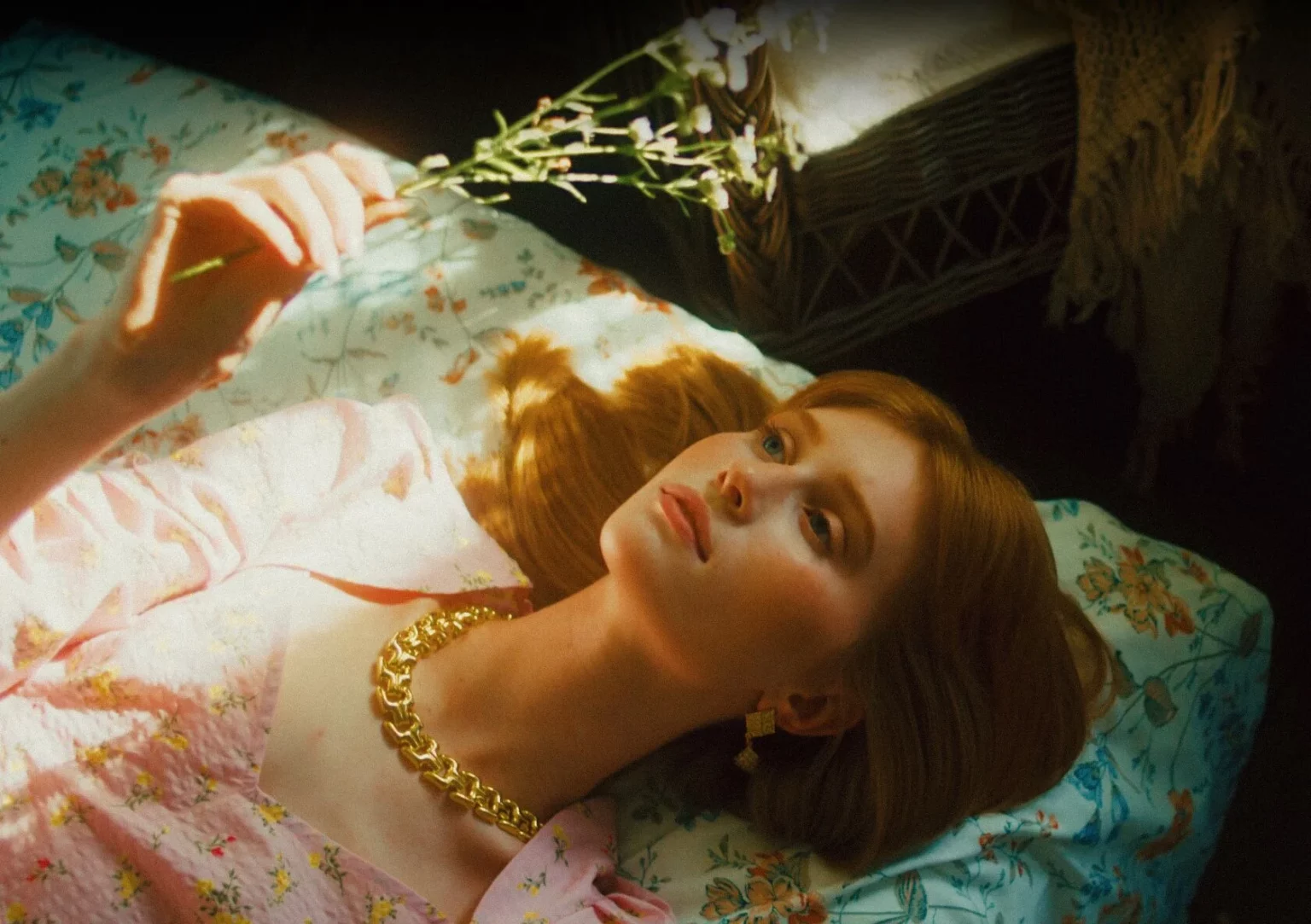
Pixflow Colorify CL ARRI
Pixflow Colorify CL ARRI for Premiere Pro – The Ultimate ARRI Color Science & Cinema Grading Toolkit
Download Pixflow Colorify CL ARRI for Adobe Premiere Pro, a premium, professional-grade color grading suite meticulously engineered to unlock the legendary color science of ARRI cinema cameras directly within your NLE. ARRI (specifically the Alexa and Amira lines) is the gold standard in Hollywood for its unparalleled highlight roll-off, rich color depth, and flawless skin tone reproduction. Pixflow Colorify CL ARRI bridges the gap between high-end digital cinema and your Premiere Pro timeline, providing mathematically accurate LogC conversions, cinematic film emulations, and advanced color manipulation tools designed specifically to maximize the dynamic range and color fidelity of ARRI footage.
Key Features of Pixflow Colorify CL ARRI:
- Mathematically Accurate LogC to Rec.709 Conversion: The foundation of the pack. Includes official-grade, pixel-perfect conversion LUTs that correctly transform ARRI LogC3 and Wide Gamut footage into standard Rec.709, preserving the exact highlight roll-off and shadow density ARRI is famous for.
- Cinema Color Science Emulation: Go beyond basic correction. This pack includes specialized “Colorify” presets that mimic the organic, film-like response of ARRI sensors, eliminating the harsh, digital “video look” and replacing it with a creamy, cinematic texture.
- Flawless Skin Tone Protection: ARRI cameras are renowned for their skin tone rendering. Colorify CL ARRI includes dedicated isolation masks and HSL secondary presets designed to protect, enhance, and perfect skin tones without affecting the rest of the image.
- Advanced Highlight & Shadow Recovery: Custom-built Lumetri presets that gently compress harsh digital highlights and lift crushed shadows, mimicking the massive dynamic range of a physical ARRI sensor.
- Film Print Emulation (FPE) Integration: Combine the digital perfection of ARRI with the organic imperfections of analog film. Includes LUTs that simulate how ARRI footage would look when printed on Kodak 2383 or Fuji 3513 film stocks.
- Intuitive “Colorify” Preset Workflow: Instead of navigating complex node trees, Pixflow provides highly organized
.prfpset(Premiere Pro Preset) files. Apply complex, multi-layered color grades with a single click, then use the Lumetri panel to fine-tune the intensity. - Wide Gamut & HDR Ready: Fully supports ARRI’s Wide Gamut color space, ensuring that your vibrant colors are preserved even when grading for HDR10, Dolby Vision, or DCI-P3 theatrical delivery.
- Non-Destructive Adjustment Layer Optimization: All presets and LUTs are designed to be applied to Adjustment Layers, allowing you to grade entire scenes consistently and toggle effects on/off without altering your original camera files.
Perfect For:
- Professional Colorists & DPs who need a reliable, fast starting point for grading ARRI footage in Premiere Pro without round-tripping to DaVinci Resolve.
- Indie Filmmakers & Directors shooting on ARRI Alexa Mini or Amira who want to ensure their footage retains its high-end, cinematic look throughout the post-production pipeline.
- High-End Commercial & Music Video Editors delivering broadcast-quality, visually stunning spots that require flawless skin tones and rich, cinematic color palettes.
- Luxury Wedding & Event Videographers using cinema cameras to provide clients with a premium, film-like aesthetic that justifies high-end pricing.
- Post-Production Facilities looking to standardize their ARRI grading workflow across multiple editors using Premiere Pro.
- Filmmakers transitioning from DaVinci Resolve to Premiere Pro who miss the specific “ARRI look” and need a toolkit to replicate it natively.
System Requirements:
- Software: Adobe Premiere Pro CC 2020 or newer (Required for full Lumetri Color panel, Adjustment Layer, and .prfpset compatibility).
- OS: Windows 10/11 (64-bit) or macOS 10.15+.
- Hardware: Apple Silicon (M1/M2/M3/M4) or Intel Core i7+ with a dedicated Metal/CUDA/OpenCL-capable GPU (Crucial for smooth Lumetri rendering and 4K/6K ARRI footage playback).
- RAM: 16GB minimum (32GB+ highly recommended for handling large ARRI ProRes 4444 or ARRIRAW files).
- Storage: Approximately 500MB – 1.5GB for the uncompressed LUTs and preset libraries.
Installation / How to Use:
- Download and extract the Pixflow Colorify CL ARRI
.ziparchive to a permanent location on your hard drive. - Install LUTs (.cube): Copy the
.cubefiles to Premiere Pro’s LUT directory:- Windows:
C:\Program Files\Adobe\Adobe Premiere Pro [Version]\Lumetri\LUTs\Creative(andInputfolders). - macOS:
/Applications/Adobe Premiere Pro [Version]/Lumetri/LUTs/Creative(andInputfolders). - Alternatively, use the “Browse” button in the Lumetri panel to load them directly.
- Windows:
- Install Presets (.prfpset): Open Premiere Pro, go to the Effects panel, click the hamburger menu (top right), select Import Presets, and navigate to the extracted
.prfpsetfiles. - The Colorify Workflow:
- Create an Adjustment Layer (
File > New > Adjustment Layer) and place it above your ARRI clip. - Apply the “ARRI LogC to Rec709” conversion preset or LUT first to normalize the image.
- Apply a Colorify Creative Grade preset (e.g., “Teal & Orange Cinema,” “Moody Film Emulation”) on a second Adjustment Layer above the conversion.
- Create an Adjustment Layer (
- Fine-Tuning: Open the Lumetri Color panel. Use the Intensity slider to blend the creative LUT, and use the Color Wheels (Lift, Gamma, Gain) to tweak the look.
- Pro-Tip for Skin Tones: Use the HSL Secondary tab in Lumetri to sample the subject’s skin. Slightly increase the Saturation and adjust the Hue to ensure the famous ARRI skin tones are popping beautifully.
What’s Included in the Pack?
- The ARRI Conversion Suite: 10+ mathematically precise LogC3 and Wide Gamut to Rec.709 conversion LUTs.
- The Colorify Creative LUTs: 40+ cinematic color grades tailored specifically to complement ARRI’s color science (including Film Print Emulations, Blockbuster Looks, and Moody Dramas).
- The Premiere Pro Presets (.prfpset): 25+ one-click Lumetri presets that combine conversions, contrast curves, and color grades for rapid grading.
- Skin Tone Isolation Tools: Custom Lumetri presets and masks designed specifically to target and enhance human skin tones in ARRI footage.
- HDR & Wide Gamut Utilities: LUTs for converting ARRI Wide Gamut to DCI-P3 and Rec.2020 for high-end delivery.
- PDF Master Guide: A comprehensive manual explaining ARRI color science, LogC workflows, and how to get the most out of the Colorify presets in Premiere Pro.
Note:
Pixflow Colorify CL ARRI is built on a fundamental truth of modern filmmaking: the camera you shoot with dictates the ceiling of your final image. ARRI cameras capture some of the most beautiful, nuanced digital images in the world, but that potential is easily lost if graded with generic, off-the-shelf LUTs. This toolkit is not just a collection of filters; it is a dedicated color science bridge. It understands the specific mathematical curve of ARRI’s LogC and the unique way the sensor handles highlight roll-off. By using Pixflow Colorify CL ARRI, you ensure that the thousands of dollars you spent renting or buying an ARRI camera aren’t wasted in post-production. You get to keep the “ARRI look”—the creamy skin tones, the smooth highlights, and the organic texture—right inside the speed and efficiency of Premiere Pro.
Highly detailed LUT elements
that go up to 8K!
Preserve every color detail in your footage
Professionally created LUT elements with the highest level of detail and quality on any editing and coloring software.
Wide variety of
coloring LUTs
With CL-ARRI, variety and versatility is the name of the game. Every LUT cube file is made to fully take advantage of the quality of ARRI camera footage and versatility of MXF/ARRIRAW files.
Transform your video editing workflow with our professional Premiere Pro assets, designed to deliver cinematic quality in record time. Whether you are a seasoned filmmaker, a YouTube content creator, or a social media marketer, our premium collection of transitions, color grading LUTs, motion graphics templates, and sound effects will instantly elevate your productions. Say goodbye to tedious key framing and complex adjustments—our drag-and-drop assets are fully optimized for Adobe Premiere Pro, ensuring seamless integration and lightning-fast rendering. From sleek lower thirds and dynamic glitch effects to moody cinematic color presets, every asset is crafted to help you tell compelling visual stories that captivate your audience. Save hours of post-production work while maintaining a polished, professional finish that rivals high-budget studios. Join thousands of satisfied video editors who have already streamlined their creative process and unlocked new levels of efficiency. Download our Premiere Pro bundles today and start turning your raw footage into stunning masterpieces that stand out on any screen.
Reviews
There are no reviews yet.