
Place Helper for Blender
Place Helper v1.3.8 for Blender
The Ultimate Object Placement and Alignment Tool
Download the Place Helper v1.3.8 addon today. Therefore, you can place, align, and distribute objects with precision and speed instantly. Because professional 3D scene layout requires efficient placement and alignment tools, you need proper solutions. However, manually positioning objects and aligning them accurately takes many frustrating hours. Consequently, this powerful addon solves that problem completely. Furthermore, it provides intelligent placement and alignment assistance for your workflow. Thus, you can arrange complex scenes with perfect precision in seconds.
Fast Object Placement and Alignment
First, the core of this addon is placement efficiency. Specifically, it allows you to place objects on surfaces, align them to other objects, and distribute them in patterns instantly. Furthermore, you can snap objects to vertices, edges, faces, and the 3D cursor easily. Additionally, the tool supports various placement modes including radial, grid, and random distribution seamlessly. Thus, you can create everything from organized arrays to natural scatterings quickly. Moreover, you can customize every placement parameter perfectly. Consequently, your scene layouts will maintain professional precision and visual harmony.
Advanced Alignment and Distribution Features
Ultimately, complex scene layouts require sophisticated placement tools. Therefore, this addon includes advanced alignment and distribution features. Specifically, you get multi-object alignment, uniform distribution, and spacing controls. Furthermore, the algorithms preserve object transforms and parent-child relationships perfectly. Additionally, the tools support axis constraints, relative offsets, and rotation alignment seamlessly. Consequently, your object placement will remain perfectly organized. Thus, the workflow reacts beautifully to your creative input.
Real-Time Preview and Interactive Feedback
However, precise placement can be challenging without proper visual guidance. Therefore, the addon includes real-time preview and interactive feedback tools. Specifically, it displays placement indicators, alignment guides, and distribution previews instantly. Consequently, you can see exactly where objects will be placed before confirming. Meanwhile, your viewport performance remains completely stable. Ultimately, this ensures a smooth and accurate placement experience.
Perfect for Environment Artists and Scene Layout Specialists
Additionally, this addon is ideal for environment artists and set designers. Furthermore, it suits architectural visualizers and product photographers perfectly. Moreover, anyone arranging objects in 3D scenes will love the intelligent placement assistance. Ultimately, it accelerates your entire scene layout and composition pipeline.
System Requirements and Formats
Specifically, the addon requires Blender 3.6 or newer. Furthermore, it supports all object types including meshes, curves, empties, and lights. Additionally, you get regular free updates from the developer. Therefore, it works across all major operating systems. Moreover, you will need a standard workstation. Thus, 8GB of RAM is highly recommended. Consequently, a modern GPU ensures smooth viewport previews.
Installation and Usage Guide
First, download the zip file from your library. Next, open Blender and go to Edit Preferences. Then, select Add-ons and click Install. After that, enable the Place Helper addon. Finally, select your objects, open the Place Helper panel, choose your placement or alignment mode, adjust your parameters, and apply. Thus, your perfectly placed scene will be ready instantly.
What is Included Inside?
Specifically, the pack contains multiple placement and alignment tools. Furthermore, it includes distribution patterns, snapping options, and placement presets. Additionally, you get several pre-built placement setups for common scene types. Moreover, there are detailed video tutorial guides. Ultimately, you receive everything for professional object placement.
Final Thoughts on the Addon
Ultimately, precise object placement evokes profound creative freedom. Therefore, this addon provides the ultimate scene layout foundation. Furthermore, you can build detailed environments with perfect object arrangements. Alternatively, you can create organized product displays and architectural scenes instantly. Consequently, your placement vision becomes a stunning reality.
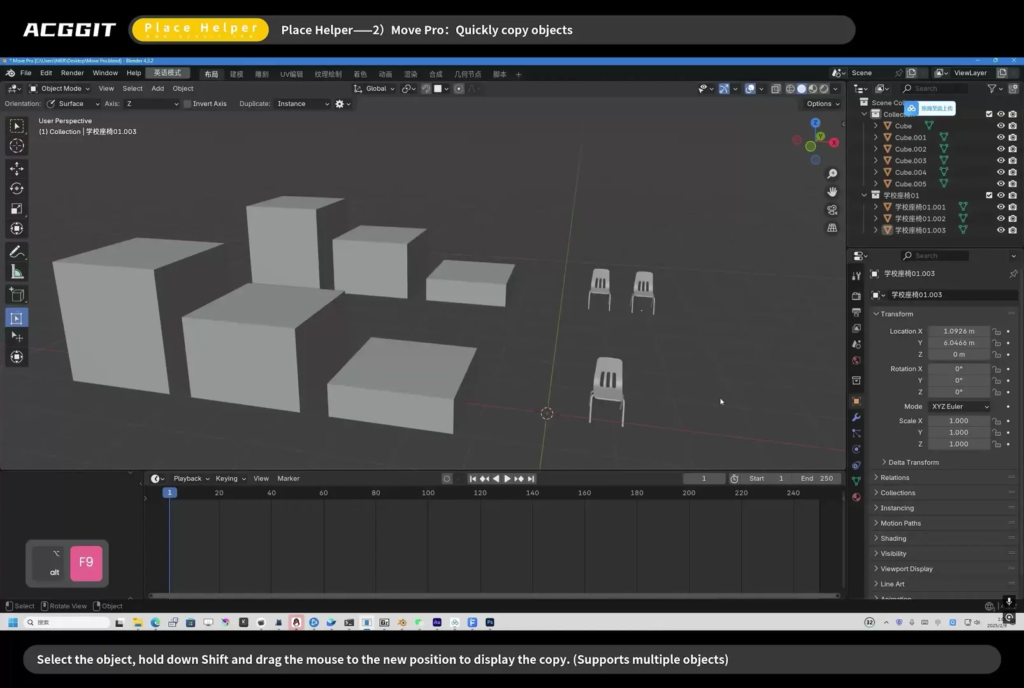
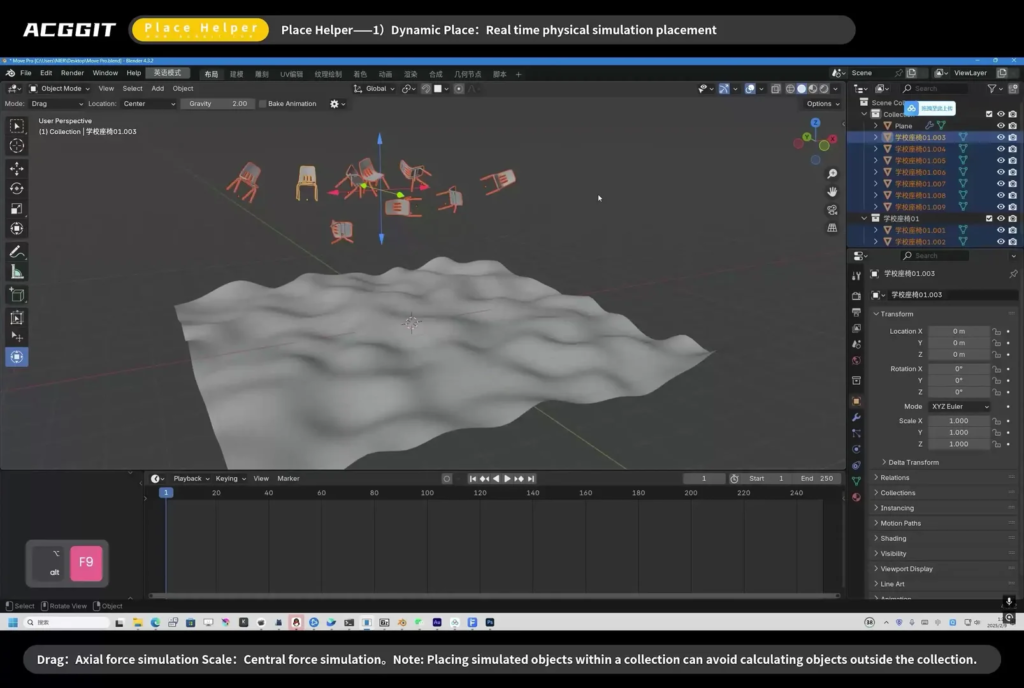
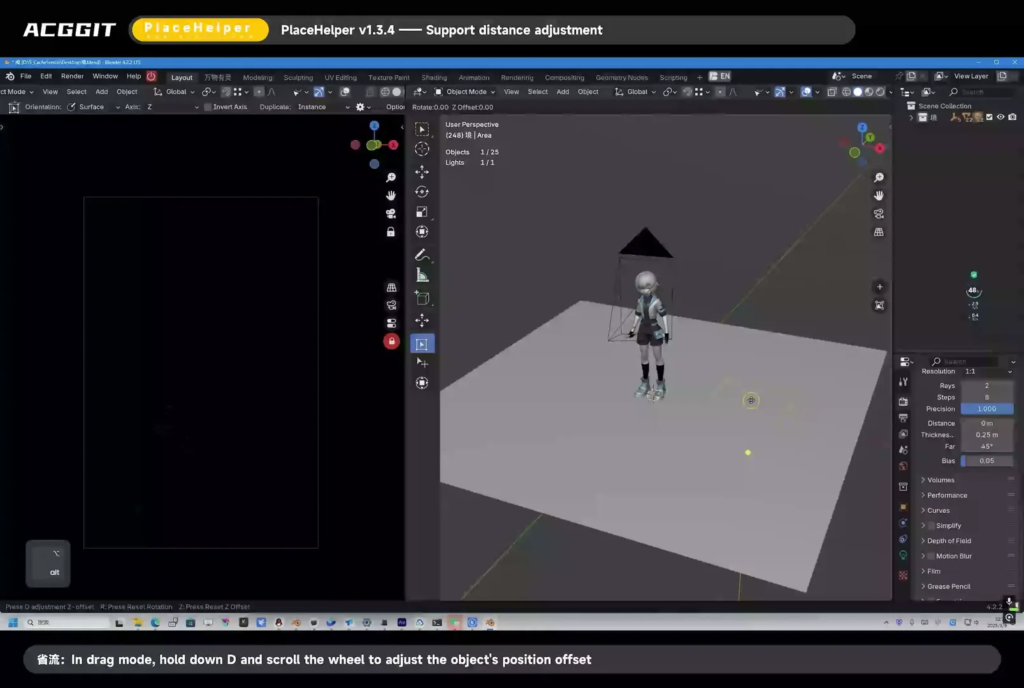
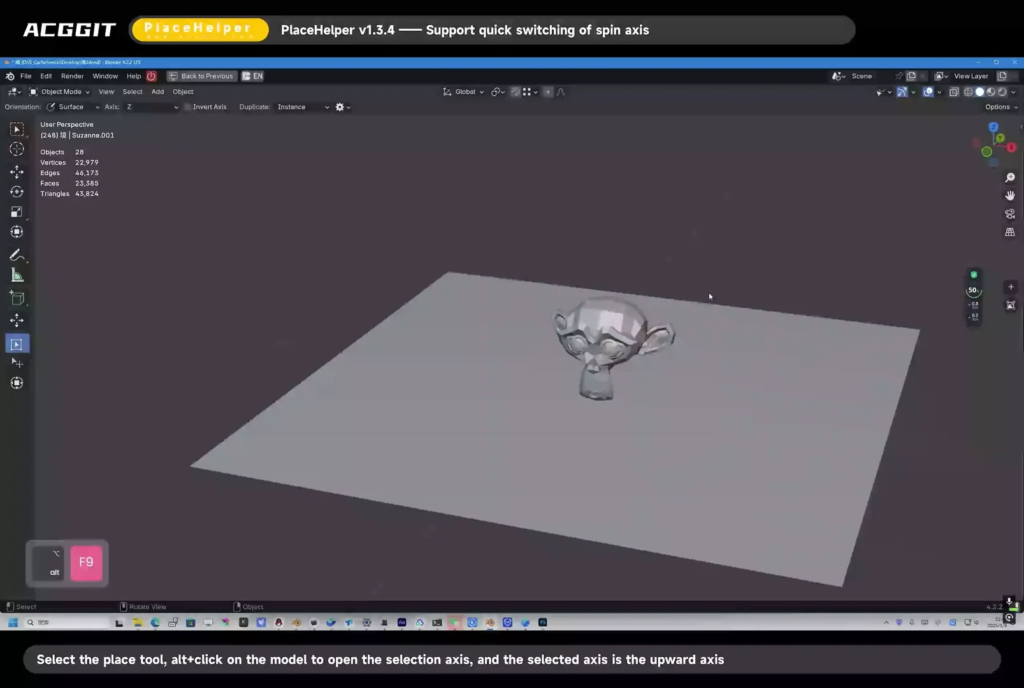
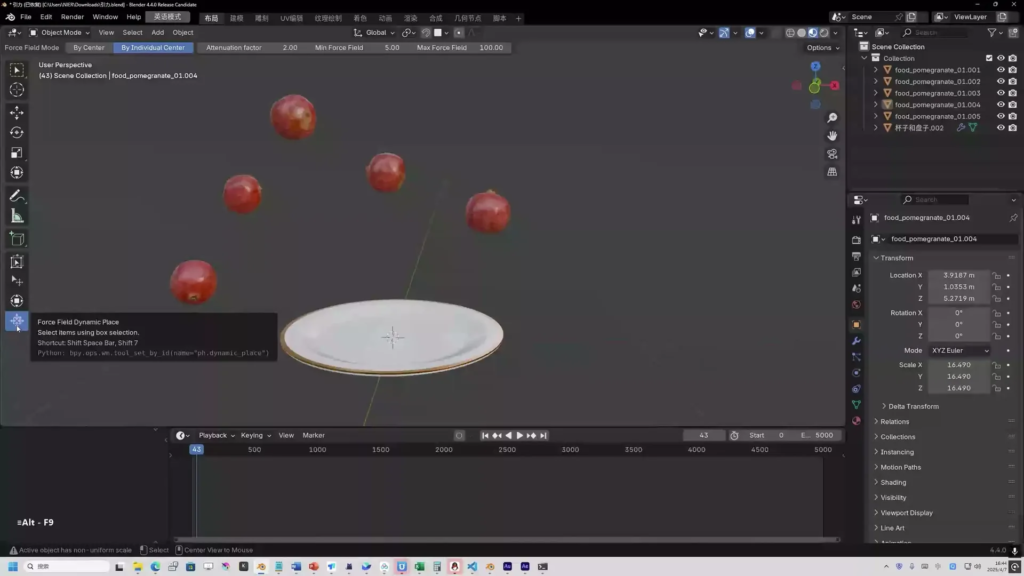
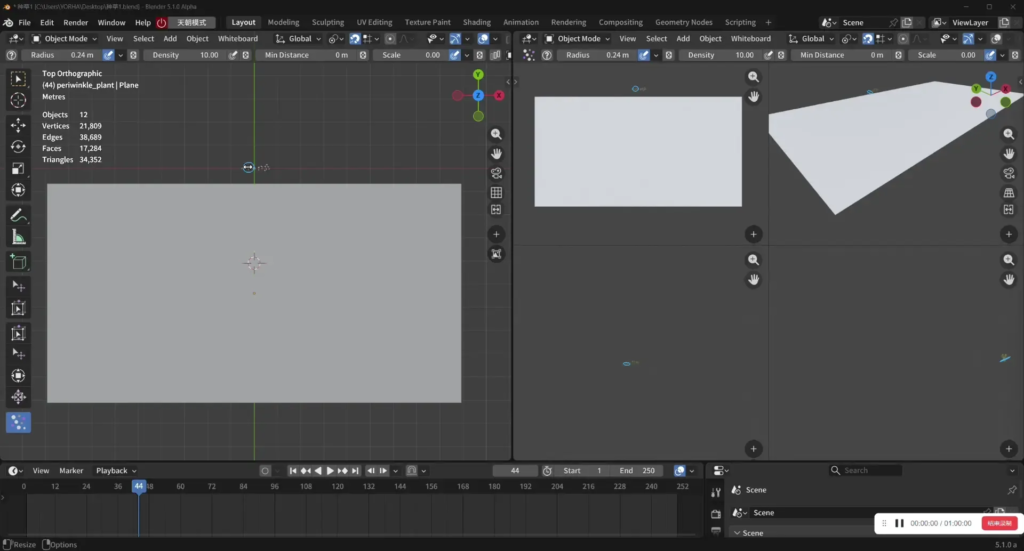
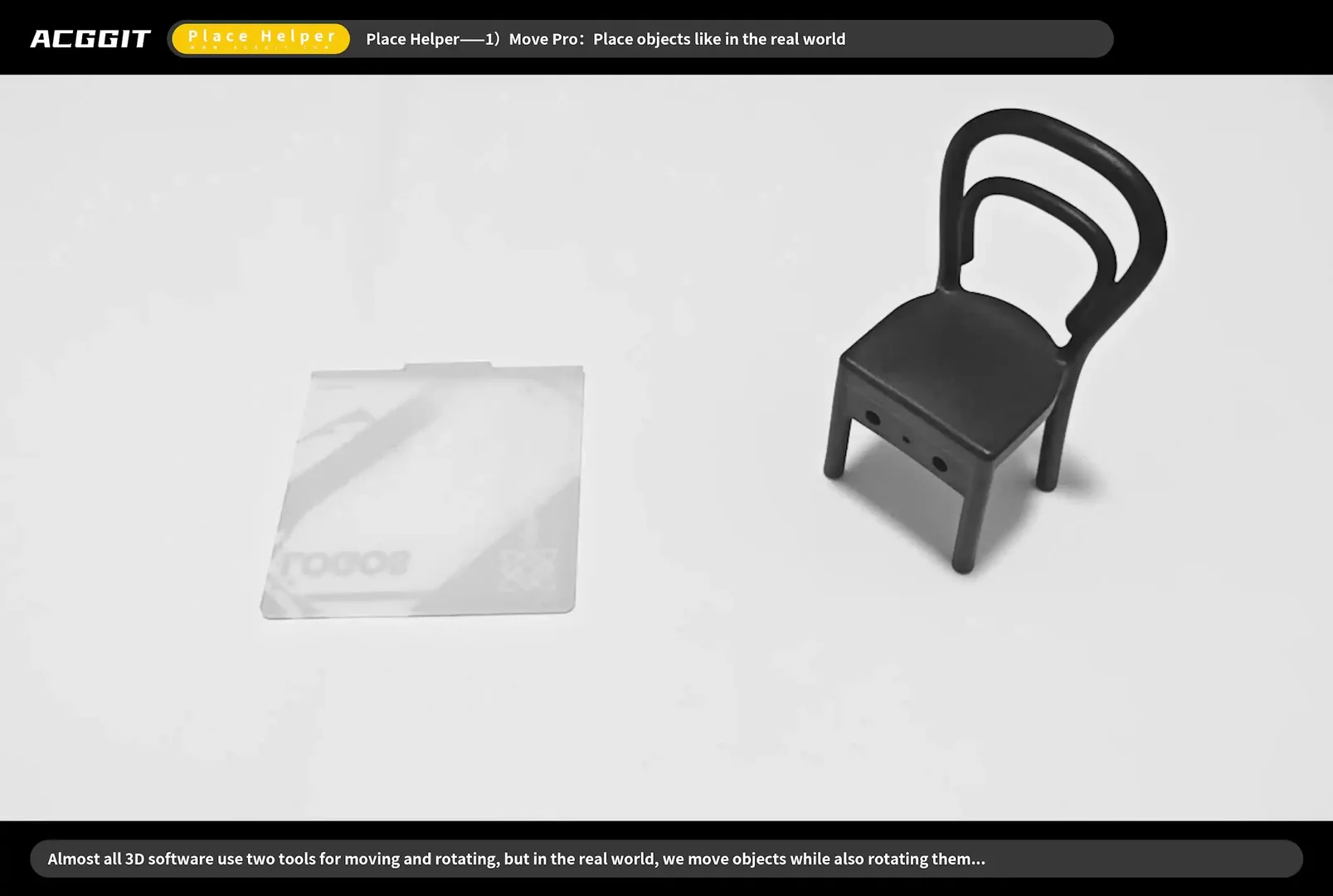
Place Helper is a Blender extension that adds four specialized workspace tools — Place, Transform Pro, NEW Scatter, and Dynamic Place — designed to speed up everyday object layout, environment building, and scene dressing workflows.
🧲 Place Tool
The Place Tool lets you pick up selected objects and drop them onto any surface as if placing assets from a library — with snapping, orientation control, and optional collision feedback.
Core workflow
- Click — select an object
- Drag — move the selection along the surface; the object aligns to the hit normal (when Orientation is set to Surface)
- Shift + Drag — duplicate (Instance or full Object copy) while placing
- Alt + Click — enter axis-setting mode; click a gizmo arrow to define which local axis points “up” for placement
NEWAlt + Drag — box-select objects (even when something is already selected)- Drag + Mouse Wheel — spin the object around the placement axis while dragging
- Drag + Ctrl + Alt + Wheel — snap spin in 90° steps
Toolbar options
| Option | Description |
|---|---|
| Orientation | Default keeps the object’s rotation; Surface aligns it to the face normal |
| Axis / Invert Axis | Which axis is treated as “up” when aligning to a surface (scene-wide) |
NEW Use Object Up Axis | When enabled, each object remembers its own up axis and invert setting — set per object via Alt + click |
| Duplicate | Choose Instance (linked) or Object (full copy) for Shift + drag |
NEW Limit to Ground | Prevents placed objects from moving below the world Z = 0 plane |
Gizmos
- Rotate and scale handles appear on the active mesh object
- Axis-setting arrows appear temporarily when configuring the up direction
Settings panel (gear icon)
- Bounding-box calculation mode (accurate vs. fast)
- Scene instance handling for geometry-nodes instances
- Collision stop when intersecting other objects
🔧 Transform Pro
Transform Pro is a viewport-centric alternative to Blender’s built-in Move tool. It prioritates NEW direct left-drag manipulation over always-visible gizmos, while still supporting duplication, edit-mode extrusion, and quick mode switching.
Object Mode
| Action | Result |
|---|---|
NEW Left-Drag on object | Move selection (view-plane translation) |
| Left-Drag on empty space | Box select |
| Shift + Drag on object | Duplicate then move (Instance / Object per toolbar) |
NEW Alt + Drag on object | Duplicate then move (same as Shift) |
NEW Double-Click object | Enter Edit Mode (auto-switches to Transform Pro Edit) |
NEW Esc | Exit to Box Select tool |
Toolbar options
| Option | Description |
|---|---|
| Duplicate | Instance or Object copy mode for Shift / Alt + drag |
| Gizmo Alpha Vary | Fade gizmo opacity when axes overlap on screen |
NEW Show Gizmo | When off (default), move by left-dragging objects; when on, show axis / plane move gizmos |
Edit Mode
| Action | Result |
|---|---|
| Drag gizmo | Move / rotate / scale (when gizmos are visible) |
| Shift + Drag gizmo | Extrude mesh along the gizmo axis |
NEW Double-Click empty space | Return to Object Mode |
| Clear Mesh button | Boolean-style mesh cleanup on selected faces |
🌿 Scatter Tool NEW
Entire tool is new in 2.0.
The Scatter Tool paints object instances across surfaces with a brush, similar to a sculpting or painting workflow. It replaces fixed “count” placement with density (instances per square unit of brush area), so large minimum-distance values no longer starve the result.
Core workflow
| Action | Result |
|---|---|
| Drag on surface | Paint scattered instances inside the brush ring |
| Ctrl + Drag | Erase instances within the brush |
| Drag on empty space | Box-select source objects to scatter |
| Alt + Wheel (hover) / Wheel (while painting) / [ / ] | Adjust brush radius |
| Esc | Finish brush session and switch to Box Select |
Supported source types Meshes, curves, empties, lights, and linked instances.
Brush parameters (toolbar)
| Feature | What you get |
|---|---|
NEW Radius | Brush size; supports pressure (tablet) and random min/max via popover |
| Density | Target instances per unit area; supports pressure and random range |
| Min Distance | Minimum spacing between instances (0 = off); optional random spacing range |
| Scale | Base scale; supports pressure and random min/max |
| Stacking | Allow scattering on top of already scattered objects |
| Sources (icon) | Per-object scatter weight / probability; randomize weights button |
| Apply (✓) | Bake scattered objects into the scene (excluded from Clear) |
| Clear (🗑) | Remove all non-applied scattered instances |
Settings panel (gear icon)
- Transform: random height, align to normal, random rotation / tilt
- Filter: limit to surface, slope limit, world-Z height range
- Density mask: image texture via UV to control local density
- Duplicate mode: Instance or Object
Advanced behavior
- Limit to Surface — samples outside the actual mesh are skipped, so an oversized brush won’t scatter beyond the plane edge
- Avoid Overlap — keeps instances apart based on bounding-box size
- Live pressure readout shown at the brush when pressure modes are active
⚡ Dynamic Place
Two physics-inspired tools for quick “drop and settle” or force-field previews without setting up a full rigid-body scene.
Gravity Dynamic Place
- Drag the gizmo to release objects with gravity
- Configure gravity strength, collision shapes (convex hull, sphere, box, mesh…), margins, and optional animation baking
- Modes: Drag (gravity fall) and location pivot (Center / Cursor)
Force Field Dynamic Place
- Drag mode — translate with simulated force
- Scale mode — push/pull via force-field scaling
- Adjustable strength, collision settings, and passive/active shape types
Both tools use the shared Dynamic Place settings panel for collision and performance options.
💡 General Features
NEW Tool Help Overlay
- Shortcuts and gestures shown in the lower-left corner while a Place Helper tool is active
- Toggle via the ? button in each tool’s header
- English and Chinese (简体中文)
- Offset X / Y configurable in Add-on Preferences (default 60, 60)
NEW Keyboard & Navigation
- Esc on any Place Helper tool → switch to built-in Box Select
- Middle-mouse and numpad view navigation pass through normally in modal tools
Stability & Quality (2.0.x)
- Fixed undo crashes, stale references after scene reload, box-select / move conflicts, and surface overflow when scattering
- Operator naming and extension metadata compliant with Blender extension guidelines
- Cross-platform packaging (Windows / macOS / Linux)
Supercharge your 3D creation workflow with premium selection of Blender Add-ons. Whether you are modeling intricate characters, sculpting realistic environments, or animating cinematic sequences, the right add-on can transform how you work inside Blender. Our curated collection includes powerful tools for UV unwrapping, procedural texture generation, rigging automation, rendering optimization, and more—each rigorously tested for compatibility with the latest Blender versions. Eliminate tedious manual processes and unlock advanced functionality that lets you focus on what matters most: bringing your creative vision to life. Explore our full range of professional Blender plugins today and take your 3D projects to the next level.
➡️ ➡️ For more Blender Plugins 😀 😀
Reviews
There are no reviews yet.