
Polydamage for Blender
polydamage addon
Polydamage for Blender – Procedural Surface Damage & Wear Generator
Download Polydamage for Blender on Windows, Mac, and Linux, a powerful mesh damage add-on that procedurally adds realistic wear, tear, and surface damage to any 3D model. Create damaged edges, dents, scratches, bullet holes, and fragmentation effects with intuitive controls—perfect for post-apocalyptic scenes, battle damage, and weathered environments .
Key Features of Polydamage:
- Edge Damage: Procedural edge wear, chamfering, and bevel damage that follows mesh contours
- Surface Denting: Create dents, bumps, and surface deformation with adjustable depth and radius
- Scratches & Cuts: Generate realistic scratch patterns and cut marks on any surface
- Bullet Holes & Impact Marks: Add gunshot and impact damage with adjustable size and depth
- Fragment & Break: Procedurally separate mesh into fragments for broken and shattered effects
- Material Response: Automatic material adjustments for damaged areas—exposed edges, rust, and wear
- Damage Maps: Export damage as textures for use in other applications
- Non-Destructive: All damage is procedurally generated and fully adjustable
- Real-Time Preview: See damage updates instantly in the viewport
- Performance Optimized: Efficient geometry generation for complex damage patterns
Perfect For:
- Environment artists creating post-apocalyptic and battle-damaged scenes
- Game developers adding wear and damage to props and environments
- VFX artists creating destruction effects
- Hard-surface modelers adding realistic wear to mechanical designs
- Anyone needing procedural damage without manual modeling
System Requirements:
- Blender 3.6, 4.0, 4.1, 4.2, 4.3
- Windows 10/11 (64-bit), macOS, or Linux
- 4GB RAM minimum (8GB+ recommended)
- 30MB available disk space
Installation:
- Download the add-on zip file
- In Blender, go to Edit > Preferences > Add-ons
- Click “Install” and select the downloaded zip file
- Enable the add-on by checking the box next to “Polydamage”
Note: Polydamage brings professional procedural damage to Blender, making it easy to add realistic wear, tear, and battle damage to any model . The intuitive controls and real-time preview make it essential for environment artists, game developers, and VFX professionals . Designed for Blender 3.6 and above . Perfect for creating post-apocalyptic scenes, battle-damaged props, and weathered surfaces . Essential for any damage or wear workflow .
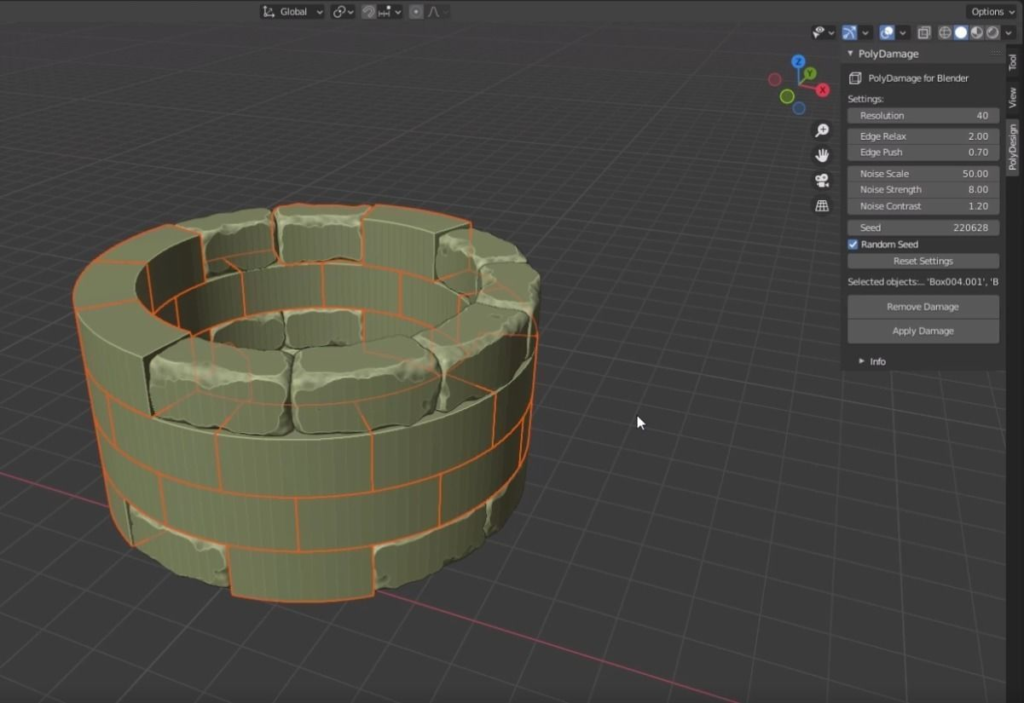
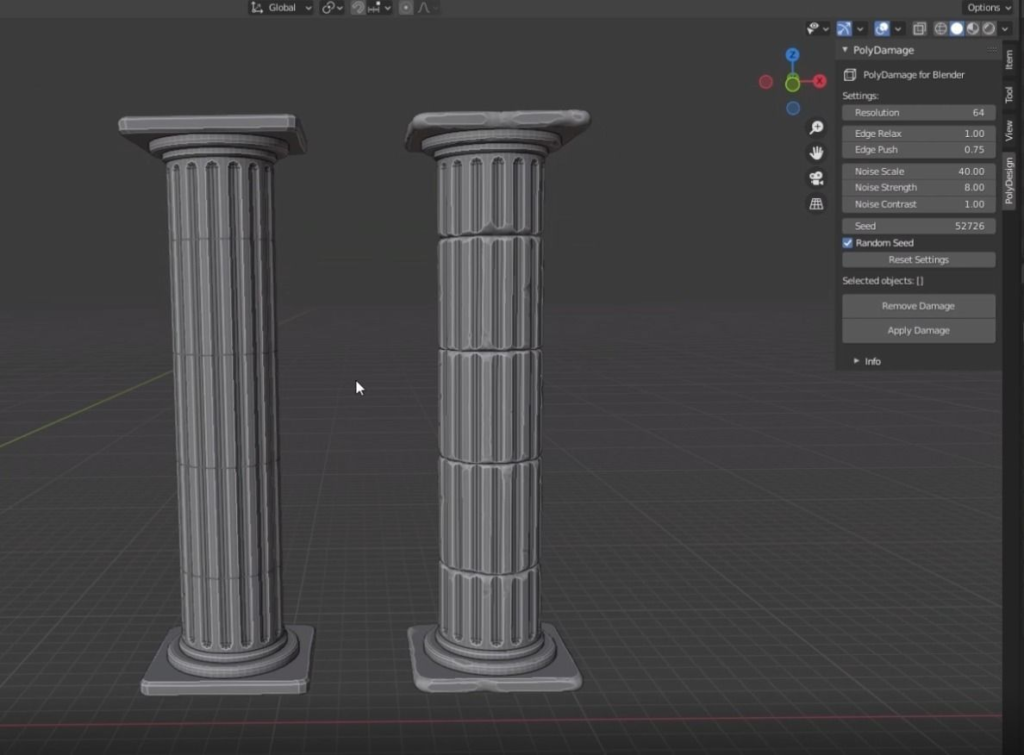
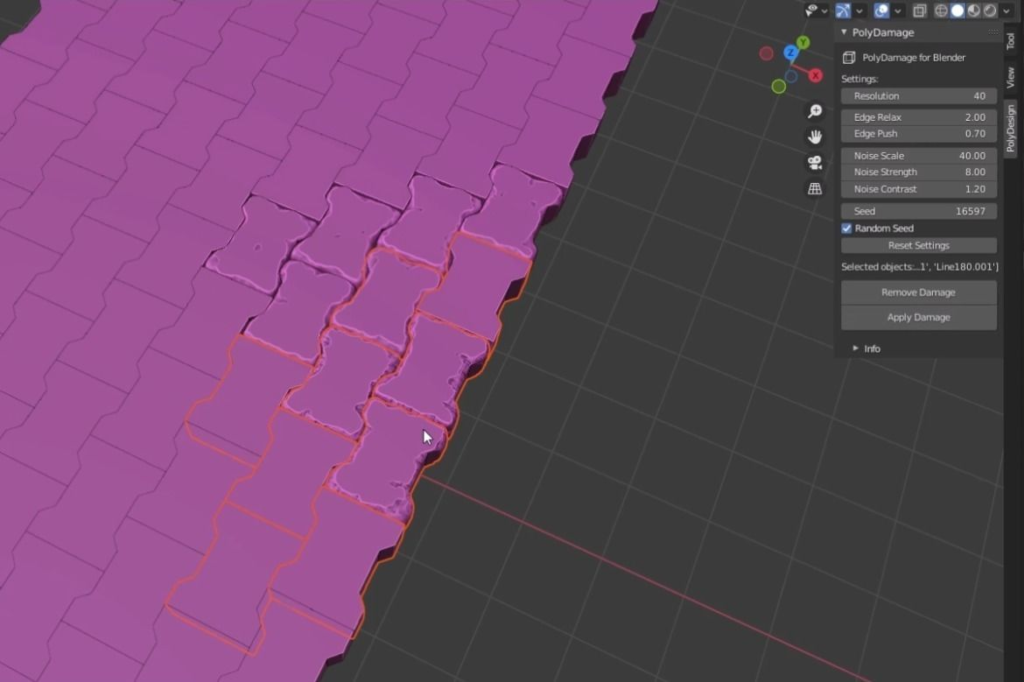
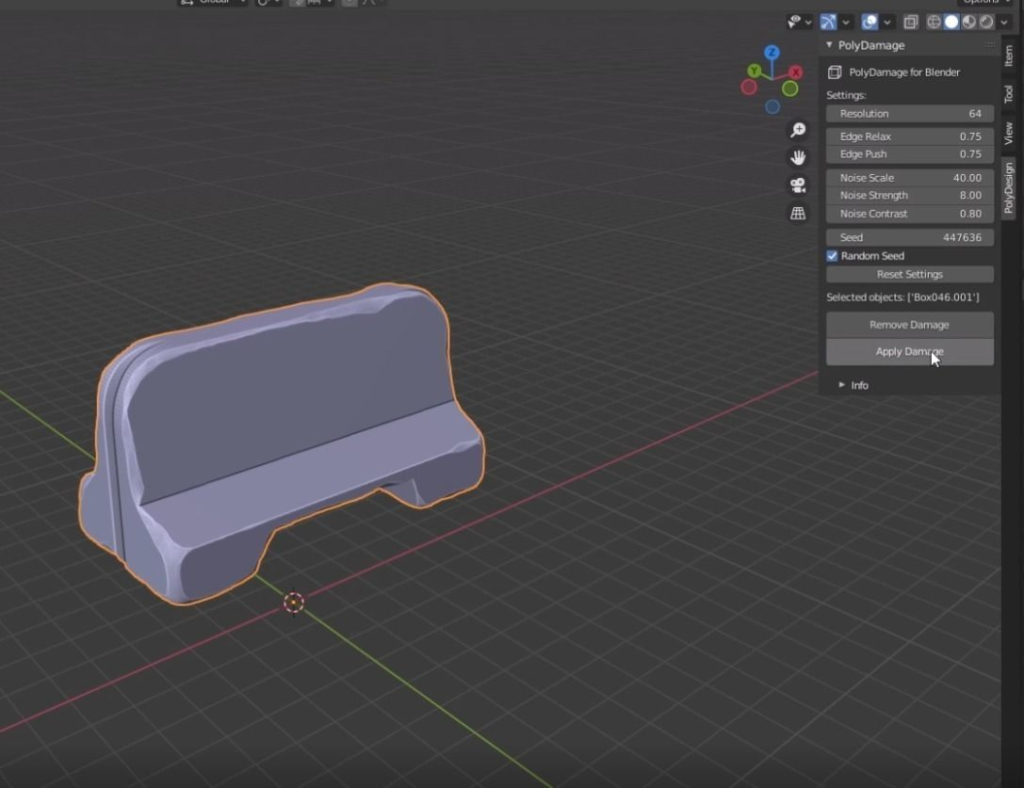
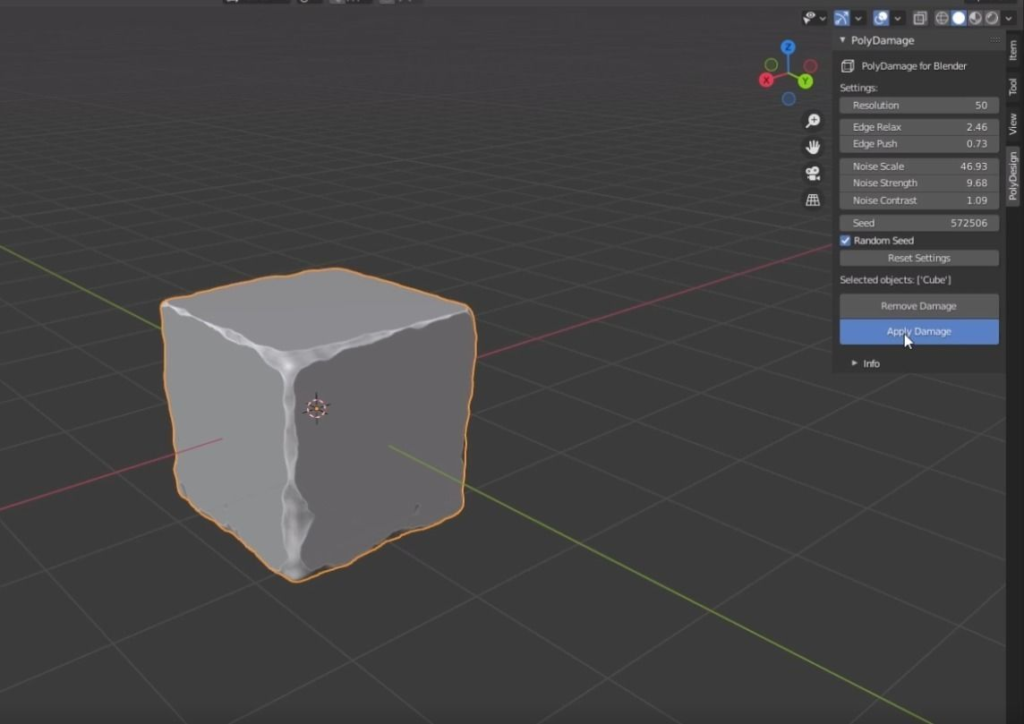
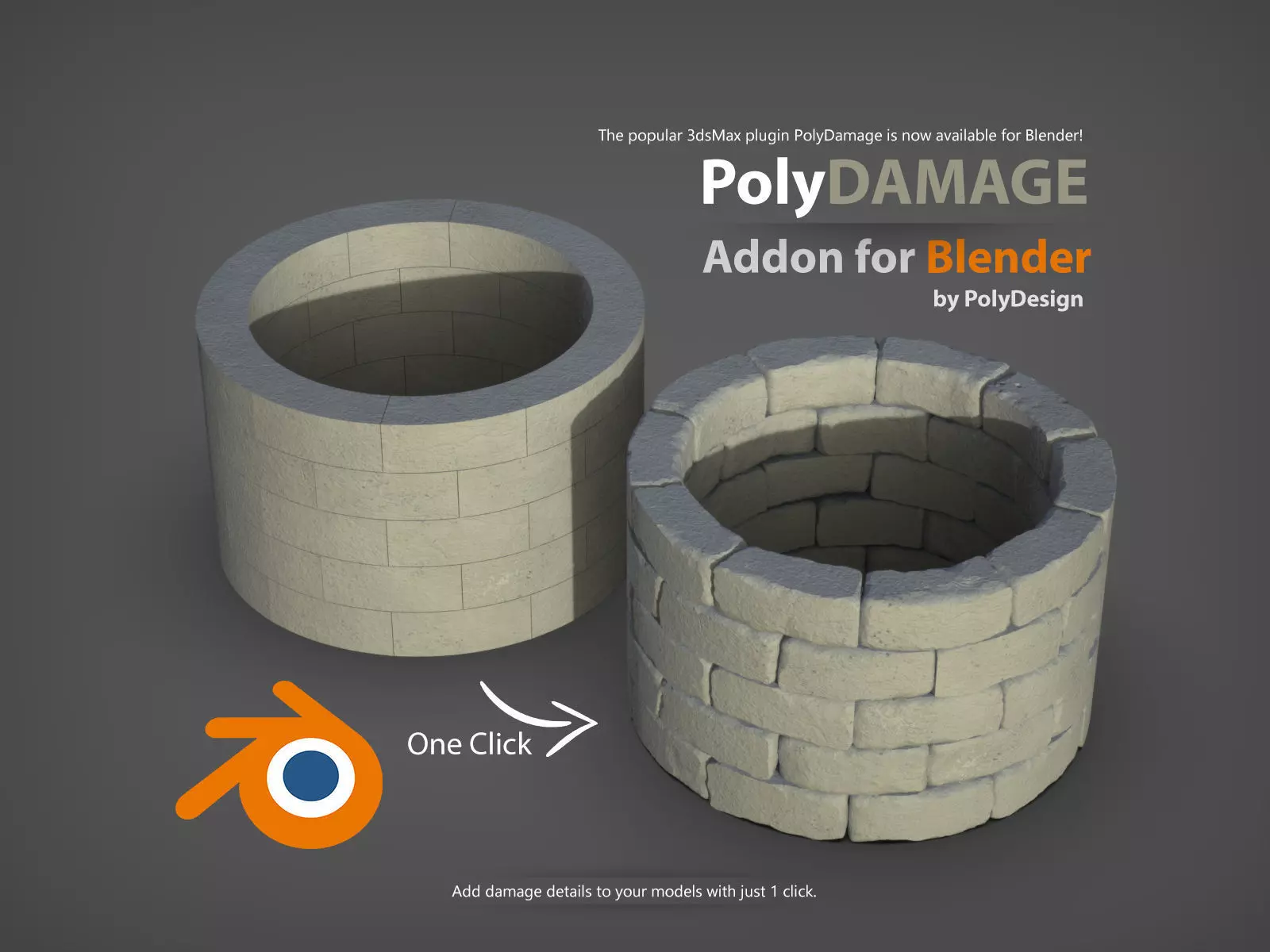
PolyDamage for Blender is the official Blender version of the original PolyDamage plugin for 3dsMax.
PolyDamage is a tool to quickly add damage and imperfections to models.
- Nothing is perfect in real life, so adding damage to your models make them look more realistic.
- PolyDamage is a quick alternative to manually sculpting damage with other software packages.
- PolyDamage adds an extra realism to concrete walls, grounds, stones, columns.
- PolyDamage quickly adds damage to corners and edges.
- Since it is procedural, you can make millions of damage variations of one single object.
- You can save the seed value of damage and next time you can get the same result with this seed value.
- You can adjust the parameters and adjust the depth of damage, or edge damage amount.
- Adjust the resolution slider to increase the level of detail in damaged areas.
- PolyDamage only works well on closed meshes, a simple solidify modifier before can do the job for certain cases.
- It works with Blender 2.91 and upper
Supercharge your 3D creation workflow with premium selection of Blender Add-ons. Whether you are modeling intricate characters, sculpting realistic environments, or animating cinematic sequences, the right add-on can transform how you work inside Blender. Our curated collection includes powerful tools for UV unwrapping, procedural texture generation, rigging automation, rendering optimization, and more—each rigorously tested for compatibility with the latest Blender versions. Eliminate tedious manual processes and unlock advanced functionality that lets you focus on what matters most: bringing your creative vision to life. Explore our full range of professional Blender plugins today and take your 3D projects to the next level.
➡️ ➡️ For more Blender Plugins 😀 😀
Reviews
There are no reviews yet.