
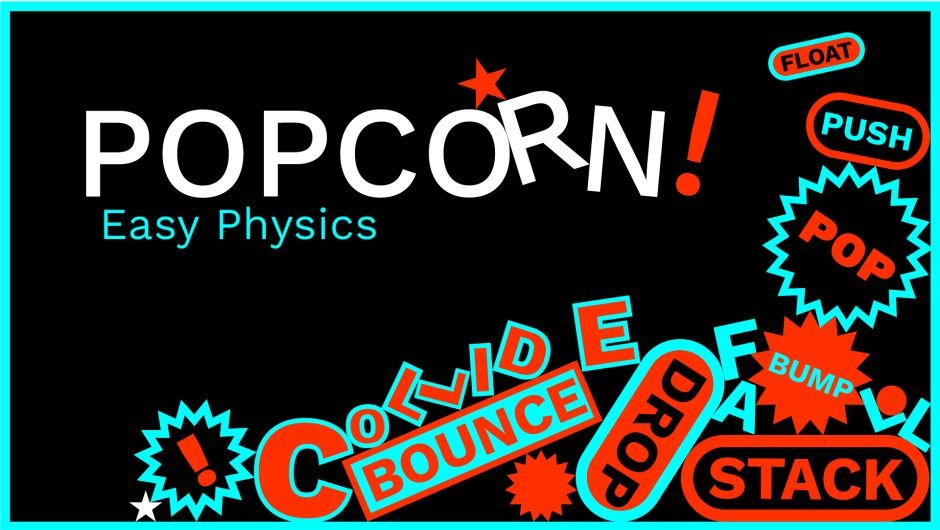
Popcorn for After Effects
Popcorn! v1.0.0 for After Effects
The Ultimate 2D Physics and Collision Animation Tool for After Effects
Download Popcorn! v1.0.0 today. Consequently, you can transform text, shapes, logos, images, and entire layers into dynamic physical objects that collide, stack, bounce, and float directly inside Adobe After Effects. Because motion designers constantly need to create lively, physics-driven animations for kinetic typography, logo reveals, and broadcast graphics, having access to a dedicated 2D physics engine is absolutely essential. Nevertheless, After Effects natively lacks any collision system, forcing animators to manually keyframe every bounce, stack, and interaction—a process that is tedious, imprecise, and often impossible for complex scenes. Fortunately, Popcorn! eliminates this bottleneck completely. Moreover, it provides a streamlined three-step workflow: select your layers, simulate the physics in real-time, and bake the results into fully editable After Effects keyframes. In short, you can achieve natural, chaotic motion with unprecedented speed and creative control.
Comprehensive Physics Simulation and Force Controls
The core of this extension lies in its robust simulation of real-world physical forces. For instance, you can apply gravity to make elements fall naturally, adjust surface friction to control how objects slide and settle, and tune bounce elasticity from soft collisions to energetic rebounds. Furthermore, the plugin includes wind forces that drive elements in a chosen direction, turbulence for organic floating and bubbling motion, and a repel force that pushes objects away from collision boundaries. Additionally, you can create animated collision walls using masks, allowing moving boundaries to push, contain, redirect, or release elements within your composition. Since every parameter is fully adjustable and previewable in real-time, you can dial in the exact physical behavior your scene demands. Consequently, your animations will exhibit the organic, believable motion that manual keyframing can never achieve.
Flexible Spawning and Entry Controls
Professional physics work often requires precise control over how elements enter the scene. Therefore, Popcorn! provides a comprehensive suite of spawning options. For example, the Compass Spawning feature launches elements in a specified direction, while Custom Position lets you define exact starting points for each object. Additionally, you can control the sequence of entry—whether elements appear one by one, in random order, or all at once—along with spread and interval settings for staggered timing. Furthermore, entry velocity and easing curves (Overshoot, Elastic, Linear) let you fine-tune the initial motion of each element, while Push and Pop settings control how elements interact with each other at the moment of spawning. Thus, you maintain complete authority over the choreography of your physics scene.
Editable Bake Output and Seamless Workflow Integration
Unlike many simulation tools that produce baked, uneditable results, Popcorn! preserves the flexibility of your original artwork. For instance, after simulating, you can bake the physics into native After Effects keyframes for position, rotation, scale, and opacity. The baked text and shape layers retain their original fonts, styles, colors, and paths, meaning you can continue editing them even after the simulation is complete. Additionally, the plugin includes a Sound Cue Layer feature that automatically generates markers on your timeline—green for pops, cyan for hits—making it effortless to sync sound effects to the physical interactions. A one-click Seed button also generates entirely new random arrangements without changing a single parameter, perfect for exploring creative variations quickly. Since everything operates within After Effects, you avoid the friction of external software and maintain complete control over your final output.
Perfect for Motion Designers, Broadcast Artists, and Content Creators
This extension is particularly well-suited for motion designers creating dynamic kinetic typography, where letters scatter, stack, and reassemble with physical realism. Similarly, broadcast artists and title designers will appreciate the ability to build energetic show opens and lower-thirds that feel alive and responsive. Additionally, content creators and social media producers can use Popcorn! to add engaging, physics-based motion to their videos with minimal effort, while logo and identity animators can create memorable brand moments where elements interact naturally. Ultimately, Popcorn! v1.0.0 accelerates your entire motion design and post-production pipeline.
System Requirements and Compatibility
Popcorn! v1.0.0 supports After Effects versions 2026, 2025, and 2024 on both Windows and macOS operating systems. The extension is available as a CEP panel for easy installation. You will need a standard workstation with at least 8GB of RAM.
Installation and Usage Guide
To install, first download the extension folder from your library. Next, close Adobe After Effects if it is running. Then, copy the Popcorn folder to your CEP extensions directory: on Windows, this is typically C:\Program Files (x86)\Common Files\Adobe\CEP\extensions\, and on macOS, it is /Library/Application Support/Adobe/CEP/extensions/. After that, run the appropriate installation script for your platform (Add Keys.reg on Windows, or the install-as-admin script on macOS). Finally, ensure “Allow Scripts to Write Files and Access Network” is enabled in After Effects Preferences under Edit > Preferences > Scripting & Expressions, then launch After Effects and navigate to Window > Extensions > Popcorn! to begin creating your physics-driven animations. Thus, your professional 2D physics workflow will be ready instantly.
What is Included Inside?
The pack contains the complete Popcorn! v1.0.0 extension for After Effects. Furthermore, it includes the full 2D physics simulation engine, comprehensive force and spawning controls, animated collision wall support, and the editable keyframe bake system. Additionally, you receive the Sound Cue Layer feature for audio synchronization and the Seed randomization tool for instant creative variations. Ultimately, you receive everything needed for professional 2D physics and collision animation.
Final Thoughts on the Extension
Effortless 2D physics simulation evokes profound creative freedom. Therefore, this extension provides the ultimate foundation for your motion design and animation workflows. You can create natural, dynamic collisions, stacks, and bounces with unprecedented speed and simplicity. Consequently, your physics-driven vision becomes a stunning reality.
Popcorn! turns text, shapes, logos, images and layers into animated physical objects directly inside Adobe After Effects. Make them collide, stack, float, bubble, pop, push and bounce. Add gravity, friction, wind, turbulence and animated collision walls.
Popcorn! is easy to use, fast, playful and fun!
See Popcorn! in Action
Watch how Popcorn! turns ordinary After Effects layers into colliding, stacking, bouncing and reactive motion in just a few steps.
Easy From the Start!
Popcorn! is designed to produce a visible result immediately.
One Click Presets
Presets give you ready-made starting points for common motion styles. Use layers from your composition or create new text and shapes, then preview the result immediately.
Popcorn! handles the collisions and reactions for you, with no separate setup or rigging required.
Immediate to start. Detailed when you need control.

The First Result Takes Only 3 Steps:
1. Select
Choose and load the text, shapes, logos, images or layers.
2. Simulate
Apply a Preset or adjust the physical settings, then preview the movement.
3. Bake
Convert the result into editable Position, Rotation, Scale and Opacity keyframes.

Why You Need Popcorn!
After Effects has no native collision system. If you want layers to bounce, push, stack or react to each other, you have to fake the interaction by hand. With more than a few elements, natural physical motion becomes almost impossible to animate convincingly.
Popcorn! handles these interactions for you. Make a title bounce, letters collide and stack, a logo push through shapes, or an entire field of elements move together as one physical system.

Collide Text, Shapes, Comps and Layers
Build motion from interaction, not from hundreds of individual keyframes.
Popcorn! turns ordinary After Effects layers into a responsive 2D system. Text, shapes, logos, images and footage can collide, push, stack, scatter, float and react to moving boundaries and forces. Start simple, then add control only where you need it.

What Can You Build With Popcorn!?
Kinetic Typography
Drop, stack, pack, scatter, bounce, pop, collide, fill and settle letters and words into dense, dynamic typographic compositions.
Reactive Motion Graphics
Create layouts where elements respond to collisions, forces and moving boundaries.
Logo & Identity
Make logos interact physically with typography, shapes and images.
Broadcast & Title Design
Build opens, title cards, transitions and lower thirds from interacting elements.
Photo & Video Arrays
Arrange images and footage through stacking, collision and physical distribution.
Posters & Social Graphics
Animate eye catching posters, promos and posts with popping, floating, colliding and settling elements.
Info Graphics
Use real physics to present visually appealing infographics for documentaries or explainer videos.
Pattern & Packing
Fill spaces with objects that automatically collide, distribute and settle.

Generate Text Shapes
Turn Text Into Collision Shapes.
Generate editable shapes around text, or use the text directly. Let type collide, pack, stack and interact. Adjust padding, fill, stroke and shape settings in Popcorn!, then bake the result as real After Effects shape layers. Text stays fully editable after baking. Font, style, color, stroke and fill remain editable as well.
Direct: No extra shape. Text collides using its bounding box.
Rect: Draws a Rectangle around text.
Circle: Draws a Circle around text.
Star: Draws a Star shape around text.
Poly: Draws a Polygon shape around text.
For collision along the exact letter outlines, just convert text to shapes in your comp first!


Animate Your Container
Draw a mask on a layer and use it to contain, guide, compress, redirect or release your elements. Animate the mask and the boundary moves with it, physically pushing everything in its path.

Direct the Entrance
Control how your elements appear.
How they enter and when they start. Spawn them from a direction, a custom point, sequentially, randomly or all at once. Adjust spread, timing, speed, push and pop.
Compass Spawning: Launch elements from a chosen direction.
Custom Position: Pick exactly where elements enter.
Sequence/Random/All-at-Once: Define the order in which elements appear.
Spread: Control how widely elements are distributed.
Interval: Set the time between spawned elements.
Entry Velocity: Control their initial speed.
Overshoot / Elastic / Linear: Choose how the entrance motion behaves.
Push: Decide how strongly elements push each other as they enter.
Pop: Add a scale-based pop on appearance.
Ease in and Out: Soften the start and end of the animation.

Control the Physics
Make your objects feel heavy, buoyant, loose, explosive or unstable.
Gravity: Use gravity to make elements fall, rise, and settle.
Surface Friction: How quickly objects slide, slow down and settle.
Bounce: Move from soft impact to energetic rebound.
Repel: Push elements away from walls and boundaries.
Air Resistance: Control resistance while objects move through the simulation.
Wind: Drive the entire composition in a chosen direction.
Turbulence: Add irregular motion for floating, bubbling and unstable systems.


Add Sound Cues
Switch on Sound Cue Markers and Popcorn! writes a guide layer alongside the bake, carrying a marker at every pop and every collision. Green for pops, cyan for hits. The contact timings are sitting in the timeline before anyone opens the audio session.
Try Seed
One button generates a new random arrangement without changing a single parameter.

- 0:00 Introduction
- 0:48 Start with an animated Mask
- 1:31 Add Text and Shape Layers to your After Effects composition
- 2:40 Open Popcorn!
- 3:06 Popcorn! Presets
- 3:34 Select your animated Mask
- 4:30 Spawn Compass and Entry Settings
- 5:45 Text Layer Settings
- 6:44 Shape Layer Settings
- 7:34 Physics Settings; Gravity, Bounce, Resistance, Wind
- 9:12 Update Preview – Previewing the Canvas
- 10:27 Bake to After Effects
- 12:08 Sound Cue Layer
- 13:41 Inverted Mask
- 14:24 Adjusting the Physics Settings
- 15:46 Automatic Fit
- 16:38 Seed
- 17:17 Bake to After Effects
- 19:09 Lock Rotation
Elevate your motion graphics workflow with premium collection of After Effects plugins. Whether you are a seasoned professional or just starting your VFX journey, powerful tools designed to streamline complex tasks, unlock creative possibilities, and save you hours of rendering time. From stunning glitch effects and seamless transitions to advanced 3D extrusion and text animation tools, each plugin in our library is rigorously tested for compatibility with the latest versions of Adobe after Effects. Enhance your video production value today and download industry-leading plugins that help you create breathtaking visuals without the technical headaches. Browse our full range and find the perfect extension to supercharge your editing suite now.
➡️ ➡️ For more after effects Plugins 😀 😀
➡️ ➡️ System requirements AE
Reviews
There are no reviews yet.