
Post FX for Blender
post fx addon
Post FX v2.1 for Blender – Real-Time Post-Processing Effects Suite
Versions: v2.1
File Size: 16.7 MB
Download Post FX v2.1 for Blender on Windows, Mac, and Linux, a powerful real-time post-processing add-on that adds professional effects directly to Blender’s viewport and render output. Apply color grading, bloom, lens effects, glitch, vignette, and stylized filters—all with GPU-accelerated performance and full animation support .
Key Features of Post FX v2.1:
- Color Grading: Curves, levels, color balance, saturation, contrast, and temperature controls
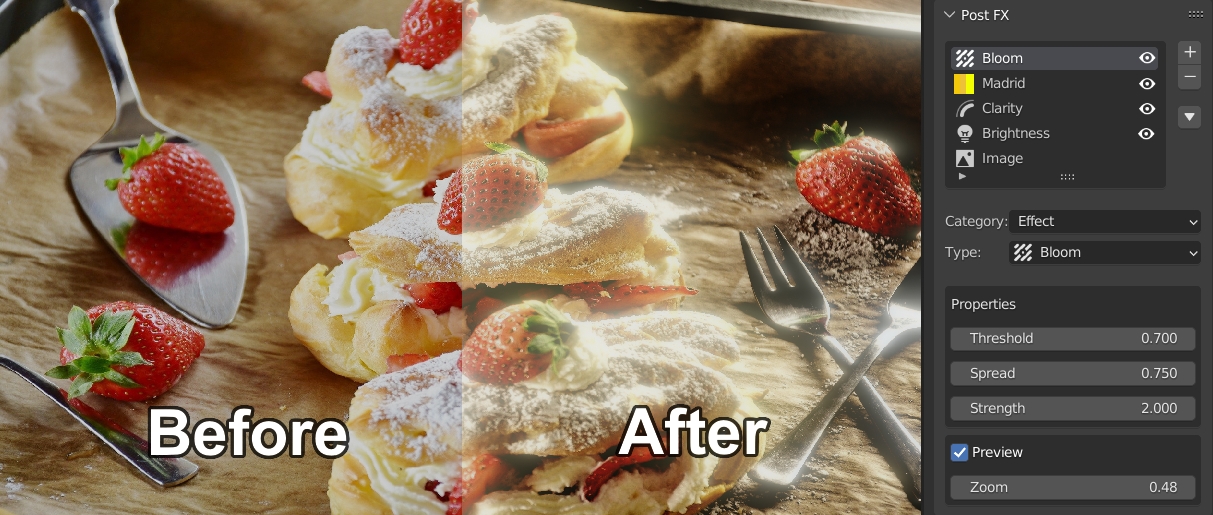
- Bloom & Glare: Realistic bloom, glare, and light bleeding effects with adjustable intensity and radius
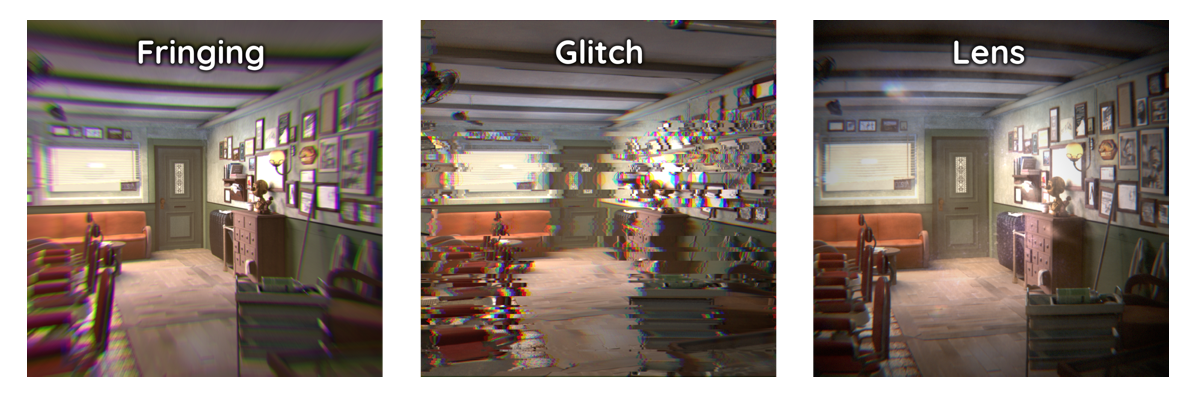
- Lens Effects: Chromatic aberration, lens distortion, vignette, and edge darkening
- Stylized Filters: Cel-shading, posterization, edge detection, and cartoon outlines
- Glitch Effects: RGB split, pixel sorting, scanlines, and digital artifacts
- Depth of Field: Screen-space depth of field with bokeh controls
- Motion Blur: Camera-based motion blur for added realism
- Layer Stacking: Combine multiple effects with adjustable order and blending
- Animation Ready: All parameters keyframeable for dynamic effects
- Real-Time Preview: See effects update instantly in the viewport
- v2.1 Updates: New glitch effects, enhanced color grading, and compatibility with Blender 4.0+
Perfect For:
- Motion graphics artists adding final polish to animations
- VFX artists applying post-process effects to renders
- Game developers previewing post-processing looks
- Filmmakers adding stylized filters to cinematic sequences
- Anyone wanting professional post-processing in Blender
System Requirements:
- Blender 3.6, 4.0, 4.1, 4.2, 4.3
- Windows 10/11 (64-bit), macOS, or Linux
- 4GB RAM minimum (8GB+ recommended)
- GPU recommended for real-time performance
- 40MB available disk space
Installation:
- Download the add-on zip file
- In Blender, go to Edit > Preferences > Add-ons
- Click “Install” and select the downloaded zip file
- Enable the add-on by checking the box next to “Post FX”
Note: Post FX brings professional real-time post-processing to Blender, making it easy to add stunning effects directly in the viewport and final render . The comprehensive effects library and real-time preview make it essential for motion graphics, VFX, and game development workflows . Version 2.1 includes new effects and full compatibility with Blender 4.0 and above . Designed for Blender 3.6 and above . Perfect for adding final polish to any render . Essential for real-time post-processing in Blender .
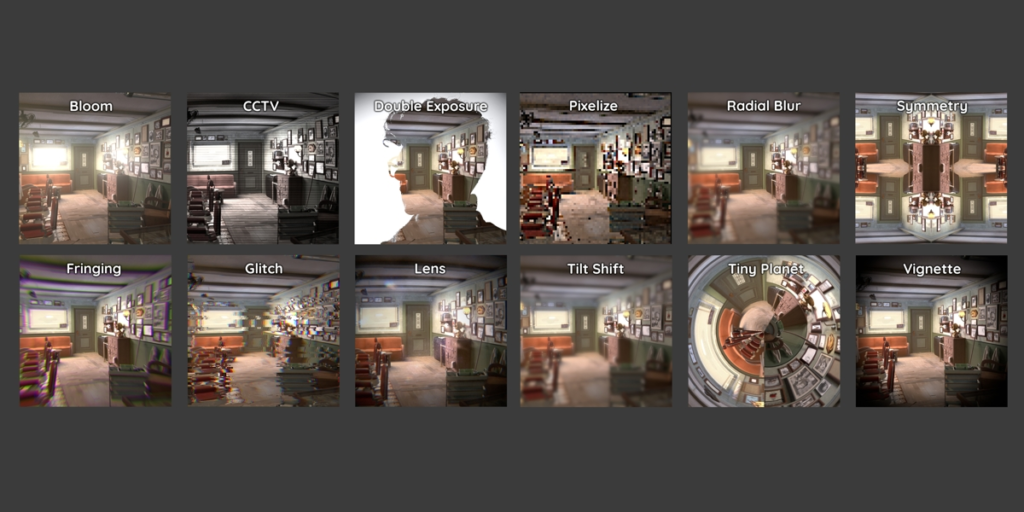
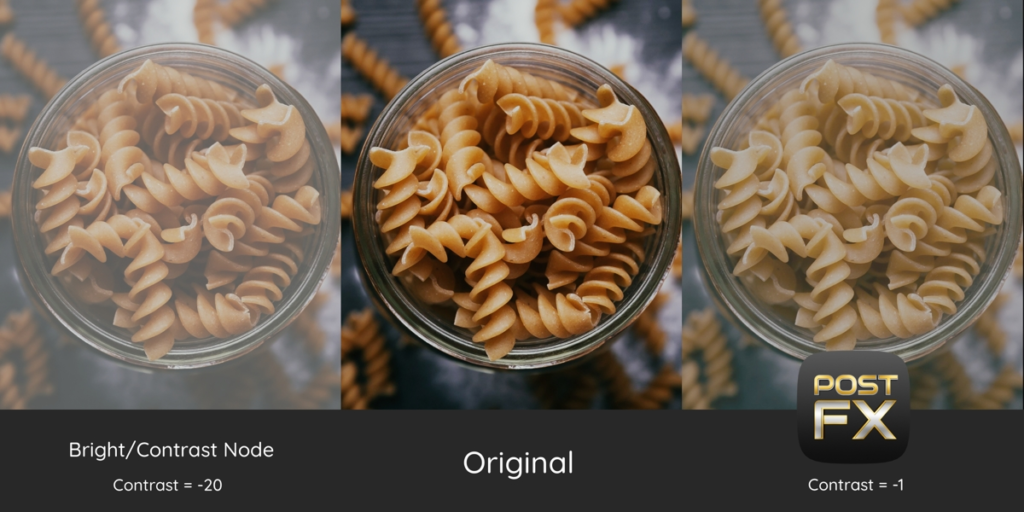
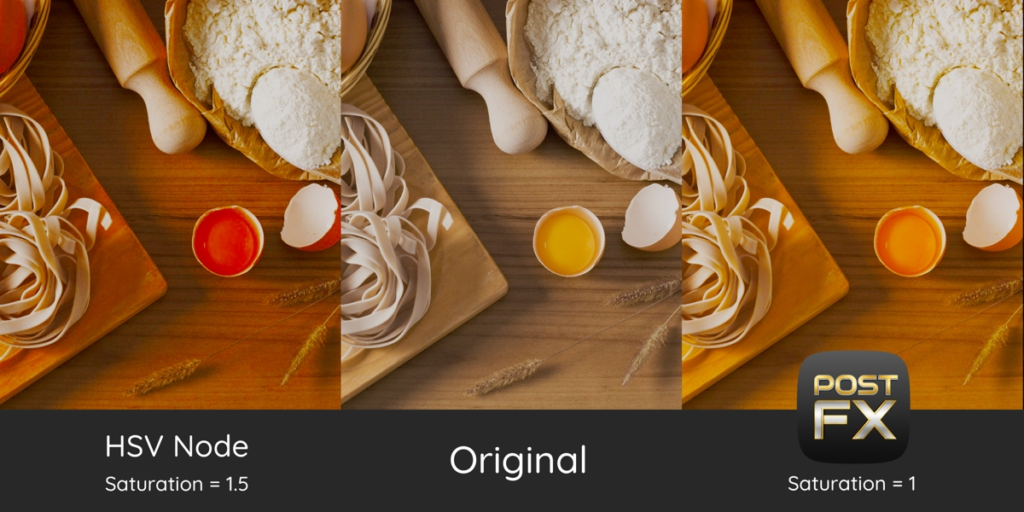
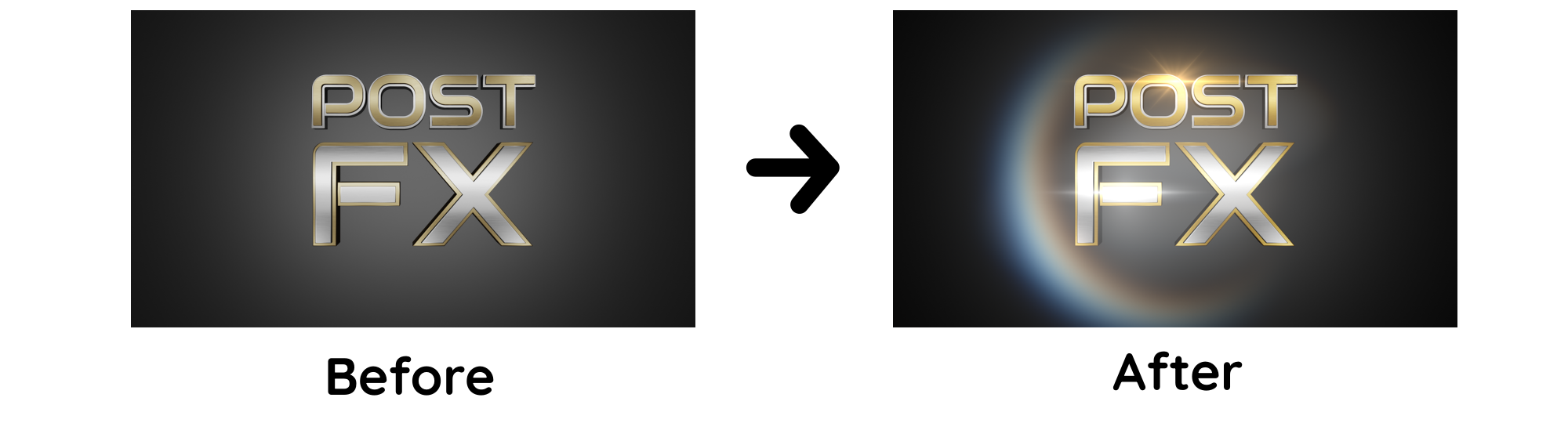
Upgrade your Compositor!
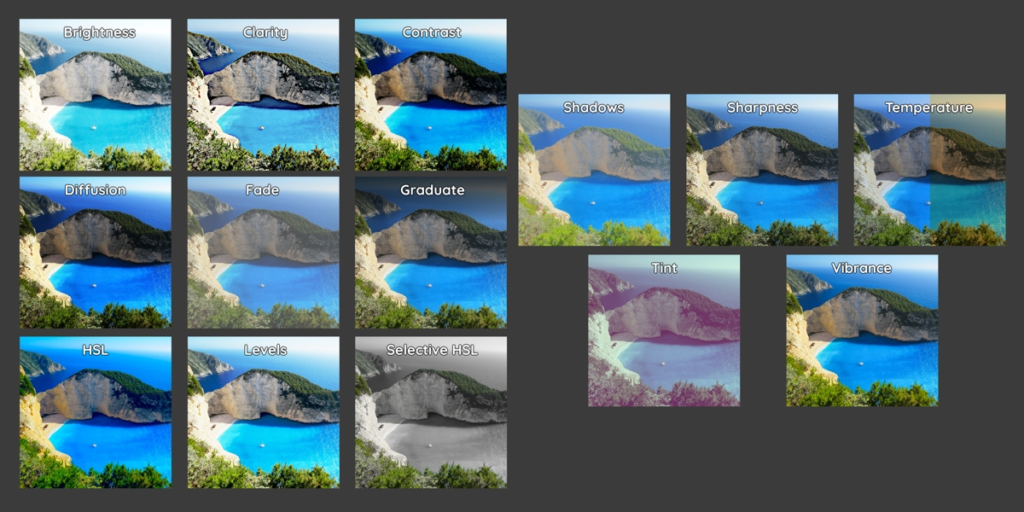
Post FX is the ultimate post production addon, upgrading Blender’s compositor with 42+ new tools and controls.
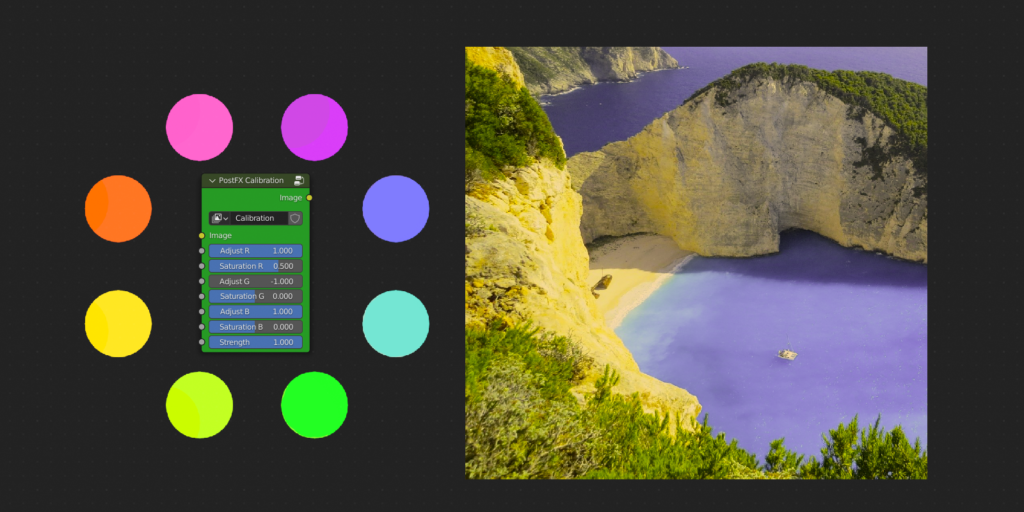
Gain accessto features such as: Color Calibration, Vibrance, Levels, Lens Flares and much more!
Includes an easy to use Layer System + powerful Pie Menu for experts.
Create any custom pipeline in seconds without touching a single node connection!
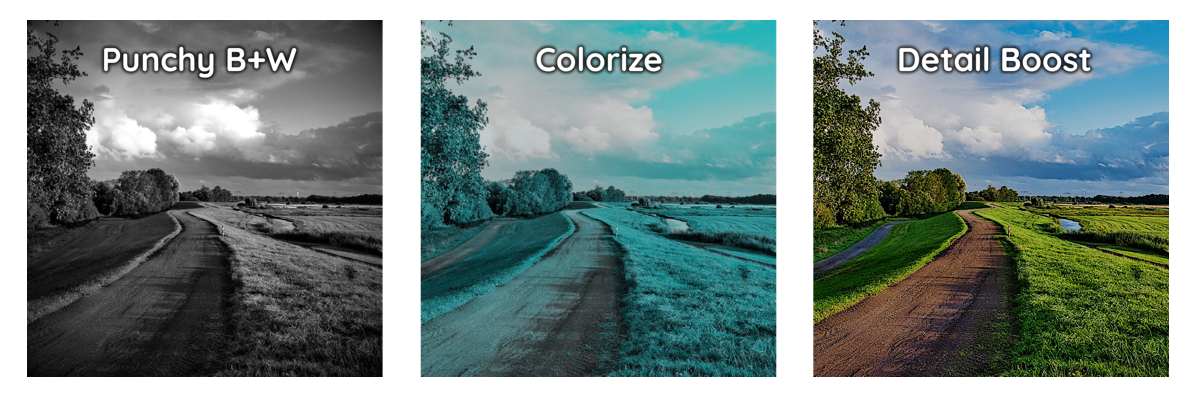
Post FX Adjustment Tools:
Calibration: Complete color and saturation control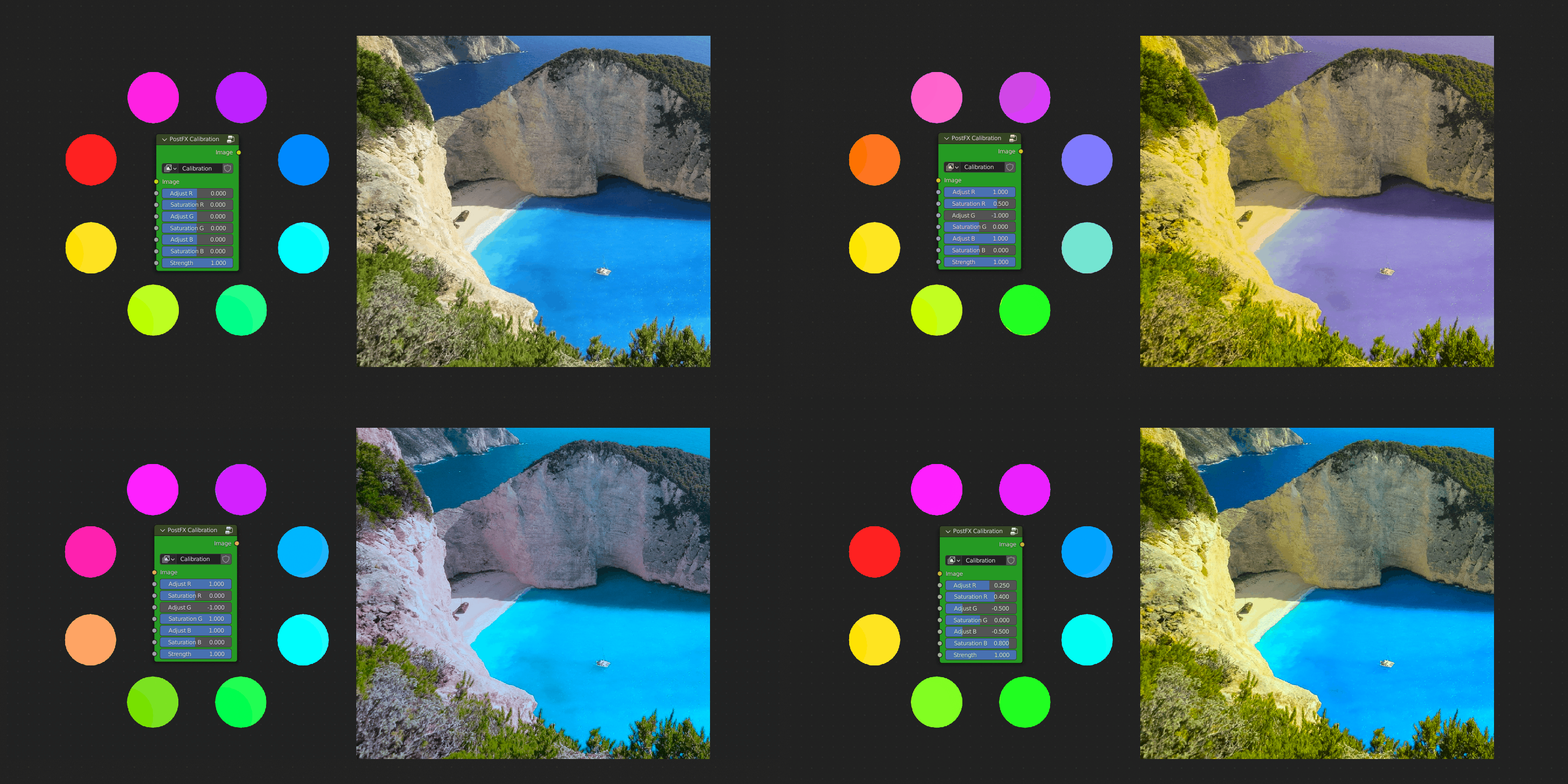
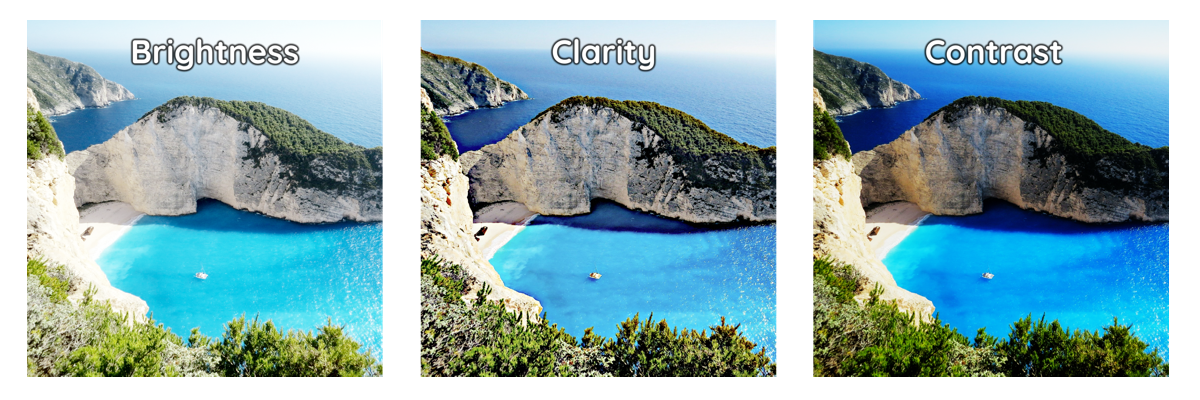
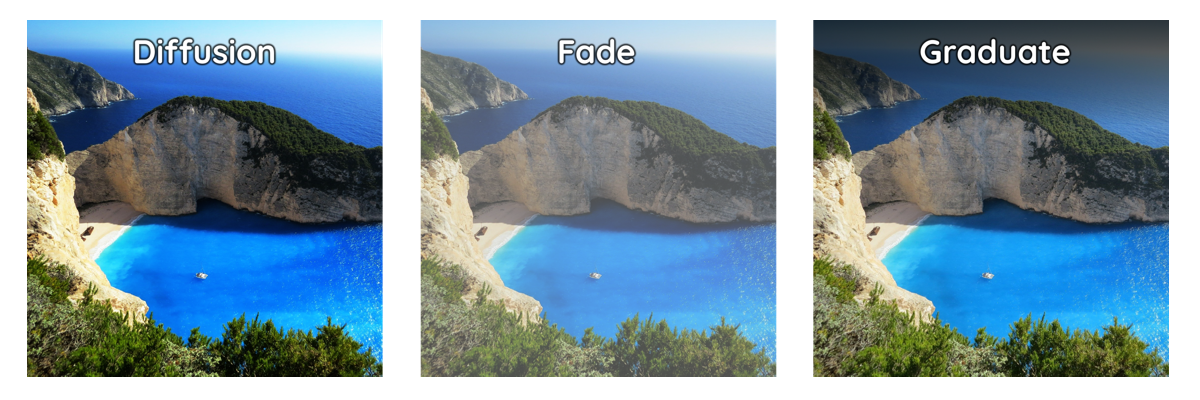
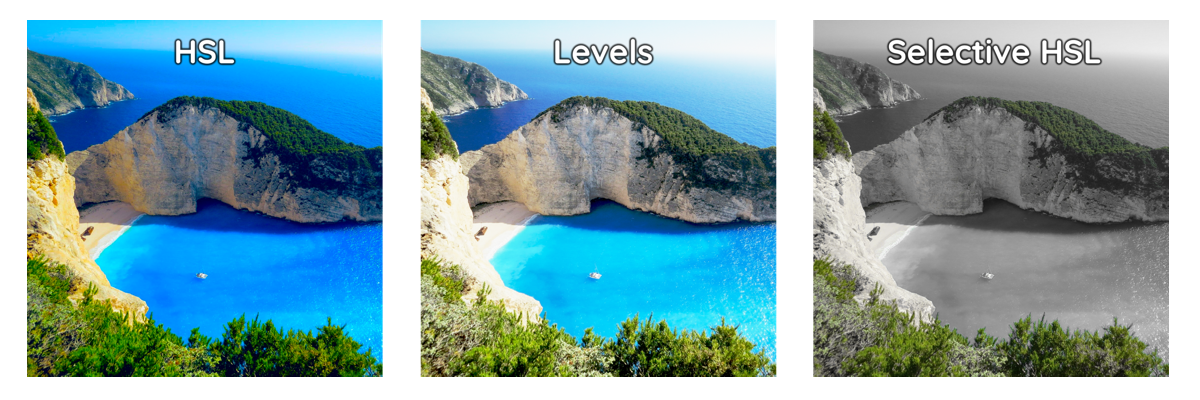
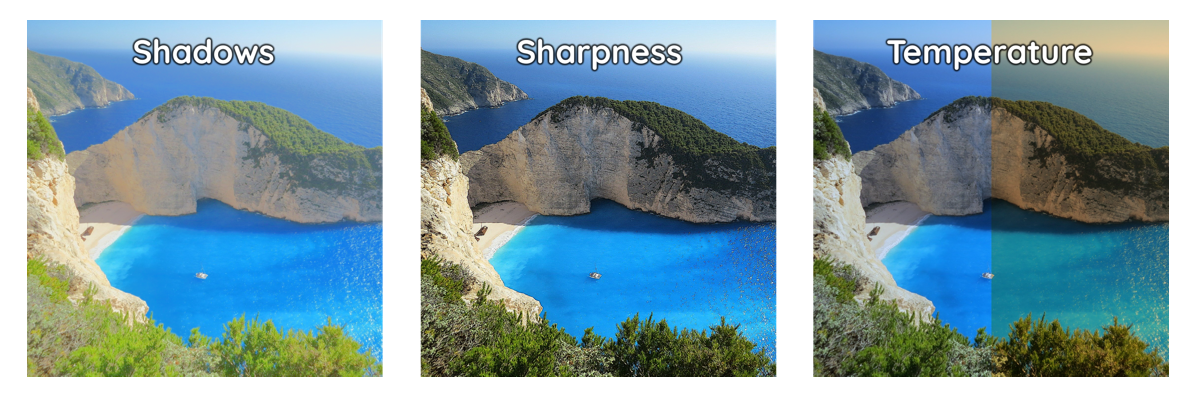
Post FX Effect Tools:
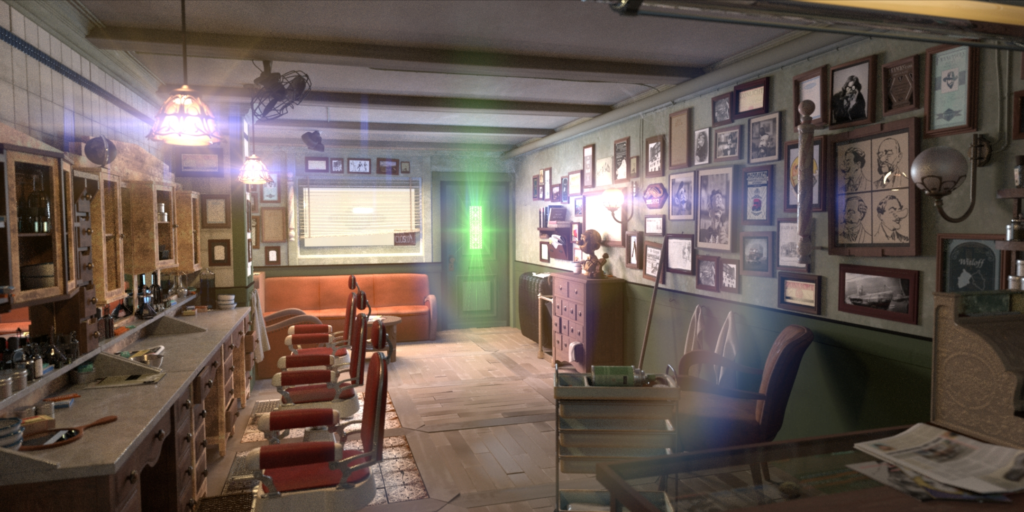
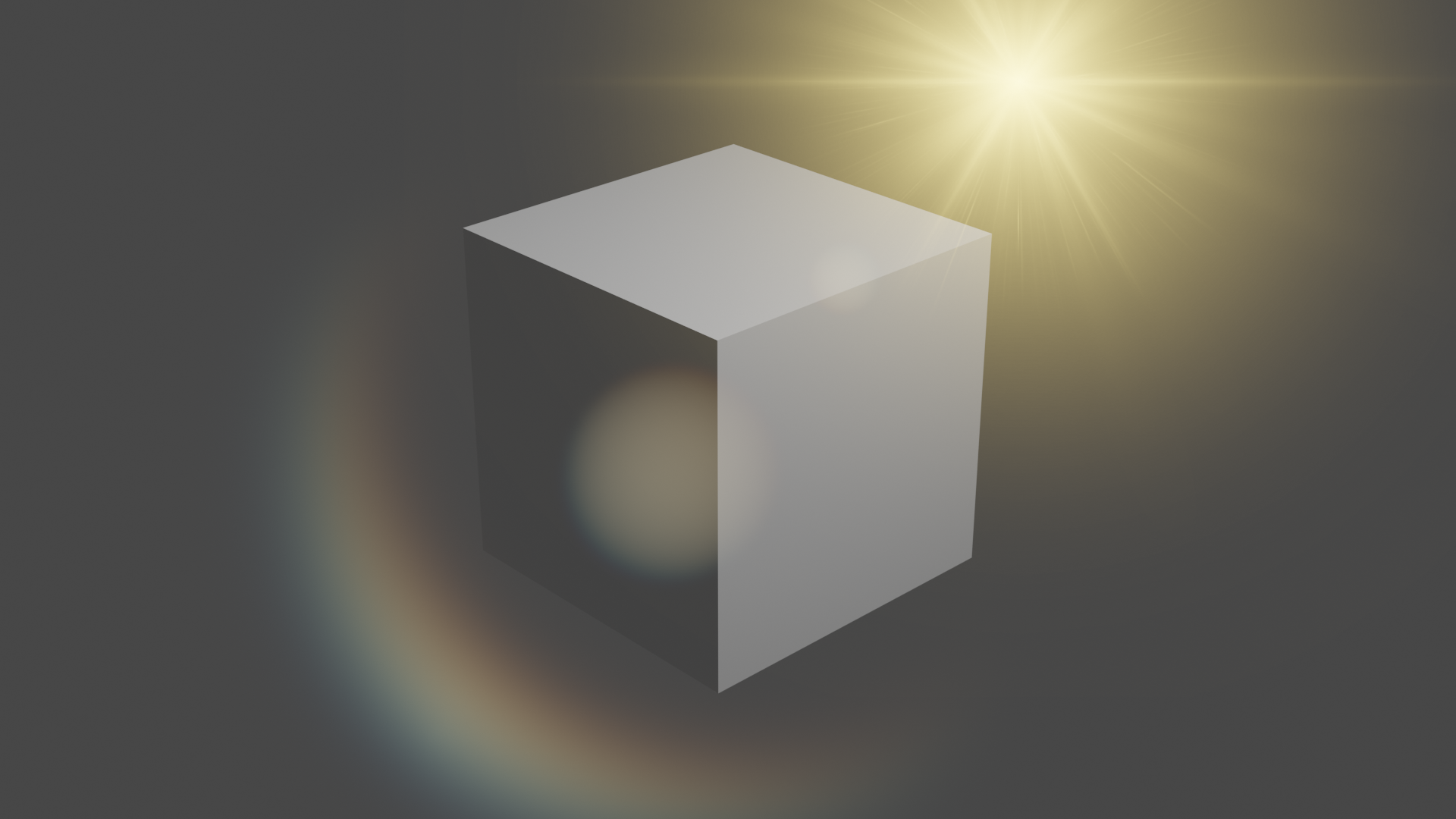
Flare Builder: Add dynamic light flares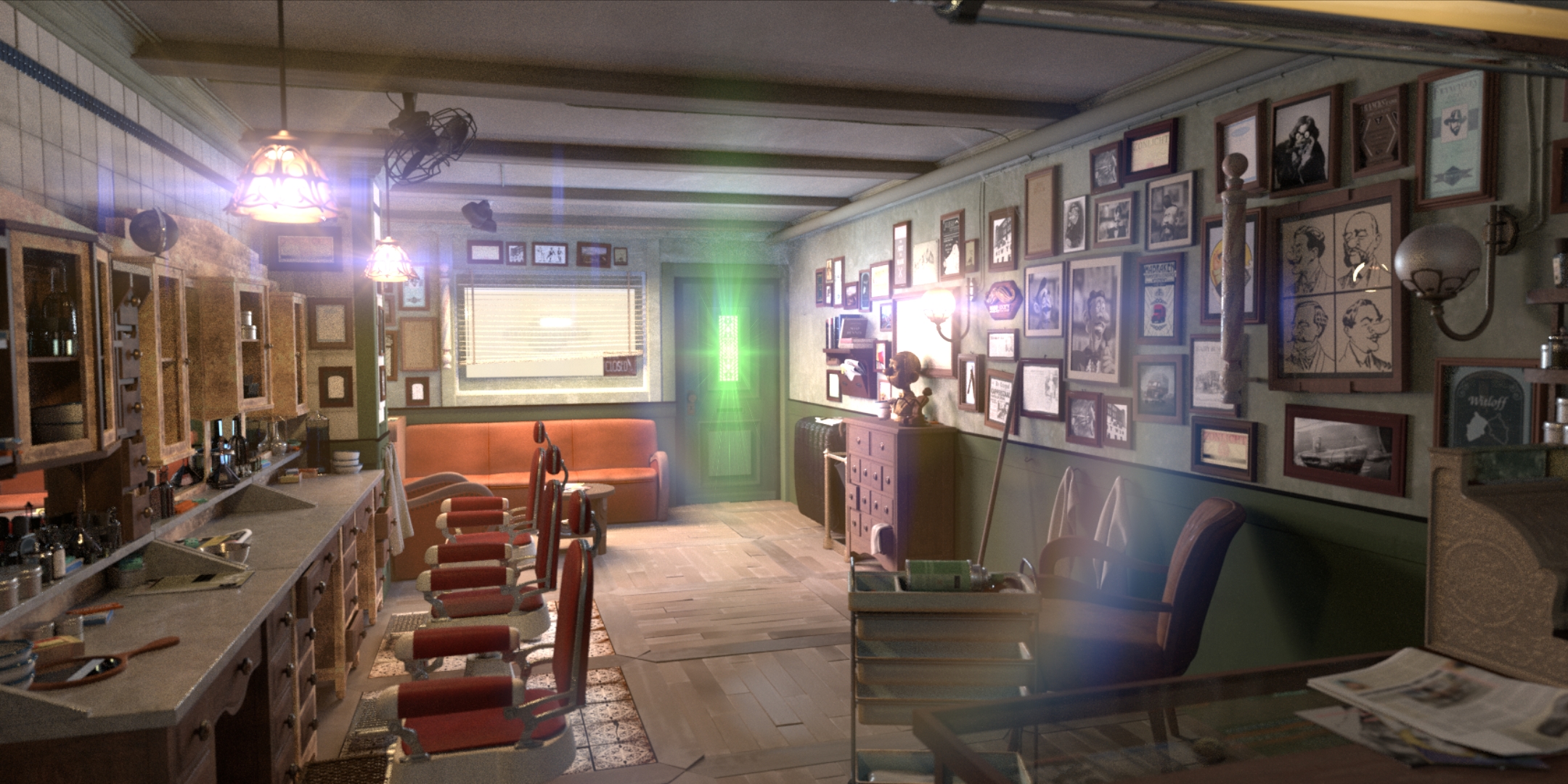
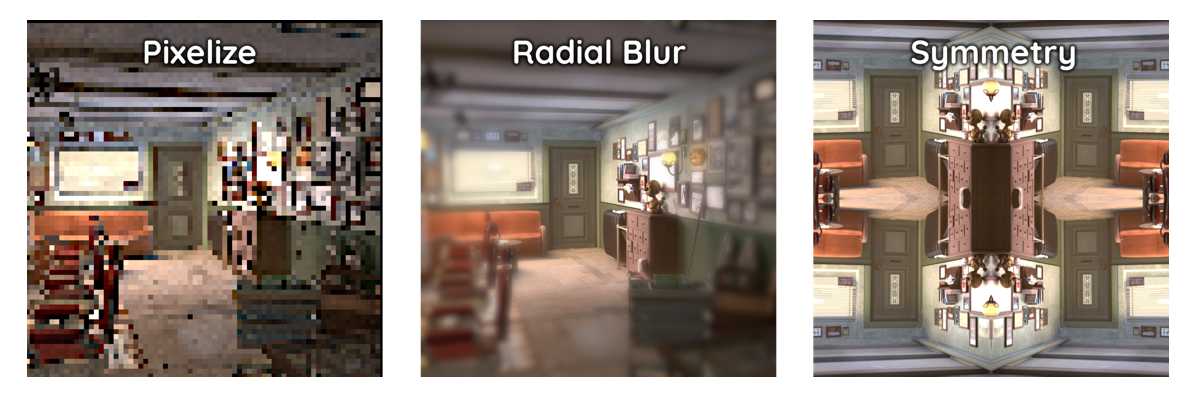
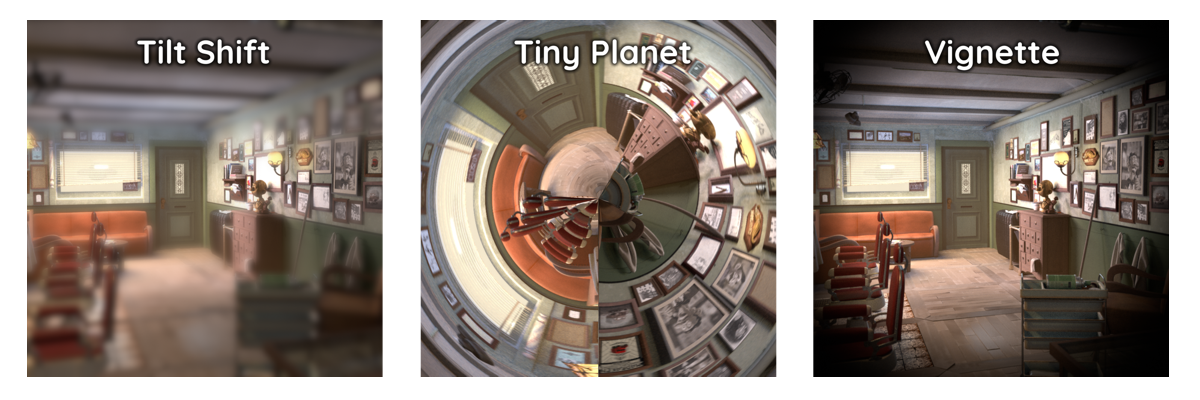
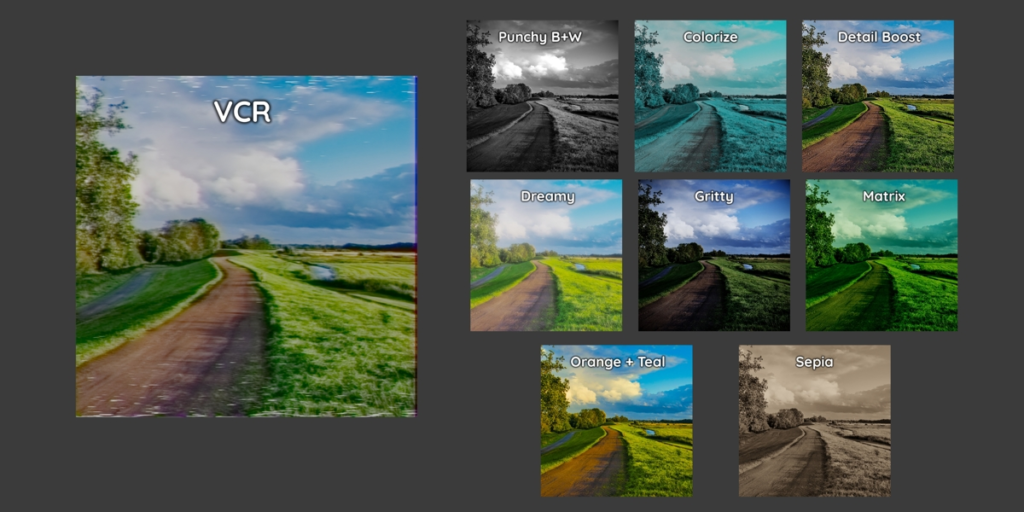
Post FX Filter Tools:
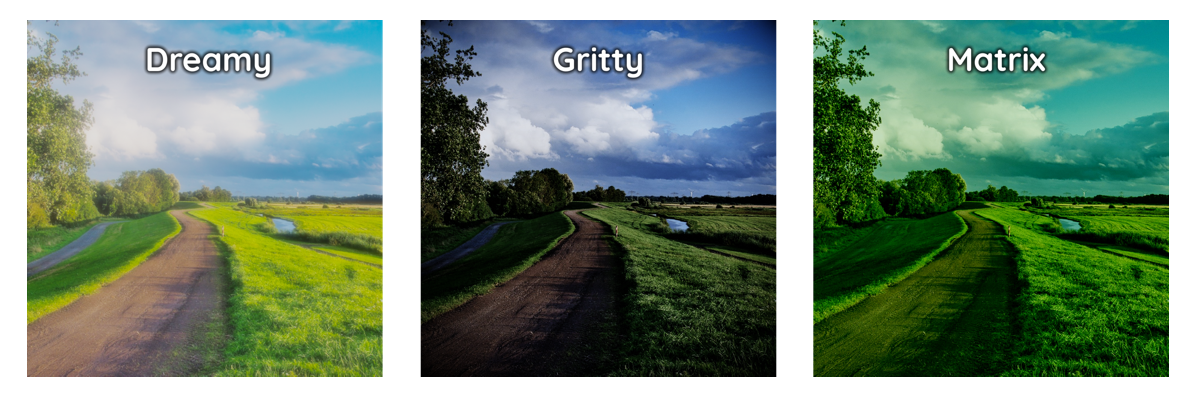
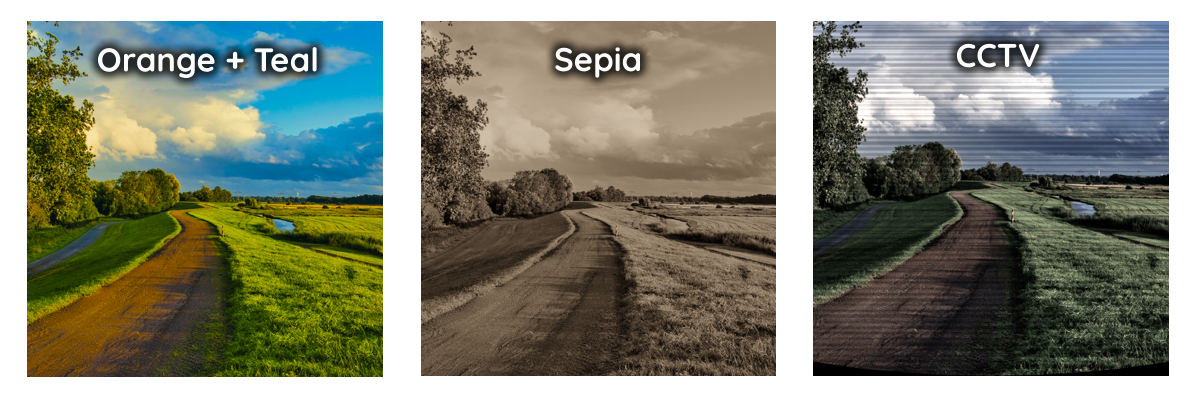
VCR: Emulate old video cassettes
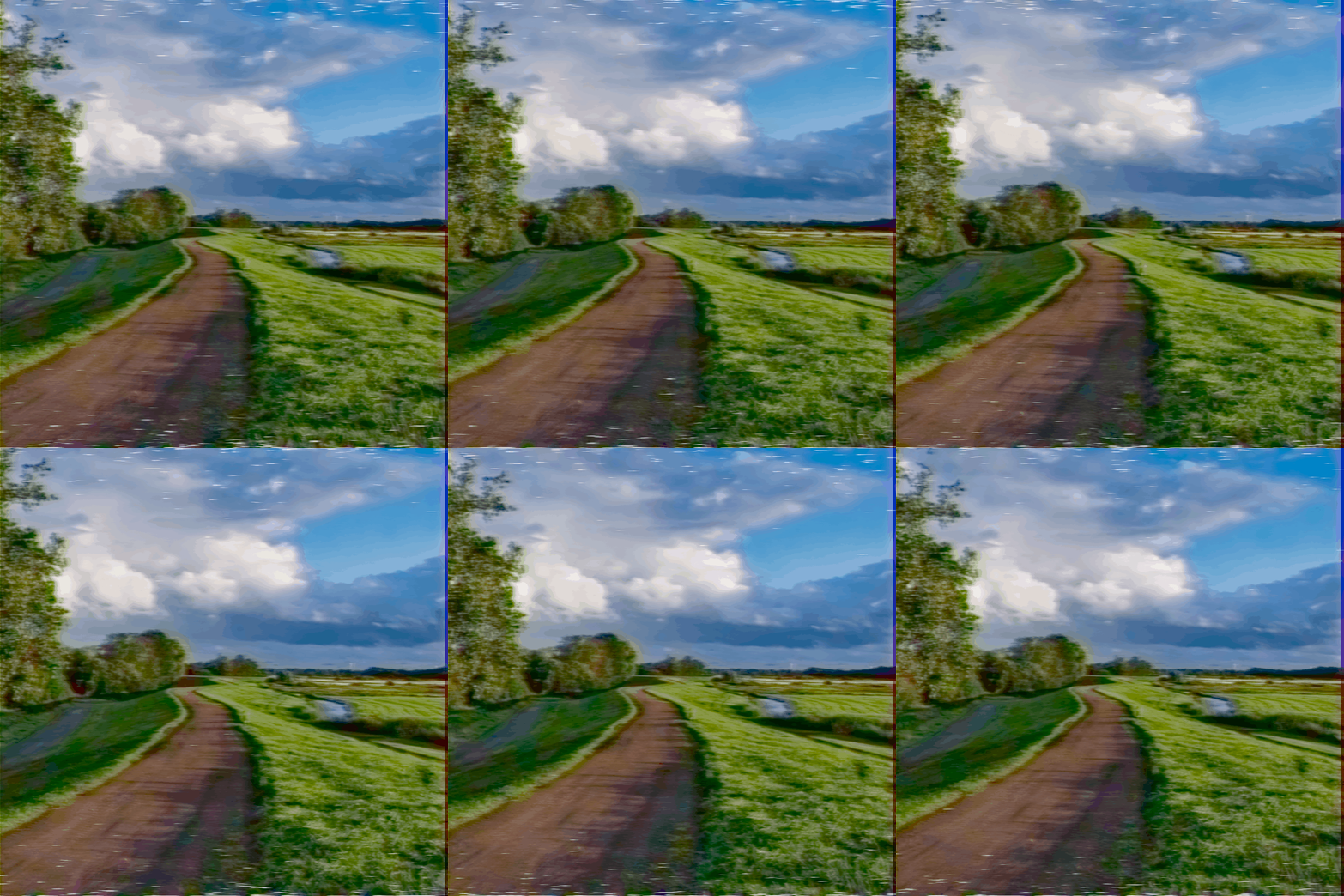
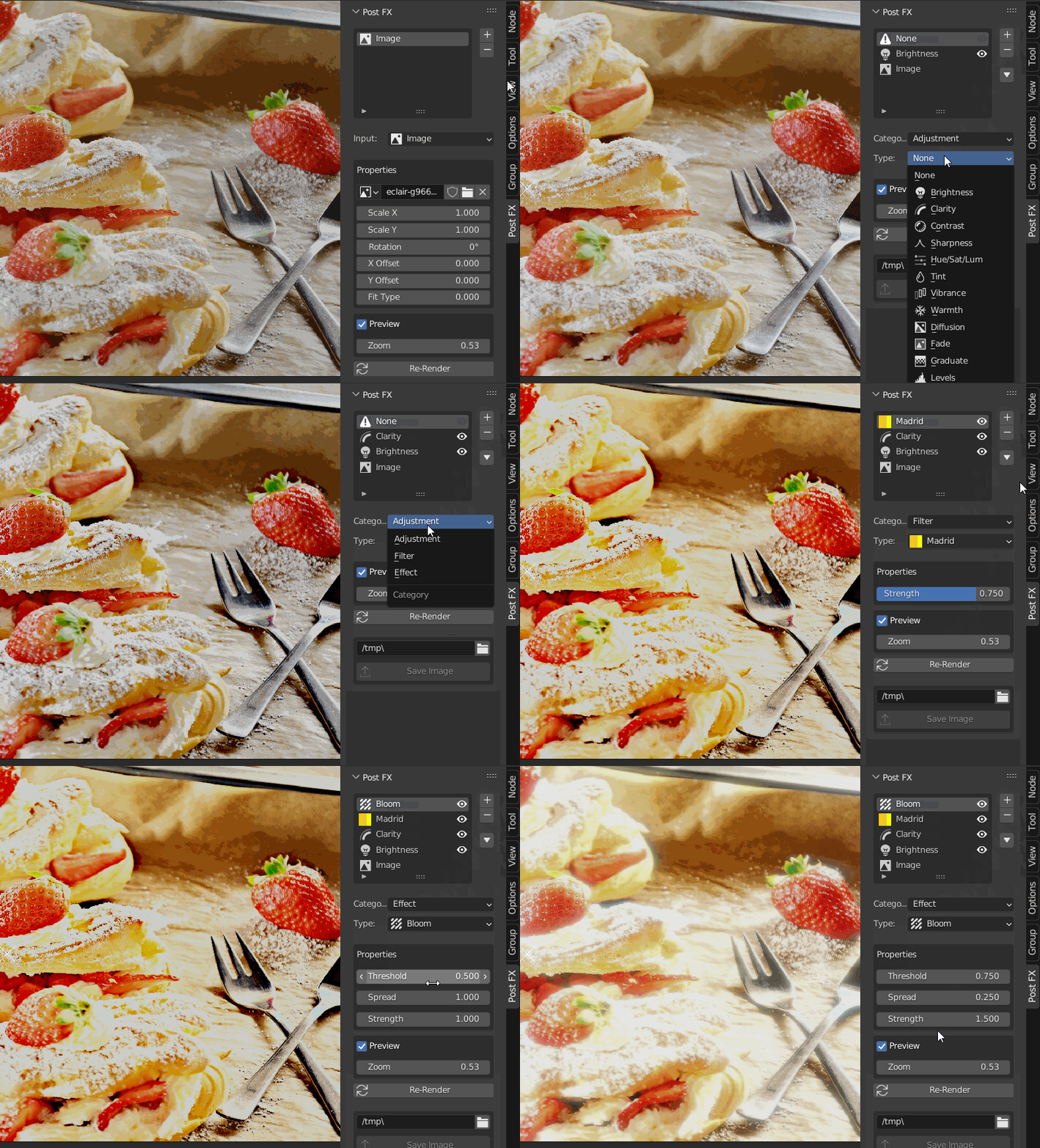
UI Layer System (Simple)
- Access directly from image editor toolbar or the 3D viewport
- Simple Stack Functionality
- Add, remove, replace and shift nodes
- Visibility Toggling
- Dynamic property panel
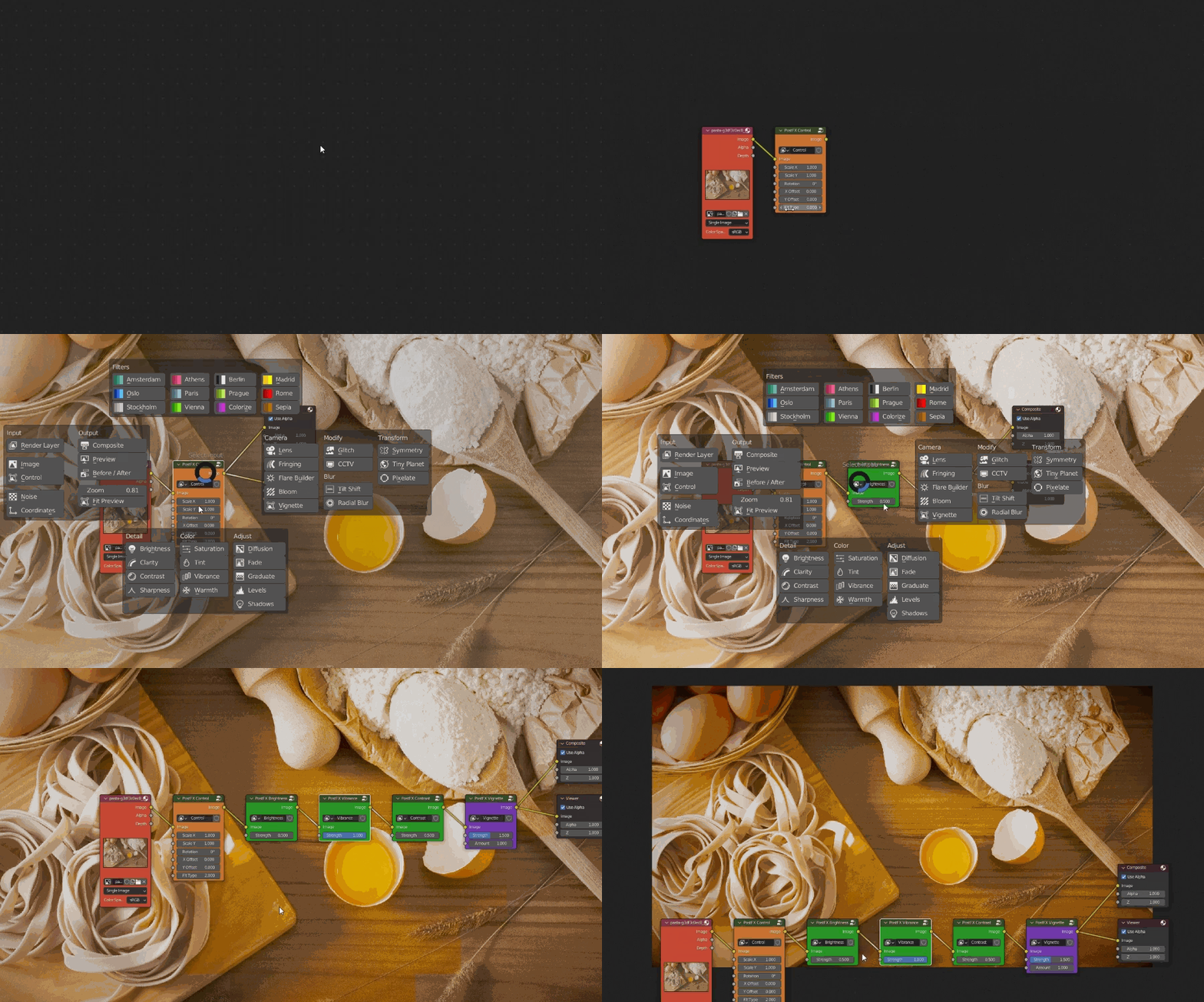
Pie Menu (Advanced)
- Access rapid pipeline workflow
- Instantly add, connect and displace any Post FX node
- Procedural textures + Coordinate inputs
- 1 click output linking
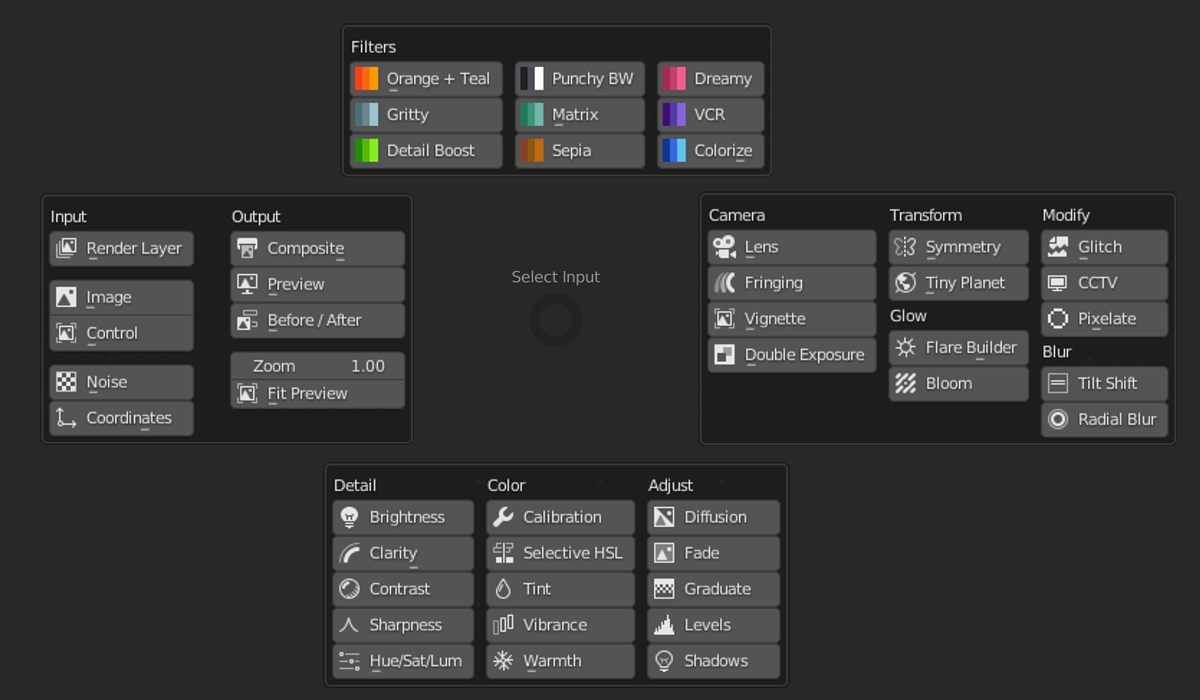
The addon also includes customization options so that the default parameters such as shortcut (Ctrl + A), performance optimization and auto insertion can be adjusted to meet your needs.
Additional Features:
- Auto Optimization: Much faster performance
- Auto Alignment: No overlapping nodes
- Customization Options: Modify shortcuts and more
- Color Coding: Pipelines easier to read
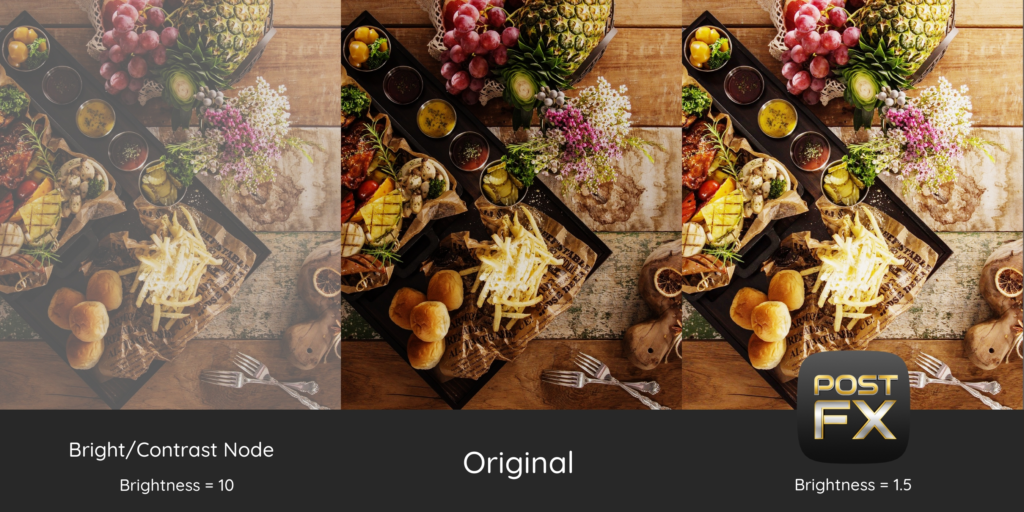
- Normalized value ranges: Consistent values across all nodes.
- Instant Image Export: Save render output with a single click
Post FX Community

Gain access to our exclusive discord community to get support, share and vote on new functionalities!
Included:
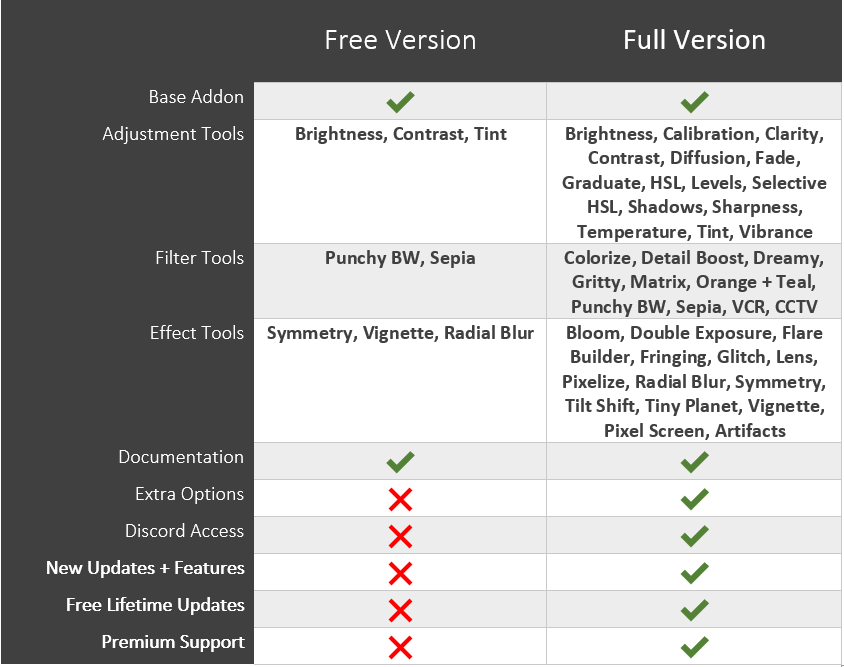
Update Log:
v2.3 Viewport Support, Better flares and performance!
- New Viewport Support
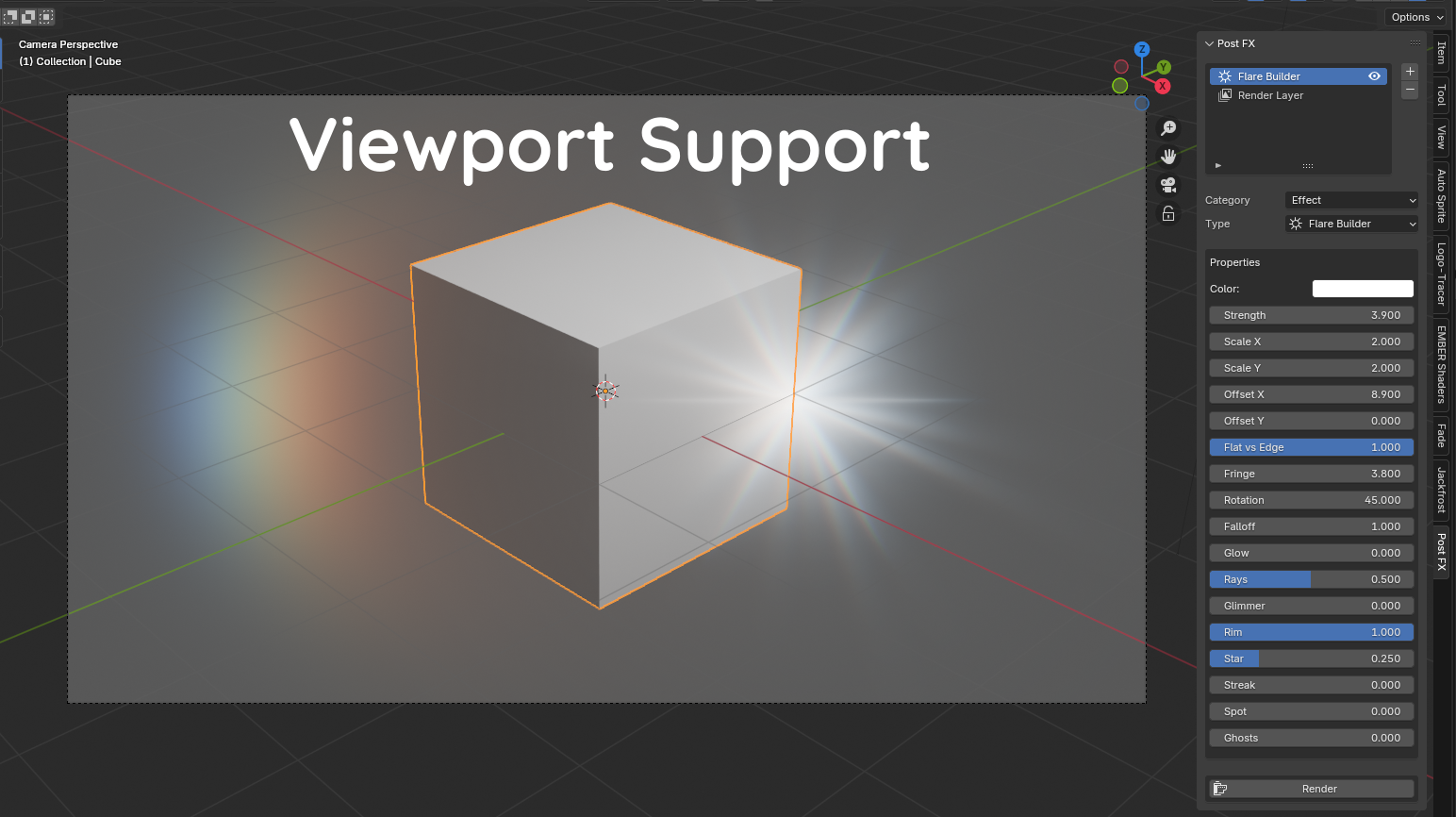
- Updated Rim Flare
- Updated CCTV Filter
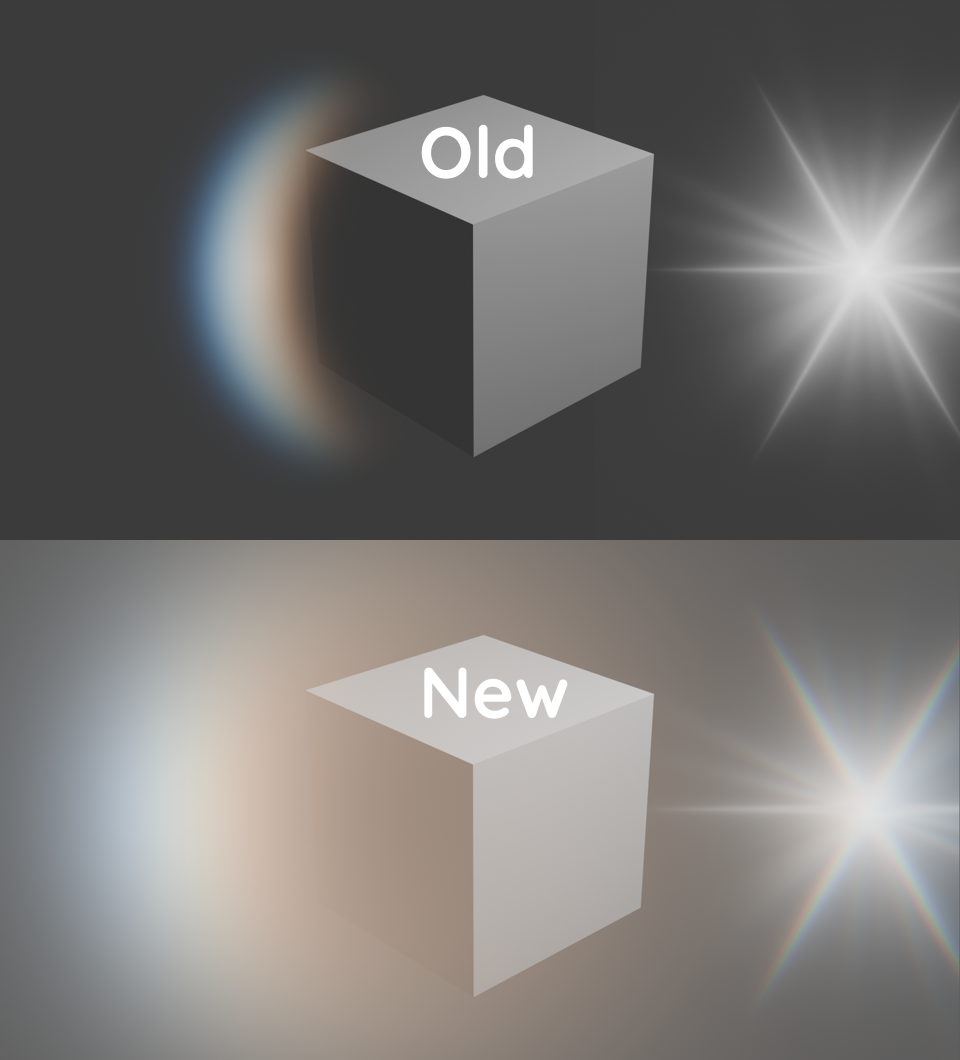
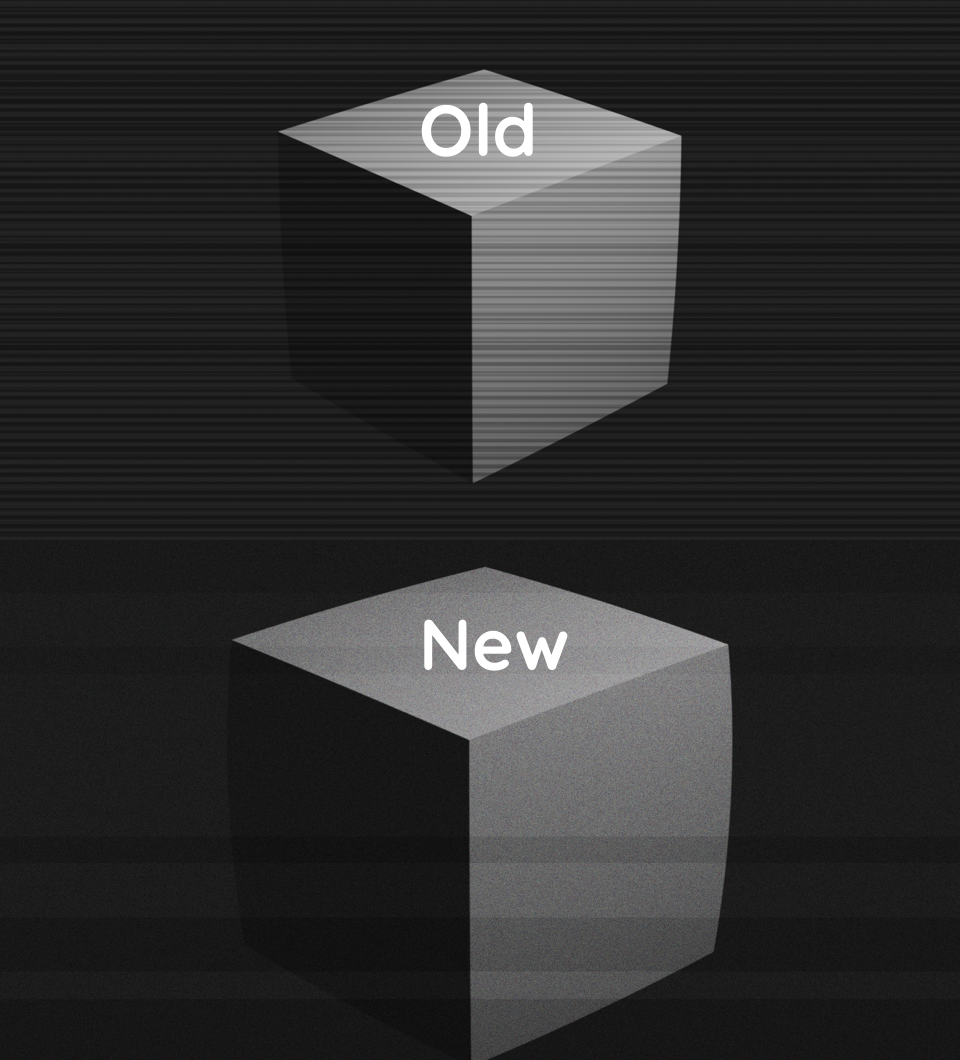
- Chromatic aberration for all flares
- Better performance
- Updated Lens node with Bloom effect
- Fixed issues with fringe node edges
- Fixed issues with non-tiling textures (Pixel screen)
- Fixed pixelate node
v2.2: Blender 4.2 extensions support
v2.1: New Features and better stability
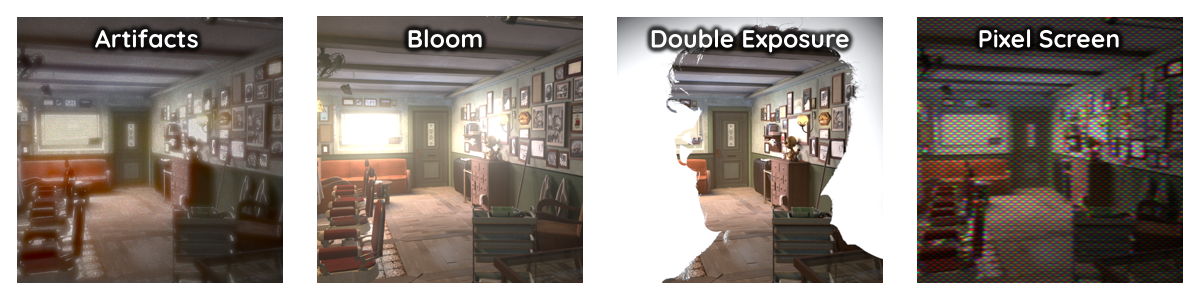
- New Pixel Screen effect
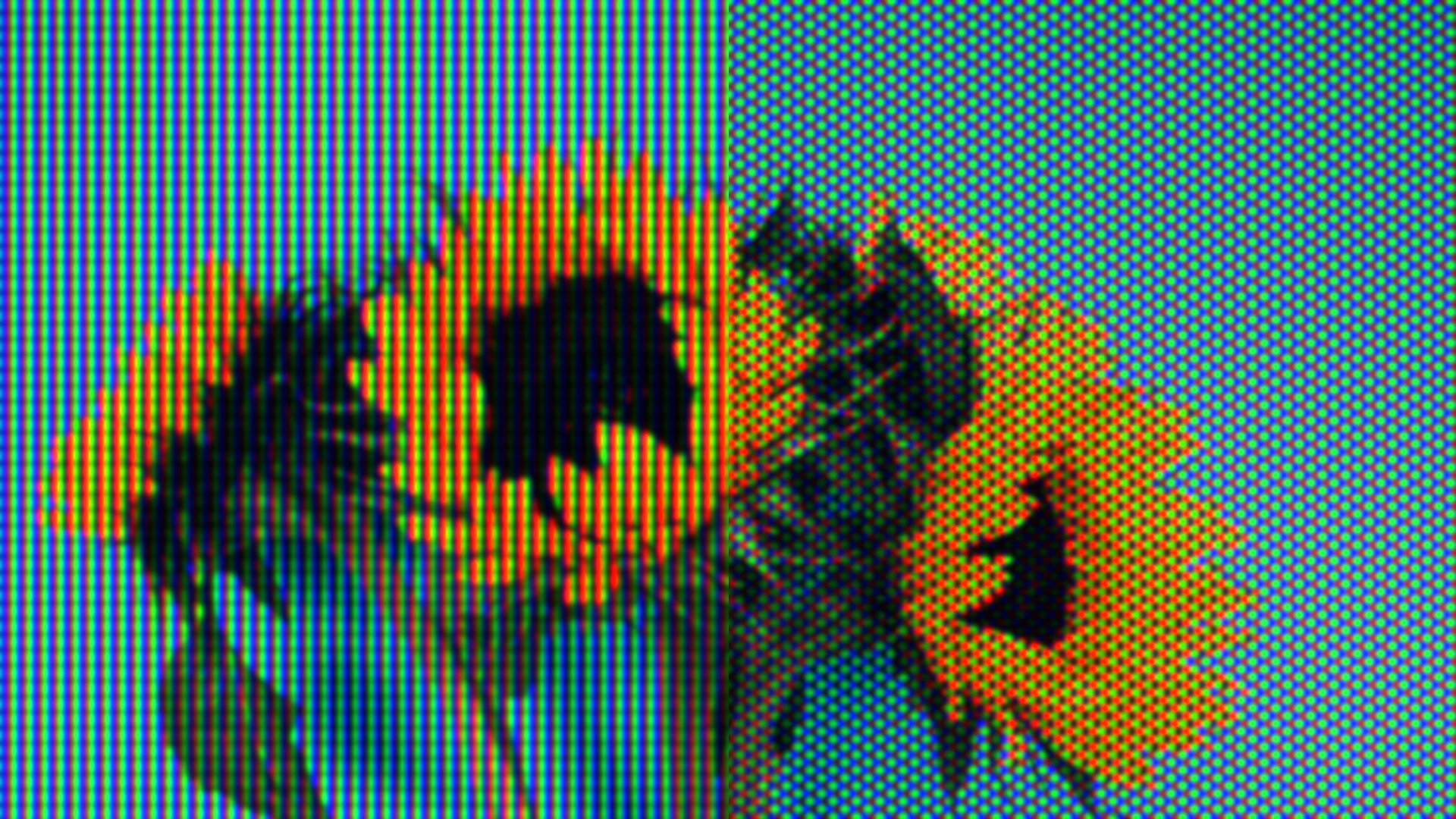
- New Artifacts Node
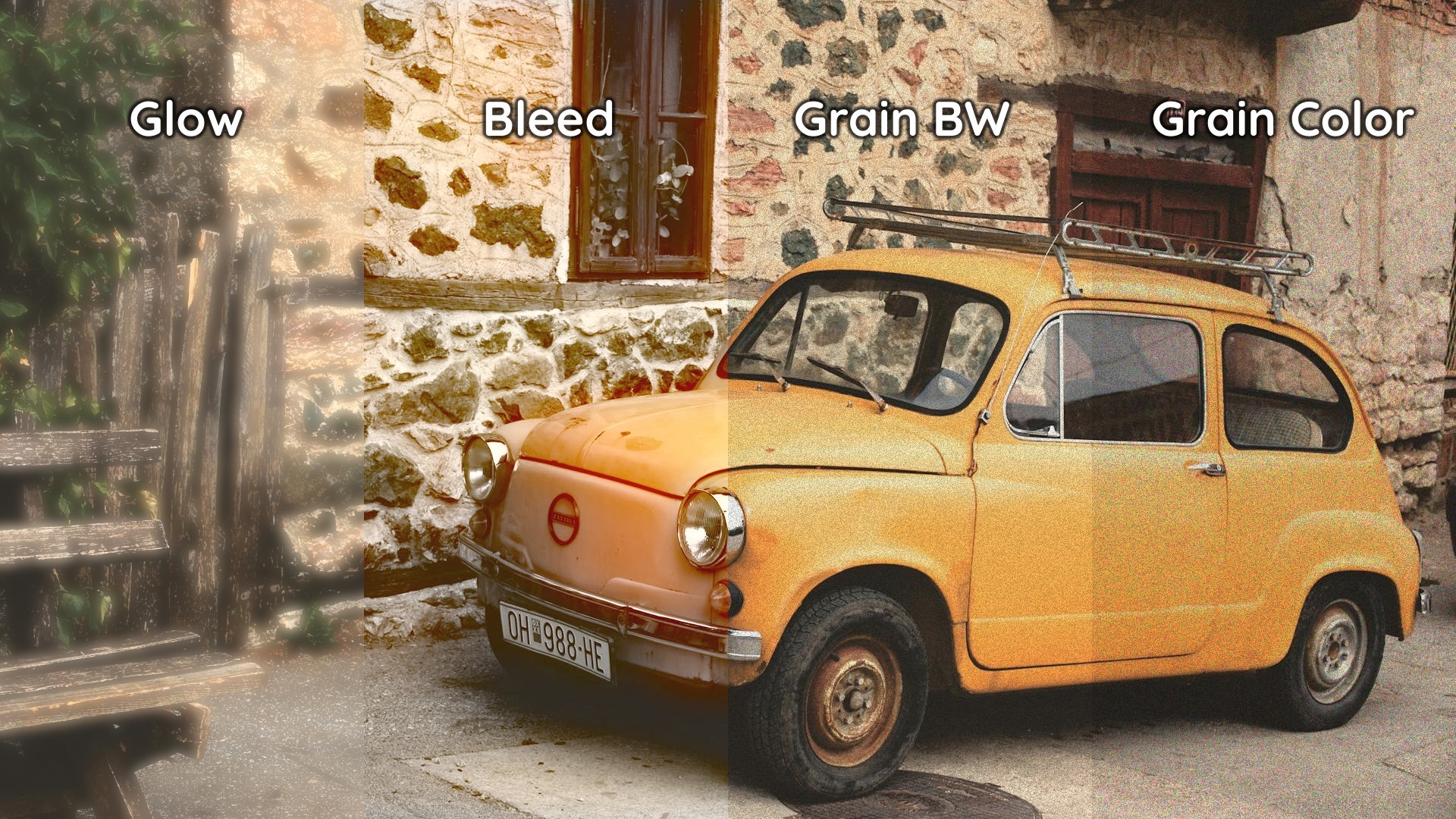
- Enhanced Radial Blur + Tilt Shift
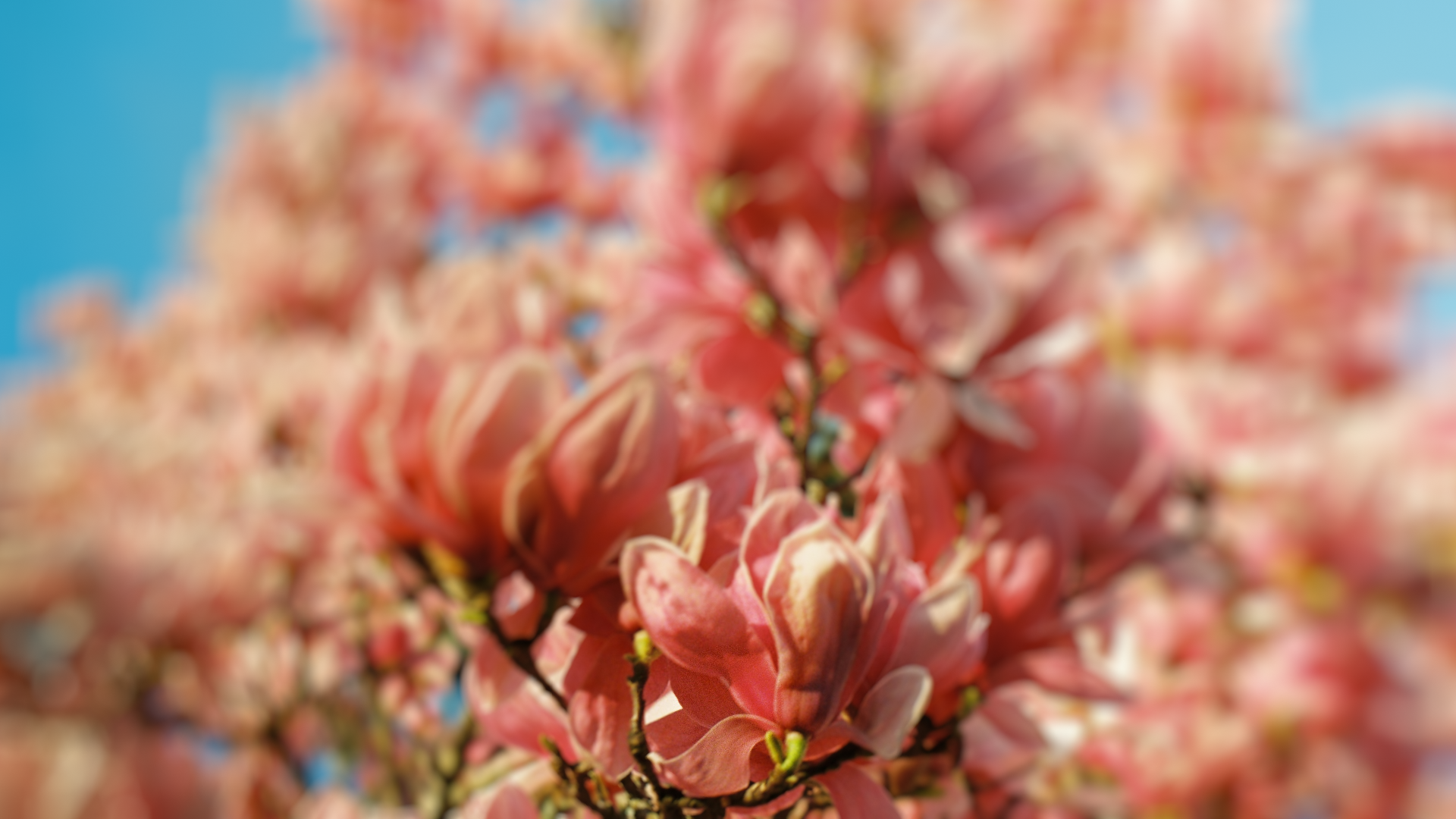
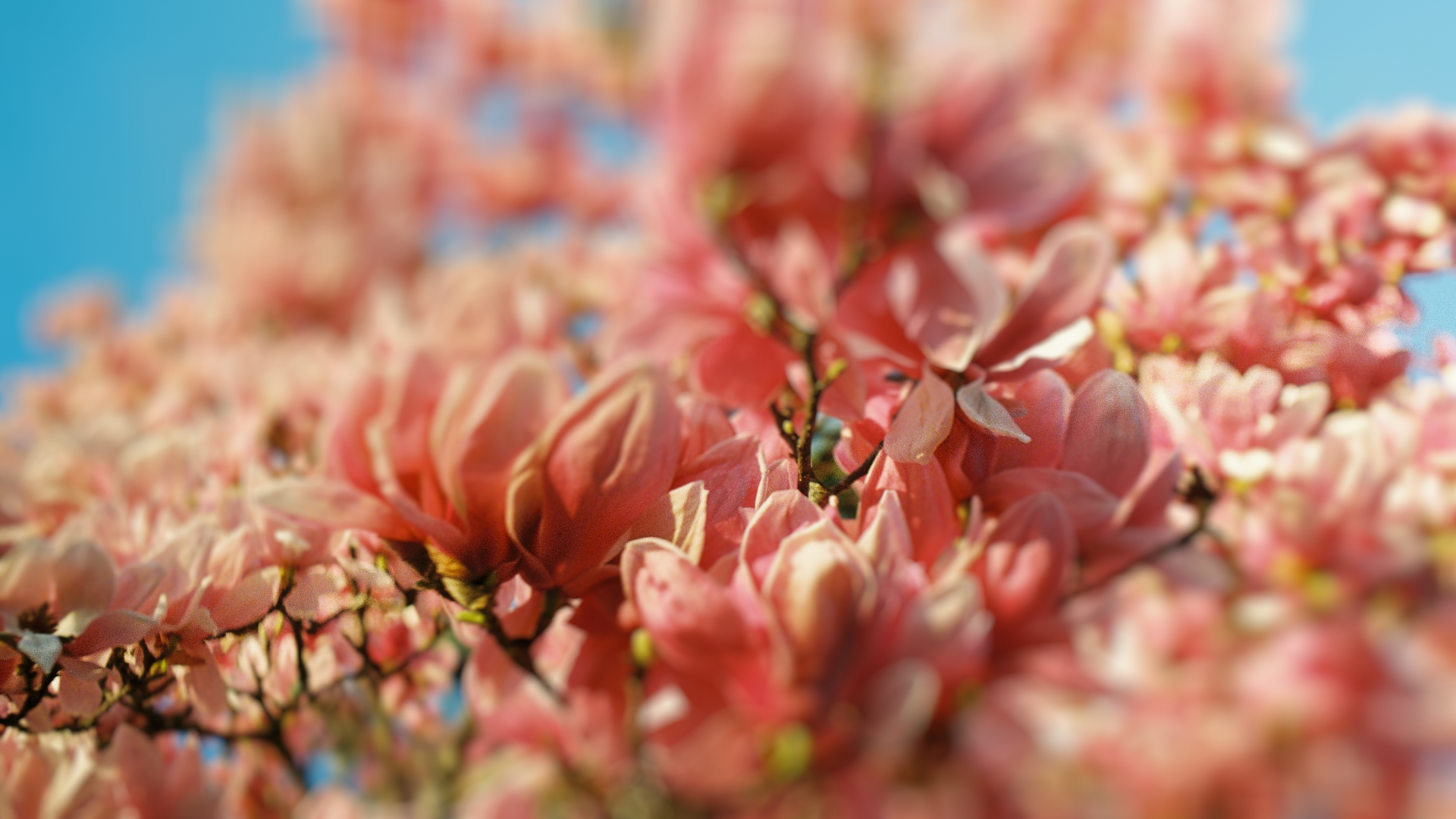
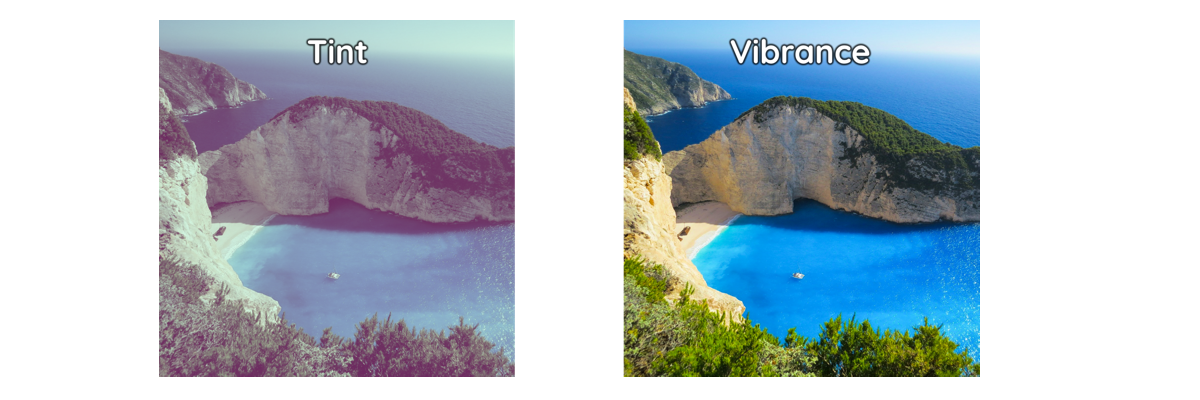
- New Free Nodes: Radial Blur + Tint
- Better automatic property refreshing and state management
- Enhanced view port compositor capabilities
- New node panels for organizing Super Nodes
- Updated Documentation
v2.0: Massive addon refactor and upgrade!
- New Color Calibration tool (like in Lightroom)
- New Double Exposure Tool
- New Rim Flare and Ghosts
- New 9 Filters
- New Fringing node
- New Tint node
- New Temperature node
- New Free version (2 adjustments, 2 filters, 2 effects)
- Layers UI now accessible in the image editor
- Preferences maintain values when opening a new file
- Multiple fixes and improvements
- Improved description / gallery
- Updated Documentation
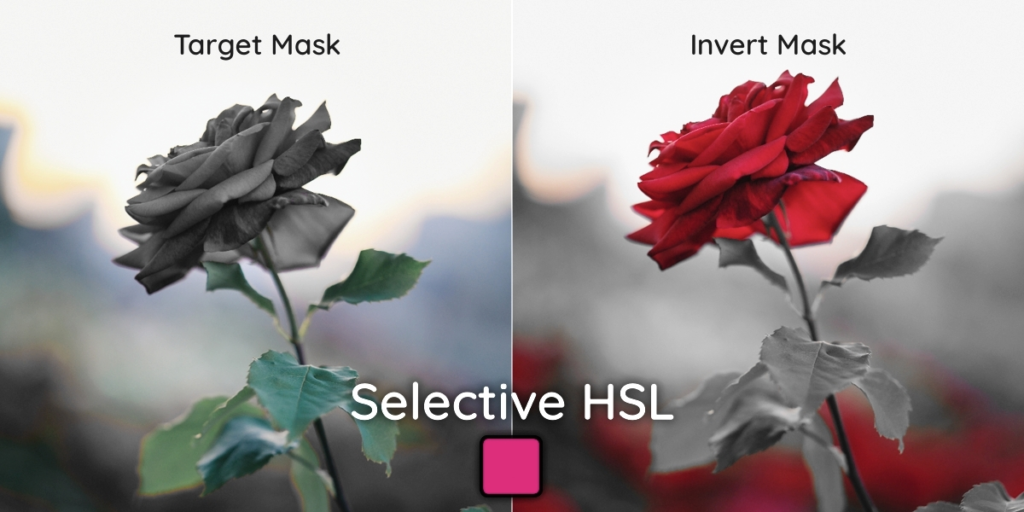
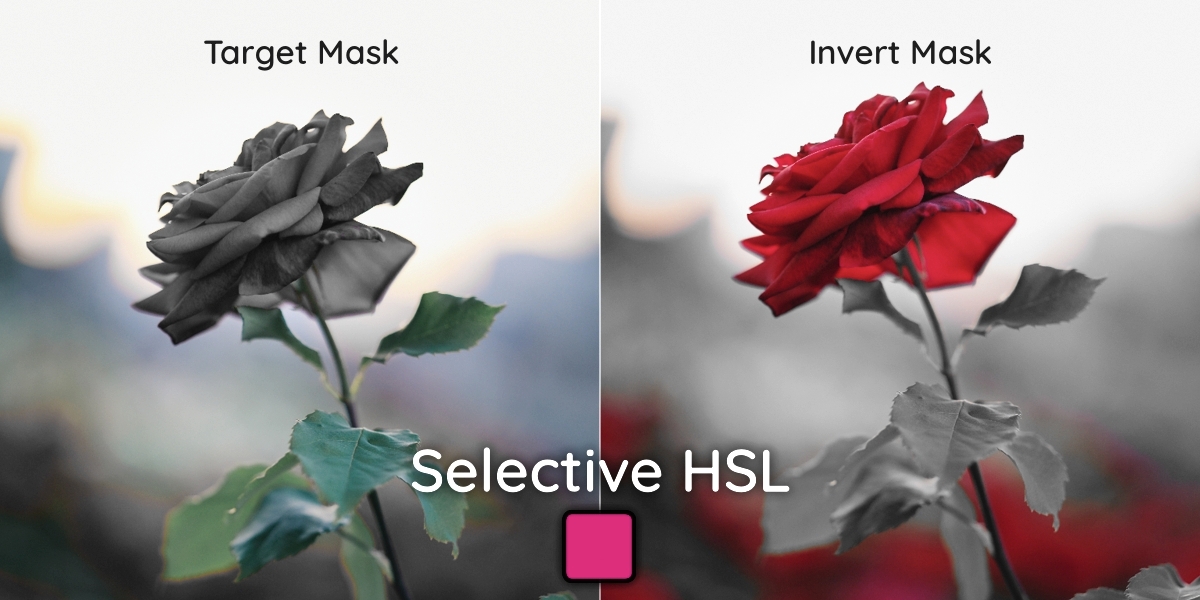
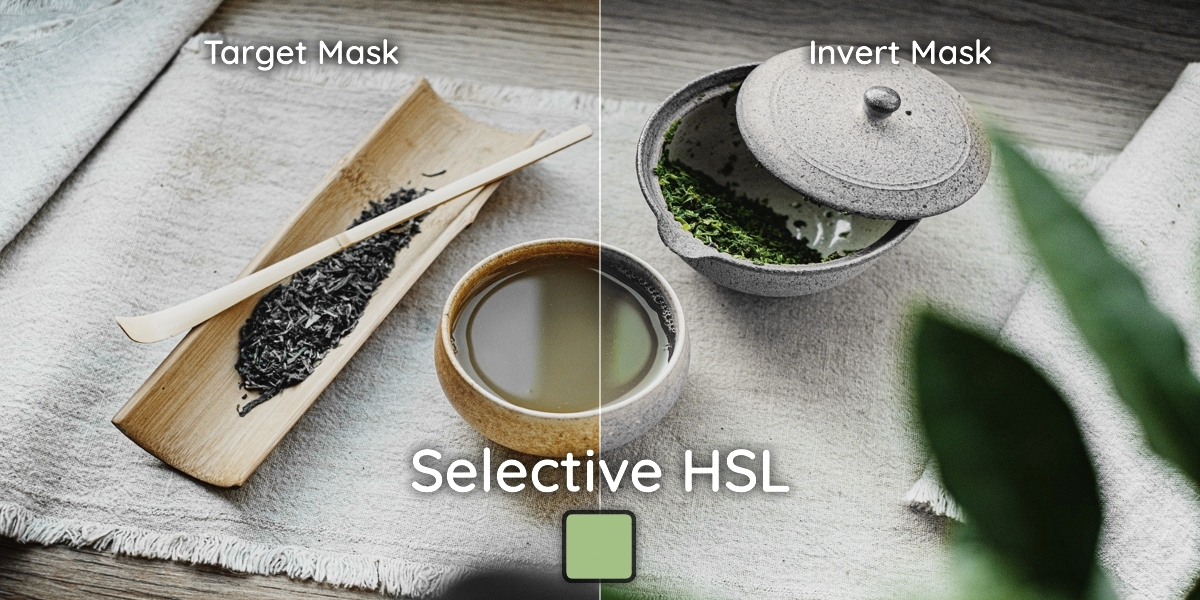
v1.3: New Selective HSL tool!
- New Selective HSL tool for isolating and adjusting colours
- Updated User Manual
- Minor improvements and bug fixes
v1.21: Small Bug Fix
v1.2: New Layer UI System, Hue/Sat/Lum + more!
- New Layer UI System
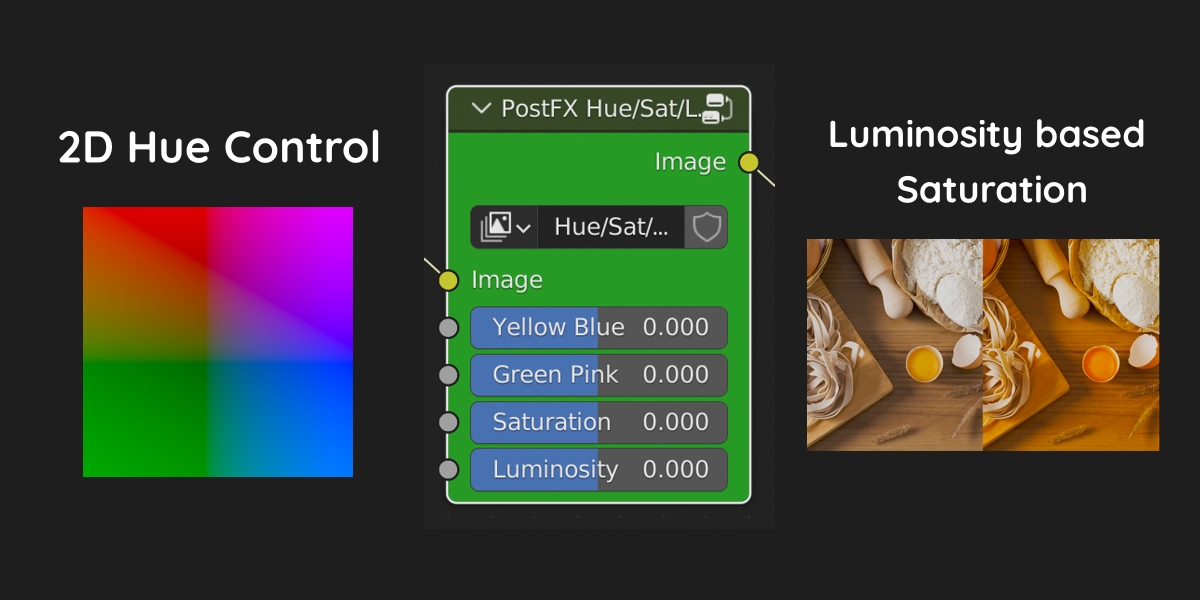
- New Hue Saturation Luminosity node
- Fixed issue with vignette alpha
- Updated User Manual
- Minor bug fixes and improvements
v1.1: Bloom upgrade, better alpha and more:
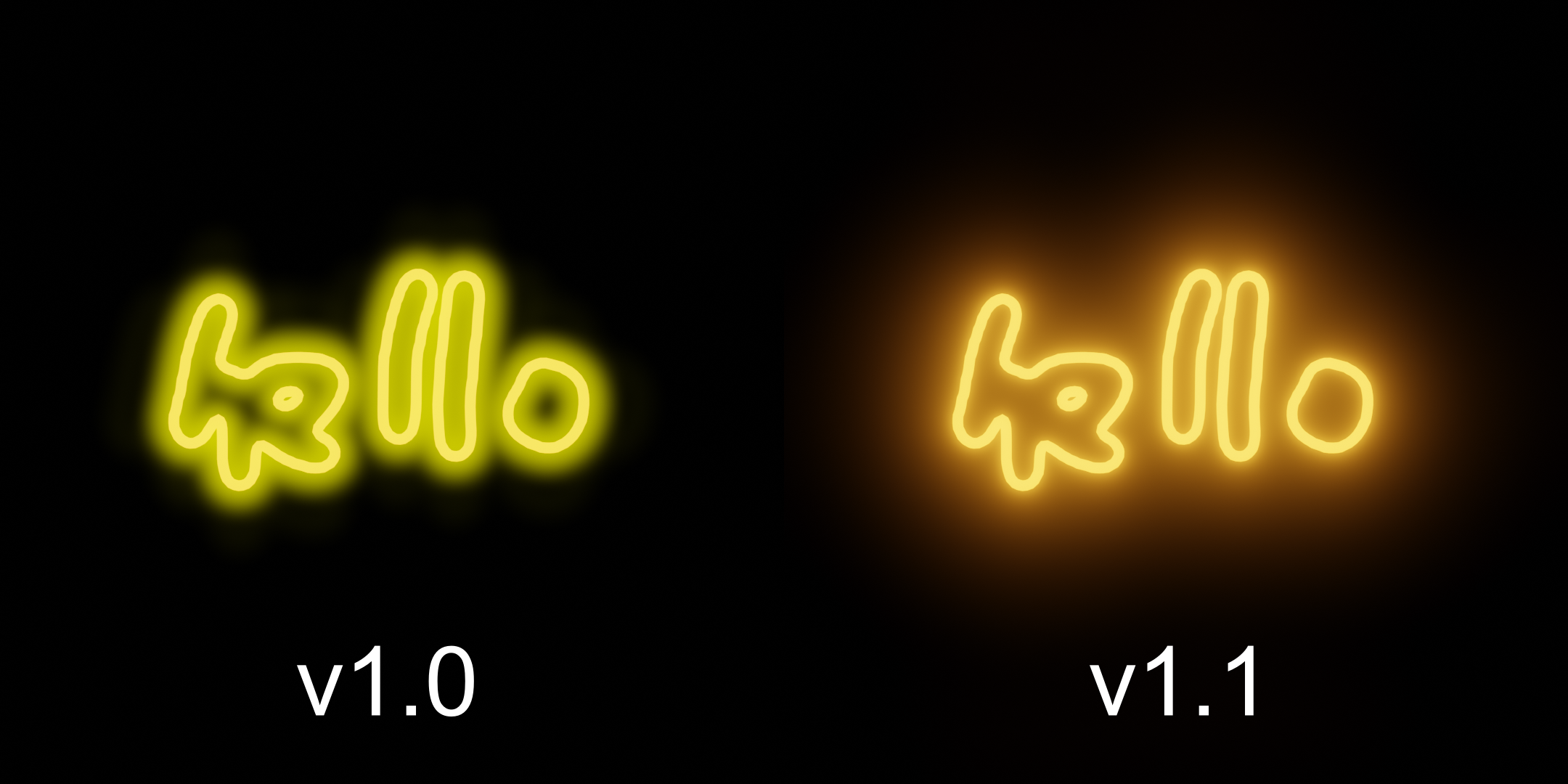
- New Bloom Algorithm
- Better alpha support across adjustments and effects
- Corrected behaviour when initiating the compositing tree to enable all nodes.
- Various bug fixes and enhancements
Supercharge your 3D creation workflow with premium selection of Blender Add-ons. Whether you are modeling intricate characters, sculpting realistic environments, or animating cinematic sequences, the right add-on can transform how you work inside Blender. Our curated collection includes powerful tools for UV unwrapping, procedural texture generation, rigging automation, rendering optimization, and more—each rigorously tested for compatibility with the latest Blender versions. Eliminate tedious manual processes and unlock advanced functionality that lets you focus on what matters most: bringing your creative vision to life. Explore our full range of professional Blender plugins today and take your 3D projects to the next level.
➡️ ➡️ For more Blender Plugins 😀 😀
Reviews
There are no reviews yet.