
PrecisionGearsLite for Blender
PowerSlide for Blender
The Ultimate Subdivision Support Edge Adjustment Tool
Download the PowerSlide addon today. Therefore, you can precisely adjust and reposition support edges in your subdivision models instantly. Because subdivision surface modeling requires precise edge control for sharp corners and clean shapes, you need proper tools. However, manually adjusting support edges to maintain sharp details in subdivided meshes takes many frustrating hours . Consequently, this powerful addon solves that problem completely. Furthermore, it provides an intuitive way to slide, tighten, or relax support edges . Thus, you can achieve perfect edge flow in your subdivision models in seconds.
Fast Support Edge Adjustment and Control
First, the core of this addon is edge control efficiency. Specifically, it allows you to select edge loops and adjust the distance of adjacent support edges instantly . Furthermore, you can tighten or relax supporting edges precisely as you continue refining your mesh . Additionally, the tool remembers previous distances, enabling you to apply the same spacing to separate edges automatically . Thus, you can create consistent edge distances across your entire model quickly. Moreover, you can customize every edge parameter perfectly. Consequently, your subdivision models will maintain sharp, professional edges and clean surface flow.
Advanced Subdivision Modeling Features
Ultimately, professional subdivision modeling requires sophisticated edge management. Therefore, this addon includes advanced support edge features. Specifically, you get edge loop selection, distance memory, and automatic equal spacing functions . Furthermore, the algorithms adjust edge positions to create uniform support around selected loops perfectly. Additionally, the tools support multiple edge loop adjustments simultaneously . Consequently, your subdivision workflow remains efficient and precise. Thus, the workflow reacts beautifully to your creative input.
Real-Time Preview and Precision Control
However, precise edge adjustment can be challenging without proper visual feedback. Therefore, the addon includes real-time preview capabilities. Specifically, it displays edge position updates instantly as you slide or adjust support edges . Consequently, you can see exactly how your subdivision results will look. Meanwhile, your viewport performance remains completely stable. Ultimately, this ensures a smooth and accurate modeling experience.
Perfect for Subdivision Modelers and Hard-Surface Artists
Additionally, this addon is ideal for character modelers and hard-surface artists. Furthermore, it suits product designers and architectural visualizers perfectly. Moreover, anyone working with subdivision surfaces will love the precise support edge control. Ultimately, it accelerates your entire subdivision modeling pipeline.
System Requirements and Formats
Specifically, the addon supports Blender versions 3.1 through 3.5 . Furthermore, it works with all standard mesh types and subdivision workflows. Additionally, you get regular updates from the developer. Therefore, it works across all major operating systems. Moreover, you will need a standard workstation. Thus, 8GB of RAM is highly recommended. Consequently, a modern GPU ensures smooth viewport performance.
Installation and Usage Guide
First, download the zip file from your library . Next, open Blender and go to Edit Preferences. Then, select Add-ons and click Install. After that, enable the PowerSlide addon . Finally, select your edge loops in Edit Mode, activate PowerSlide, and slide or adjust your support edges precisely. Thus, your perfectly controlled subdivision model will be ready instantly.
What is Included Inside?
Specifically, the pack contains the complete support edge adjustment toolset. Furthermore, it includes edge loop selection, distance memory, and equal spacing algorithms. Additionally, you get support for all subdivision modeling workflows. Moreover, there are detailed documentation guides. Ultimately, you receive everything for professional support edge management.
Final Thoughts on the Addon
Ultimately, precise subdivision edge control evokes profound creative freedom. Therefore, this addon provides the ultimate subdivision modeling foundation. Furthermore, you can build detailed models with sharp, clean edges. Alternatively, you can create smooth organic surfaces with consistent support edges instantly. Consequently, your subdivision vision becomes a stunning reality.
TLDR read the bold text.
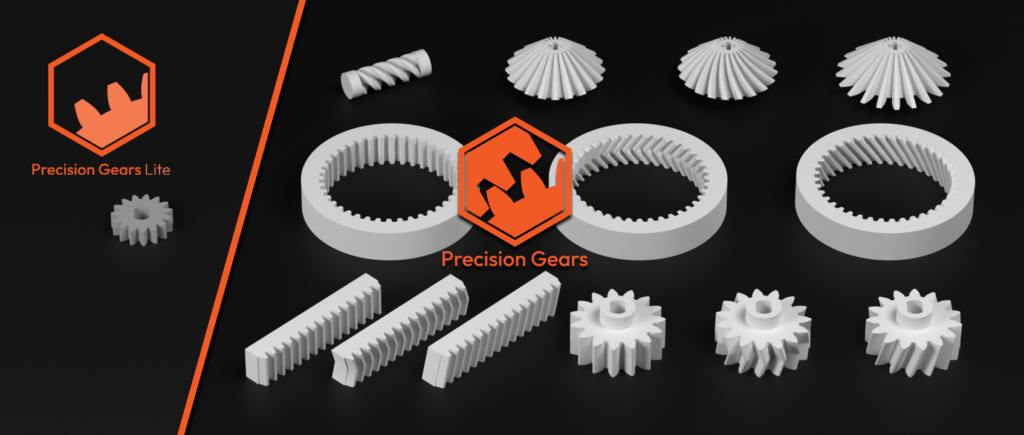
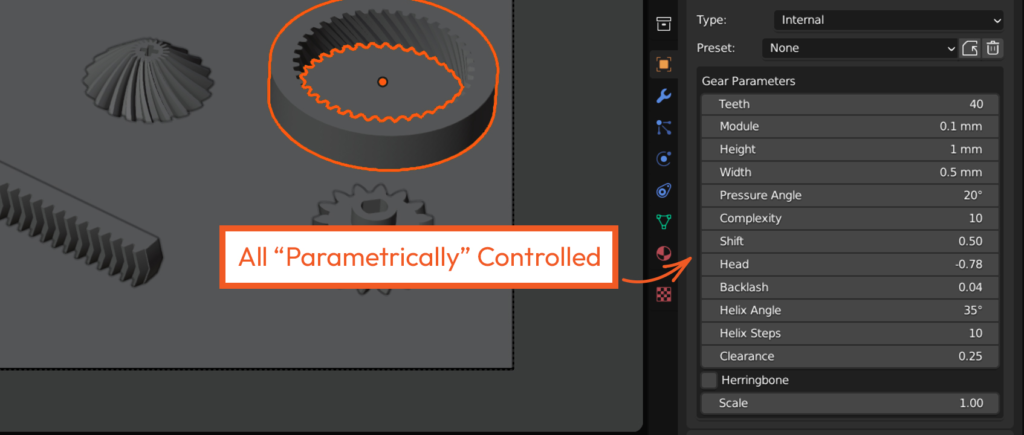
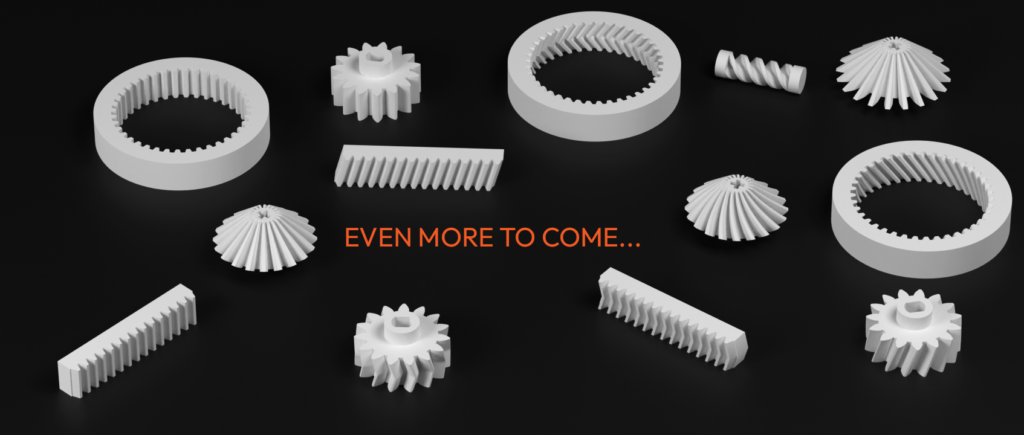
Precision Gears is a blender addon developed to bring an array of mathematically accurate involute gears to the precision world of Blender. Not only that, it’s all incapsulated inside the closest thing to a faux “parametric” system, giving you the ability to change your gears on the fly. Also, integrated is a gear rigging system to create parametric gear chains that are animated.
Minimum version: Blender 3.5
Supercharge your 3D creation workflow with premium selection of Blender Add-ons. Whether you are modeling intricate characters, sculpting realistic environments, or animating cinematic sequences, the right add-on can transform how you work inside Blender. Our curated collection includes powerful tools for UV unwrapping, procedural texture generation, rigging automation, rendering optimization, and more—each rigorously tested for compatibility with the latest Blender versions. Eliminate tedious manual processes and unlock advanced functionality that lets you focus on what matters most: bringing your creative vision to life. Explore our full range of professional Blender plugins today and take your 3D projects to the next level.
➡️ ➡️ For more Blender Plugins 😀 😀
Reviews
There are no reviews yet.