
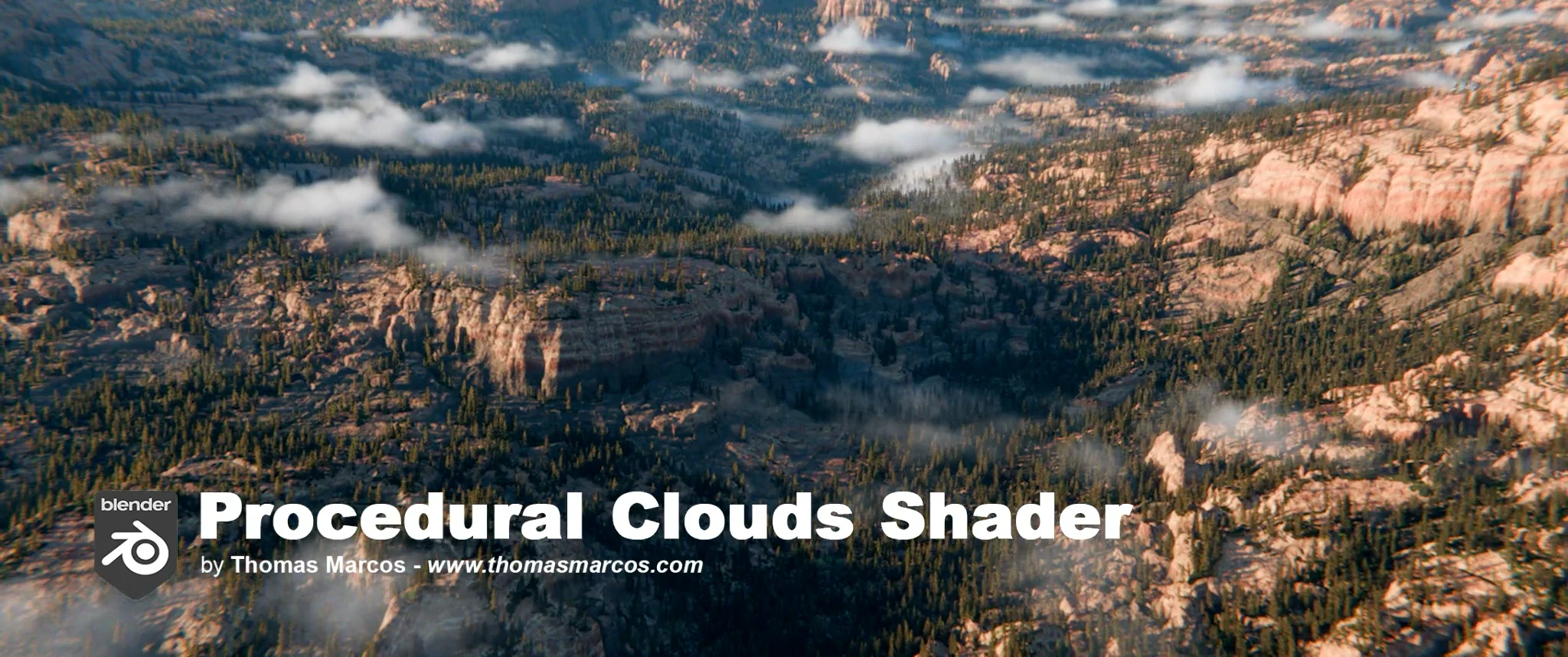
Procedural Clouds Shader for Blender
Procedural Clouds Shader for Blender
The Ultimate Realistic Cloud Generation and Volumetric Shading Tool
Download the Procedural Clouds Shader for Blender today. Therefore, you can create realistic volumetric cloud layers inside your 3D scenes instantly. Because atmospheric effects and environmental storytelling require convincing cloud systems, you need proper tools. However, manually setting up volumetric shaders or relying on external texture maps takes many frustrating hours. Consequently, this powerful shader solves that problem completely. Furthermore, it provides a lightweight and flexible node-based solution. Thus, you can generate stunning, realistic cloud layers without external textures in seconds.
Fast and Efficient Cloud Generation
First, the core of this tool is cloud creation efficiency. Specifically, it allows you to generate realistic cloud layers using a fully procedural node-based setup that works with both Cycles and Eevee render engines instantly . Furthermore, you can control overall cloud shape, contrast, edge softness, and density through user-friendly parameters exposed in the interface . Additionally, the shader is optimized for production-like contexts, with cloud rendering in Eevee at approximately three minutes per frame and terrain rendering in Cycles at 30 seconds per frame on capable hardware . Thus, you can create everything from soft morning mist to dramatic stylised thunderheads quickly. Moreover, you can customize every cloud parameter perfectly. Consequently, your 3D scenes will feature professional-quality atmospheric effects.
Advanced Procedural Cloud Features
Ultimately, professional cloud shading requires sophisticated procedural control. Therefore, this shader includes advanced feature parameters. Specifically, you get control over point density for cloud fullness, point size variation for shape softness, and volume resolution for final detail quality . Furthermore, the algorithms allow you to adjust density falloff, anisotropy variation for light scattering direction, and color tint for warm sunset or cool high-altitude tones . Additionally, the shader is built on Blender 4.4+ and supports both Eevee and Cycles renderers . Consequently, your cloud layers will maintain realistic light interaction and visual depth. Thus, the workflow reacts beautifully to your creative input.
Real-Time Preview and Production Optimization
However, volumetric rendering can be computationally demanding without proper optimization. Therefore, the shader includes smart workflow features for production efficiency. Specifically, you get Solid Preview mode for fast viewport iteration without waiting for full renders . Furthermore, the shader is 100% procedural and node-based, requiring no additional plugins or third-party libraries . Additionally, the tool is distributed under a Creative Commons Attribution license (CC-BY), allowing use in both personal and commercial projects with proper credit . Consequently, your production workflow remains efficient and legally clear. Ultimately, this ensures a smooth and professional creative experience.
Perfect for VFX Artists and Motion Designers
Additionally, this shader is ideal for VFX artists and environmental designers. Furthermore, it suits motion graphic artists, concept designers, and cinematic shot creators perfectly . Moreover, anyone needing atmospheric depth or sky environments will love the instant procedural results. Ultimately, it accelerates your entire environmental rendering pipeline.
System Requirements and Formats
Specifically, the shader requires Blender 4.4 or newer . Furthermore, it is fully compatible with Cycles and Eevee render engines. Additionally, you receive the tool as a downloadable .blend file with the complete volumetric cloud setup included . Therefore, it works across all major operating systems. Moreover, you will need a standard workstation with capable GPU performance. Thus, 8GB of RAM is recommended, with 16GB suggested for more complex scenes . Consequently, a modern GPU with Optix acceleration ensures smooth rendering and viewport previews.
Installation and Usage Guide
First, download the .blend file from the Gumroad store, entering €0 for free download or adding a voluntary donation . Next, open the file in Blender and append the Cloud Layer Group node tree to your project . Then, create a sphere around your scene, apply the shader material, and connect the Factor output to control cloud transparency and the Displacement output to give depth to your clouds . Finally, adjust the custom properties through the Modifier tab for direct parameter control without diving into node spaghetti . Thus, your professional cloud layer will be ready instantly.
What is Included Inside?
Specifically, the pack contains the complete procedural cloud node group with all control parameters exposed. Furthermore, it includes custom properties for overall shape, contrast, edge softness, density, and color tint. Additionally, the file comes with a short demo animation and preview renders to help you get started . Moreover, there are detailed parameter guides included. Ultimately, you receive everything for professional cloud generation.
Final Thoughts on the Shader
Ultimately, procedural cloud generation evokes profound creative freedom. Therefore, this shader provides the ultimate atmospheric foundation. Furthermore, you can build detailed sky environments with realistic cloud layers. Alternatively, you can create stylised cloudscapes for animation and VFX instantly. Consequently, your atmospheric vision becomes a stunning reality.
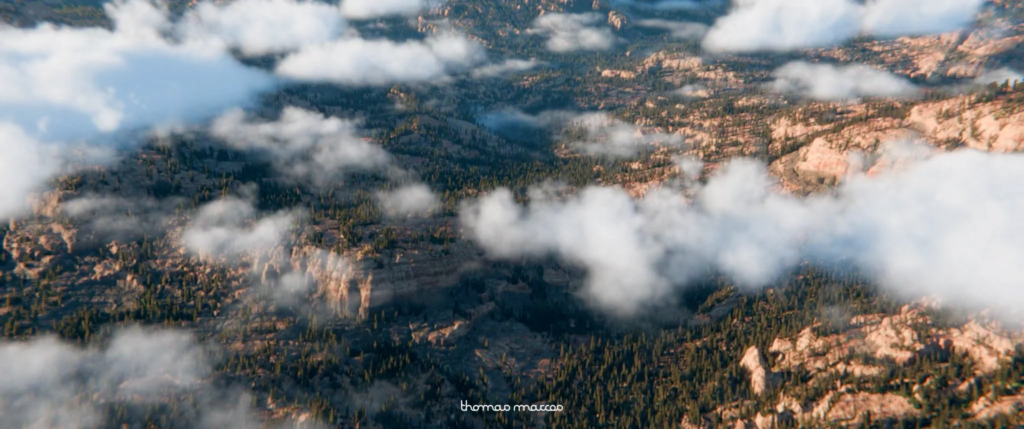
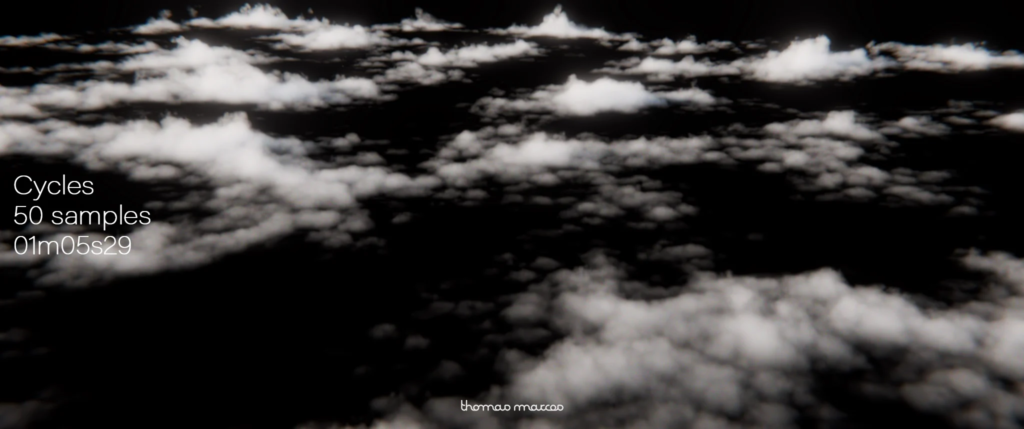
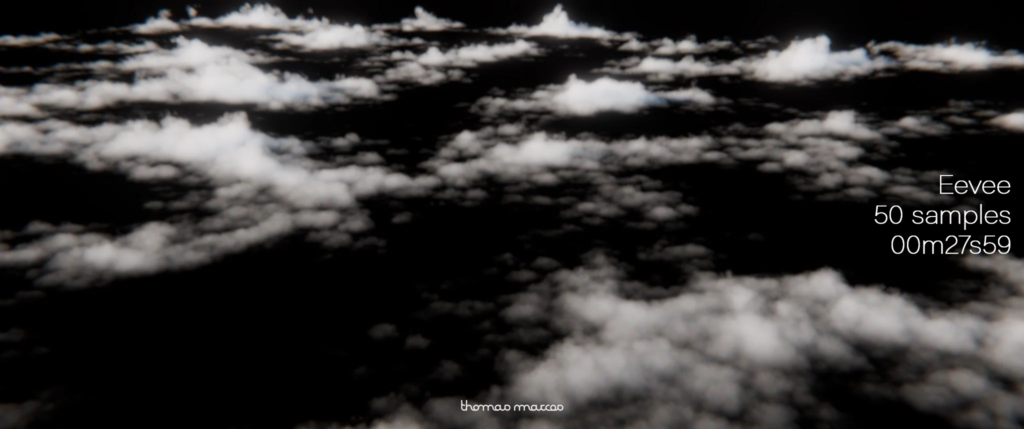
This procedural cloud shader was designed to integrate seamlessly into your Blender scenes, whether you’re using Cycles or Eevee. Lightweight, fast, and flexible, it lets you generate realistic cloud layers without external textures, while remaining easy to use.
Tested through the preview animations shown on this page, the shader proved efficient in a production-like context. The clouds were rendered in Eevee at three minutes per frame, while the terrain was rendered in Cycles at 30 seconds per frame — a smart hybrid workflow that balances speed and quality.
Supercharge your 3D creation workflow with premium selection of Blender Add-ons. Whether you are modeling intricate characters, sculpting realistic environments, or animating cinematic sequences, the right add-on can transform how you work inside Blender. Our curated collection includes powerful tools for UV unwrapping, procedural texture generation, rigging automation, rendering optimization, and more—each rigorously tested for compatibility with the latest Blender versions. Eliminate tedious manual processes and unlock advanced functionality that lets you focus on what matters most: bringing your creative vision to life. Explore our full range of professional Blender plugins today and take your 3D projects to the next level.
➡️ ➡️ For more Blender Plugins 😀 😀
Reviews
There are no reviews yet.