
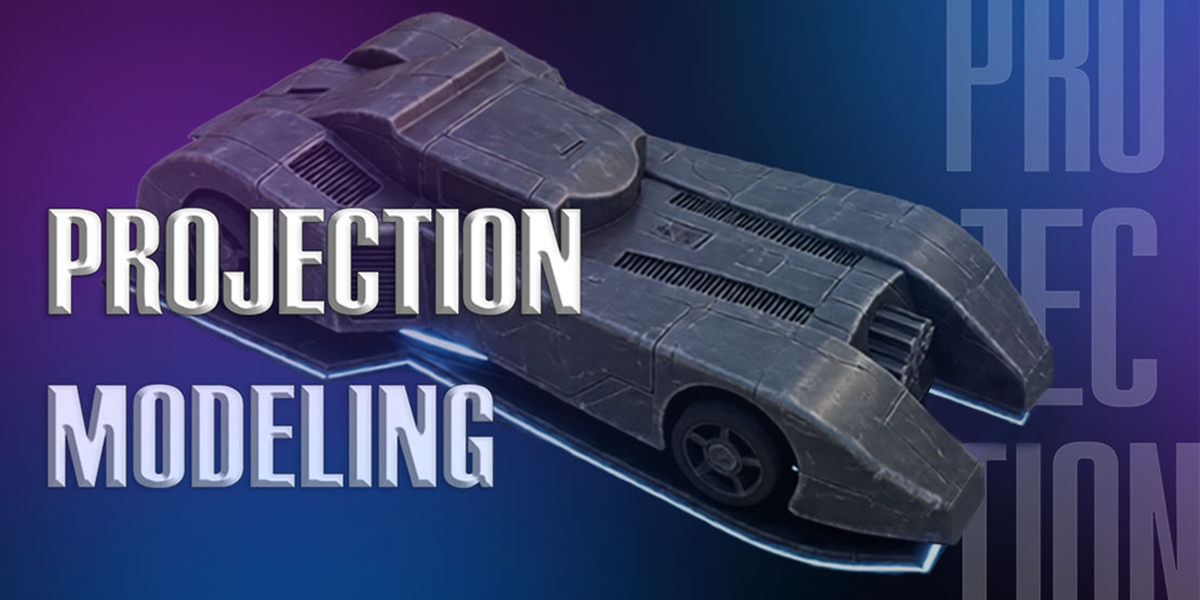
Projection Modeling for Blender
Projection Modeling v1.1.4 for Blender – The Ultimate Photo-Based 3D Reconstruction Toolkit
Versions: v1.1.6
File Size: 510 KB
Download Projection Modeling v1.1.4 for Blender on Windows and Mac, a specialized workflow addon designed to rapidly convert 2D photographs into accurate 3D geometry using camera projection techniques. Unlike photogrammetry which requires dozens of overlapping images, Projection Modeling allows you to reconstruct buildings, props, and environments from just one or two reference photos by projecting image details directly onto proxy meshes. This tool bridges the gap between concept art and 3D production, enabling artists to create textured, dimensionally correct assets in minutes rather than days.
Key Features of Projection Modeling v1.1.4:
- One-Click Camera Alignment: Automatically matches Blender’s camera to your reference photo using vanishing point detection and horizon line analysis, eliminating the tedious manual process of aligning focal length, rotation, and position.
- Smart Proxy Generation: Instantly creates simple geometric primitives (boxes, cylinders, planes) that align with the perspective of your photo, providing an immediate base mesh for projection.
- Live Projection Preview: See your texture projected onto the 3D mesh in real-time as you adjust the camera or geometry, allowing for instant feedback and precise alignment without repeated test renders.
- Multi-View Blending: Seamlessly blend projections from multiple camera angles to cover occluded areas, with automatic seam masking and color matching to prevent visible texture boundaries.
- Perspective Correction Tools: Built-in lens distortion correction and keystone adjustment ensure that projections remain accurate even when using wide-angle or tilted reference photos.
- UV Auto-Unwrapping: Automatically generates clean UV maps based on the projection camera’s view, ensuring textures are applied without stretching or distortion on the reconstructed geometry.
- Detail Transfer System: Projects high-frequency details (bricks, windows, signage) from the photo onto normal and displacement maps, adding surface complexity without increasing polygon count.
- Shadow & Lighting Matching: Analyzes the reference photo’s lighting direction and intensity to automatically set up scene lights that match the original capture conditions, ensuring consistent shading.
- Non-Destructive Workflow: All projections are applied via modifiers and shader nodes, allowing you to refine the camera angle, swap reference images, or adjust the proxy mesh at any time before baking.
- Export Ready: One-click baking converts all projected textures and normals into standard PBR maps (Albedo, Normal, Roughness) ready for game engines or external rendering software.
Perfect For:
- Architectural Visualizers reconstructing existing buildings and interiors from site photos for renovation or heritage projects.
- Environment Artists rapidly creating detailed urban assets, facades, and props from on-location reference photography.
- Concept Artists turning 2D matte paintings and sketches into navigable 3D scenes for pre-visualization.
- VFX Studios integrating CG elements into live-action plates by matching real-world geometry and textures.
- Game Developers prototyping levels and assets using real-world references without full photogrammetry pipelines.
- Heritage Preservationists documenting and digitizing historical sites from archival photographs.
System Requirements:
- Blender: 3.6, 4.0, 4.1, 4.2, 4.3, 4.4+ (Latest LTS recommended).
- OS: Windows 10/11 (64-bit) or macOS 10.15+.
- RAM: 8GB minimum (16GB+ recommended for high-resolution texture projection).
- Render Engine: Fully compatible with Cycles and Eevee.
Installation:
- Download the Projection Modeling v1.1.4
.zipfile. - Open Blender and go to Edit > Preferences > Add-ons.
- Click Install…, select the downloaded file, and enable the checkbox next to 3D View: Projection Modeling.
- Access via the 3D Viewport Sidebar (N-panel) under the Projection tab, or the Camera Properties panel.
What’s New in v1.1.4?
- Enhanced Vanishing Point Detection: Improved algorithm for detecting perspective lines in complex architectural photos, resulting in faster and more accurate camera alignment.
- New “Curved Surface” Projection Mode: Added support for projecting onto cylindrical and spherical proxies, expanding utility beyond flat facades to domes, columns, and vehicles.
- Automatic Color Balancing: New tool to match exposure and white balance between multiple reference photos before blending, reducing visible seams in multi-view reconstructions.
- Performance Optimization: Reduced viewport lag during live projection preview by implementing GPU-accelerated texture sampling.
- Blender 4.4 Compatibility: Full support for the latest camera API changes and color management updates in Blender 4.4.
- Bug Fix: Resolved an issue where UV islands would occasionally flip when adjusting camera tilt after initial alignment.
Note:
Projection Modeling v1.1.4 is not a replacement for photogrammetry but a complementary rapid-reconstruction tool. Where photogrammetry excels at capturing organic, unstructured subjects from many images, Projection Modeling shines at recreating structured, man-made environments from minimal reference data. The addon includes a “Confidence Map” feature that highlights areas where the projection is most accurate versus areas that may need manual cleanup or additional reference views. Whether you are rebuilding a historic cathedral from a single postcard or blocking out a cyberpunk street from concept art, Projection Modeling provides the precision and speed to turn flat images into dimensional reality.
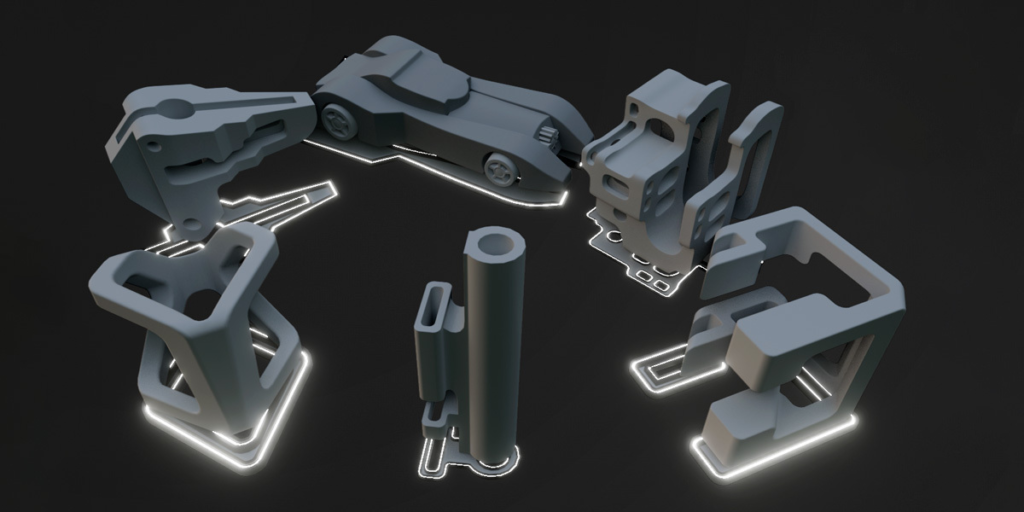
Projection Modeling
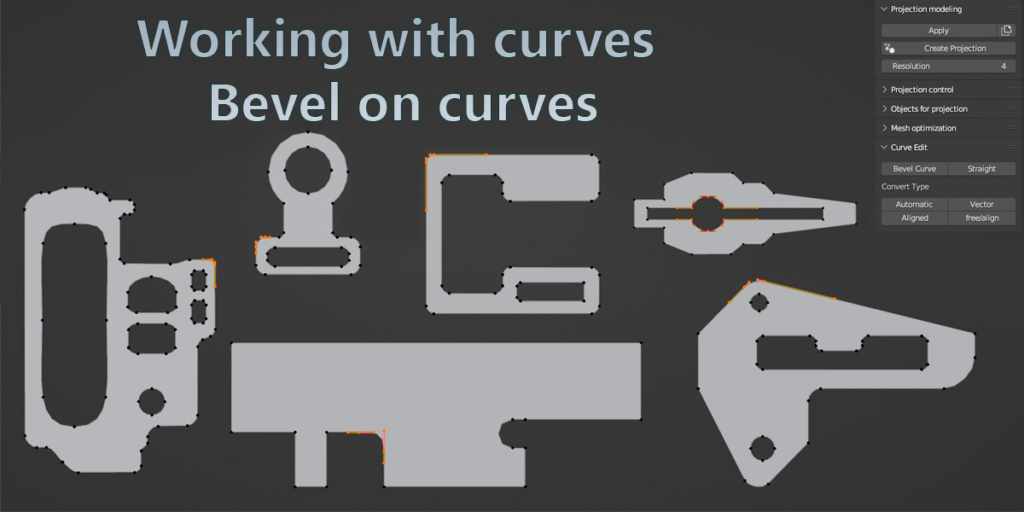
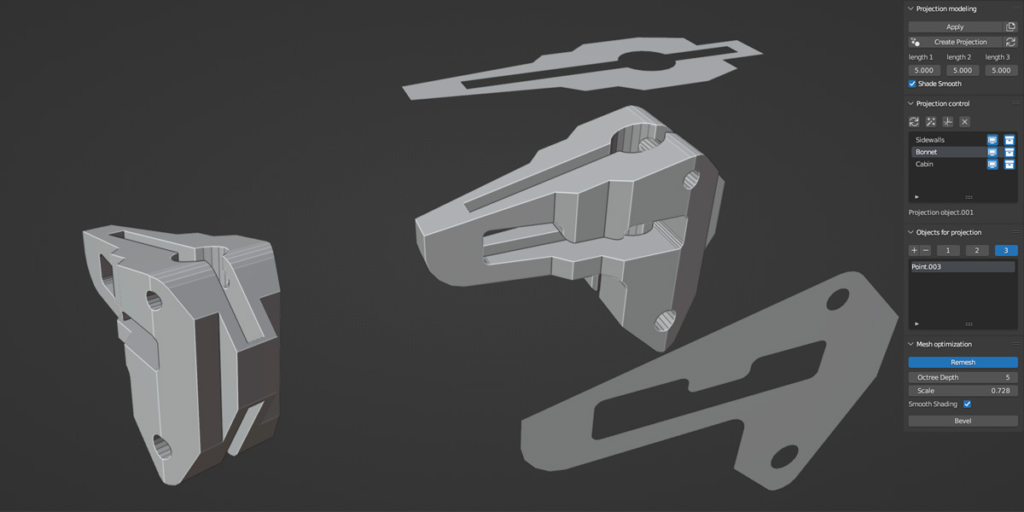
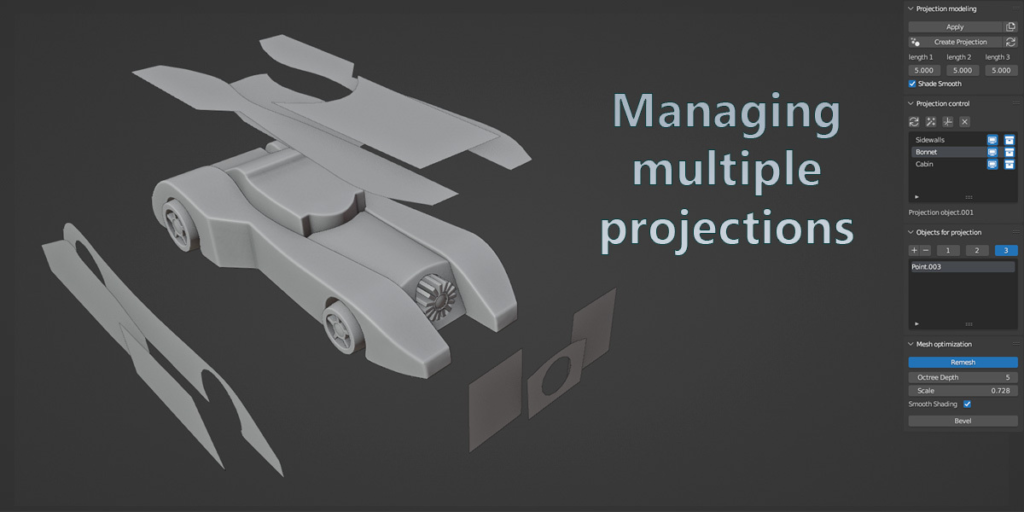
An add-on for Blender that creates 3D models using 2D projections. You can create these projections based on curves and mesh planes and be able to control the 3D shape with your projections in real time. For me it was quite difficult to create such shapes and details, rather even impossible, but with the help of this method you can now do what is impossible for many, create parts, low-poly models, in some cases high-poly models, build according to drawings, parts of different shapes, the application is quite extensive, everyone will find a use. I also expanded functions that optimize the mesh and work with curves, watch my preview video
Languages
-English
-日本語
Select voiceover for your YouTube video
Tutorial
Tutorial on the basic principles of the addon and its capabilities, demonstrated using curves
Additional lesson
An additional lesson, for those who find it difficult to work with curves, I show the basic ways of working with curves, the techniques that I use, as well as a small time-lapse on creating projection profiles based on curves.
Tutorial 2
The second lesson on projection modeling in blender, focusing on working with mesh projections, I will also show combined work with curves and mesh planes, I will show how to make text using projections, and some basics that were not included in the first lesson
Tutorial 3
Lesson about new modes of work, as well as how you can use the Curve Work addon together with the projection modelling addon, the first part of the video will be dedicated to beginners, I will show a lot of interesting things.
Supercharge your 3D creation workflow with premium selection of Blender Add-ons. Whether you are modeling intricate characters, sculpting realistic environments, or animating cinematic sequences, the right add-on can transform how you work inside Blender. Our curated collection includes powerful tools for UV unwrapping, procedural texture generation, rigging automation, rendering optimization, and more—each rigorously tested for compatibility with the latest Blender versions. Eliminate tedious manual processes and unlock advanced functionality that lets you focus on what matters most: bringing your creative vision to life. Explore our full range of professional Blender plugins today and take your 3D projects to the next level.
➡️ ➡️ For more Blender Plugins 😀 😀
Reviews
There are no reviews yet.