
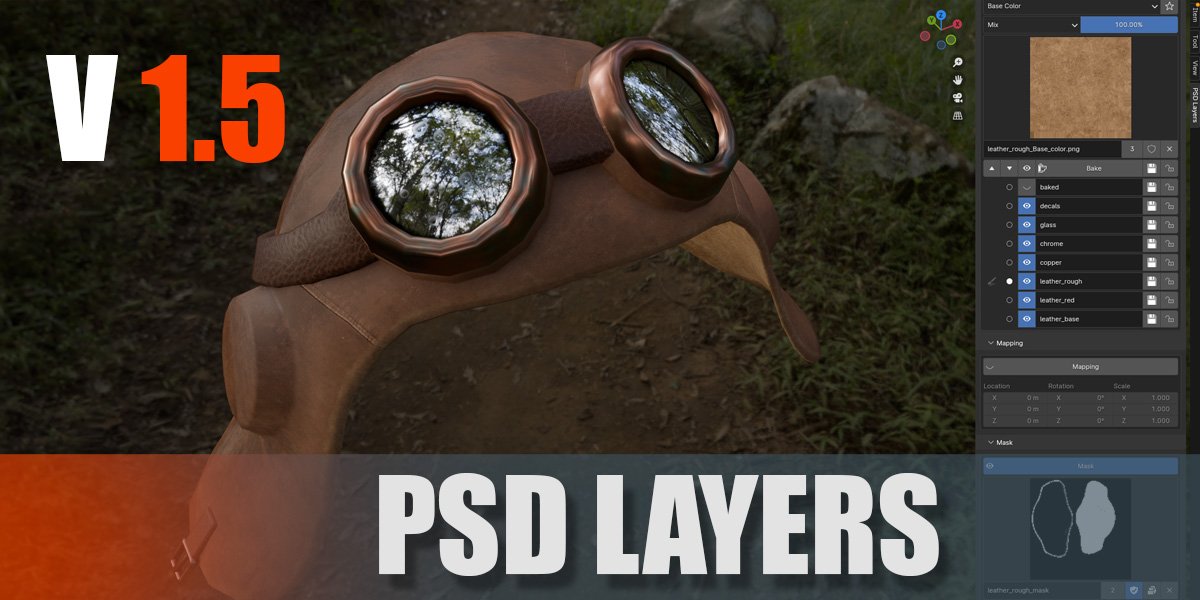
PSD Layers for Blender
PSD Layers v1.5.2 for Blender
The Ultimate Layer-Based Texture Painting Workflow Tool
Download the PSD Layers v1.5.2 addon today. Consequently, you can paint textures in Blender using a familiar layer-based system similar to Photoshop or Krita. Because hand-painted textures and detailed 3D projects require efficient layer management, having access to the right tools is absolutely essential. Nevertheless, manually creating and editing complex shader nodes for texture painting can consume many frustrating hours of production time. Fortunately, this powerful addon eliminates that bottleneck completely. Moreover, it handles all node connections automatically, allowing you to focus entirely on your creative work. In short, you can paint stunning textures with full layer control in a fraction of the usual time.
Professional Layer Management and Control
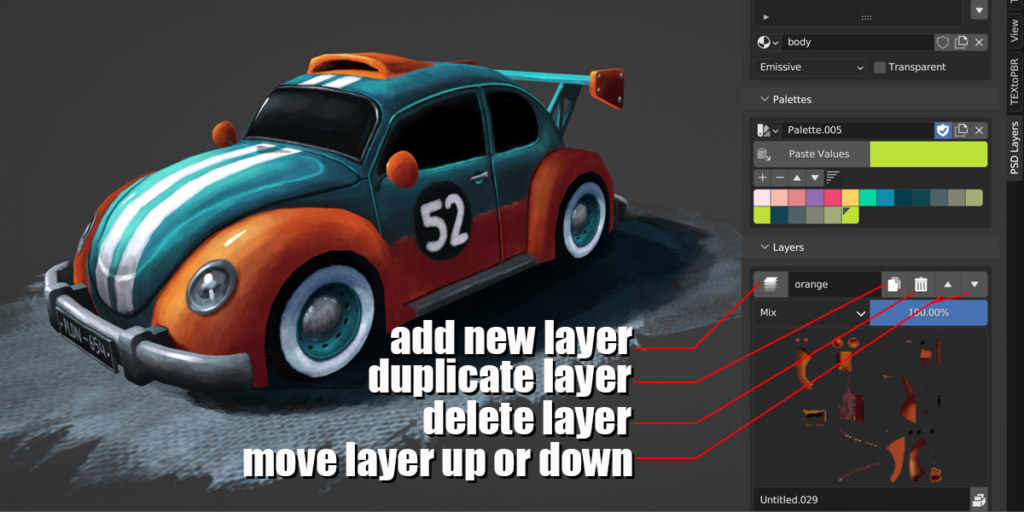
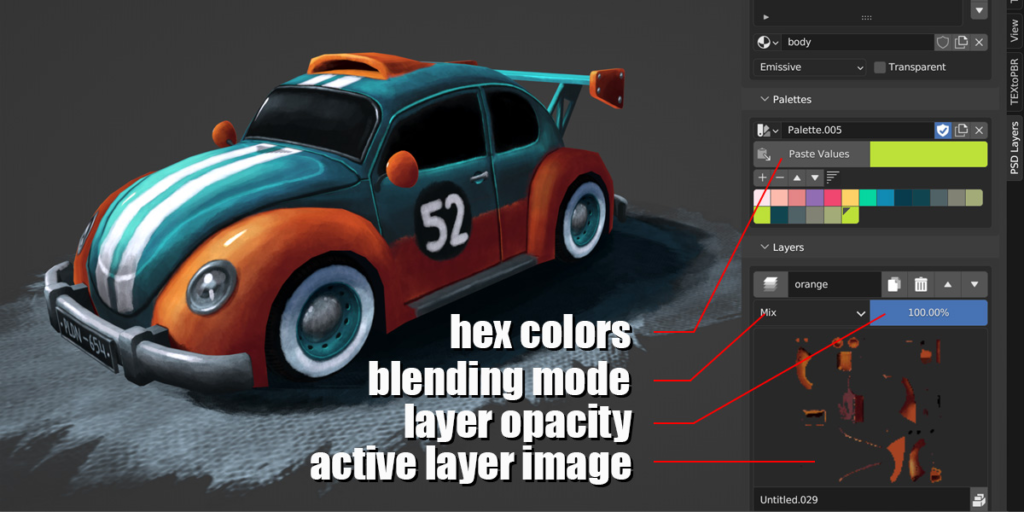
The core of this addon lies in its intuitive layer-based workflow. For instance, users can paint textures in layers while maintaining full control over blending modes, opacity, and visibility. Additionally, PSD Layers is lightweight and fast because it uses only standard Blender shader nodes without requiring any external dependencies. Furthermore, the addon automatically creates and manages all necessary shader node connections for you. Consequently, you can work seamlessly without getting lost in complex node setups. Each layer also features a convenient save indicator: a Pack icon turns red when the image needs to be saved, ensuring you never lose your progress inadvertently. Similarly, the Palettes section includes a Paste Values icon that allows you to import hex color palettes from any website in virtually any format with just one click. Thus, your color workflow remains smooth and efficient at all times.
Advanced PBR Painting and Baking Features
Professional texture work demands support for physically-based rendering workflows. Therefore, PSD Layers v1.5.2 includes comprehensive PBR painting capabilities with full metalness workflow support. Moreover, you can bake channel maps directly within the addon, streamlining your texture generation pipeline. Additionally, a Solo button allows you to view each channel individually without shading interference, giving you precise control over your texture inspection process. The addon also supports image mapping with scale, rotate, and translate controls for flexible texture placement. Furthermore, Masking capabilities enable complex layer interactions and non-destructive editing. Consequently, your textures will maintain professional quality across all your 3D projects.
Flexible Shader Switching and Transparency Options
Versatility in material presentation is crucial for creative experimentation. Accordingly, PSD Layers allows you to switch seamlessly between emissive and Principled BSDF shaders with a single click. In addition, you can toggle transparency on or off effortlessly, adapting your textures to different rendering scenarios. Furthermore, the addon includes a Mix erase toggle brush for intuitive texture refinement. A dedicated Save Image button packs your textures and activates a fake user to ensure asset preservation. Meanwhile, automated image colorspace detection ensures your textures render correctly across different channels. Consequently, you maintain complete creative control without unnecessary technical overhead.
Comprehensive Texture Management Tools
Efficient texture creation requires robust asset management features. For example, the Spreadsheet editing capability allows you to view and adjust texture data systematically. Moreover, the New Image button creates images with default values for each channel, accelerating your workflow startup. The Import Images button enables quick integration of existing texture assets into your layer system. Additionally, the addon supports automated image colorspace assignment depending on the channel, eliminating manual configuration steps. Thus, your texturing workflow becomes significantly more productive and enjoyable.
Perfect for Texture Artists and Game Developers
This addon is particularly well-suited for texture artists who prefer layer-based painting workflows. Similarly, game developers creating PBR assets will appreciate the metalness workflow integration. Additionally, 3D artists working on stylized projects, character texturing, and environmental assets will find the layer management system invaluable. Ultimately, whether you are a beginner seeking simplicity or a professional requiring advanced control, PSD Layers accelerates your entire texturing pipeline .
System Requirements and Compatibility
The addon requires Blender 4.3 or 4.4 for v1.5.2 compatibility. Furthermore, v1.5.2 supports Blender 4.4 and 4.3, while older versions accommodate Blender 3.4 through 4.2 . Additionally, the addon is completely free and will remain so indefinitely. Therefore, it works across all major operating systems including Windows, macOS, and Linux.
Installation and Usage Guide
To begin, download the zip file from the official website at www.psd-layers.com . Next, open Blender and navigate to Edit Preferences. Then, select Add-ons and click Install. After that, locate and select the downloaded zip file, then enable the PSD Layers addon. Finally, access the addon from the sidebar in the Image Editor or Shader Editor, create your layers, and begin painting . Thus, your professional layer-based texturing workflow will be ready instantly.
What is Included Inside?
The pack contains the complete PSD Layers addon with all features from v1.0 through v1.5. Furthermore, it includes PBR painting support, baking capabilities, masking tools, and image mapping controls. Additionally, you receive comprehensive layer management with blending modes, opacity controls, and visibility toggles. Ultimately, you receive everything needed for professional texture painting.
Final Thoughts on the Addon
Effortless layer-based texture painting evokes profound creative freedom. Therefore, this addon provides the ultimate texturing foundation for your 3D projects. You can paint detailed textures with professional layer control and efficiency. Alternatively, you can integrate PBR workflows seamlessly into your existing pipeline. Consequently, your texture creation vision becomes a stunning reality.
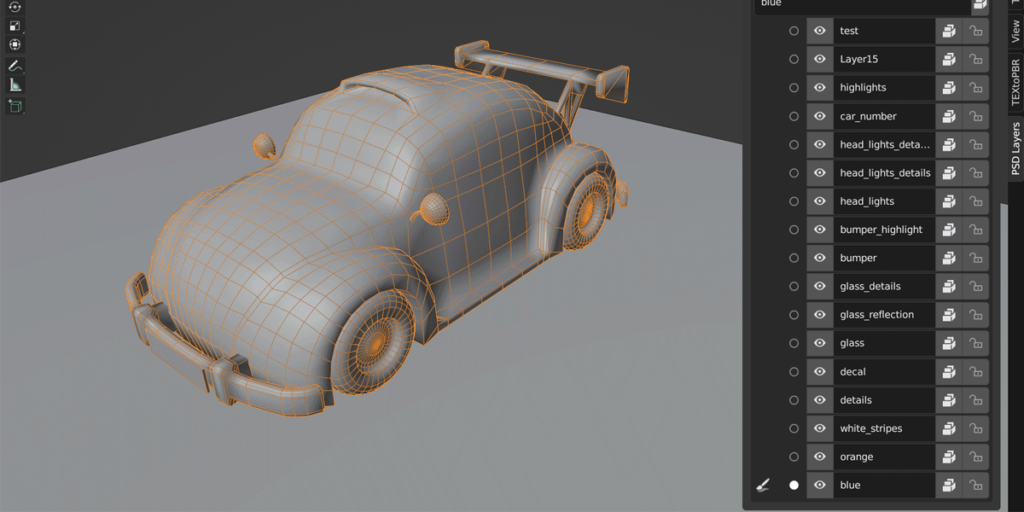
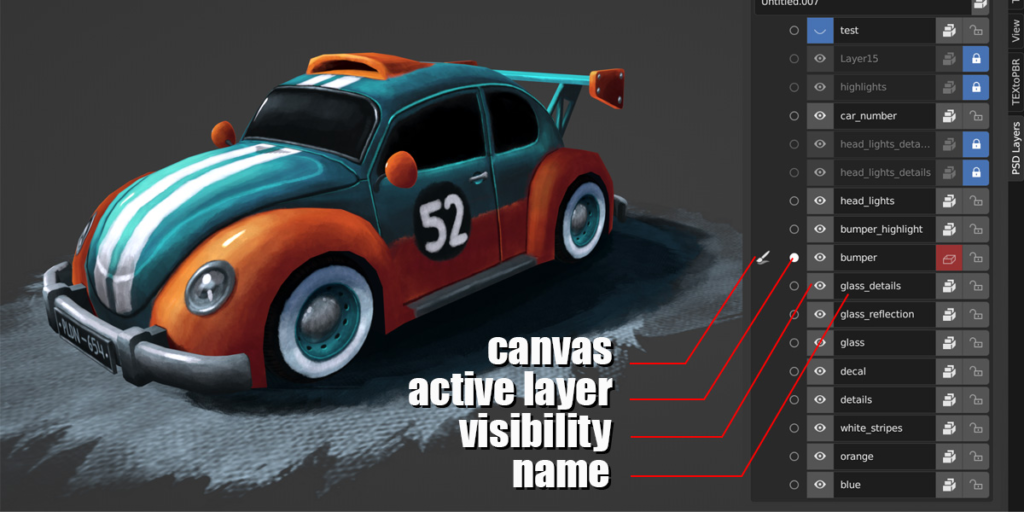
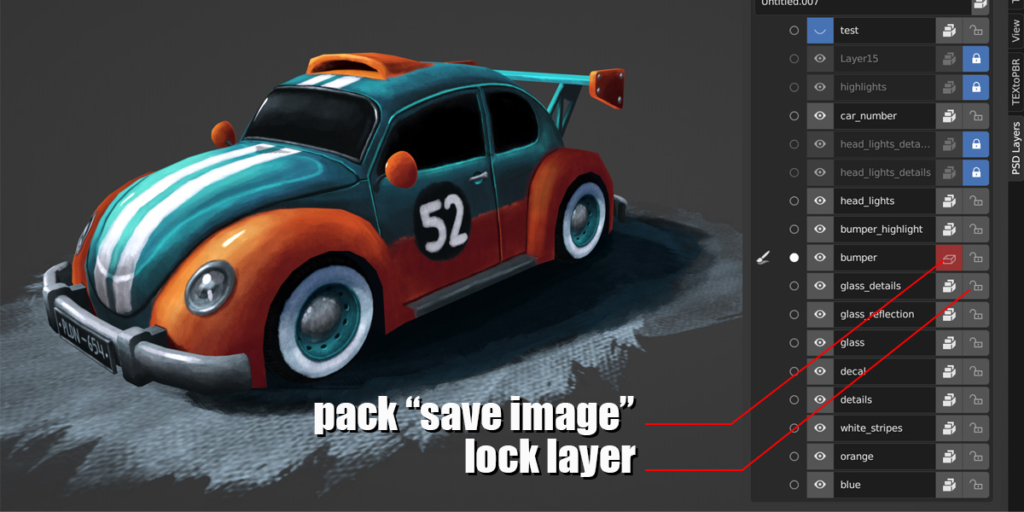
Update v1.6:
– Supports blender 5 (it’s an extension now ).- Bug fixes (like pasting colors issue is solved now).
Update v1.5:
Supports Blender 4.Supprts PBR painting (metalness workflow).Baking channel maps.Solo button to view each channel alone without shading in 3D View.Mix erase toggle brush.Supports Image mapping (scale, rotate, locate).Supports Masking.Spreadsheet editing.Save image button which pack and activate ‘Fake user’.Automated image colorspace depending on the channel.New image button with default values for each channel.Import images button.
Features:
Paint your textures in layers like photoshop , krita … etc.Have control over Blending modes , opacity , visibility and more.PSD-Layers is light and fast since it only uses standard blender shader nodes.No need to create and edit complicated shader nodes .. PSD-Layers creates them for you.Each layer have Pack icon which turns into red color when the image needs to be saved … save it with just clicking the same icon.Palettes section has ” Paste Values” icon .. which paste any hex colors palette from any website in any form ” xaml , text , css … etc ” with just one click !You can easily switch the shader between emissive and principled BSDF .. and choose whether to make it transparent or not with one click.
Supercharge your 3D creation workflow with premium selection of Blender Add-ons. Whether you are modeling intricate characters, sculpting realistic environments, or animating cinematic sequences, the right add-on can transform how you work inside Blender. Our curated collection includes powerful tools for UV unwrapping, procedural texture generation, rigging automation, rendering optimization, and more—each rigorously tested for compatibility with the latest Blender versions. Eliminate tedious manual processes and unlock advanced functionality that lets you focus on what matters most: bringing your creative vision to life. Explore our full range of professional Blender plugins today and take your 3D projects to the next level.
➡️ ➡️ For more Blender Plugins 😀 😀
Reviews
There are no reviews yet.