
QBlocker 0.1.60 for Blender
QBlocker 0.1.60 for Blender – The Ultimate Rapid Scene Blocking & Asset Placement Tool
Download QBlocker 0.1.60 for Blender on Windows and Mac, a specialized workflow utility designed to drastically accelerate the scene blockout and asset placement process. By providing a lightning-fast, hotkey-driven popup overlay, QBlocker allows artists to instantly add, move, rotate, and scale objects without ever taking their hands off the primary modeling keys or navigating through endless menus. It transforms how environment artists, level designers, and generalists populate their scenes, turning what used to be a tedious drag-and-drop process into a fluid, keyboard-centric workflow.
Key Features of QBlocker 0.1.60:
- Lightning-Fast Popup Overlay: Access a customizable, radial or grid-based menu via a single hotkey to instantly spawn assets from your library directly under the mouse cursor.
- Keyboard-Centric Transforms: Move, rotate, and scale placed objects using intuitive, context-sensitive hotkeys that keep your hands on the keyboard, eliminating the need to constantly switch tools in the toolbar.
- Smart Snapping Integration: Seamlessly integrates with Blender’s native snapping tools, allowing assets to instantly snap to surfaces, vertices, edges, or grids with perfect alignment.
- Custom Asset Libraries: Easily link QBlocker to your existing Blender Asset Browser or specific local folders, letting you categorize and quickly deploy your favorite props, kitbash pieces, and modular assets.
- Multi-Object Array Placement: Instantly place multiple copies of an object in a grid, circle, or along a curve directly from the placement menu, perfect for rapid environment dressing.
- Context-Aware Scaling: Automatically scales placed assets to match the real-world dimensions of your scene or the specific object you are currently working on.
- Non-Destructive Blocking: All placed objects remain fully editable standard Blender objects; QBlocker simply speeds up the initial placement and transformation phase.
- Visual Feedback & Previews: See a real-time ghost preview of the asset before confirming placement, ensuring perfect positioning and orientation before the object is finalized.
- Batch Operations: Select multiple placed blocks and apply uniform transformations, random rotations, or material assignments in a single click.
- Workspace Agnostic: Works flawlessly in Object Mode, Edit Mode, and even Sculpt Mode, making it a versatile tool for any stage of the pipeline.
Perfect For:
- Environment Artists rapidly blocking out cityscapes, interiors, and natural landscapes with modular kits.
- Level Designers quickly populating game levels with props, cover objects, and environmental storytelling elements.
- Architectural Visualizers speeding up the placement of furniture, vegetation, and lighting fixtures in interior scenes.
- Concept Artists building 3D matte paintings and base meshes by rapidly assembling kitbash parts.
- Animators quickly setting up scene props and background elements for camera tests and pre-vis.
- Anyone who wants to eliminate the “click, drag, search, drop” fatigue when dressing a 3D scene.
System Requirements:
- Blender: 3.6, 4.0, 4.1, 4.2, 4.3, 4.4+ (Latest LTS recommended).
- OS: Windows 10/11 (64-bit) or macOS 10.15+.
- RAM: 4GB minimum (8GB+ recommended for large asset libraries).
- No external dependencies required.
Installation:
- Download the QBlocker 0.1.60
.zipfile. - Open Blender and go to Edit > Preferences > Add-ons.
- Click Install…, select the downloaded file, and enable the checkbox next to 3D View: QBlocker.
- Access via the designated hotkey (default is usually
Qor a custom shortcut) to open the placement overlay, or find the settings in the 3D Viewport Sidebar (N-panel) under the QBlocker tab.
What’s New in v0.1.60?
- Blender 4.4 Compatibility: Updated API calls to ensure the popup overlay renders correctly with the latest UI scaling and color management changes in Blender 4.4.
- Improved Snapping Logic: Refined the surface-snapping algorithm to prevent assets from clipping through complex, non-manifold geometry during rapid placement.
- Faster Library Indexing: Optimized the background scanning of asset folders, reducing the initial load time when opening large custom prop libraries.
- Customizable Overlay Themes: Added options to change the popup menu’s background opacity and border colors to better suit dark or light Blender themes.
- Bug Fix: Resolved a rare issue where the ghost preview would occasionally freeze if the user rapidly toggled between different asset categories.
- Enhanced Array Tool: The quick-array feature now supports randomized scale and rotation offsets for more organic scattering directly from the menu.
Note:
QBlocker 0.1.60 is built around the philosophy of keeping your hands on the keyboard. In traditional workflows, placing 50 rocks might require 50 trips to the outliner or asset browser. With QBlocker, it’s a single hotkey, a quick mouse flick, and a confirm click. The addon is completely non-intrusive; it doesn’t replace Blender’s native tools but rather acts as a high-speed launcher for them. It also features a “Learning Mode” that highlights the most efficient hotkeys for new users, ensuring you can master the rapid placement workflow in minutes. Whether you are blocking out a massive sci-fi corridor or just dropping some apples into a bowl, QBlocker keeps your creative momentum uninterrupted.
QBlocker is an interactive object creation tool for Blender 3.6+
Features:
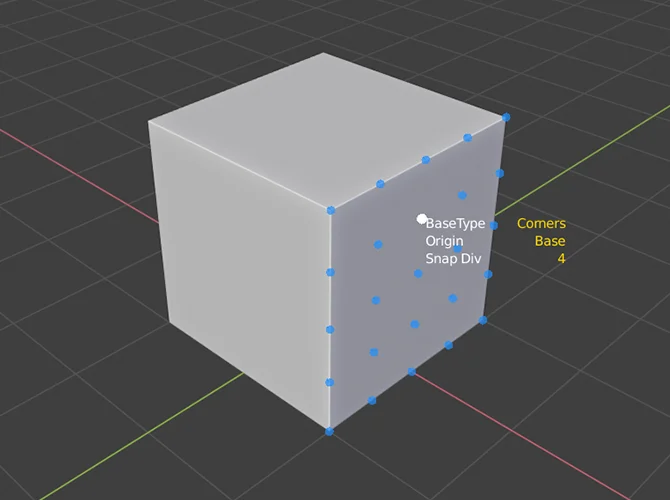
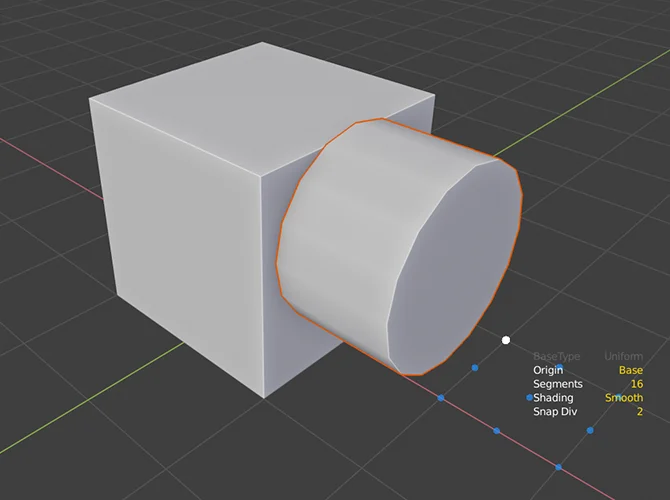
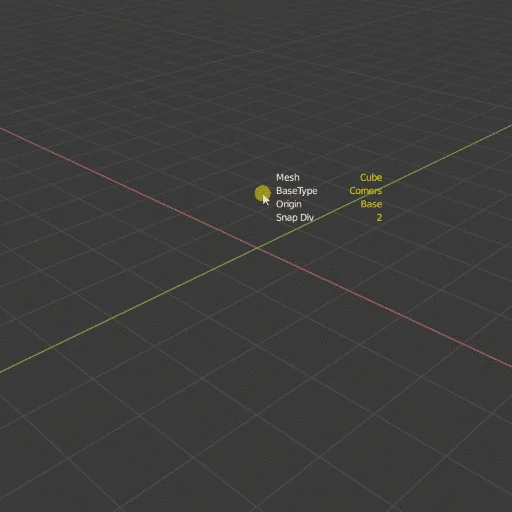
- Create Cube, Plane, Cylinder, Circle, Spher,e and more Objects interactively
- Start your object base with different methods
- Change Origin from object center to base on the fly
- Change the cylinder and sphere segment count freely.
- Use the working plane to define your custom grid
- Use the addon’s own snapping tool on grid, vertices, or edge midpoints
- Use polygon-aligned snap grid points for precise placement
- Axis and Oriented alignment options
- Left and Right mouse button support
- Turn into a QObject tool
- Parametric objects
Supercharge your 3D creation workflow with premium selection of Blender Add-ons. Whether you are modeling intricate characters, sculpting realistic environments, or animating cinematic sequences, the right add-on can transform how you work inside Blender. Our curated collection includes powerful tools for UV unwrapping, procedural texture generation, rigging automation, rendering optimization, and more—each rigorously tested for compatibility with the latest Blender versions. Eliminate tedious manual processes and unlock advanced functionality that lets you focus on what matters most: bringing your creative vision to life. Explore our full range of professional Blender plugins today and take your 3D projects to the next level.
➡️ ➡️ For more Blender Plugins 😀 😀
Reviews
There are no reviews yet.