
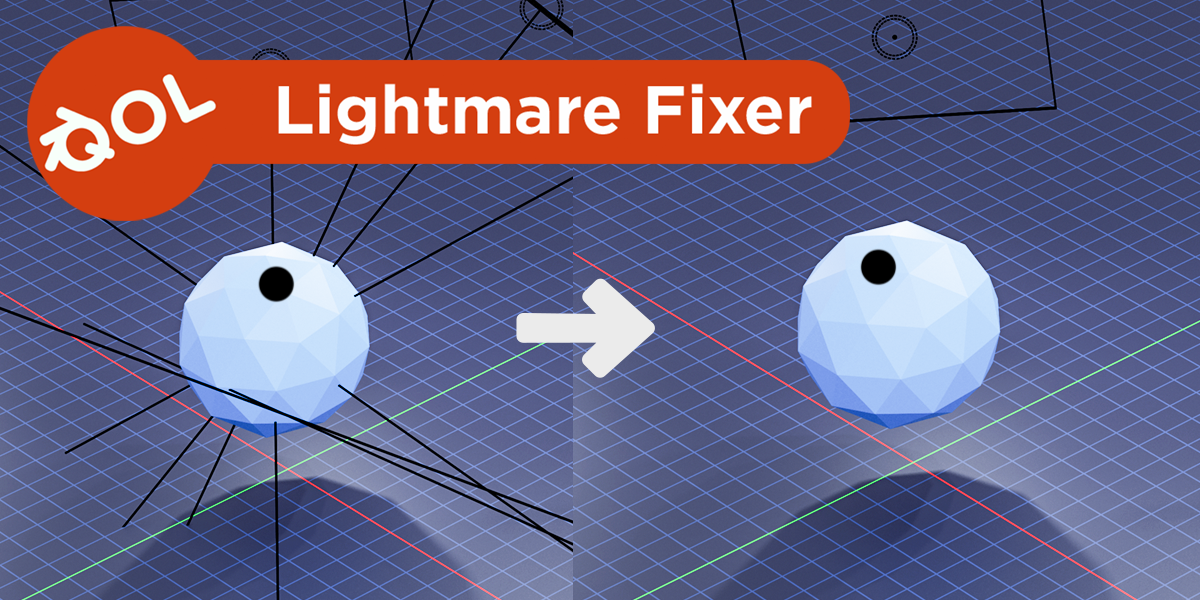
QOL LightmareFixer for Blender
QOL LightmareFix v1.0.0 for Blender
The Ultimate One-Click Viewport Decluttering Tool for Cycles
Download QOL LightmareFix v1.0.0 today. Consequently, you can instantly eliminate visual clutter from your Cycles viewports with a single click. Because complex 3D scenes often contain dozens of lights, maintaining a clean and focused workspace is absolutely essential. Nevertheless, Blender’s default behavior displays a custom distance toggle for each light—a setting that serves no purpose whatsoever in the Cycles render engine . Fortunately, LightmareFix solves this annoyance elegantly. Moreover, it automatically reduces those useless custom distance stalks to zero across all lights simultaneously. In short, you can enjoy a much cleaner viewport without manually adjusting each light individually.
One-Click Viewport Cleanup Workflow
The core of this addon lies in its remarkable simplicity and immediate impact. For instance, users simply navigate to View Menu > QOL Lightmare Fix and instantly remove all distracting light stalks from the viewport . Additionally, the operation applies to every light in your scene by default, saving you from the tedium of adjusting custom distance settings one by one. Since the custom distance toggle was originally designed for Eevee’s real-time viewport, it has absolutely no function in Cycles and only serves to clutter your workspace . Consequently, your viewport becomes significantly cleaner and more focused, allowing you to concentrate on lighting quality rather than visual noise.
Smart Toggle and Reverse Functionality
Professional workflows require flexibility and control. Therefore, LightmareFix includes convenient reverse functionality to restore the original settings when needed. Furthermore, version 1.0.1 introduced an alt-click facility to reverse the operation, ensuring you can toggle the effect on and off effortlessly . Additionally, even if you occasionally work in Eevee, the same toggle may still prove useful since those custom distance indicators are rarely adjusted in practice . Thus, you maintain complete control over your viewport presentation without any permanent changes to your scene data.
Perfect for Lighting Artists and Scene Layout Specialists
This addon is particularly well-suited for lighting artists who work extensively with Cycles. Similarly, environment artists and scene layout specialists who manage complex lighting setups will appreciate the immediate visual cleanup. Additionally, anyone who finds the persistent light stalks distracting will benefit from this simple quality-of-life improvement. Ultimately, LightmareFix helps you focus on what matters most—crafting beautiful lighting—without unnecessary visual interference.
System Requirements and Compatibility
The addon is compatible with Blender 3.x through 5.x versions . Furthermore, it works across all major operating systems including Windows, macOS, and Linux. You will need a standard workstation with at least 8GB of RAM, though system requirements are minimal given the tool’s lightweight nature.
Installation and Usage Guide
To install, first download the zip file from your library. Next, open Blender and navigate to Edit Preferences. Then, select Add-ons and click Install. After that, locate and select the downloaded zip file, then enable the QOL LightmareFix addon. Finally, open the View Menu, select QOL Lightmare Fix, and watch the light stalks disappear instantly. To restore them, simply alt-click the same menu item. Thus, your clutter-free viewport will be ready instantly.
What is Included Inside?
The pack contains the complete LightmareFix addon with all features from v1.0.0 and v1.0.1. Furthermore, it includes the alt-click reverse functionality for toggling the effect on and off. Additionally, you receive full compatibility with Blender versions 3.x through 5.x. Ultimately, you receive everything needed for professional viewport cleanup.
Final Thoughts on the Addon
Effortless viewport decluttering evokes profound creative focus. Therefore, this addon provides the ultimate quality-of-life foundation for your Cycles workflow. You can maintain clean, distraction-free viewports across complex scenes. Alternatively, you can toggle the effect instantly without permanent scene modifications. Consequently, your lighting vision becomes a stunning reality.
QOL Lightmare Fix is a one-click solution to reduce light clutter in CYCLES viewports.
When you’re working in Blender CYCLES and you have a lot of lights, isn’t this annoying?

Well, with one click (View Menu > QOL Lightmare Fix), you get rid of all the useless stalks and have a much cleaner viewport to work in.
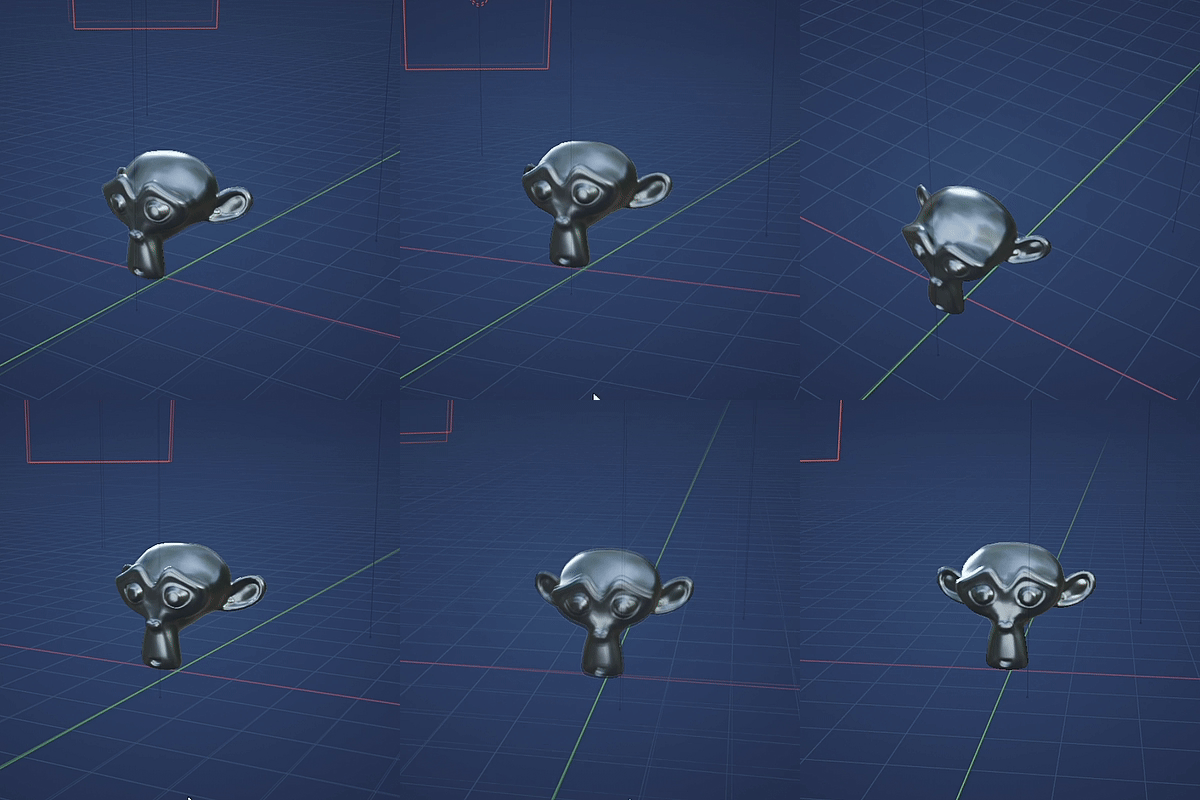
To be fair, you don’t neeed this addon. There’s a trick where you can go into each light and edit the custom distance via toggle, but this addon does all that for you, and by default all lights at the same time. It’s just a little Quality of life thing 🙂
The custom light distance Eeevee toggle has absolutely no use in CYCLES, yet it’s still there to clutter the viewport. This addon simply removes those custom distances by reducing them to Zero. Even in Eevee, those toggles are used rarely, so perhaps you might find it usefull to toggle them off there too ?
Demo Video:
Supercharge your 3D creation workflow with premium selection of Blender Add-ons. Whether you are modeling intricate characters, sculpting realistic environments, or animating cinematic sequences, the right add-on can transform how you work inside Blender. Our curated collection includes powerful tools for UV unwrapping, procedural texture generation, rigging automation, rendering optimization, and more—each rigorously tested for compatibility with the latest Blender versions. Eliminate tedious manual processes and unlock advanced functionality that lets you focus on what matters most: bringing your creative vision to life. Explore our full range of professional Blender plugins today and take your 3D projects to the next level.
➡️ ➡️ For more Blender Plugins 😀 😀
Reviews
There are no reviews yet.