

QOL SpecLightingOps EXT for Blender
QOL SpecLightingOps EXT v2.0.2 for Blender
The Ultimate Cycles High-Light and Light-Linking Control System
Download QOL SpecLightingOps EXT v2.0.2 today. Consequently, you can place, shape, and link lights with unprecedented precision and intuitive control directly within Blender’s Cycles render engine. Because professional lighting is the cornerstone of photorealistic rendering, having access to efficient, fine-tuned lighting tools is absolutely essential. Nevertheless, while Light Linking is now built into Blender, its interface is not particularly intuitive, often leading to a frustrating and time-consuming experience. Fortunately, SpecLightingOps completely transforms this workflow. Moreover, it was specifically designed to work with Cycles, leveraging the very best features available to the renderer . In short, you can achieve studio-quality high-light effects and sophisticated light isolation with remarkable ease.
Intuitive Light Placement and High-Light Management
The core of this addon lies in its streamlined, artist-friendly approach to lighting. For instance, the Hilight Placement function serves as the primary workflow: you simply select “add new QOL soft light” from the right mouse button or the “L” key pie menu . Consequently, you can quickly generate soft lights exactly where you need them. Furthermore, each new light automatically comes with a custom node network attached to it . This unique network provides granular control over everything from the light’s shape and size to its placement and color, allowing for interactive adjustments that are typically reserved for much more complex setups. Since the primary goal is to assist with high-light (specular) lighting in Cycles, the tool is perfectly tailored for creating those crucial, polished reflections.
Simplified Light Linking for Complex Scenes
Professional scenes frequently require specific lights to affect only designated objects while leaving others untouched. Therefore, the addon introduces a surprisingly intuitive method for Light Linking. Specifically, you can simply select the objects you want to be affected, choose the lights you want to use, and then click either “light ONLY selected” or “do NOT light selected” . This workflow allows you to isolate lighting for fine-tuning a single element without inadvertently altering the rest of your scene. Consequently, you gain complete control over complex multi-light setups, making it significantly easier to create dramatic, targeted illumination.
Integrated QOL Ecosystem and System Requirements
This addon is designed to function both as a standalone tool and as part of the larger QOL Tools ecosystem, which is built on the principle of “one tool for one job” to avoid bloat . Furthermore, the v2.0.2 EXT version signifies that it is now available as a Blender 4.2 EXTENSION format addon, ensuring seamless integration with the latest Blender releases . It is compatible with Blender versions 3.0 through 5.1 . You will need a standard workstation with at least 8GB of RAM, though 16GB is recommended for larger scenes with complex lighting.
Perfect for Product Visualizers and Cinematic Artists
This addon is particularly well-suited for product visualizers who need to create precise, studio-quality highlights. Similarly, cinematic artists and VFX professionals will appreciate the ability to isolate and control individual lights within complex scenes. Additionally, anyone seeking to elevate the quality of their Cycles renders through professional lighting techniques will find these tools invaluable.
Installation and Usage Guide
To install, first download the zip file from your library. Next, open Blender and navigate to Edit Preferences. Then, select Add-ons and click Install. For Blender 4.1 and above, use the “Install from Disk” option from the dropdown menu. After that, locate and select the downloaded zip file, then enable the QOL SpecLightingOps EXT addon. Finally, select your object, use the right-click or “L” key pie menu to add a new QOL soft light, and adjust its parameters using the custom node network. Use the Light Linking buttons to control exactly which objects are illuminated .
What is Included Inside?
The pack contains the complete SpecLightingOps EXT addon with all features from v2.0.2. Furthermore, it includes the custom node network for each new light, providing fine and interactive control over shape, placement, and color. Additionally, you receive the intuitive Light Linking interface for isolating objects and the core hilight placement functionality.
Final Thoughts on the Addon
Effortless high-light placement evokes profound creative freedom. Therefore, this addon provides the ultimate foundation for your Cycles lighting workflows. You can craft professional, studio-quality illumination with intuitive, streamlined tools. Consequently, your lighting vision becomes a stunning reality.
Spec Lighting Ops is a tool and small suite of utilities to aid with specular lighting in Cycles.
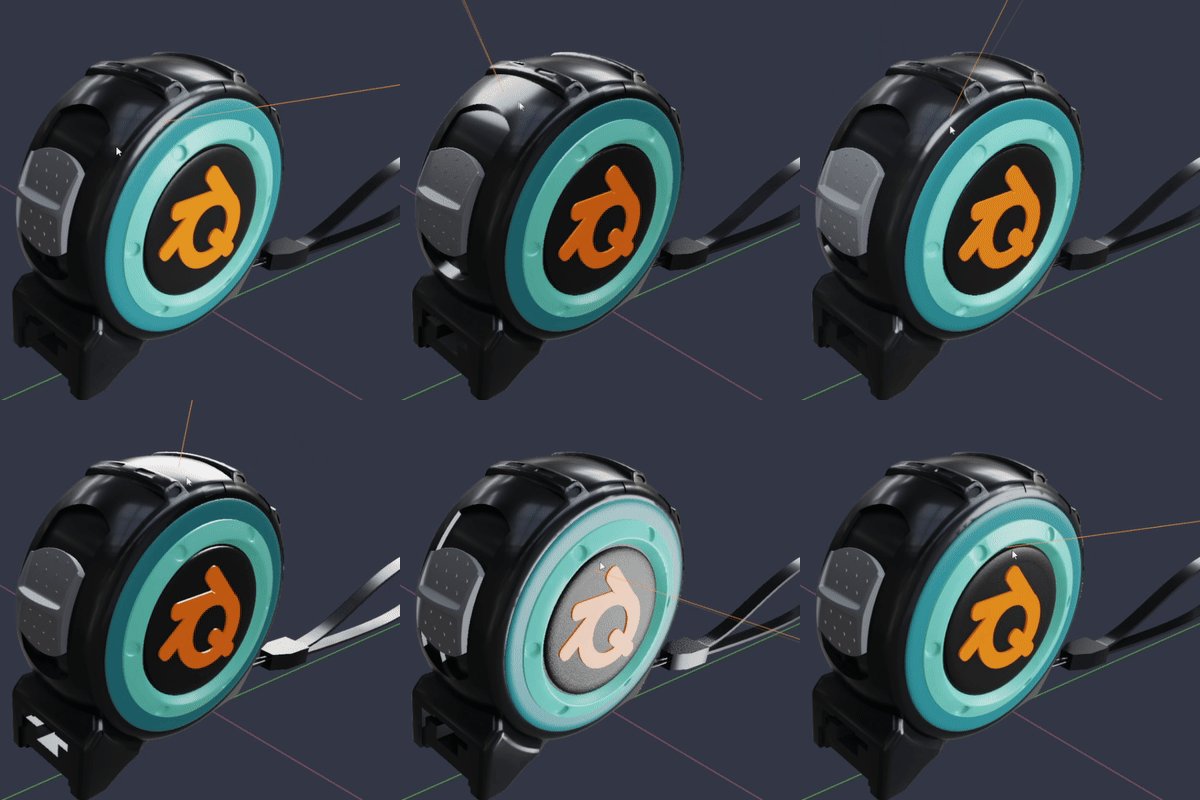
Light Placement.
Hilight placement is the core function of the addon. You select “add new QOL soft light” from the right mouse button or “L” key pie menu.
Light Linking.
Light Linking is now built into Blender, though the interface for it isn’t super intuitive. Spec Lighting ops adds a more intuitive method. Just select the objects you want to be affected, the lights you want to use and either “light ONLY selected” or “no NOT light selected”
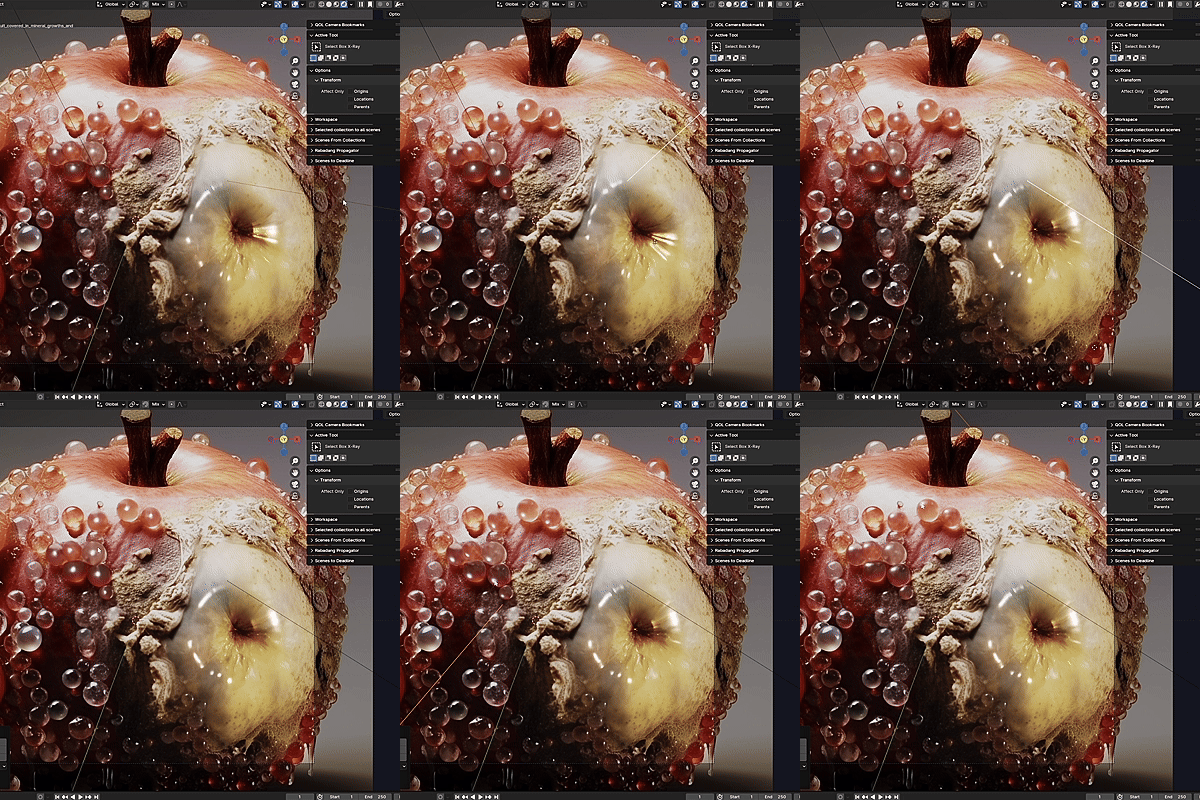
This allows you to specifically light only certain objects and not affect others, for fine tuning.
It’s a surprisingly intuitive workflow.
Additional Utilities
As QOL Spec Lighting Ops is designed to work with Cycles it leverages the very best of features available to it.
With that in mind it creates a custom node network for each new light, allowing fine and interactive control over everything from shape to placement to color.
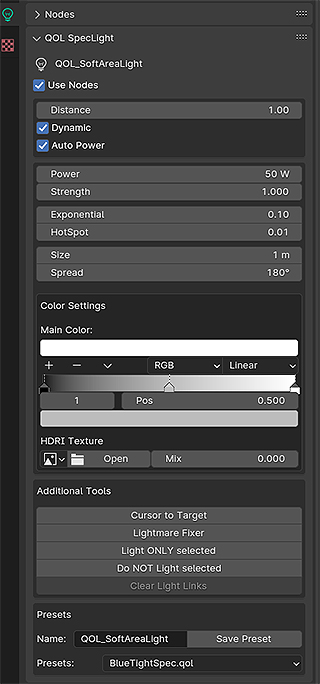
There is in fact, so much utility built in that it’s silly to try and list it all here. Instead, feel free to check out the video demo which is painfully long and stars ME, yapping on and on. (It IS informative though 🙂
Supercharge your 3D creation workflow with premium selection of Blender Add-ons. Whether you are modeling intricate characters, sculpting realistic environments, or animating cinematic sequences, the right add-on can transform how you work inside Blender. Our curated collection includes powerful tools for UV unwrapping, procedural texture generation, rigging automation, rendering optimization, and more—each rigorously tested for compatibility with the latest Blender versions. Eliminate tedious manual processes and unlock advanced functionality that lets you focus on what matters most: bringing your creative vision to life. Explore our full range of professional Blender plugins today and take your 3D projects to the next level.
➡️ ➡️ For more Blender Plugins 😀 😀
Reviews
There are no reviews yet.