
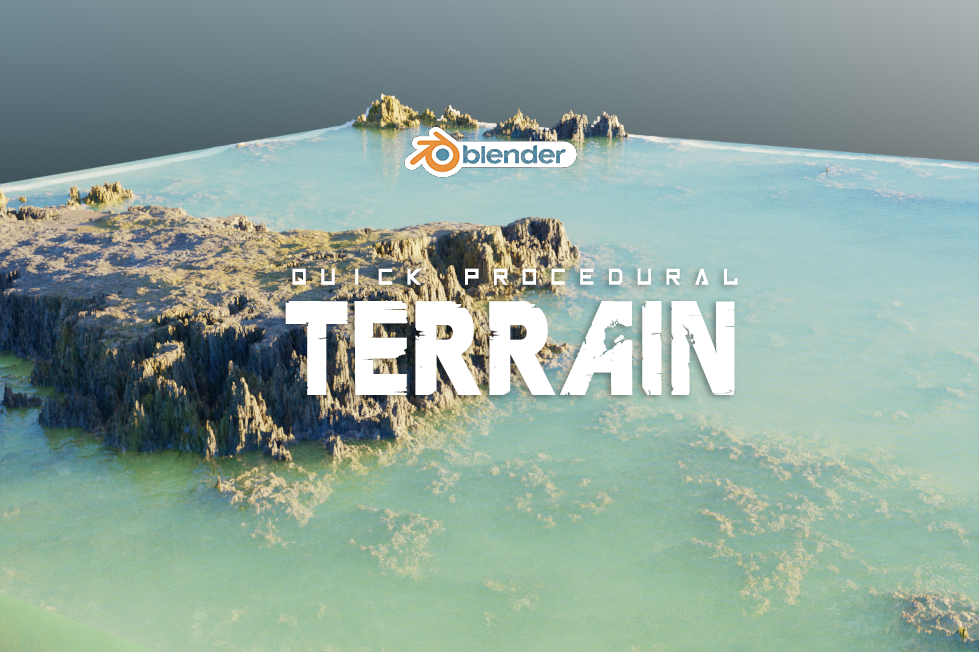
Quick Procedural Terrain
Quick Procedural Terrain for Blender – The Ultimate Rapid Landscape & World-Building Generator
versions: v1.0
File Size: 36 MB
Download Quick Procedural Terrain for Blender on Windows and Mac, a powerful Geometry Nodes-based addon designed to generate vast, realistic, and fully customizable 3D landscapes in seconds. From rolling green hills and jagged mountain peaks to arid deserts and volcanic wastelands, this tool eliminates the need for manual sculpting, complex heightmap imports, or external terrain software. By leveraging advanced noise algorithms and procedural erosion logic, Quick Procedural Terrain allows artists to create infinite variations of natural environments that are optimized for both cinematic rendering and real-time game engines.
Key Features of Quick Procedural Terrain:
- One-Click Terrain Generation: Instantly create large-scale landscapes with adjustable parameters for scale, elevation, and complexity. Choose from presets like Alpine, Desert, Canyon, Coastal, Volcanic, and Tundra to get started immediately.
- Advanced Procedural Erosion: Simulates the effects of water, wind, and thermal erosion, creating realistic riverbeds, sediment deposits, smoothed valleys, and sharp ridges that mimic natural geological processes.
- Smart Biome & Material Blending: Automatically blends different PBR materials (grass, rock, sand, snow, mud) based on slope angle, elevation, and moisture levels, ensuring seamless transitions between biomes without manual texture painting.
- Integrated Scatter & Vegetation System: Built-in tools to scatter trees, bushes, rocks, and grass clusters across the terrain using smart density maps that respect slope and soil type, preventing plants from growing on steep cliffs or underwater.
- Dynamic Water Bodies: Automatically generates lakes, rivers, and oceans that conform to the terrain’s lowest points, with optional procedural shorelines, foam effects, and animated flow for added realism.
- Infinite Resolution & Non-Destructive: Every aspect of the landscape—from the overall shape to the smallest detail—is controlled by sliders and node parameters. You can tweak the mountain height or change the biome at any time without losing your vegetation or material setup.
- Custom Mask Painting: Use vertex colors or a simple brush to manually dictate where specific biomes appear, allowing you to force a snowy peak or a muddy riverbank exactly where you want it.
- LOD & Game Engine Optimization: Features adaptive subdivision and decimation tools to create crisp, detailed geometry for close-up cinematic renders, while automatically generating lightweight, low-poly versions for Unity, Unreal Engine, or Godot.
- Sky & Atmosphere Integration: Includes preset lighting, fog, and volumetric cloud setups that match the generated terrain’s mood, providing instant cinematic looks for renders.
- Seed-Based Variation: Use random seeds to generate endless unique landscape variations from the same preset, allowing you to quickly find the perfect composition for your scene.
Perfect For:
- Environment Artists building open-world games, film backgrounds, and architectural visualizations.
- Concept Artists rapidly blocking out large-scale environments for pre-production and mood setting.
- Game Developers creating modular terrain kits and expansive maps with optimized performance and collision data.
- Architectural Visualizers adding realistic context, topography, and natural surroundings to building projects.
- VFX Studios generating digital doubles of real-world locations or fantastical alien planets.
- Beginners who want to create professional-looking landscapes without learning complex sculpting or GIS techniques.
System Requirements:
- Blender: 3.6, 4.0, 4.1, 4.2, 4.3, 4.4+ (Geometry Nodes required; optimized for Blender 4.x).
- OS: Windows 10/11 (64-bit) or macOS 10.15+.
- RAM: 8GB minimum (16GB+ highly recommended for high-resolution displacement and dense vegetation scattering).
- Render Engine: Fully compatible with Cycles (recommended for accurate material blending and displacement) and Eevee.
Installation:
- Download the Quick Procedural Terrain
.zipfile. - Open Blender and go to Edit > Preferences > Add-ons.
- Click Install…, select the downloaded file, and enable the checkbox next to Add Mesh: Quick Procedural Terrain.
- Access via the Add Menu > Mesh > Terrain or the dedicated panel in the 3D Viewport Sidebar (N-panel) under the Landscape tab.
Key Highlights of the Latest Update:
- Blender 4.4 Compatibility: Full support for the latest Geometry Nodes simulation fields, point cloud instancing, and AgX color management for stunning environmental visuals.
- Rewritten Erosion Engine: The thermal and hydraulic erosion algorithms have been optimized to calculate 40% faster while producing more geologically accurate cliff faces and alluvial fans.
- New “Canyon” Biome: Added a specialized preset for deep, winding river canyons with layered rock strata and automatic river placement at the canyon floor.
- Improved Scatter Performance: Vegetation and rock scattering now utilizes Geometry Nodes point cloud caching, keeping the viewport buttery smooth even when placing millions of grass blades.
- Auto-Collision Generation: One-click tool to generate simplified collision meshes for game engines, ensuring your terrain has accurate physical boundaries without slowing down the game engine.
Note:
Quick Procedural Terrain is built on the philosophy of speed and flexibility. Unlike static heightmaps that require external software like World Machine or Gaea to edit, this addon keeps everything inside Blender, allowing for real-time iteration. The intelligent material blending system ensures that your terrain looks cohesive and natural, avoiding the “patchwork” look common in simpler generators. Whether you are creating a serene valley for a fantasy RPG, a harsh Martian surface for a sci-fi film, or a realistic topographical map for an ArchViz project, Quick Procedural Terrain provides the foundational tools to build your world efficiently and beautifully.
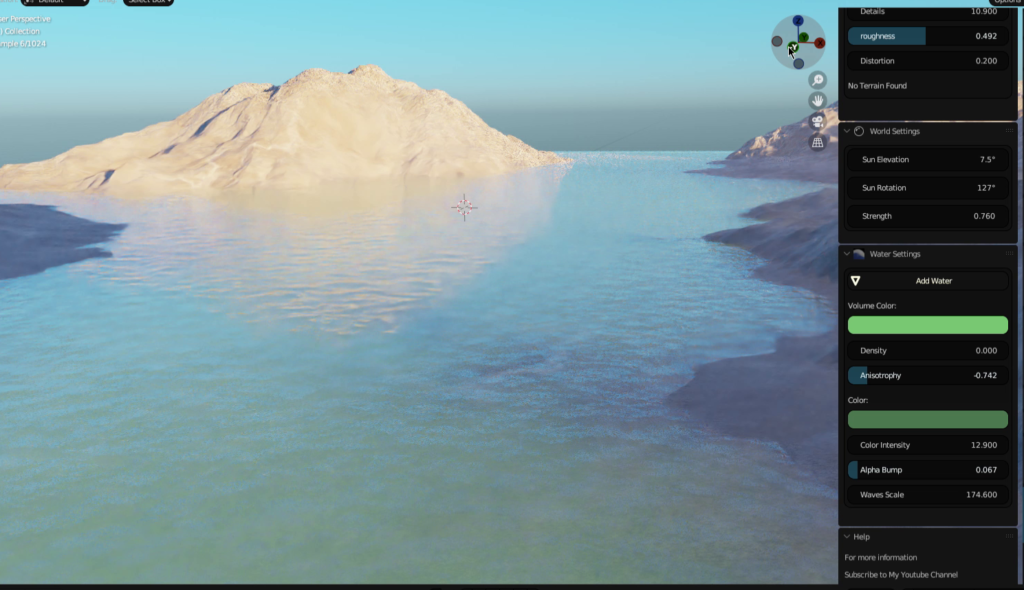
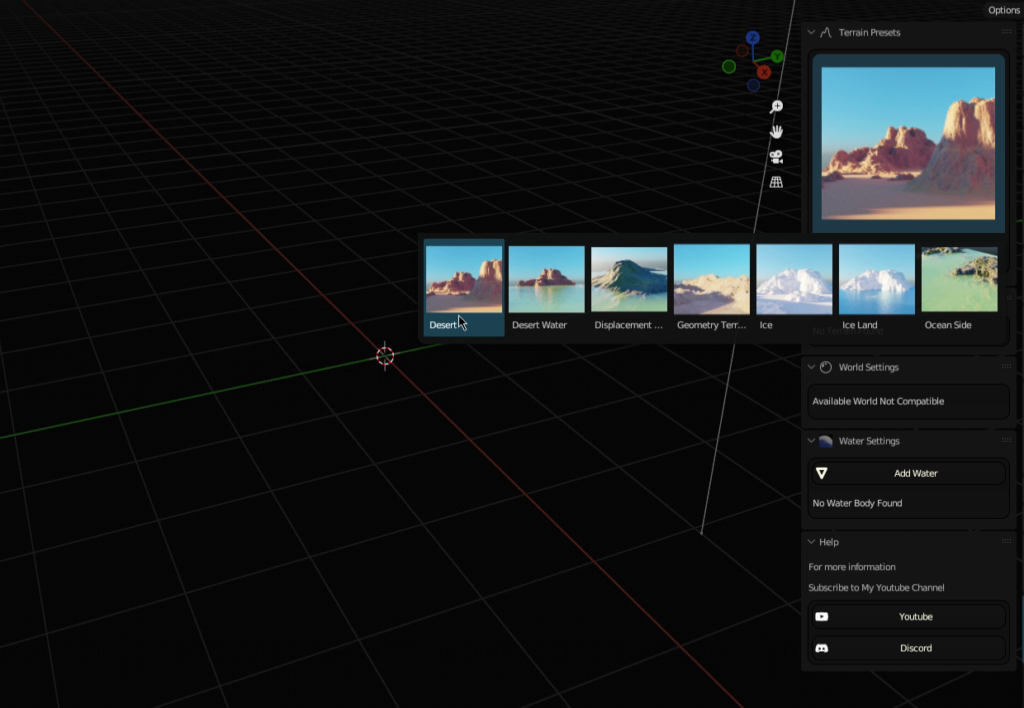
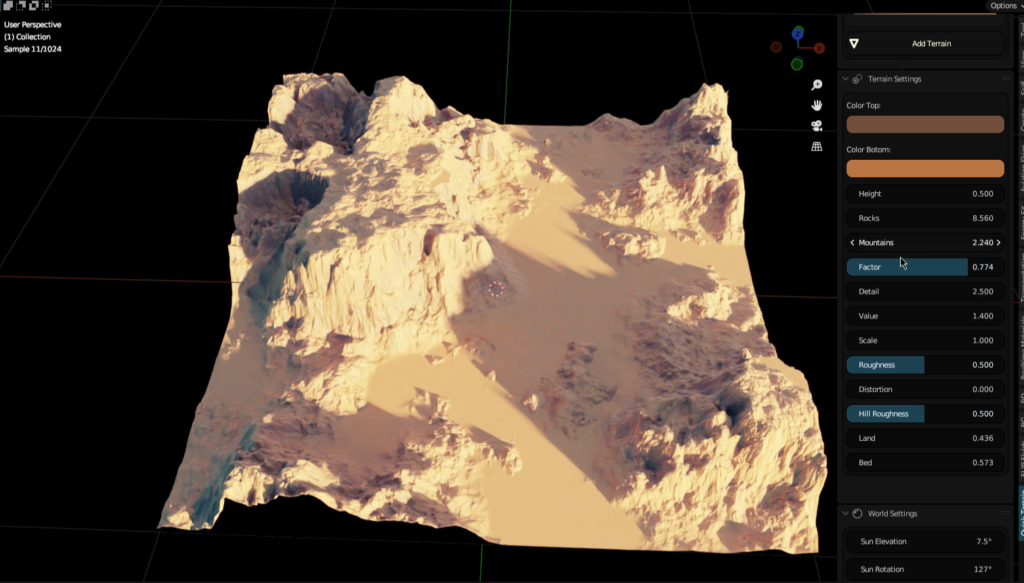
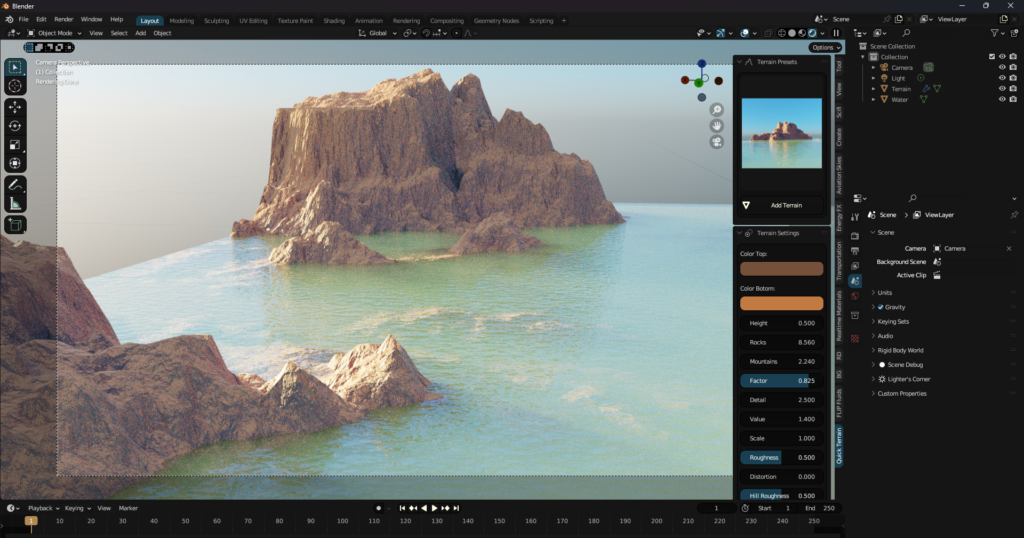
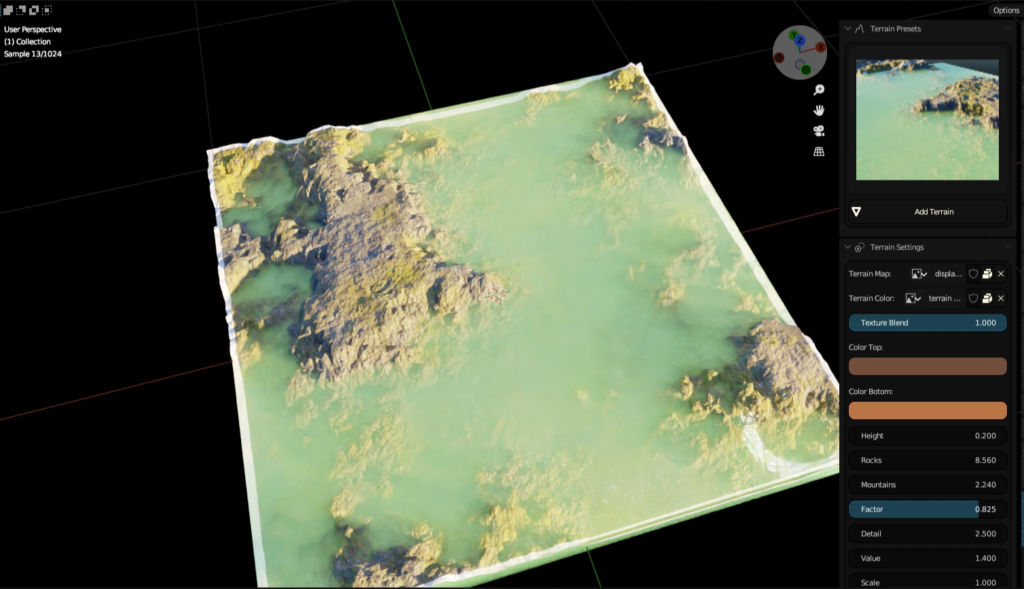
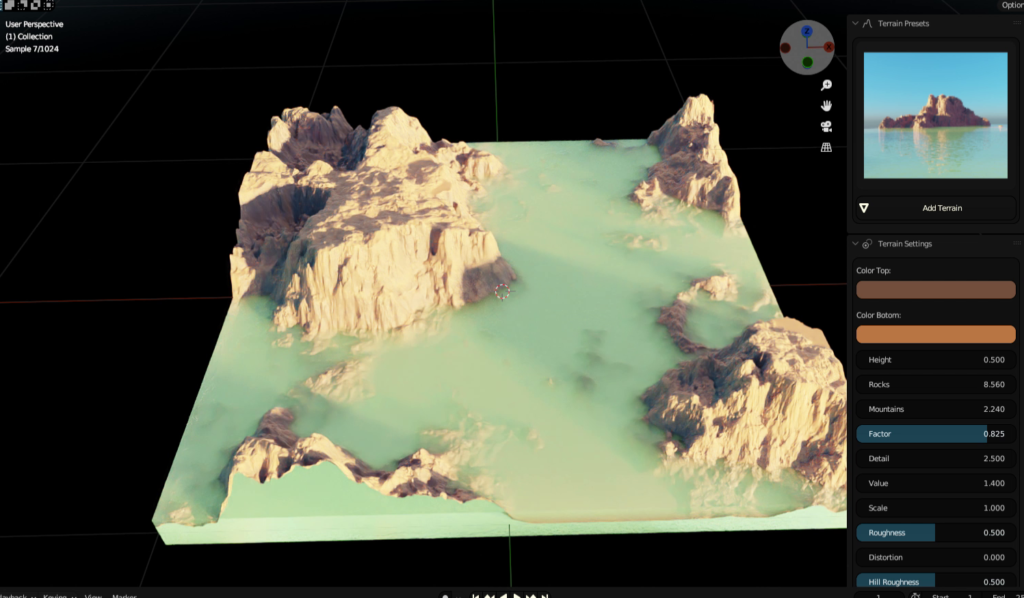
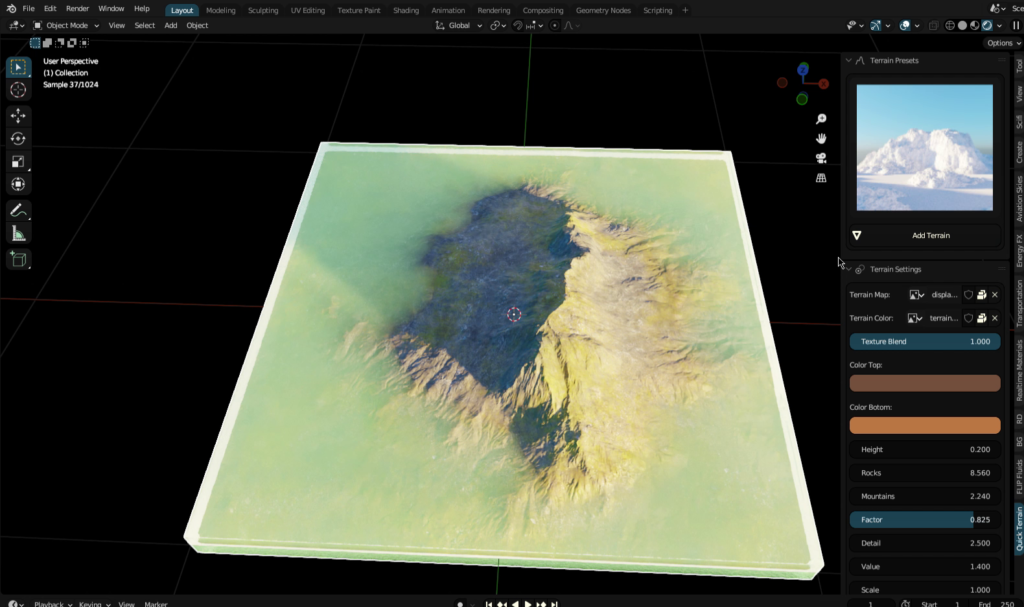
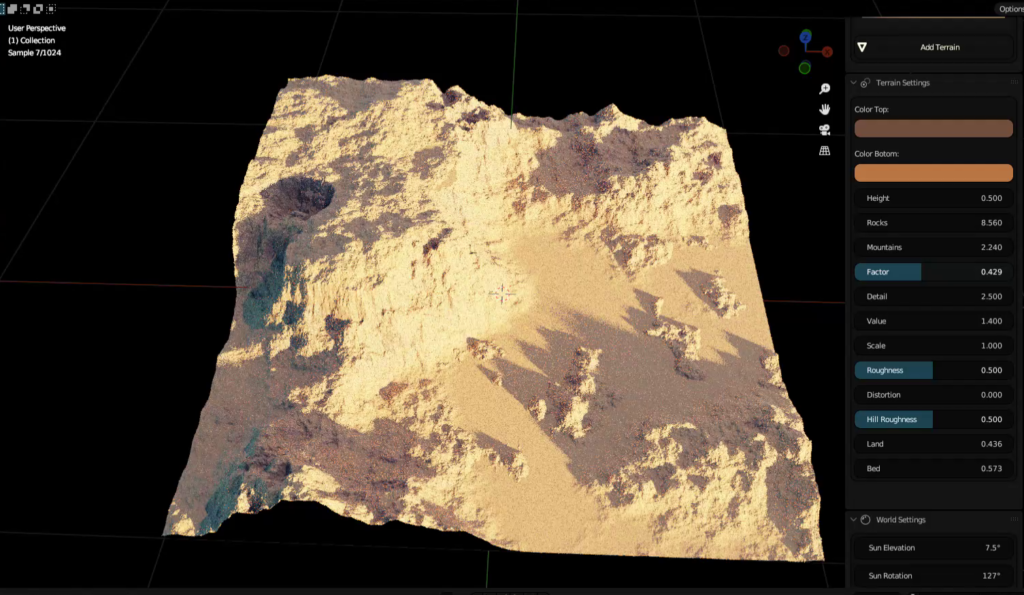
The Quick Procedural Terrain and Water Addon is a powerful tool that allows you to create realistic and detailed terrain and water in Blender. It uses GPU-accelerated procedural terrain shaders and CPU-based geometry nodes to generate high-quality results quickly and easily.
The addon comes with a variety of features, including:
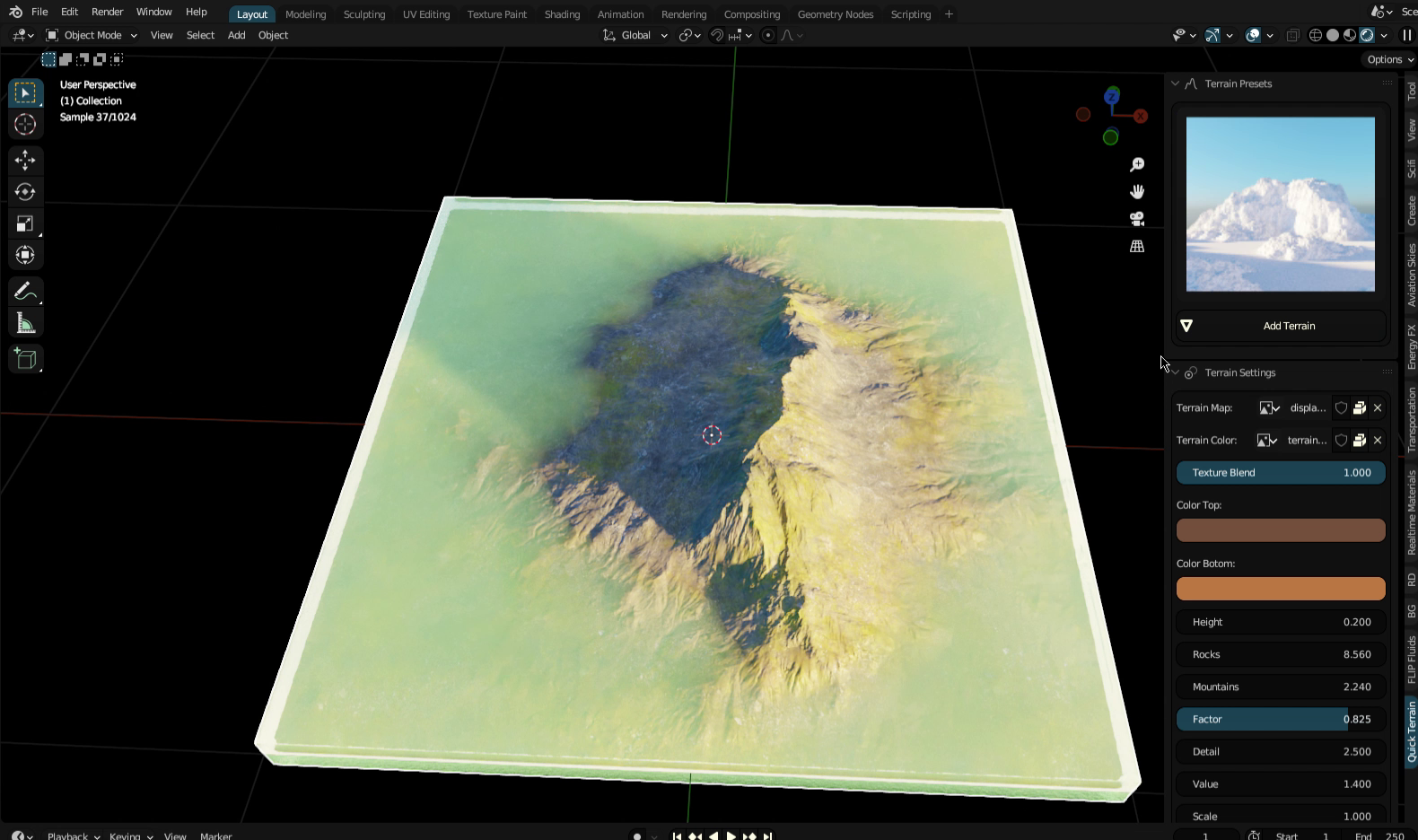
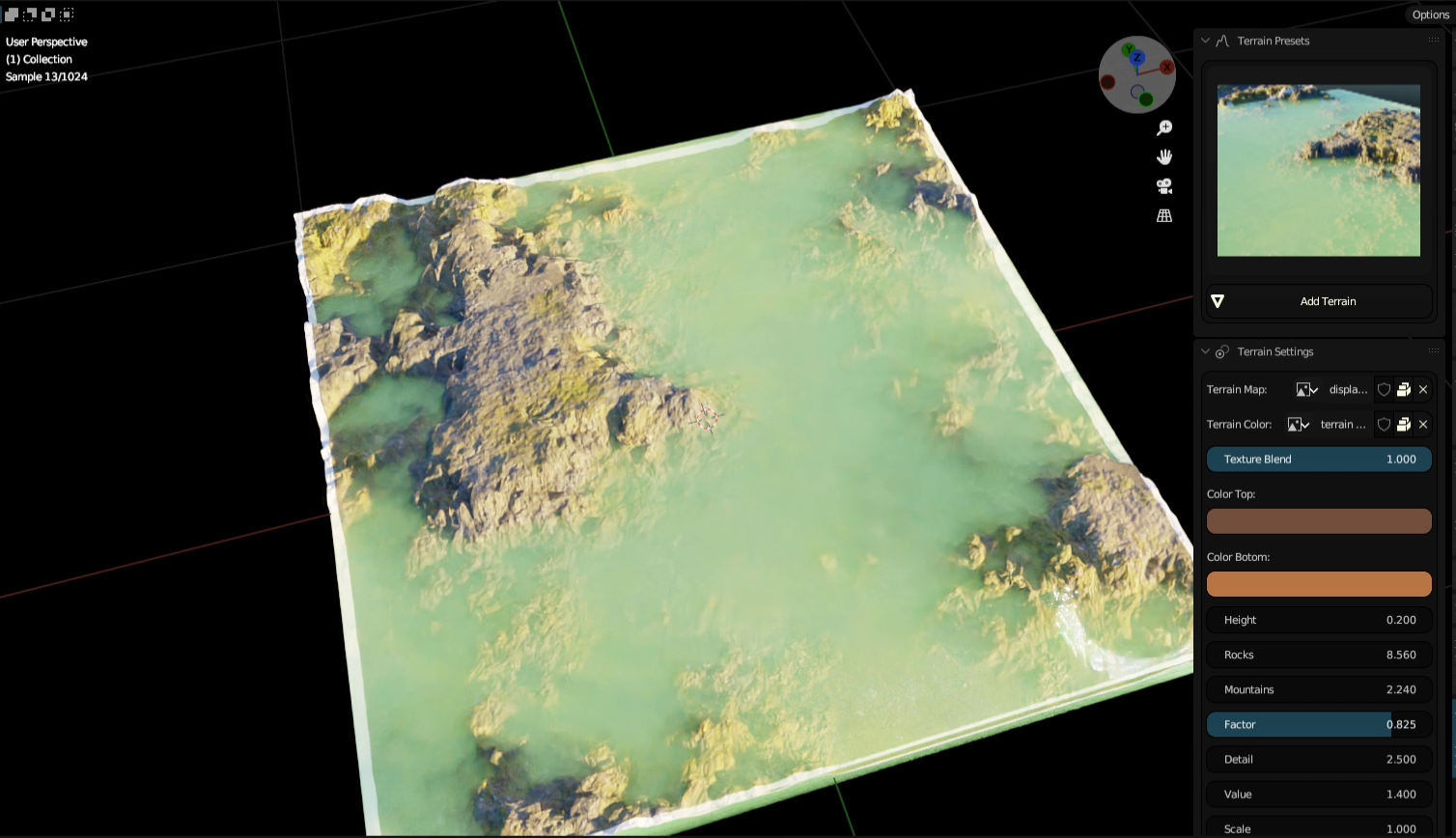
- 7 Terrain presets: Desert, Ice Land, Wet Land, Desert Water, Ice Waters, Mountain, and Tundra.
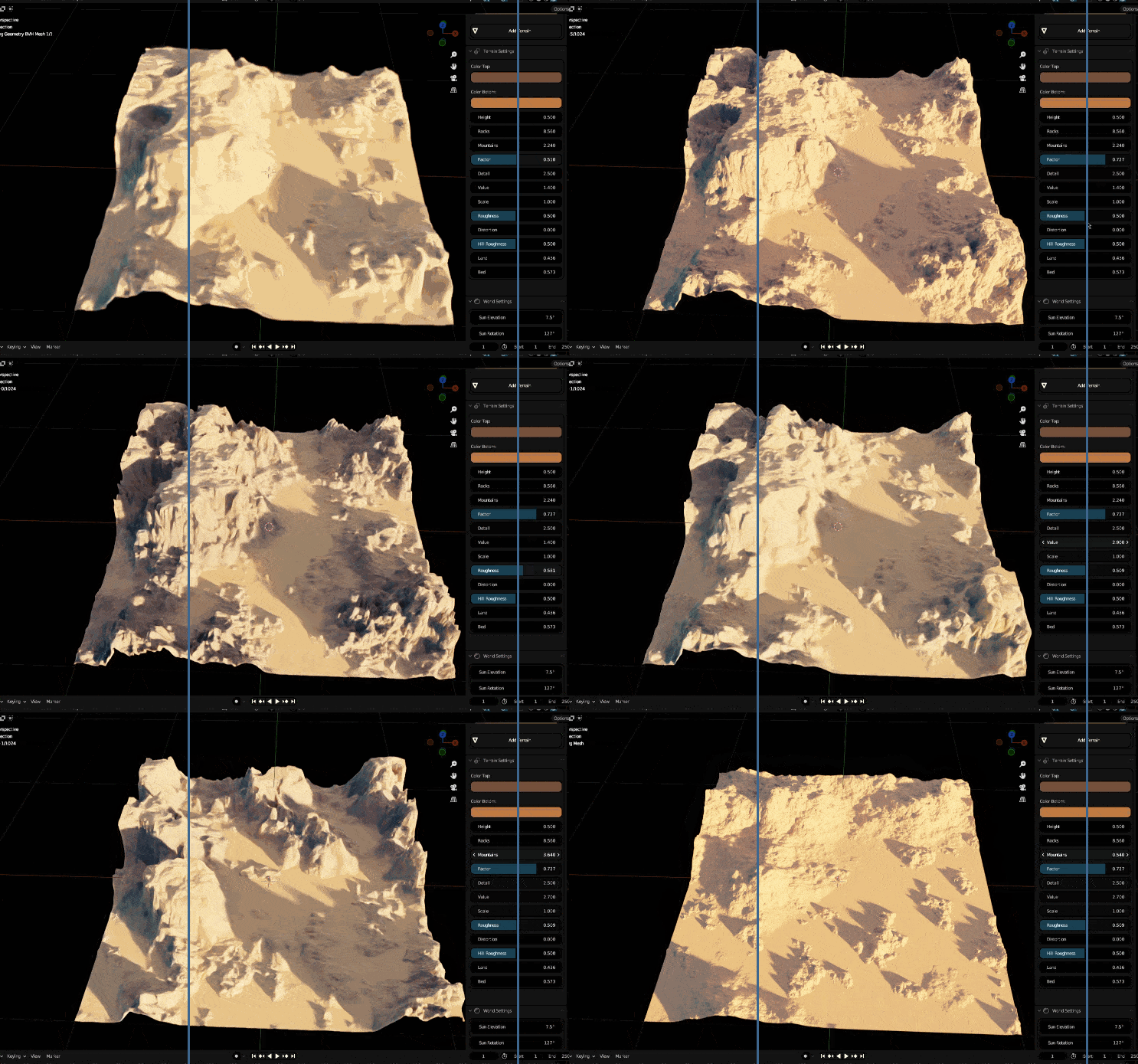
- Terrain settings: Control the size, shape, and detail of your terrain. Add own Displacement Map
- World settings: Control the lighting, atmosphere, and weather of your scene.
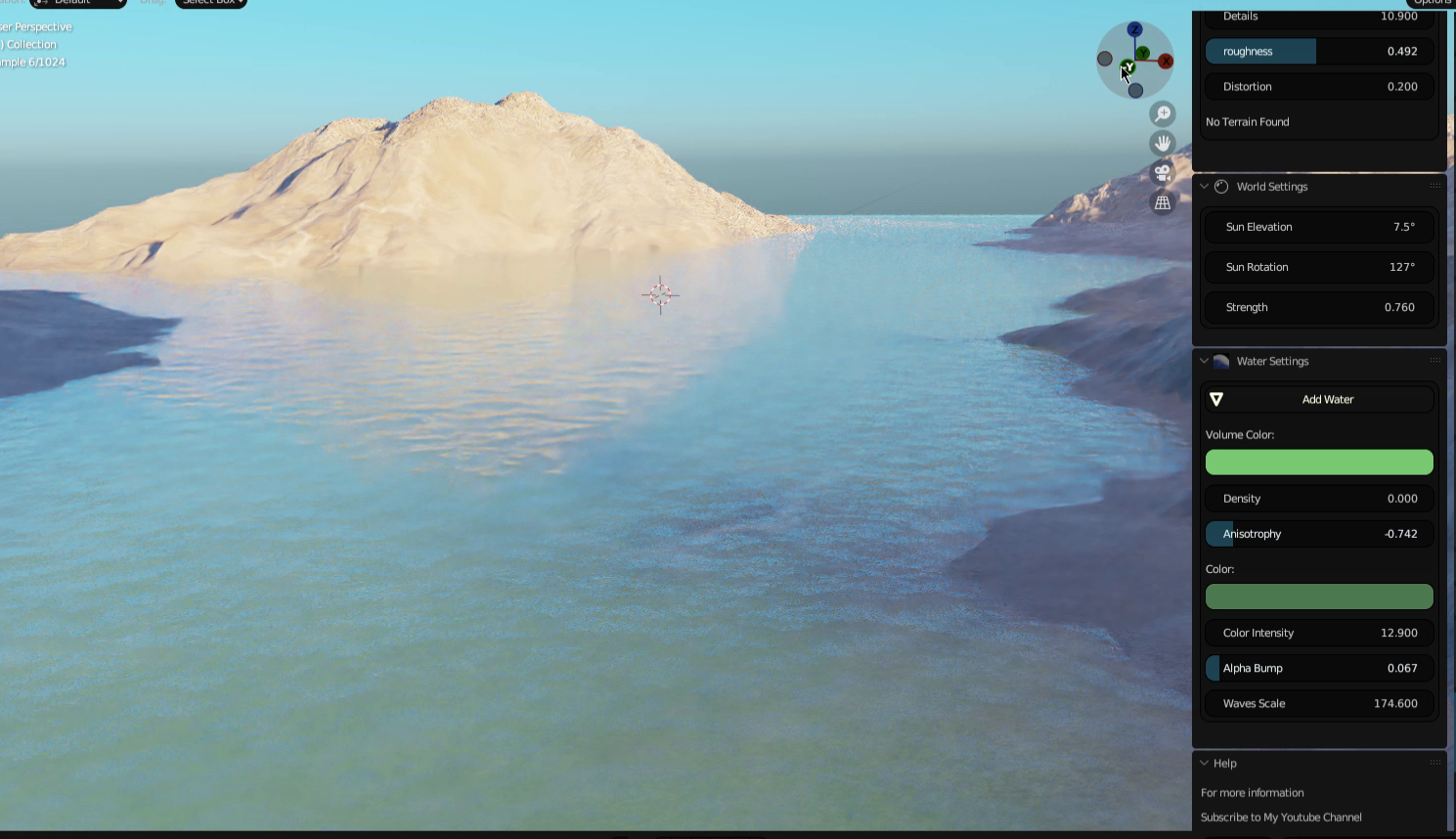
- Water settings: Create realistic and animated bodies of water.
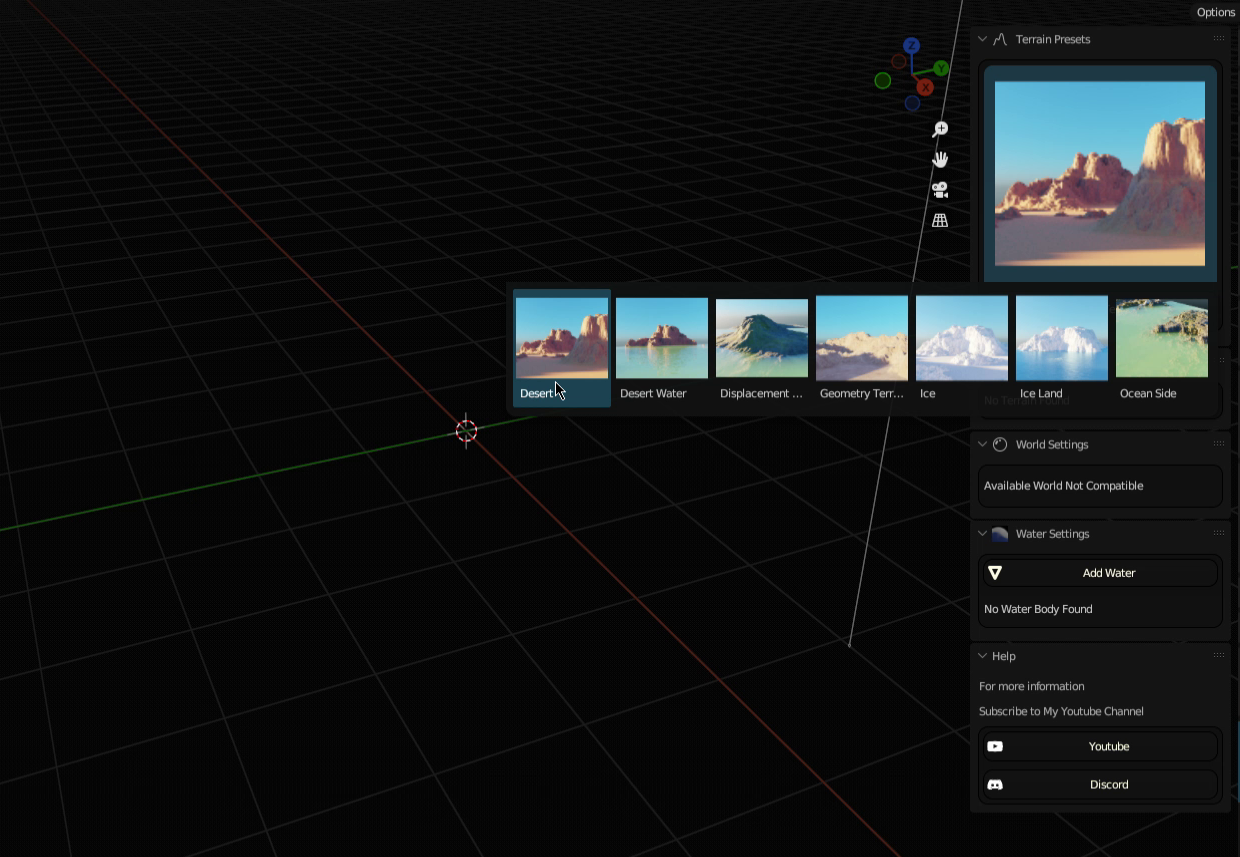
Usage
To use the Quick Procedural Terrain and Water Addon, simply install it from the Blender Addons menu. Once installed, you will see a new panel called “Quick Terrain” in the 3D view.
To create a new terrain, click the “Add Terrain” button in the panel. You will be prompted to select a terrain preset. Once you have selected a preset, the addon will generate a new terrain in your scene.
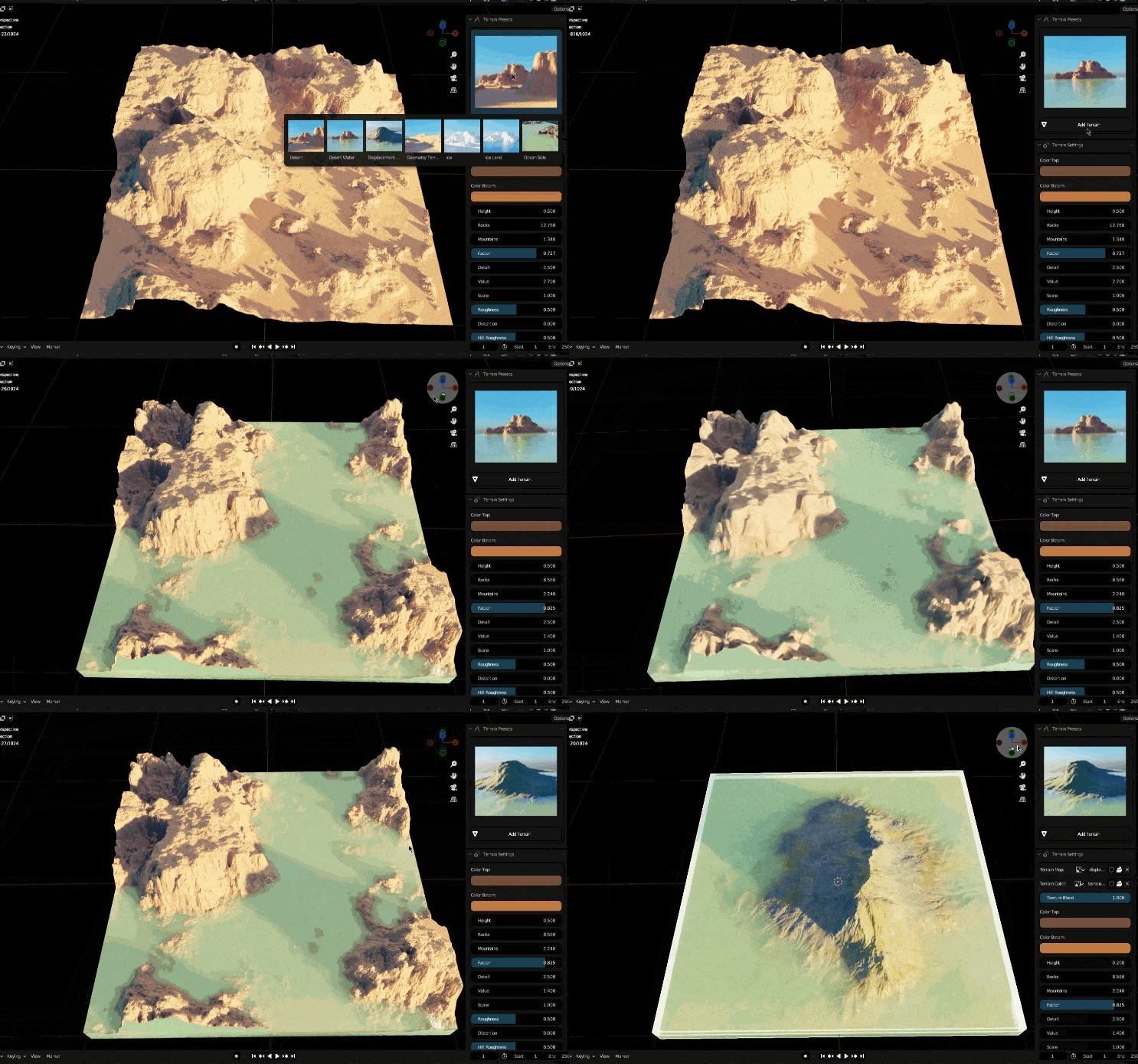
You can then use the terrain settings to adjust the size, shape, and detail of your terrain. You can also use the world settings to control the lighting, atmosphere, and weather of your scene.
To create a new body of water, click the “Add Water” button in the panel. You will be prompted to select a water type. Once you have selected a water type, the addon will generate a new body of water in your scene.
You can then use the water settings to control the size, shape, and detail of your water body. You can also animate the water by adjusting the water waves and currents.
Features
The Quick Procedural Terrain and Water Addon has a number of features that make it a powerful tool for creating realistic and detailed terrain and water in Blender. These features include:
- GPU-accelerated procedural terrain shaders: The addon uses GPU-accelerated procedural terrain shaders to generate high-quality results quickly and easily. This means that you can create large and complex terrains without having to worry about performance issues.
- CPU-based geometry nodes: The addon uses CPU-based geometry nodes to generate terrain and water. This allows you to create highly detailed and realistic terrain and water, even in complex scenes.
- 7 terrain presets: The addon comes with 7 terrain presets, including Desert, Ice Land, Wet Land, Desert Water, Ice Waters, Mountain, and Tundra.. These presets give you a quick and easy way to create realistic and detailed terrain.
- Terrain settings: The addon allows you to adjust the size, shape, and detail of your terrain. You can also control the terrain’s color, texture,.
- World settings: The addon allows you to control the lighting, atmosphere of your scene. You can also control the sun’s position and the skybox
- Water settings: The addon allows you to create realistic and animated bodies of water. You can control the water’s size, shape, depth, and color. You can also animate the water’s small waves and currents.
Conclusion
The Quick Procedural Terrain and Water Addon is a powerful tool that allows you to create realistic and detailed terrain and water in Blender. It is easy to use and has a wide range of features. If you are looking for a way to create realistic and detailed terrain and water in Blender, then the Quick Procedural Terrain and Water Addon is a great option.
Here are some additional tips for using the addon:
- Use the terrain presets to get a quick start.
- Adjust the terrain settings to fine-tune the size, shape, and detail of your terrain.
- Use the world settings to control the lighting, atmosphere, and weather of your scene.
- Use the water settings to create realistic and animated bodies of water.
- Experiment with different settings to create your own unique terrain and water.
Supercharge your 3D creation workflow with premium selection of Blender Add-ons. Whether you are modeling intricate characters, sculpting realistic environments, or animating cinematic sequences, the right add-on can transform how you work inside Blender. Our curated collection includes powerful tools for UV unwrapping, procedural texture generation, rigging automation, rendering optimization, and more—each rigorously tested for compatibility with the latest Blender versions. Eliminate tedious manual processes and unlock advanced functionality that lets you focus on what matters most: bringing your creative vision to life. Explore our full range of professional Blender plugins today and take your 3D projects to the next level.
➡️ ➡️ For more Blender Plugins 😀 😀
Reviews
There are no reviews yet.