
Quick Uv Pro for Blender
Quick Uv Pro v3.1 for Blender – The Ultimate Automated UV Unwrapping & Packing Suite
Versions: v3.1
File Size: 326 KB
Download Quick Uv Pro v3.1 for Blender on Windows and Mac, a comprehensive and highly optimized addon designed to eliminate the most dreaded and time-consuming part of the 3D pipeline: UV unwrapping. Whether you are preparing hard-surface game assets, organic character models, or architectural props, Quick Uv Pro automates the tedious processes of seam marking, island packing, and texel density normalization. By providing a suite of intelligent, one-click tools and interactive brushes, it transforms UV mapping from a frustrating chore into a lightning-fast, streamlined workflow.
Key Features of Quick Uv Pro v3.1:
- Smart Auto-Seam Detection: Instantly calculate and mark optimal UV seams based on mesh curvature, sharp edges, and topology flow. The algorithm minimizes stretching and visible seams, providing a perfect starting point for any mesh.
- Advanced UV Packing Engine: A blazing-fast packing algorithm that efficiently arranges UV islands into the smallest possible texture space. Includes customizable margins, rotation limits, and the ability to lock specific islands in place.
- Texel Density Manager: Visualize, normalize, and adjust texel density across single objects or entire scenes with a single click. Ensure that all your assets share the exact same texture resolution per meter, a critical requirement for game engines.
- Interactive UV Brush: Paint directly on the 3D model to relax, smooth, pinch, or pin UV islands in real-time. See the UV changes instantly in the UV Editor as you brush over the mesh.
- Alignment & Straightening Tools: One-click operators to straighten curved UV islands, align them perfectly to the U or V axes, and square up hard-surface elements for flawless texture mapping.
- Visual Distortion Heatmap: Real-time overlay in both the 3D Viewport and UV Editor that highlights stretched or compressed areas in red and green, allowing you to identify and fix problem spots instantly.
- Symmetry & Mirroring: Automatically mirror UV layouts across the X, Y, or Z axis. Perfect for symmetrical characters, vehicles, and props, cutting your UV work time in half.
- Batch Processing: Unwrap, pack, and normalize the texel density of entire collections or hundreds of selected objects simultaneously.
- Pin & Lock System: Pin critical UV islands or specific vertices to prevent them from moving during automated packing, relaxation, or straightening operations.
- Game Engine Export Prep: Built-in tools to add automatic padding, control pixel margins, and generate texture atlases optimized for Unity, Unreal Engine, and Godot.
Perfect For:
- Game Artists needing to rapidly unwrap and pack hundreds of modular assets, weapons, and props with consistent texel density.
- Hard-Surface Modelers who need to quickly straighten UV islands for clean panel lines and edge wear textures.
- Character Artists optimizing UV layouts for organic meshes, utilizing the interactive brush to fix stretching around complex joints.
- Architectural Visualizers quickly unwrapping furniture, walls, and floors without worrying about complex seam placement.
- Technical Artists enforcing strict texel density rules across large scenes to maintain visual consistency.
- Beginners who find manual seam marking and UV packing overwhelming and want a guided, automated solution.
System Requirements:
- Blender: 3.6, 4.0, 4.1, 4.2, 4.3, 4.4+ (Latest LTS recommended).
- OS: Windows 10/11 (64-bit) or macOS 10.15+.
- RAM: 8GB minimum (16GB+ recommended for scenes with massive UV island counts).
- No external dependencies required.
Installation:
- Download the Quick Uv Pro v3.1
.zipfile. - Open Blender and go to Edit > Preferences > Add-ons.
- Click Install…, select the downloaded file, and enable the checkbox next to UV: Quick Uv Pro.
- Access via the UV Editor Sidebar (N-panel) under the Quick UV tab, or the 3D Viewport Sidebar for mesh-integrated tools.
What’s New in v3.1?
- Blender 4.4 Compatibility: Full support for the latest UV API changes, ensuring stable performance and correct UI scaling in Blender 4.4.
- New “Curvature-Aware” Seam Finder: Enhanced the auto-seam algorithm to better understand organic topology, drastically reducing stretching on complex character meshes.
- Visual Texel Density Brush: Added a new brush mode that lets you paint directly on the 3D model to locally increase or decrease texture resolution on specific parts (e.g., giving a character’s face more texture space than their back).
- Faster Packing Algorithm: Rewritten the core packing math, resulting in a 50% speed boost when packing scenes with tens of thousands of UV islands.
- UI Overhaul: Redesigned the panels in both the UV Editor and 3D Viewport for a cleaner, more intuitive workflow, grouping related tools into collapsible categories.
- Bug Fix: Resolved a rare issue where locked islands would slightly shift during the final margin-padding calculation.
Note:
Quick Uv Pro v3.1 is designed to handle the 90% of the grunt work in UV mapping, leaving you to focus on the final 10% of artistic tweaking. While no automated tool can perfectly unwrap every conceivable mesh without a single manual adjustment, Quick Uv Pro gets you 95% of the way there in seconds. Its Texel Density and Straightening tools alone are worth the download for hard-surface and game artists. Whether you are prepping a massive environment kit or a detailed hero prop, Quick Uv Pro ensures your UVs are clean, optimized, and ready for texturing in record time.
New Features :
- All Gizmos (Cube, Plane, World) are now Real Size. (Right+click in Modal Mode to Reach their Dimensions)
- Automatic isolate Gizmos of Active Object, hidding all other guizmo in the Gizmo Collection
- Fit Gizmo Size with Mesh Size
- Switch between World Gizmos to drive serveral Textures
- Straight Unwrap Button
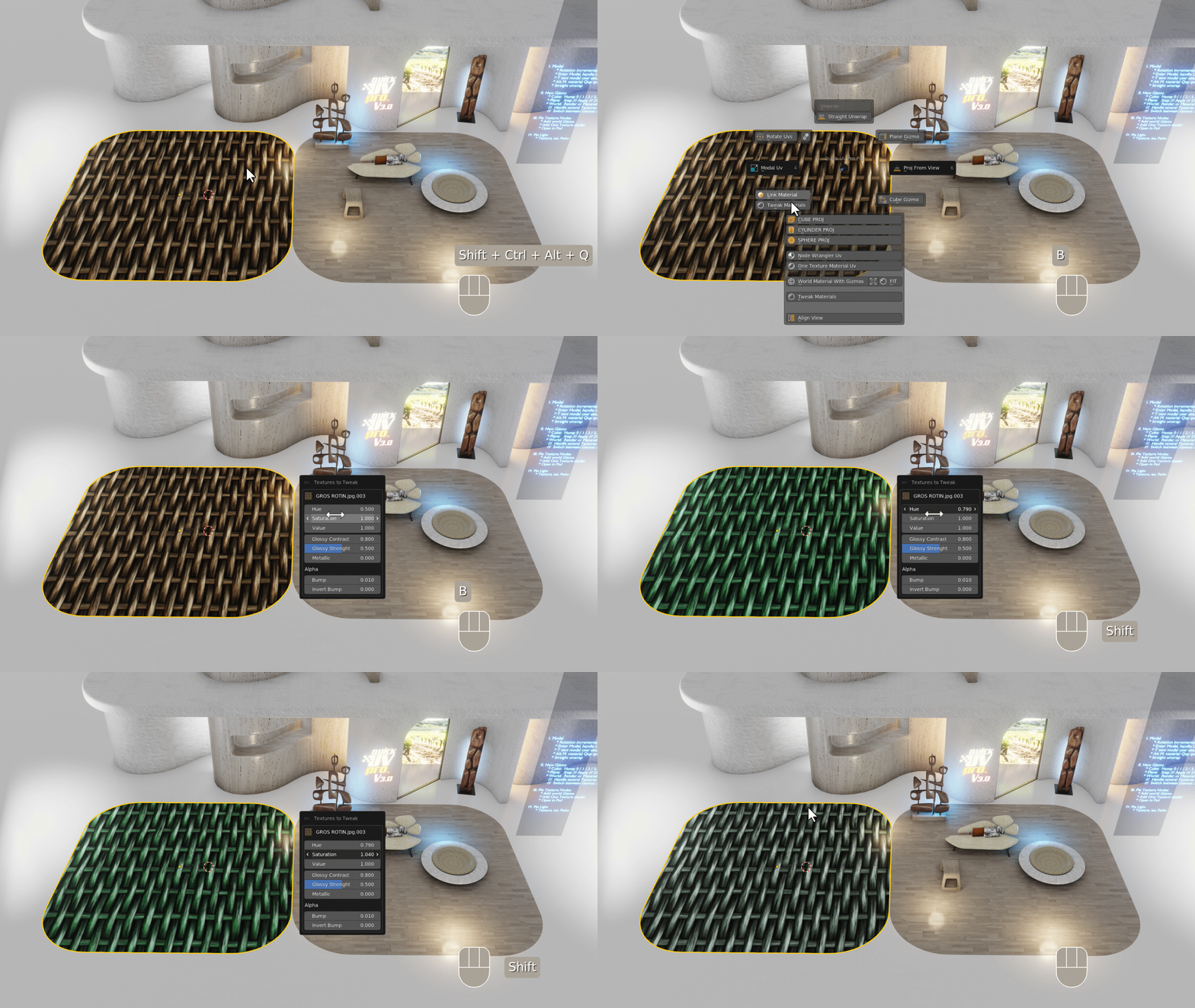
- Tweak Quick Uv Pro Materials from 3D Viewport (Alt+M shortcut)
- Change your Shortcuts in the Blender Preferences Panel
- Set your UI Display with “T” when you are running Modal
Architecture Visualization and furniture creation have specific needs like:
Pick and apply Material, Scale, Stretch and Rotate UVs directly from 3D viewport.
Thanks to its Pie Menu (B Key shortcut), Quick UV allows you to project and manage UVs directly from the 3D vie
In addition to all Gizmos and différent types of projection you have now the possibility to scale, rotate move the uv from your selected faces directly from 3D viewport
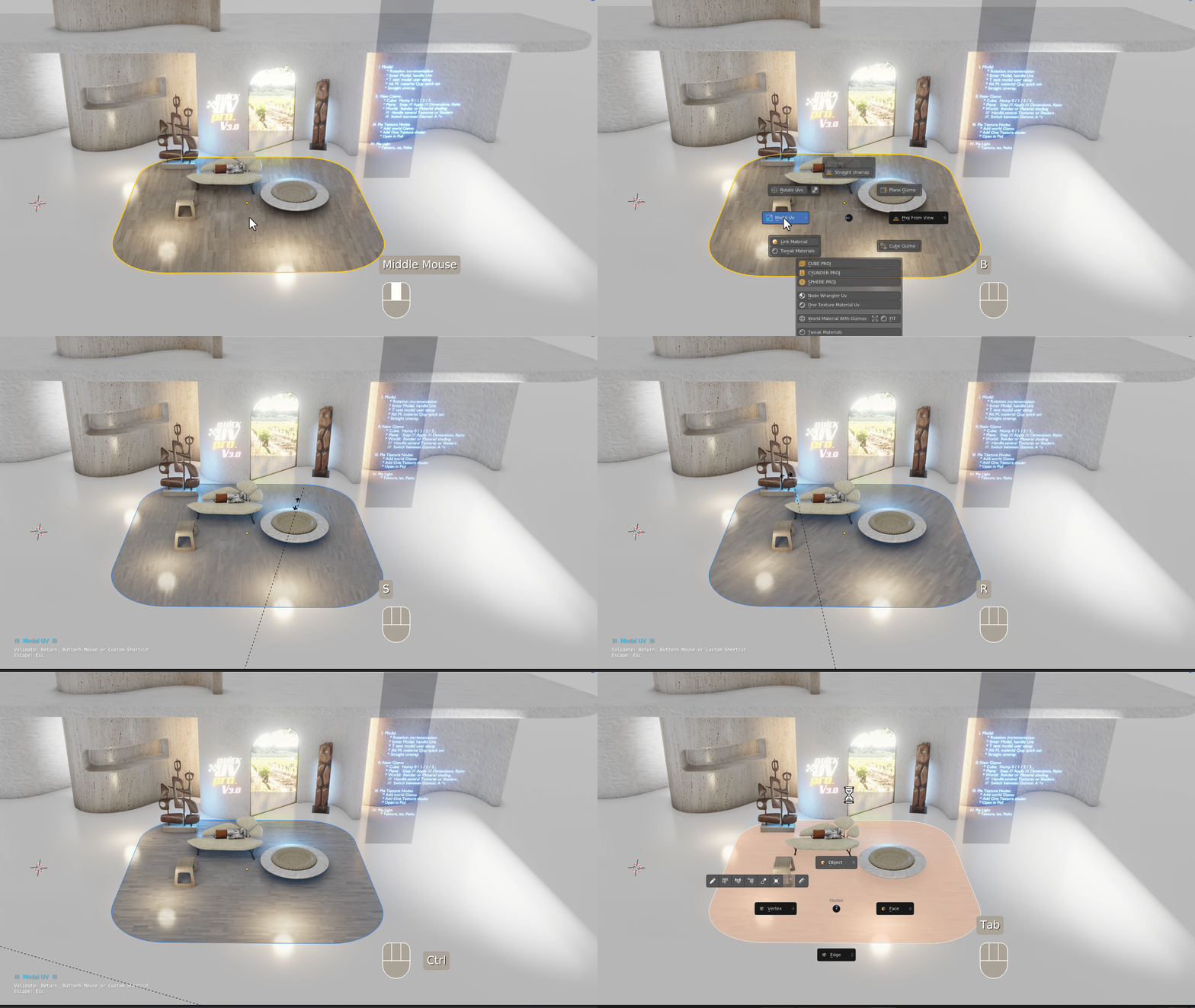
Handle Uv with Modal:
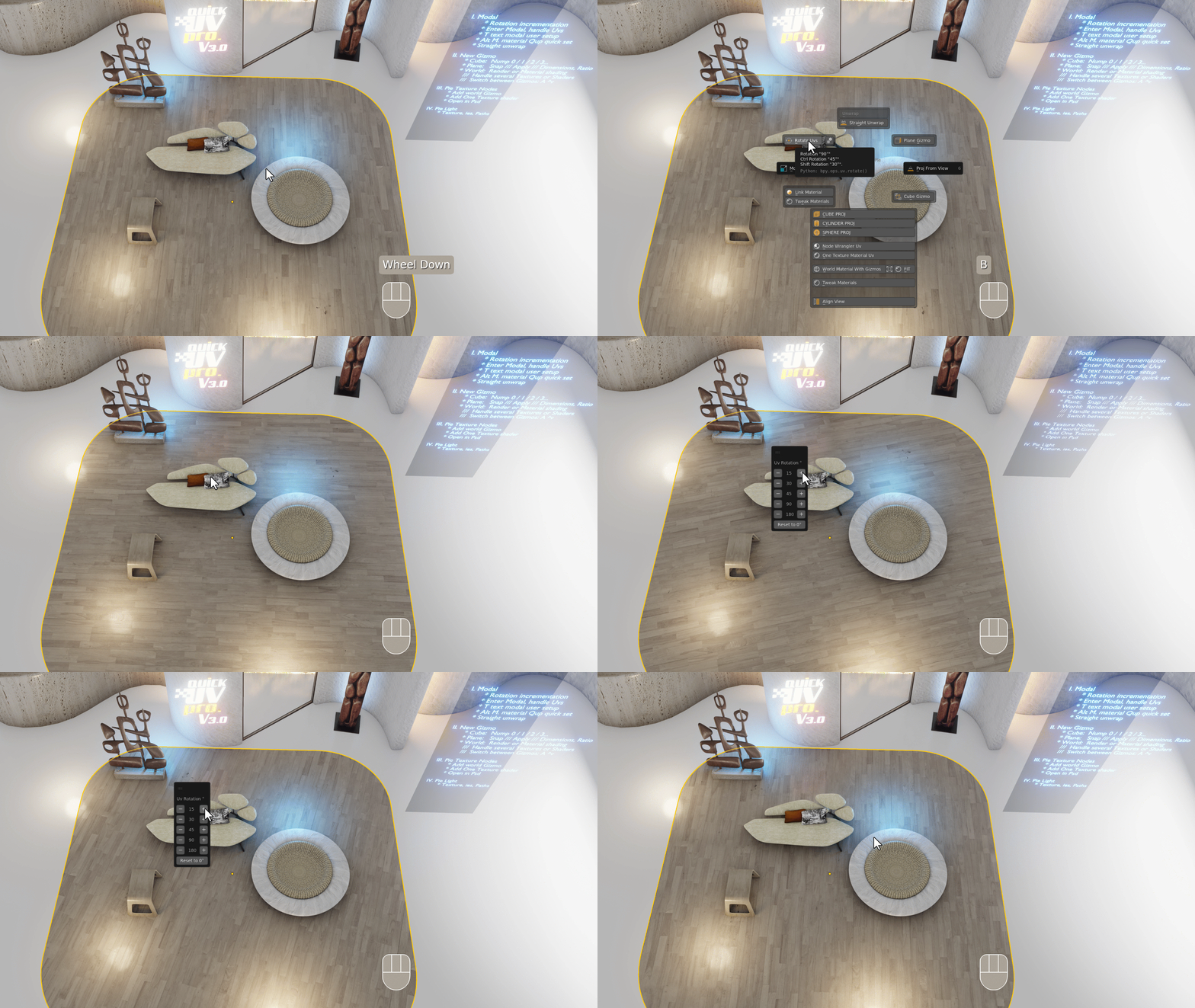
Rotate Uv with Incrementation:
Unwrap and straight your islands in one clic:
Set Quick Uv Pro Materials in 3D Viewport:
Use Cube Gizmo to handle Uv on your mesh:
Use Snap for Cube, Plane or World Gizmos (Shif+TAB):
 t :
t :
Use World Gizmos to handle several Shaders on your Mesh or several Textures inside your Shader Node:
Use Pie Menu to add Image Textures or ies Textures in your Lights (Limitation Only with Cycles):
Features :
- CUBE PROJECTION
- CYLINDER PROJECTION
- SPHERE PROJECTION
- IMPROVED UNWRAP IN ONE CLIC WITH STRAIGHT ISLAND
- CUBE GIZMO REAL SIZE
- PLANE GIZMO REAL SIZE
- WORLD GIZMO REAL SIZE
- ONE CLICK ROTATE UV
- LINK MATERIAL FROM ACTIVE MESH
- PROJECT UV FROM VIEW
- MODAL UV: HANDLE UVs DIRECTLY FROM 3D VIEWPORT
Supercharge your 3D creation workflow with premium selection of Blender Add-ons. Whether you are modeling intricate characters, sculpting realistic environments, or animating cinematic sequences, the right add-on can transform how you work inside Blender. Our curated collection includes powerful tools for UV unwrapping, procedural texture generation, rigging automation, rendering optimization, and more—each rigorously tested for compatibility with the latest Blender versions. Eliminate tedious manual processes and unlock advanced functionality that lets you focus on what matters most: bringing your creative vision to life. Explore our full range of professional Blender plugins today and take your 3D projects to the next level.
➡️ ➡️ For more Blender Plugins 😀 😀
Reviews
There are no reviews yet.