
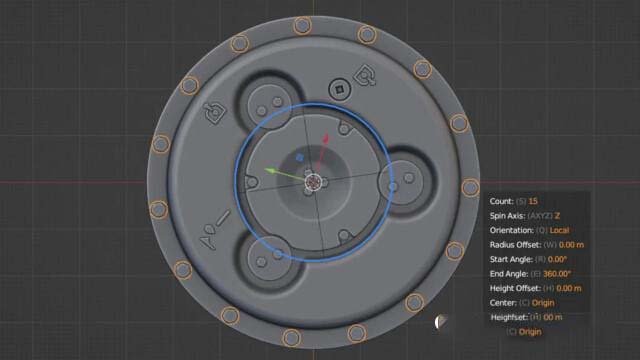
Radial Duplicator for Blender
radial duplicator addon
Radial Duplicator v2.2 for Blender – Advanced Radial Array & Symmetry Tool
Versions: v2.2
File Size: 1.35 MB
Download Radial Duplicator v2.2 for Blender on Windows, Mac, and Linux, a powerful array add-on that creates radial copies of objects, meshes, and components with precise control over count, rotation, and spacing. Perfect for creating gears, mandalas, radial patterns, circular arrays, and symmetrical mechanical parts—essential for hard-surface modelers, product designers, and motion graphics artists .
Key Features of Radial Duplicator v2.2:
- Radial Array Creation: Create radial copies around any center point with adjustable count and angle offset
- Multiple Modes: Full 360-degree array, partial arcs, or object-based duplication
- Transform Controls: Individual control over position, rotation, and scale for each radial copy
- Pivot Point Management: Set custom pivot points for radial arrays independent of object origins
- Step & Repeat: Create sequential radial copies with incremental transforms between each copy
- Mesh Component Duplication: Duplicate selected edges, faces, or vertices radially
- Real-Time Preview: See array results update instantly as you adjust parameters
- Non-Destructive Workflow: Base geometry remains editable while instances update
- Instance Mode: Create linked instances for memory-efficient arrangements
- v2.2 Updates: Enhanced transform controls, new arc mode, and compatibility with Blender 4.0+
Perfect For:
- Hard-surface modelers creating gears, wheels, and circular mechanisms
- Motion graphics artists generating mandalas and radial patterns
- Product designers creating symmetrical product details
- Architectural modelers designing radial building layouts
- Anyone needing precise radial duplication in Blender
System Requirements:
- Blender 3.6, 4.0, 4.1, 4.2, 4.3
- Windows 10/11 (64-bit), macOS, or Linux
- 4GB RAM minimum (8GB+ recommended)
- 10MB available disk space
Installation:
- Download the add-on zip file
- In Blender, go to Edit > Preferences > Add-ons
- Click “Install” and select the downloaded zip file
- Enable the add-on by checking the box next to “Radial Duplicator”
Note: Radial Duplicator provides professional radial array capabilities in Blender, making it easy to create gears, mandalas, and symmetrical patterns . The adjustable pivot points and transform controls make it essential for hard-surface modelers, product designers, and motion graphics artists . Version 2.2 includes full compatibility with Blender 4.0 and above . Designed for Blender 3.6 and above . Perfect for precise radial duplication . Essential for any radial array workflow .
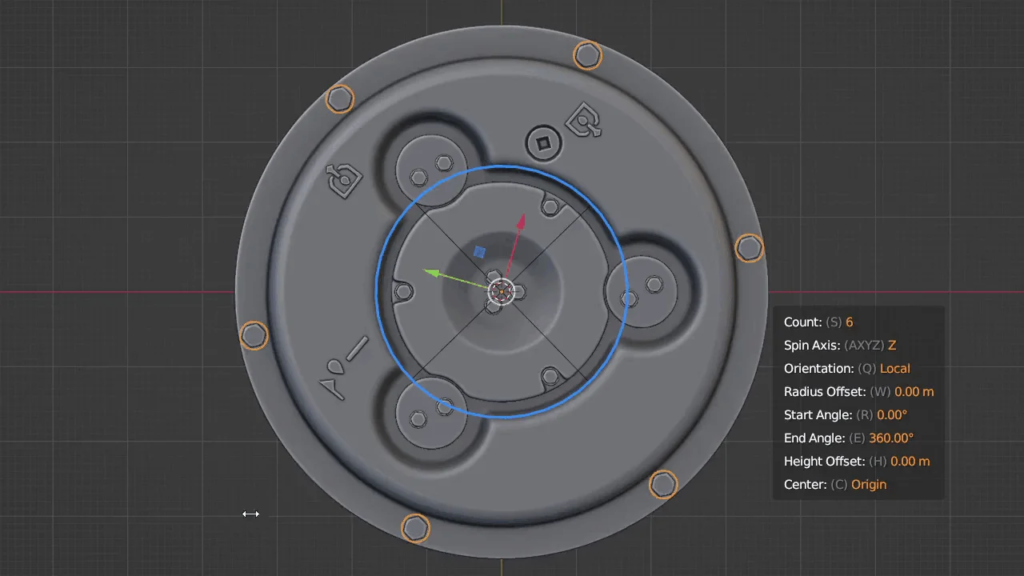
Duplicates have adjustable parameters that are continuously available even after you move, scale or rotate them.
These parameters are accessible either through the panel in the sidebar or by shortcuts in the add-on preferences.
Usage examples:
https://cdn.iframe.ly/api/iframe?url=https%3A%2F%2Fyoutu.be%2FB_Qw0ZM-kAY&key=31708e31359468f73bc5b03e9dcab7da
https://cdn.iframe.ly/api/iframe?url=https%3A%2F%2Fyoutu.be%2Fd2l6eb1OdIo&key=31708e31359468f73bc5b03e9dcab7da
https://cdn.iframe.ly/api/iframe?url=https%3A%2F%2Fyoutu.be%2FvFkEXUu4oiI&key=31708e31359468f73bc5b03e9dcab7da
To change a parameter in the overlay press a corresponding button and move the mouse cursor horizontally.
To reset a parameter press alt+button.
The number of duplicates can also be changed by scrolling with the mouse or typing a number directly from the keyboard.
Installation
Unpack folder in the zip file to the blender add-ons folder or use Install button in the add-on preferences.
You can find Radial Duplicator in the Object add-on category.
Location
Sidebar “Item” tab > “Radial Duplicator” panel.
Shortcuts
- Shift+Alt+R for Radial array
- Shift+Alt+D for Radial duplicates
- Shift+Alt+S for Screw
Links
- BlenderArtist – https://blenderartists.org/t/radial-duplicator-radial-array-and-instances/
- Github – https://github.com/MarshmallowCirno/RadialDuplicator
Changelog
2.3
- Added Blender 4.4 support.
2.2
- Added Blender 4.0 support.
2.1
- Ability to keep or randomize duplicates rotation.
- Ability to increment scale of duplicates.
2.0
- Ability to change radius offset of radial array, starting and ending angle, height offset.
- Panel with parameters of duplicates in the sidebar.
- Screw modifier creation.
- Support for editing multiple radial arrays.
1.2
- Added creation of radial array.
1.1
- Fixed crashes in 2.83 alpha due to unsupported enum ids.
Supercharge your 3D creation workflow with premium selection of Blender Add-ons. Whether you are modeling intricate characters, sculpting realistic environments, or animating cinematic sequences, the right add-on can transform how you work inside Blender. Our curated collection includes powerful tools for UV unwrapping, procedural texture generation, rigging automation, rendering optimization, and more—each rigorously tested for compatibility with the latest Blender versions. Eliminate tedious manual processes and unlock advanced functionality that lets you focus on what matters most: bringing your creative vision to life. Explore our full range of professional Blender plugins today and take your 3D projects to the next level.
➡️ ➡️ For more Blender Plugins 😀 😀
Reviews
There are no reviews yet.