
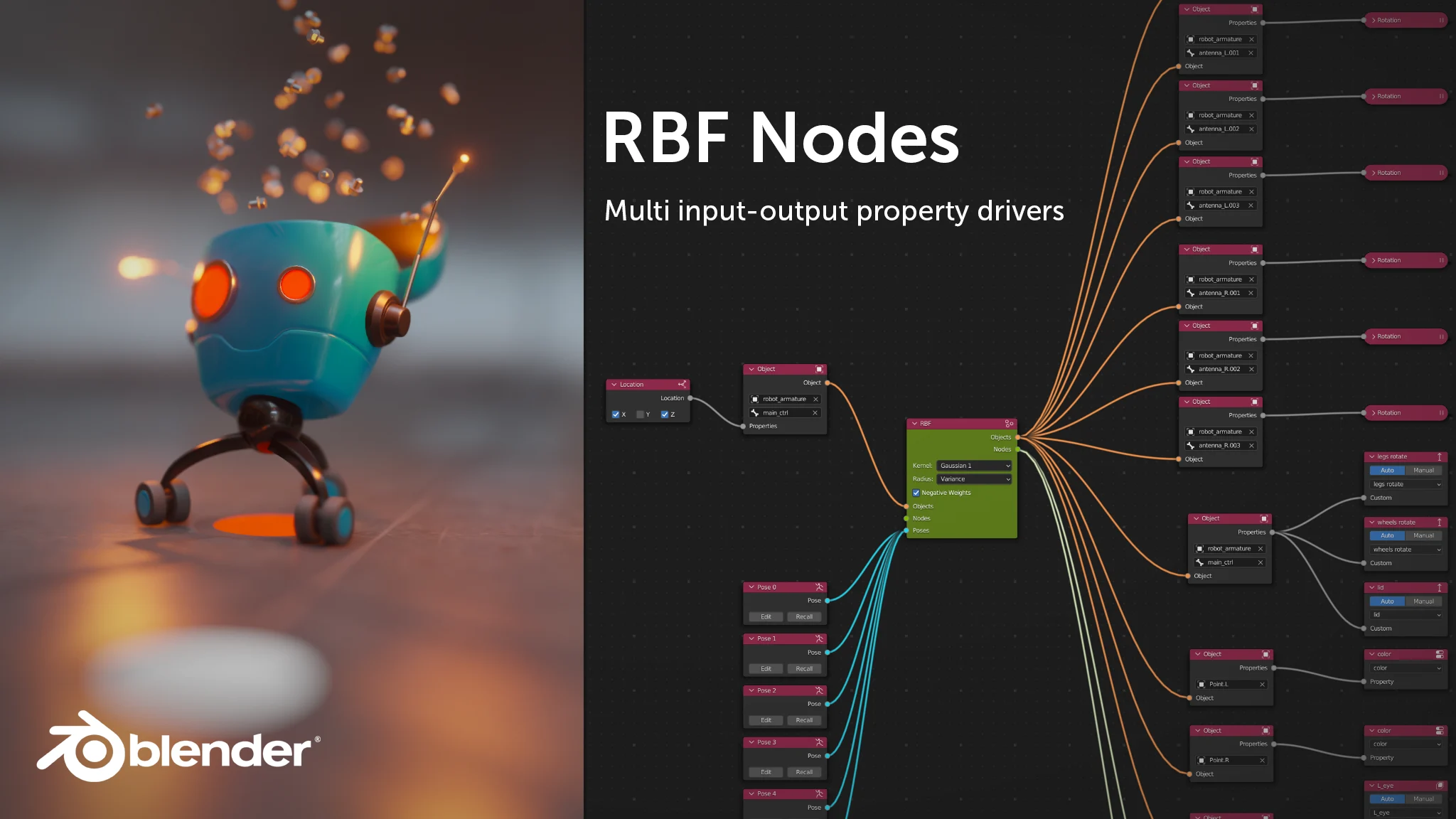
RBF Nodes for Blender for Blender
RBF Nodes for Blender v1.2.1
The Ultimate Node-Based Multi-Property Driving Tool for Advanced Animation Control
Download RBF Nodes for Blender v1.2.1 today. Consequently, you can drive multiple properties simultaneously using multiple input values through a sophisticated node-based system. Because complex animation and rigging scenarios frequently require nuanced control beyond the capabilities of standard drivers, having access to a more powerful solution is absolutely essential. Nevertheless, traditional Blender drivers can only accept multiple inputs but are strictly limited to a single output target . Fortunately, this addon completely overcomes that limitation. Moreover, it introduces Radial Basis Function (RBF) interpolation, allowing you to define sample poses and intelligently interpolate between them to achieve smooth, natural animations that would otherwise be impossible . In short, you can create highly responsive rigging systems, complex facial expressions, and dynamic procedural effects with unprecedented flexibility.
Powerful RBF Interpolation Engine
The core of this addon lies in its sophisticated mathematical foundation. For instance, RBF (Radial Basis Function) interpolation enables you to define a set of sample points or poses, and the system automatically calculates the ideal values for all your output properties based on the current input values . Furthermore, this approach is invaluable when standard drivers fail, as it excels at approximating and interpolating complex, multi-dimensional relationships . Since the system can handle multiple outputs from multiple inputs, you can create intricate control systems where a single control movement triggers a cascade of coordinated property changes. Consequently, your animations will achieve a level of sophistication and responsiveness that is difficult to replicate with conventional methods.
Versatile Application Across Object Types
RBF Nodes is specifically designed to be independent and versatile, extending far beyond simple armature rigging . For example, you can utilize the node system to drive properties on standard objects, shape keys, armatures, shaders, and even within geometry nodes setups . Additionally, the addon features its own dedicated node tree editor, accessible via Editors > RBF Nodes Editor, making the creation and management of these complex relationships intuitive and visual . Consequently, whether you are a rigger, a technical artist, or a procedural content creator, this tool integrates seamlessly into your existing workflow.
Independent Node Tree and User-Friendly Workflow
Professional artists require tools that are both powerful and easy to use. Therefore, the RBF Nodes addon establishes its own node tree, keeping it independent from Blender’s other modes and panels . This allows you to set up your driving relationships in a clean, dedicated workspace. Moreover, the process is designed to be artist-friendly: you define your input and output properties, create sample poses with specific values, and the RBF solver handles all the complex interpolation mathematics automatically. Thus, you can focus on the creative intent of your animation rather than getting bogged down in technical details.
Perfect for Riggers, Technical Artists, and Animators
This addon is particularly well-suited for character riggers who need to create advanced facial expressions and muscle deformation systems. Similarly, technical artists and TD’s will appreciate the ability to create complex, multi-parameter control systems for everything from vehicle suspensions to procedural animations. Additionally, animators seeking to create more natural and responsive motion will find the interpolation capabilities invaluable for subtle, nuanced performances. Ultimately, RBF Nodes unlocks a new level of creative and technical possibility in your Blender projects.
System Requirements and Compatibility
The addon requires Blender 3.1.0 or later to function correctly . Furthermore, it is designed to work across all major operating systems including Windows, macOS, and Linux. You will need a standard workstation with at least 8GB of RAM, though more complex scenes with extensive node networks may benefit from additional memory.
Important Limitations and Considerations
Several important limitations should be noted to ensure a smooth experience. For instance, in order to play back or render a scene containing RBF nodes, the addon must be installed. Since Blender does not currently offer external access to the dependency graph, evaluation of the RBF nodes must be triggered through the addon itself . Additionally, while there is no theoretical limit to input and output values, a practical internal limit exists due to Blender’s technical constraints. By default, a pose can store 1024 values, but this can be easily expanded by adjusting the addon’s preferences . Finally, setups that are linked from other files are not currently working due to Blender’s linking mechanisms; the developer is actively working on a solution for this issue .
Installation and Usage Guide
To install, first download the zip file from your library. Next, open Blender and navigate to Edit Preferences. Then, select the Add-ons tab and click Install. After that, locate and select the downloaded zip file, then enable the RBF Nodes addon . Finally, you can access the new editor from the Editors menu, where you can begin creating your node tree, defining inputs and outputs, and adding sample poses to drive your animation. Thus, your powerful multi-property driving system will be ready instantly .
What is Included Inside?
The pack contains the complete RBF Nodes addon with all features from v1.2.1. Furthermore, it includes the independent node tree system and the RBF interpolation solver. Additionally, you receive the ability to drive properties across objects, armatures, shaders, and geometry nodes. Ultimately, you receive everything needed for advanced multi-property animation control.
Final Thoughts on the Addon
Powerful multi-property interpolation evokes profound creative freedom. Therefore, this addon provides the ultimate foundation for advanced animation and rigging workflows. You can build sophisticated control systems with unprecedented ease. Consequently, your animation vision becomes a stunning reality.
RBF Nodes is a node-based RBF solver for Blender. It allows to drive multiple properties with multiple driver values.
RBF stands for Radial Basis Function and is used to approximate or interpolate a given set of values at any defined sample point. RBFs have a wide range of applications and can be very helpful when regular ways of driving values fail in 3D animation. It basically allows the user to interpolate multiple values based on a set of sample values, or poses which are defined by the artist in advance. For standard drivers, such multi-value interpolation is not easily, or even impossible to achieve. Like, a driver in Blender can have multiple input values but only one output target. RBFs can solve multiple output values based on multiple input values.
RBF Nodes has its own node tree to make it independent from any modes and panels. Even though RBFs are commonly used for rigging to drive certain deformation effects it would be a waste to limit it to armatures only. Therefore, you can use it with objects, armatures, shaders and geometry nodes, which makes it very versatile.
Watch the Overview Video
Important Note:
It’s possible that certain object and property combinations are not yet functional or supported. If you hit a limitation or issue feel free to contact us. We’ll see what we can do.
>>> Watch theTutorial Video <<<
Compatibility
Blender 3.1.0 and later
Version
1.2.1 (Blender 3.1.0 and later)
1.3.0 (Extension for Blender 4.2 and later)
Installation
- Download the add-on as a ZIP-file.
- Open the Blender Preferences window by choosing Edit > Preferences…
- Select the Add-ons tab.
- Press Install… and select the downloaded ZIP file. After successful installation the add-on should be visible in the list.
- Activate the add-on.
Usage
The RBF Nodes editor can be found in Editors > RBF Nodes Editor.
Please refer to the video tutorial.
Limitations
- In order to play back or render a scene containing RBF nodes it’s mandatory that the add-on is installed. Since Blender doesn’t offer any outside access to the dependency graph in it’s current state, the evaluation of the RBF nodes needs to get triggered through the add-on. If the add-on is not available the nodes don’t know when to evaluate.
- Even though the virtual number of input and output values is unlimited there is an internal limit due to technical limitations of Blender. By default a pose can store 1024 values which are shared amongst driver and driven values. If this value is not sufficient it can be easily expanded by editing the add-ons preferences.
- RBF setups which are linked are currently not working due to the linking mechanisms in Blender. We are working on a solution.
Supercharge your 3D creation workflow with premium selection of Blender Add-ons. Whether you are modeling intricate characters, sculpting realistic environments, or animating cinematic sequences, the right add-on can transform how you work inside Blender. Our curated collection includes powerful tools for UV unwrapping, procedural texture generation, rigging automation, rendering optimization, and more—each rigorously tested for compatibility with the latest Blender versions. Eliminate tedious manual processes and unlock advanced functionality that lets you focus on what matters most: bringing your creative vision to life. Explore our full range of professional Blender plugins today and take your 3D projects to the next level.
➡️ ➡️ For more Blender Plugins 😀 😀
Reviews
There are no reviews yet.