
ReBevel for Blender
ReBevel v2.7 for Blender – The Ultimate Topology-Safe Bevel & Edge Refinement Tool
Download ReBevel v2.7 for Blender on Windows and Mac, a specialized hard-surface modeling addon designed to solve the most frustrating problem in 3D modeling: messy, pinched, and artifact-prone bevels. While Blender’s native bevel tool is powerful, it often creates N-gons, pinches vertices at complex intersections, and causes ugly shading artifacts when a Subdivision Surface modifier is applied. ReBevel completely reimagines the beveling process by automatically recalculating topology, generating custom profiles, and ensuring your edge flows remain perfectly clean and quad-based, no matter how complex the geometry.
Key Features of ReBevel v2.7:
- Topology-Safe Beveling: Instantly bevels edges while automatically recalculating the surrounding edge flow to maintain clean, subdivision-ready quad topology. Say goodbye to N-gons and twisted faces at intersections.
- Pinch & Artifact Removal: Advanced algorithms detect and resolve the “pinched” vertices that occur when multiple beveled edges meet. ReBevel automatically adds the necessary relief cuts and support loops to keep shading perfectly smooth.
- Custom Profile Library: Go far beyond the standard rounded bevel. Instantly apply mechanical chamfers, stepped profiles, ogees, and custom curved edge shapes that are mathematically precise and ready for hard-surface modeling.
- Micro-Bevel Generator: One-click tool to apply ultra-thin, consistent micro-bevels across selected edges. Perfect for catching specular highlights and breaking up the “infinitely sharp” CG look without adding heavy geometry.
- Variable Width Painting: Use a simple brush or vertex colors to paint exactly where you want the bevel to be thick, thin, or completely faded out, allowing for organic, worn, or stylized edge treatments.
- Smart Intersection Relief: Automatically analyzes T-junctions, Y-junctions, and complex poles, inserting the exact minimal amount of supporting geometry needed to prevent Subdivision Surface pinching.
- Non-Destructive Modifier Stack: ReBevel operates as a smart, stackable modifier. You can adjust the width, profile, and resolution of your bevels at any time without permanently altering your base mesh.
- Selective Edge Filtering: Easily filter which edges get beveled based on angle, sharpness, or manual selection, ensuring you only refine the edges that need it while leaving the rest of the mesh untouched.
- Batch Processing: Select multiple objects and apply ReBevel to all of them simultaneously, ensuring consistent edge treatment across an entire kitbash set or modular environment.
- Game Engine Optimization: Includes a “Collapse” feature that bakes the custom bevel profiles into the normal map while keeping the actual geometry low-poly, perfect for real-time game assets.
Perfect For:
- Hard-Surface Modelers who need flawless, artifact-free edges on mechanical parts, vehicles, and weapons.
- Game Artists creating clean, low-poly assets with baked normal maps that require perfect edge flow.
- Architectural Visualizers adding realistic, physically accurate chamfers and edge wear to interior and exterior props.
- Product Designers prototyping consumer goods where precise edge profiles and light-catching bevels are critical.
- Beginners who struggle with manual topology cleanup and want automated, reliable bevels that work perfectly with subdivision surfaces.
System Requirements:
- Blender: 3.6, 4.0, 4.1, 4.2, 4.3, 4.4+ (Latest LTS recommended).
- OS: Windows 10/11 (64-bit) or macOS 10.15+.
- RAM: 4GB minimum (8GB+ recommended for high-poly batch processing).
- No external dependencies required.
Installation:
- Download the ReBevel v2.7
.zipfile. - Open Blender and go to Edit > Preferences > Add-ons.
- Click Install…, select the downloaded file, and enable the checkbox next to Mesh: ReBevel.
- Access via the 3D Viewport Sidebar (N-panel) under the ReBevel tab, or the Edit Mode Context Menu (Right-Click) > ReBevel Edges.
What’s New in v2.7?
- Blender 4.4 Compatibility: Fully updated mesh evaluation API to ensure rock-solid stability and correct UI scaling in the latest Blender 4.4 release.
- New “Step-Chamfer” Profile: Added a highly requested multi-step profile specifically designed for sci-fi and industrial mechanical parts, creating complex edge details with a single click.
- Faster N-Gon Resolution: Rewritten the topology cleanup algorithm, reducing calculation time by 45% when beveling dense, complex meshes with thousands of intersecting edges.
- Auto-Sharpness Detection: The modifier now automatically detects and respects custom split normals and sharp edges, applying bevels only where geometrically appropriate without manual filtering.
- Improved Micro-Bevel Falloff: Enhanced the mathematical falloff of the micro-bevel tool, ensuring it catches light beautifully without creating visible faceting on curved surfaces.
- Bug Fix: Resolved a rare issue where the modifier would occasionally invert normals on concave intersections when using the “Stepped” profile.
Note:
ReBevel v2.7 is the ultimate safeguard for your hard-surface topology. Every modeler knows the pain of spending hours manually moving vertices and adding holding edges just to fix a pinched bevel at a complex intersection. ReBevel automates this tedious cleanup process, allowing you to focus on the design rather than the math. Because it is entirely non-destructive, you can freely experiment with different edge profiles and widths, knowing you can always revert or tweak them later. Whether you are modeling a sleek sports car or a gritty industrial pipe, ReBevel ensures your edges are crisp, clean, and perfectly shaded every single time.
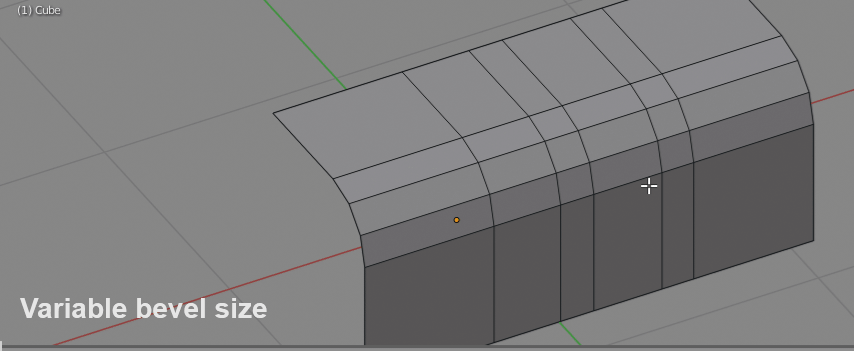
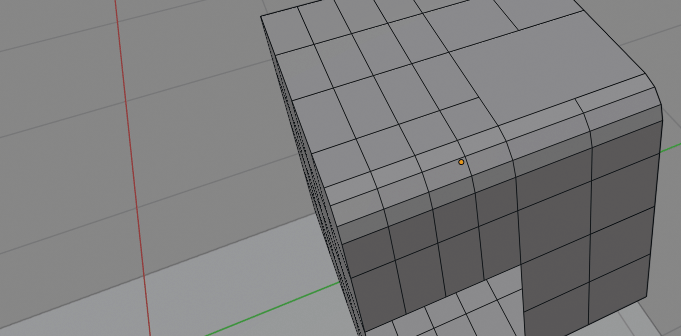
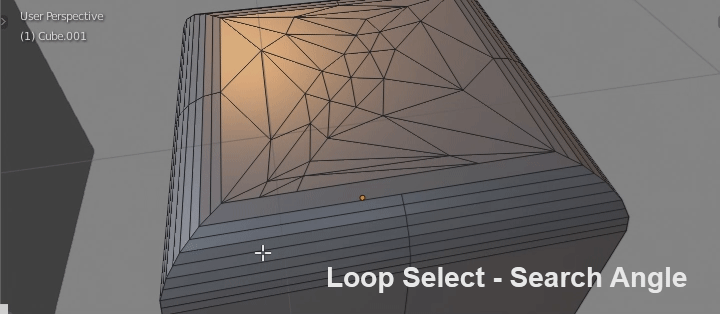
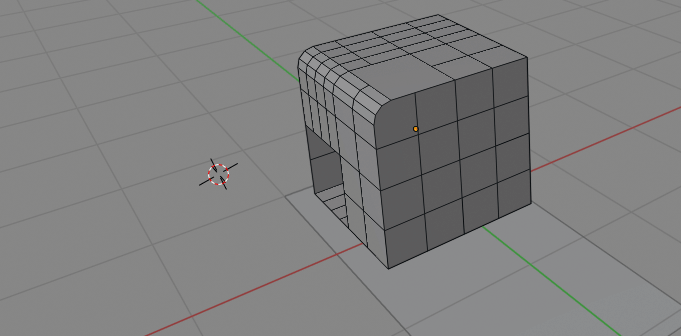
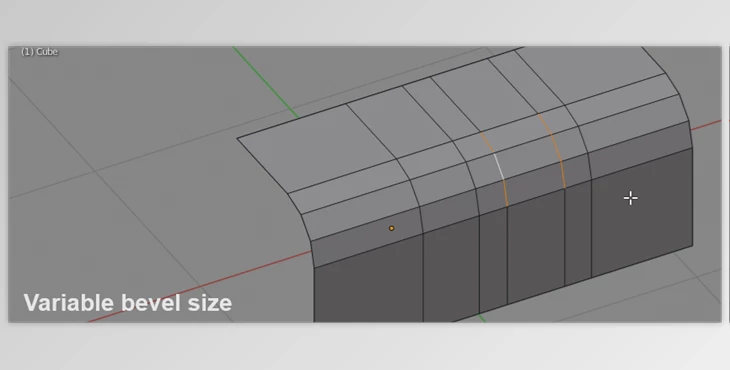
Add-on Blender (4.2+) for tweaking existing mesh bevels (adjust existing bevel segment count, size, collapse bevel, adjust bevel profile etc). ReBevel addon also comes with bundled Loop Ring Select add-on (included in same zip file as ReBevel). LoopRingSelect – grow[shrink] edge loops, rings (simplifies working with ReBevel – I highly recommend to install it together).
Usage:
- ReBevel addon – alt+B to adjust existing bevel (change bevel size, segment count etc). Requires user to selected edge rings that creates bevel first.
- Loop Ring Select addon – L – key for pie menu, for quick selection, growing or shrinking of edge loops/rings.
Features
- adjust width, segment count on mesh bevels
- adjust width, segment count on curve bevels
- collapse bevel edges into original sharp corner
- addon will try to maintain geometry data if possible (edge sharpness, crease, material ids, etc)
Update 2.1 video demo – curve reBevel
Installation:Download zip file then in blender preferences -> Addons -> press ‘Install..’ button located at top. Then just point blender to place where you downloaded zip file.
Search for: ReBevel – to change its default alt+B hotkey
Search for: ‘Loop Ring’ – to change Loop Ring Select pie menu L hotkey.
Update 1.1 and 1.2 (24.01.2020)
- 1.1 – fixed ugly bevel result, when changing segments count, on partially selected bevel ring edes
- 1.2 – way better algorithm for non trivial bevel cases.
Update 1.3 (25.01.2020)
- remove old unused ReBevel operator properties. Code cleanup
Update 1.4 (27.01.2020)
- ReBevel will now try to preserve edge and face data (edge crease, sharpness, bevel weight, material etc). Previously addon would generate blank geometry
Update 1.5 (06.02.2020)
- added bevel profiles support (works only in blender 2.82)
- fixed bug when changing segment count in modal mode sometimes loops will be missing or there would be 2 loops on top of eachother
- LoopRing Select – loop select will behave more comparable to default blender loop select on T-kind edge splits.
Update 1.6 (17.02.2020)
- tweaked ReBevel resizing behavior on non uniform bevels
- added ‘Search Angle’ to Loop select tool.
Update 1.7 (19.02.2020)
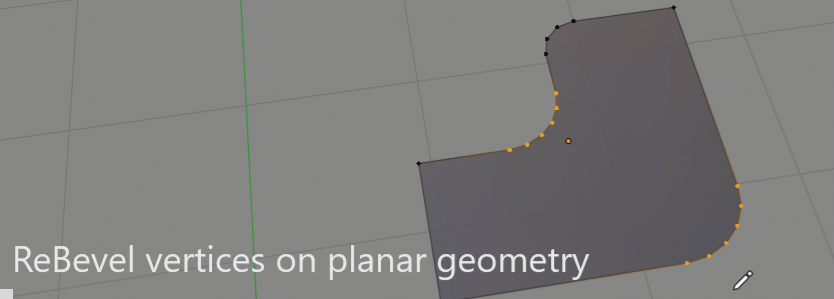
- now we can ReBevel vertices on flat faces
Update 1.8 (24.04.2020)
- fix wrong ring sorting bug in ReBevel
- added resize mode property (uniform or proportional)
Update 1.9 (20.11.2020)
- added status-bar info when running ReBevel (bevel size, segment count, etc)
- added Shift – snapping to 50%, 100%, 200% of original bevel sizes
- fix Rebevel not updating after modal part being finished, and performing first non-modal bevel width adjustment
Update 2.0 (26.11.2020)
- Tensions is now renamed to ‘Shape’ and results are now the same as build-in blender bevel
- Changed hotkeys – hold Ctrl for bevel width snapping, shift + MMB scroll for Shape adjustment
- bugfixes
Update 2.1 (10.03.2021)
- you can now Bevel and reBevel curves
Update 2.2+2.3 (22.04.2021)
- added clamping when beveling curve
- nicer beveling of small curves
- fix handles behavior on bezier curves bevel
Update 2.4 (04.06.2021)
- fixed re-bevel not bridging adjacent segments on cyclic bevel edges
Update 2.5 (03.02.2022)
- added some fixes for Blender 3.0
- added ONE and TWO key as additional keys for changing segments count.
Update 2.6 (10.10.2022)
- fix for some corner case, where mesh was not being bridged by rebevel correctly, leaving ugly ngon.
Update 2.7 (16.11.2023)
- added Blender 4.x compatibility
Supercharge your 3D creation workflow with premium selection of Blender Add-ons. Whether you are modeling intricate characters, sculpting realistic environments, or animating cinematic sequences, the right add-on can transform how you work inside Blender. Our curated collection includes powerful tools for UV unwrapping, procedural texture generation, rigging automation, rendering optimization, and more—each rigorously tested for compatibility with the latest Blender versions. Eliminate tedious manual processes and unlock advanced functionality that lets you focus on what matters most: bringing your creative vision to life. Explore our full range of professional Blender plugins today and take your 3D projects to the next level.
➡️ ➡️ For more Blender Plugins 😀 😀
Reviews
There are no reviews yet.