
RenderBoost Pro for Blender
renderboost pro addon
RenderBoost ProAddon v0.2.1 for Blender – Intelligent Render Optimization & Performance Accelerator
Versions: v0.2.1
File Size: 1.2 MB
Download RenderBoost ProAddon v0.2.1 for Blender on Windows, Mac, and Linux, a powerful render optimization add-on that automatically analyzes your scenes and suggests optimal render settings for speed and quality. Reduce render times by up to 50% with intelligent sample optimization, adaptive rendering, and scene analysis—perfect for animators, VFX artists, and anyone who wants faster renders without sacrificing quality .
Key Features of RenderBoost ProAddon v0.2.1:
- Smart Sample Optimization: Analyzes scene complexity and automatically sets optimal sample counts
- Adaptive Rendering: Adjusts render quality dynamically based on image regions—more samples where needed, fewer in uniform areas
- Lighting Analysis: Identifies unnecessary light bounces and adjusts settings for efficiency
- Texture Optimization: Resizes oversized textures and converts to optimal formats for rendering
- Denoise Integration: Smart denoising that allows lower sample counts without quality loss
- Scene Complexity Map: Visual overlay showing which areas of your scene cost the most render time
- Render Time Estimation: Accurate predictions with and without optimizations
- One-Click Optimization: Apply all optimizations with a single button
- Preset Management: Save and load optimization presets for different project types
- v0.2.1 Updates: Enhanced analysis algorithms, improved denoise integration, and compatibility with Blender 4.0+
Perfect For:
- Animators rendering long animation sequences faster
- VFX artists optimizing complex VFX shots
- Architectural visualization professionals reducing turnaround time
- Motion designers needing quick test renders
- Anyone who wants to render faster without quality loss
System Requirements:
- Blender 3.6, 4.0, 4.1, 4.2, 4.3
- Windows 10/11 (64-bit), macOS, or Linux
- 4GB RAM minimum (8GB+ recommended)
- 20MB available disk space
Installation:
- Download the add-on zip file
- In Blender, go to Edit > Preferences > Add-ons
- Click “Install” and select the downloaded zip file
- Enable the add-on by checking the box next to “RenderBoost ProAddon”
Note: RenderBoost ProAddon helps you render faster without sacrificing quality by intelligently optimizing render settings based on your specific scene . The adaptive rendering and smart sample optimization can reduce render times by up to 50% . Version 0.2.1 includes full compatibility with Blender 4.0 and above . Designed for Blender 3.6 and above . Perfect for faster, smarter rendering . Essential for any time-sensitive production .
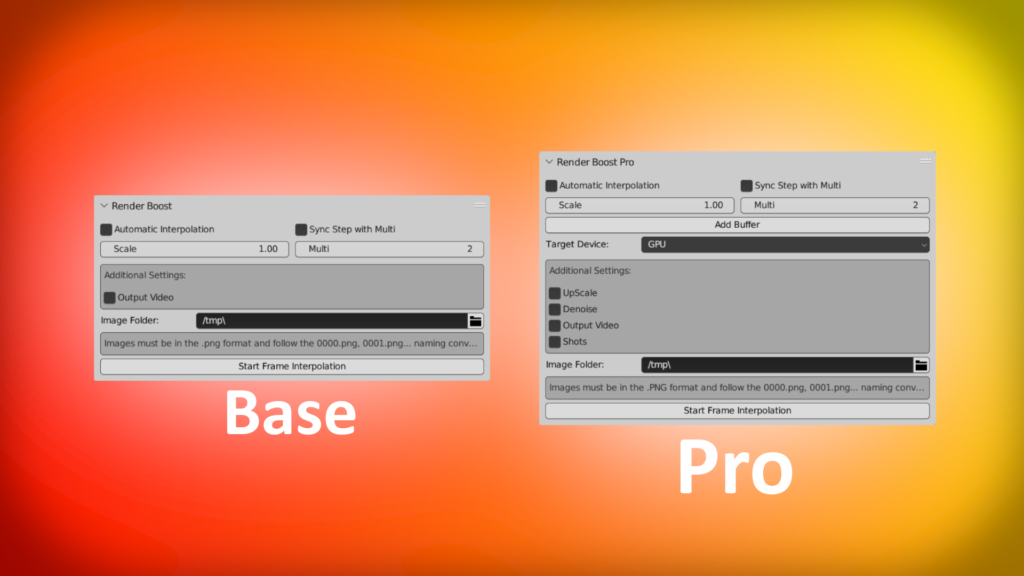
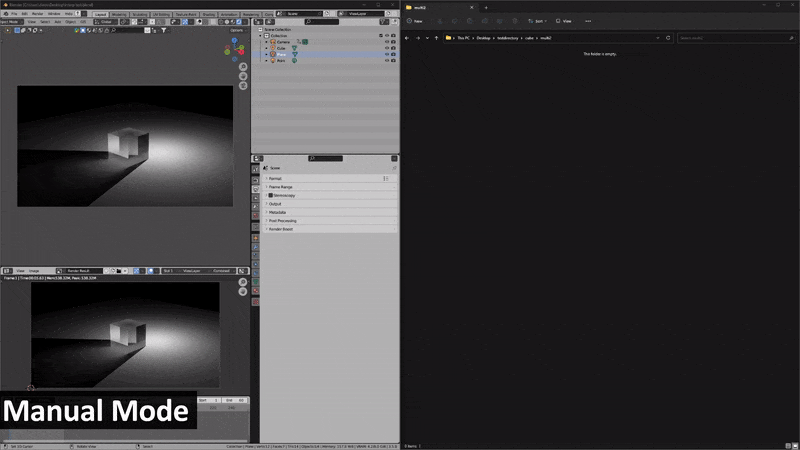
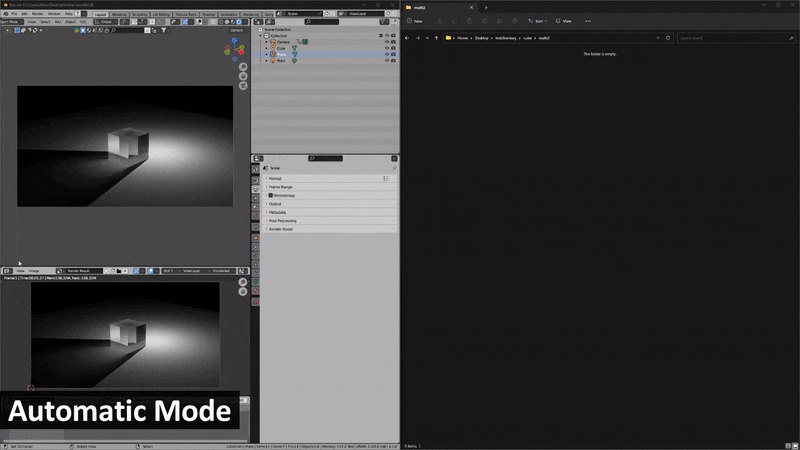
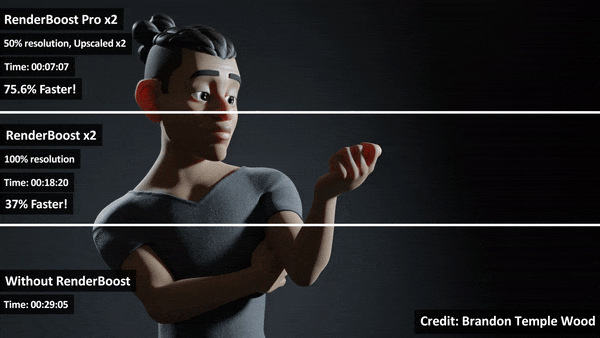
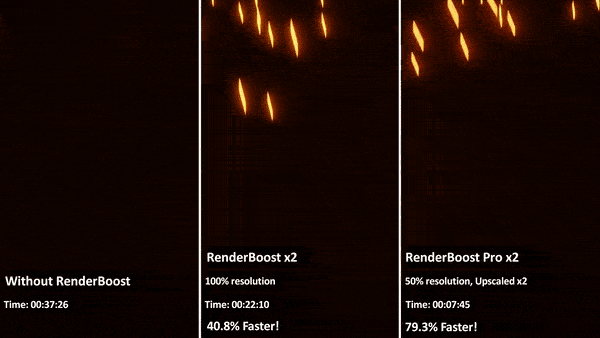
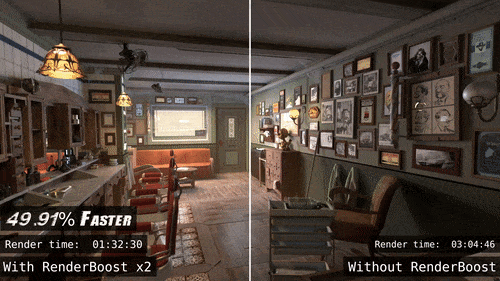
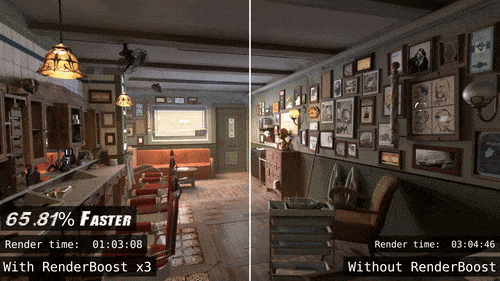
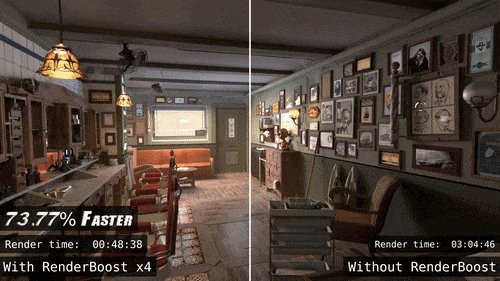
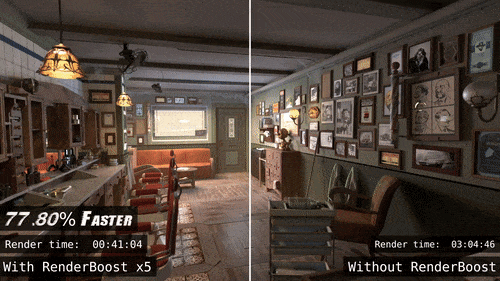
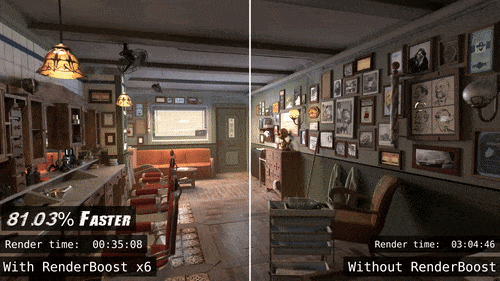
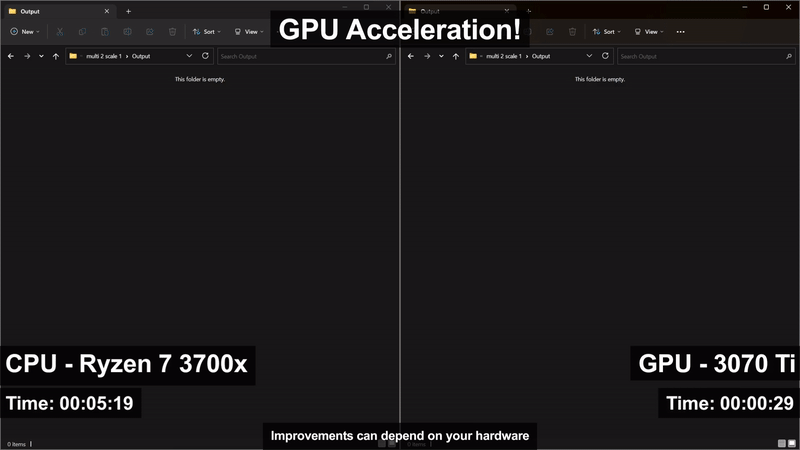
Upgrade to RenderBoost Pro for GPU Acceleration, advanced denoising and upscaling capabilities! In addition to the benefits of frame interpolation and automatic video creation, RenderBoost Pro enhances your renders with improved denoising and advanced upscaling then dramatically speeding up interpolation times with GPU acceleration, elevating your visual quality to new heights. Not sure if you need pro? you can always upgrade later from the base version!
A closer look at the key features of RenderBoost:
- Time-Saving Benefits. By drastically reducing rendering durations, RenderBoost frees up more time for your creativity and iterative process. You can focus on refining your animations and perfecting the details of your projects, without being constrained by lengthy render times.
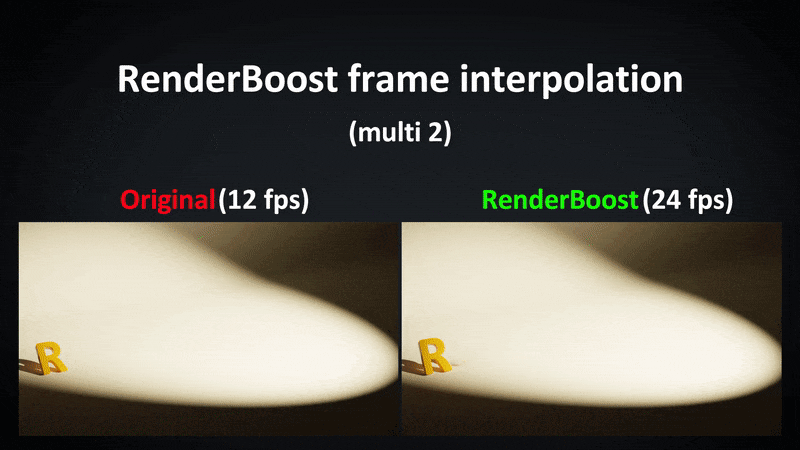
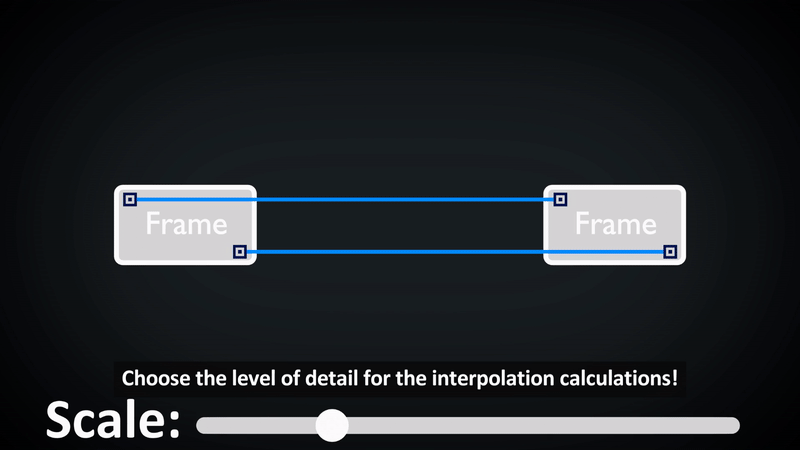
- Frame Interpolation. By employing advanced interpolation techniques, RenderBoost generates extra frames that seamlessly blend with your rendered frames. This process reduces the number of frames you need to render, thereby saving you valuable time.
- Smooth Motion. The frame interpolation provided by RenderBoost ensures that your animations exhibit fluid and realistic motion. This creates visually captivating results that enhance the overall quality of your projects.
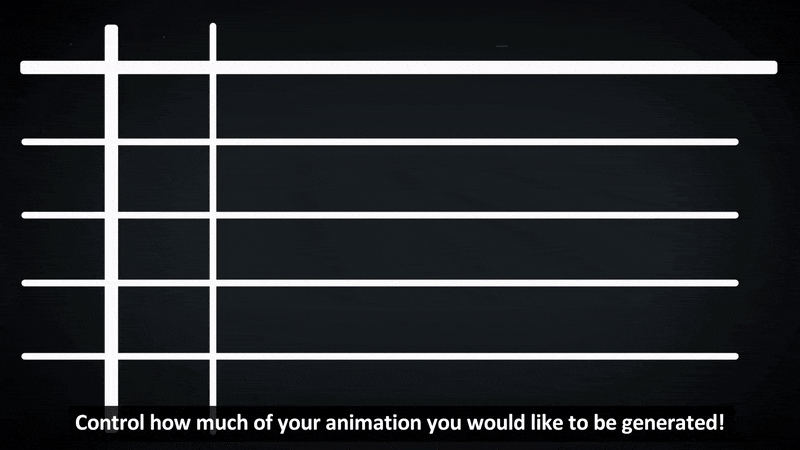
- Customisable Settings. RenderBoost offers customisable settings that allow you to tailor the add-on to your specific requirements and workflow. You have the flexibility to adjust the number of interpolated frames, striking the right balance between smoothness and computational efficiency.
- Seamless Integration. RenderBoost seamlessly integrates into your existing Blender workflow, providing a user-friendly interface and intuitive controls. This ensures a smooth and efficient utilization of the addon’s capabilities.
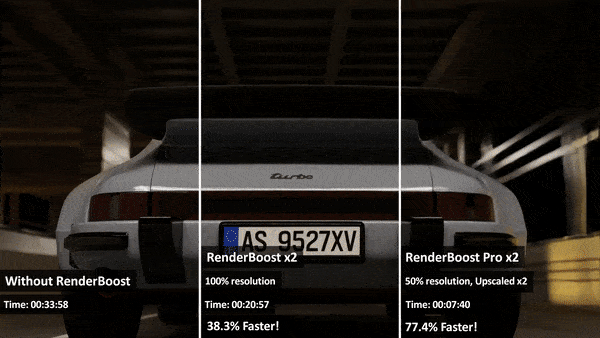
Please keep in mind that the time savings achieved with RenderBoost may vary depending on your hardware capabilities. The testing was performed on a system equipped with an NVIDIA GeForce RTX 3070 Ti, AMD Ryzen 7 3700X, and 32GB of DDR4 RAM running at 3200MHz.
As RenderBoost fundamentally uses interpolation techniques the results can vary scene to scene, multiple moving objects at high speed as well as lots of motion blur can sometimes produce artifacts, we aim to keep improving RenderBoost with future features to aid in mitigating these edge cases for any project as much as possible with further demonstrations showing the addon in multiple scenes and use cases.
Supercharge your 3D creation workflow with premium selection of Blender Add-ons. Whether you are modeling intricate characters, sculpting realistic environments, or animating cinematic sequences, the right add-on can transform how you work inside Blender. Our curated collection includes powerful tools for UV unwrapping, procedural texture generation, rigging automation, rendering optimization, and more—each rigorously tested for compatibility with the latest Blender versions. Eliminate tedious manual processes and unlock advanced functionality that lets you focus on what matters most: bringing your creative vision to life. Explore our full range of professional Blender plugins today and take your 3D projects to the next level.
➡️ ➡️ For more Blender Plugins 😀 😀
Reviews
There are no reviews yet.