
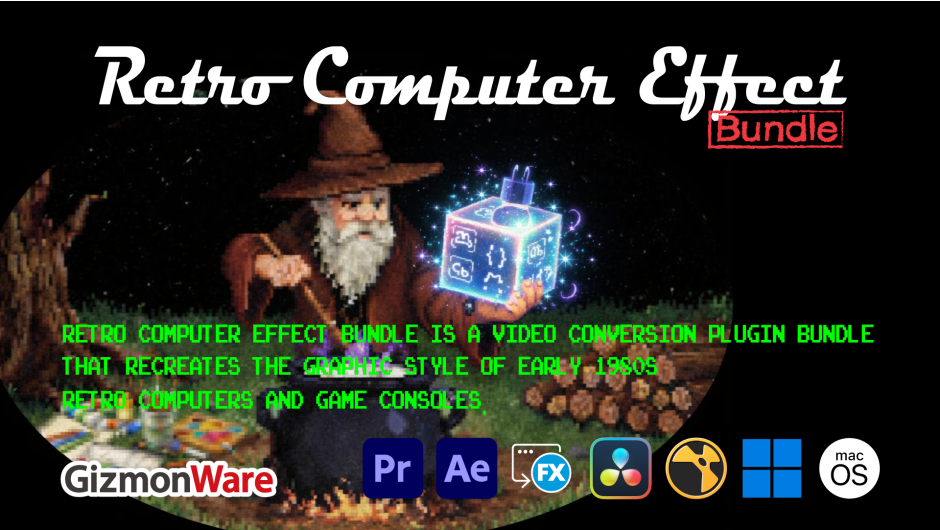
Retro Computer Effect Bundle
Retro Computer Effect Bundle for After Effects
The Ultimate Collection of Vintage Terminal and Pixel Art Effects
Download the Retro Computer Effect Bundle today. Consequently, you can instantly transform modern footage into nostalgic, 8-bit computer graphics. Because motion designers constantly seek authentic vintage aesthetics for music videos, gaming content, and stylized titles, having a dedicated retro toolkit is absolutely essential.
Nevertheless, building authentic terminal effects manually requires complex combinations of pixelation, scanlines, and color quantization. Fortunately, this bundle eliminates that tedious work completely. Moreover, it provides a comprehensive suite of GPU-accelerated plugins designed to replicate classic computer displays perfectly. In short, you can achieve authentic retro visuals with just a few clicks.
Authentic Terminal and Textmode Effects
The core of this bundle lies in its accurate simulation of vintage computer hardware. For instance, you can apply classic green-screen terminal aesthetics to any text or footage. Furthermore, the plugins include advanced textmode and ASCII art generators, turning your images into complex character grids.
Additionally, the bundle replicates authentic CRT monitor distortions, including screen curvature and phosphor glow. Since these effects run in real-time, you can preview your nostalgic creations instantly. Consequently, your projects will feature the genuine look of 1980s computing.
Comprehensive Pixelation and Dithering Tools
Professional retro aesthetics demand precise pixel control. Therefore, this bundle includes robust pixelation and dithering plugins. For example, you can reduce your footage to limited color palettes using classic algorithms like Floyd-Steinberg. Furthermore, you can create blocky, low-resolution pixel art with customizable grid sizes.
Additionally, the bundle features scanline generators and chromatic aberration tools to perfect the CRT look. Since every parameter is fully keyframable, you can animate the retro degradation over time. Thus, you maintain complete creative authority over your vintage visuals.
Real-Time GPU Acceleration and Workflow
Creative exploration demands immediate visual feedback. Accordingly, every plugin in this bundle is fully GPU-accelerated. For instance, you can adjust pixel sizes, color depths, and distortion levels without waiting for renders.
Furthermore, the effects integrate seamlessly into your existing After Effects pipeline. Additionally, the bundle includes customizable presets, allowing you to instantly apply your favorite vintage looks. Since the tools are optimized for performance, you can work smoothly even on high-resolution footage. Consequently, you can iterate rapidly and achieve polished results quickly.
Perfect for Motion Designers and Content Creators
This bundle is particularly well-suited for motion designers creating cyberpunk intros and gaming montages. Similarly, content creators producing synthwave music videos will appreciate the authentic visual styles. Additionally, anyone looking to add a nostalgic, digital-failure aesthetic to their projects will find this toolkit invaluable. Ultimately, the Retro Computer Effect Bundle accelerates your entire post-production pipeline.
System Requirements and Compatibility
The Retro Computer Effect Bundle supports After Effects versions 2022, 2023, 2024, 2025, and 2026. It works on both Windows and macOS operating systems. The plugins are fully GPU-accelerated and require a modern graphics card for optimal performance. You will need a standard workstation with at least 8GB of RAM.
Installation and Usage Guide
To install, first download the plugin installers from your library. Next, close Adobe After Effects if it is running. Then, install the plugins following the standard aescripts + aeplugins process using the Manager App. After that, launch After Effects and locate the effects in the Effects & Presets panel. Finally, apply the effects to your layers, choose your desired retro preset, and adjust the parameters to customize your look. Thus, your vintage workflow will be ready instantly.
What is Included Inside?
The pack contains the complete Retro Computer Effect Bundle for After Effects. Furthermore, it includes the terminal and textmode generators and the comprehensive pixelation and dithering tools. Additionally, you receive the CRT distortion effects and customizable presets. Ultimately, you receive everything needed for professional vintage computer aesthetics.
Final Thoughts on the Bundle
Effortless retro effects evoke profound creative freedom. Therefore, this bundle provides the ultimate foundation for your vintage design workflows. You can transform ordinary footage into 8-bit masterpieces with unprecedented speed. Consequently, your nostalgic vision becomes a stunning reality.
Retro Computer Effect Bundle is a video conversion plugin bundle that recreates the graphic style of early 1980s retro computers and game consoles.
It includes six systems in one package: Apple II, Commodore 64, Game Boy, NES (Famicom), TMS9918, and Early Macintosh.
Beyond simple pixelation, each effect faithfully reproduces original palette limits and display characteristics, with CRT-style scanlines/blooming and high-quality dithering for natural retro visuals.
Transform Modern Video into Classic 1980s Retro Graphics
NEW: Early Macintosh has been added as a new selectable system!
Recreate the authentic visual style of early Macintosh with its distinctive monochrome CRT display, Atkinson dithering, and the palette patterns used in MacPaint. Create visually appealing retro graphics while preserving the authentic look and feel of classic Macintosh graphics.
Note: The feature to add a MacPaint frame shown in this video is not included in the plugin.
Key Features
Faithfully recreates the visual style of retro computers. Realistic color quantization based on the original hardware palettes reproduces the limited colors and display characteristics of classic systems. Includes CRT Artistic effects such as scanlines and blooming, bringing out the distinctive look and feel of vintage displays. Powered by three high-quality dithering algorithms to create more natural and visually appealing retro graphics.
Apple II
This plugin faithfully recreates the visual style of the Apple II, IIe, and IIc. Realistic graphics conversion based on original display modes such as HGR, DHGR, LORES, and DLORES reproduces the characteristic appearance of these classic computer systems. By recreating the unique color rendering and graphics techniques of the Apple II family, it produces visually appealing vintage graphics while preserving the authentic look and feel of retro computing.
Commodore 64
It also recreates the visual style of the Commodore 64. Realistic graphics conversion based on the original hardware reproduces the characteristic display appearance of this legendary home computer. By recreating the unique color rendering and graphics techniques of the Commodore 64, it produces visually appealing vintage graphics while preserving the authentic look and feel of retro computing.
Nintendo Game Boy
It also recreates the visual style of the original Nintendo Game Boy. Realistic four-shade monochrome quantization based on the original hardware reproduces the characteristic display appearance of the classic handheld system. Powered by three high-quality dithering algorithms to create more natural and visually appealing retro graphics while preserving the authentic look and feel of the original Game Boy.
Nintendo Entertainment System (Famicom)
It also recreates the visual style of the Nintendo Entertainment System (NES). Realistic graphics conversion based on the original hardware reproduces the characteristic display appearance of this legendary home video game console. By recreating the unique color palette and graphics techniques of the NES, it produces visually appealing retro graphics while preserving the authentic look and feel of classic gaming.
Retro Computers Featuring the TMS9918 Video Chip
It also recreates the visual style of the TMS9918 video display processor. Realistic graphics conversion based on the original hardware reproduces the characteristic display appearance found in many computers and video game systems of the late 1970s and early 1980s. By recreating the unique color palette and graphics techniques of the TMS9918, it produces visually appealing vintage graphics while preserving the authentic look and feel of early home computing and gaming systems.
The TMS9918 and its variants are used in the Casio PV-2000, Coleco Adam, ColecoVision, CreatiVision, Hanimex Pencil II, MSX, Memotech MTX, NABU Personal Computer, PECOS, SG-1000, SC-3000, SV-318, SV-328, Sord M5, TI-99/4, Tatung Einstein, and Tomy Tutor.
Early Macintosh
It also recreates the visual style of early Macintosh. Realistic graphics conversion based on the original hardware reproduces the characteristic display appearance of this legendary personal computer. By recreating the monochrome display produced by the CRT phosphor of early Macintosh, along with Atkinson dithering and the palette patterns used in MacPaint, it produces visually appealing retro graphics while preserving the authentic look and feel of classic Macintosh graphics.
Requirements
Plugin Type
- Adobe After Effects
- OpenFX
Compatible Software
- Adobe Premiere Pro
- Adobe After Effects
- DaVinci Resolve
- Nuke
- Natron
- etc
Compatible OS
- Windows
- macOS
GPU Acceleration
- OpenCL
- CUDA
- Metal
Parameter

- Scanline: Adds scanlines to recreate the authentic look of a CRT display.
- Input Level: Adjusts the input brightness level.
- Input Contrast: Adjusts the input contrast.
- Dither Type: Selects the dithering method used for color quantization.
- Dither Strength: Adjusts the strength of the dithering effect.
- Switch Hold: When using the Floyd-Steinberg or Atkinson dithering method, retains the previous frame’s palette selection to reduce flickering.
- Processing: Selects whether to use GPU acceleration or CPU-only processing.
- Use linear color for float I/O: Treats floating-point input and output as linear color.float
Note: When using the plugin with Nuke or Natron, enable “Use linear color for float I/O”.
High-Quality Dithering with Reduced Flicker
To reduce flicker during dithering, Switch Hold and Spatial Mix are available. These controls are active only when Floyd-Steinberg or Atkinson is selected. Switch Hold preserves the previous frame’s palette selection to reduce temporal flicker. Spatial Mix also considers surrounding colors to stabilize palette selection. Setting these values too high may produce unnatural-looking results, so adjust them while viewing the image to find a suitable balance.
Switch Hold: Preserves the previous frame’s palette selection to reduce temporal flicker.
For Better Color Quantization
To achieve the desired color quantization, Input Level and Input Contrast are available. Input Level adjusts the input brightness, and Input Contrast adjusts the input contrast. Adjust these values while viewing the image to find the setting that works best.
- Input Level: Adjusts the input brightness to help achieve the desired color quantization.
- Input Contrast: Adjusts the input contrast to help achieve the desired color quantization.
Resolution Settings for Accurate Dot Representation
This plugin quantizes video and represents it as dots. To reproduce the shape and placement of the dots as accurately as possible, it is important to set an appropriate resolution for the video being edited.
When using the plugin with After Effects, Premiere Pro, or DaVinci Resolve, use the native horizontal resolution of the selected product as a reference. Set the horizontal resolution to an integer multiple of the reference value shown below.

For example, for ap2, set the horizontal resolution to 560 px, 1120 px, 1680 px, or another integer multiple of 560 px. Set the vertical resolution according to the aspect ratio of the video being used.
After Effects
Open Composition Settings and set Width and Height. Set the horizontal resolution to an integer multiple of the reference value for the selected product.
Premiere Pro
Open Sequence Settings and set Frame Size. Set Horizontal to an integer multiple of the reference value for the selected product.
DaVinci Resolve
Open Project Settings and set Timeline resolution under Master Settings. Set the horizontal resolution to an integer multiple of the reference value for the selected product.
Elevate your motion graphics workflow with premium collection of After Effects plugins. Whether you are a seasoned professional or just starting your VFX journey, powerful tools designed to streamline complex tasks, unlock creative possibilities, and save you hours of rendering time. From stunning glitch effects and seamless transitions to advanced 3D extrusion and text animation tools, each plugin in our library is rigorously tested for compatibility with the latest versions of Adobe after Effects. Enhance your video production value today and download industry-leading plugins that help you create breathtaking visuals without the technical headaches. Browse our full range and find the perfect extension to supercharge your editing suite now.
➡️ ➡️ For more after effects Plugins 😀 😀
➡️ ➡️ System requirements AE
Reviews
There are no reviews yet.