
Rig UI Pro for Blender
Rig UI Pro v2.25 for Blender
The Ultimate IK/FK Management and Visual Rigging Control System
Download Rig UI Pro v2.25 today. Consequently, you can supercharge your rigging workflow with advanced bone collection management, visibility bookmarks, and seamless IK/FK switching—all accessible through an intuitive, highly customizable interface. Because professional character animation demands efficient control over complex skeletons, having access to a powerful UI enhancement tool is absolutely essential. Nevertheless, navigating Blender’s native bone visibility and property systems can become cumbersome when working with intricate rigs. Fortunately, Rig UI Pro solves this problem comprehensively. Moreover, it provides tailored panels for popular rigging systems like AutoRig Pro and Rigify, ensuring seamless integration into your existing pipeline. In short, you can manage even the most complex character rigs with remarkable speed and clarity.
One-Click IK/FK Switching and Dynamic Parent Control
The core of this addon lies in its intelligent handling of animation’s most critical switching operations. For instance, the highly configurable IK/FK system allows you to toggle between inverse kinematics and forward kinematics with a single click, ensuring that limb positions remain perfectly matched during transitions. Since the system utilizes paired bones to match transformations, switching between modes is smooth and predictable. Furthermore, the Parent Switcher enables you to dynamically exchange parent influences between bones or even scene objects. This allows you to animate parental relationships or bake animations to different parents with one-click alignment, automatic keyframing, and preserved transforms. Consequently, your animation process becomes significantly more flexible and efficient.
Intelligent Bone Collection Management
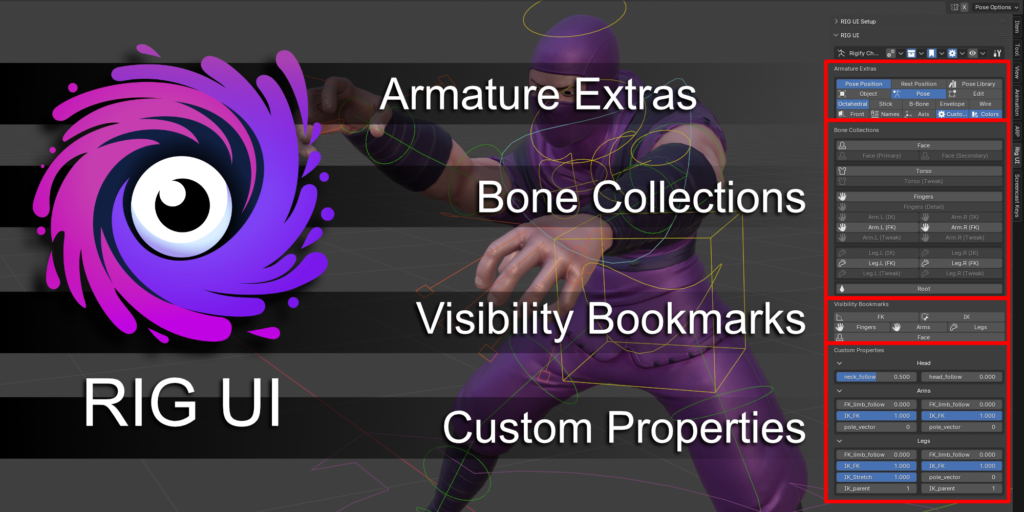
Advanced rigs often contain dozens of bone collections, making organization a critical priority. Therefore, this addon includes a comprehensive bone collection management system with an intuitive button-based interface. For example, you can isolate collection visibility, select all bones in a collection, toggle visibility, and configure collections directly from the UI. Additionally, the collection move mode enables you to relocate elements between collections using an intuitive visual interface, with options to display unpinned groups and fade out other collections. Meanwhile, the Visibility Bookmarks feature allows you to store and recall specific view states with one click, making it effortless to swap between IK and FK control visibility or activate secondary controls. Thus, your workspace remains clean and focused at all times.
Custom Property Management and Grouping
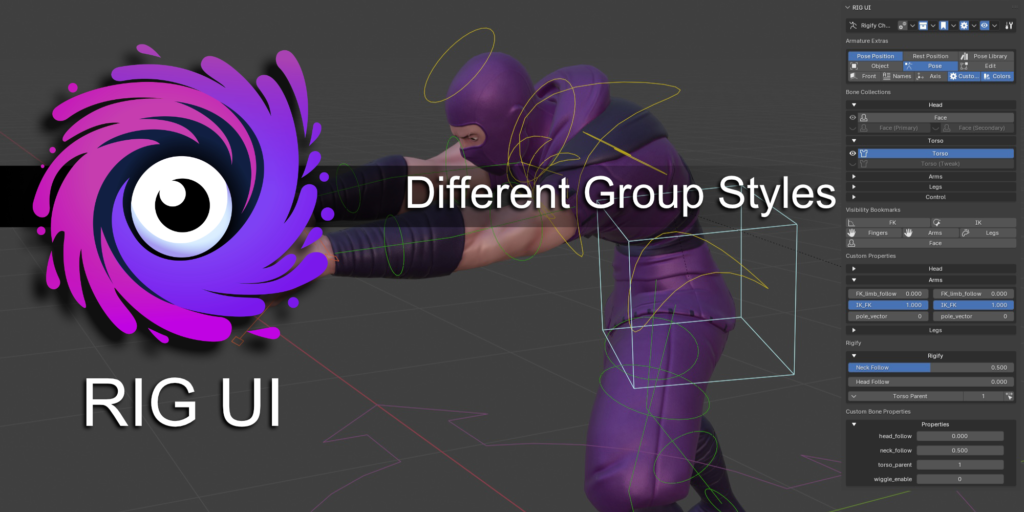
Professional rigging often demands quick access to custom properties for nuanced control. Therefore, Rig UI Pro allows you to pin any existing custom property from any bone directly into the UI panel. Furthermore, you can add new custom properties to a dedicated PROPERTIES bone, which is created automatically if it does not exist. The system also supports grouping of both bone collections and custom properties, with multiple visual styles available including labels, boxes, and collapsible sections. You can even choose to display property names inside or outside their respective fields. Consequently, your rig’s controls become more organized and visually intuitive.
Pop-Up Panel and Armature Extras
Flexibility in accessing your rig controls is essential for maintaining flow. Accordingly, the addon includes a Pop-Up Panel feature, allowing you to assign Rig UI to a configurable hotkey and access it from anywhere in the 3D viewport. Additionally, the Armature Extras section provides several convenient tools for working with your armature directly from the UI: toggle between normal and rest pose, access pose libraries, switch between object, pose, and edit modes, and adjust bone display settings including in-front display, bone names, axes, custom shapes, and colors. Thus, you maintain complete control without constantly switching panels or menus.
AutoRig Pro and Rigify Integration
For users of popular rigging systems, Rig UI Pro offers dedicated support that enhances their functionality. Specifically, the addon provides a tailored panel for AutoRig Pro that displays all its custom features based on selected bones. Similarly, a dedicated Rigify panel presents all of Rigify’s custom features in the UI. This integration ensures that your workflow remains consistent and efficient, regardless of which rigging system you are using.
Perfect for Character Animators and Riggers
This addon is particularly well-suited for character animators who need efficient control over complex rigs. Similarly, technical artists and riggers will appreciate the extensive customization options and the ability to streamline their workflows. Additionally, studios working with multiple rigging pipelines will benefit from the consistent interface and integration with popular systems like AutoRig Pro and Rigify. Ultimately, Rig UI Pro accelerates your entire animation and rigging pipeline.
System Requirements and Compatibility
The addon supports Blender versions 4.0, 4.1, and 4.2. Furthermore, it is available as a Blender extension format addon, ensuring seamless installation. It works across all major operating systems including Windows, macOS, and Linux. You will need a standard workstation with at least 8GB of RAM.
Installation and Usage Guide
To install, first download the zip file from your library. Next, open Blender and navigate to Edit Preferences. Then, select Add-ons and click Install. For Blender 4.1 and above, use the “Install from Disk” option from the dropdown menu. After that, locate and select the downloaded zip file, then enable the Rig UI Pro addon. Finally, access the Rig UI panel from the sidebar, configure your bone collections and custom properties, set up visibility bookmarks, and begin animating with enhanced control. Thus, your professional rigging interface will be ready instantly.
What is Included Inside?
The pack contains the complete Rig UI Pro addon with all features from v2.25. Furthermore, it includes IK/FK switching, parent switching, bone collection management, visibility bookmarks, custom property controls, and grouping features. Additionally, you receive the pop-up panel system, armature extras, and dedicated panels for AutoRig Pro and Rigify integration. Ultimately, you receive everything needed for professional rigging UI enhancement.
Final Thoughts on the Addon
Powerful rigging interface control evokes profound creative freedom. Therefore, this addon provides the ultimate foundation for your character animation workflows. You can manage complex skeletons with intuitive, streamlined tools. Consequently, your rigging and animation vision becomes a stunning reality.
New Beta 2.0 *NEW* features
Rig UI 2.0 BETA – available for existing and new pro users in the downloads section.
One click IK/FK
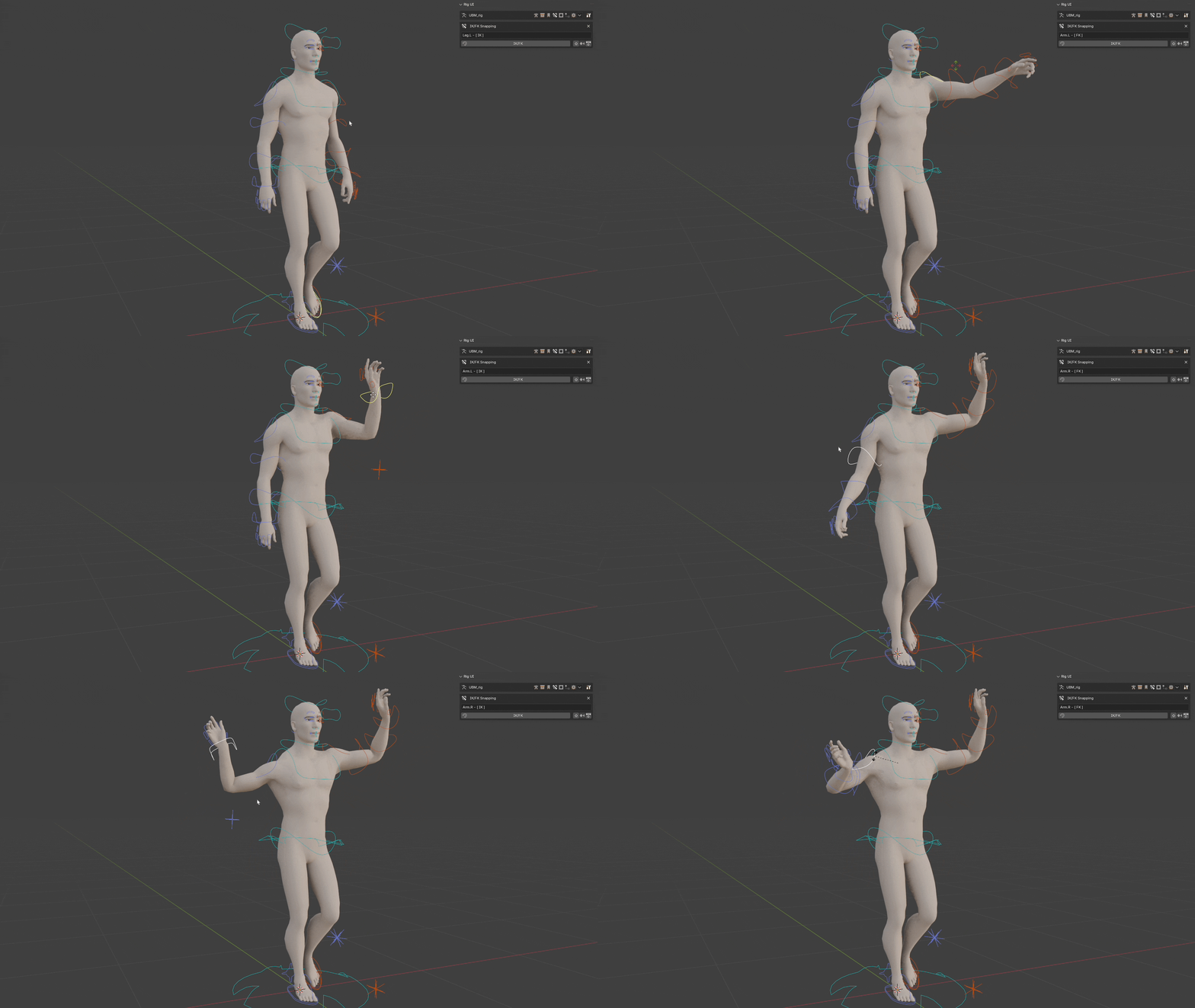
This is a highly configurable and dynamic system that will allow riggers to configure and make work almost any IK/FK system reliably.The setup is as complex as the system is complete. But the basic mechanism is simple to understand, it will use pairs of bones to match certain transforms between them when swapping between IK and FK modes. This allows the limbs to perfectly match each other when changing between modes.
Parent Switcher
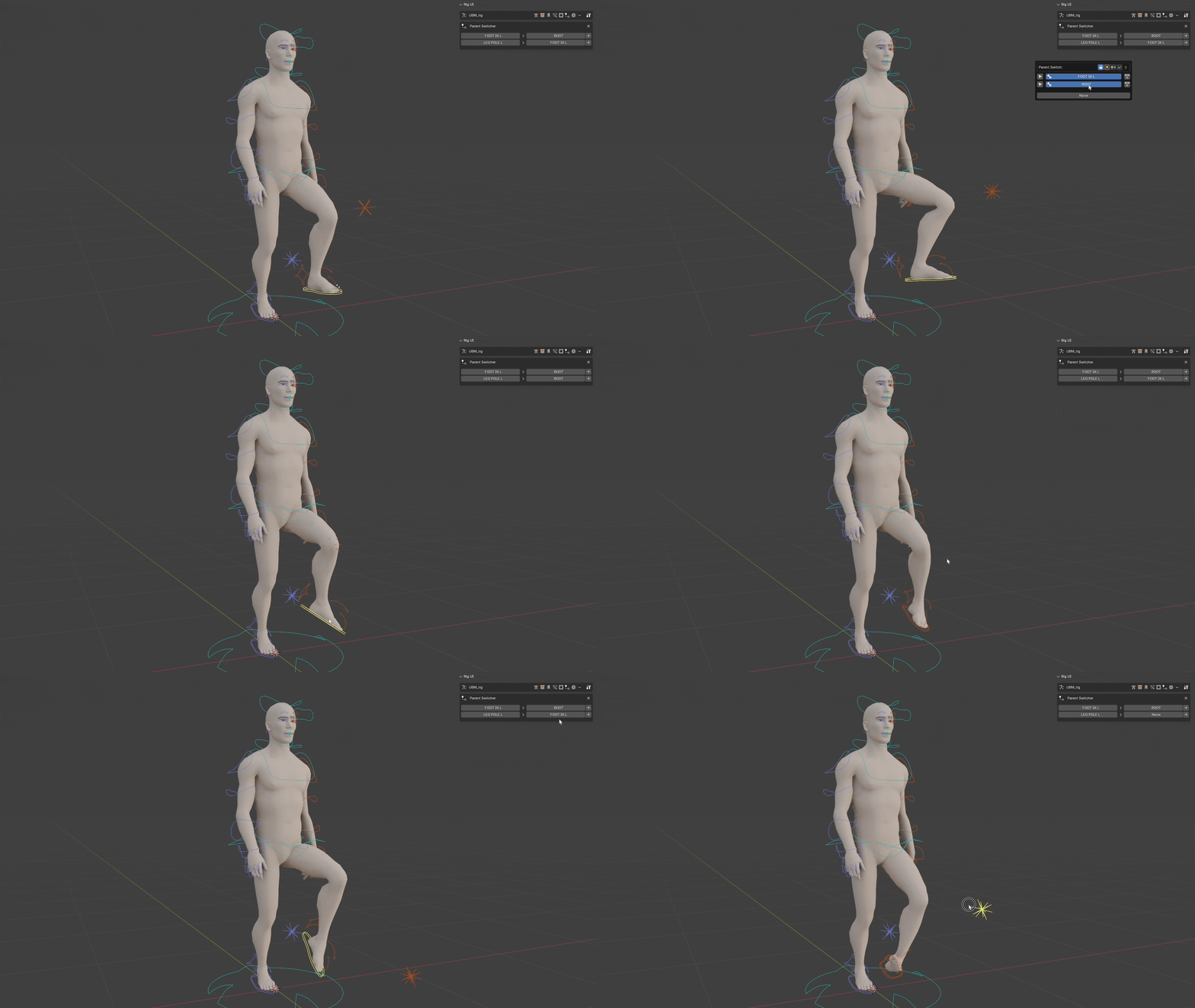
Easily swap child parent influence on the fly between bones of an armature or with objects of the scene.Animate the relationships or bake the animation to a different parent or none.One click snapping keeping transformations and automatic keying.
Mask Modifiers
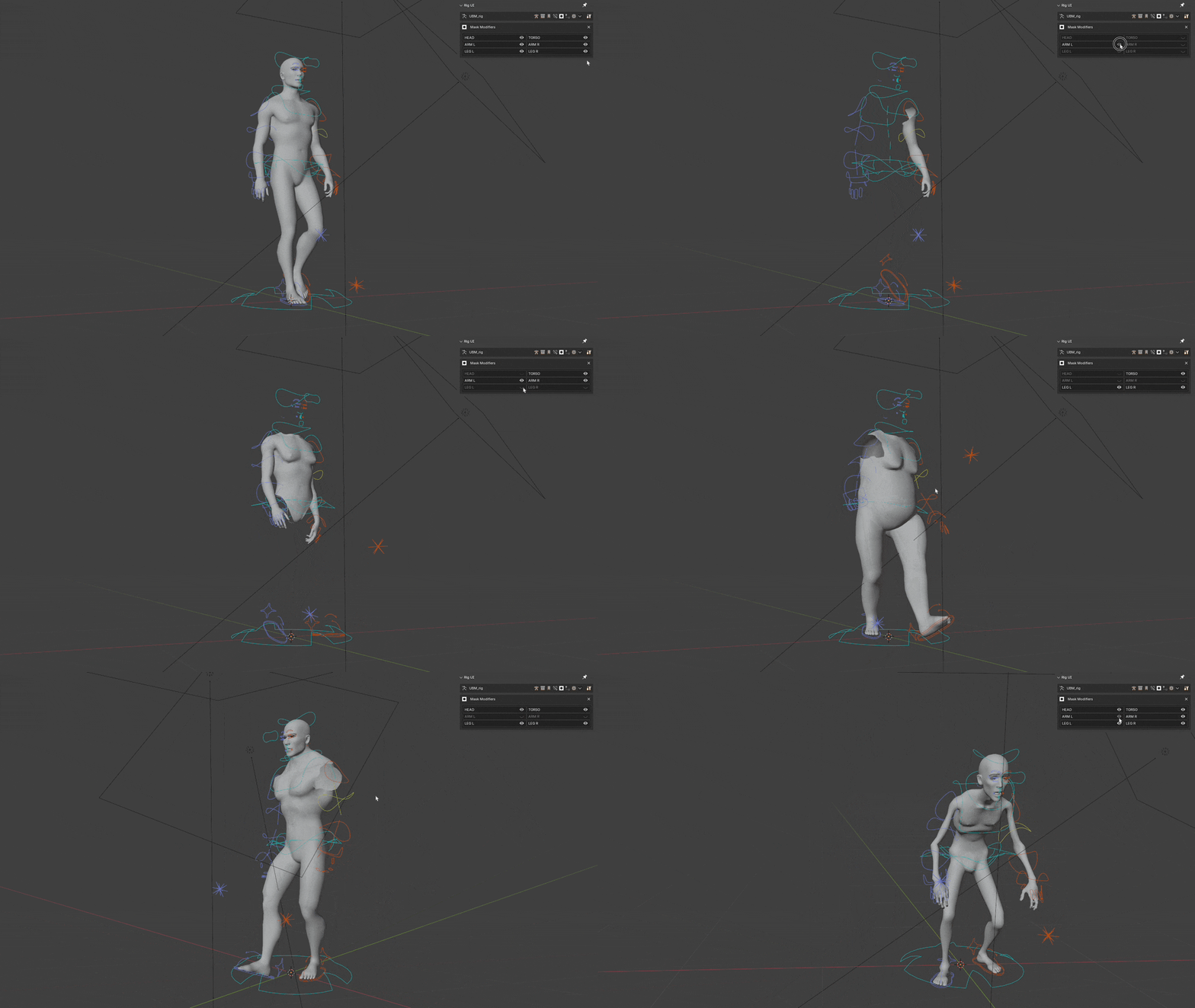
Quickly access Mask Modifiers visibility for any object connected with the current armature from Rig UI.
Rig UI Pro
🔥 Why use Rig UI Pro?Because it will supercharge your rig UI and its functionalities not only with simple bone collection visibility controls but with bookmarks, special actions, custom properties, armature extras, and specific panels for different popular armatures like AutoRig Pro and Rigify.
Bone Collections
Bone Collections Documentation
Manage buttons for each bone collection. Pin the collections you want to display.
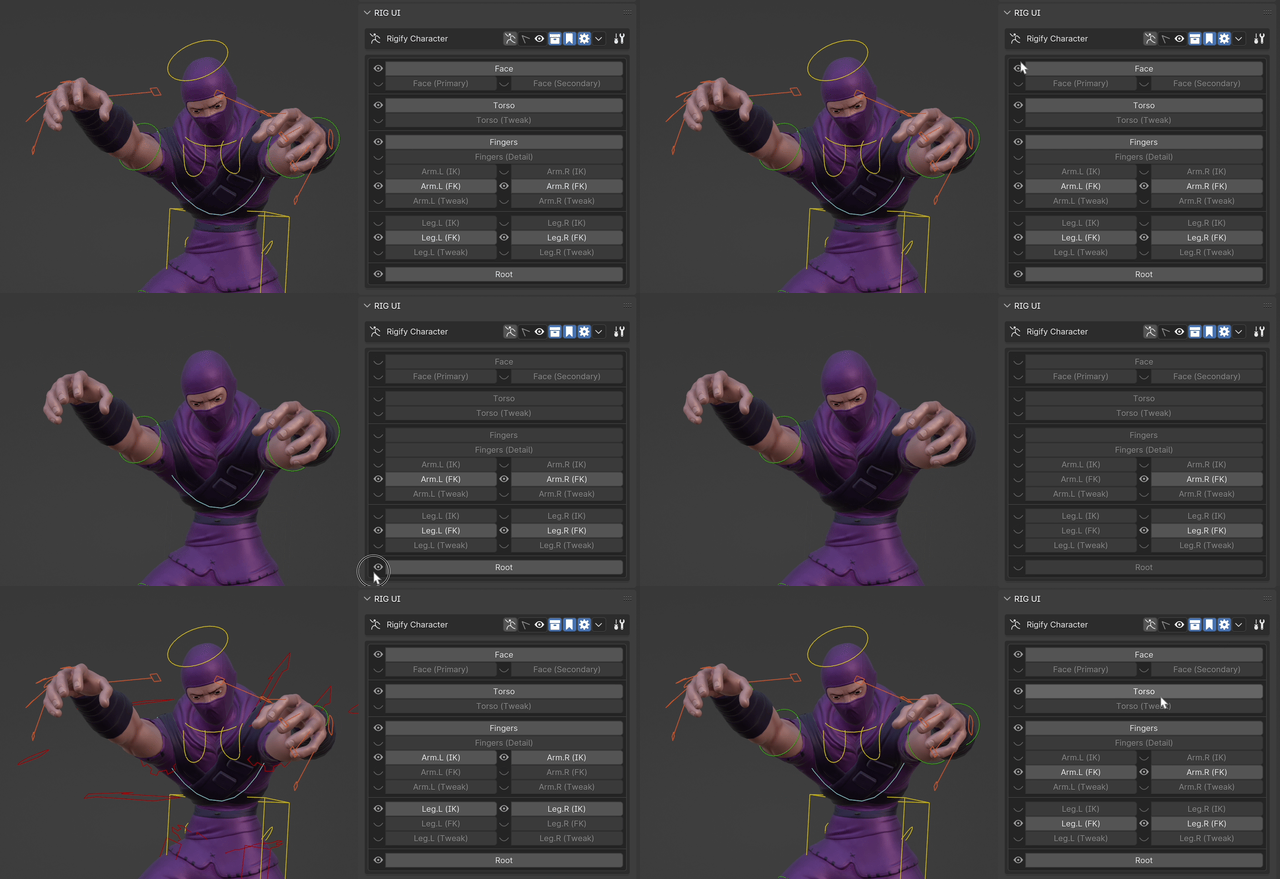
Traditional bone collections UI or Pro version for extended functionality:
- Isolate the collection’s visibility. (LMB)
- Select all bones in the collection. (shift LMB)
- Toggle bone collection visibility. (alt LMB)
- Configure Bone Collection. (ctrl LMB)
- Add new bone collection with currently selected bones (ctrl shift LMB)
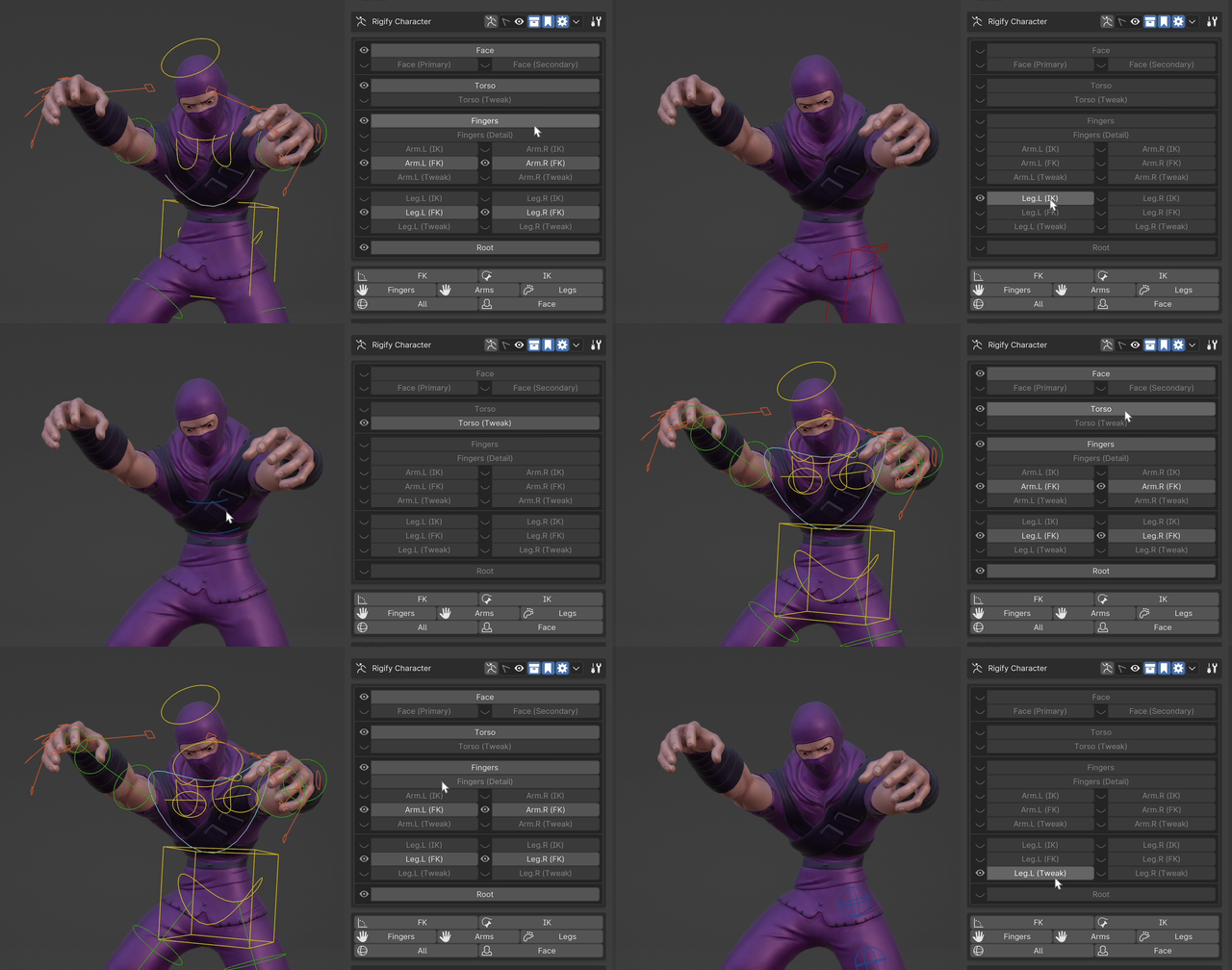
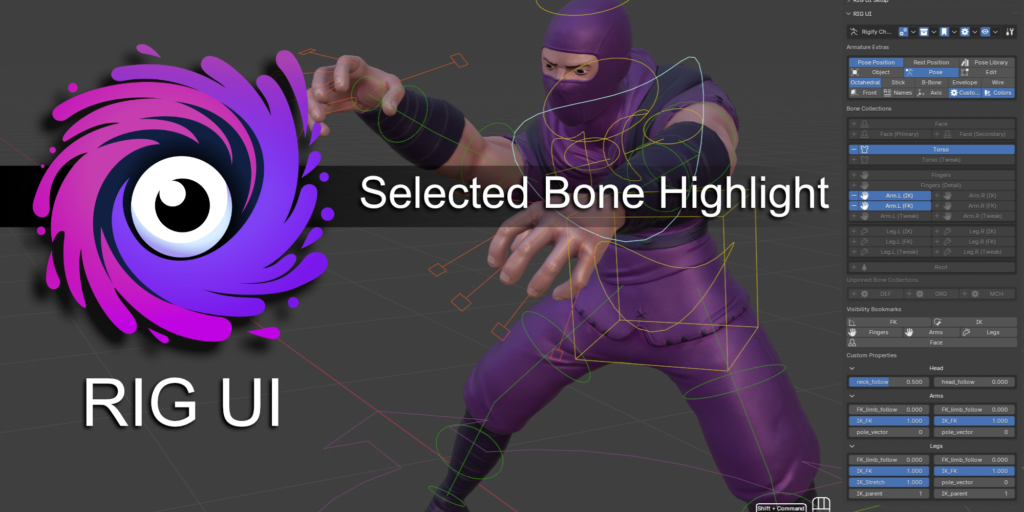
Highlight the bone collection containing the active bone.
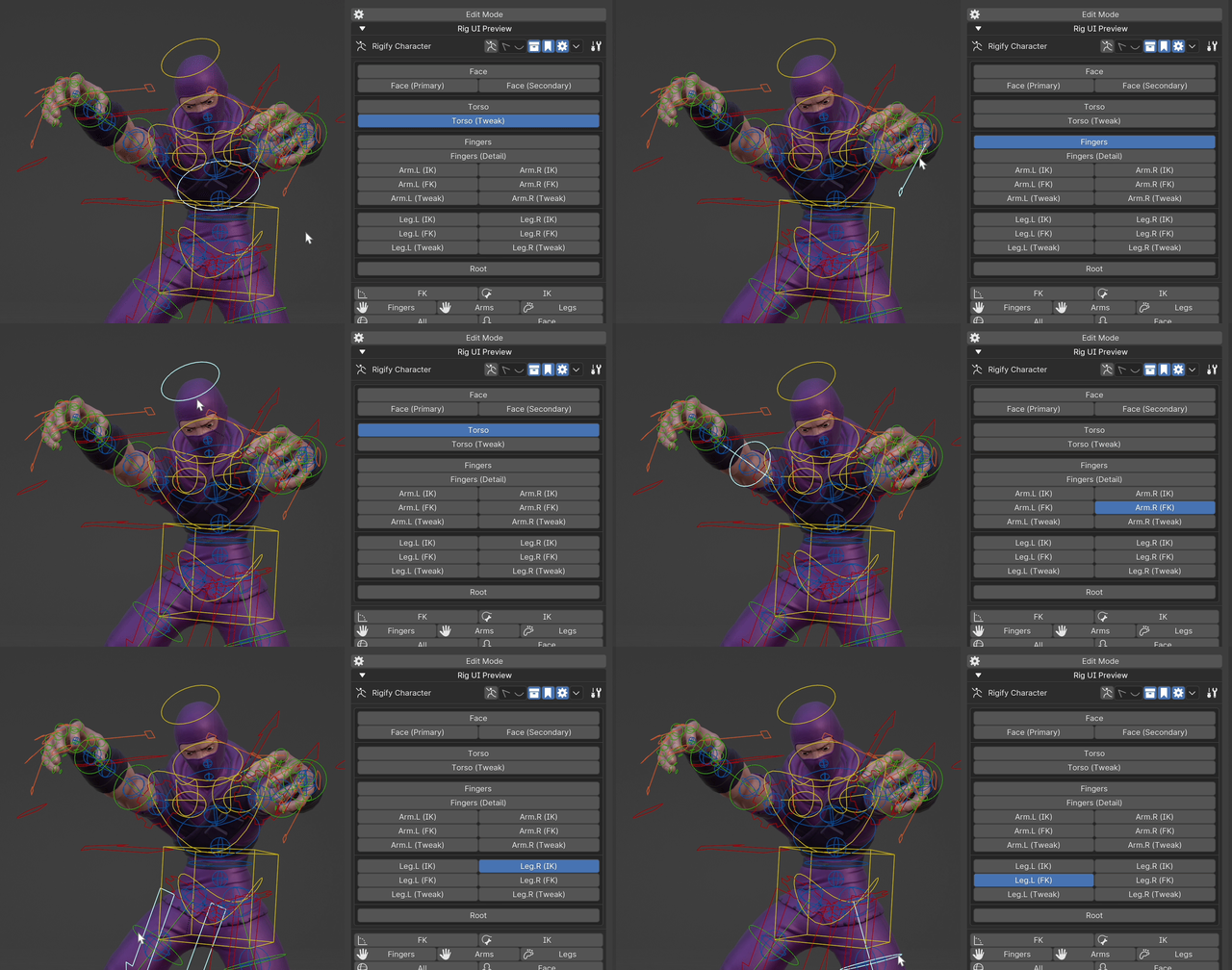
Bone Collection Move Mode
- When active, you can move elements to other bone collections from an intuitive UI directly on the bone collections buttons UI.
- Different options to display where your bone is and where you can move it, including displaying unpinned groups (always, never, while moving).
- Fade out other collections (toggle)
- Fade unpinned groups (toggle)
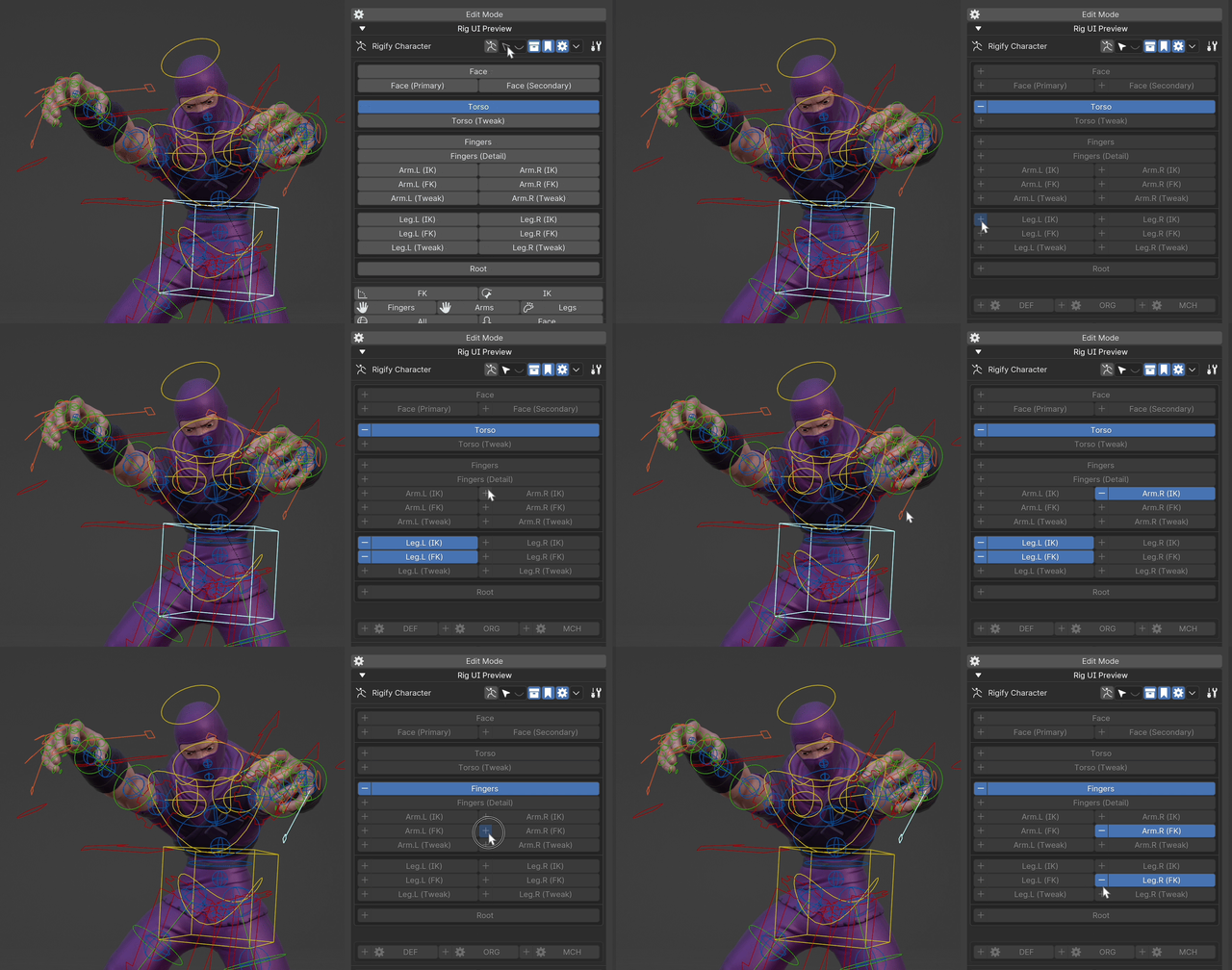
Visibility Bookmarks
Visibility Bookmarks Documentation
- Store the current view state of the bone collections and recall it with one click (swap between FK / IK clicks with ease or activate and deactivate secondary controls).
- Check tooltips for hotkeys to use them like a pro.
Custom properties
Custom Properties Documentation
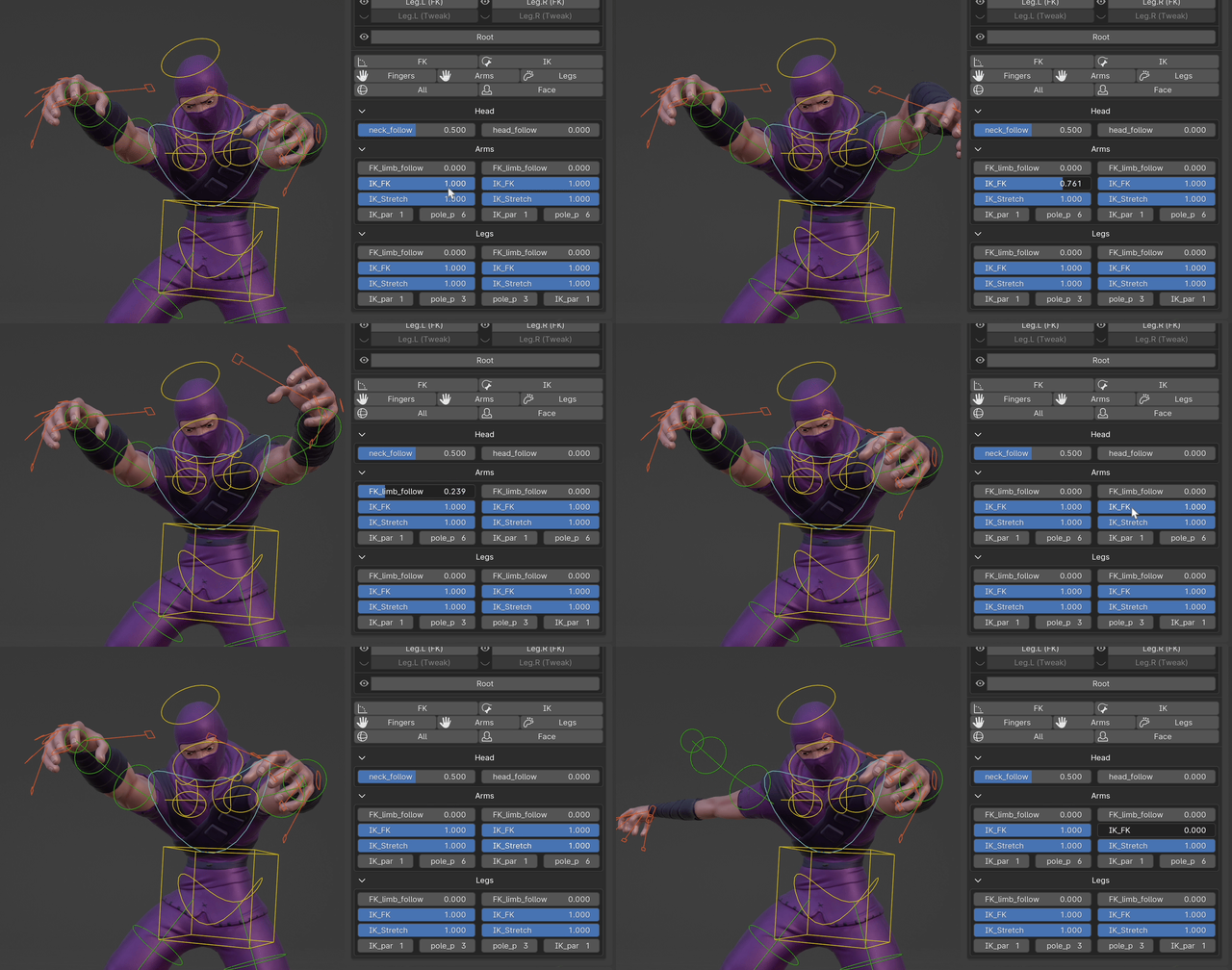
- Pin any exiting custom property of any bone into a panel.
- Add new custom properties to the PROPERTIES bone. The PROPERTIES bone and collection are created automatically if they do not exist.
- Manage all the custom properties from the UI, including editing them, and select the bones that hold them.
- You can choose to display their name inside or outside of the property.
Grouping
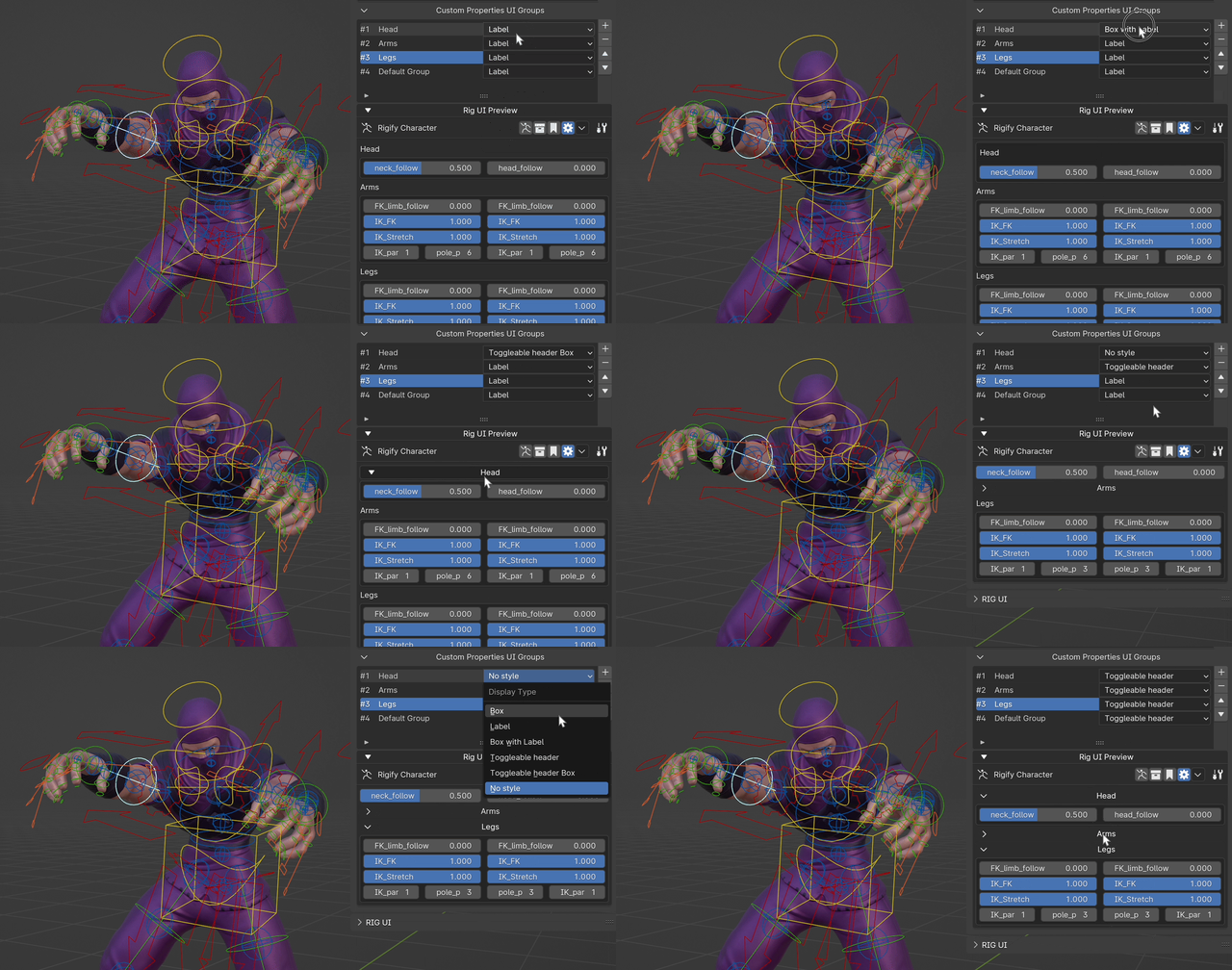
- Group Bone Collections and Custom Properties.
- Each group has a style to choose from a dropdown so you can have the look and feel you want in your rig UI.
- Group Styles
- No style
- Label
- Box
- Box with label
- Collapsible box label
- Collapsible label
Pop-Up Panel
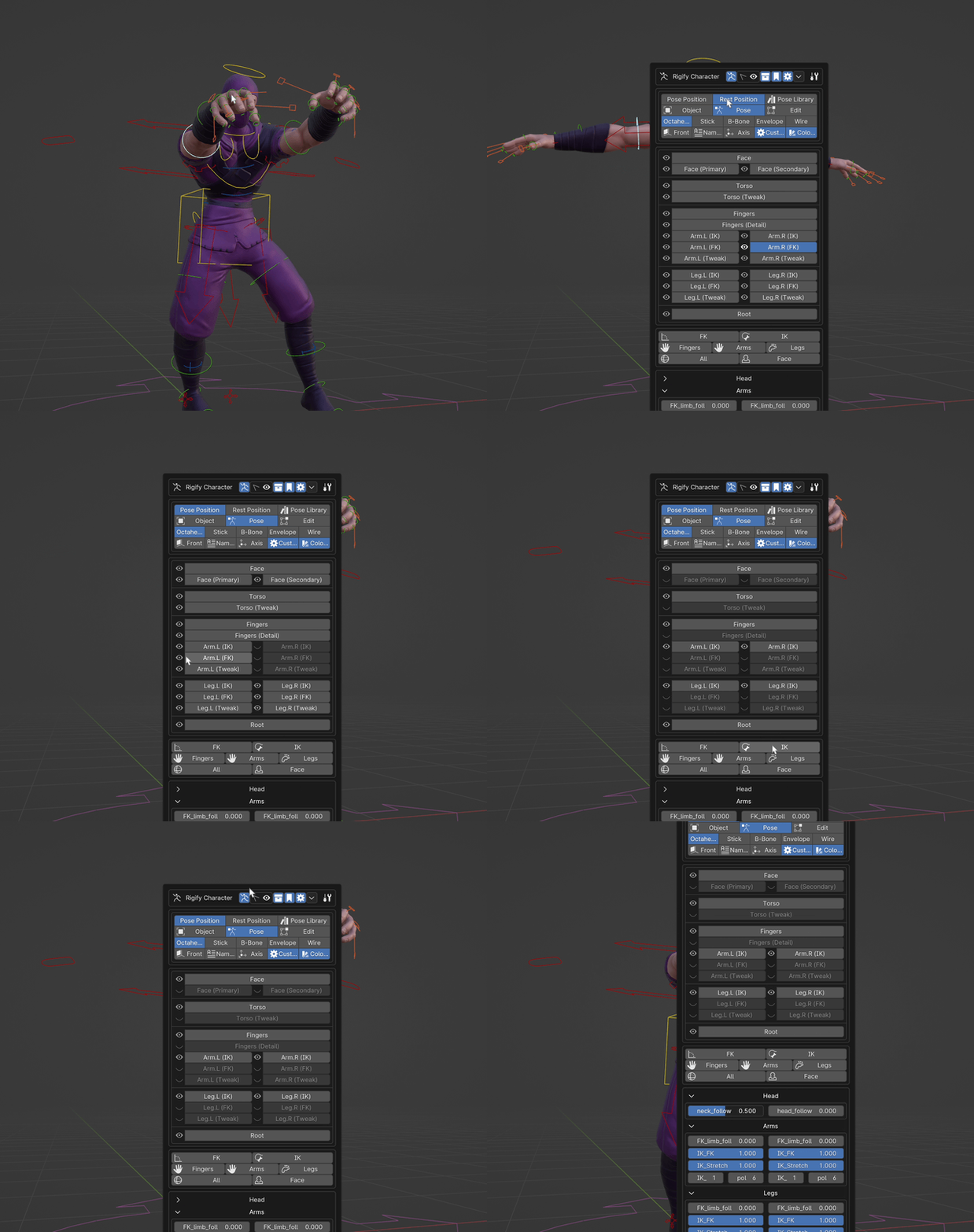
- Add your Rig UI to a configurable hotkey to access it from anywhere in the 3d viewport.
General Options
- Change the Sidebar for the Rig UI.
- Export basic UI for the rig (WIP feature).
- Rigify my Rig UI
- Change the order of all the modules
Armature Extras
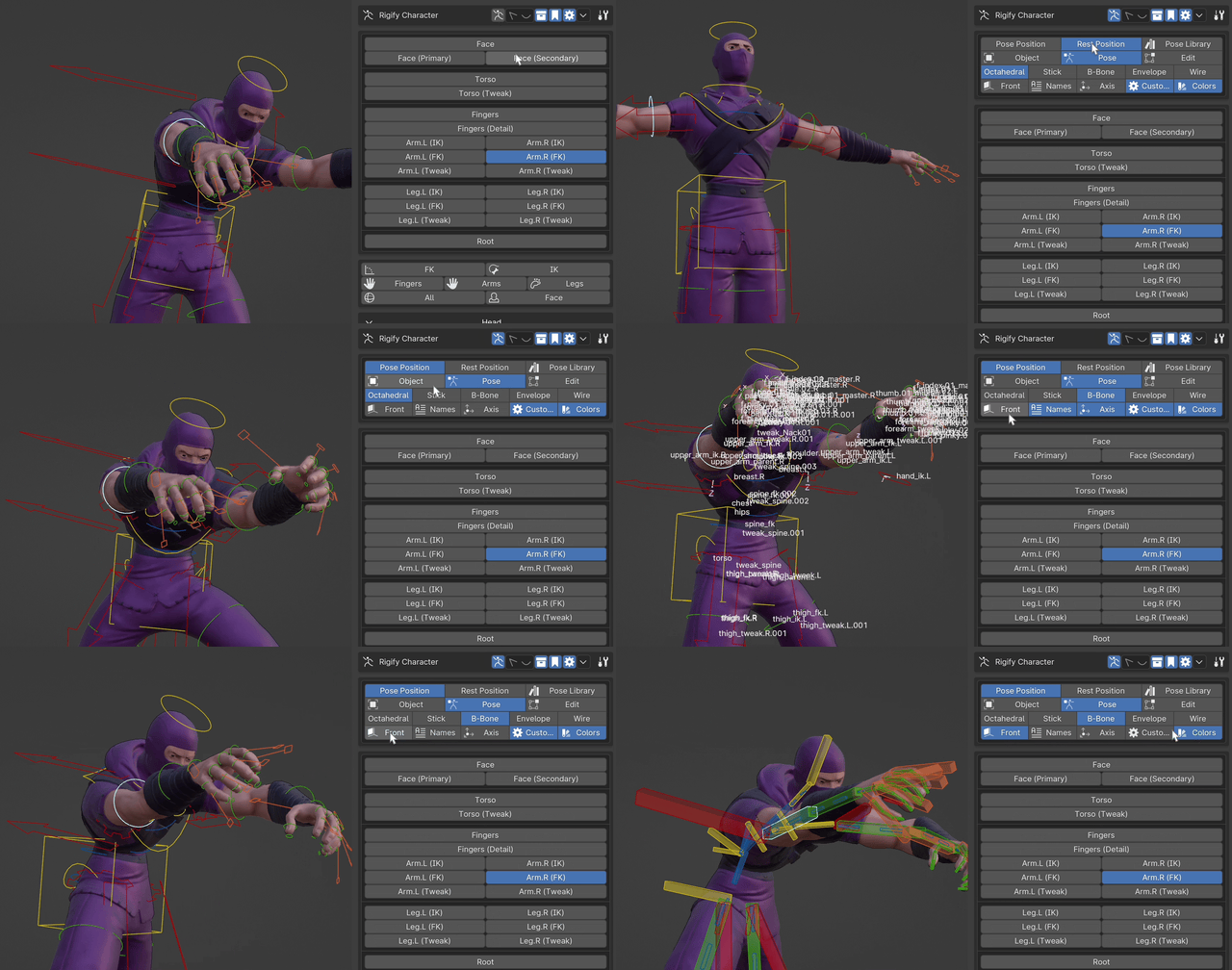
- Several UI tools to work with the armature from the UI panel
- Normal pose / Rest pose toggle, and Pose Library
- Object / Pose / Edit modes
- Bone “display as”
- In front, bone names, bone axis, custom shapes, bone colors.
Extra panels
AutoRig-Pro
- All the custom features from AutoRig-Pro based on selected bone in a convenient panel in the UI.
- Requires AutoRig-Pro installed.
Rigify
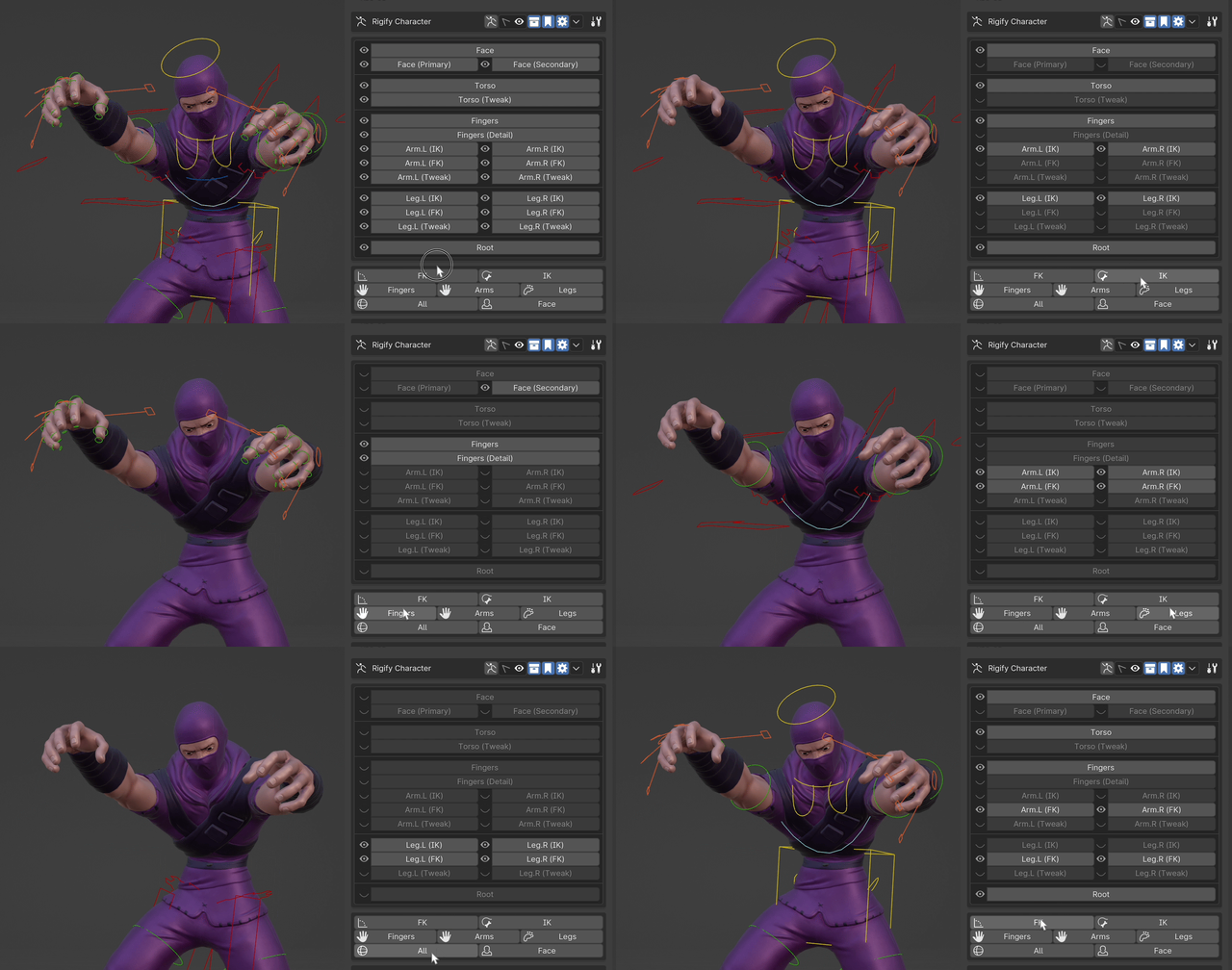
- All the custom features from Rigify are in a panel on the UI.
- Requires the Rigify script to be run for your character.
Properties
- Display the custom properties of the currently selected bone.
Links:
Reviews:
Supercharge your 3D creation workflow with premium selection of Blender Add-ons. Whether you are modeling intricate characters, sculpting realistic environments, or animating cinematic sequences, the right add-on can transform how you work inside Blender. Our curated collection includes powerful tools for UV unwrapping, procedural texture generation, rigging automation, rendering optimization, and more—each rigorously tested for compatibility with the latest Blender versions. Eliminate tedious manual processes and unlock advanced functionality that lets you focus on what matters most: bringing your creative vision to life. Explore our full range of professional Blender plugins today and take your 3D projects to the next level.
➡️ ➡️ For more Blender Plugins 😀 😀
Reviews
There are no reviews yet.