
Rig UI Pro for Blender
Rig UI Pro v2.25.10318BETA for Blender – The Ultimate Custom Rig Interface & Control Builder
Download Rig UI Pro v2.25.10318BETA for Blender on Windows and Mac, a specialized, powerhouse addon designed specifically for character riggers and technical artists to build intuitive, professional-grade user interfaces for their rigs. A brilliant underlying rig is useless if the animator cannot easily access its controls. Rig UI Pro eliminates the tedious process of manually wiring custom properties, building messy driver setups, and designing confusing control panels. By providing a visual, drag-and-drop environment for creating custom UI layouts, this tool ensures your animators have a clean, logical, and beautiful interface to bring characters to life.
Key Features of Rig UI Pro v2.25.10318BETA:
- Visual Drag-and-Drop UI Builder: Instantly create custom tabs, panels, and popups in the 3D Viewport Sidebar (N-panel). Drag widgets, sliders, and buttons directly onto the canvas without writing a single line of Python code.
- Advanced Controller Shape Library: Access over 300 pre-made, perfectly scaled, and color-coded controller shapes (arrows, boxes, pins, facial discs, and custom meshes) to build visually distinct and animator-friendly control rigs.
- Smart Custom Property Widgets: Automatically generate intuitive sliders, toggle switches, dropdown menus, and color pickers linked directly to bone custom properties.
- IK/FK & Space Switcher Automation: One-click tools to generate complex, multi-limb IK/FK matching sliders and parent-space switching dropdowns, complete with automatic keyframe baking support.
- Bone Collection & Layer Manager: Visually organize, rename, and color-code Bone Collections (or legacy Bone Layers). Create “Show/Hide” toggle buttons in the UI so animators can easily isolate facial, finger, or torso controls.
- Driver Auto-Wiring: The addon intelligently analyzes your rig and automatically wires UI sliders to bone transforms, shape keys, and constraint influences, eliminating manual driver setup.
- Symmetry & Mirroring Tools: Build complex left/right UI layouts and controller shapes perfectly mirrored, cutting your interface design time in half.
- Facial Expression Preset Generator: Quickly build a comprehensive facial UI panel with sliders for blinks, smiles, brow movements, and jaw drops, automatically linked to the corresponding shape keys or corrective bones.
- Layout Export & Import: Save your custom UI layouts as templates. Apply a “Standard Biped UI” or “Quadruped UI” template to any new rig in seconds, ensuring studio-wide consistency.
- Non-Destructive & Editable: All UI elements are generated via a central management panel. You can add, remove, or rearrange widgets at any time without breaking the underlying rig data.
Perfect For:
- Character Riggers who want to deliver polished, studio-quality rigs with intuitive, custom-built interfaces for animators.
- Technical Directors standardizing rig UI layouts across a team to ensure every character follows the same control logic.
- Animators who want to quickly build custom popup menus or N-panel tools for their specific scene needs without coding.
- Indie Studios & Freelancers looking to professionalize their character delivery and reduce the learning curve for their animation team.
- Educators & Students learning the principles of rigging and UI/UX design for 3D characters.
System Requirements:
- Blender: 3.6, 4.0, 4.1, 4.2, 4.3, 4.4+ (Latest LTS recommended).
- OS: Windows 10/11 (64-bit) or macOS 10.15+.
- RAM: 8GB minimum (16GB+ recommended for massive, complex character rigs with hundreds of UI elements).
- No external dependencies required.
Installation:
- Download the Rig UI Pro v2.25.10318BETA
.zipfile. - Open Blender and go to Edit > Preferences > Add-ons.
- Click Install…, select the downloaded file, and enable the checkbox next to Rigging: Rig UI Pro.
- Access via the 3D Viewport Sidebar (N-panel) under the Rig UI Pro tab, or the Armature Properties panel when in Pose Mode.
What’s New in v2.25.10318BETA?
- Blender 4.4 & 5.0 API Prep: Early implementation of the new Bone Collections API and UI scaling changes, ensuring the addon is future-proof for the next major Blender releases.
- Experimental “Radial Menu” Builder: A new beta feature allowing riggers to create custom pie menus for quick access to rig controls and space switchers directly in the viewport.
- AgX Compatible Color Pickers: The custom property color pickers now fully respect Blender’s AgX color management, ensuring controller colors look accurate in both viewport and renders.
- Performance Overhaul: Rewritten the UI redraw logic, resulting in a 50% faster interface response time when scrolling through panels on rigs with 500+ custom properties.
- Smart Widget Snapping: Added an auto-layout feature that intelligently aligns and spaces UI widgets based on the available screen real estate, preventing overlapping elements.
- Bug Fix: Resolved a rare issue where IK/FK match sliders would occasionally fail to keyframe when the “Only Insert Needed” preference was enabled in Blender.
Note:
Rig UI Pro v2.25.10318BETA is built on the philosophy that User Experience (UX) is just as important as the underlying rig mechanics. Animators should not have to guess which bone controls the pinky finger or how to switch an arm from IK to FK. By providing a visual, code-free environment to build custom interfaces, Rig UI Pro bridges the gap between the technical rigger and the creative animator. Because this is a BETA release, it includes cutting-edge experimental features like the Radial Menu Builder, giving early adopters a glimpse into the future of Blender rigging workflows. Whether you are building a simple stylized mascot or a hyper-compliant AAA hero rig, Rig UI Pro ensures your controls are as beautiful and functional as the character itself.
New Beta 2.0 *NEW* features
Rig UI 2.0 BETA – available for existing and new pro users in the downloads section.
One click IK/FK
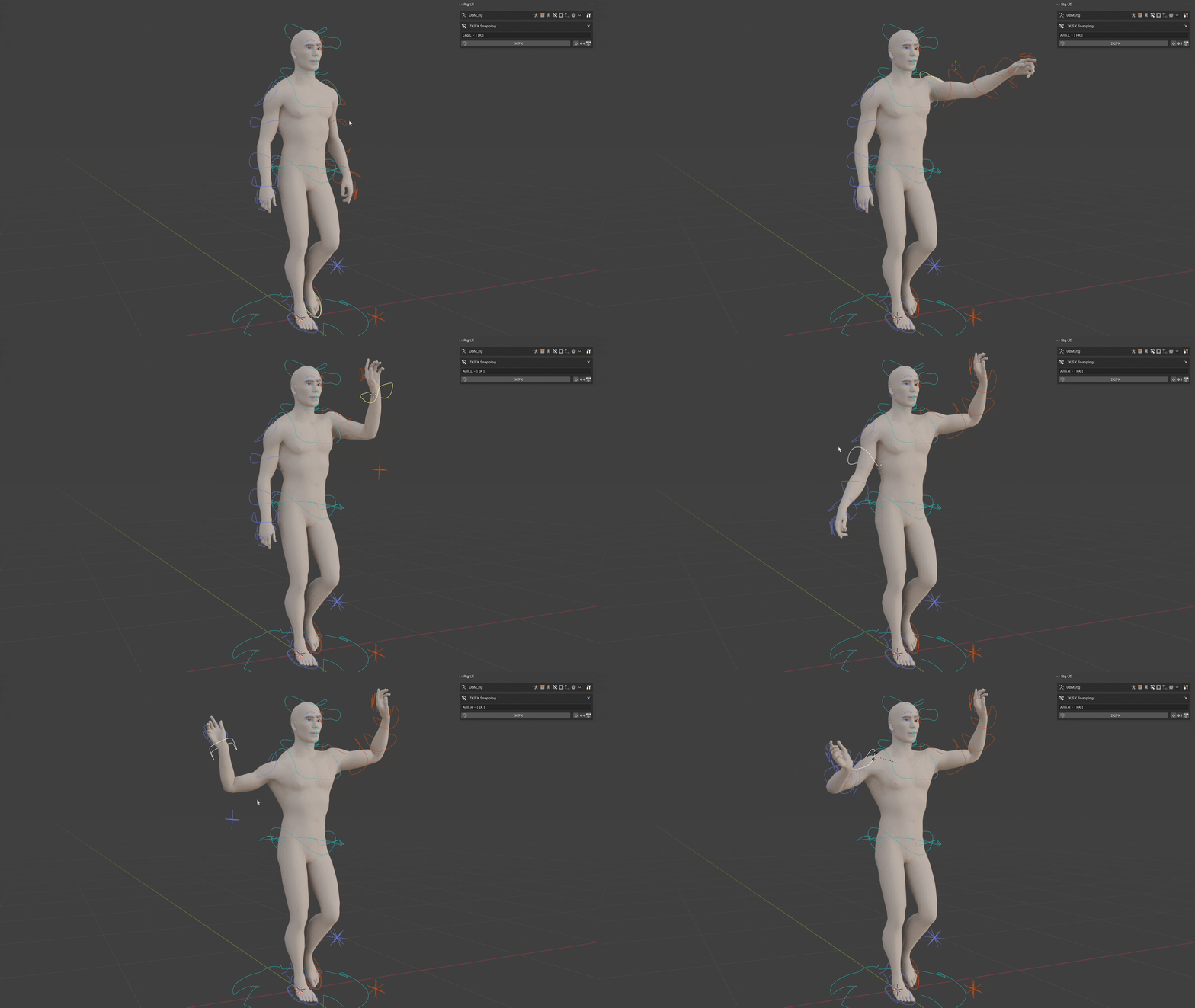
This is a highly configurable and dynamic system that will allow riggers to configure and make work almost any IK/FK system reliably.The setup is as complex as the system is complete. But the basic mechanism is simple to understand, it will use pairs of bones to match certain transforms between them when swapping between IK and FK modes. This allows the limbs to perfectly match each other when changing between modes.
Parent Switcher
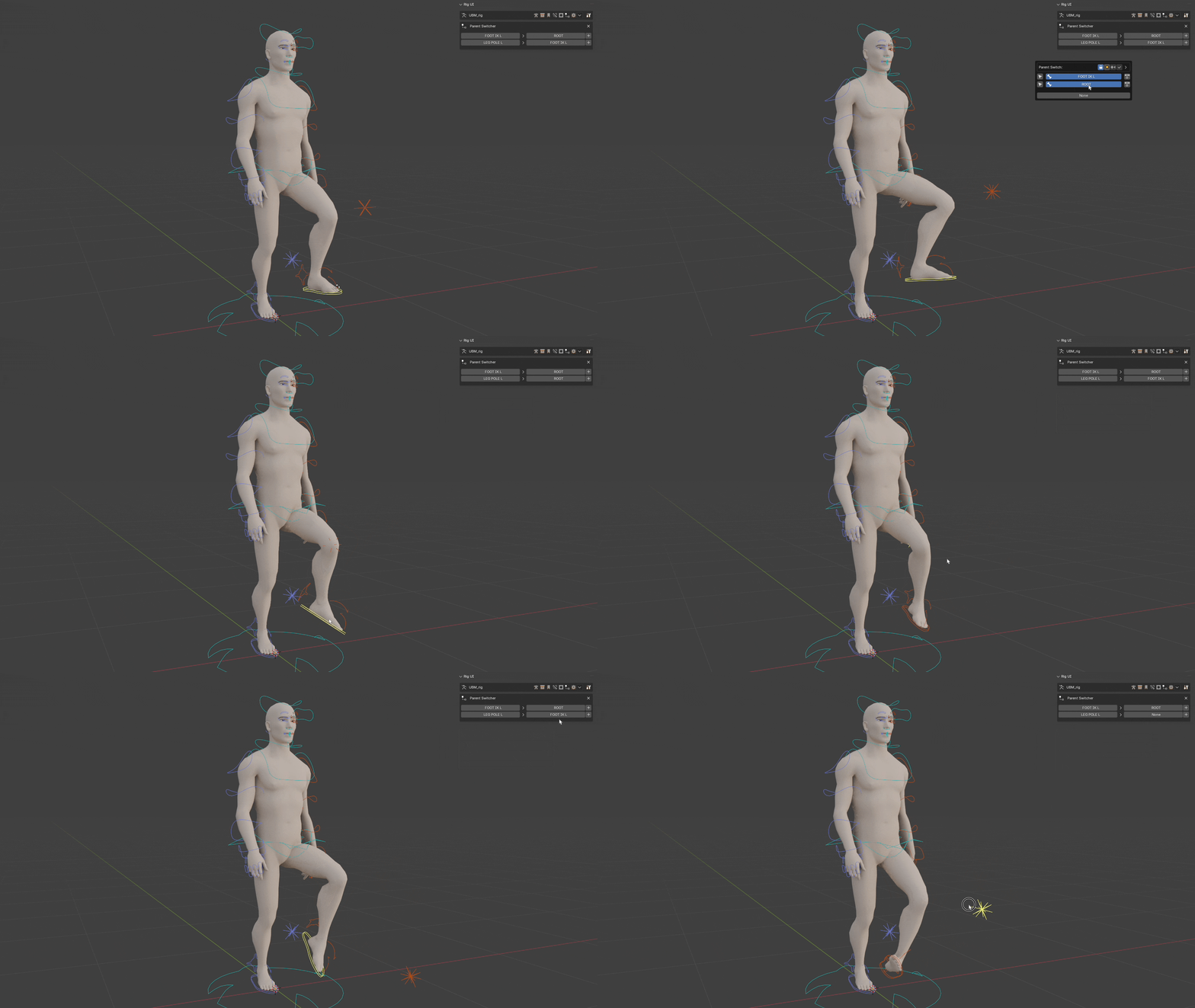
Easily swap child parent influence on the fly between bones of an armature or with objects of the scene.Animate the relationships or bake the animation to a different parent or none.One click snapping keeping transformations and automatic keying.
Mask Modifiers
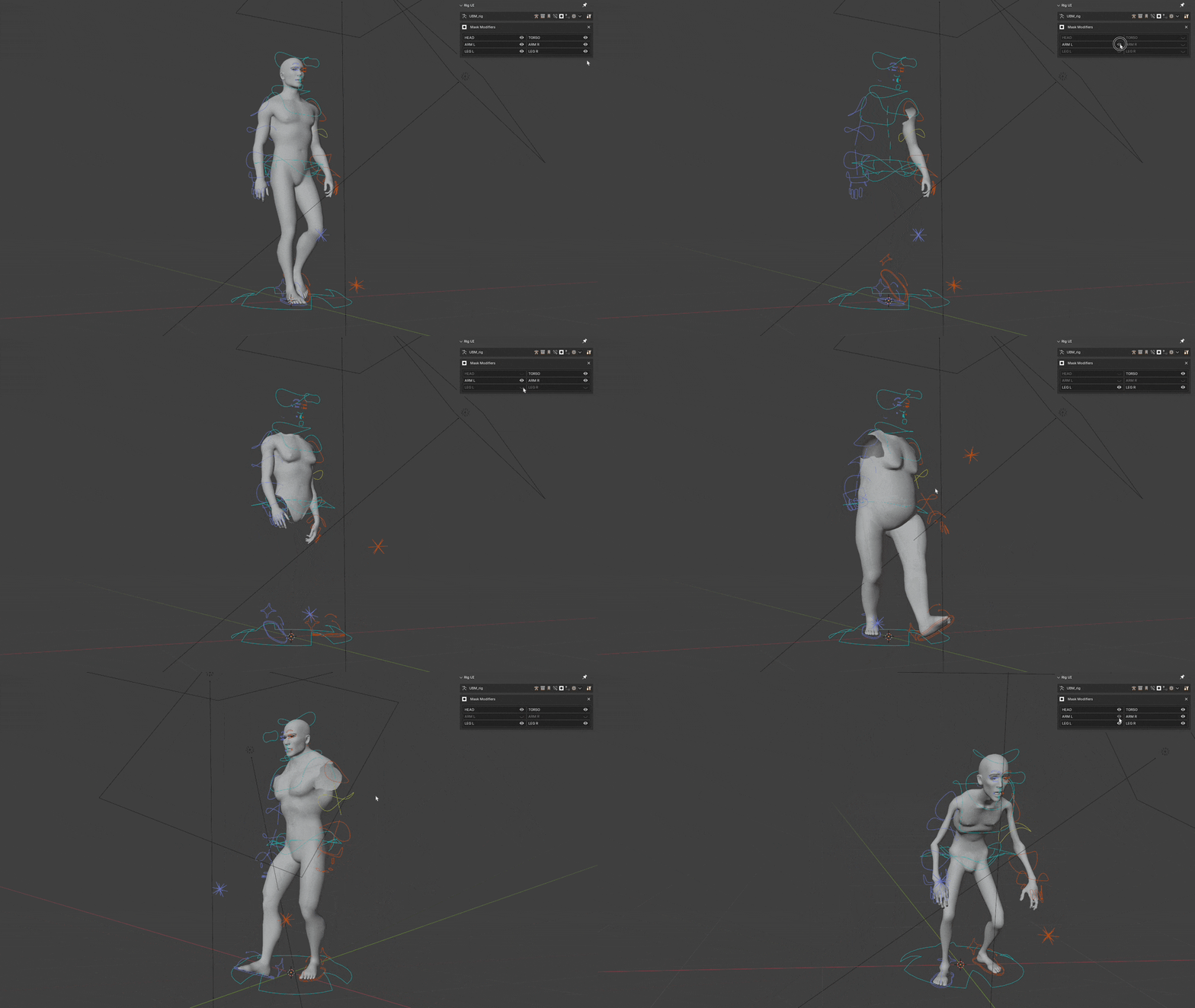
Quickly access Mask Modifiers visibility for any object connected with the current armature from Rig UI.
Rig UI Pro
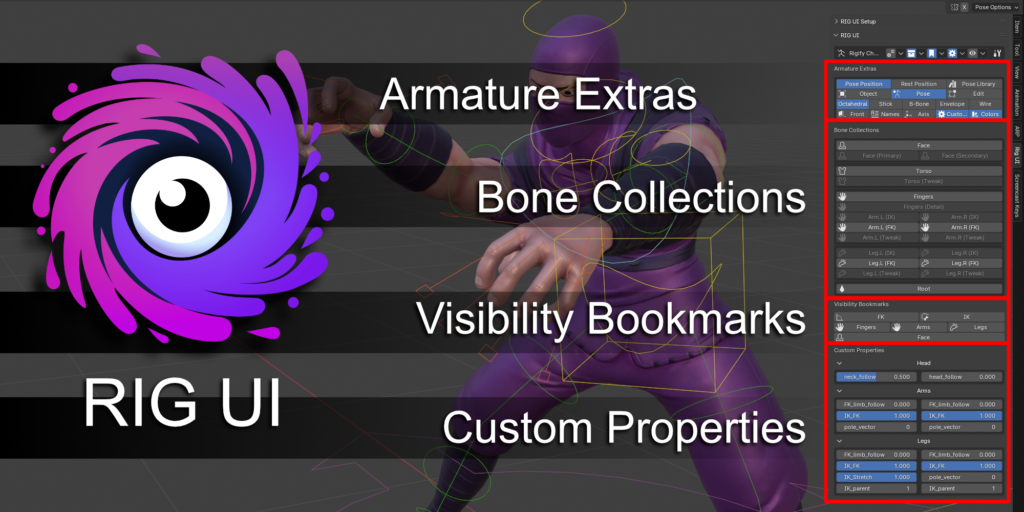
🔥 Why use Rig UI Pro?Because it will supercharge your rig UI and its functionalities not only with simple bone collection visibility controls but with bookmarks, special actions, custom properties, armature extras, and specific panels for different popular armatures like AutoRig Pro and Rigify.
Bone Collections
Bone Collections Documentation
Manage buttons for each bone collection. Pin the collections you want to display.
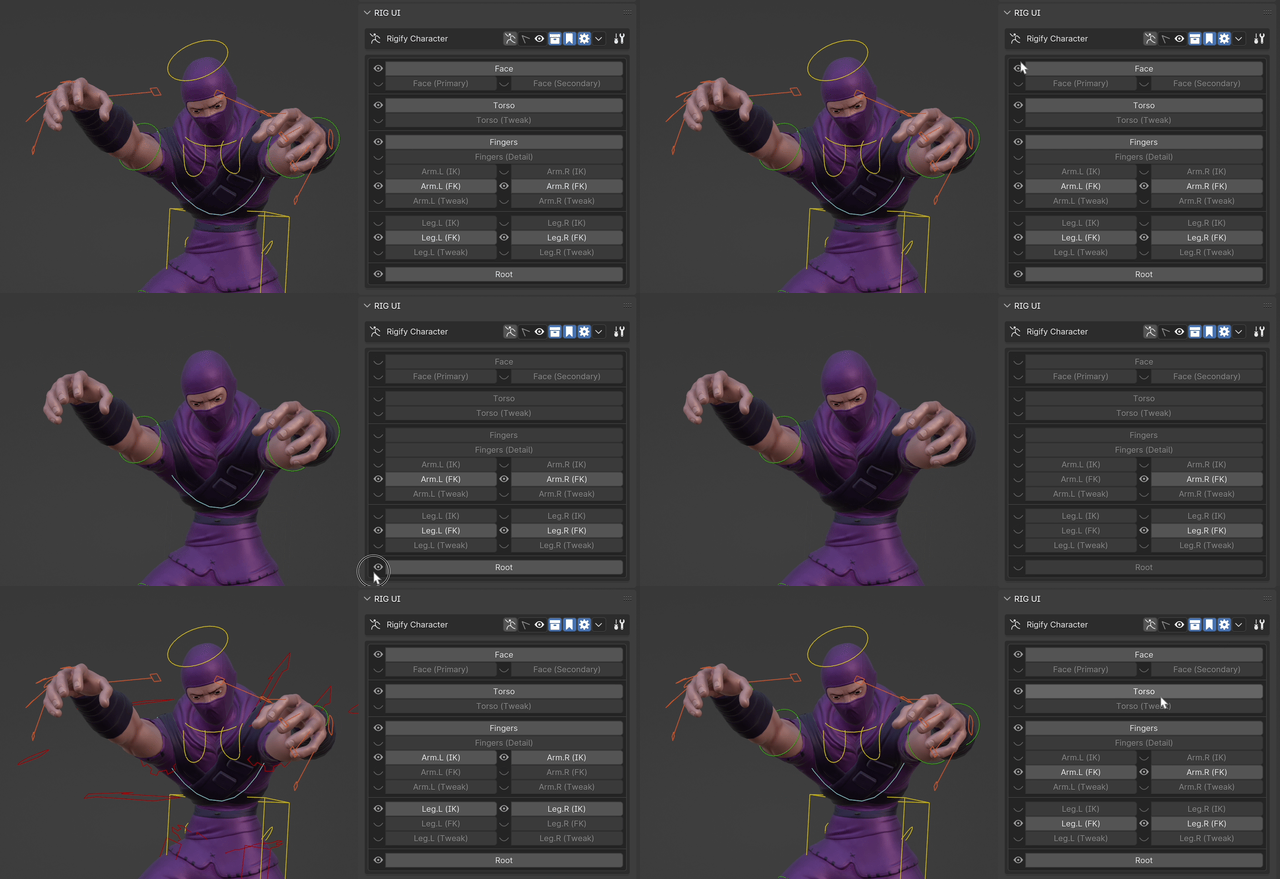
Traditional bone collections UI or Pro version for extended functionality:
- Isolate the collection’s visibility. (LMB)
- Select all bones in the collection. (shift LMB)
- Toggle bone collection visibility. (alt LMB)
- Configure Bone Collection. (ctrl LMB)
- Add new bone collection with currently selected bones (ctrl shift LMB)
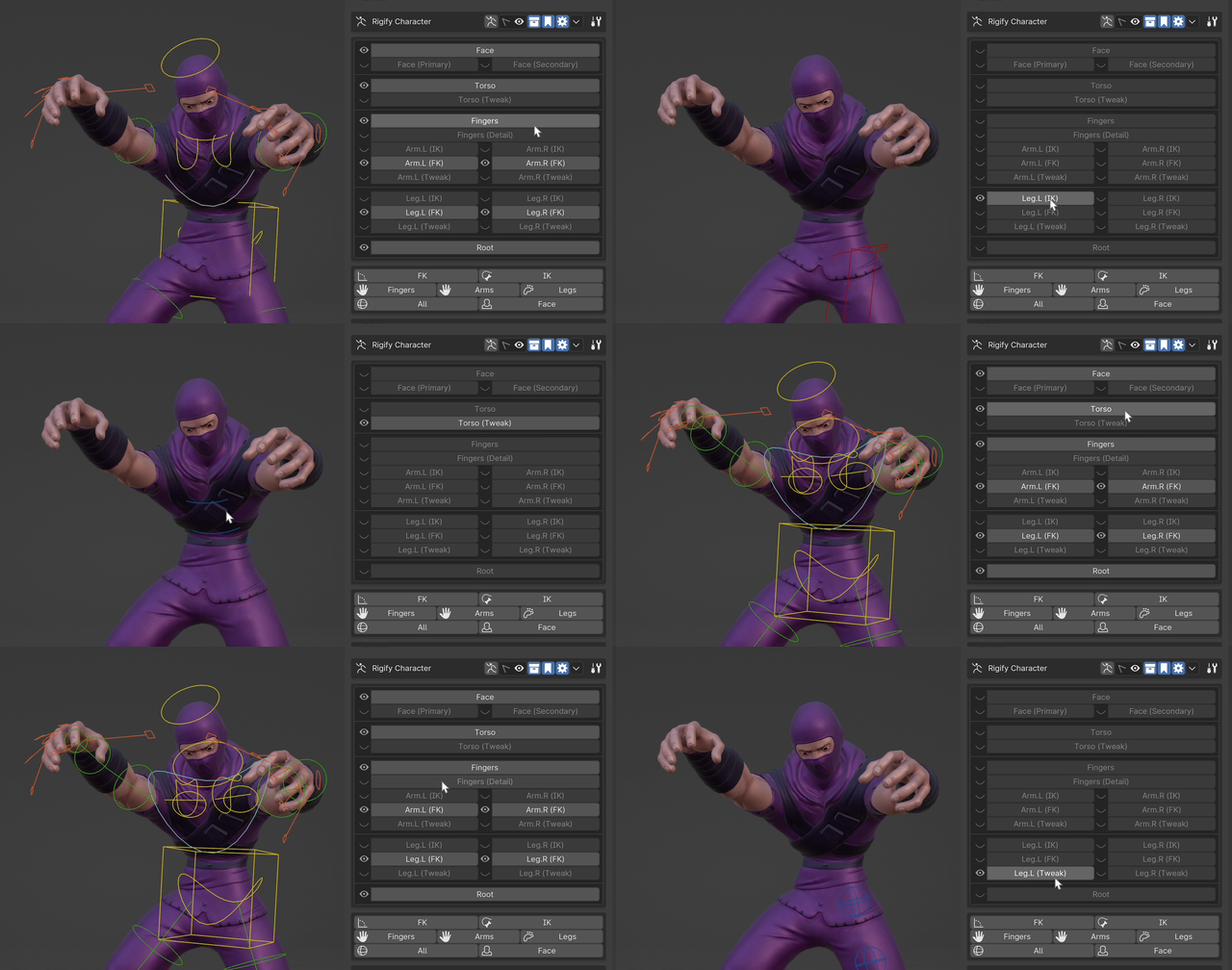
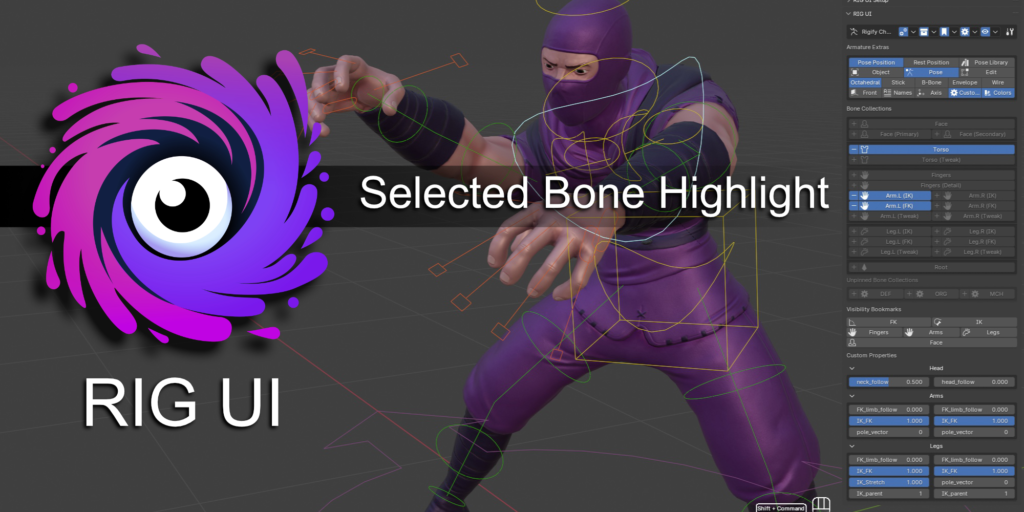
Highlight the bone collection containing the active bone.
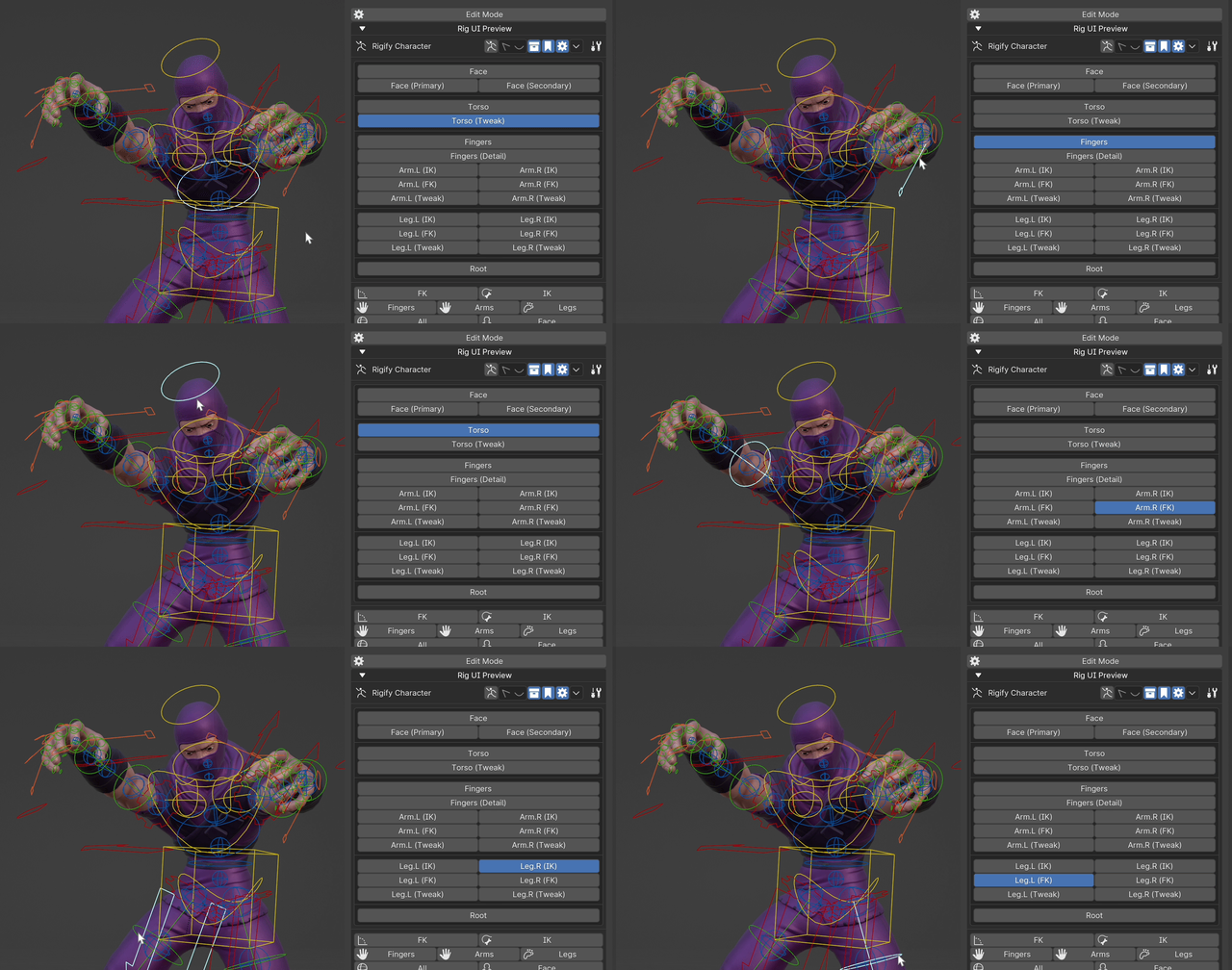
Bone Collection Move Mode
- When active, you can move elements to other bone collections from an intuitive UI directly on the bone collections buttons UI.
- Different options to display where your bone is and where you can move it, including displaying unpinned groups (always, never, while moving).
- Fade out other collections (toggle)
- Fade unpinned groups (toggle)
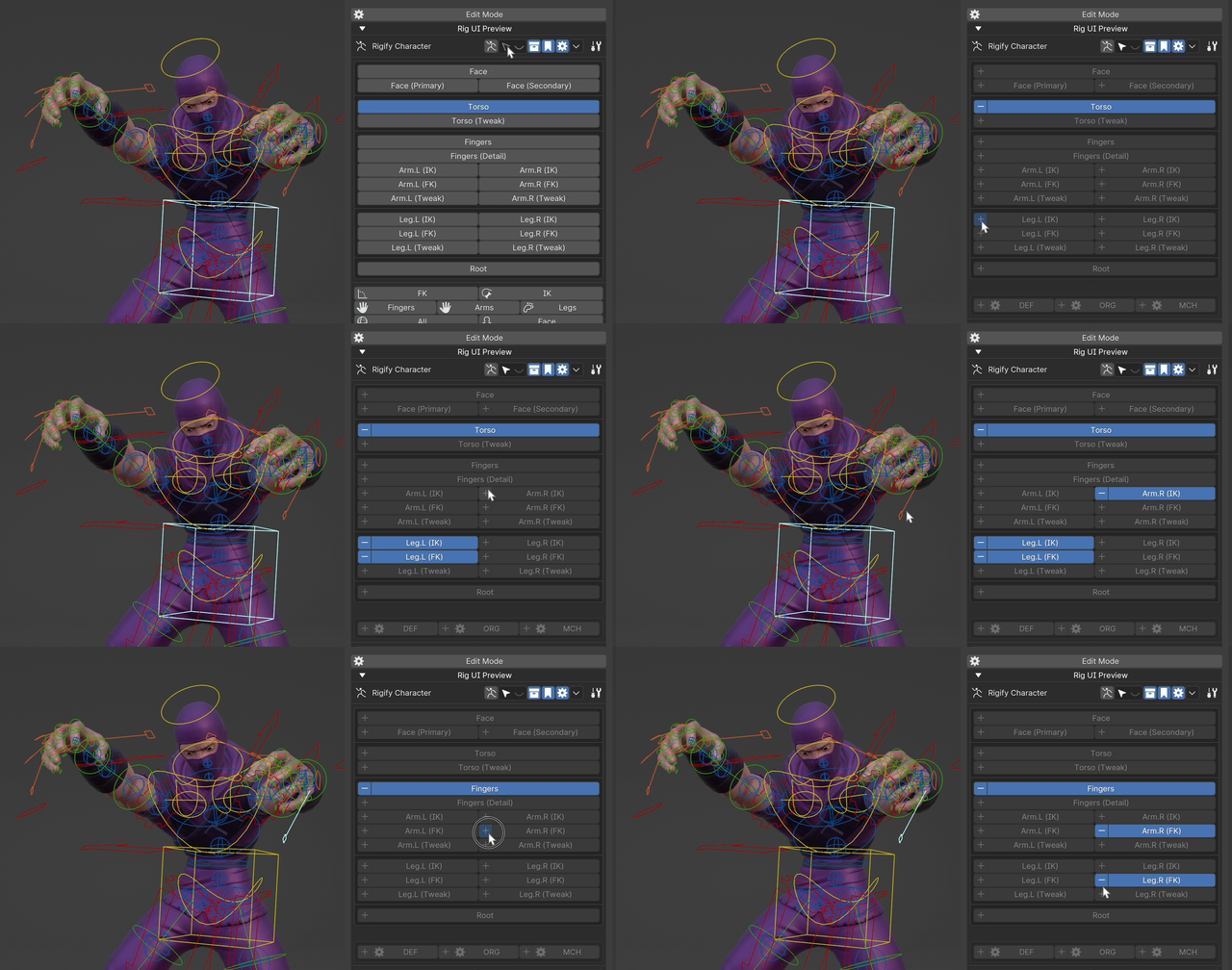
Visibility Bookmarks
Visibility Bookmarks Documentation
- Store the current view state of the bone collections and recall it with one click (swap between FK / IK clicks with ease or activate and deactivate secondary controls).
- Check tooltips for hotkeys to use them like a pro.
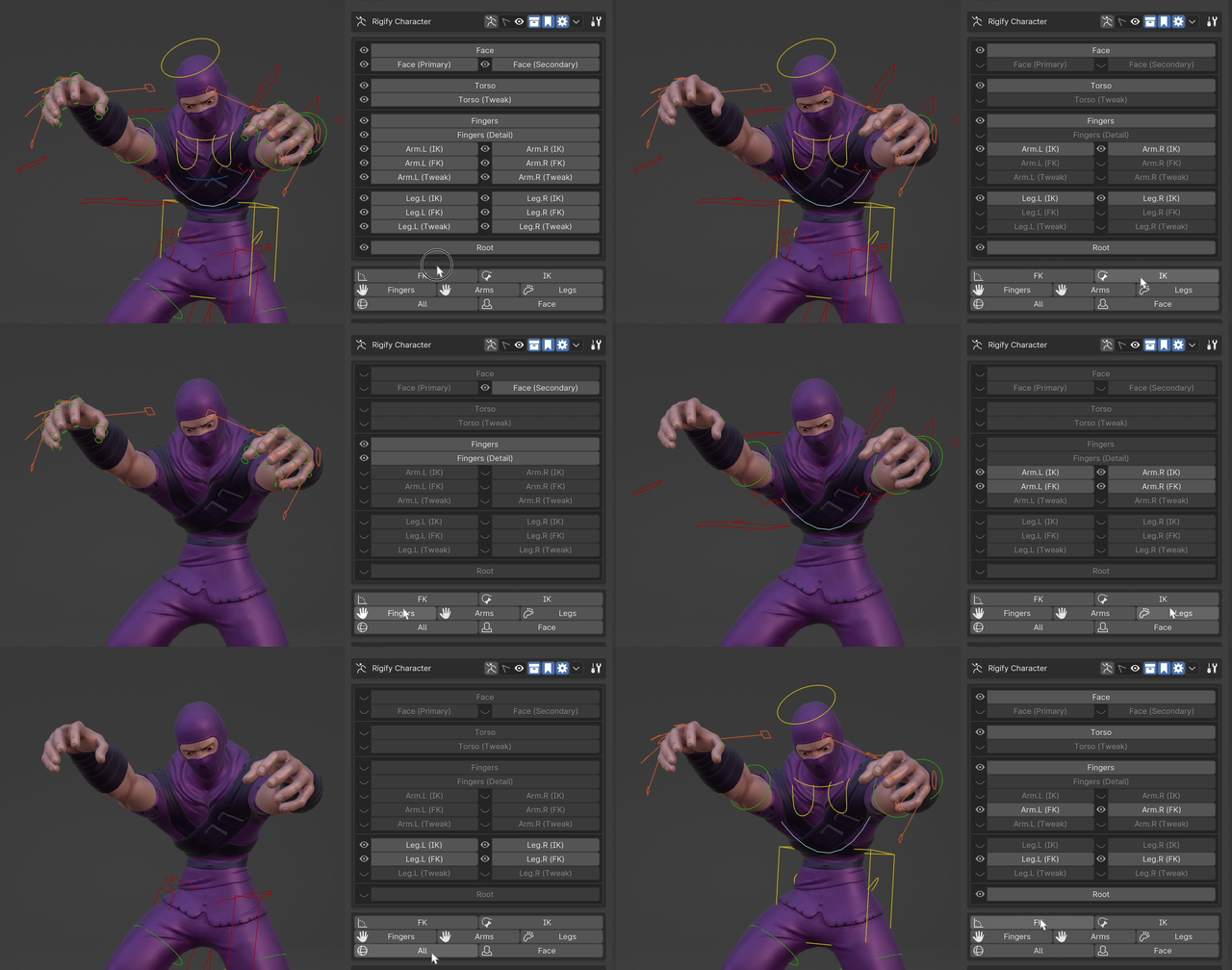
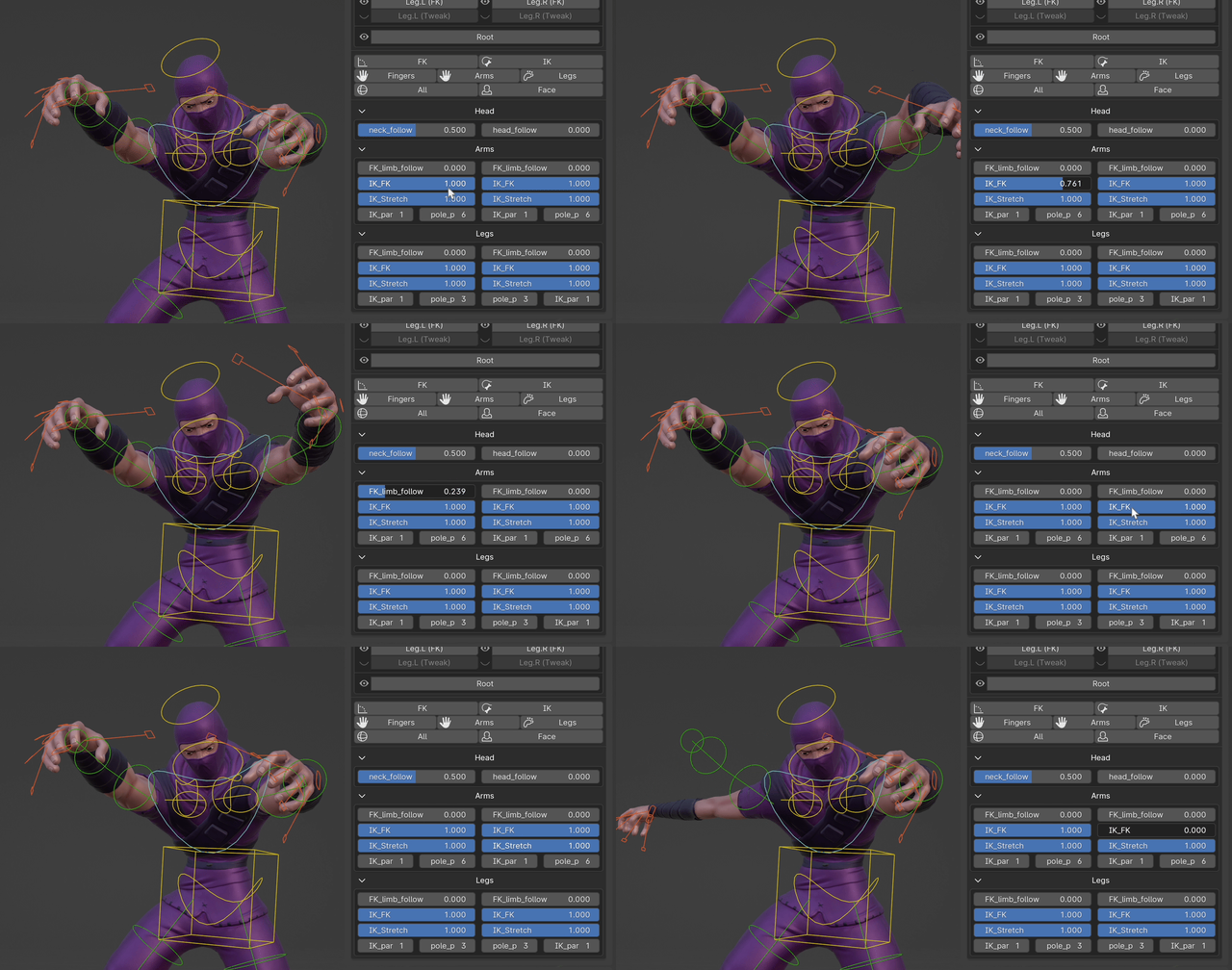
Custom properties
Custom Properties Documentation
- Pin any exiting custom property of any bone into a panel.
- Add new custom properties to the PROPERTIES bone. The PROPERTIES bone and collection are created automatically if they do not exist.
- Manage all the custom properties from the UI, including editing them, and select the bones that hold them.
- You can choose to display their name inside or outside of the property.
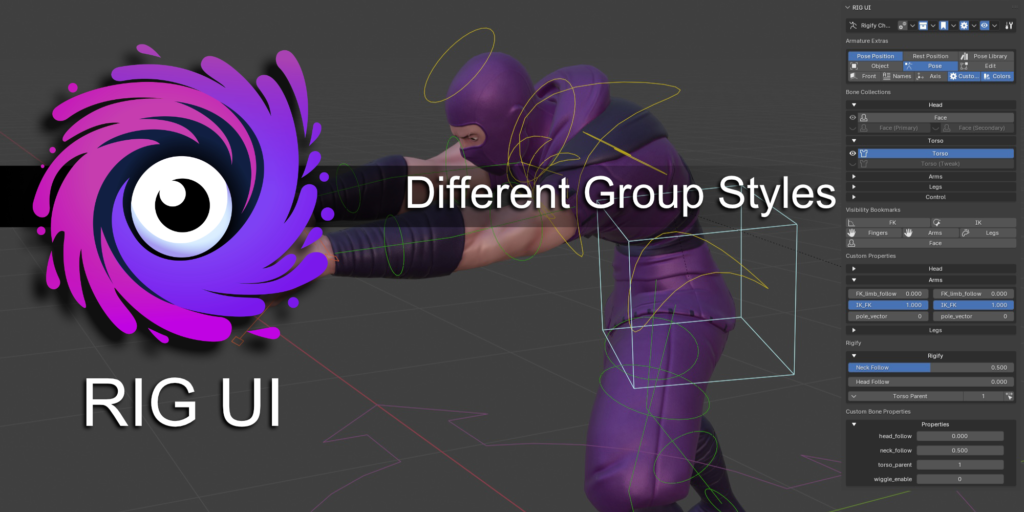
Grouping
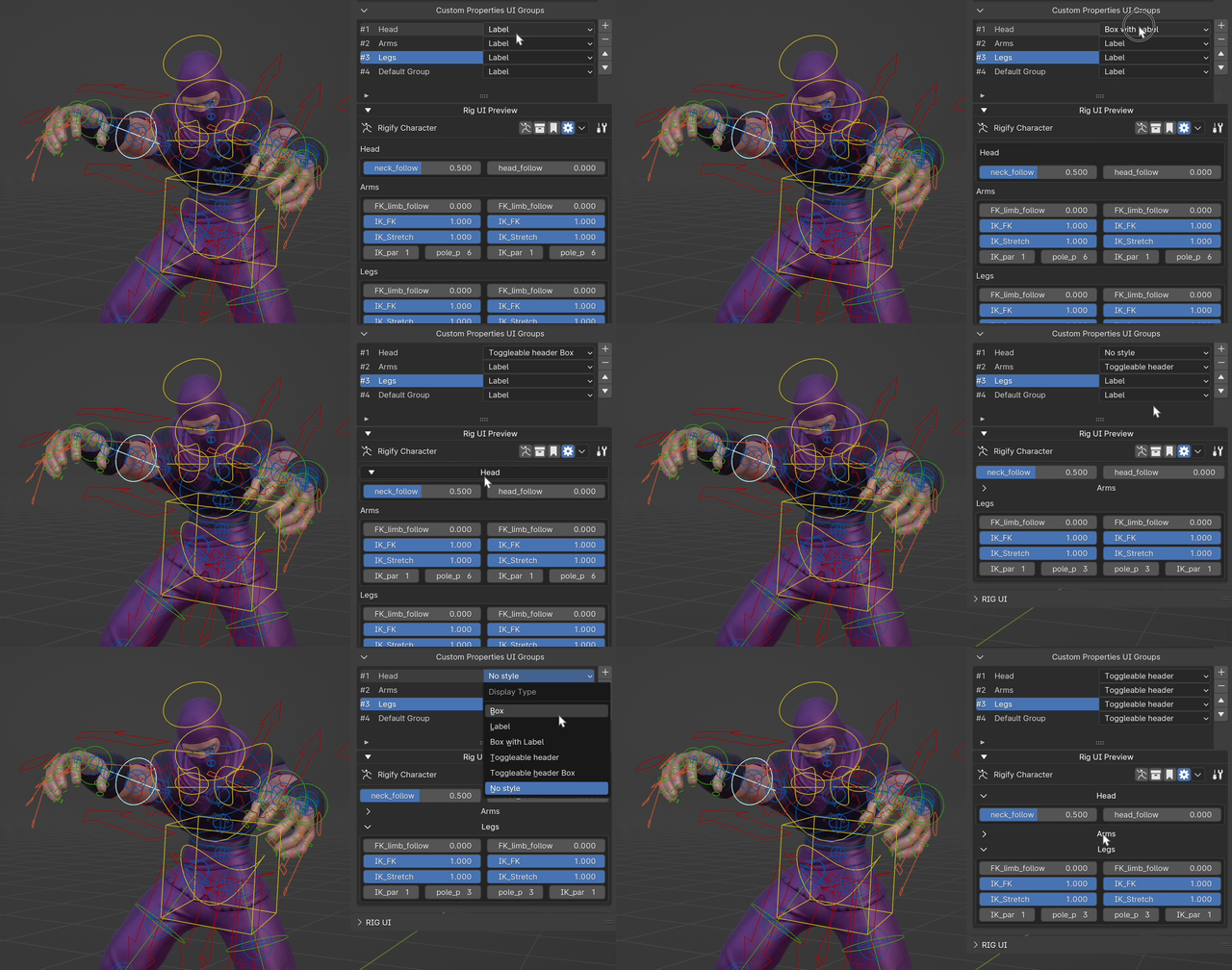
- Group Bone Collections and Custom Properties.
- Each group has a style to choose from a dropdown so you can have the look and feel you want in your rig UI.
- Group Styles
- No style
- Label
- Box
- Box with label
- Collapsible box label
- Collapsible label
Pop-Up Panel
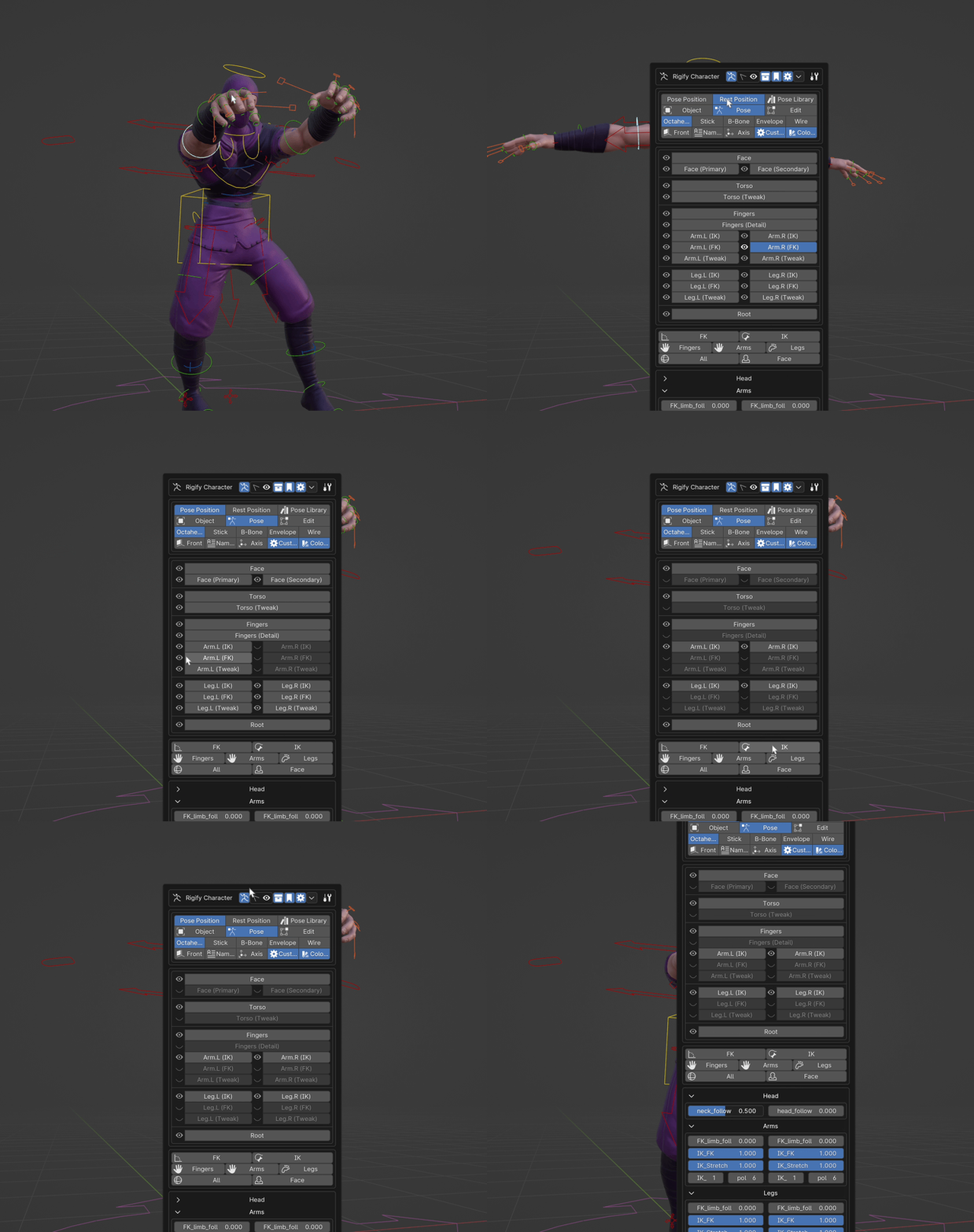
- Add your Rig UI to a configurable hotkey to access it from anywhere in the 3d viewport.
General Options
- Change the Sidebar for the Rig UI.
- Export basic UI for the rig (WIP feature).
- Rigify my Rig UI
- Change the order of all the modules
Armature Extras
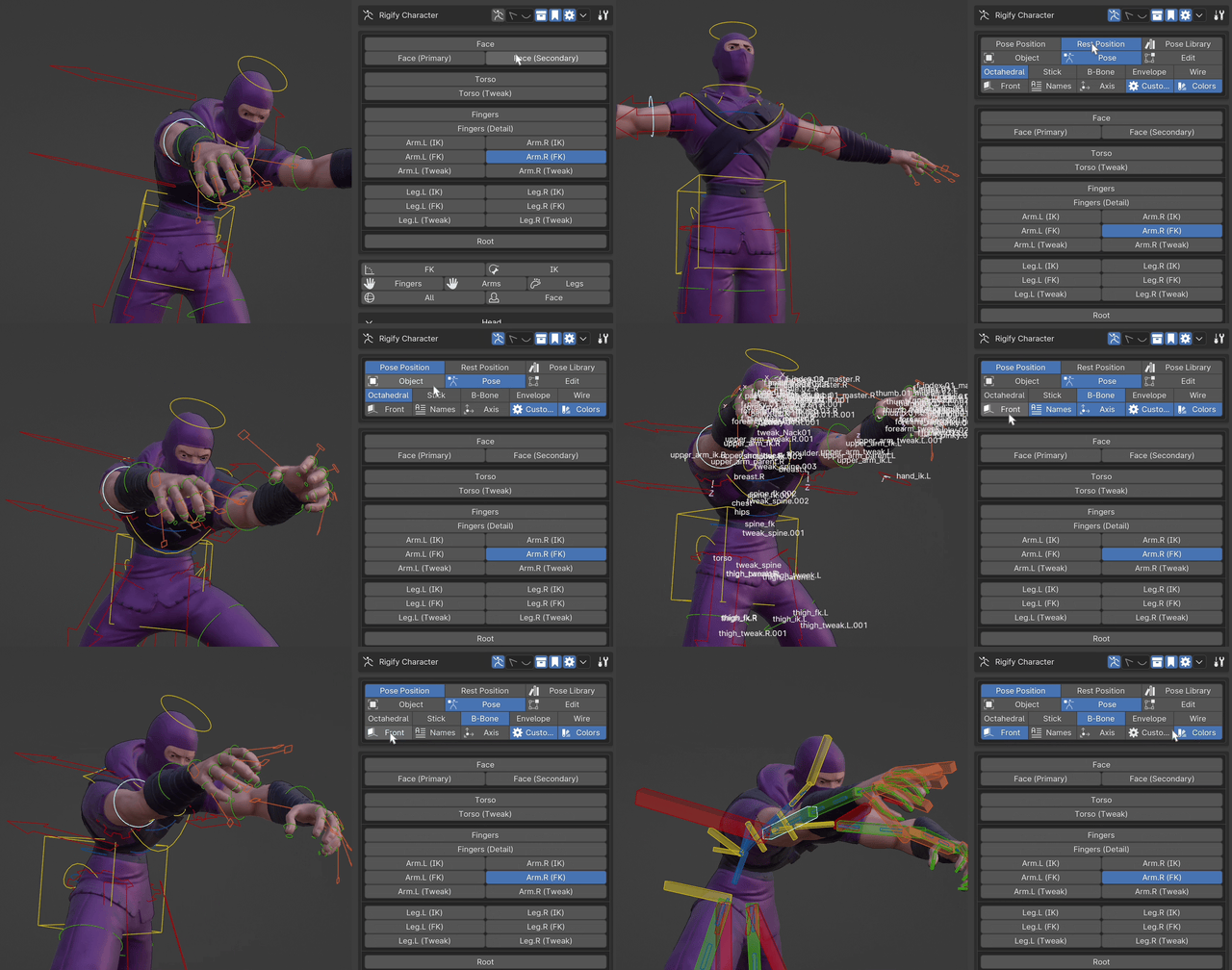
- Several UI tools to work with the armature from the UI panel
- Normal pose / Rest pose toggle, and Pose Library
- Object / Pose / Edit modes
- Bone “display as”
- In front, bone names, bone axis, custom shapes, bone colors.
Extra panels
AutoRig-Pro
- All the custom features from AutoRig-Pro based on selected bone in a convenient panel in the UI.
- Requires AutoRig-Pro installed.
Rigify
- All the custom features from Rigify are in a panel on the UI.
- Requires the Rigify script to be run for your character.
Properties
- Display the custom properties of the currently selected bone.
Supercharge your 3D creation workflow with premium selection of Blender Add-ons. Whether you are modeling intricate characters, sculpting realistic environments, or animating cinematic sequences, the right add-on can transform how you work inside Blender. Our curated collection includes powerful tools for UV unwrapping, procedural texture generation, rigging automation, rendering optimization, and more—each rigorously tested for compatibility with the latest Blender versions. Eliminate tedious manual processes and unlock advanced functionality that lets you focus on what matters most: bringing your creative vision to life. Explore our full range of professional Blender plugins today and take your 3D projects to the next level.
➡️ ➡️ For more Blender Plugins 😀 😀
Reviews
There are no reviews yet.