
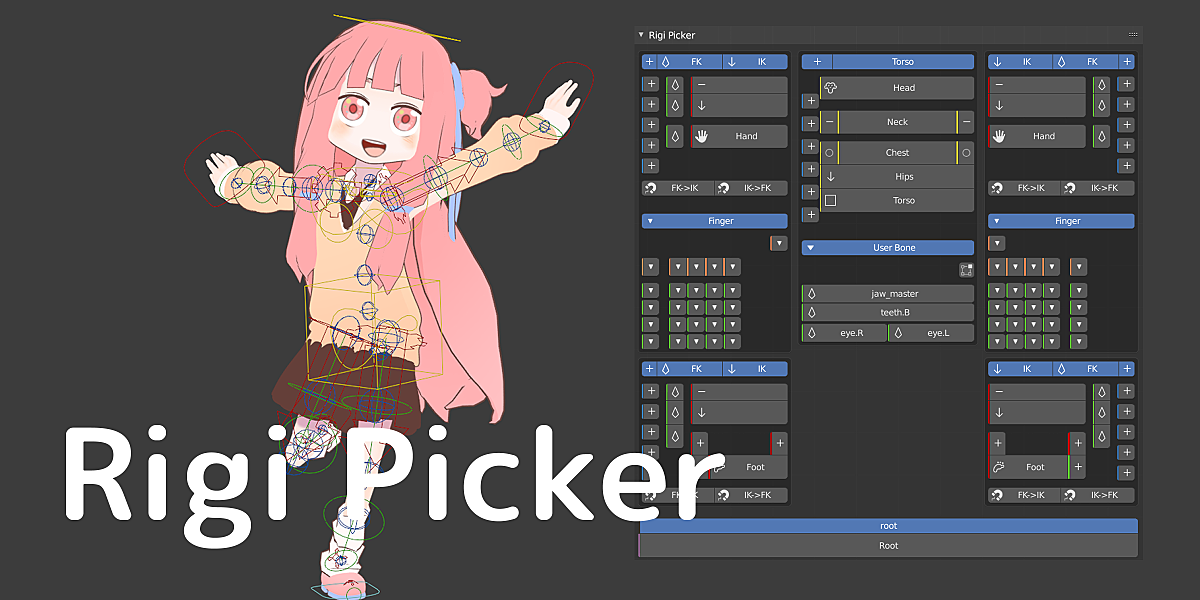
rigi picker for Blender
Rigi Picker v1.1.2 for Blender
The Ultimate Bone Selection and Posing Assistant for Rigify and Custom Rigs
Download Rigi Picker v1.1.2 today. Consequently, you can simplify complex bone selection and posing workflows through an intuitive, customizable picker interface. Because character animation demands quick access to specific controls—especially in dense rigs with dozens of bones—having an efficient selection tool is absolutely essential. Nevertheless, navigating Blender’s viewport or Outliner to locate specific IK, FK, or Tweak bones can consume significant time and break creative focus. Fortunately, Rigi Picker eliminates this friction entirely. Moreover, it provides a visual button interface that supports both Rigify-generated rigs and custom skeletons with consistent naming conventions. In short, you can select, switch, and pose your character’s controls with remarkable speed and ease.
Streamlined Bone Selection and Posing Workflow
The core of this addon lies in its clean, accessible interface and smooth selection logic. For instance, you can open the Rigi Picker panel from the 3D View sidebar (press N), where you will find buttons organized for IK, FK, and Tweak bones across major body parts like arms, legs, torso, and fingers . Furthermore, the selection behavior mirrors Blender’s native interaction: use Shift for multi-selection and Alt to deselect, ensuring a familiar and predictable experience . Since the primary goal is to accelerate posing, you can also access the picker via a pie menu (press W) or a pop-up menu (Ctrl+W), keeping your hands on the keyboard . Consequently, your animation workflow becomes more fluid and less interrupted by technical navigation.
One-Click IK/FK Switching and Layer Visibility Control
Professional posing often requires seamless transitions between inverse kinematics and forward kinematics. Therefore, Rigi Picker includes dedicated buttons that allow you to toggle between IK and FK modes instantly, ensuring smoother pose adjustments . Additionally, the addon provides visibility controls that display only the bones on your current layer, decluttering the viewport and helping you focus on the relevant controls . The panel also intelligently shows only the bones associated with the currently visible layers, making it easier to manage complex rigs. Thus, you maintain complete control over your character’s setup without unnecessary visual noise.
Customizable User Bone Picker for Any Rig
Flexibility is a cornerstone of Rigi Picker’s design. Accordingly, the addon includes a powerful User Bone Picker feature that allows you to create personalized selection buttons . For example, you can add any bone of your choice to the picker interface, even if it wasn’t generated by Rigify . Furthermore, you can reassign which bone a button selects by holding Ctrl+Alt while clicking, and these custom configurations are saved as presets specific to each rig . This means you can use Rigi Picker not only with standard Rigify Human Meta-Rigs but also with any custom armature that uses consistent naming conventions . Consequently, the tool adapts to your unique workflow and rigging setup.
Blender 4.0+ Compatibility and Preset Management
Version 1.1.2 specifically introduces support for Blender 4.0 and above, including the new bone collection system . Notably, this update changes preset visibility from layer numbers to layer names, improving clarity and ease of use . However, this version drops support for Blender 3.6 and earlier, so users on older releases should remain on version 1.1.1 or below . Additionally, the addon supports Rigify versions 0.6.1 and later . Given that it works across a broad range of Blender releases from 2.8 through 4.2, it remains a versatile choice for most production environments .
Perfect for Character Animators and Technical Artists
This addon is particularly well-suited for character animators who frequently work with Rigify or custom character rigs. Similarly, technical artists and riggers will appreciate the ability to customize the picker interface for different characters and production needs. Additionally, anyone transitioning from Maya, where visual pickers are standard, will find Rigi Picker a familiar and welcoming solution . Ultimately, Rigi Picker accelerates your entire character animation and posing pipeline.
System Requirements and Compatibility
The addon requires Blender 4.0 or newer for full compatibility, with version 1.1.2 specifically dropping support for 3.6 and older . Furthermore, it supports Blender versions 2.8 through 4.2 in earlier releases . It works across all major operating systems including Windows, macOS, and Linux. You will need a standard workstation with at least 8GB of RAM, though system requirements are minimal given the addon’s lightweight nature.
Installation and Usage Guide
To install, first download the zip file from your library. Next, open Blender and navigate to Edit Preferences. Then, select Add-ons and click Install. After that, locate and select the downloaded zip file, then enable the Rigi Picker addon . Finally, enter Pose Mode, press N to open the sidebar, select the Rigi Picker tab, and begin selecting bones instantly. Use the customizable buttons to streamline your posing workflow . Thus, your professional bone selection tool will be ready instantly.
What is Included Inside?
The pack contains the complete Rigi Picker addon with all features from v1.1.2. Furthermore, it includes full Rigify compatibility, the User Bone Picker customization system, one-click IK/FK switching, and layer visibility controls. Additionally, you receive the pie menu and pop-up menu access options for rapid workflow integration . Ultimately, you receive everything needed for professional bone selection and posing assistance.
Final Thoughts on the Addon
Effortless bone selection and intuitive posing evoke profound creative freedom. Therefore, this addon provides the ultimate foundation for your character animation workflows. You can pose complex rigs with speed and precision. Consequently, your animation vision becomes a stunning reality.
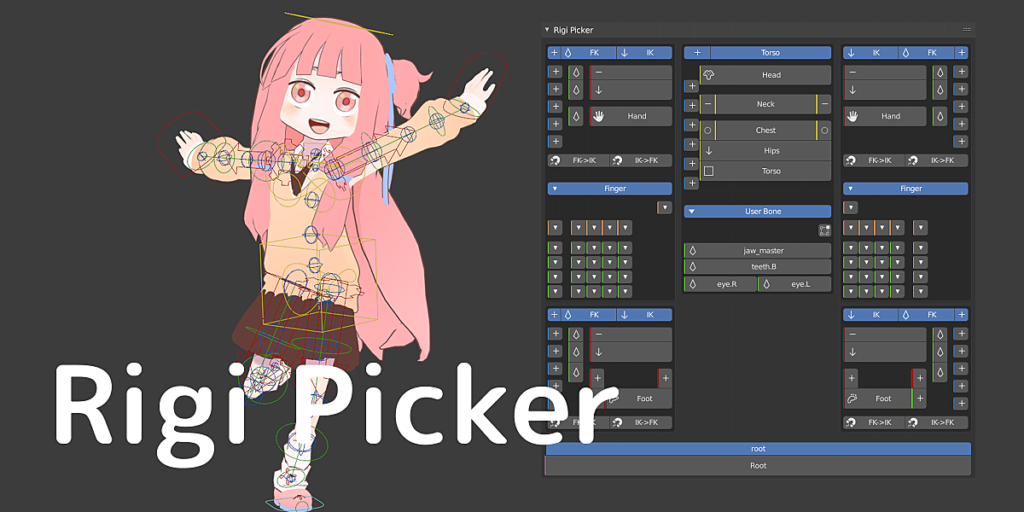
Rigify and your rig picker add-ons to select bones
Make bone selection easier and assist in posing.
You can select IK / FK / Tweak bones such as arms, legs, torso, and fingers.
Function
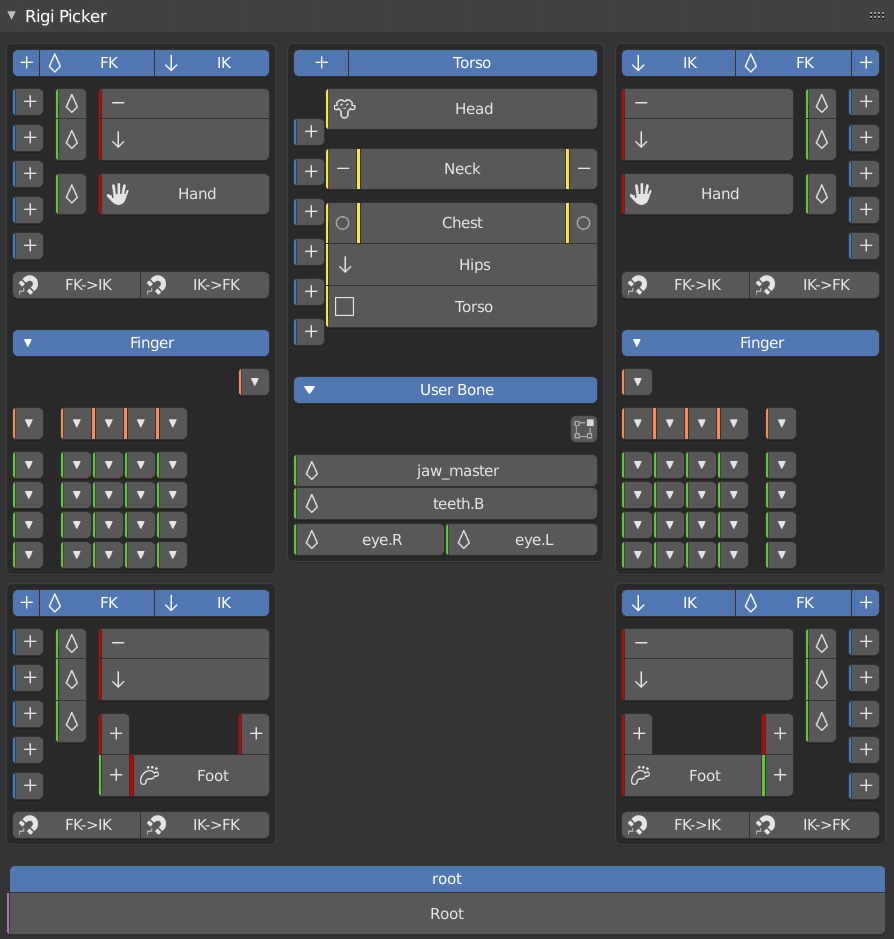
- Smooth selection such as multiple selection with Shift and deselection with Alt
- FK> IK / IK> FK switch button
- Show only the bones of the displayed layer
User bone picker
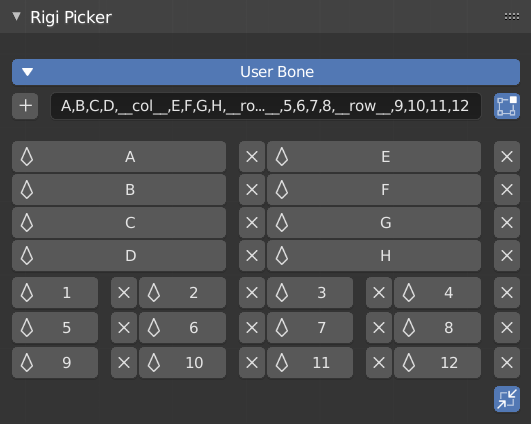
Users can add bones of their choice to make them picker buttons.
You can also use the picker with bones other than Rigify.
Supported Rigify
| rig | support |
|---|---|
| Basic Human (Meta-Rig) Human (Meta-Rig) | Full support |
| Other rigs | Possible if the bone has the same name as the Human bone |
Supports Rigify ver 0.6.1 ~ of Blender 2.83 or later.
Other bones with the same name can be used as a picker.
Menu
- 3D View> Sidebar (N)> Rigi Picker
- Pie Menu …… W
- Popup Menu …… Ctrl + W
The menu is displayed in pose mode and bone edit mode.
Supercharge your 3D creation workflow with premium selection of Blender Add-ons. Whether you are modeling intricate characters, sculpting realistic environments, or animating cinematic sequences, the right add-on can transform how you work inside Blender. Our curated collection includes powerful tools for UV unwrapping, procedural texture generation, rigging automation, rendering optimization, and more—each rigorously tested for compatibility with the latest Blender versions. Eliminate tedious manual processes and unlock advanced functionality that lets you focus on what matters most: bringing your creative vision to life. Explore our full range of professional Blender plugins today and take your 3D projects to the next level.
➡️ ➡️ For more Blender Plugins 😀 😀
Reviews
There are no reviews yet.