
Save Render Presets for Blender
Save Render Presets v1.4.7 for Blender – The Ultimate Render Settings Manager & Quick-Switch Toolkit
Download Save Render Presets v1.4.7 for Blender on Windows and Mac, a vital workflow utility designed to eliminate the tedious process of manually reconfiguring your render settings for every new shot or project phase. Whether you are switching between a low-sample “Draft” mode for viewport playback, a high-sample “Final” mode for production, or completely different engines like Cycles and Eevee, this addon allows you to save, organize, and apply entire render configurations with a single click. It ensures consistency across your projects and saves hours of repetitive menu diving.
Key Features of Save Render Presets v1.4.7:
- One-Click Configuration Swapping: Instantly save and load complete render setups. With a single click, change your render engine, sample count, light bounces, denoiser, and output format simultaneously.
- Comprehensive Settings Capture: Captures everything in the Render Properties tab, including Cycles/Eevee performance settings, Simplify overrides, color management (AgX, Filmic), and motion blur configurations.
- Output & Format Management: Save your preferred resolution, aspect ratios, frame rates, and file formats (EXR, PNG, JPEG, MP4) as part of the preset, ensuring your output settings are always correct for the delivery medium.
- Render Pass & Compositor Sync: Optionally include your View Layer pass setups (Cryptomatte, Z-Depth, Normal) and basic compositor node configurations in the preset, streamlining the transition from 3D to 2D.
- Hardware & Device Toggling: Create specific presets for different hardware setups. Save a “GPU RTX 3080” preset and a “CPU Fallback” preset, and switch between them instantly without re-entering your compute device settings.
- Category & Tag Organization: Organize your presets into custom folders and apply tags (e.g., “ArchViz,” “Animation,” “Playblast,” “VFX EXR”) to keep massive libraries easily searchable.
- Team & Pipeline Standardization: Export and import presets as standalone JSON files. Share your studio’s official “Final Delivery” or “Client Review” render setups with your entire team to guarantee uniform output.
- Visual Preset Library: Displays your saved presets in a clean, icon-driven list within the Render Properties panel, making it easy to identify your “Draft,” “Medium,” and “Final” quality tiers at a glance.
- Auto-Denoiser Switching: Automatically pairs the correct denoising setup (OptiX for GPU, OpenImageDenoise for CPU) based on the compute device selected in the preset.
- Non-Destructive Workflow: Switching presets never alters your actual scene geometry, materials, or lighting; it only adjusts the rendering and output parameters.
Perfect For:
- Architectural Visualizers who need to instantly switch between low-sample “Client Review” renders and 4096-sample “Final Delivery” renders.
- Animators & Motion Designers rapidly toggling between OpenGL playblasts for timing checks and full Cycles renders for final output.
- VFX Compositors saving complex multichannel EXR setups with all necessary Cryptomatte and data passes pre-configured.
- Studio Technical Directors enforcing standardized render settings across a team of artists to ensure consistent file formats and quality.
- Freelancers managing multiple projects with different delivery requirements (e.g., vertical 9:16 for social media vs. 16:9 for YouTube).
- Beginners who want to lock in a “foolproof” high-quality render setup and avoid accidentally breaking their settings.
System Requirements:
- Blender: 3.6, 4.0, 4.1, 4.2, 4.3, 4.4+ (Latest LTS recommended).
- OS: Windows 10/11 (64-bit) or macOS 10.15+.
- RAM: 4GB minimum (8GB+ recommended for large preset libraries).
- No external dependencies required.
Installation:
- Download the Save Render Presets v1.4.7
.zipfile. - Open Blender and go to Edit > Preferences > Add-ons.
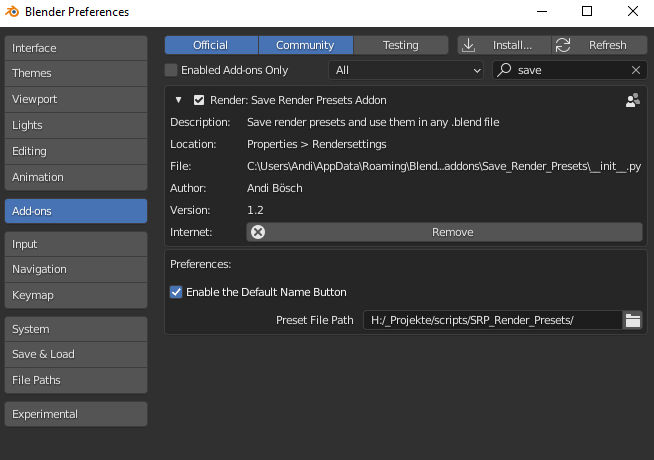
- Click Install…, select the downloaded file, and enable the checkbox next to Render: Save Render Presets.
- Access via the Render Properties panel > Render Presets tab, or the dedicated panel in the 3D Viewport Sidebar (N-panel) under the Render section.
What’s New in v1.4.7?
- Blender 4.4 Full Compatibility: Updated all API calls to perfectly support the latest Eevee Next and Cycles X updates, ensuring presets apply flawlessly in the newest Blender release.
- AgX Color Management Lock: Added a dedicated toggle to force specific View Transforms and Looks (e.g., AgX Base + Medium High Contrast) when a preset is loaded, preventing color shifts between projects.
- Faster Preset Evaluation: Rewritten the Python backend to load complex presets with 50+ settings in under a millisecond, eliminating any UI freeze when switching.
- New “Render Farm” Export Preset: Added a specialized preset type that automatically configures file paths and texture packing settings optimized for cloud render farm submissions.
- UI Icon Overhaul: Added distinct, color-coded icons for Cycles, Eevee, and Workbench presets, making visual scanning of the list much faster.
- Bug Fix: Resolved a rare issue where loading a preset would occasionally duplicate existing File Output nodes in the Compositor instead of updating them.
Note:
Save Render Presets v1.4.7 solves a universal frustration in 3D production: the “Render Settings Amnesia.” We have all been there—spending 20 minutes tweaking the perfect render setup, only to accidentally change a setting for a test render and forget how to get back to the final quality. This addon acts as your ultimate safety net and time-saver. By treating your render settings as reusable, shareable assets, it brings a level of professional pipeline management to Blender that is usually only found in high-end studio software. Whether you are a solo artist juggling different client requirements or a team lead ensuring everyone outputs the correct EXR channels, Save Render Presets keeps your workflow fast, consistent, and stress-free.
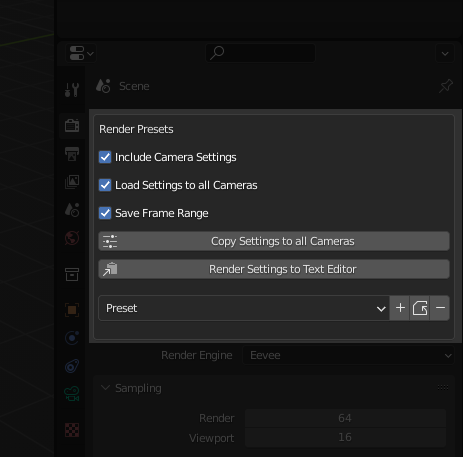
– Save your render and camera settings as presets
– Easy change between very different render settings for example VR and HD
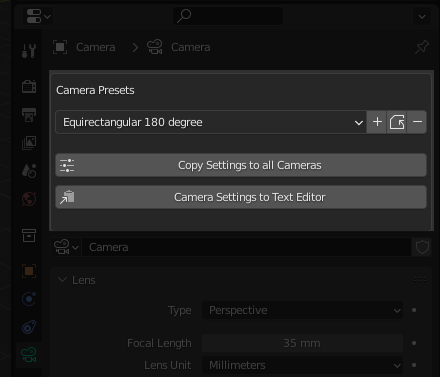
– Copy settings from the active camera to all the cameras in the scene
– Never forget to make changes again in the render settings
– Share your render settings with friends
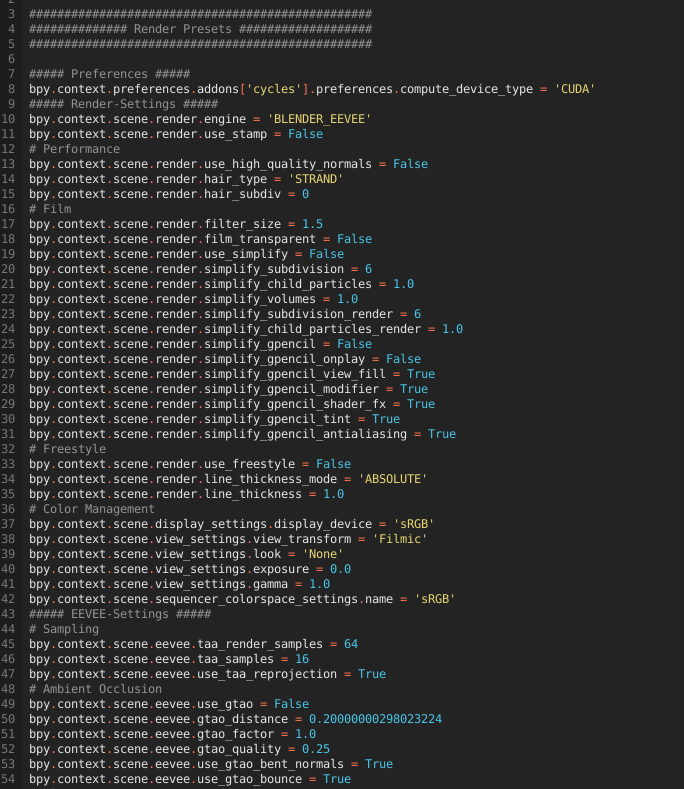
– Edit all presets according to your wishes in the Text Editor
– Create a path with filename with only one click
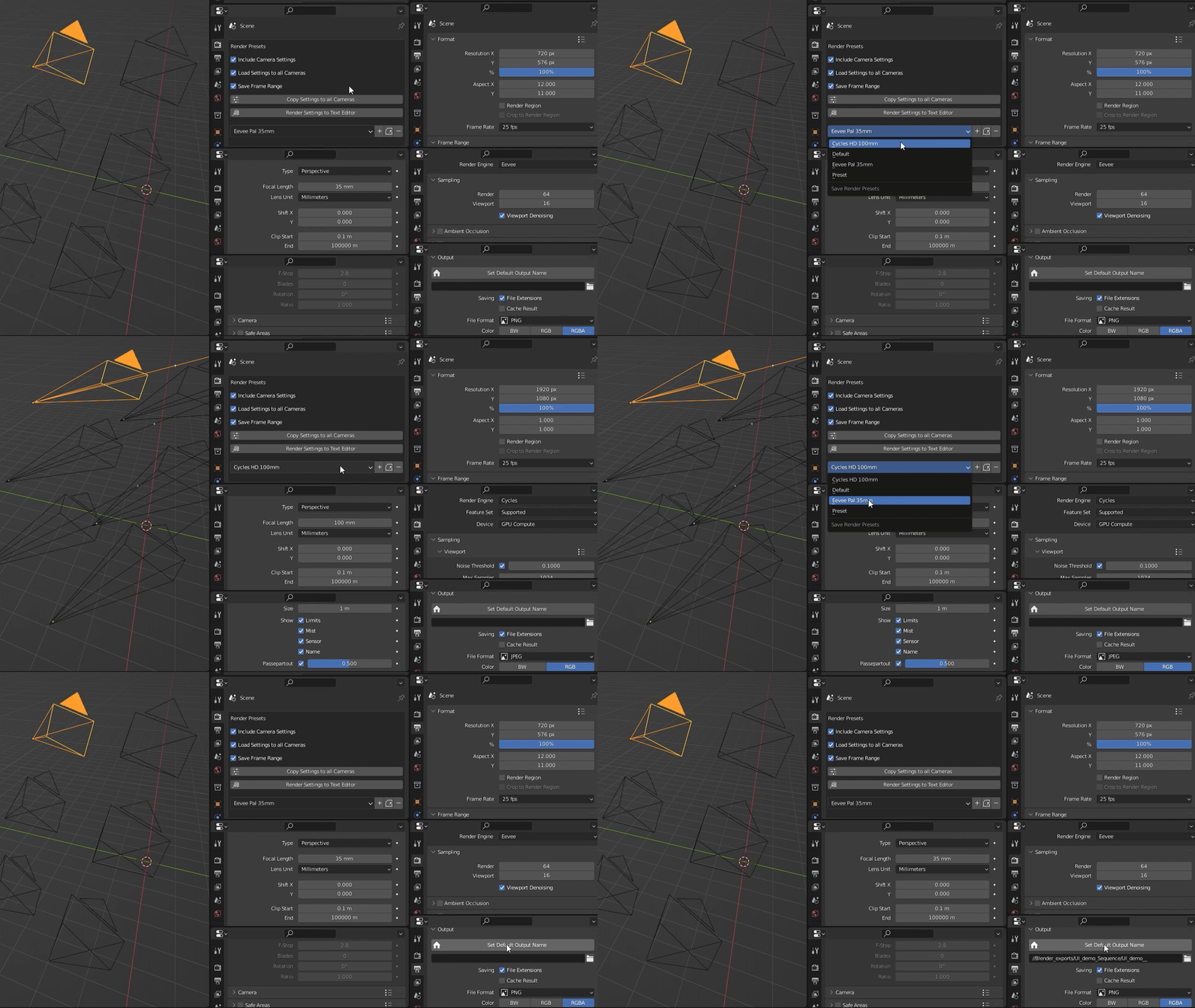
The reason why I created this add-on was that I was looking for a way to easily and quickly switch between Virtual Reality Settings and HD Settings. That’s quite a lot of settings you have to manage. Especially when there are multiple cameras in the scene. Besides, you always run the risk of forgetting something in this jungle of settings, which can lead to tedious surprises.
And so I set to work to solve this problem. What came out was Save Render Presets 🙂
The workflow I highly recommend:
Render your scene as you always did and then, if you like the result, save the render and/or camera settings. This way you make sure that nothing has been missed. It will be awesome to load these hundreds of settings with just one click. Trying to create a preset for future purposes on the other hand may need a lot of time and makes no sense because you need to define the settings for an export anyway.
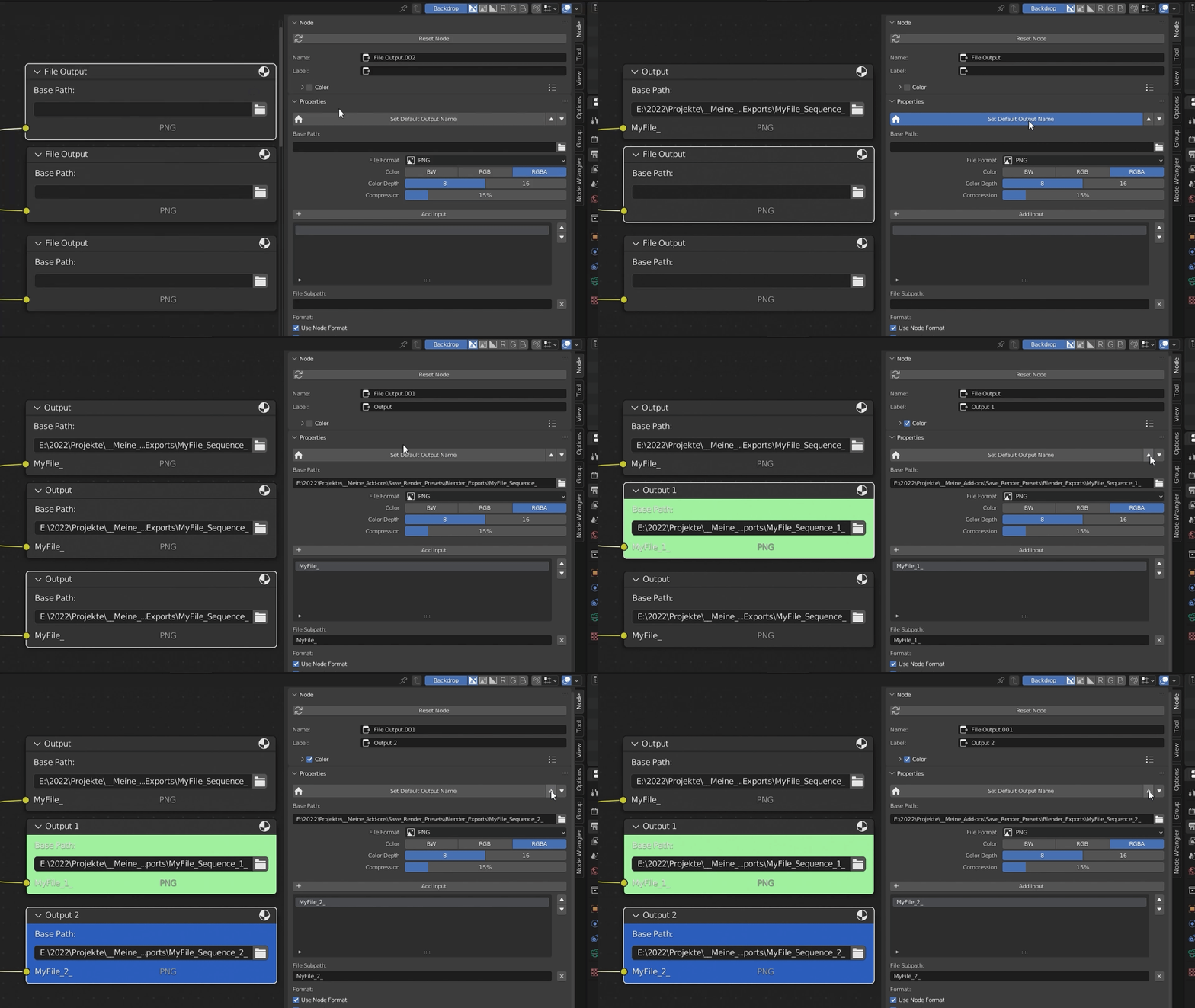
With just one click you can create paths and file names based on the name of your .blend file.
For clarity, even names and color are added in the file output node.
In the add-on settings you can change the automatically generated path as you like.
Please see the documentation for details: https://blendermarket.com/products/save-render-presets-add-on/docs
Fun Promotion:
Tutorial:
Supercharge your 3D creation workflow with premium selection of Blender Add-ons. Whether you are modeling intricate characters, sculpting realistic environments, or animating cinematic sequences, the right add-on can transform how you work inside Blender. Our curated collection includes powerful tools for UV unwrapping, procedural texture generation, rigging automation, rendering optimization, and more—each rigorously tested for compatibility with the latest Blender versions. Eliminate tedious manual processes and unlock advanced functionality that lets you focus on what matters most: bringing your creative vision to life. Explore our full range of professional Blender plugins today and take your 3D projects to the next level.
➡️ ➡️ For more Blender Plugins 😀 😀
Reviews
There are no reviews yet.