
Scattershot for Blender
Scattershot v1.12 for Blender – The Ultimate High-Performance Scattering & Environment Population Tool
Version: V1.12.0
File Size: 10 MB
Download Scattershot v1.12 for Blender on Windows and Mac, a blazing-fast, Geometry Nodes-based scattering and asset distribution addon designed to populate massive environments in seconds. Whether you are laying down dense forests, scattering urban debris, or covering a mountainside in wildflowers, Scattershot eliminates the viewport lag and memory crashes common with other population tools. By utilizing advanced culling algorithms, smart LOD (Level of Detail) systems, and an intuitive painting interface, it allows environment artists to create breathtaking, highly detailed landscapes without sacrificing workflow speed or system performance.
Key Features of Scattershot v1.12:
- Lightning-Fast Geometry Nodes Engine: Built on a highly optimized node tree capable of handling millions of instances simultaneously. Scattershot calculates distribution, rotation, and scaling in the background, keeping your viewport responsive even with massive particle counts.
- Smart Surface Projection & Slope Control: Automatically aligns instances to surface normals and allows you to set strict slope limitations. Ensure your trees only grow on flat ground, while your moss and ivy only appear on steep, vertical rock faces.
- Intelligent Viewport Culling: Features advanced bounding box and camera frustum culling. The addon automatically hides instances outside your camera’s view or beyond a set distance, drastically improving viewport FPS during navigation and animation playback.
- Multi-Layer Biome Painting: Use vertex colors or texture masks to paint different biomes directly onto your terrain. Seamlessly blend grass, dirt, snow, and rock layers, with Scattershot automatically adjusting the scattered assets to match the painted regions.
- Dynamic LOD (Level of Detail) System: Automatically swaps high-poly 3D assets for low-poly billboards or impostors based on the camera’s distance. This ensures cinematic quality in close-ups while maintaining 60 FPS in wide landscape shots.
- Procedural Wind & Animation: Built-in vertex animation drivers for grass, leaves, and trees. Simulate gentle breezes or violent storms without the need for heavy, cache-based cloth or particle simulations.
- “Quick Scatter” Brush Mode: A specialized interactive brush that lets you “paint” objects directly onto the terrain in real-time, offering immediate visual feedback for artistic placement and density control.
- Physics-Based Settling (Optional): For hard-surface scattering like rubble, broken glass, or forest floor debris, toggle a physics mode that drops objects and lets them settle naturally into the terrain’s crevices and uneven surfaces.
- Collection & Asset Variation: Scatter entire collections of assets at once. Scattershot will randomly select from the collection, applying random scale, rotation, and color variations to prevent the “copy-paste” repetitive look.
- Non-Destructive & Editable: All scattering data is stored in modifiers. You can adjust density, change the asset collection, or tweak the wind strength at any time without having to re-bake or re-generate the scene.
Perfect For:
- Environment Artists building massive outdoor landscapes, forests, and natural terrains for film and animation.
- Game Developers populating open-world maps with optimized, LOD-ready vegetation and props for Unity or Unreal Engine.
- Architectural Visualizers adding realistic landscaping, grass, and surrounding context to exterior building renders.
- VFX Studios scattering urban debris, shattered glass, and destruction remnants across large-scale city environments.
- Concept Artists rapidly blocking out environmental compositions and exploring different ecological densities.
- Anyone who needs to scatter millions of objects but is tired of crashing their viewport or waiting hours for caches to bake.
System Requirements:
- Blender: 3.6, 4.0, 4.1, 4.2, 4.3, 4.4+ (Geometry Nodes heavily utilized; optimized for Blender 4.x).
- OS: Windows 10/11 (64-bit) or macOS 10.15+.
- RAM: 8GB minimum (32GB+ highly recommended for scenes with millions of high-poly instances).
- Render Engine: Fully compatible with Cycles and Eevee.
Installation:
- Download the Scattershot v1.12
.zipfile. - Open Blender and go to Edit > Preferences > Add-ons.
- Click Install…, select the downloaded file, and enable the checkbox next to Object: Scattershot.
- Access via the 3D Viewport Sidebar (N-panel) under the Scattershot tab, or the Object Properties panel.
What’s New in v1.12?
- Blender 4.4 Compatibility: Fully updated to support the latest Geometry Nodes simulation fields and point cloud instancing changes, ensuring rock-solid stability in the newest release.
- Memory Management Overhaul: Rewritten the instance evaluation logic, reducing RAM usage by 35% when scattering ultra-dense collections (10 million+ objects).
- New “Wind Field” Integration: Added support for Blender’s native force fields, allowing your scattered grass and trees to react to standard Wind and Vortex forces in the scene.
- Faster Culling Algorithm: The viewport culling system now calculates camera frustums 50% faster, resulting in smoother panning and zooming in heavily populated scenes.
- Expanded Preset Library: Added 20 new high-quality, optimized presets, including “Autumn Forest Floor,” “Urban Trash,” “Alpine Meadow,” and “Coastal Dune Grass.”
- Bug Fix: Resolved a rare issue where the LOD system would occasionally fail to swap to billboards when using orthographic cameras.
Note:
Scattershot v1.12 is built on the philosophy that scale should never compromise performance. Traditional scattering tools often force you to choose between a beautiful, dense forest and a usable viewport. Scattershot shatters that compromise. Its intelligent culling and LOD systems mean you can scatter a million blades of grass and still navigate your scene at 60 FPS. The “Quick Scatter” brush is particularly revolutionary for artists who prefer a hands-on, artistic approach to population, allowing you to sculpt the density of your forests and fields just like you would sculpt a character. Whether you are building a serene woodland or a post-apocalyptic wasteland, Scattershot gives you the power to populate your world instantly and efficiently.
Combine the power of procedurals with the details of image textures
Scattershot is an addon for Blender’s shader editor that distributes and randomizes textures, similar to texture bombing or splattering operations in other 3d software – except with more control and less setup.
supports scattering PBR texture sets!
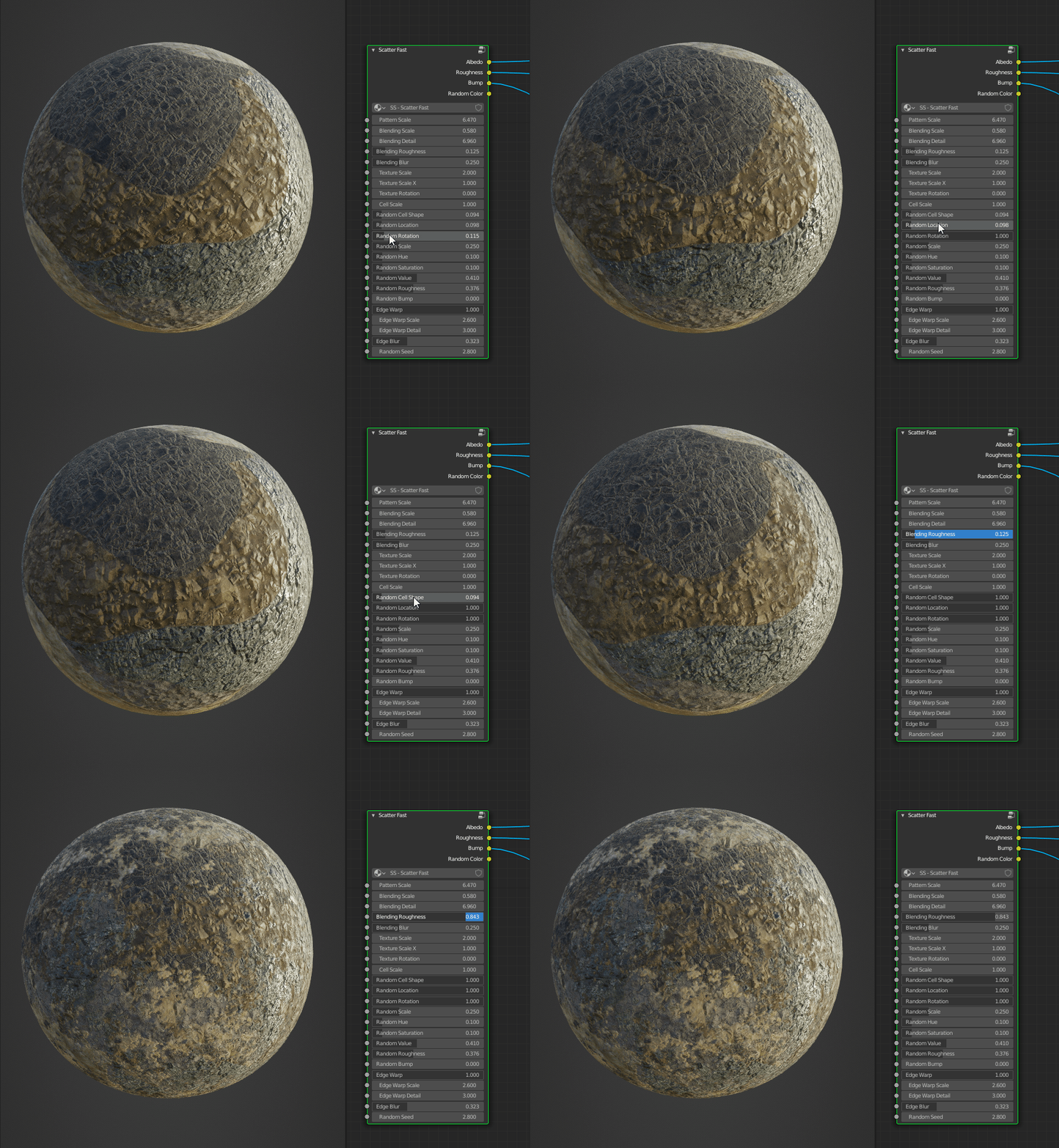
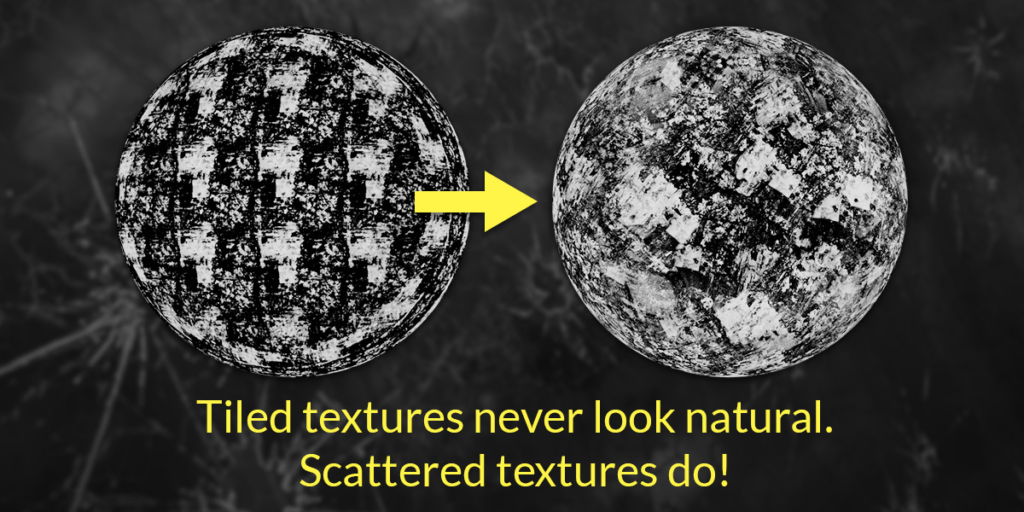
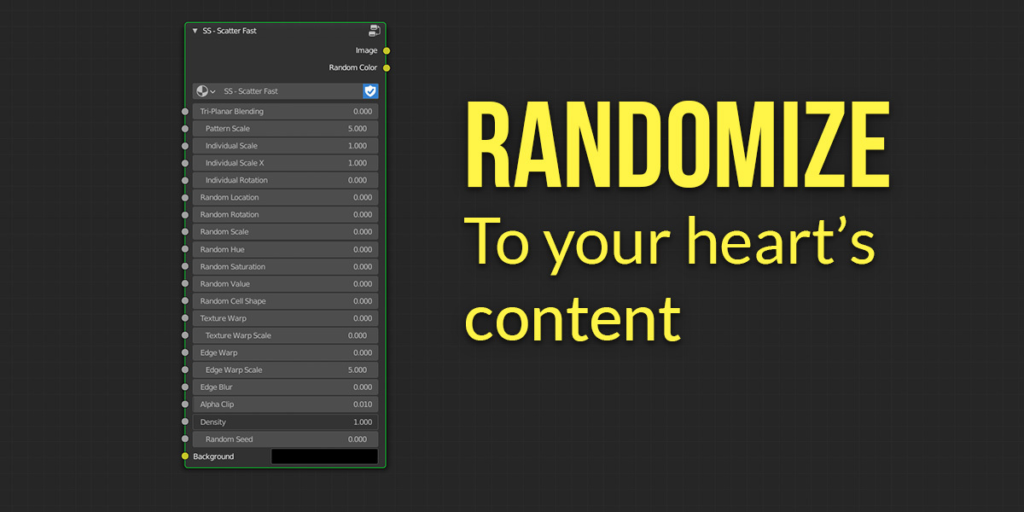
Tiled textures can look great up close, but even the best seamless texture looks obviously repeated and fake at a distance. Scattershot instantly fixes that issue with the Voronoi Scatter function, which turns your image textures into a new node that has controls for randomizing every aspect of each repetition of the texture as well as controls for obscuring the seams between each cell.
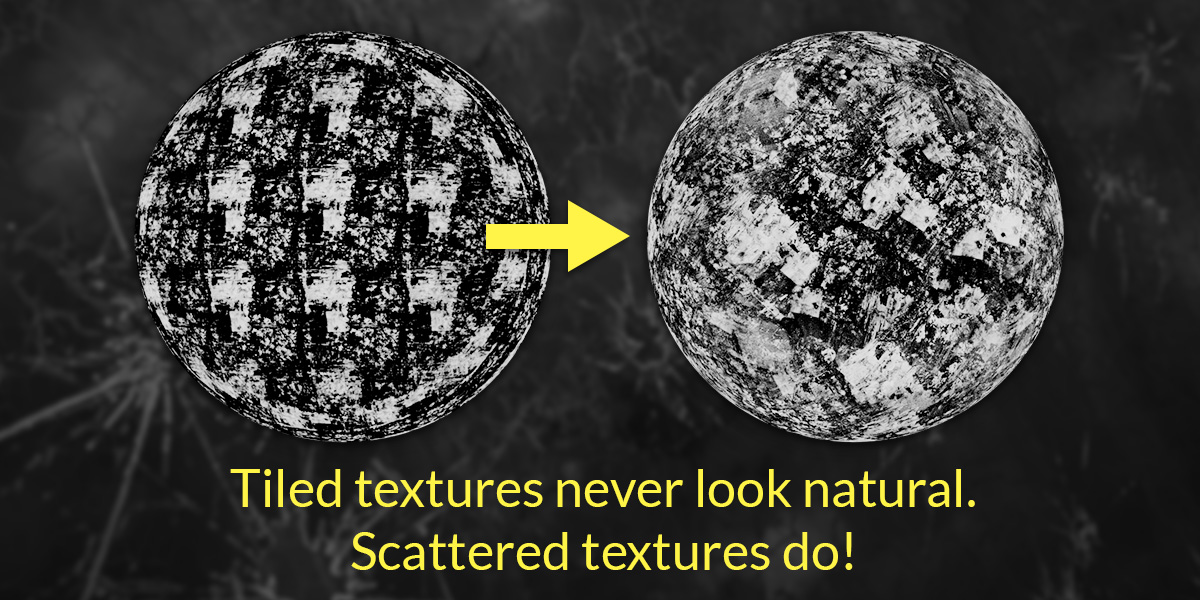
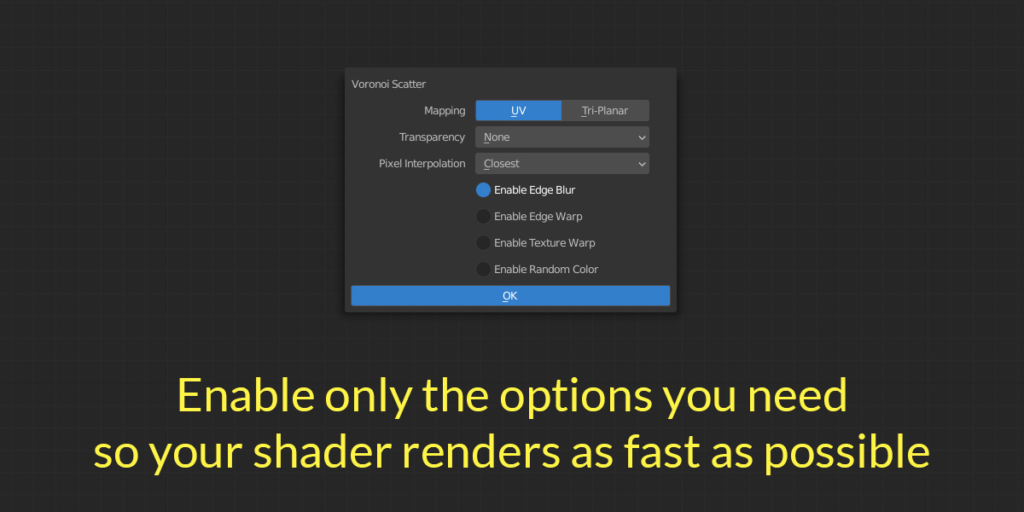
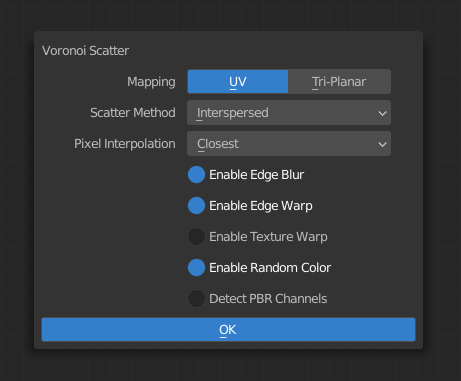
Scattershot gives you full control over how you want to distribute and randomize your textures with finely tuned, easy to use sliders. Some options require a procedural texture to be added inside the node, so you can always leave those options off during creation so that your shader will be as quick to render as possible.
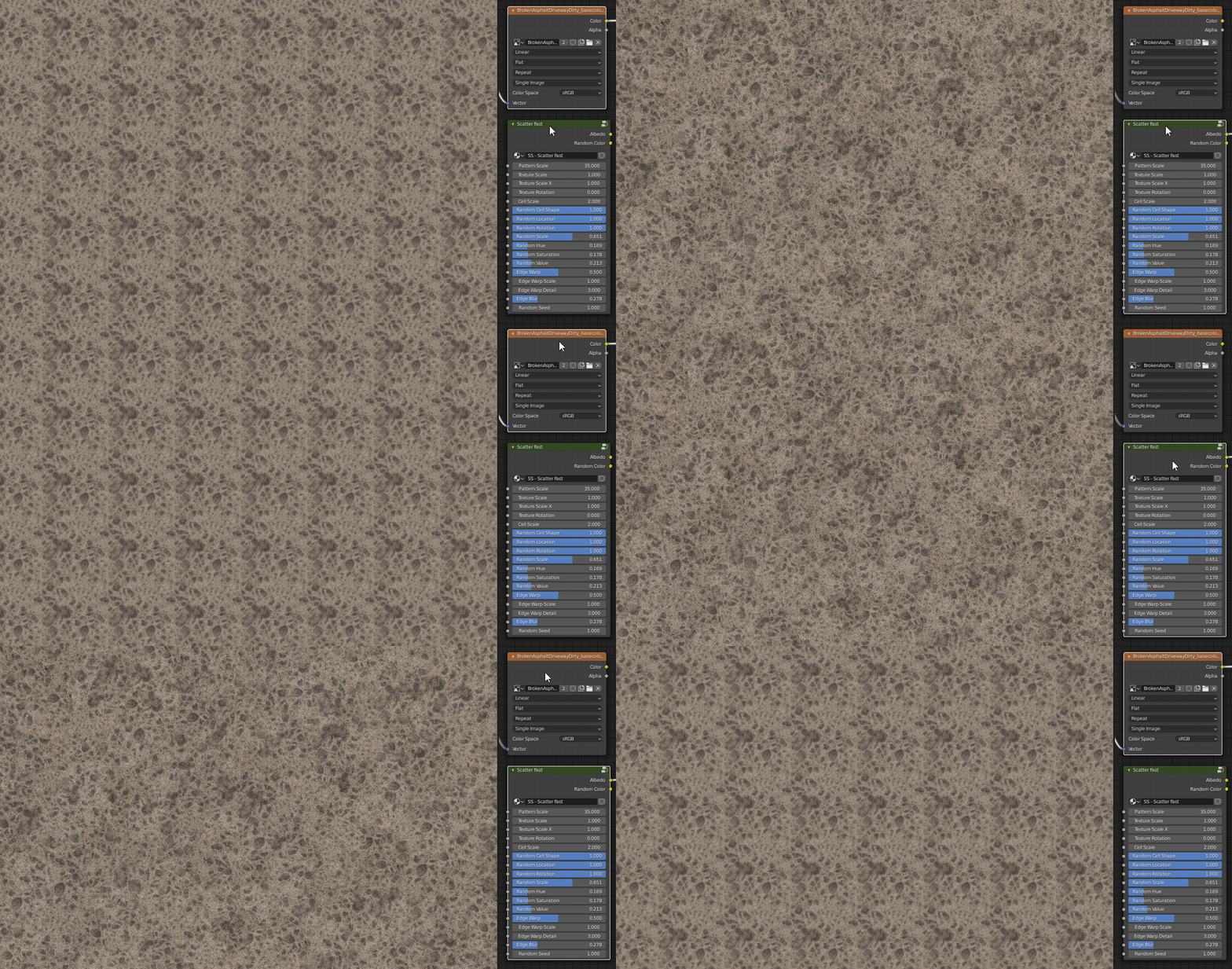
And, speaking of render times, this setup is surprisingly fast. Texture bombing works by manipulating the texture’s vectors, which means that it is not increasing memory usage or render time to any noticeable degree. The custom tri-planar projection that enables more randomization than Blender’s box mapping is just as quick to render as using UV coordinates. If you don’t need transparency, the difference in render time and shader compilation compared to a regular image texture is negligible.
What really makes this addon a must-have in any noodle wrangler’s tool belt though is how versatile it is.
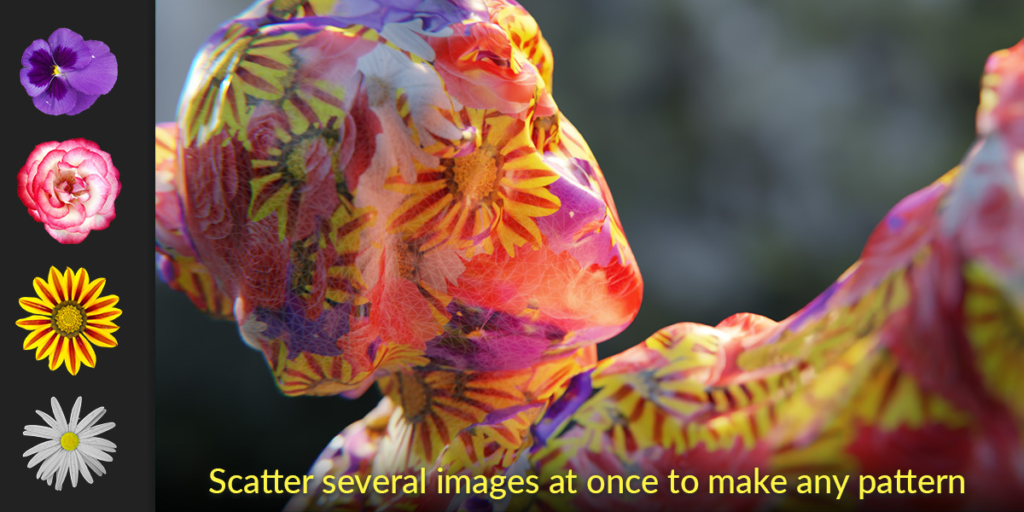
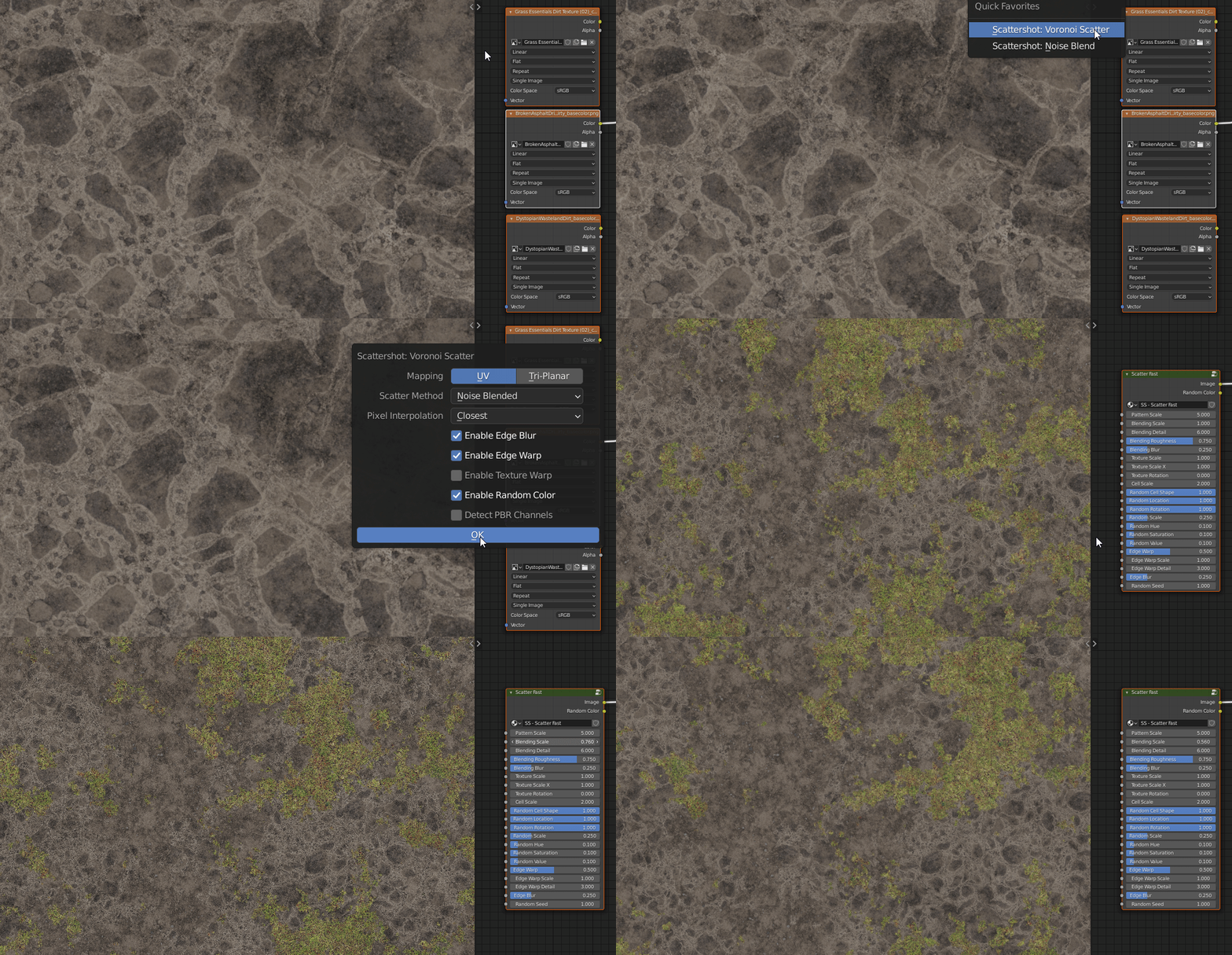
If multiple textures are selected, Voronoi Scatter’s Interspersed scattering method will randomly pick one texture for each cell. The Noise Blended scattering method gives an even more natural looking distribution and also works with any number of textures.
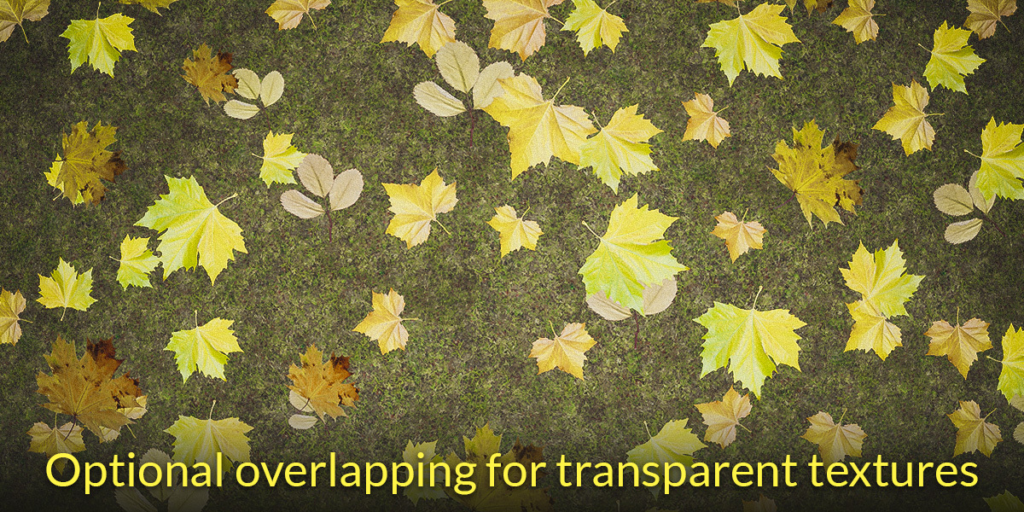
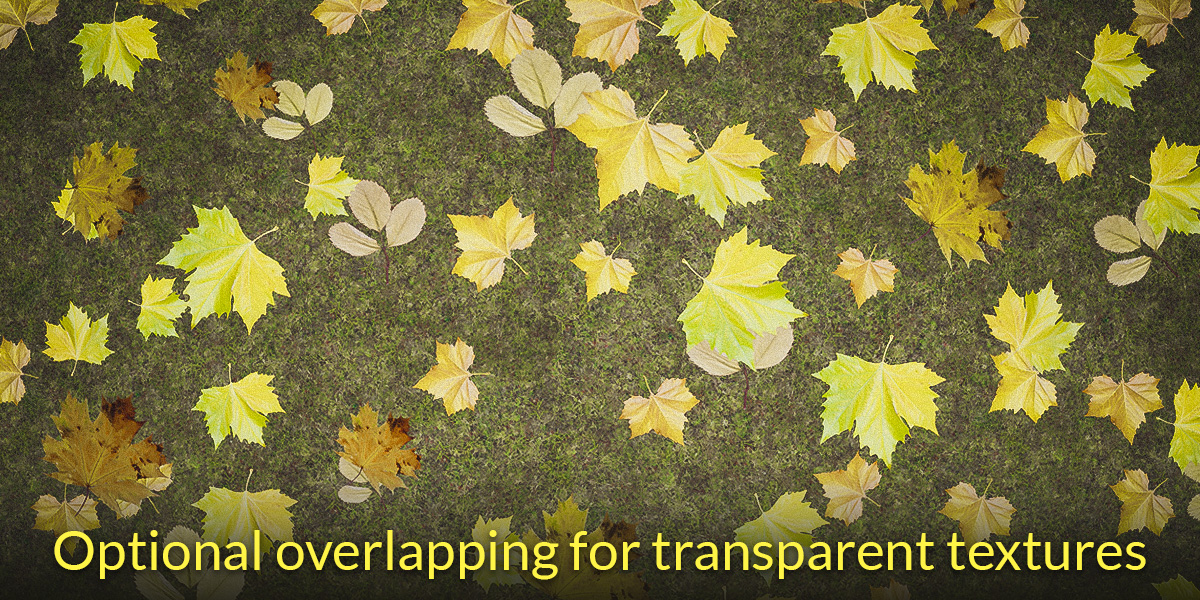
Scattershot also fully supports textures with transparency, so that you can easily layer the result over any other texture. In addition, you can enable stacked or overlapped transparency so that nearby textures can appear to be layered on top of one another!
In order for all of these effects to work together and be customized for each situation, a lot of manual tweaking would need to be done to your scattering setup each and every time you want to use it. I, of course, do not want to spend time doing that. This addon was born of pure laziness so that I can get exactly the results I need in just a few clicks.
You’ll also find operators for some of the tricks that Voronoi Scatter uses under the hood, such as Noise Blending, Randomize HSV, and Tri-Planar Projection, so that you can use them on any set of nodes in your shader.
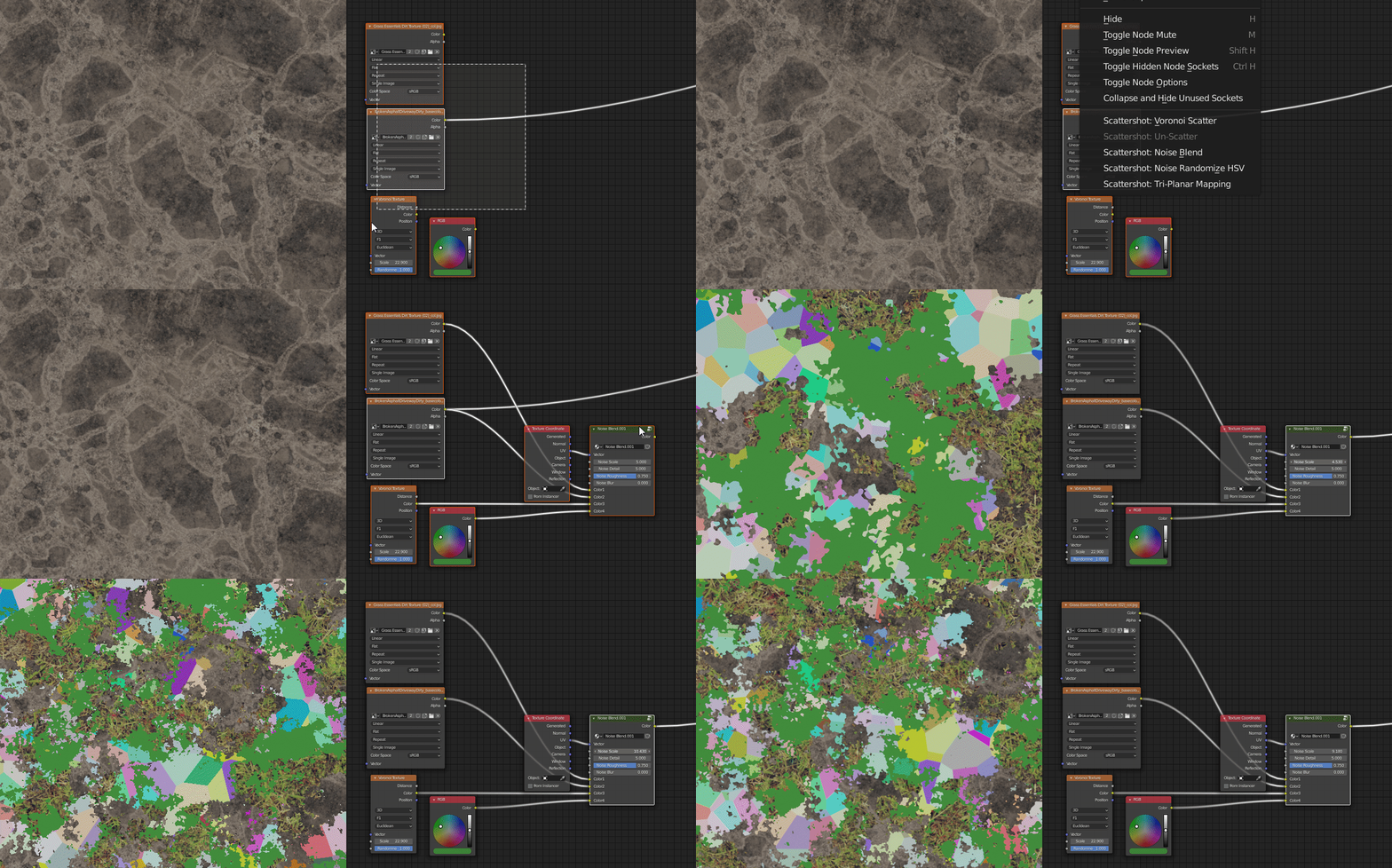
For more detailed information on the settings and how to get started, check the documentation page.
Limitations
Requires Blender 2.83 or later.
Scattering micro displacement textures without baking results in jagged edges near cell boundaries, since Blender’s shader editor doesn’t have a proper blur node. Scattershot includes a one-click tool for baking displacement to work around this issue.
Supercharge your 3D creation workflow with premium selection of Blender Add-ons. Whether you are modeling intricate characters, sculpting realistic environments, or animating cinematic sequences, the right add-on can transform how you work inside Blender. Our curated collection includes powerful tools for UV unwrapping, procedural texture generation, rigging automation, rendering optimization, and more—each rigorously tested for compatibility with the latest Blender versions. Eliminate tedious manual processes and unlock advanced functionality that lets you focus on what matters most: bringing your creative vision to life. Explore our full range of professional Blender plugins today and take your 3D projects to the next level.
➡️ ➡️ For more Blender Plugins 😀 😀
Reviews
There are no reviews yet.