
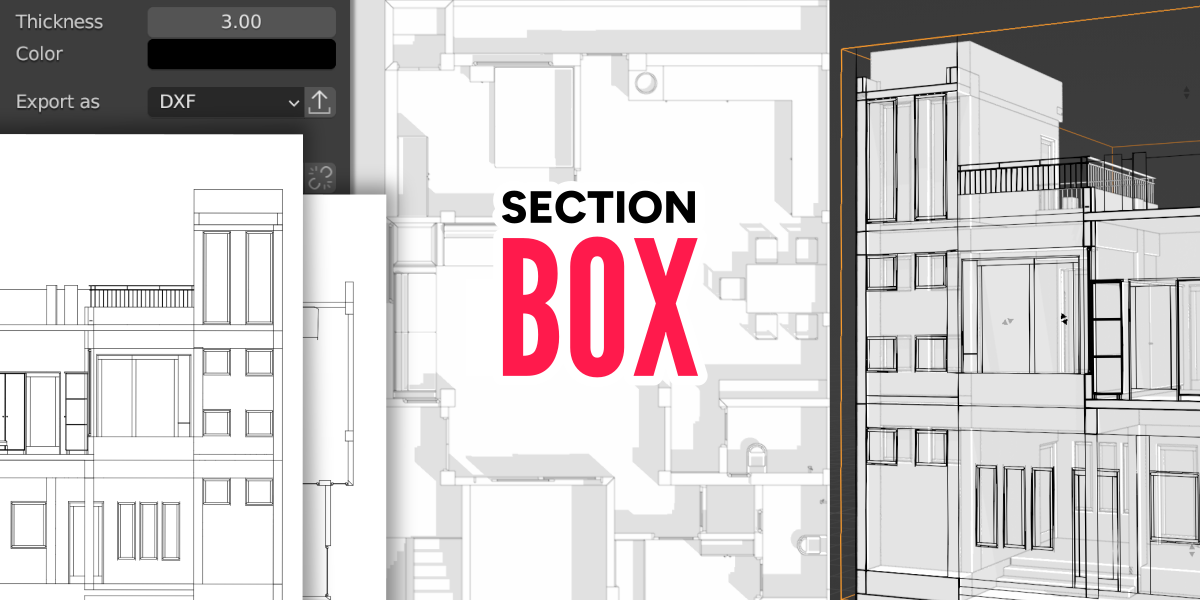
SectionBox for Blender
SectionBox v2.1.3 for Blender
The Ultimate Architectural Cross-Section and Visualization Tool
Download SectionBox v2.1.3 today. Consequently, you can generate precise cross-sections, elevations, and dynamic cutaway views directly inside Blender with unparalleled ease . Because architectural visualization and product design demand accurate, presentation-ready sectional views, having access to a dedicated, professional-grade tool is absolutely essential. Nevertheless, creating clean cross-sections in Blender natively often involves manual mesh cutting or complex boolean operations that are tedious to set up and difficult to adjust. Fortunately, SectionBox completely transforms this workflow. Moreover, it was developed in collaboration with a professional architect specifically to bring the robust sectioning capabilities known from Autodesk software directly into Blender . In short, you can create stunning, fully controllable sections and elevations with just a few clicks.
Intuitive Section Box Creation and Dynamic Control
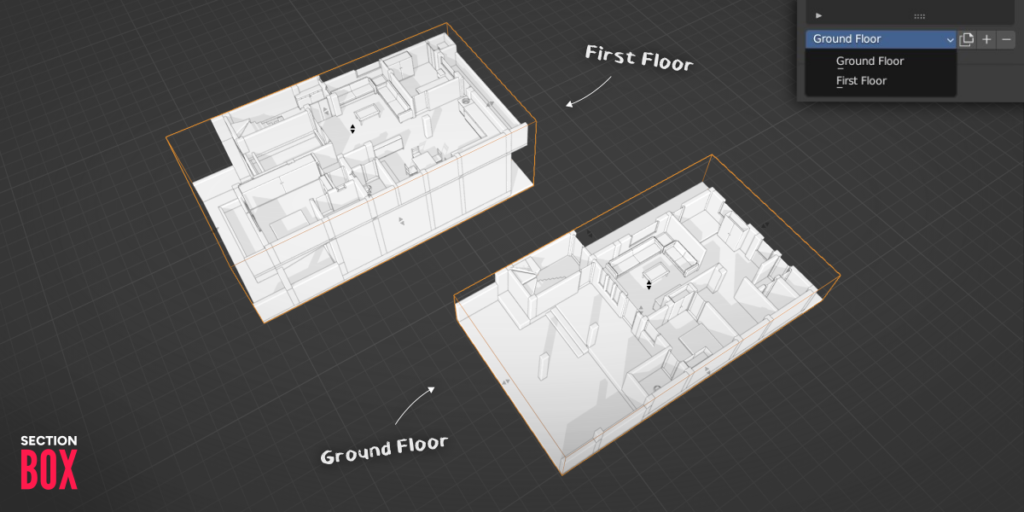
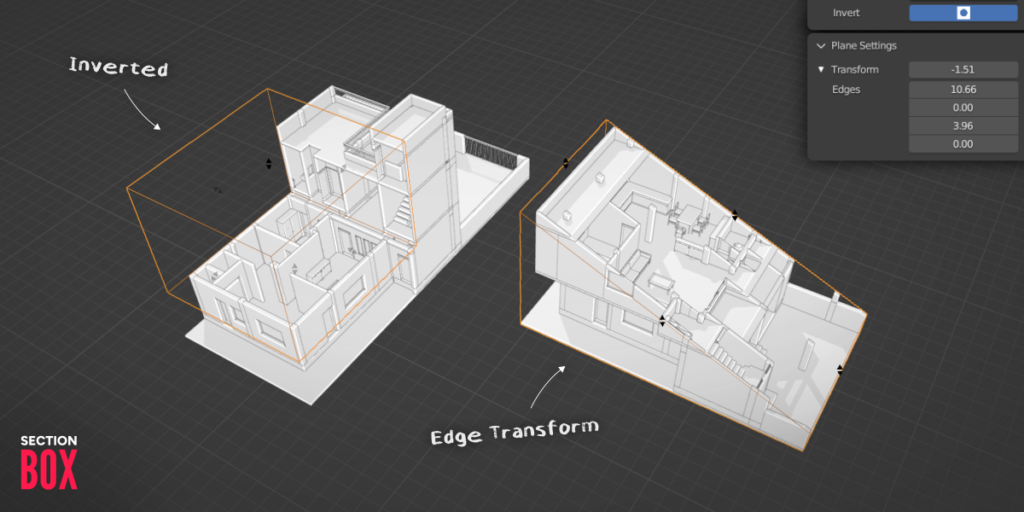
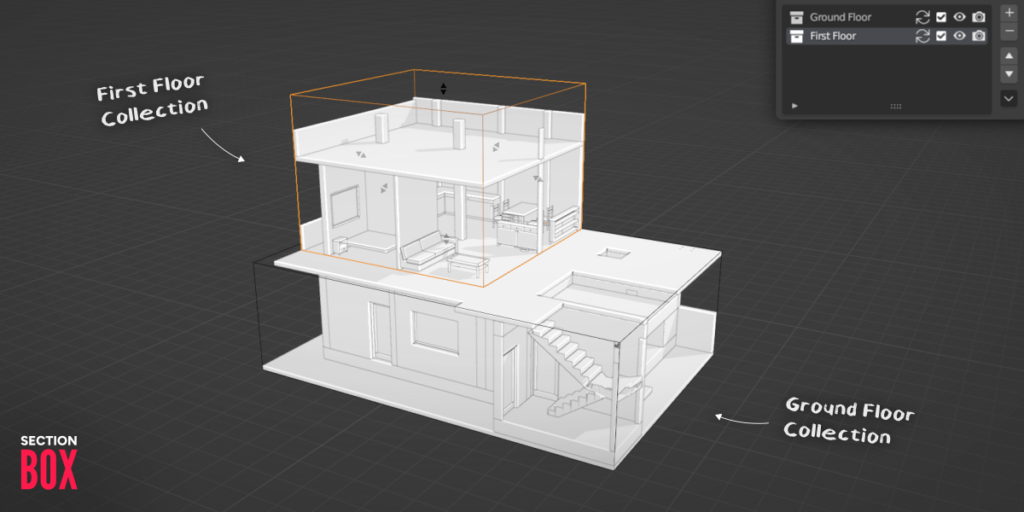
The core of this addon lies in its elegant and highly visual workflow. For instance, you can instantly instantiate a section box around any selected object, collection, or any area you define . Furthermore, the tool provides dynamic gizmos and an organized menu that allow you to adjust the size, position, and orientation of the section box in real-time . Since the operation is entirely interactive, you can see exactly how your cut will affect the model before you finalize it. Consequently, iterating on different sectioning perspectives becomes remarkably fast and intuitive.
Precision Cross-Sections, Elevations, and DXF Export
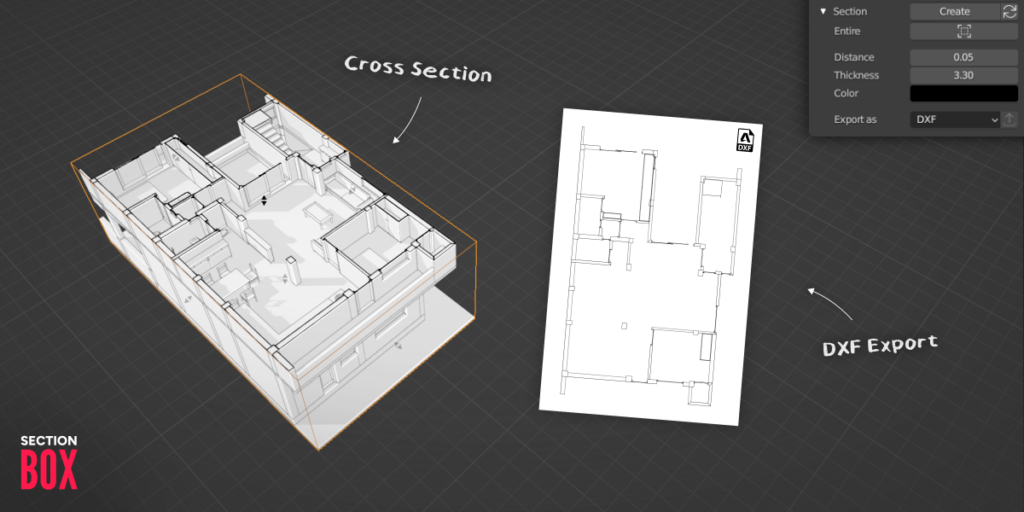
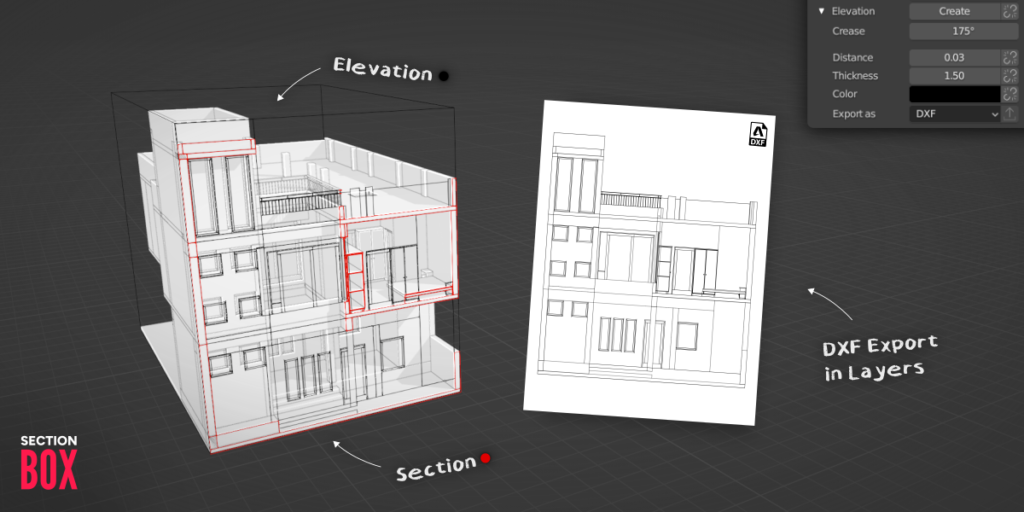
Professional presentations require clean, accurate output ready for further use. Therefore, the addon allows you to generate fully customizable cross-sections with a single click . Moreover, it includes a dedicated feature for creating stunning elevations, which can be generated either alongside a cross-section or independently . Once your sections and elevations are ready, you can export them directly as DXF files, with the data automatically organized onto separate layers for seamless compatibility with CAD software and other professional pipelines . Consequently, your workflow seamlessly bridges Blender and traditional 2D design environments.
Advanced Features: Presets, Animation, and Performance Modes
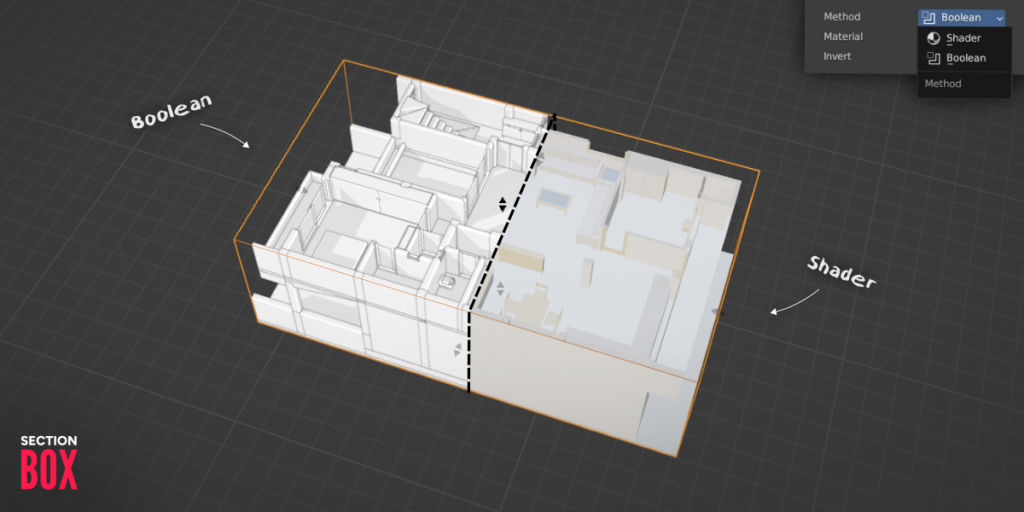
Professional projects often require revisiting specific viewpoints or creating dynamic presentations. Therefore, SectionBox includes a powerful preset system that allows you to save different section box states as views and return to them instantly . Additionally, the entire system is fully animatable, enabling you to keyframe any setting—including the movement of the section box itself—to produce cinematic cutaway animations . To optimize for different scenes and hardware, the addon offers multiple sectioning methods, letting you choose between a shader-based approach for fast viewport feedback or a boolean-based method for precise geometry results .
Quality Assured and Architect-Approved
To ensure it meets the demands of real-world production, SectionBox was designed with input from a professional architect . In fact, the tool has already been deployed on actual architectural projects, proving its value as a production-ready solution . Consequently, the addon is highly recommended not only for architects but also for 3D modelers, visualization artists, and designers who need to communicate complex spatial ideas clearly .
Perfect for Architects and Visualization Artists
This addon is particularly well-suited for architects who need to generate plans, sections, and elevations quickly for client presentations or construction documents. Similarly, product designers creating cutaway views of mechanical assemblies will find the tool invaluable. Additionally, visualization artists working on complex interior or exterior scenes will appreciate the ability to create dramatic, revealing views that showcase their work effectively.
System Requirements and Compatibility
SectionBox v2.1.3 supports a wide range of Blender versions, ensuring compatibility with most production setups. Specifically, it is compatible with Blender 4.3, 4.2, 4.1, 4.0, 3.6, 3.5, and 3.4 . Furthermore, the addon is available in English and works across all major operating systems including Windows, macOS, and Linux. You will need a standard workstation with at least 8GB of RAM, though more complex scenes with high-poly geometry may benefit from additional memory.
Installation and Usage Guide
To install, first download the zip file from your library. Next, open Blender and navigate to Edit Preferences. Then, select Add-ons and click Install. After that, locate and select the downloaded zip file, then enable the SectionBox addon. Finally, select your object or collection, access the SectionBox panel, click to instantiate a section box, adjust its position and size using the dynamic controls, and generate your cross-section or elevation. To export, simply click the DXF export button. Thus, your professional sectioning workflow will be ready instantly.
What is Included Inside?
The pack contains the complete SectionBox addon with all features from v2.1.3 . Furthermore, it includes the intuitive section box creation system, comprehensive cross-section and elevation generation tools, and a built-in preset system for saving views. Additionally, you receive the powerful animation system, DXF export capabilities with layer separation, and both shader and boolean sectioning methods . Ultimately, you receive everything needed for professional cross-section and elevation creation.
Final Thoughts on the Addon
Effortless precision sectioning and elevation creation evokes profound creative freedom. Therefore, this addon provides the ultimate foundation for architectural and product visualization workflows. You can generate stunning, professional cutaway views with unprecedented speed and simplicity. Consequently, your visualization vision becomes a stunning reality.
Section Box will no longer receive feature updates, but compatibility with new Blender versions will be maintained for at least one year (until July 2027).
Section Box is the most complete Blender addon for archviz, architectural drawings, and product design. Effortlessly create stunning views, precise cross sections, and even complex elevations. With everything at your fingertips, integrated seamlessly into your workflow. It’s the go-to Blender addon for architecture, floor plans, DXF export, and section visuals.
Main Features
Intuitive and Dynamic
The Section Box
Instantiate Section Boxes around selected objects, collections, or wherever you want. Whether you’re working on architectural interiors, mechanical models, or product prototypes, Section Box gives you the flexibility you need.
Exact Information
Cross Sections
Create stunning cross sections easier than ever before. Fully customizable, with clean visual output for precise section cuts in Blender. Ideal for visualizing interiors, construction details, and technical designs.
An Experience
Elevations
Generating breathtaking elevation views in Blender becomes an experience, whether with a section or on their own. Quickly capture views for presentations, design reviews, or documentation.
Fast delivery
DXF Export
Export sections and elevations as DXF files directly from Blender, divided into separate layers of course. Perfect for architects and designers needing vector outputs for CAD workflows.
Unbounded
Transform
Transform your designs to new heights with outstanding views. Whether you’re designing architecture, furniture, or products, you have full control over what’s shown and how it’s presented.
Preset System
Setup Views
Save different states as views and go back to them whenever you want. Ideal for presenting different architectural design options in Blender or quickly jumping between layouts.
Matchless Visuals
Fully Animatable
Keyframe any setting you need to produce everything you want. You can even animate the whole section box, perfect for animated cross sections in Blender and compelling visual storytelling.
You can even animate the whole section box, perfect for outstanding visuals.
Quality guaranteed
Made with a Professional
Section Box was designed with the help of an professional architect with the aim to implement these important features known from Autodesk in Blender. That’s what he is saying about the result:

This is a must-have tool for all architects and designers
working with Blender, great work!
Robert Janega
Building…
Real Projects
Section Box is already being used by architects in real-world projects, which are currently under construction. It’s more than a concept. It’s built for serious workflows.
More Information
Start easy
Beginner Tutorial
Learn how to use Section Box and what’s possible with it. The fastest way to get started with section cuts and elevations in Blender.
https://youtube.com/watch?v=pnCGzp-BSjk%3Fcontrols%3D1%26rel%3D0%26playsinline%3D0%26modestbranding%3D0%26autoplay%3D0%26widget_referrer%3Dhttps%253A%252F%252Fsuperhivemarket.com%252F%26enablejsapi%3D1%26origin%3Dhttps%253A%252F%252Fwordpress.rubenmesserschmidt.com%26widgetid%3D1%26forigin%3Dhttps%253A%252F%252Fwordpress.rubenmesserschmidt.com%252Findex.php%252Fsection-box%252F%26aoriginsup%3D1%26aorigins%3Dhttps%253A%252F%252Fsuperhivemarket.com%26gporigin%3Dhttps%253A%252F%252Fsuperhivemarket.com%252F%26vf%3D6
Learn more
Elevation Tutorial
Create stunning elevations for architectural design in Blender, here is how.
https://youtube.com/watch?v=WvgSTqbg9wQ%3Fcontrols%3D1%26rel%3D0%26playsinline%3D0%26modestbranding%3D0%26autoplay%3D0%26widget_referrer%3Dhttps%253A%252F%252Fsuperhivemarket.com%252F%26enablejsapi%3D1%26origin%3Dhttps%253A%252F%252Fwordpress.rubenmesserschmidt.com%26widgetid%3D3%26forigin%3Dhttps%253A%252F%252Fwordpress.rubenmesserschmidt.com%252Findex.php%252Fsection-box%252F%26aoriginsup%3D1%26aorigins%3Dhttps%253A%252F%252Fsuperhivemarket.com%26gporigin%3Dhttps%253A%252F%252Fsuperhivemarket.com%252F%26vf%3D6
Fast and intuitive
Floor Plan Tutorial
Create precise floor plans in Blender with dimensions using Section Box. Fast, clean, and presentation-ready.
Supercharge your 3D creation workflow with premium selection of Blender Add-ons. Whether you are modeling intricate characters, sculpting realistic environments, or animating cinematic sequences, the right add-on can transform how you work inside Blender. Our curated collection includes powerful tools for UV unwrapping, procedural texture generation, rigging automation, rendering optimization, and more—each rigorously tested for compatibility with the latest Blender versions. Eliminate tedious manual processes and unlock advanced functionality that lets you focus on what matters most: bringing your creative vision to life. Explore our full range of professional Blender plugins today and take your 3D projects to the next level.
➡️ ➡️ For more Blender Plugins 😀 😀
Reviews
There are no reviews yet.