
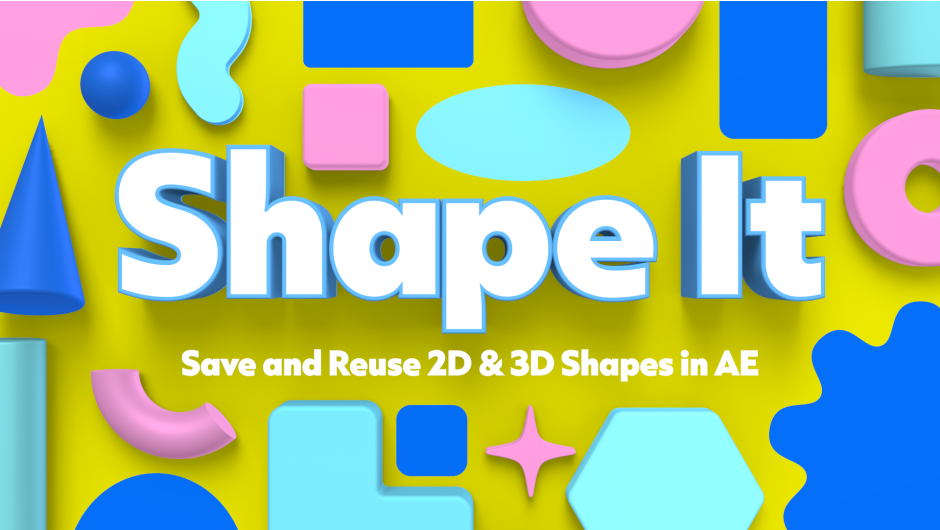
Shape It for After Effects
Shape It v1.0.0 for After Effects
The Ultimate Procedural Shape Generation and Morphing Tool
Download Shape It v1.0.0 today. Consequently, you can instantly generate complex, customizable vector shapes directly inside After Effects. Because modern motion graphics rely heavily on clean geometry and fluid transitions, having a dedicated shape generation tool is absolutely essential.
Nevertheless, manually drawing intricate polygons or morphing between different shapes takes hours of tedious keyframing. Fortunately, Shape It eliminates this bottleneck completely. Moreover, it provides a procedural system that builds perfect shapes from simple parameters. In short, you can create and animate stunning geometric designs with unprecedented speed.
Comprehensive Procedural Shape Library
The core of this script lies in its extensive collection of parametric shape generators. For instance, you can instantly create stars, polygons, spirals, grids, and abstract blobs. Furthermore, every shape is fully customizable through an intuitive control panel.
Additionally, you can adjust parameters like point counts, inner and outer radii, and rotation angles. Since the shapes are generated procedurally, you can modify them at any stage of the animation. Consequently, your designs remain completely flexible and non-destructive.
Intelligent Shape Morphing and Transitions
Professional workflows demand seamless transitions between different elements. Therefore, Shape It includes a powerful morphing engine. For example, you can effortlessly blend one generated shape into another.
Furthermore, the tool automatically matches point counts and aligns paths to ensure smooth transitions. Additionally, you can animate the morphing process with precise easing controls. Since the system handles the complex path interpolation, you avoid jagged or broken animations. Thus, you can create fluid, organic motion graphics effortlessly.
Real-Time GPU Acceleration and Workflow
Creative exploration demands immediate visual feedback. Accordingly, Shape It is fully optimized for real-time performance. For instance, the script updates the geometry instantly as you drag the sliders.
Furthermore, it integrates natively into the After Effects shape layer ecosystem. Additionally, the tool includes a library of ready-to-use presets for quick deployment. Since the interface is designed for speed, you can iterate rapidly and explore endless design variations. Consequently, you can achieve polished results in a fraction of the time.
Perfect for Motion Designers and UI Artists
This script is particularly well-suited for motion designers creating kinetic typography and lower thirds. Similarly, UI and app designers will appreciate the ability to quickly prototype geometric interface elements. Additionally, anyone working with abstract motion graphics will find the procedural morphing invaluable. Ultimately, Shape It v1.0.0 accelerates your entire post-production pipeline.
System Requirements and Compatibility
Shape It v1.0.0 supports After Effects versions 2022, 2023, 2024, 2025, and 2026. It works on both Windows and macOS operating systems. The script is available as a standard JSX file for easy installation. You will need a standard workstation with at least 8GB of RAM.
Installation and Usage Guide
To install, first download the script file from your library. Next, close Adobe After Effects if it is running. Then, copy the script to your After Effects Scripts folder. After that, ensure “Allow Scripts to Write Files and Access Network” is enabled in After Effects Preferences under Edit > Scripting & Expressions.
Finally, launch After Effects and navigate to Window > Shape It. Select your desired shape, adjust the parameters, and click Generate. Thus, your procedural shape workflow will be ready instantly.
What is Included Inside?
The pack contains the complete Shape It v1.0.0 script for After Effects. Furthermore, it includes the comprehensive procedural shape library and the intelligent morphing engine. Additionally, you receive real-time performance optimization and a library of ready-to-use presets. Ultimately, you receive everything needed for professional geometric design.
Final Thoughts on the Script
Effortless shape generation evokes profound creative freedom. Therefore, this script provides the ultimate foundation for your motion design workflows. You can create and morph complex vectors with unprecedented speed and precision. Consequently, your geometric vision becomes a stunning reality.
Save and reuse 2D & 3D shapes in After Effects.
Works with shape layers and parametric meshes.
Save and Reuse Shape Layers and Parametric Meshes
Creating shape layers from scratch is a pain, especially when projects generally have a set of shapes they use over and over again.
Tired of constantly recreating the same shapes, or importing them from other projects, I created Shape It.
A Fully Customizable Panel
Easily add, move, resize, recolor, remap, and remove buttons. The panel can have up to 75 buttons.
Dynamic Button Icons
When saving a shape layer to a button, the button icon updates to reflect the shape. Shape layers are saved with their fill, stroke, gradients, pucker & bloat, trim paths, repeater, twist, merge paths, 3D geometry and material options settings intact and any animation on those properties. Each button can save a unique default shape for all 12 shape types that can be edited or changed independently of other button defaults.
Note: Parametric mesh buttons icons do not dynamically change to match the saved mesh’s unique shape.
Save Shape Presets
Shapes and parametric meshes can also be saved as presets which are stored in your library per shape and can be pulled up to use whenever you want them.
Save Multi-Shapes
You can save a shape layer with multiple shapes and merge paths to a single button.
Save Animation
Shapes are saved with all their animations and effects.
Save and Reuse Panel Layouts
Easily save and move between panel layouts with different button setups.
Each panel layout has unique buttons, defaults, and presets that can be edited, saved, renamed and deleted independently of buttons and presets in other saved layouts.
Save Parametric Meshes
Although After Effect’s current ExtendScript support for parametric meshes is limited, you can save parametric meshes with all their mesh, bevel, and compositing option, transform properties, and material assignment options for the default material, and any animation on those properties.
Shape It requires After Effects 26.3 or later to work with parametric meshes.
Import and Export Presets and Panel Layouts
You can also export saved shape presets, or entire panel layouts with all their presets to share with others.
- 00:00 Intro
- 00:31 Shape It panel overview and customization
- 01:24 Factory default setting for buttons
- 01:43 Saving shapes as defaults to buttons
- 03:26 Saving shapes as presets
- 04:01 Switching between presets
- 04:30 Saved shapes save their animation
- 06:00 Manage Buttons & Presets window
- 06:05 Managing buttons
- 06:31 Managing presets
- 07:33 Exporting and importing presets
- 08:10 Saving or canceling changes made in Manage Buttons & Presets window
- 08:46 Saving Panel Layouts
- 09:30 How each panel layout has unique shape presets
- 10:16 Manage Panel Layouts window
- 10:51 Exporting and Importing Panel Layouts
- 11:18 Outro
Elevate your motion graphics workflow with premium collection of After Effects plugins. Whether you are a seasoned professional or just starting your VFX journey, powerful tools designed to streamline complex tasks, unlock creative possibilities, and save you hours of rendering time. From stunning glitch effects and seamless transitions to advanced 3D extrusion and text animation tools, each plugin in our library is rigorously tested for compatibility with the latest versions of Adobe after Effects. Enhance your video production value today and download industry-leading plugins that help you create breathtaking visuals without the technical headaches. Browse our full range and find the perfect extension to supercharge your editing suite now.
➡️ ➡️ For more after effects Plugins 😀 😀
➡️ ➡️ System requirements AE
Reviews
There are no reviews yet.